Introduction
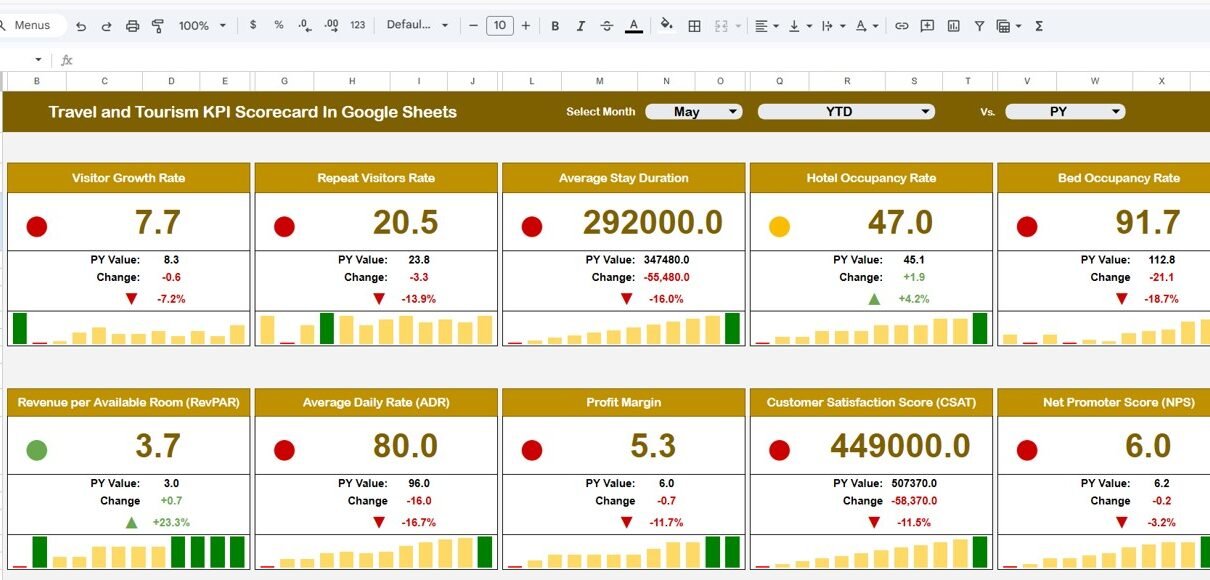
Tracking and analyzing performance is key to success in the travel and tourism industry. To help businesses make informed decisions, we have created a Travel and Tourism KPI Scorecard In Google Sheets. This ready-to-use scorecard template offers a comprehensive way to monitor key performance indicators (KPIs) effectively, enabling managers to gauge progress and spot trends quickly.Travel and Tourism KPI Scorecard In Google Sheets
Key Features of Travel and Tourism KPI Scorecard In Google Sheets
- Interactive Dashboard: Easy selection for monthly, MTD (Month-to-Date), or YTD (Year-to-Date) views.
- Actual vs Target Comparison: Quickly evaluate performance against targets with clear visual cues.
- Visual Indicators: Color-coded status indicators highlight whether KPIs meet expectations.
- Comprehensive KPI Overview: An all-in-one snapshot capturing current and historical KPI trends.
- Multiple Worksheets: Dedicated sheets for scorecard overview, KPI trends, data input, and KPI definitions.
- User-Friendly Interface: Dropdown menus and charts provide an intuitive experience.
Dashboard Pages Explanation
1. Scorecard Sheet
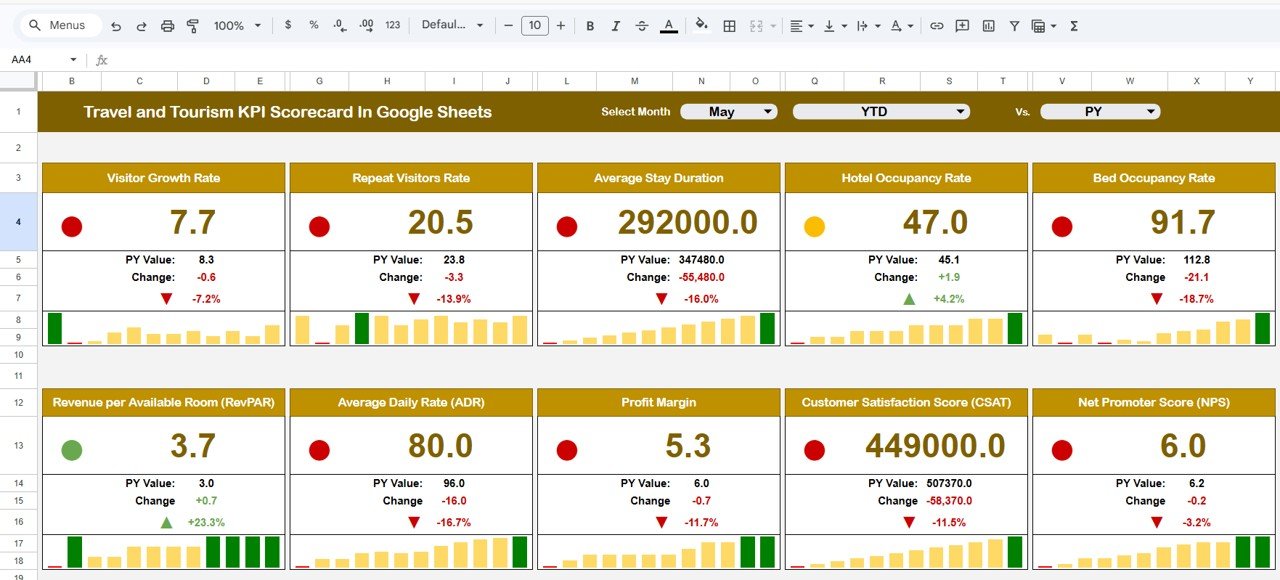
The Scorecard sheet serves as the main interface which presents the performance status of all KPIs.
Travel and Tourism KPI Scorecard In Google Sheets
Click to Buy Travel and Tourism KPI Scorecard In Google Sheets
- Dropdown Menus: Select the month, MTD, or YTD to analyze KPI performance in different time frames.
- Actual vs Target Values: Easily compare your actual results with target goals for each KPI.
- Visual Indicators: Color-coded cells or conditional formatting to instantly view which KPIs are on track or need attention.
- Comprehensive KPI Overview: Displays detailed KPI data with side-by-side MTD and YTD comparisons.Travel and Tourism KPI Scorecard In Google Sheets
2. KPI Trend Sheet Tab
This tab allows deep dives into individual KPI trends and definitions.
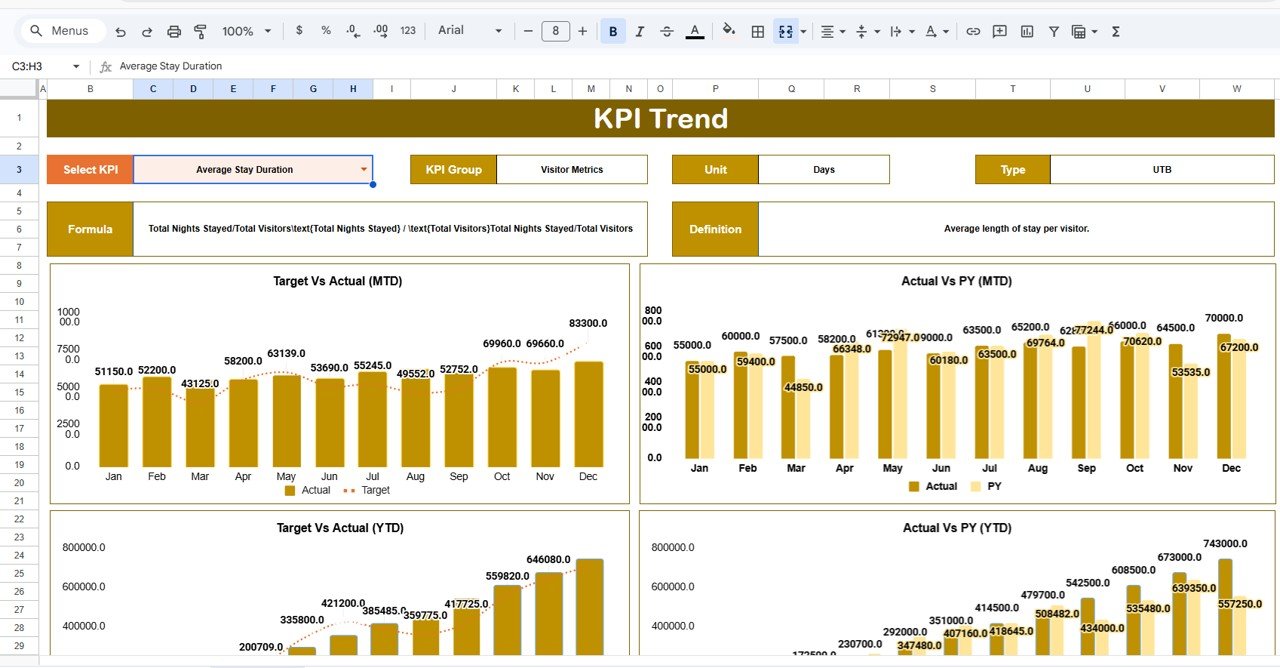
- KPI Selection Dropdown: Choose a specific KPI from cell C3 to view details.
- KPI Details Displayed: Shows KPI Group, Unit, Type (“Lower the Better” or “Upper the Better”), Formula, and Definition.
- Trend Charts: Visual MTD and YTD line charts comparing Actual, Target, and Previous Year (PY) data to identify performance trends at a glance.Travel and Tourism KPI Scorecard In Google Sheets
3. Input Data Sheet
The backbone of the scorecard, this sheet is where all KPI data points are entered.
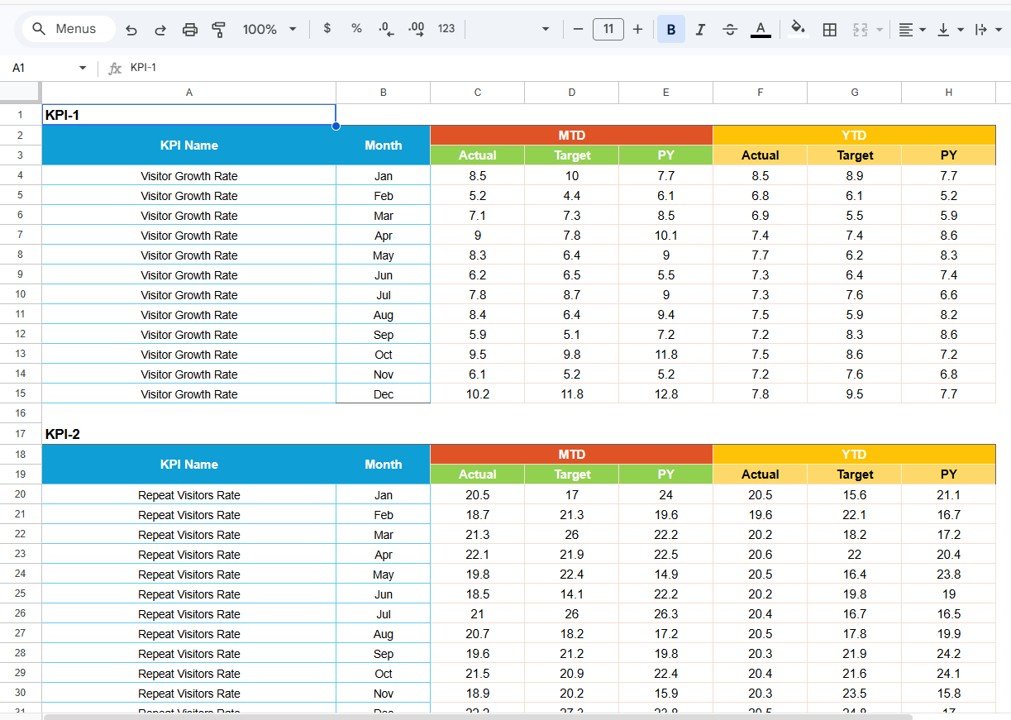
Input Data Sheet
- Data Entry: Record actual KPI values, target benchmarks, and other metrics.
- Flexibility: Easily update and maintain data to keep the scorecard current and reliable.
4. KPI Definition Sheet Tab
This tab is dedicated to cataloguing every KPI with detailed information to ensure clarity and consistency.
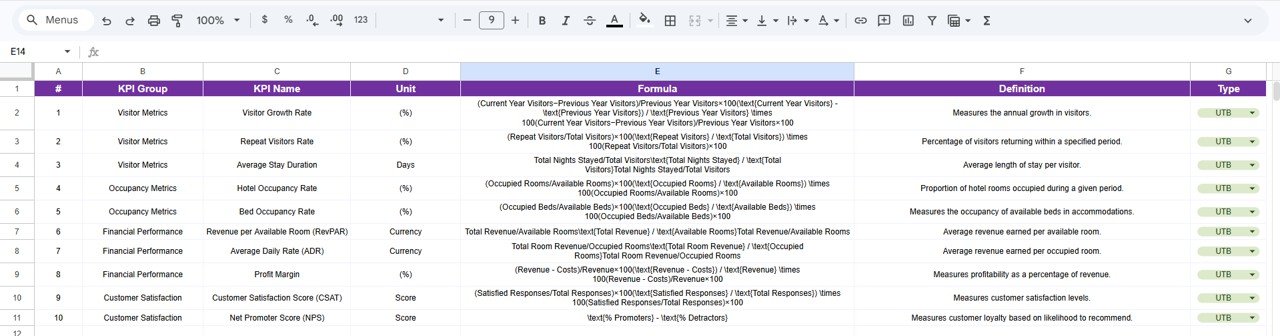
- KPI Name: Clear and standardized KPI names for uniformity.
- KPI Group: Categorize KPIs into logical groups.
- Unit: Specification of units, i.e., %, $, etc.
- Formula: Clearly defined calculation method for each KPI.
- KPI Definition: Description and purpose to aid understanding across teams.
Advantages of Travel and Tourism KPI Scorecard In Google Sheets
- Accessibility: Google Sheets allows easy access from anywhere, supporting real-time collaboration.
- Cost-Effective: No need for expensive BI tools—use this free and powerful Google Sheets template.
- Customization: Modify KPIs, formulas, and visuals to suit your business requirements.
- Improved Decision Making: Timely insights backed by data lead to smarter strategies and improved operational efficiency.
- User-Friendly Interface: Clear dashboards and dropdowns ensure teams of all technical levels can use it effectively.
Opportunities for Improvement
Click to Buy Travel and Tourism KPI Scorecard In Google Sheets
- Automation: Integrate with API data sources for automatic KPI updates and reduced manual entry.
- Advanced Visualizations: Embed more interactive and dynamic charts for deeper data exploration.
- Mobile Optimization: Enhance mobile usability for managers on-the-go.
- Alerts and Notifications: Add conditional email alerts for KPIs falling below threshold targets.
Best Practices
- Regularly update the Input Data Sheet to keep the dashboard relevant.
- Establish clear ownership for data entry and analysis to ensure accuracy.
- Review KPI definitions periodically to adapt to changing business goals.
- Leverage conditional formatting wisely to focus attention on critical metrics.
- Use the KPI Trend Sheet to identify long-term patterns and adjust strategies accordingly.
FAQs
Click to Buy Travel and Tourism KPI Scorecard In Google Sheets
Can I add more KPIs to this Google Sheets scorecard?
Yes, the template is fully customizable. You can add KPIs in the KPI Definition sheet and update the Input Data sheet accordingly. Charts and formulas can be adjusted to accommodate new metrics.
Is this KPI Scorecard suitable for small and large travel businesses?
Absolutely. The template is designed flexibly to cater to a wide range of business sizes within the travel and tourism sector.
Can I share this scorecard with my team?
Since it’s built in Google Sheets, you can easily share and collaborate with your team in real-time.
Does this template support multi-currency units?
Yes. KPI units including currencies can be customized in the KPI Definition sheet.
Conclusion
Click to Buy Travel and Tourism KPI Scorecard In Google Sheets
Monitoring key performance indicators is vital for successful travel and tourism businesses. Our Travel and Tourism KPI Scorecard In Google Sheets offers an intuitive, flexible, and powerful solution to track performance against your goals. With clear dashboards, trend analysis, and easy data management, it empowers you to make timely and informed decisions, ensuring sustainable growth in this competitive sector.Travel and Tourism KPI Scorecard In Google Sheets
Enhance your travel business performance today by downloading and customizing this free template to suit your needs.Travel and Tourism KPI Scorecard In Google Sheets
For further learning and step-by-step tutorials, visit our YouTube channel to watch the demo.
Learn more about the power of data analysis on official resources like Microsoft Excel Support.
Visit our YouTube channel to learn step-by-step video tutorials
Youtube.com/@NeotechNavigators
Watch the step-by-step video tutorial:
Click to Buy Travel and Tourism KPI Scorecard In Google Sheets