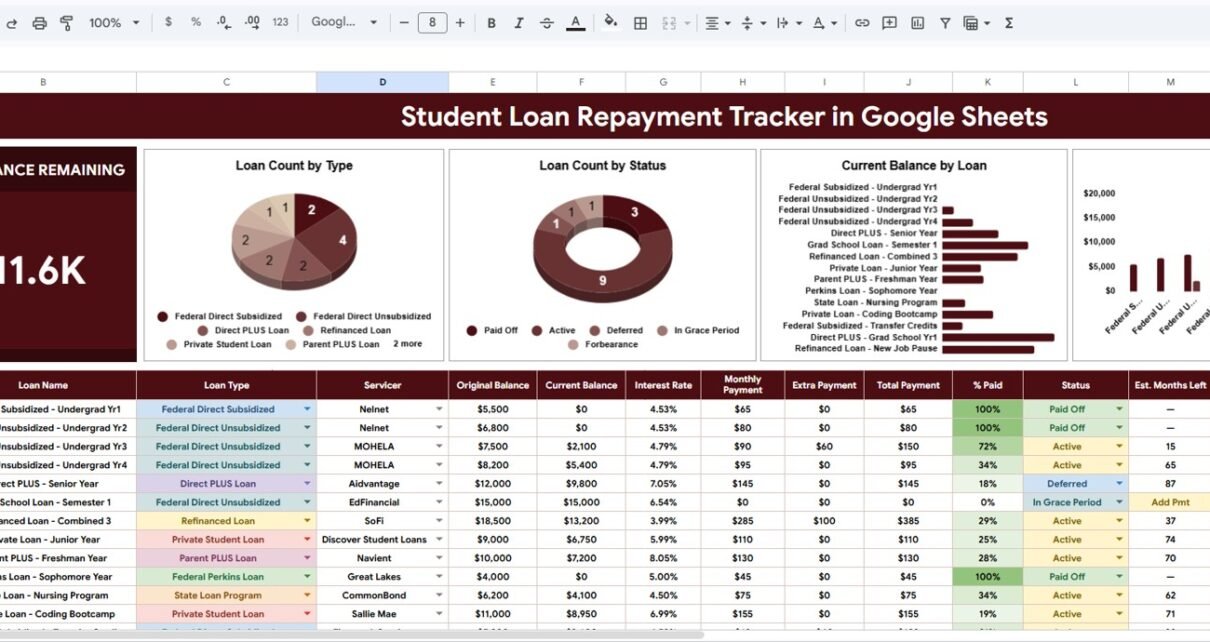
Student Loan Repayment Tracker in Google Sheets is built for borrowers who want one calm, editable place to monitor student loan balances, servicers, repayment status, and payoff progress. Student loans are often spread across multiple accounts, interest rates, and repayment plans, so even a simple question like “How much balance is left?” can take longer than it should.
The need for clear tracking is real. The Federal Reserve’s G.19 consumer credit table reported student loan balances of about $1.86 trillion in Q1 2026, and EducationData.org reports approximately $1.693 trillion in outstanding federal student loan debt across about 42.8 million federal borrowers. Those numbers are large, but the day-to-day problem is personal: borrowers need a practical way to see what they owe, where the loans sit, and which accounts need attention next.Student Loan Repayment Tracker in Google Sheets
This Google Sheets tracker gives you a structured workbook with an overview dashboard, charts, slicers, and setup lists. Because it is built in Google Sheets, you can update it from your browser, share a copy with a partner or advisor, and keep your tracking flexible without paying for another finance app.
Click to Buy Student Loan Repayment Tracker in Google Sheets
Key Features of Student Loan Repayment Tracker in Google Sheets
This tracker is designed around the information borrowers usually need to review: original balance, current balance, loan type, servicer, and repayment status. Instead of storing those details in scattered notes, you can keep them in a spreadsheet that is easier to filter, review, and update.Student Loan Repayment Tracker in Google Sheets
- Overview dashboard: Quickly review total balance remaining and high-level loan progress.
- Loan count by type: See how many loans belong to each type, such as federal, private, subsidized, unsubsidized, or other custom categories.
- Loan count by status: Understand how many loans are active, paid, deferred, in grace period, or in another repayment status.
- Current balance by loan: Compare remaining balances across individual loans so you can spot large payoff targets.
- Original versus current balance: Review how each loan has changed from its starting balance to the current amount.Student Loan Repayment Tracker in Google Sheets
- Setup lists: Keep loan type, repayment status, and servicer options consistent across the workbook.Student Loan Repayment Tracker in Google Sheets
- Google Sheets flexibility: Make a copy, edit labels, add rows, and customize the tracker for your own repayment situation.Student Loan Repayment Tracker in Google Sheets
Dashboard Pages Explanation
The workbook includes multiple pages so your loan information is separated into useful views. The main goal is to help you move from raw loan data to quick repayment insight without rebuilding formulas or charts from scratch.Student Loan Repayment Tracker in Google Sheets
Overview Page
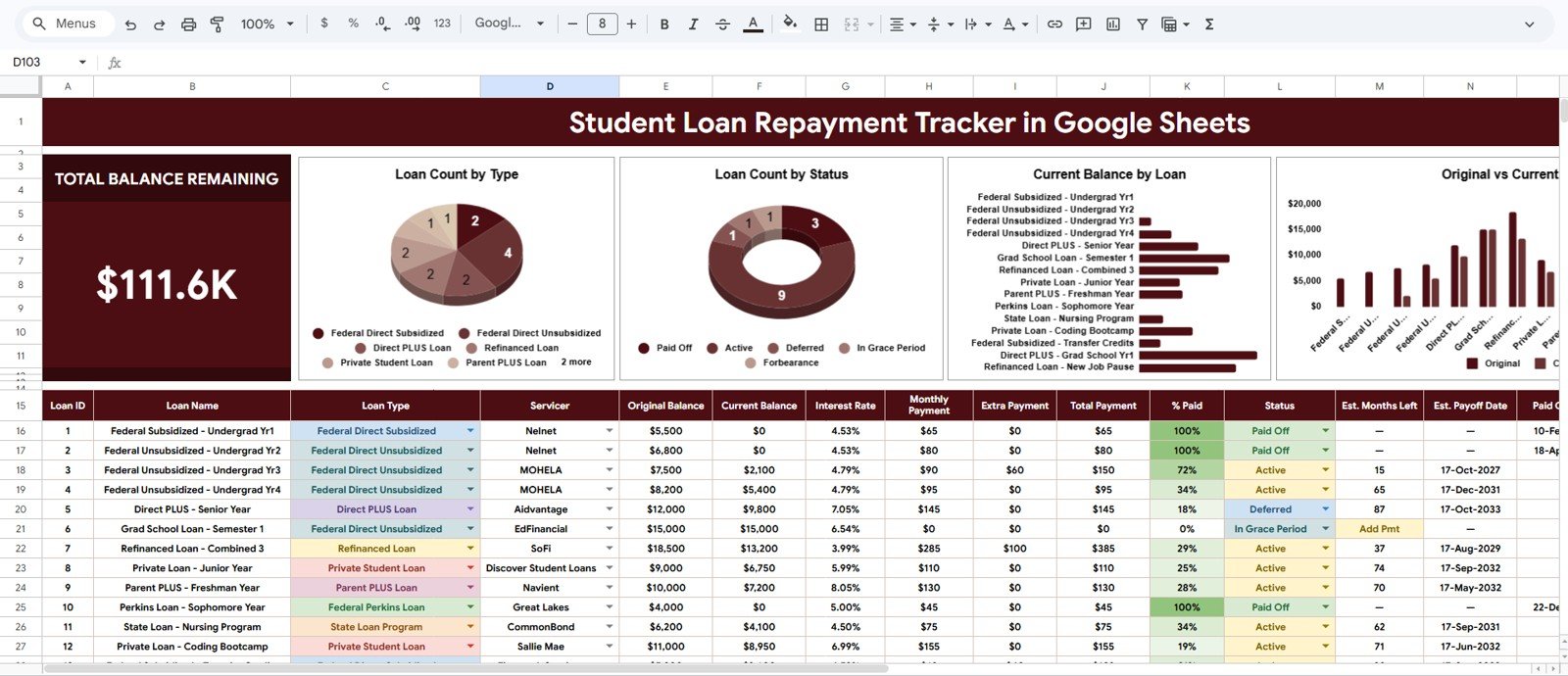
The Overview Page gives you the fastest read on your repayment picture. At the top of the sheet, the Total Balance Remaining card shows a high-level number so you can immediately understand the amount still left to repay.Student Loan Repayment Tracker in Google Sheets
The Loan Count by Type chart groups your loans by category. This is helpful when you want to understand how your borrowing is distributed across federal, private, or custom loan types.
The Loan Count by Status chart shows how many loans sit in each repayment status. It helps you quickly separate active loans from paid, deferred, grace period, or other status categories.
The Current Balance by Loan chart compares what remains on each individual loan. It makes large balances easier to spot and supports payoff prioritization discussions.
The Original Balance and Current Balance by Loan chart compares starting balances against current balances. This helps you see which loans have made the most visible progress and which ones may need more focus.
Setup Lists
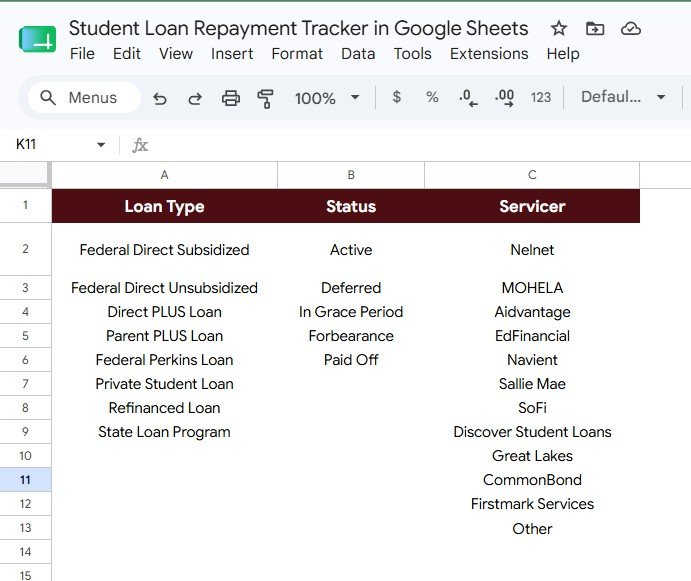
The Setup Lists sheet keeps the dropdown-style options organized. Clean setup lists reduce inconsistent entries and make the dashboard charts more reliable.Student Loan Repayment Tracker in Google Sheets
Loan Type Options by Loan Type lets you define the types of loans you want to track. You can use common categories or customize the list for your own situation.
Repayment Status Options by Status helps standardize status labels. That makes it easier to filter loans by active, paid, deferred, grace period, or other statuses you use.Student Loan Repayment Tracker in Google Sheets
Loan Servicer Options by Servicer gives you a consistent place to manage servicer names. This is useful if your loans are handled by multiple servicers or if accounts move between providers over time.Student Loan Repayment Tracker in Google Sheets
Student Loan Repayment Tracker in Google Sheets vs. Microsoft Excel vs. Paid Finance App – Feature Comparison
| Feature | Google Sheets Tracker | Microsoft Excel Workbook | Paid Finance App |
|---|---|---|---|
| Browser access | Yes, through Google Drive | Depends on setup | Usually yes |
| Editable structure | Fully editable after making a copy | Fully editable | Often limited |
| Ongoing subscription | No subscription for the template | No subscription for a workbook | Often monthly or annual |
| Dashboard charts | Included | Can be built manually | Varies by app |
| Setup lists | Included for consistent inputs | Manual setup required | Usually hidden inside app settings |
| Privacy control | You control your copy | You control your file | Depends on the provider |
| Best fit | Borrowers who want flexible tracking | Advanced spreadsheet users | Users who want automated syncing |
Who Should Use This Template
This student loan repayment spreadsheet is useful for borrowers who want visibility without adding a complicated financial system. It works well for graduates, parents helping with education debt, couples planning a shared payoff strategy, and anyone comparing multiple loans across servicers.Student Loan Repayment Tracker in Google Sheets
It is especially useful if you are reviewing repayment options, preparing a monthly budget, deciding which loan to prioritize, or documenting balances before making extra payments. It can also support conversations with a financial coach, partner, or family member because the workbook presents loan information in a clear visual format.Student Loan Repayment Tracker in Google Sheets
Real-World Use Cases
- Monthly repayment review: Update balances once a month and check whether total balance remaining is moving in the right direction.
- Loan prioritization: Use current balance by loan to identify the largest accounts and decide where extra payments may go.
- Servicer organization: Track which servicer handles each loan so payment portals and statements are easier to manage.
- Status monitoring: Separate loans by repayment status to avoid losing sight of accounts that are deferred, in grace period, or active.
- Progress check-ins: Compare original and current balances to see how far each loan has moved from the starting point.
Advantages of Student Loan Repayment Tracker in Google Sheets
The biggest advantage is control. You are not locked into a rigid app workflow, and you do not need to wait for a bank connection or servicer sync to work. You can enter the data that matters, rename categories, and keep the template aligned with your repayment planning style.
Google Sheets also supports collaboration. Google explains that Sheets files can be shared with others, and access can be controlled at the file level. That makes the template useful when repayment planning involves another person, while still letting you decide who can view or edit your copy.Student Loan Repayment Tracker in Google Sheets
Another advantage is simplicity. Instead of trying to forecast every possible repayment scenario, the tracker focuses on a clean operating view: what loans exist, what status they are in, who services them, and how much remains.Student Loan Repayment Tracker in Google Sheets
Opportunities for Improvement
This template is intentionally practical and editable, but no spreadsheet replaces official loan statements. You should still verify balances, interest, payment due dates, and repayment plan details with your loan servicer before making financial decisions.
Users who want deeper forecasting may choose to add extra columns for interest rate, minimum payment, due date, or planned extra payment. Advanced users can also extend the workbook with monthly snapshots, payoff projections, or scenario modeling.
Best Practices
- Update the tracker on the same day each month so balance comparisons stay consistent.
- Use the setup lists before entering loan records so chart labels remain clean.
- Keep servicer names consistent, especially if several loans belong to one provider.
- Compare spreadsheet balances against official servicer statements regularly.
- Make a backup copy before adding major custom formulas or new dashboard sections.Student Loan Repayment Tracker in Google Sheets
Explore Relevant Templates
If you are building a broader personal finance system, these related templates may also help:
- Loan EMI Repayment Tracker in Google Sheets
- Debt Payoff (Snowball) Tracker in Google Sheets
- Credit Card Payoff Tracker in Google Sheets
- Bill Payment Tracker in Google Sheets
- Personal Finance Net Worth Tracker in Google Sheets
Frequently Asked Questions
Is this student loan tracker an automated loan app?
No. It is a Google Sheets template. You enter or update your loan data manually, which gives you control over the information stored in your copy.
Can I track both federal and private student loans?
Yes. You can use the loan type setup list to define federal loans, private loans, or any custom categories that match your situation.
Does the template include charts?
Yes. The Overview Page includes charts for loan count by type, loan count by status, current balance by loan, and original balance versus current balance by loan.
Can I customize the servicer list?
Yes. The Setup Lists sheet includes a loan servicer options area so you can keep servicer names consistent across the workbook.
Can I share the tracker with someone else?
Yes. Since it runs in Google Sheets, you can use Google Drive sharing controls to choose who can view or edit your copy.
About the Author
NeoTechNavigators creates practical guides and digital workflow resources for spreadsheet users, small businesses, and teams that want clearer systems. For more tutorials, visit the NeoTechNavigators YouTube channel.
Conclusion
Student loan repayment is easier to manage when the important details are visible. The Student Loan Repayment Tracker in Google Sheets helps borrowers organize balances, loan types, repayment statuses, and servicers in one editable workbook. With overview charts, slicers, setup lists, and a clean dashboard structure, it gives you a practical way to monitor repayment progress without committing to another subscription app.
Click to Buy Student Loan Repayment Tracker in Google Sheets
Sources: Federal Reserve G.19 Consumer Credit; EducationData.org Student Loan Debt Statistics; Google Docs Editors Help – Share files from Google Drive.