Art and Craft Class Management System Web App is a Google Apps Script style template for art studios, craft schools, hobby academies, and creative learning centers that need a practical way to manage students, instructors, courses, batches, attendance, fees, inventory, artwork, certificates, reports, users, settings, and audit history. The system includes 18 connected pages, 8 dashboard KPI cards, 5 operational charts, and a one-time template purchase model instead of a monthly SaaS subscription.Art and Craft Class Management System Web App
For teams exploring the platform behind browser-based Google automation, Google provides an official Google Apps Script documentation hub that explains how Apps Script can extend and automate Google Workspace. This template applies that type of web app thinking to the daily operations of an art and craft class business.
View the Art and Craft Class Management System Web App product page.
Get the Art and Craft Class Management System Web App
🚀 Try the Live Demo Before You Buy
We have deployed this Art & Craft Class Management System in our own Google account so you can test every page and every one of the four user roles — with real sample data — before purchasing. No signup, no email required.
🔑 Test Login Credentials
Sign in as the Admin for unrestricted access to all modules, as Front Desk staff for the daily student, enrollment, attendance, fees and certificate workflow, or as one of the two Instructors to see the role-limited teacher view — each instructor sees only their own batches, students, attendance and artwork gallery. 💡 Tip: switch between the four logins to see exactly how role-based permissions hide and reveal pages.
💡 What you get after purchase: The full source code (Code.gs + Index.html) plus a step-by-step deployment guide so you can deploy your own private instance in your own Google account in under 15 minutes.
Key Features
- 18 connected screens: Login, dashboard, students, instructors, courses, batches, enrollments, attendance, fees, expenses, inventory, artwork, certificates, reports, users, list management, settings, and audit log.
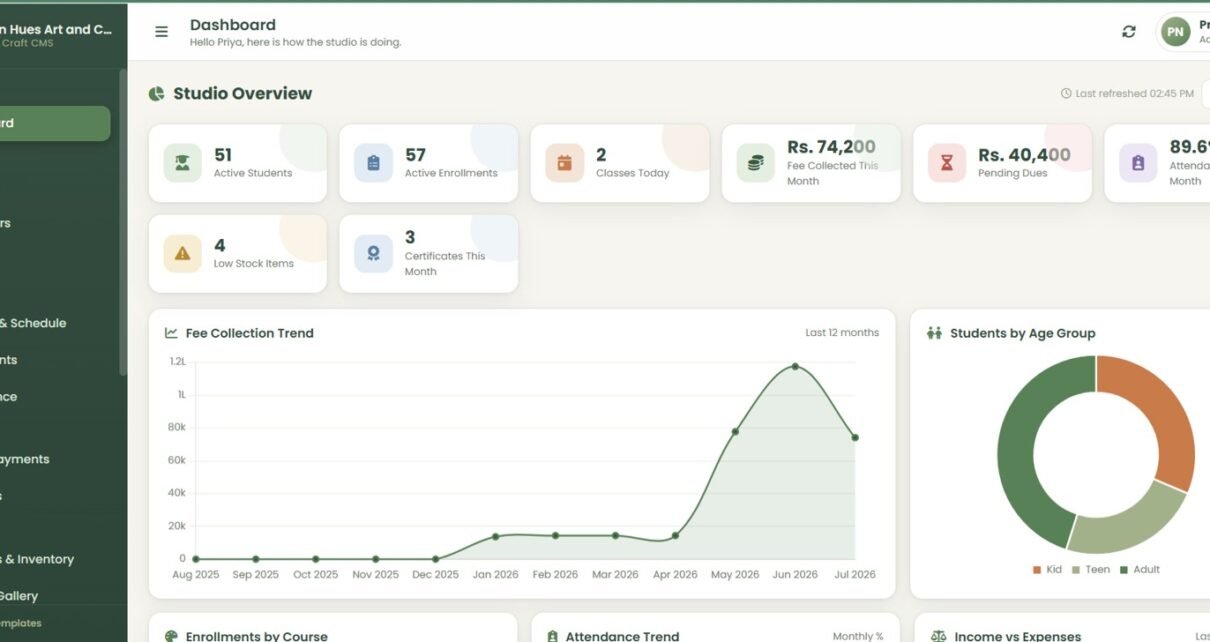
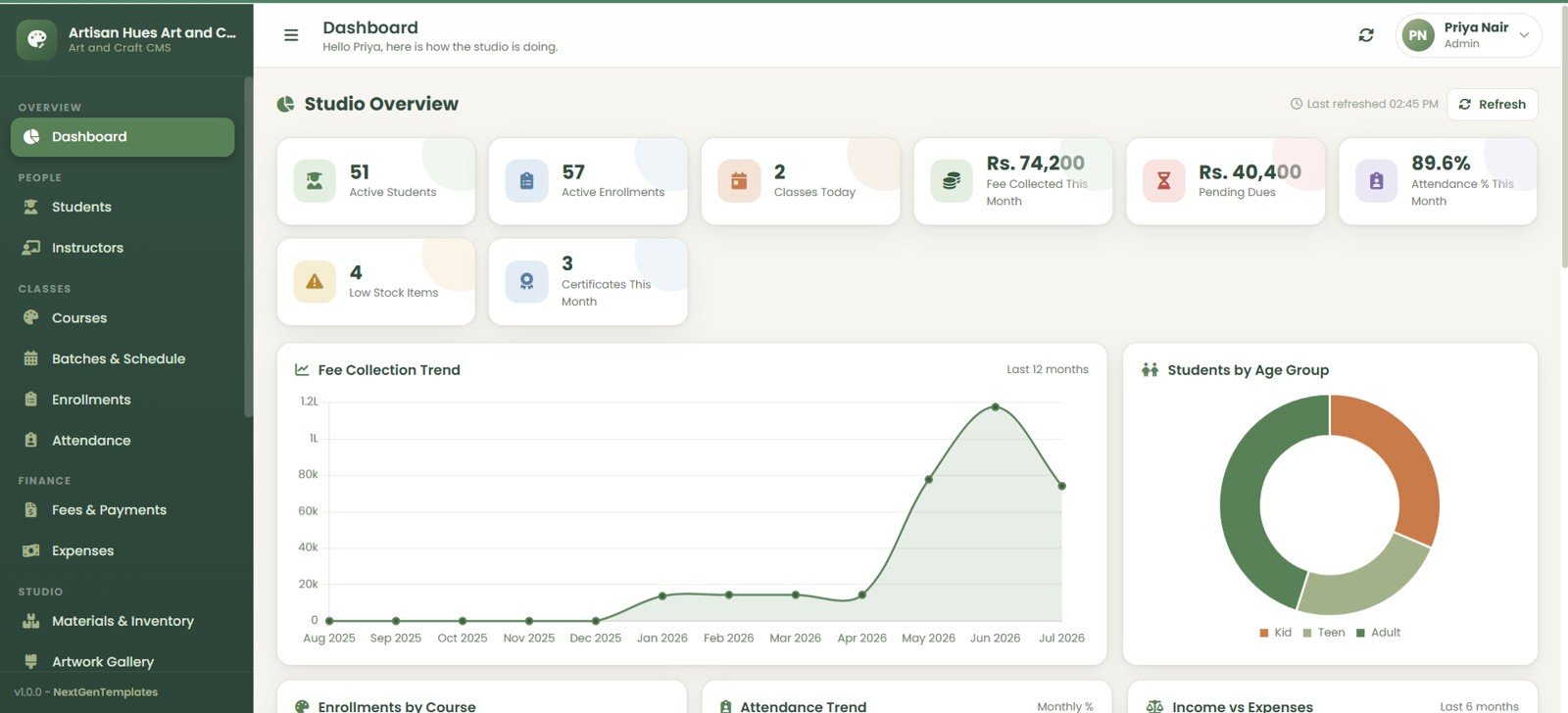
- 8 KPI cards: Active Students, Active Enrollments, Classes Today, Fee Collected This Month, Pending Dues, Attendance % This Month, Low Stock Items, and Certificates This Month.
- 5 dashboard charts: Fee Collection by Month, Students by Age Group, Enrollments by Course, Attendance by Month, and Income vs Expenses by Month.Art and Craft Class Management System Web App
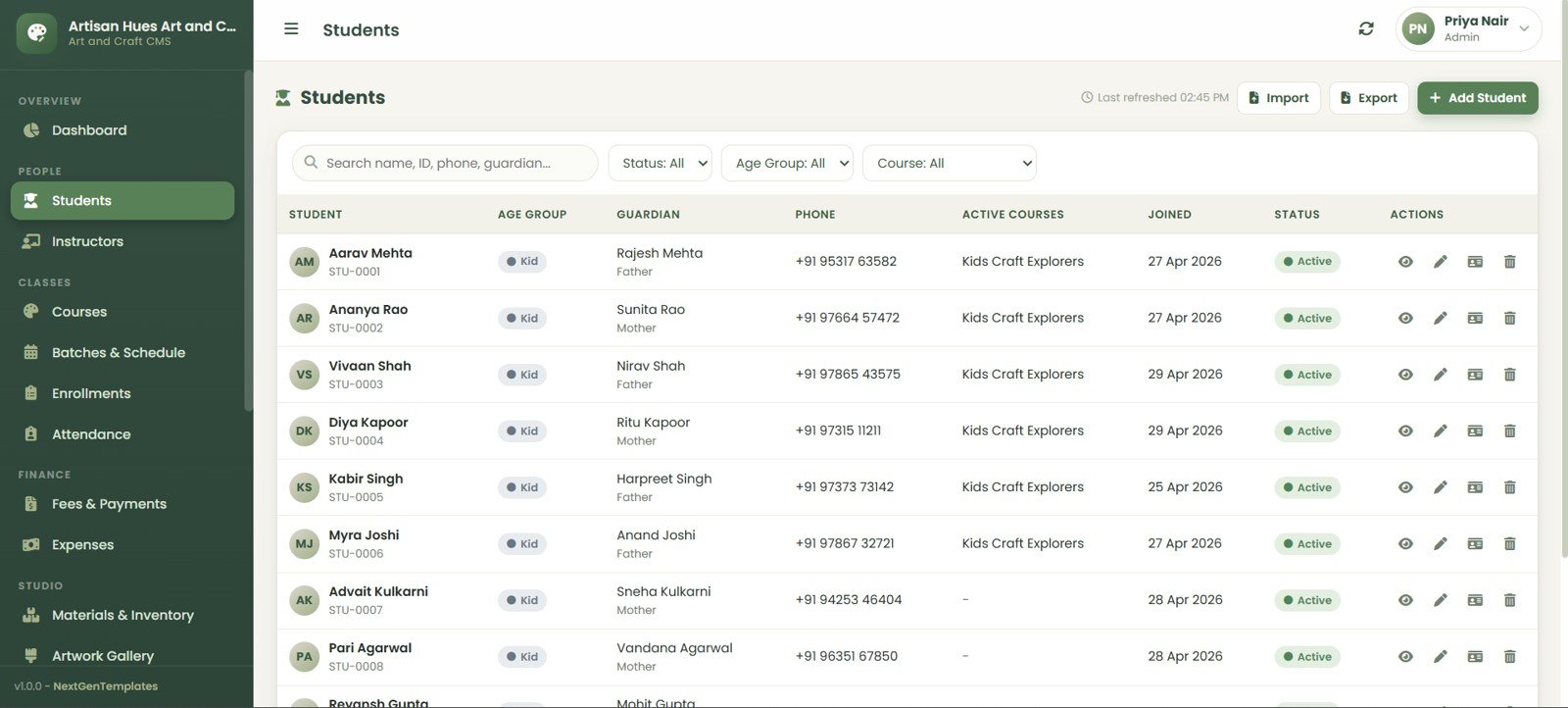
- Student and guardian tracking: Search by name, ID, phone, or guardian and filter by status, age group, and course.Art and Craft Class Management System Web App
- Batch and schedule management: Manage instructors, rooms, weekly timetable, today classes, dates, seats, and status.
- Fee collection workflow: Track invoices, dues, payments, balances, pending dues, manual invoices, payment recording, exports, and printing.
- Inventory and materials control: Monitor low stock, current stock, reorder levels, unit cost, suppliers, material issues, and stock-in entries.
- Certificates and artwork: Maintain artwork gallery records and issue course completion certificates with print and email status.
- Admin controls: User roles, list values, studio settings, database archive options, and audit log tracking.
Dashboard Pages Explanation
1. Login Page
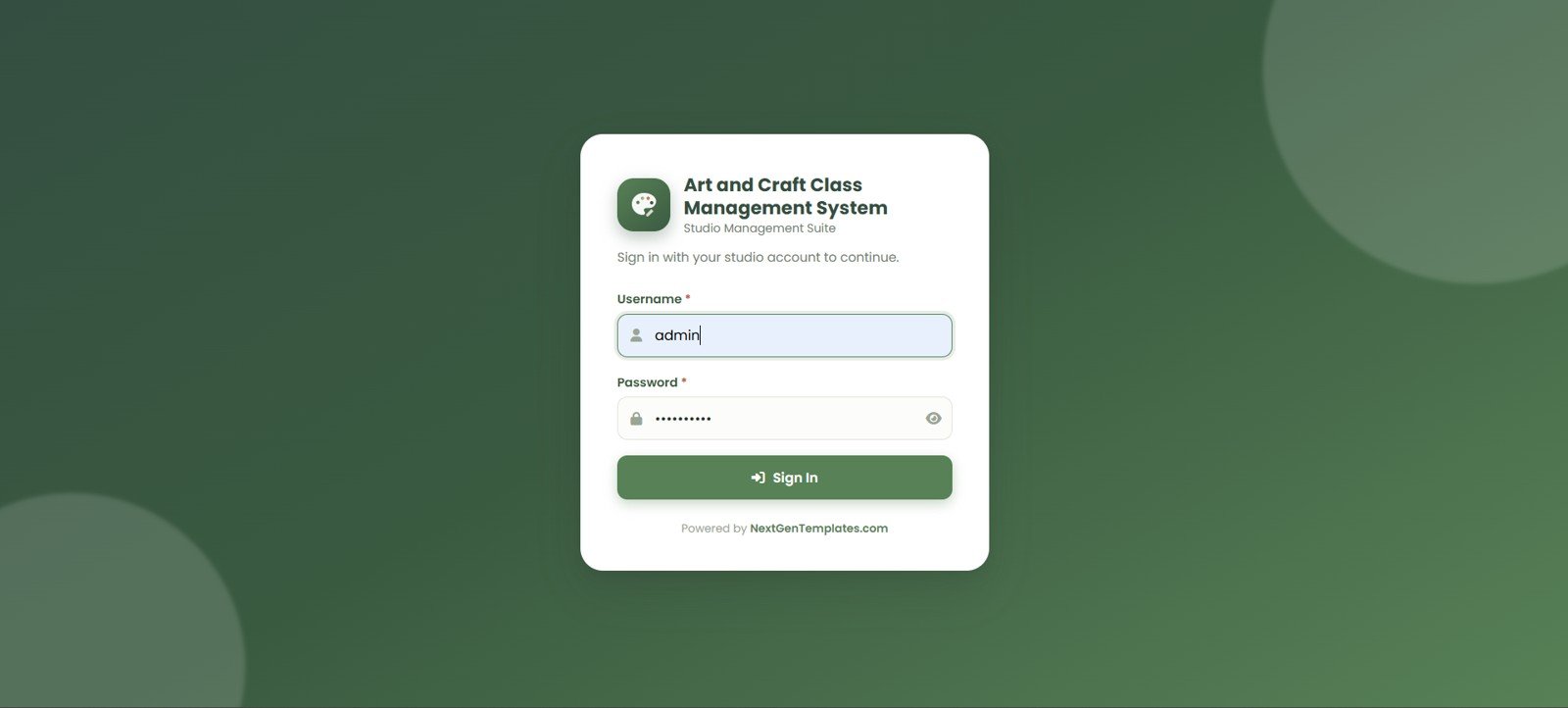
The login page gives the studio a protected entry point with username and password fields, password visibility, authorized access messaging, and NextGenTemplates branding.
2. Dashboard Overview
The dashboard summarizes daily and monthly health with student, enrollment, class, fee, dues, attendance, stock, and certificate KPIs. The chart set helps owners see collections, age mix, course demand, attendance patterns, and income vs expense trends.
3. Students
The Students page stores name, age group, guardian, phone, active courses, joined date, and status. Import, export, add, view, edit, fees, and delete actions support everyday record maintenance.
4. Instructors
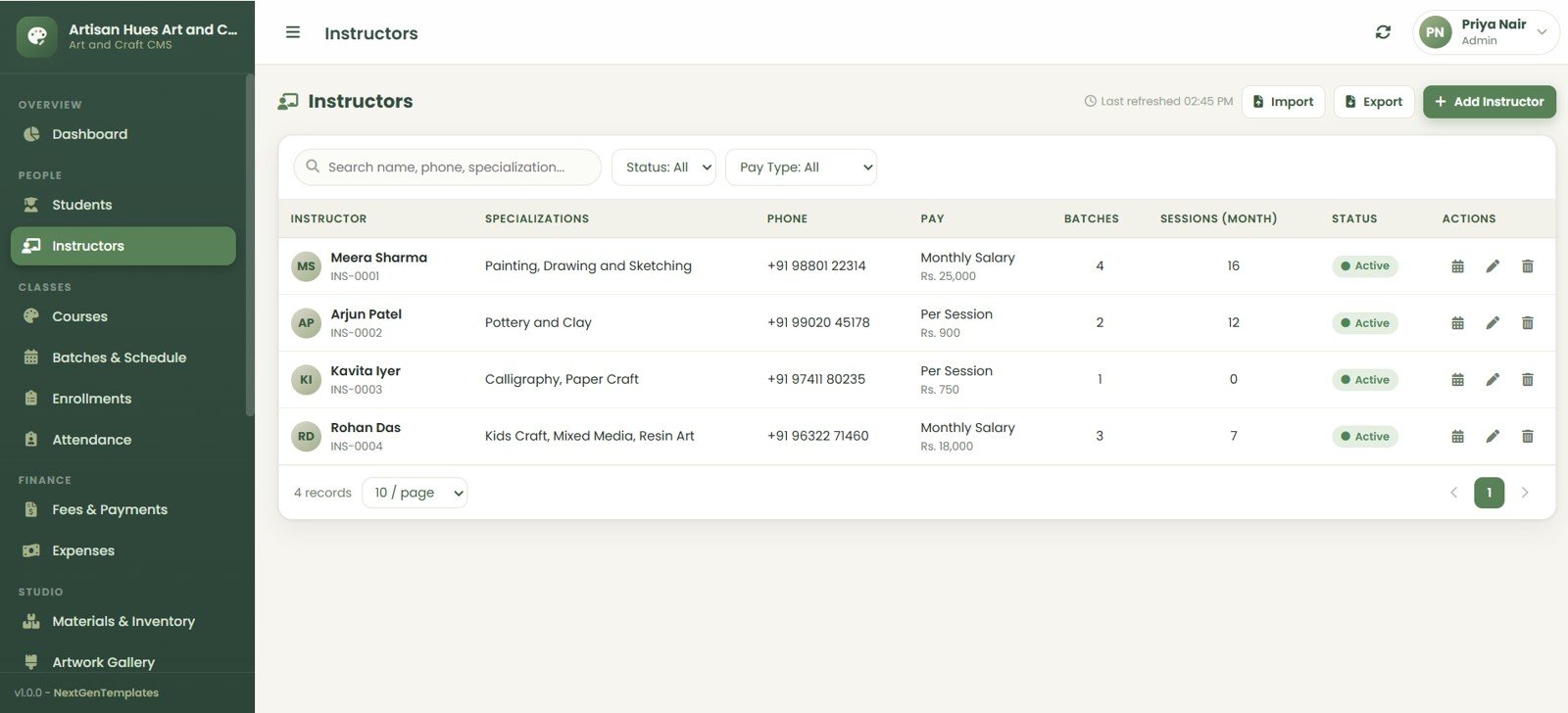
The Instructors page tracks names, specializations, phone numbers, pay, batches, monthly sessions, and active status, with search, filters, import, export, schedule, edit, and delete actions.Art and Craft Class Management System Web App
5. Courses
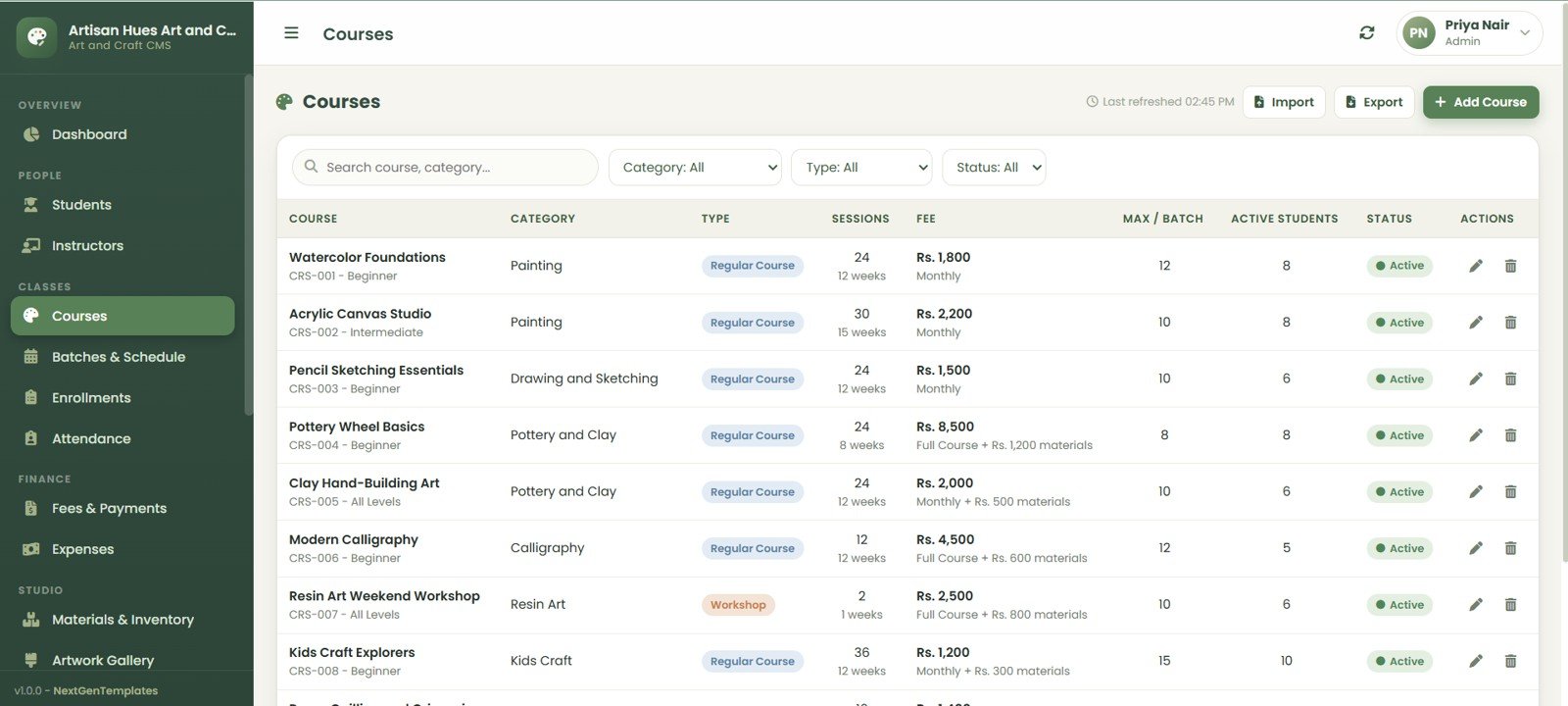
The Courses page organizes course name, category, type, sessions, fee, maximum batch size, active students, and status across Painting, Drawing and Sketching, Pottery and Clay, Calligraphy, Resin Art, and Kids Craft.Art and Craft Class Management System Web App
6. Batches and Schedule
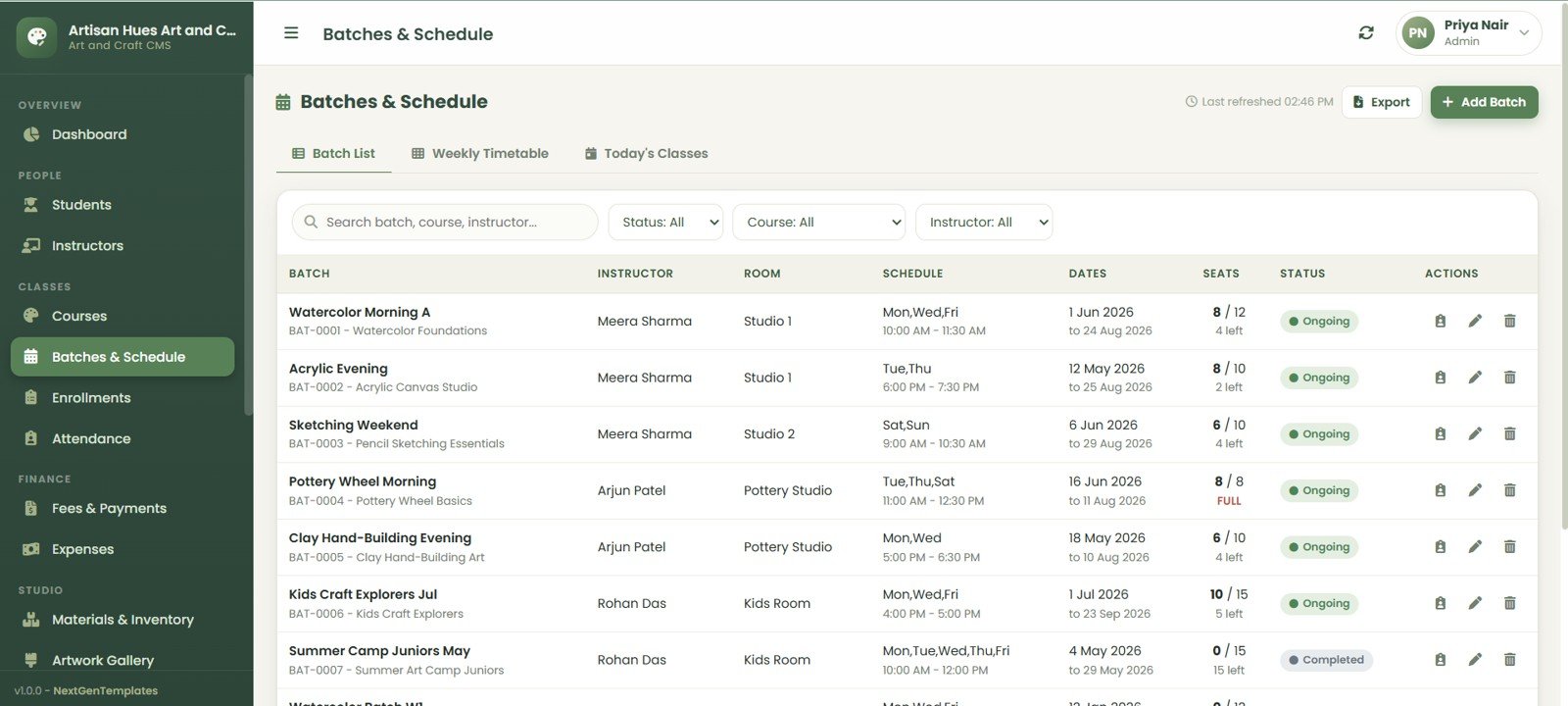
The Batches and Schedule area includes Batch List, Weekly Timetable, and Todays Classes tabs. It keeps batch name, instructor, room, schedule, dates, seats, and status in one place.
7. Enrollments
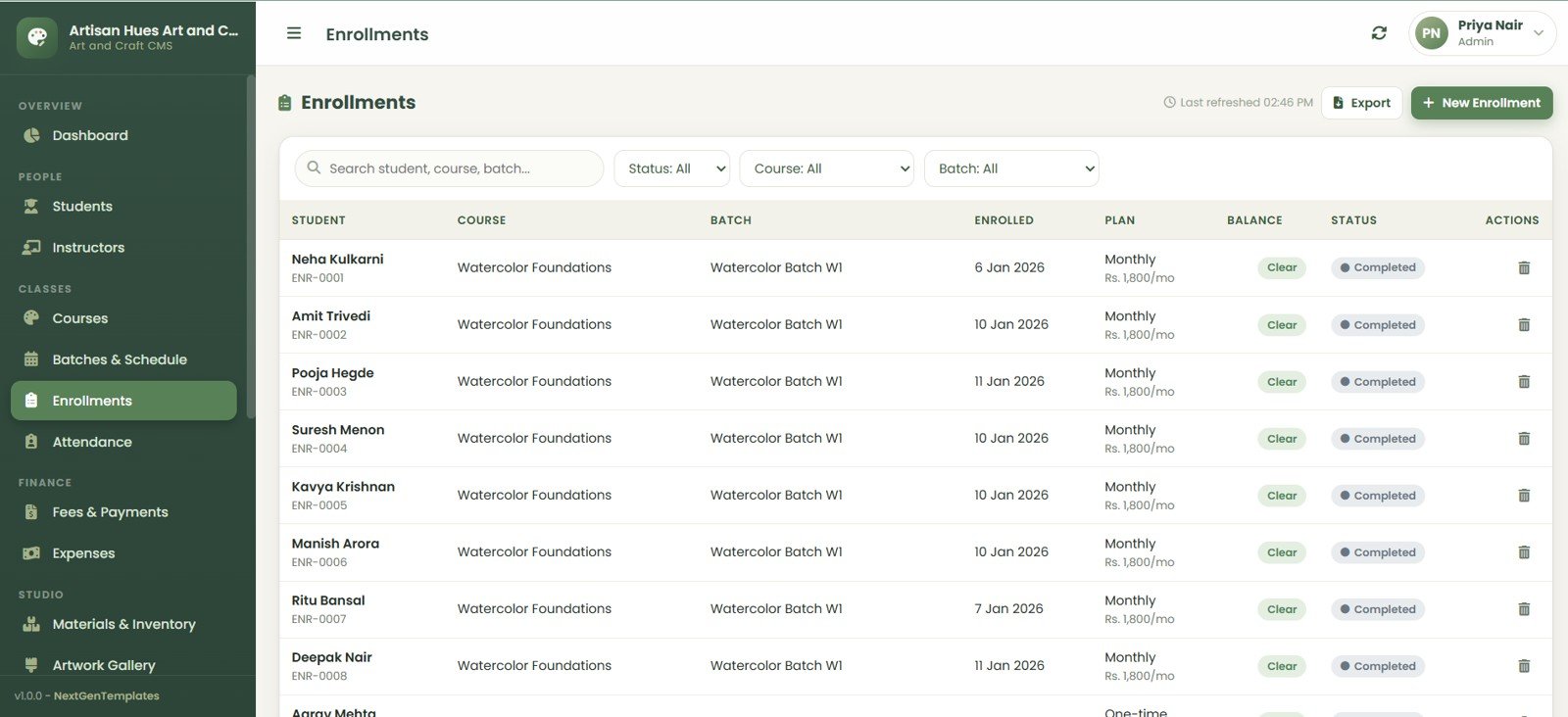
The Enrollments page links student, course, batch, date, plan, balance, and enrollment status. This is especially useful for studios that run monthly, term-based, and workshop-style programs.
8. Attendance
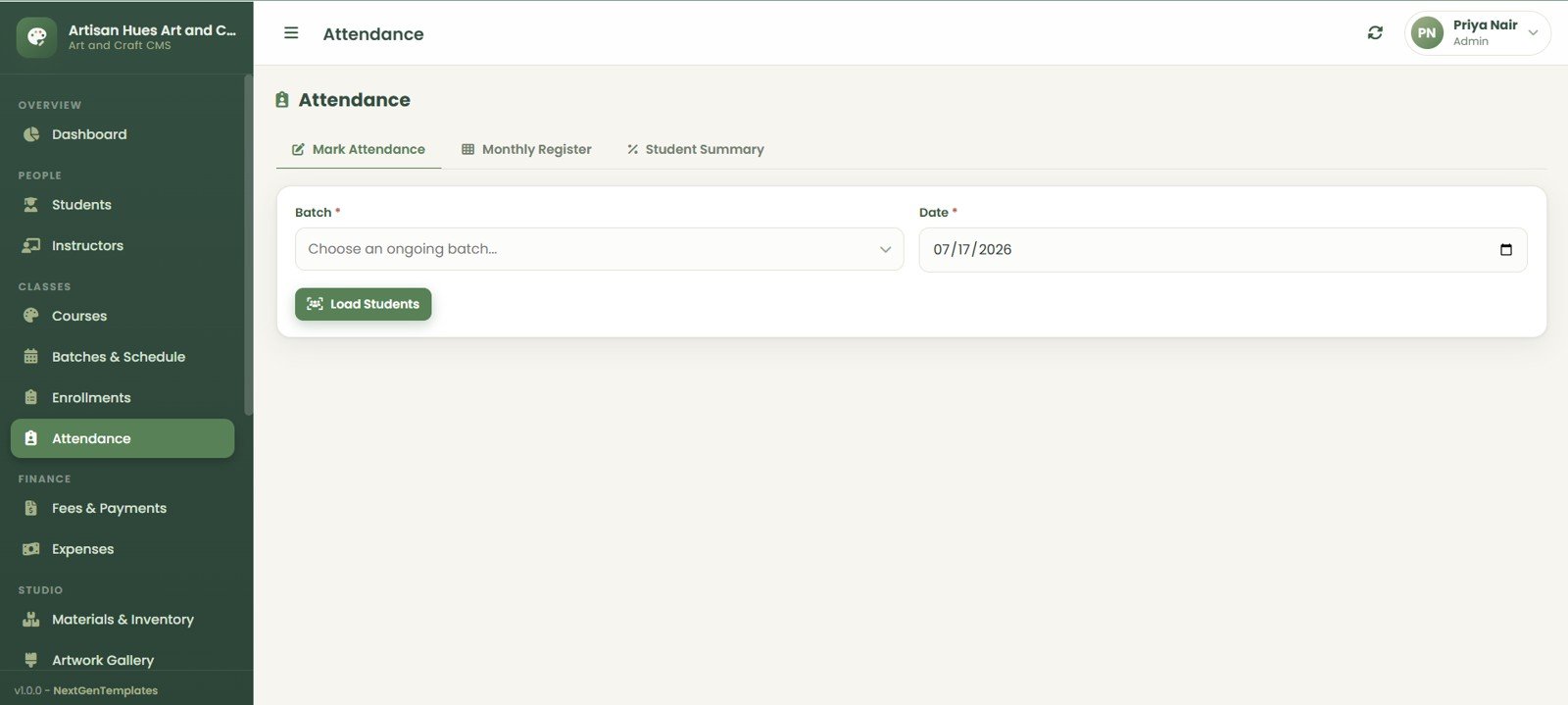
The Attendance module includes Mark Attendance, Monthly Register, and Student Summary views. Batch and date selectors make daily marking straightforward, while summaries support follow-up.Art and Craft Class Management System Web App
9. Fees and Payments
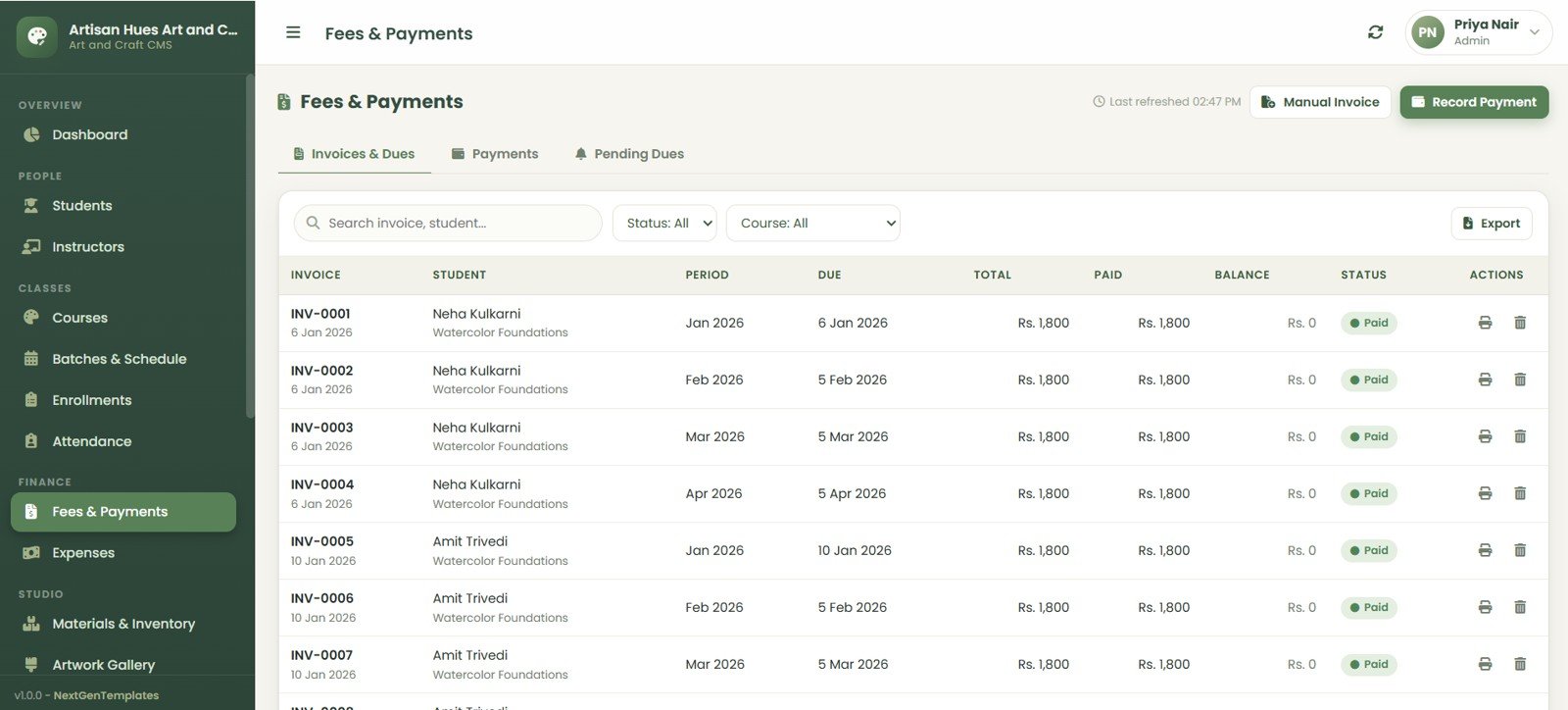
The Fees and Payments module covers Invoices and Dues, Payments, and Pending Dues. Studio admins can record invoices, payments, due dates, totals, paid amounts, balances, and status.
10. Expenses
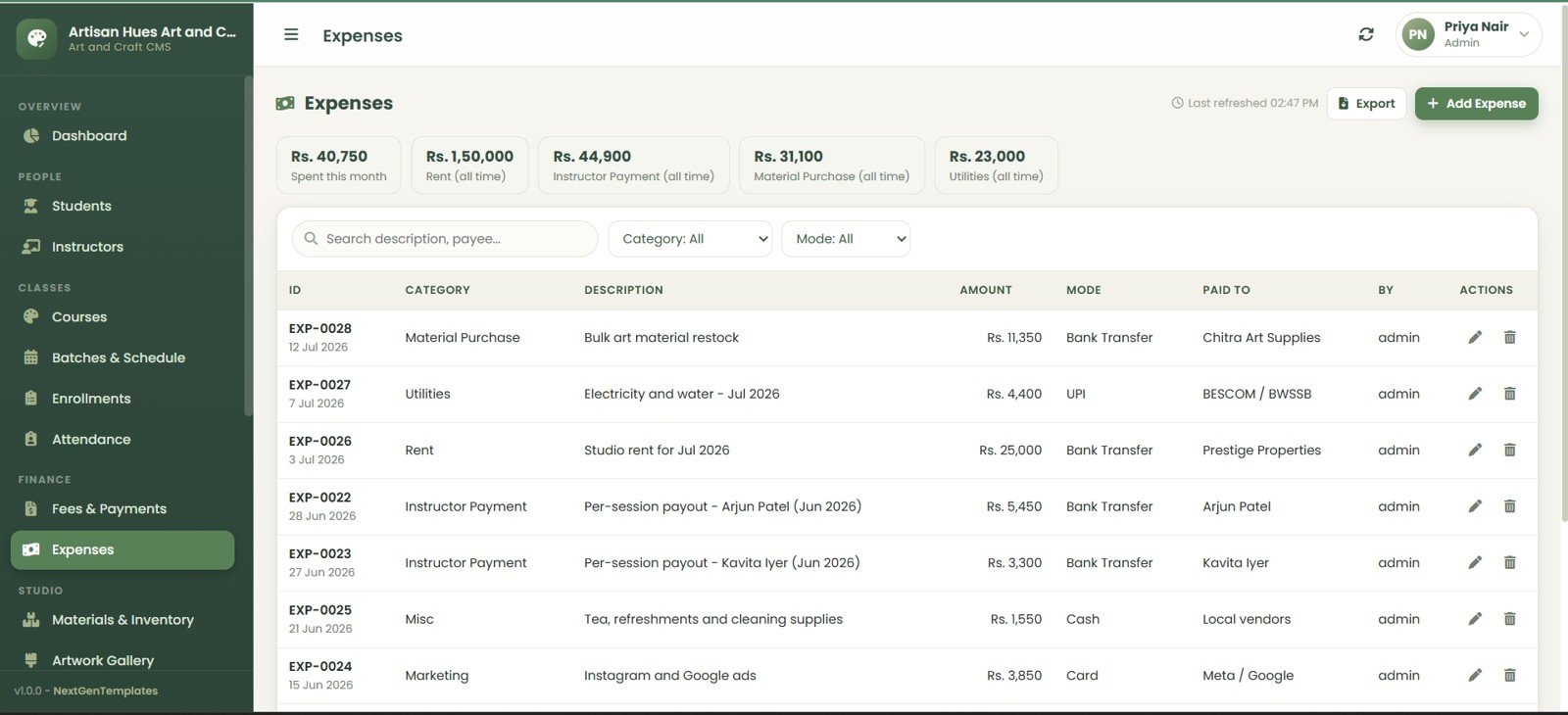
The Expenses page gives summary cards for Spent This Month, Rent, Instructor Payment, Material Purchase, and Utilities. It also records ID, category, description, amount, mode, paid to, created by, and actions.Art and Craft Class Management System Web App
11. Materials and Inventory
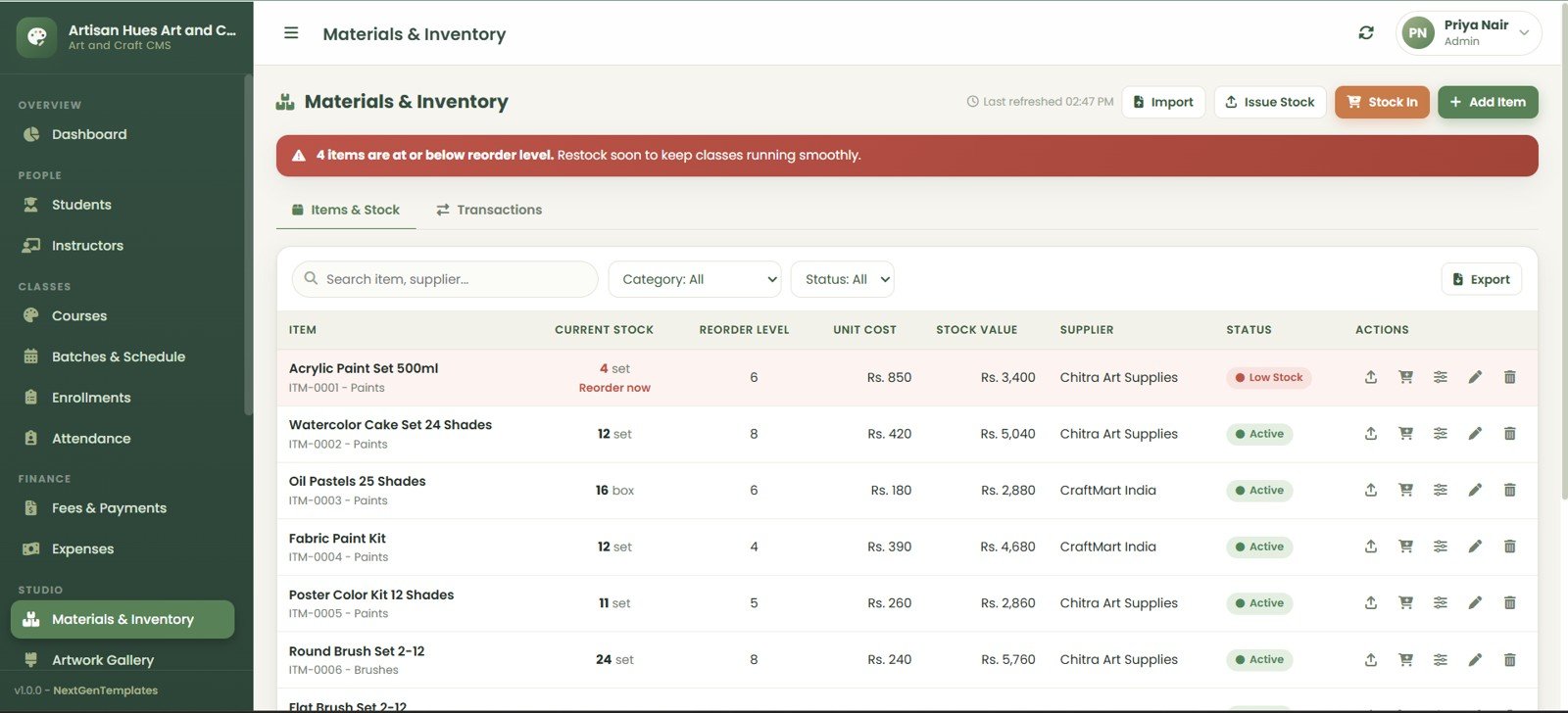
The Materials and Inventory module uses low-stock alerts plus Items and Stock and Transactions tabs. It tracks current stock, reorder levels, unit cost, stock value, supplier, status, imports, issues, stock-in, add, and export actions.
12. Artwork Gallery
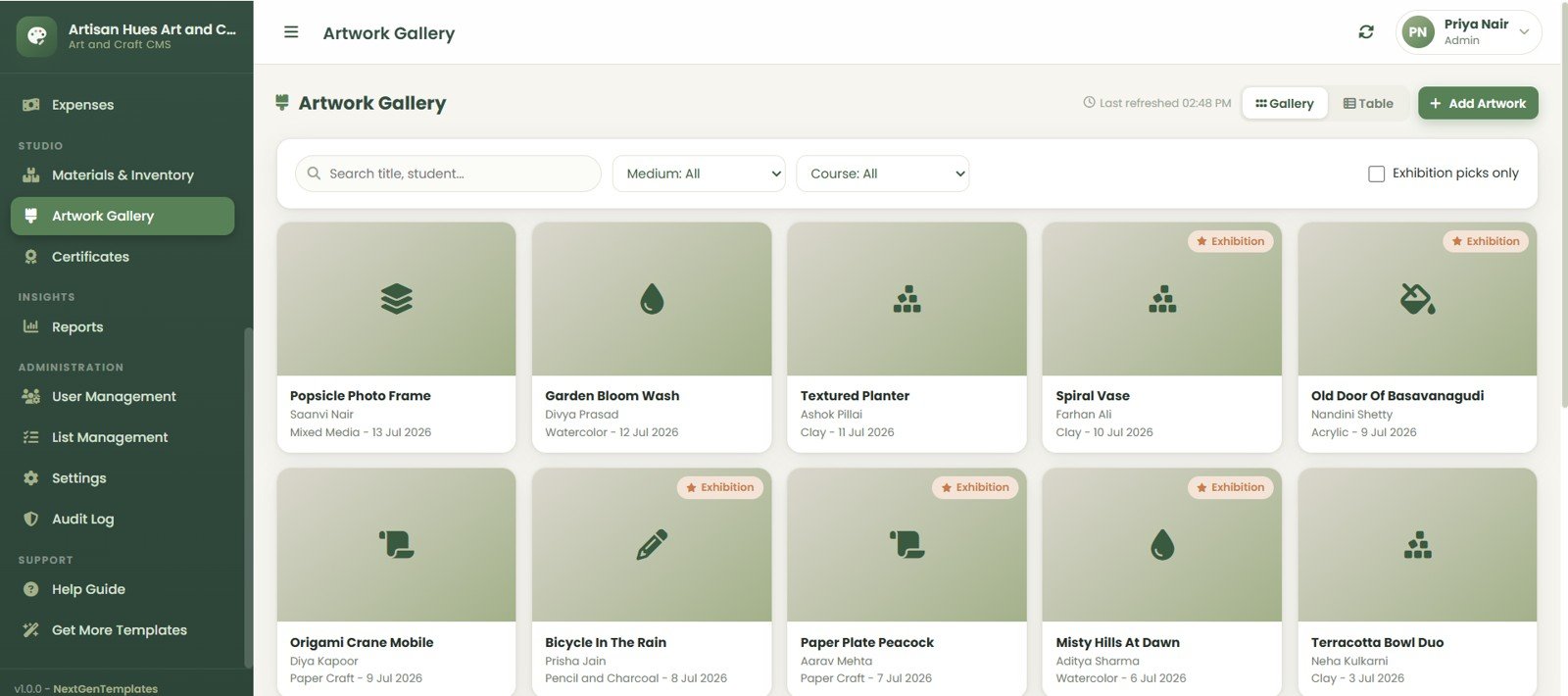
The Artwork Gallery supports gallery and table views with artwork title, student, medium, date, exhibition status, search, filters, and add artwork functionality.Art and Craft Class Management System Web App
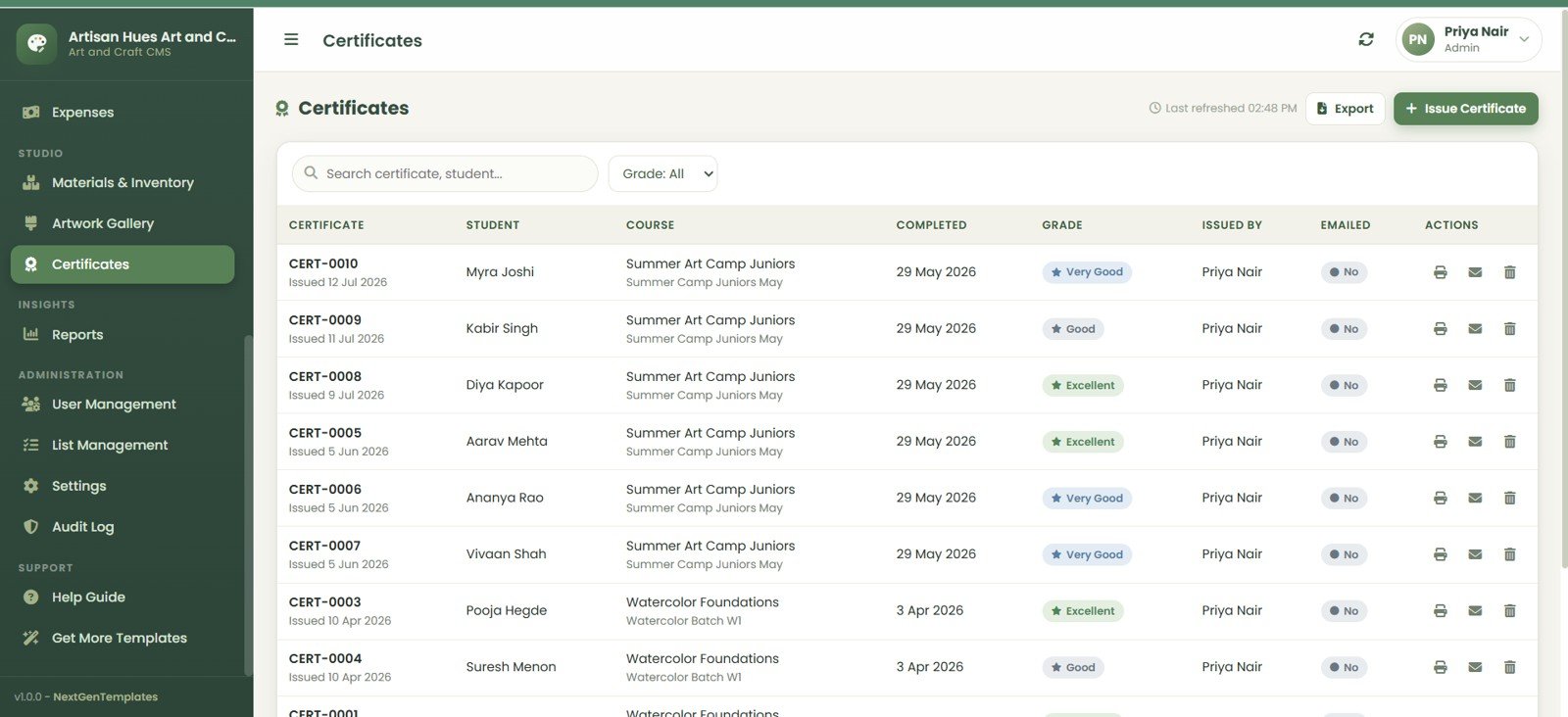
13. Certificates
The Certificates page manages certificate ID, student, course, completion date, grade, issued by, emailed status, search, grade filter, export, issue, print, email, and delete actions.
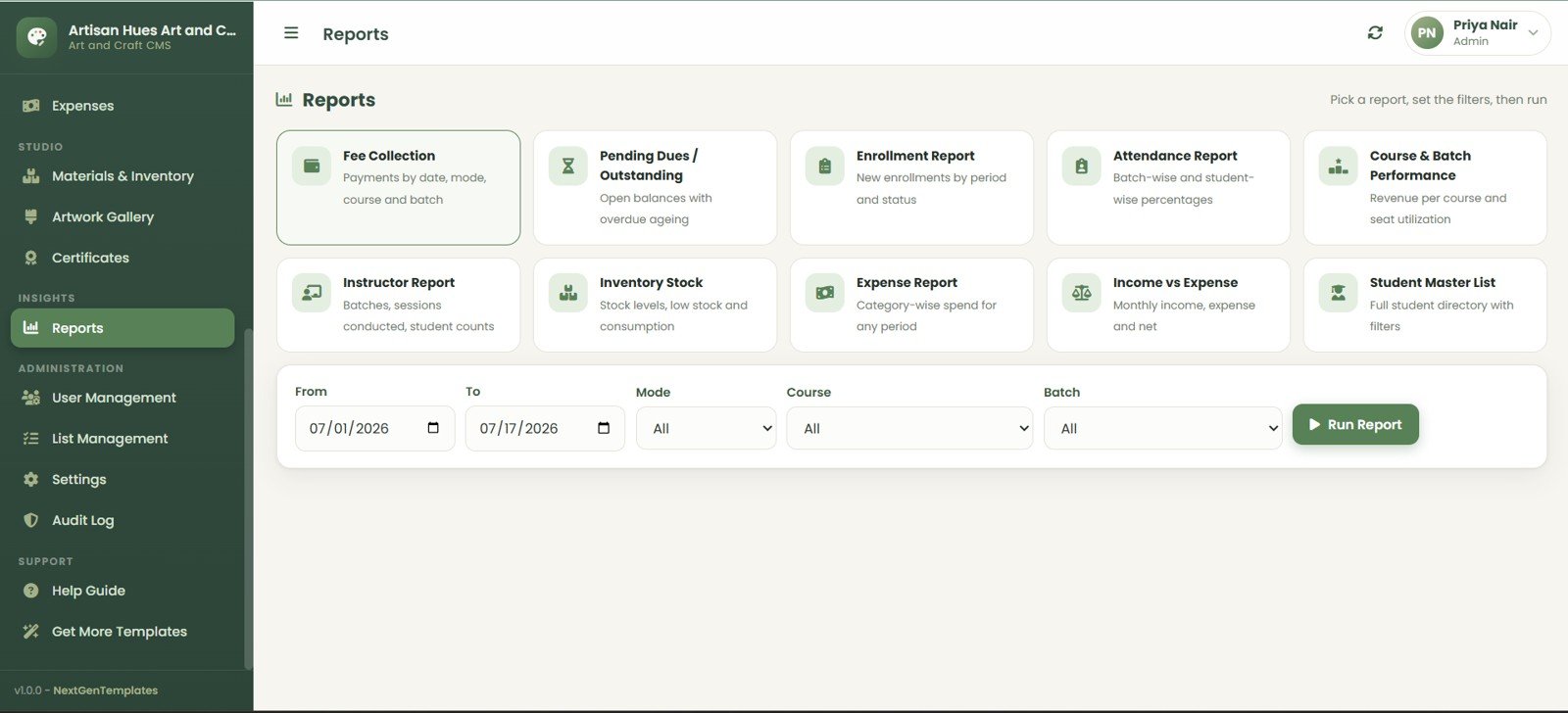
14. Reports
The Reports section includes Fee Collection, Pending Dues Outstanding, Enrollment Report, Attendance Report, Course and Batch Performance, Instructor Report, Inventory Stock, Expense Report, Income vs Expense, and Student Master List.
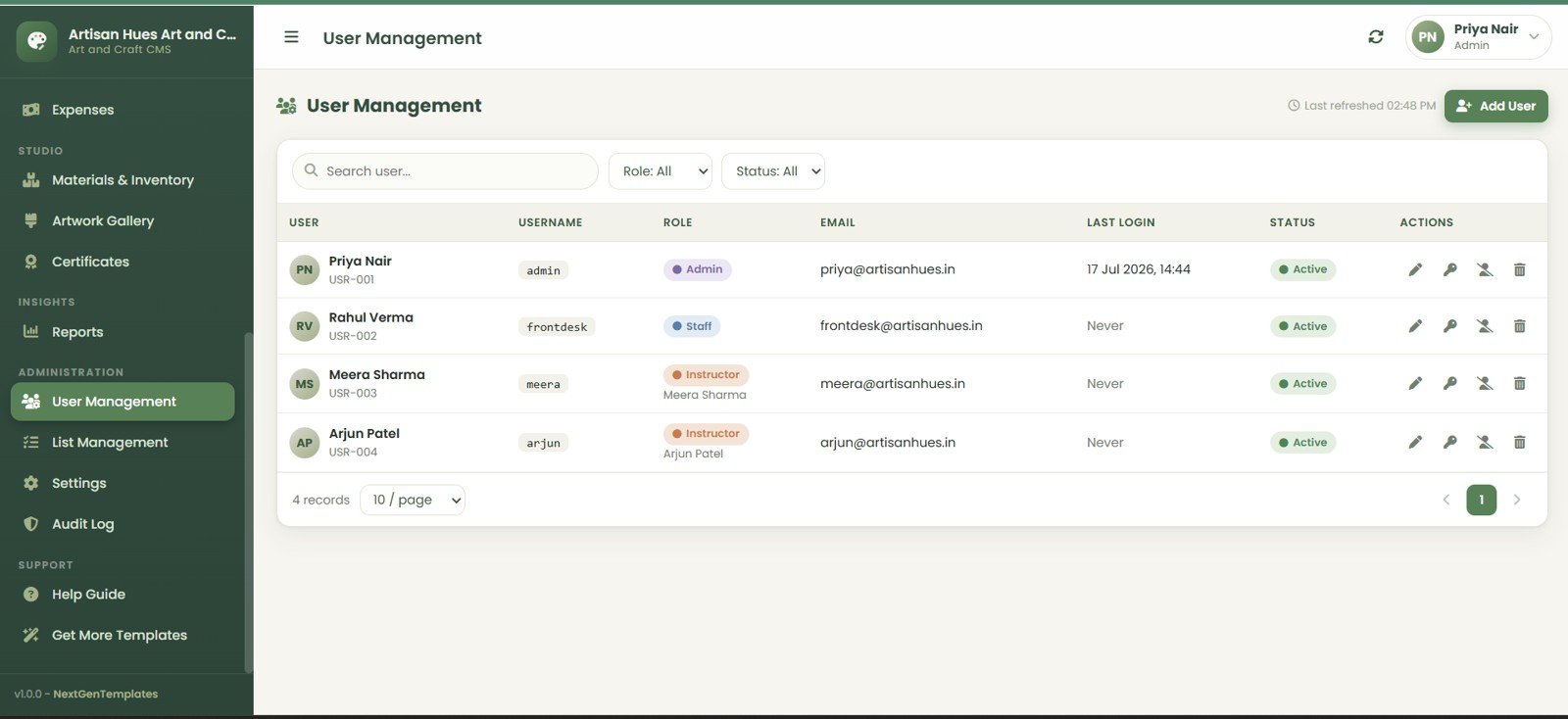
15. User Management
The User Management page helps owners control users, usernames, roles, emails, last login, status, role filters, status filters, add user, edit, password, disable, and delete actions.Art and Craft Class Management System Web App
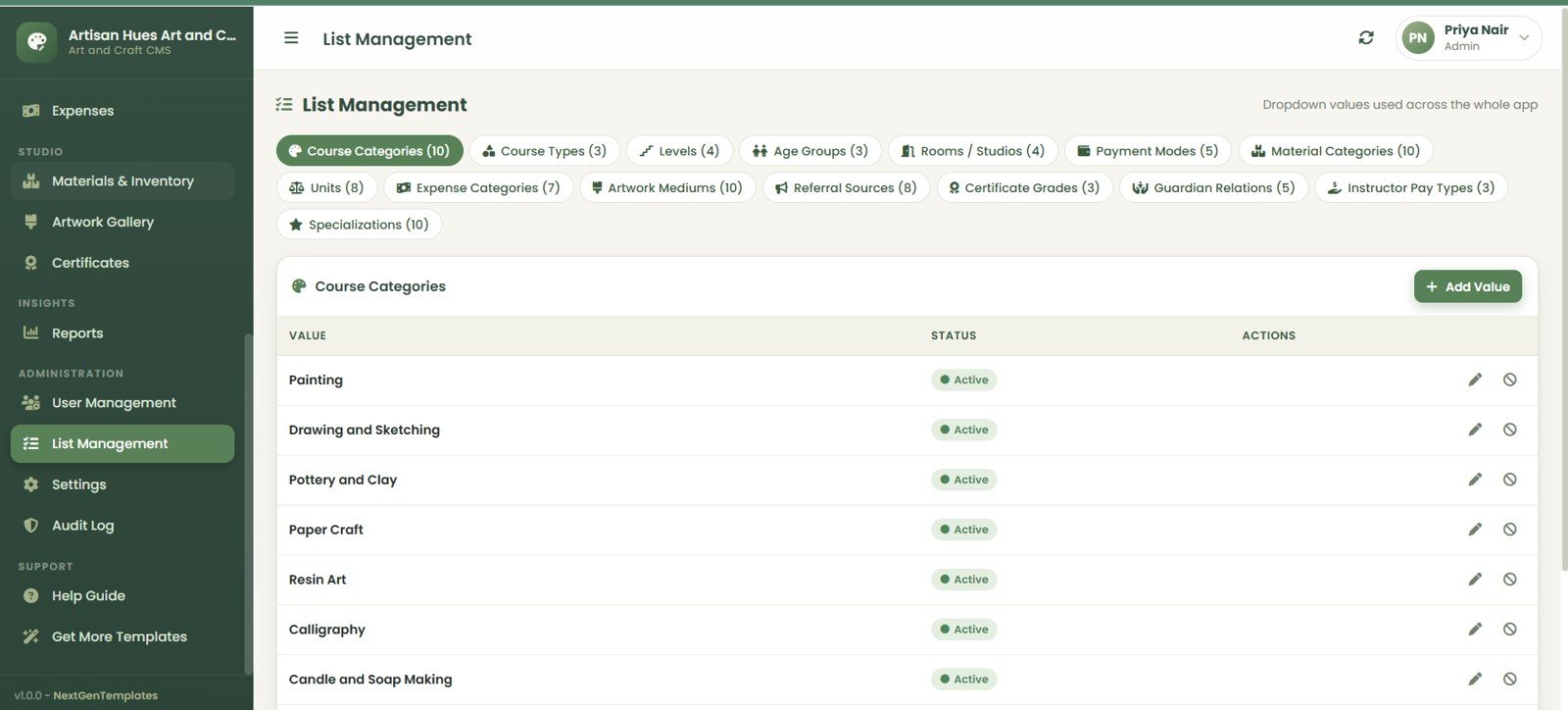
16. List Management
The List Management page controls dropdown values for course categories, course types, levels, age groups, rooms, payment modes, material categories, units, expense categories, artwork mediums, referral sources, certificate grades, guardian relations, instructor pay types, and specializations.Art and Craft Class Management System Web App
17. Settings
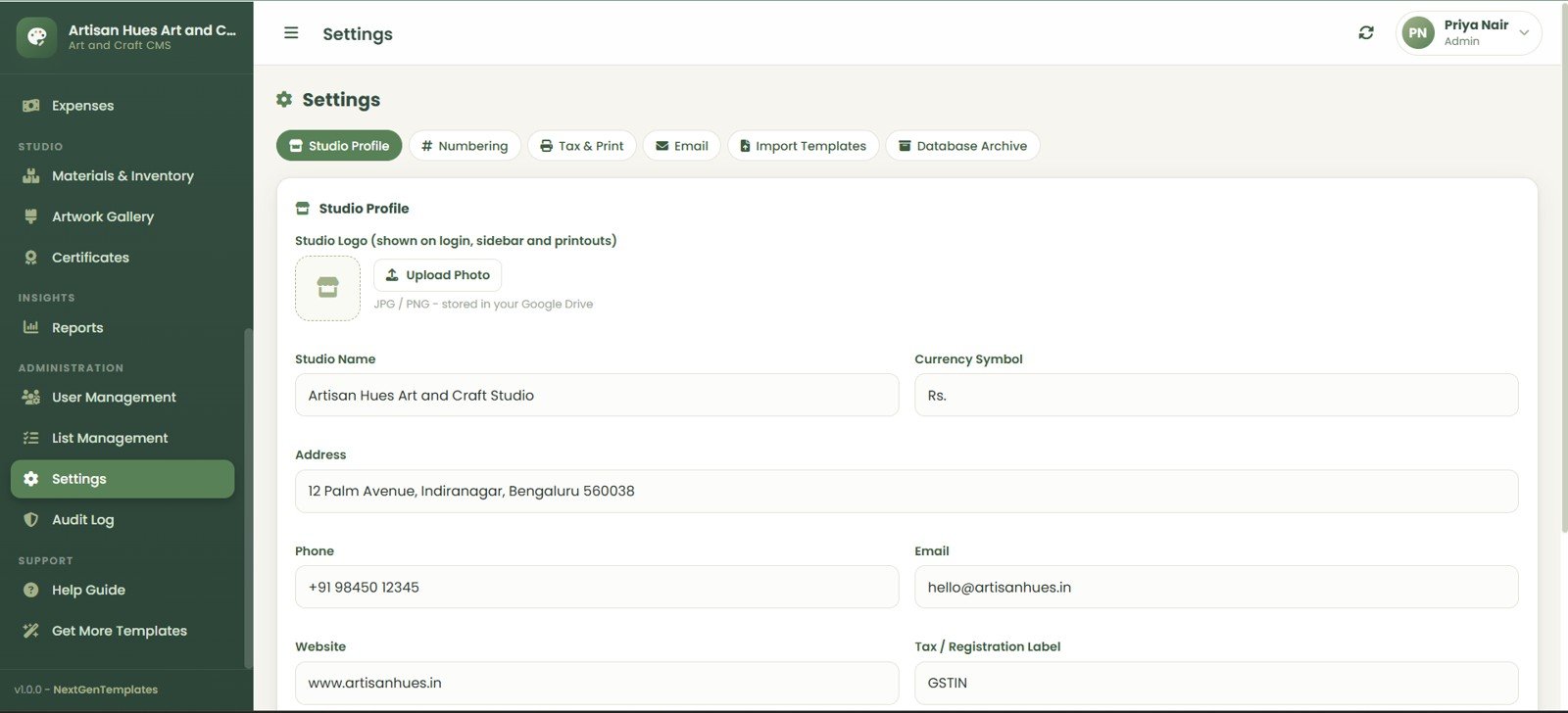
Settings include Studio Profile, Numbering, Tax and Print, Email, Import Templates, and Database Archive tabs. Studio owners can upload a logo and configure studio name, currency symbol, address, phone, email, website, and tax registration label.
18. Audit Log
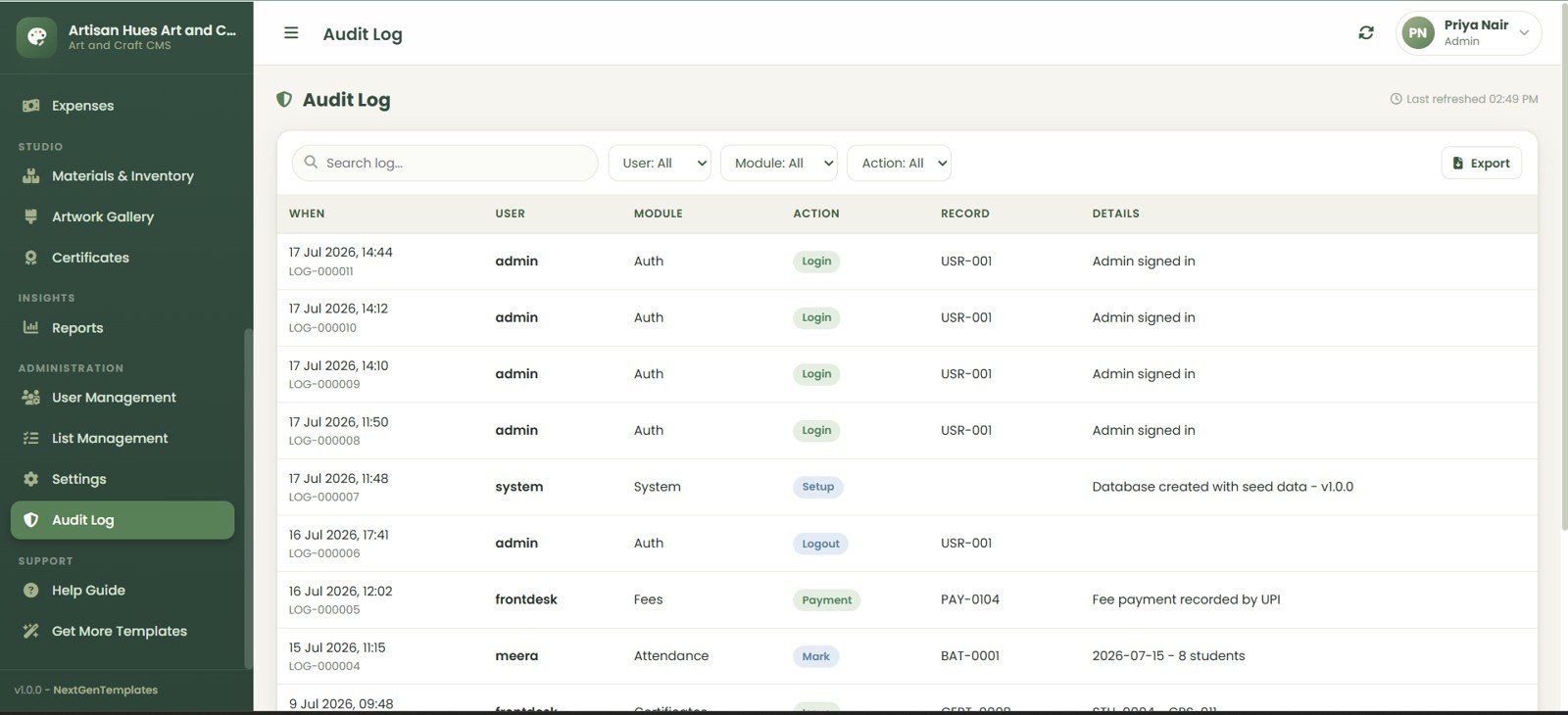
The Audit Log records when, user, module, action, record, and details. It is useful for tracking login, setup, logout, payment, attendance, and other administrative changes.
Art and Craft Class Management System Web App vs. Google Sheets Tracker vs. Paid CRM/SaaS – Feature Comparison
| Comparison Point | Art and Craft Class Management System Web App | Basic Google Sheets Tracker | Paid CRM or SaaS |
|---|---|---|---|
| Cost model | One-time template purchase | Usually free but manual to build | Monthly or annual fee |
| Creative studio fit | Built around courses, batches, attendance, fees, materials, artwork, and certificates | Requires custom tab design | Often generic unless customized |
| Interface | Browser-based multi-page app | Spreadsheet tabs | Hosted web interface |
| Reports | Operational report menu included | Manual formulas and pivots needed | Usually included by tier |
| Ownership | Runs from your own Google account after setup | Owned by you | Vendor controlled |
| Best use case | Small to mid-size art and craft class centers | Very small studios with simple tracking | Larger organizations needing enterprise support |
Who Should Use This Template
- Art class owners managing children, teens, adults, or mixed age groups.
- Craft studios running recurring batches and short workshops.
- Creative academies with multiple instructors and course categories.
- Small education businesses that need student, fee, inventory, and certificate tracking without buying a full CRM.
Real-World Use Cases
- Kids art academy: Manage age groups, guardians, batches, fee dues, attendance, and certificates for term-based classes.
- Weekend craft studio: Track resin art, clay, painting, and calligraphy workshops with material stock and instructor assignments.
- Growing hobby center: Centralize student records, monthly collections, inventory, reports, and audit history as the business scales.
Advantages
- One-time purchase instead of a recurring software bill.
- Dedicated screens for the actual operations of a creative class business.
- Useful dashboard charts for owner-level decision making.
- Built-in fee, inventory, certificate, and reporting flows.
- Editable template structure for users who want to adapt their own system.
Opportunities for Improvement
- Studios may still need to connect separate payment gateways or accounting tools if they require automated payment collection.
- Very large multi-branch academies may need deeper role controls, branch reporting, and custom integrations.
- Teams should test Google account permissions, sharing, and deployment settings before going live with real student data.
Best Practices for Implementation
- Clean existing student, course, instructor, fee, and inventory lists before import.
- Define age groups, course categories, rooms, payment modes, and certificate grades in List Management before daily use.
- Set up user roles and password practices before inviting staff.
- Review the audit log regularly during the first few weeks of use.
- Keep a monthly backup or archive process for important operational records.
Explore Relevant Templates
- Art and Craft Class Management System Web App
- School Management System Web App
- Universal Appointment Booking System Web App
- Gym and Fitness Center Membership Management System Web App
- DIY Craft Marketplaces Dashboard in Excel
- Appliance Repair Service Management System Web App
- E-commerce Order Fulfillment Tracking System Web App
Curious how systems like this are put together? The NextGenTemplates Academy learning paths take you through the underlying spreadsheet skills with practice files.
Get the Art and Craft Class Management System Web App
FAQ
What is the Art and Craft Class Management System Web App?
It is a downloadable web app template for managing students, instructors, courses, batches, attendance, fees, expenses, inventory, artwork, certificates, reports, users, settings, and audit history for art and craft class businesses.
Does it replace a full CRM?
It can replace many internal tracking spreadsheets for small and mid-size studios, but enterprise CRM needs such as advanced integrations, branch hierarchy, and payment gateway automation may require customization.
Can it manage pending dues?
Yes. The Fees and Payments module includes invoices, payments, pending dues, balances, export options, and payment recording.
Can it track class attendance?
Yes. Attendance can be marked by batch and date, and the system includes monthly register and student summary views.
Can it track materials used in classes?
Yes. The inventory screens track current stock, reorder level, unit cost, suppliers, low-stock items, material issue, stock-in transactions, and stock value.
Can the lists and settings be customized?
Yes. The app includes List Management and Settings screens for studio-specific values such as course categories, rooms, payment modes, units, expense categories, certificate grades, and studio profile details.
About the Author
NeoTechNavigators publishes practical tutorials and resources for Google Apps Script, spreadsheet automation, dashboards, and lightweight business apps. The product is available from NextGenTemplates, a marketplace for dashboard templates, Google Sheets templates, and web app systems for small teams.
Conclusion
The Art and Craft Class Management System Web App is designed for studio owners who want a practical internal system that covers student management, class scheduling, attendance, collections, inventory, creative records, certificates, and reporting in one connected workspace. It is especially useful for art and craft education businesses that have outgrown scattered spreadsheets but do not want to commit to a recurring SaaS platform.Art and Craft Class Management System Web App
Last updated: July 17, 2026.