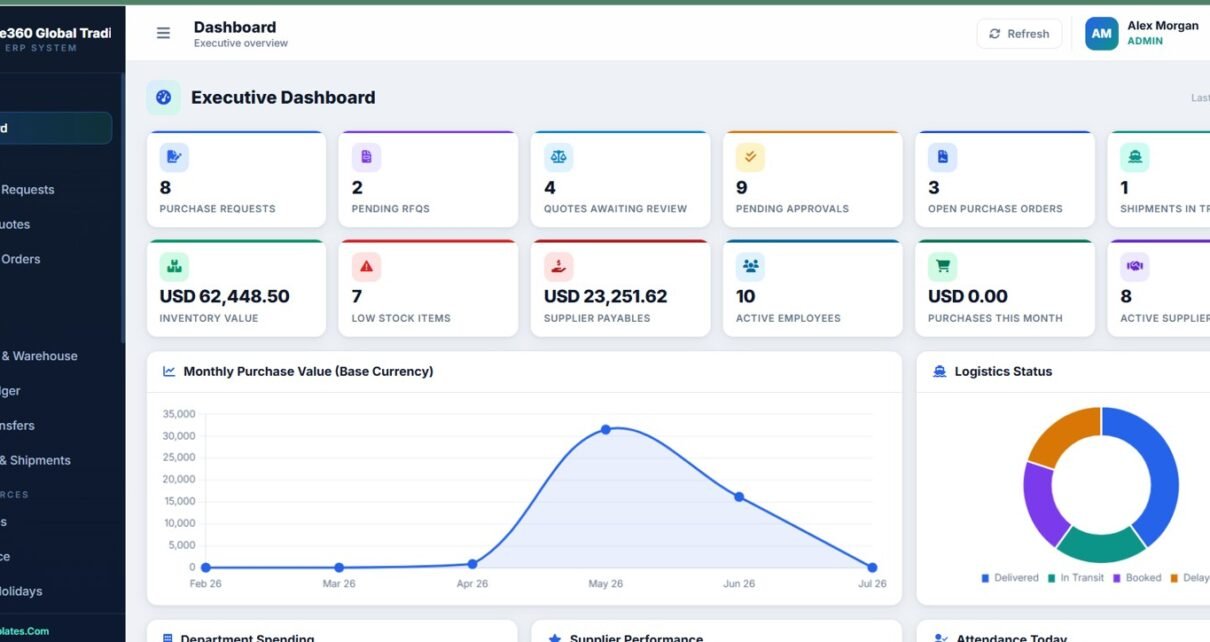
Procurement gets messy fast when purchase requests, RFQs, supplier quotes, warehouse stock, import shipments, invoices, payments, payroll, and approvals all live in separate files. Procure360 Global ERP Management System Web App is designed as a 24-page browser-based ERP workspace for teams that want a structured procurement, inventory, logistics, finance, and HR system without paying for a heavy enterprise ERP subscription.
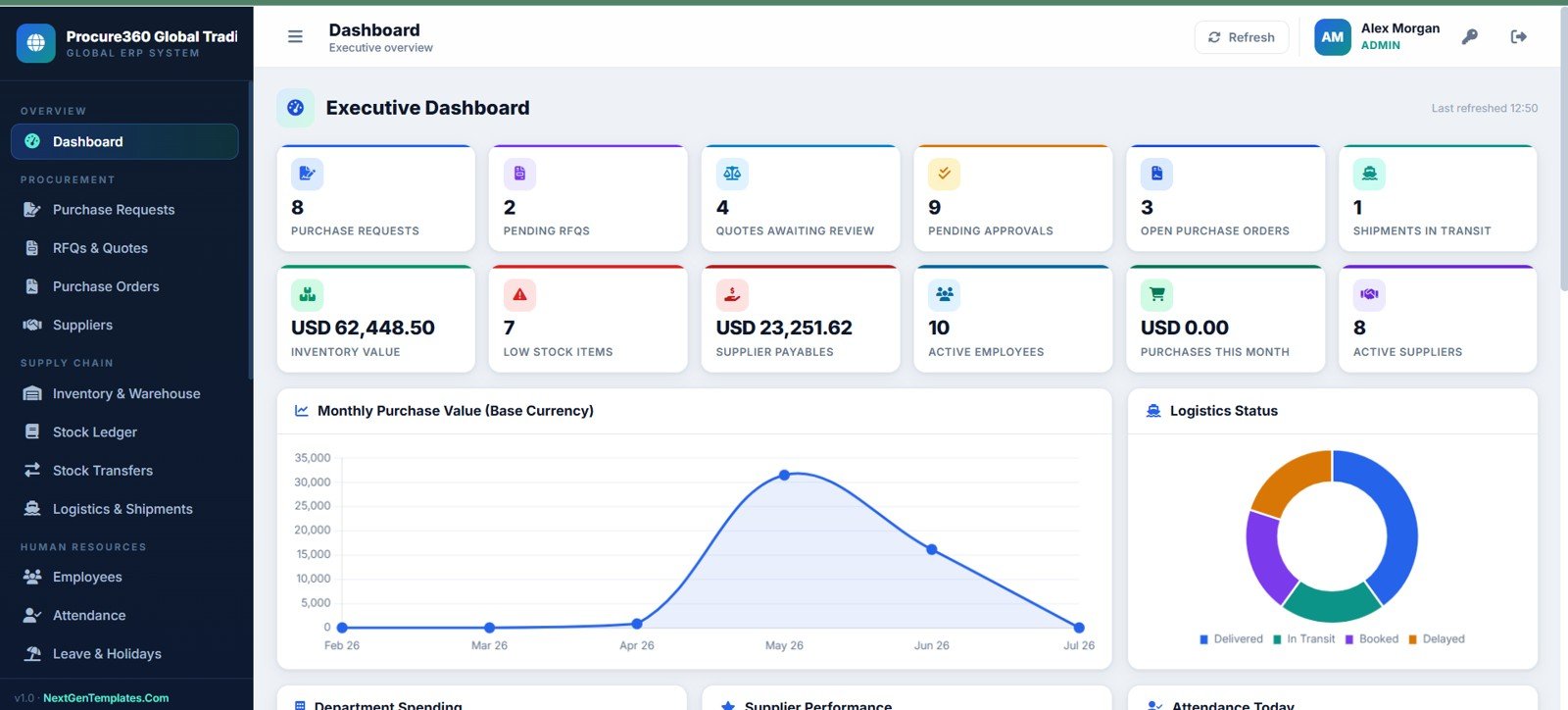
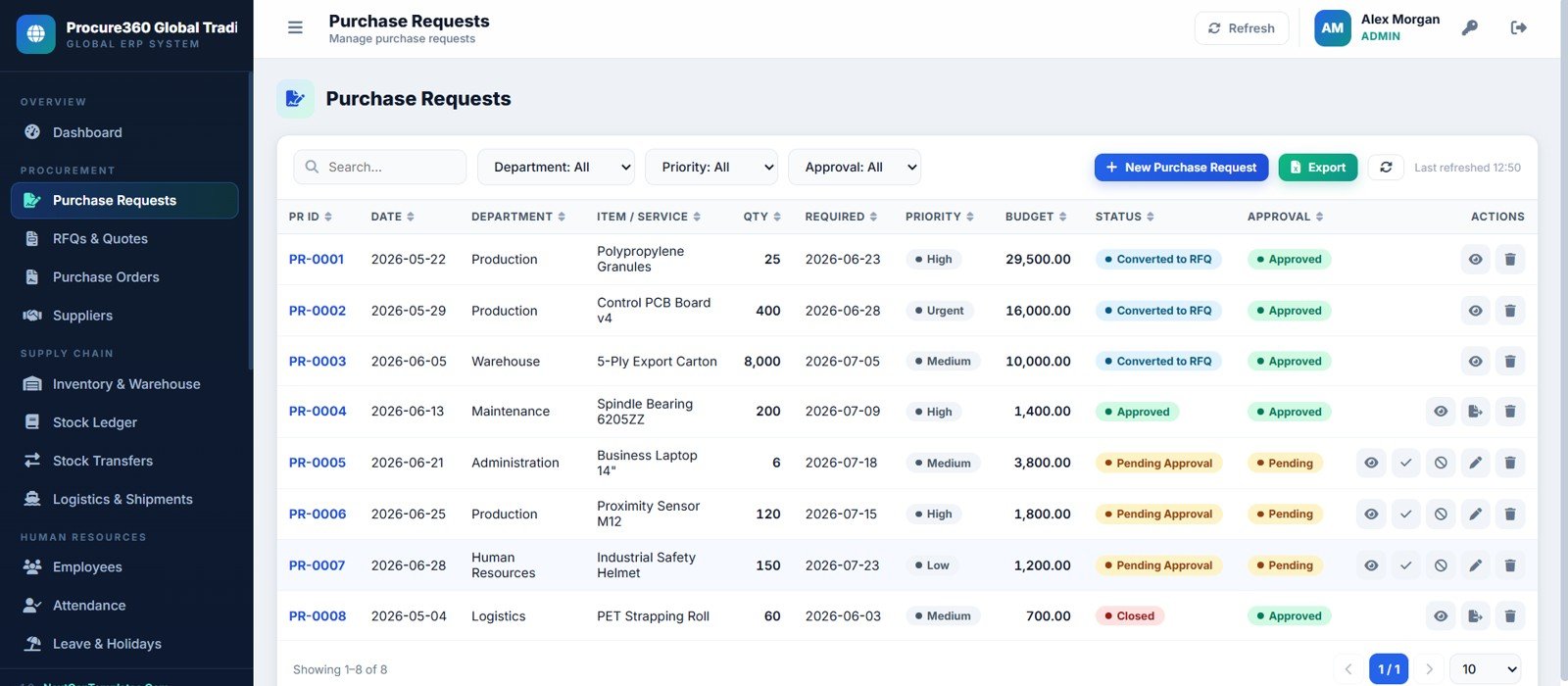
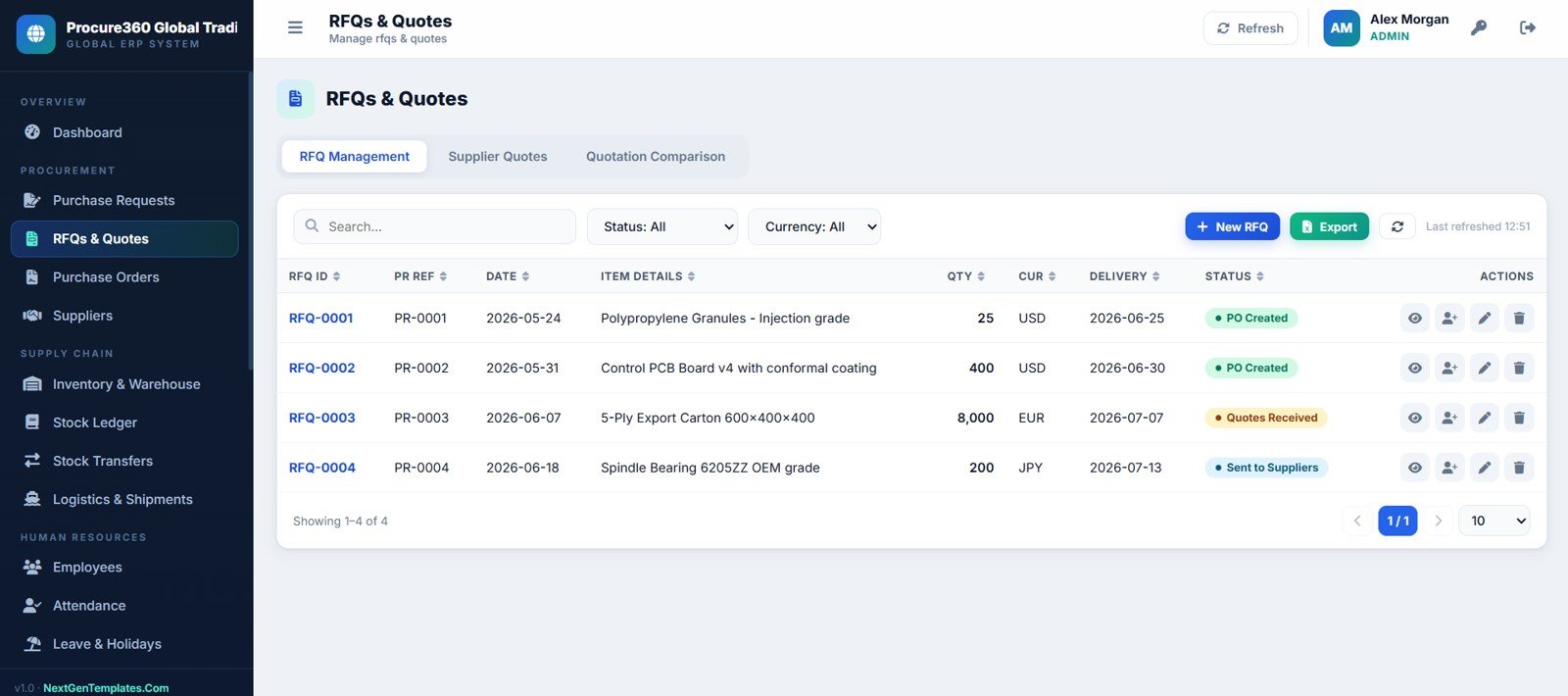
The template includes 12 executive KPI cards, 24 operating pages, role-aware admin areas, and a purchase-to-pay workflow that runs from purchase request to RFQ, quotation comparison, purchase order, receiving, supplier invoice, and payment. It is built as an editable Google Apps Script style web app, which means teams can deploy and customize it inside their own Google environment. You can review Google’s official Apps Script web app documentation if you want to understand the deployment foundation.
View the Procure360 Global ERP Management System Web App on NextGenTemplates.
🚀 Try the Live Demo Before You Buy
We have deployed Procure360 — Global ERP Management System in our own Google account so you can test every module, every role and every workflow — with real sample data — before purchasing. No signup, no email required.
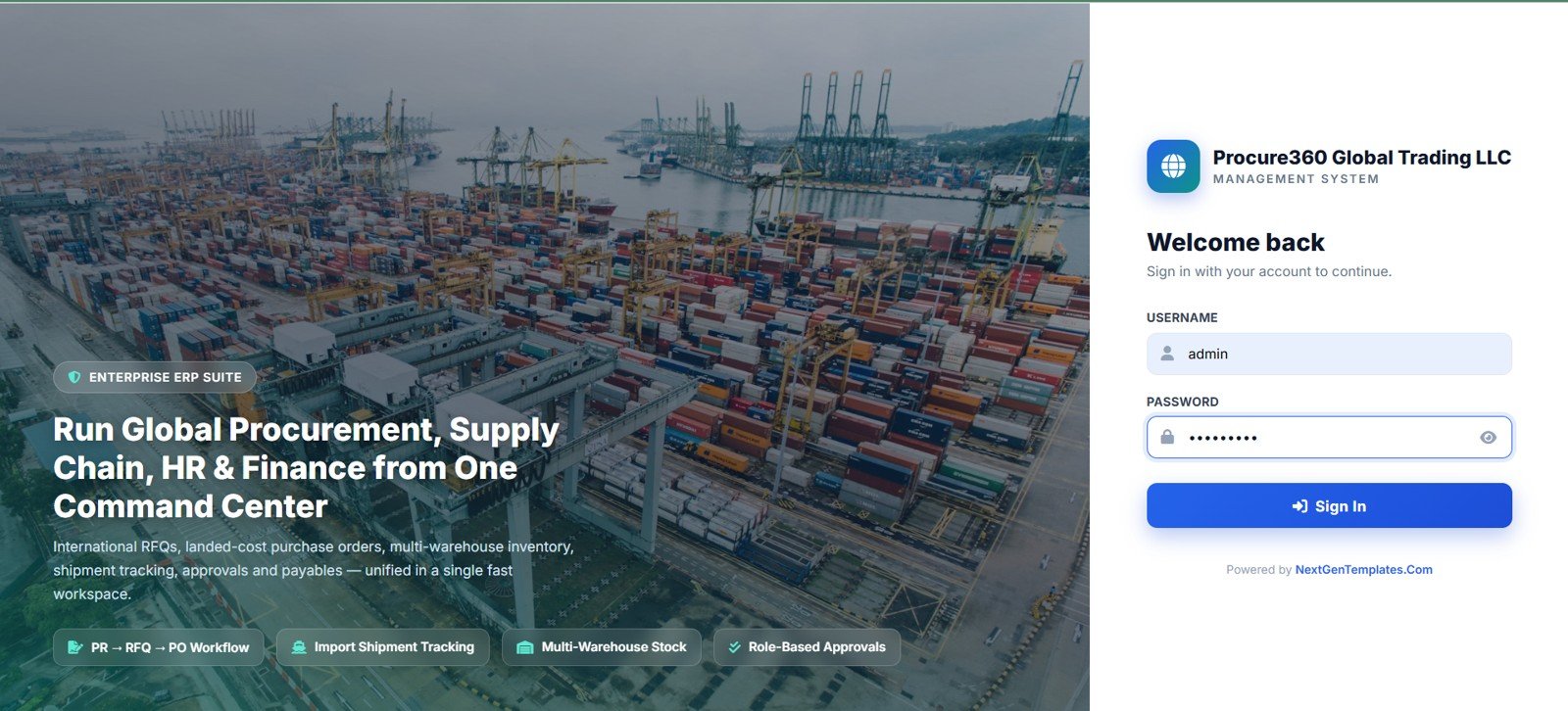
🔑 Test Login Credentials (11 Roles)
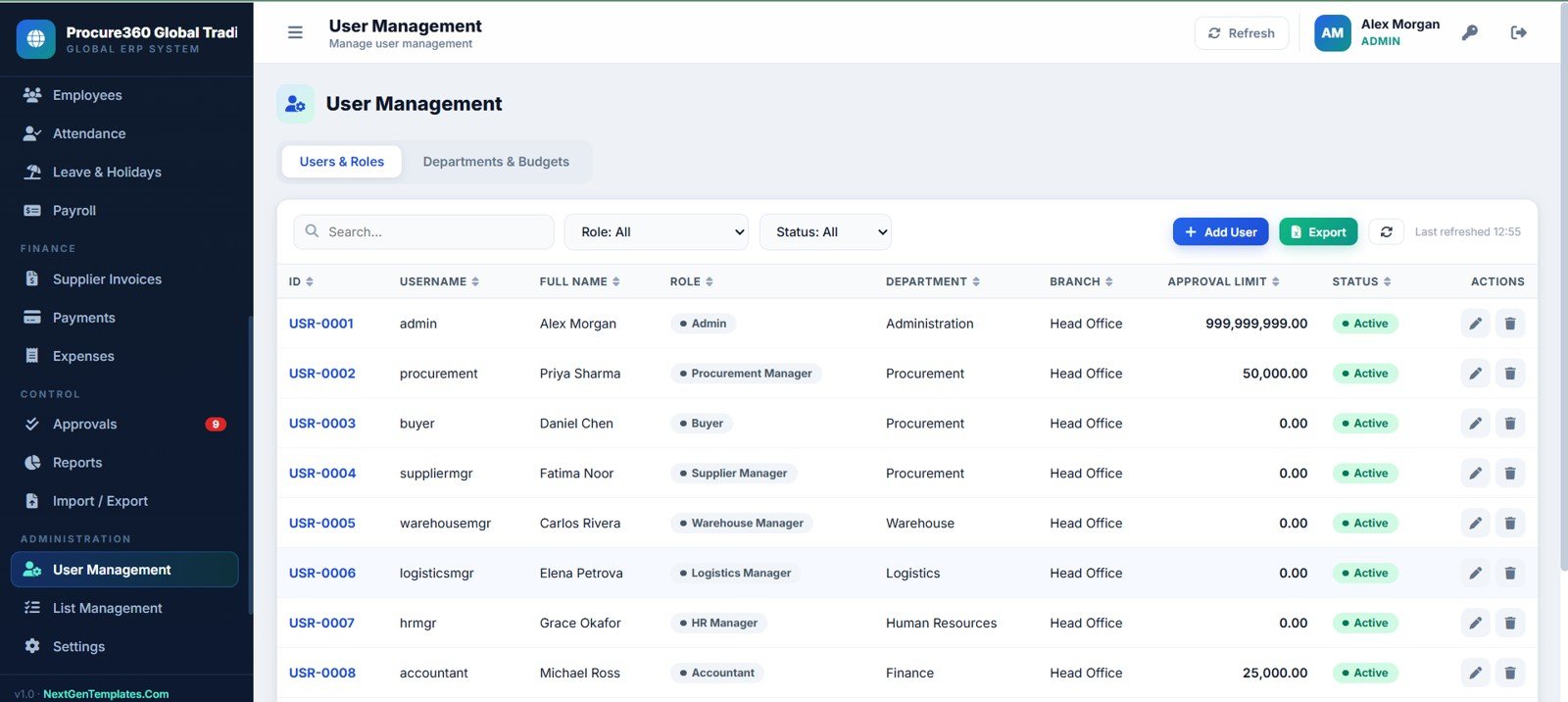
Sign in as admin to unlock every module — procurement, suppliers, warehouse, logistics, HR, accounts, approvals and user management — or log in with any department role below to see exactly what that user sees. 💡 Tip: open the same demo in two browsers (e.g. requester and approver) to watch a purchase request move through the approval chain in real time.
| Feature | Procure360 Web App | Google Sheets Tracker | Paid ERP SaaS |
|---|---|---|---|
| Best fit | Growing trading, procurement, warehouse, and supply chain teams | Small teams with simple lists | Large organizations with budget for implementation |
| Cost model | One-time template purchase | Low software cost, high setup time | Recurring subscription and onboarding fees |
| User experience | Browser-style web app | Spreadsheet tabs | Vendor-controlled web app |
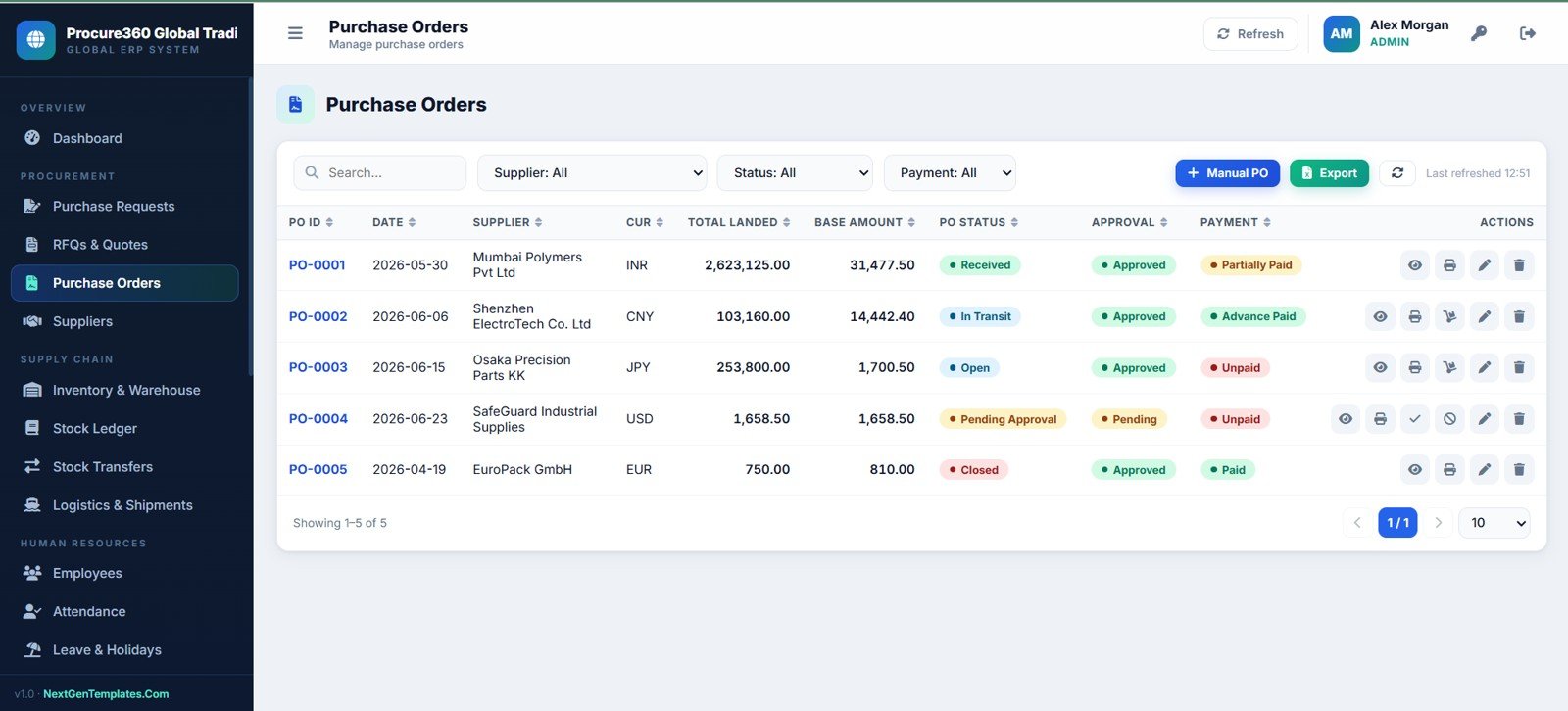
| Procurement workflow | PR, RFQ, quotes, comparison, PO, receiving, invoice, payment | Manual unless custom-built | Usually available by plan |
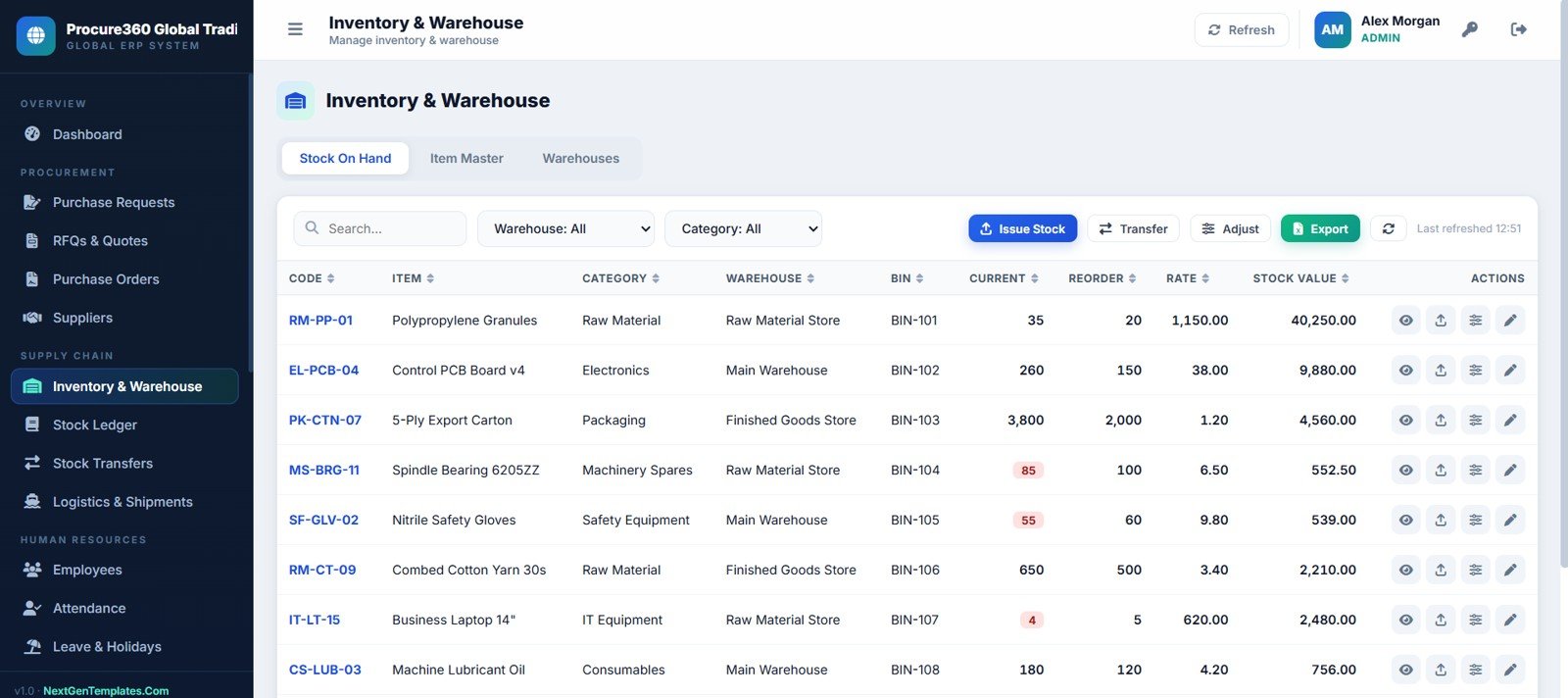
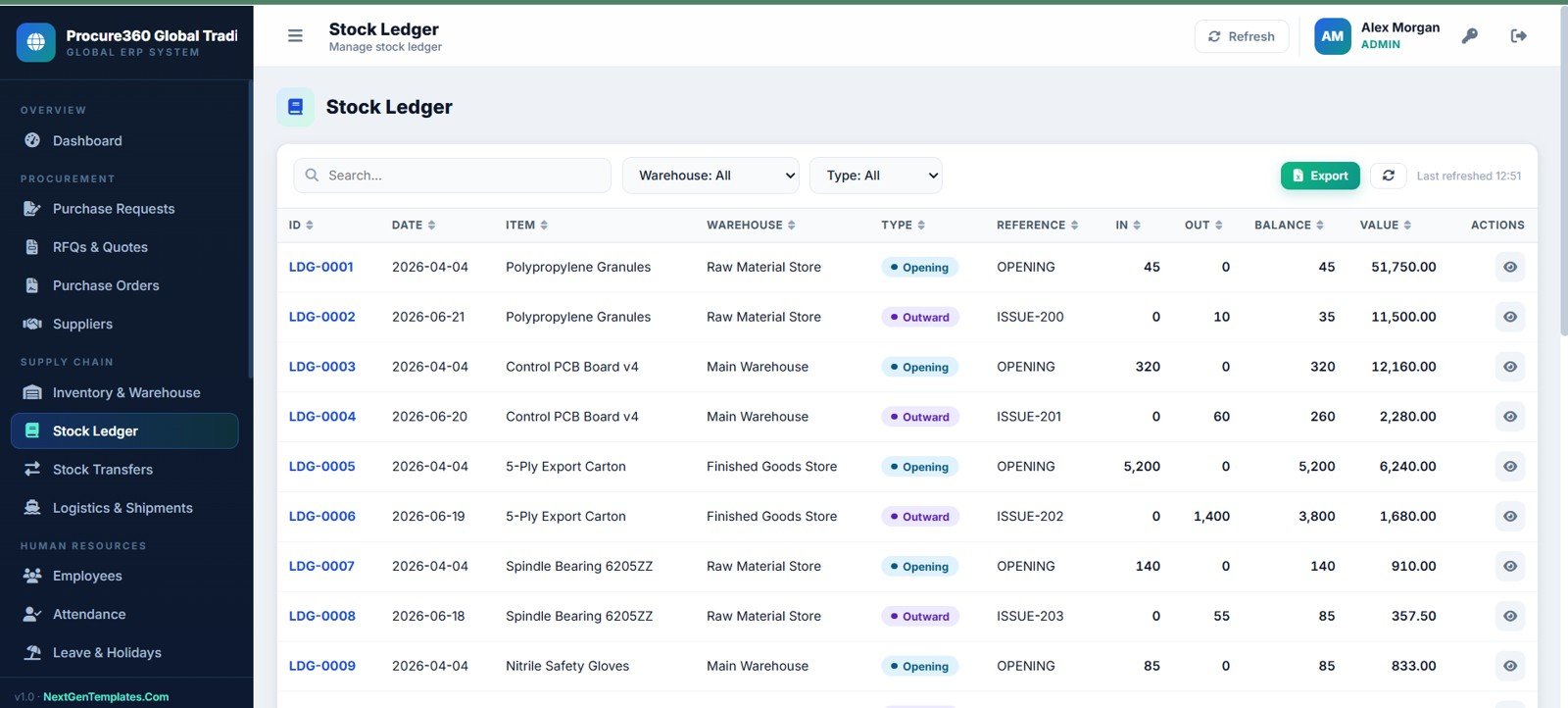
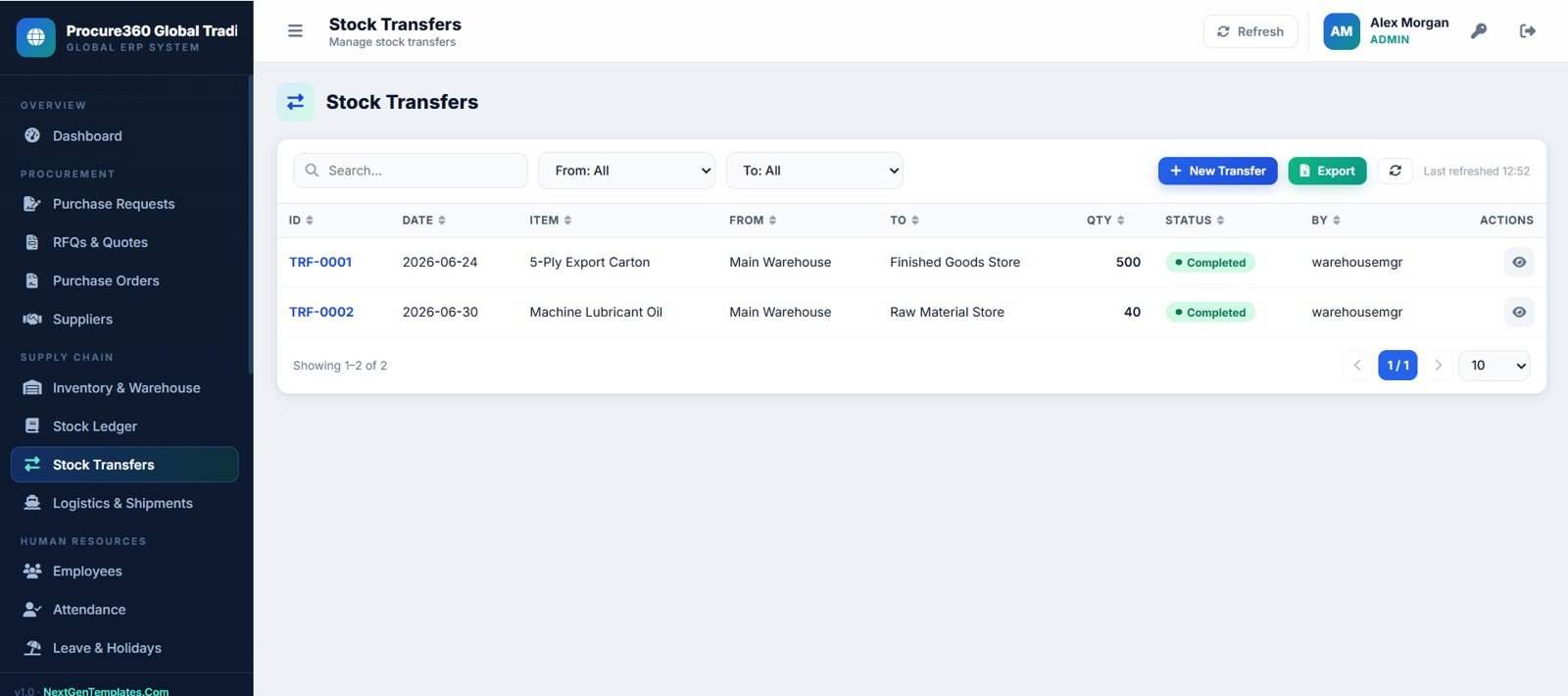
| Inventory workflow | Stock on hand, item master, warehouses, ledger, transfers, reorder levels | Possible but fragile | Available in inventory modules |
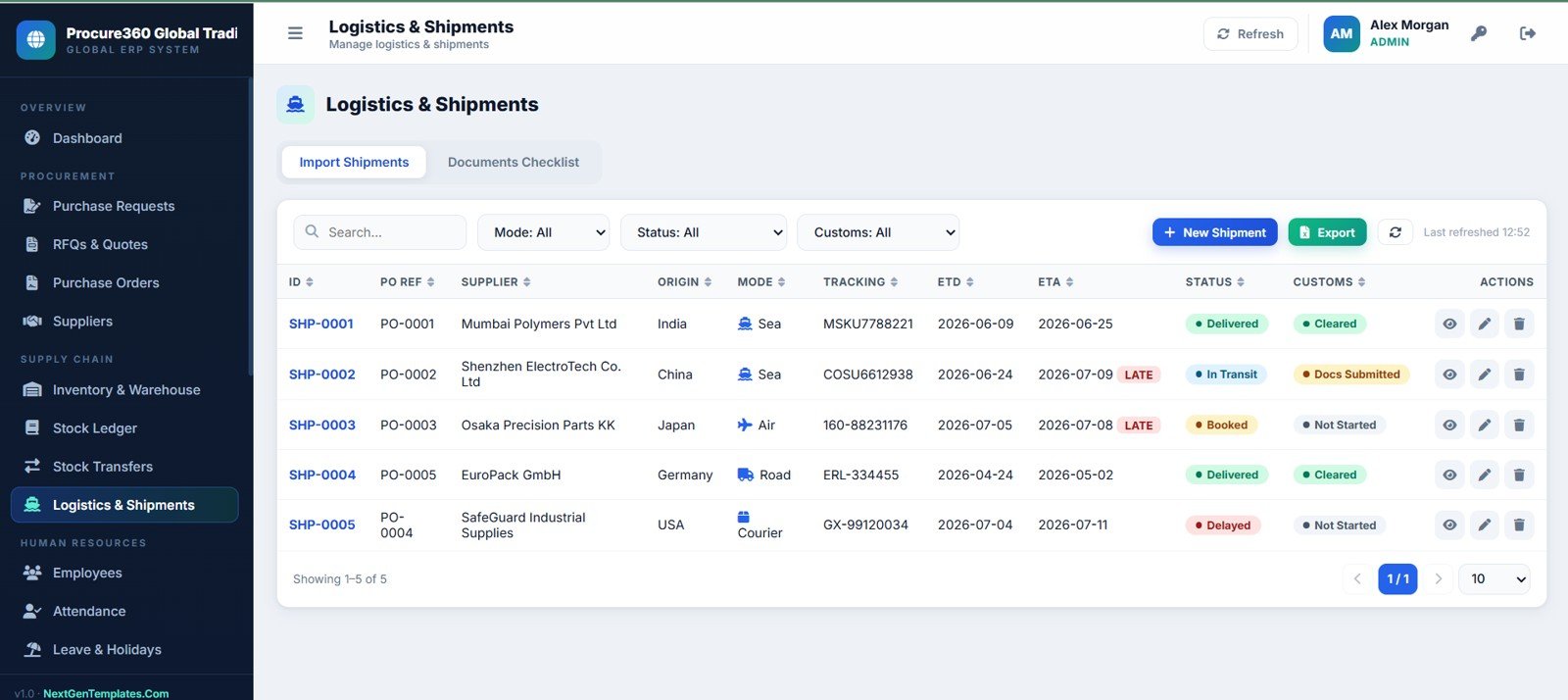
| Logistics workflow | Shipments, origin, mode, tracking, ETD, ETA, customs, documents | Usually separate trackers | Available in advanced modules |
| Customization | Editable template source and lists | Editable but easy to break | Controlled by vendor and plan |
| Implementation speed | Fast starting point with prepared pages | Slow if built from scratch | Depends on vendor setup cycle |
Who Should Use This Template
- Trading companies that purchase internationally and need to track import shipments.
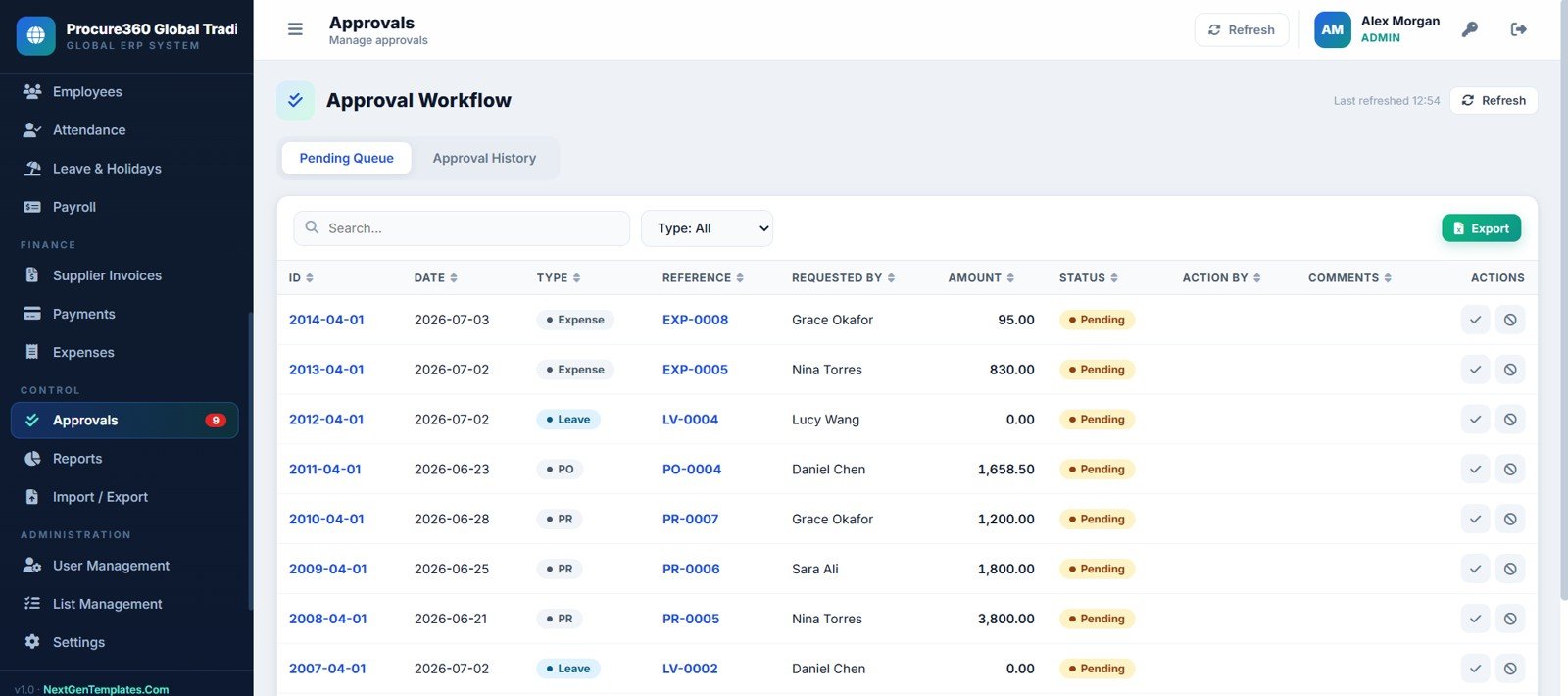
- Procurement teams that want a structured PR, RFQ, quotation comparison, PO, and approval process.
- Warehouse teams that need stock visibility, transfers, ledgers, reorder levels, and item values.
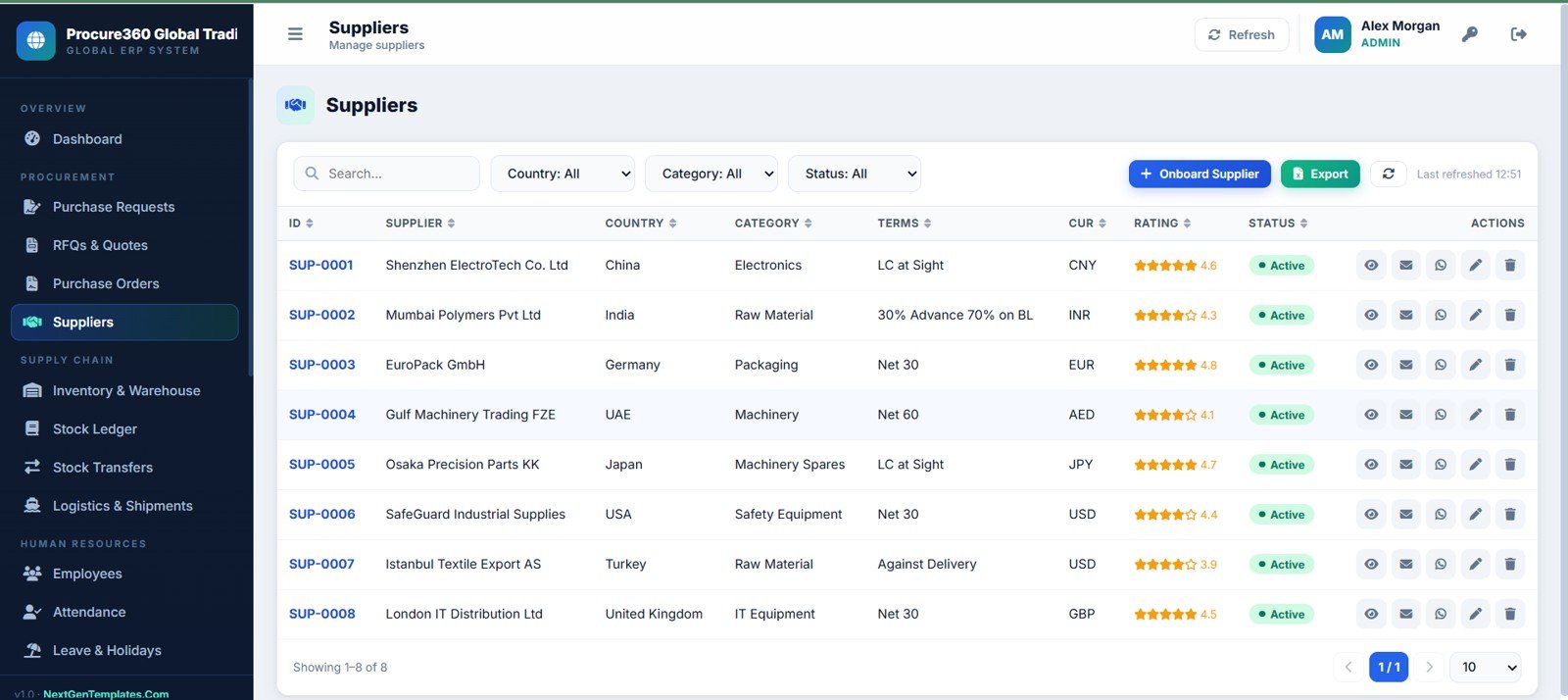
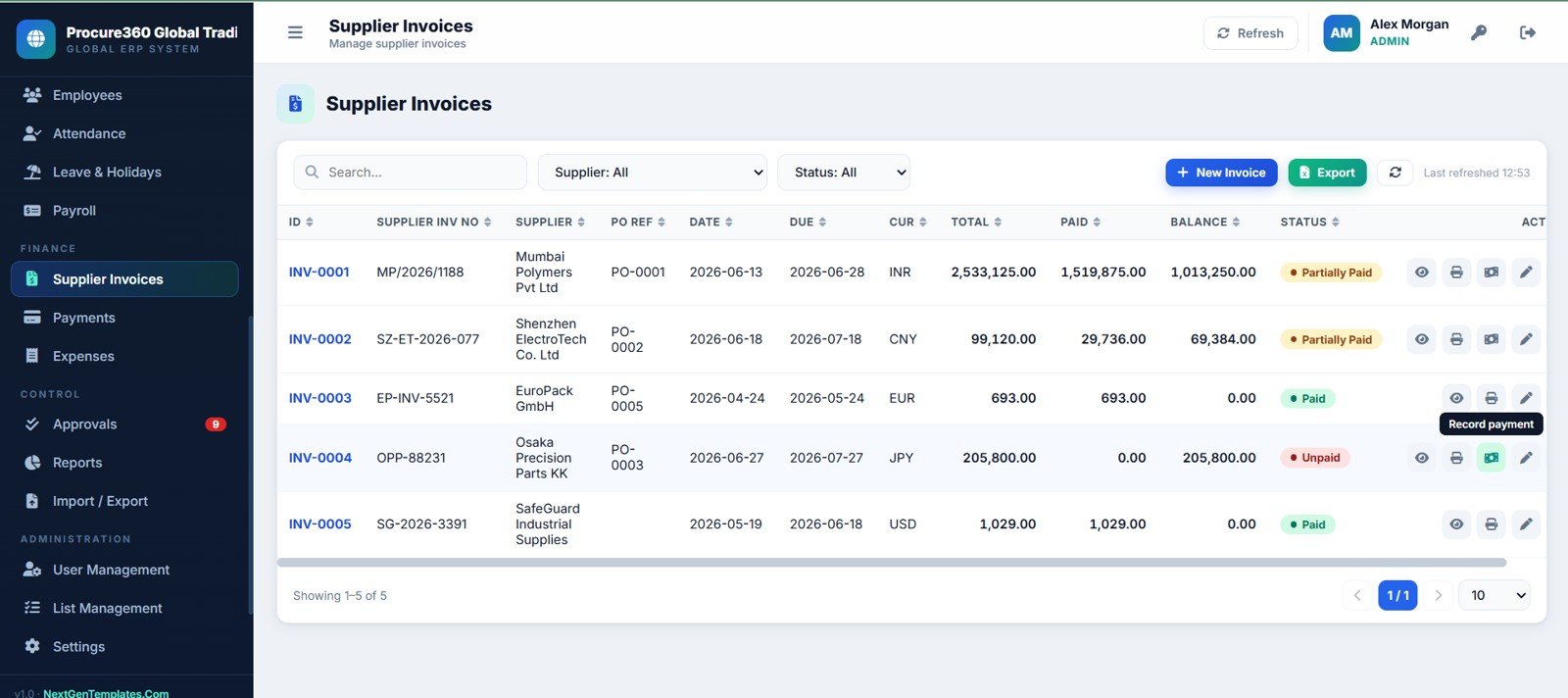
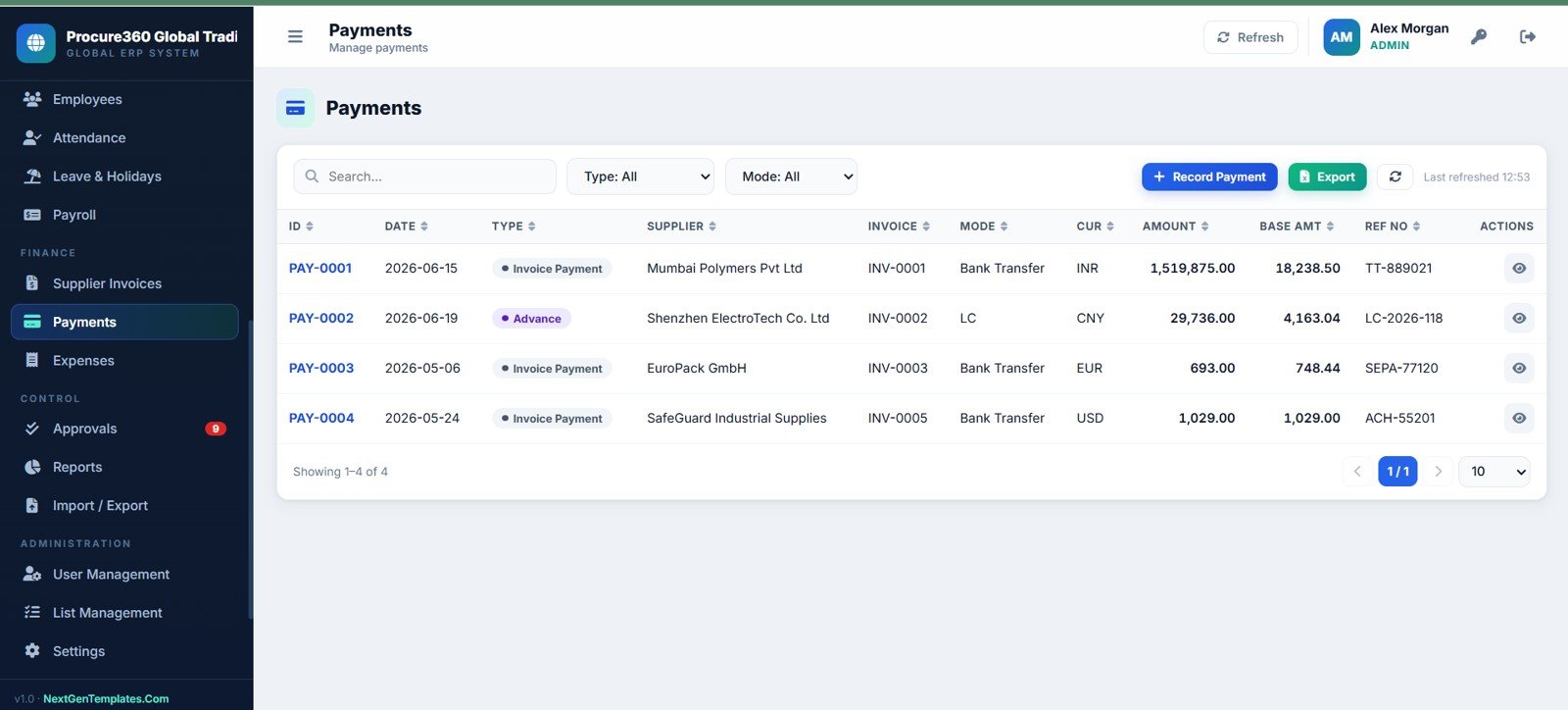
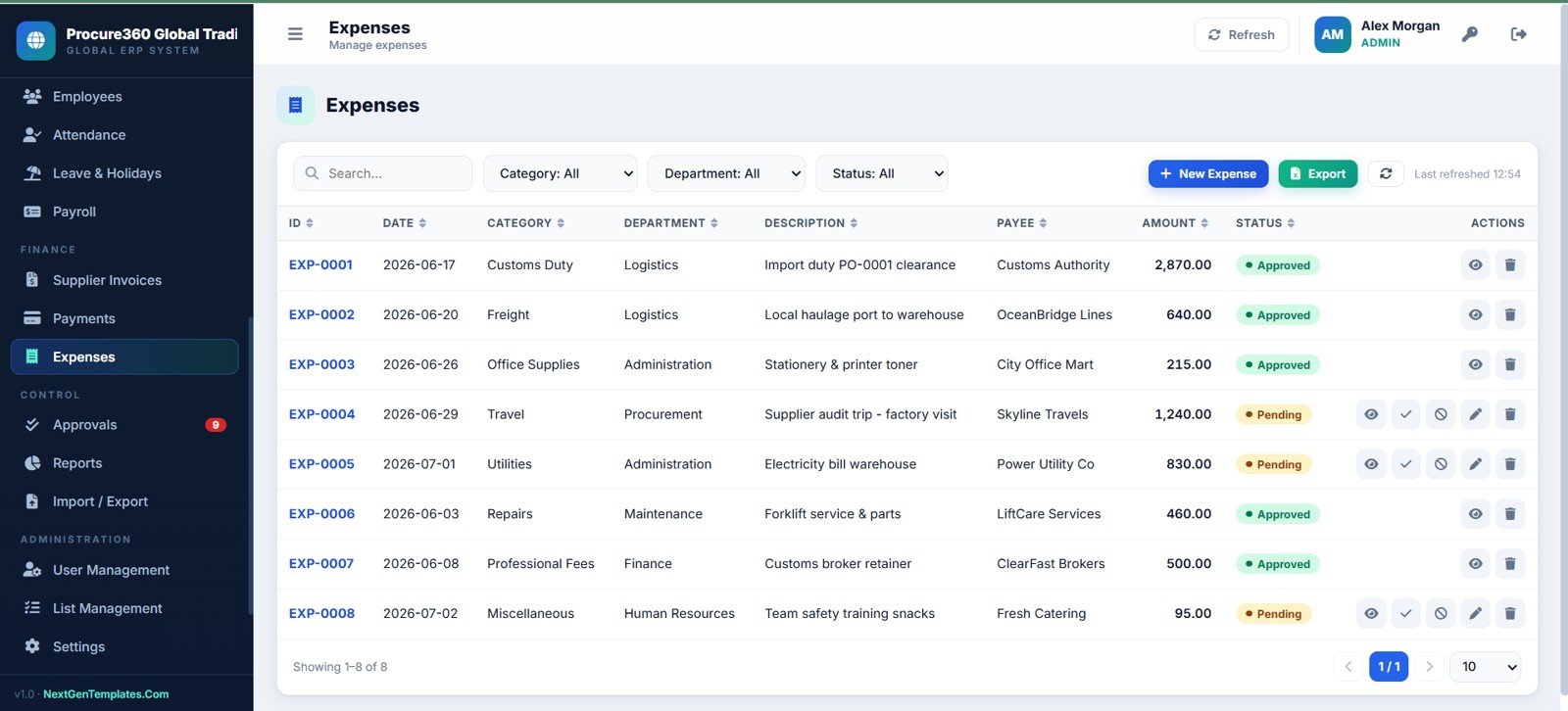
- Finance teams that want supplier invoices, payments, advances, expenses, and balances connected to purchasing activity.
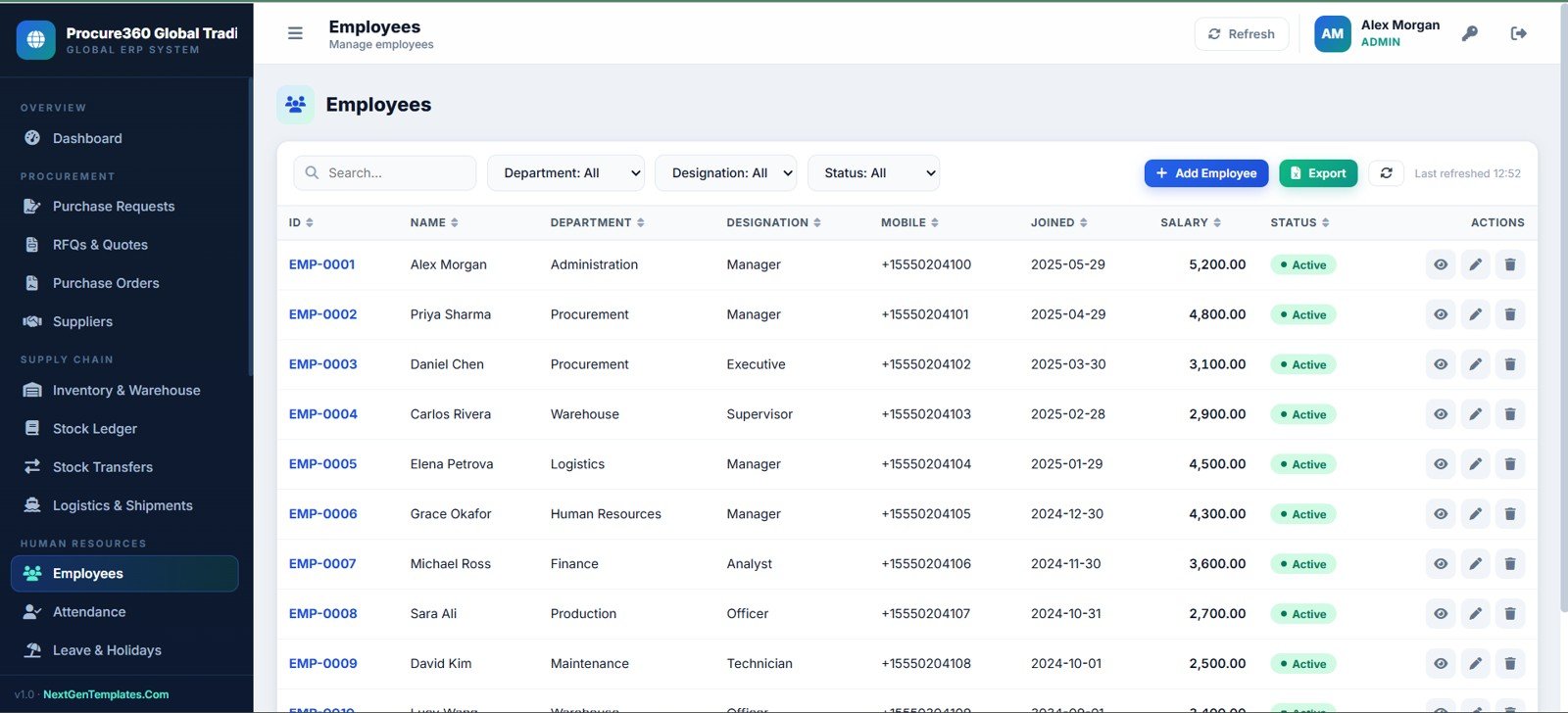
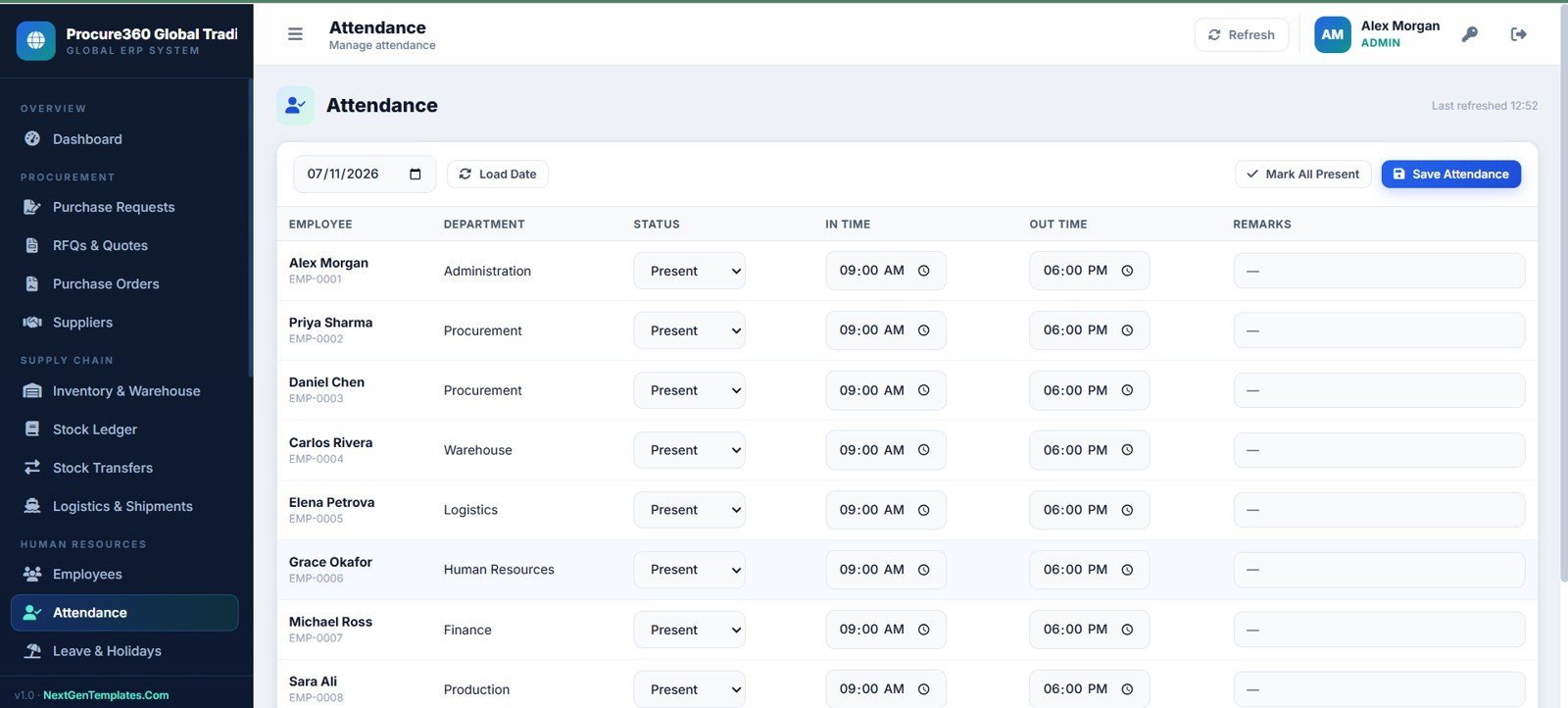
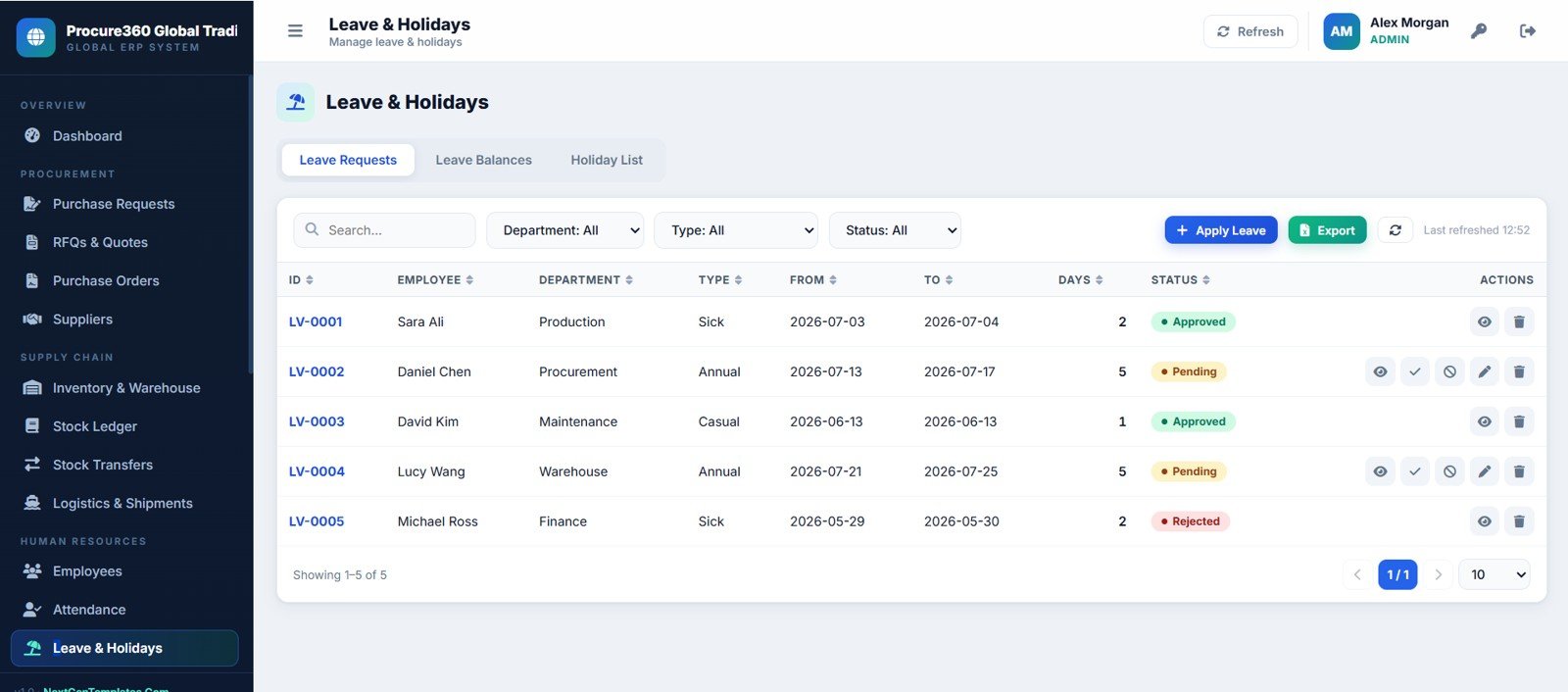
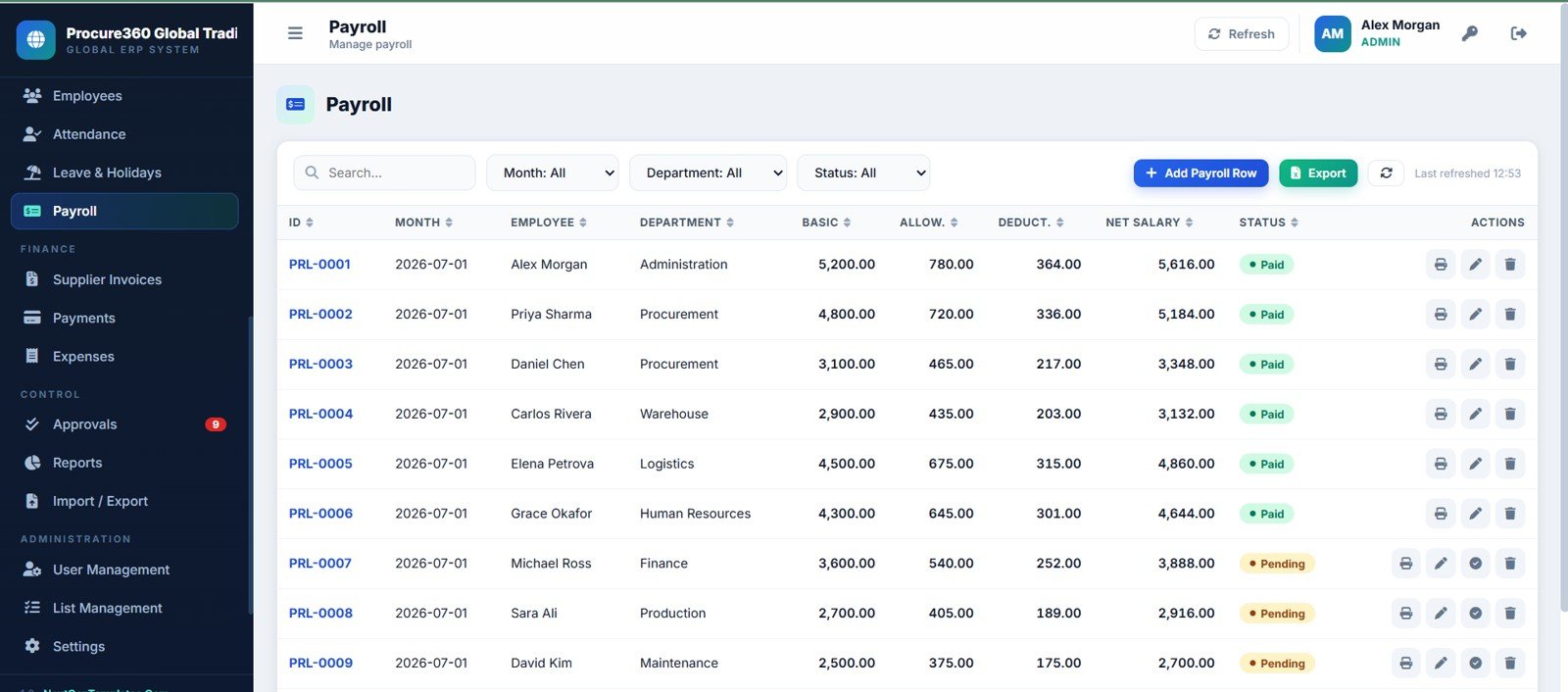
- HR or admin teams that need employee, attendance, leave, holiday, and payroll pages inside the same operations system.
- ERP consultants who need a customizable Google Apps Script web app foundation for client work.
Real-World Use Cases
Importer procurement control: A trading company can move a purchase request into an RFQ, compare supplier quotes, create the PO, monitor the shipment, receive stock, record the invoice, and track payment status from one workspace.
Warehouse reorder planning: A warehouse manager can review stock on hand, low-stock items, reorder levels, ledgers, transfers, and stock value before submitting purchase requests.
Supplier payment follow-up: A finance user can check supplier invoice balances, payment type, payment mode, advances, paid amounts, and outstanding balances without jumping between unrelated trackers.
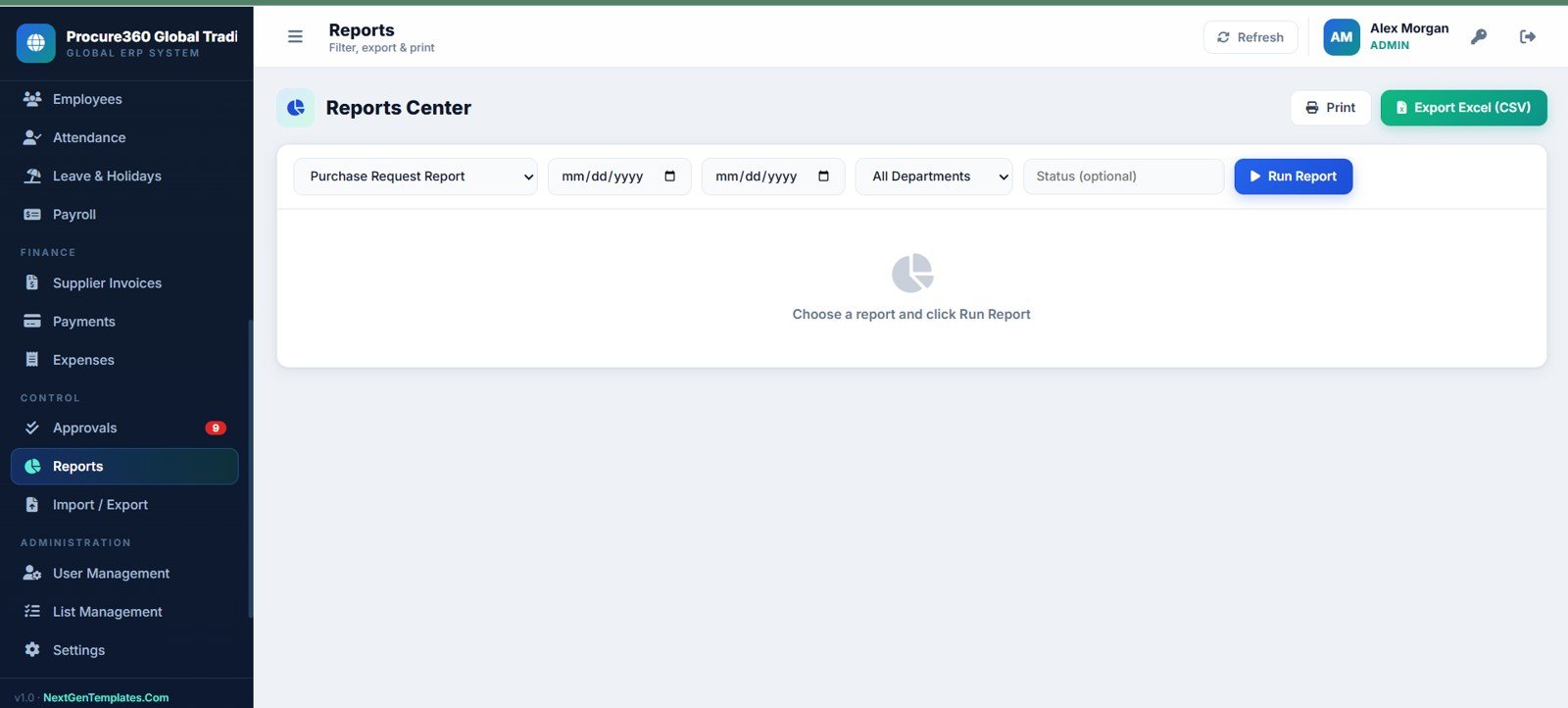
Management review: Leadership can use the executive dashboard and reports center to track purchase value, logistics status, department spending, supplier performance, attendance, and approvals.
Advantages of Procure360 Global ERP Management System Web App
- It turns scattered procurement, inventory, logistics, finance, and HR records into one connected operating system.
- It is easier to understand than a generic blank spreadsheet because the pages already match real business workflows.
- It can reduce recurring software cost for teams that do not need a full enterprise ERP yet.
- It gives consultants a strong starting point for custom ERP-style client builds.
- It supports a browser-style experience while keeping data ownership closer to the team’s own Google workspace.
Opportunities for Improvement
Download the Procure360 Global ERP Management System Web App Template.
Procure360 is a template foundation, not a fully managed enterprise platform. Teams may still want to customize permission logic, add live barcode scanning, connect accounting systems, add automated email alerts, localize tax fields, or build integrations with external ERPs and shipping providers. Larger organizations should also review compliance, audit, approval, and data backup requirements before using any template as a production system.
Best Practices
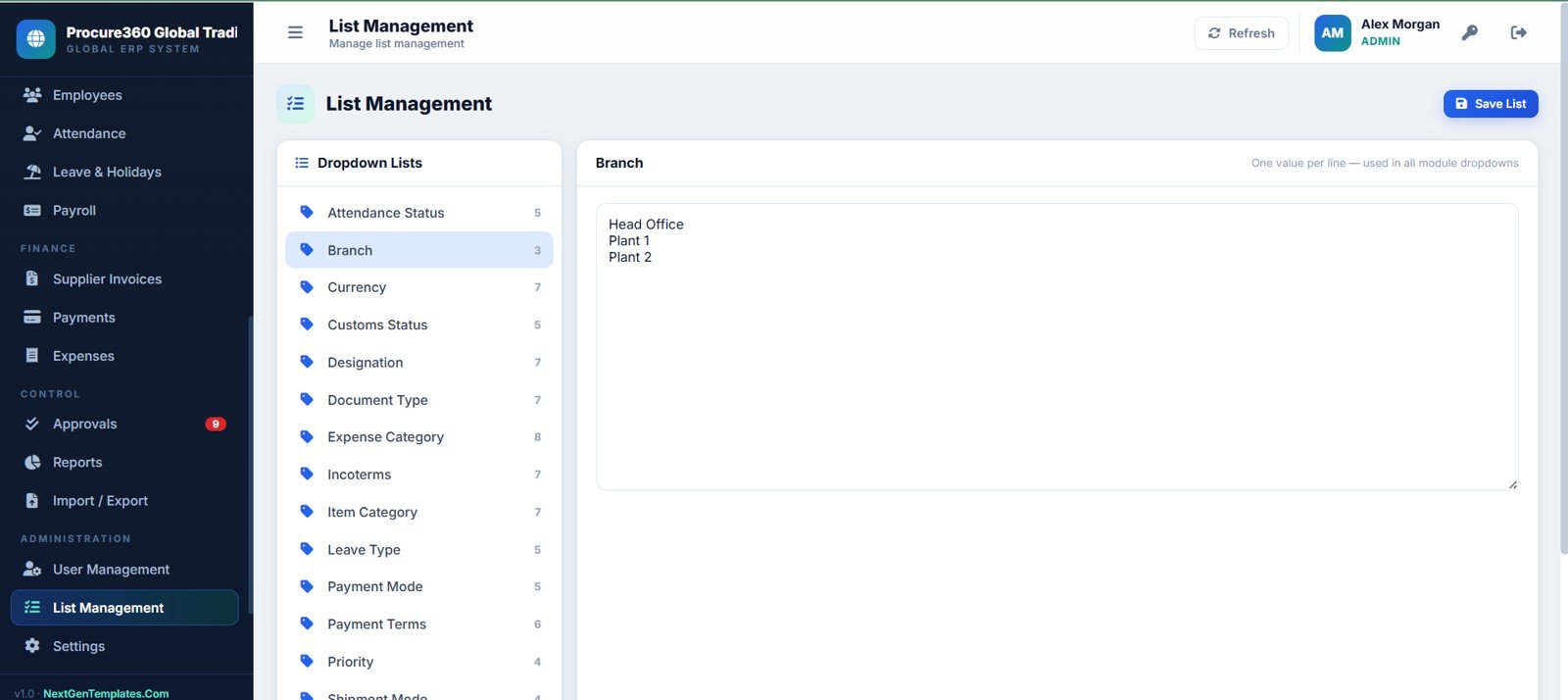
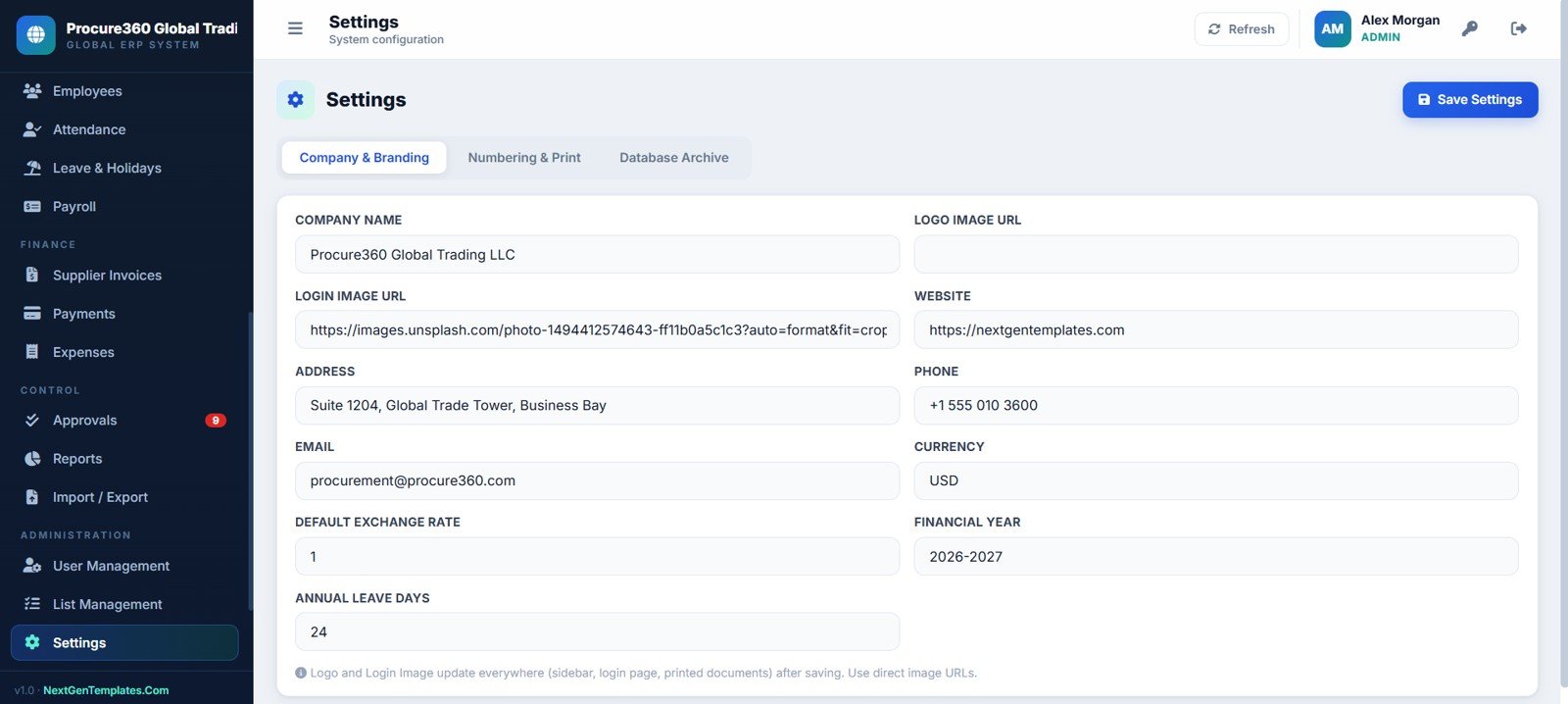
- Start by configuring settings, company branding, departments, branches, users, roles, approval limits, currencies, and dropdown lists.
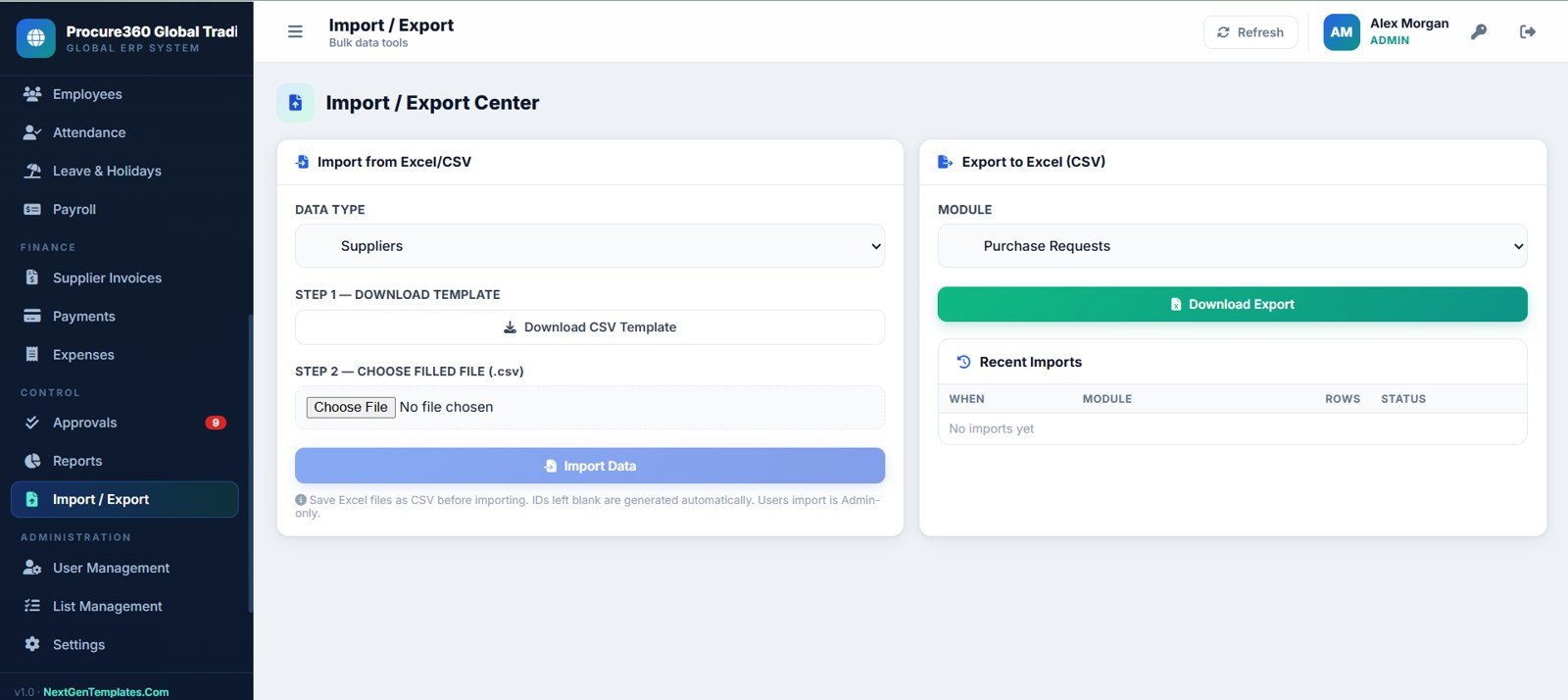
- Clean supplier, item, warehouse, and employee master data before importing large records.
- Define who can create, approve, receive, invoice, pay, and export records before deployment.
- Use consistent item names, supplier IDs, PO references, invoice numbers, and shipment tracking references.
- Review the executive dashboard weekly to spot pending RFQs, overdue approvals, low-stock items, shipments in transit, and supplier payables.
- Keep backup copies of the spreadsheet data and Apps Script source before making custom edits.
Explore Relevant Templates
- Procure360 Global ERP Management System Web App
- Logistics Management System Web App
- Web-based Advanced Inventory Management System
- Accounting Ledger Pro Management System Web App
- Power BI Industry Dashboards Vol.2
- Browse more Web App Templates
Frequently Asked Questions
What is Procure360 Global ERP Management System Web App?
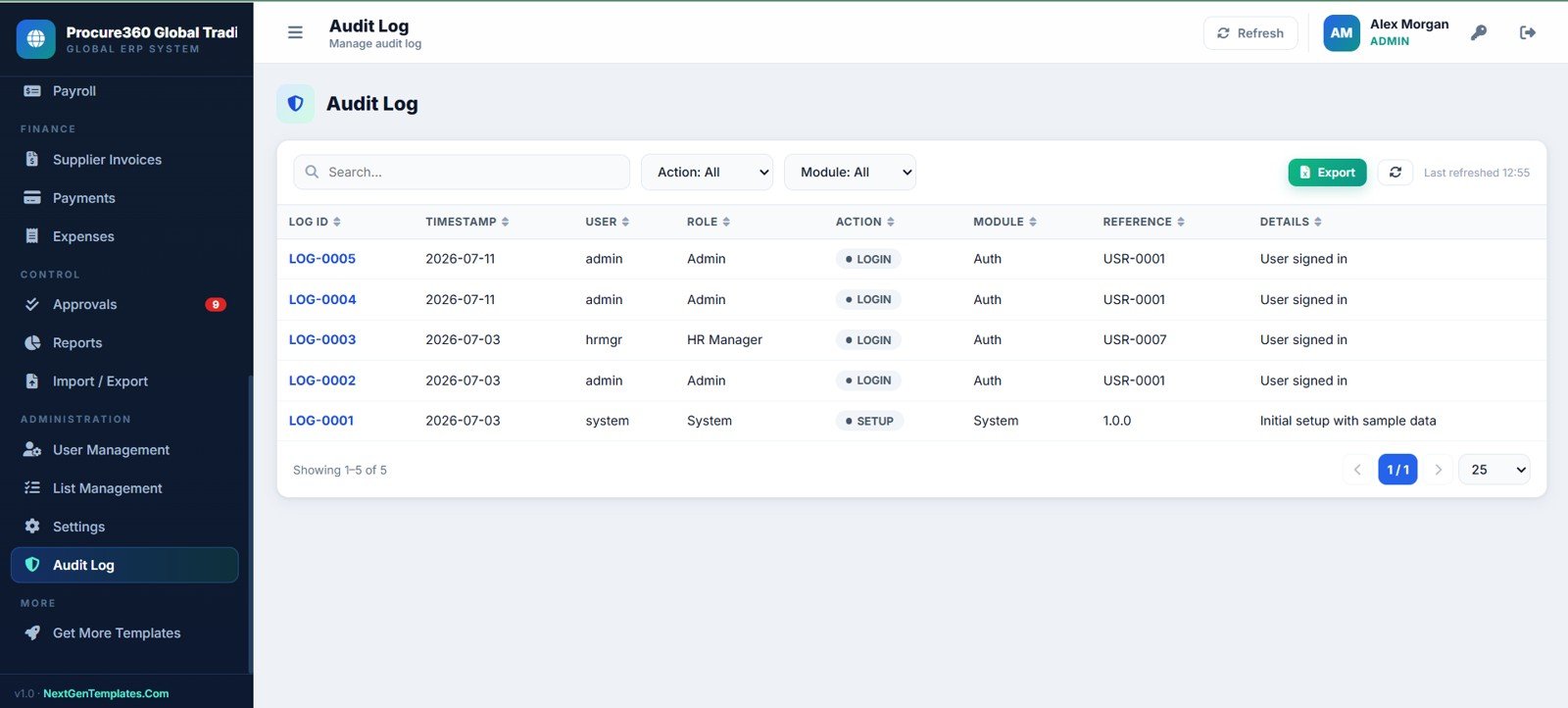
It is a 24-page ERP-style web app template for procurement, RFQs, purchase orders, inventory, shipments, suppliers, finance, HR, payroll, approvals, reports, settings, and audit logs.
Does Procure360 include purchase request and RFQ workflows?
Yes. It includes purchase requests, RFQ management, supplier quotes, quotation comparison, purchase orders, approvals, receiving, supplier invoices, and payments.
Can it manage inventory and warehouses?
Yes. It includes stock on hand, item master, warehouses, bins, reorder levels, stock ledger, stock transfers, rates, balances, and stock value.
Does it support import shipment tracking?
Yes. The logistics and shipment pages track shipment ID, PO reference, supplier, origin, mode, tracking number, ETD, ETA, shipment status, customs status, and document checklist details.
Is this a replacement for SAP, Oracle, NetSuite, or another enterprise ERP?
No. It is a customizable template foundation for teams that want an affordable, editable ERP-style workspace. Large enterprises may still need full ERP software, certified compliance, integrations, and custom implementation.
Is it a one-time purchase?
Yes. The template is sold as a one-time digital download on NextGenTemplates.
Can a consultant customize the template for clients?
Yes, it can be used as a strong starting point for a customized procurement, inventory, logistics, and finance web app, subject to the license terms included with the product.
About the Author
This template is built by PK, a Microsoft Certified Professional with 15+ years of Excel, Google Sheets, Power BI, and business dashboard experience. NextGenTemplates has helped 8,400+ teams across 40+ countries build practical business systems, dashboards, trackers, and reporting templates.
Conclusion
Procure360 Global ERP Management System Web App is a practical ERP-style template for teams that need procurement, RFQs, purchase orders, stock, shipments, suppliers, employees, attendance, payroll, invoices, payments, approvals, reports, settings, and audit logs in one place. It is especially useful for growing trading, procurement, warehousing, import, and distribution teams that want structure now without starting from a blank spreadsheet or committing to a large ERP rollout.
Download the Procure360 Global ERP Management System Web App Template.

Related Articles