Employee Shift Schedule in Google Sheets is a comprehensive, cloud-based scheduling template that empowers HR teams, managers, and operations leaders to plan, assign, and track employee shifts effortlessly. This ready-to-use Google Sheets template combines weekly scheduling, monthly calendar views, an employee directory, a KPI-driven analytics dashboard, and a customizable settings page into one powerful workforce management solution.
Managing employee shifts manually through emails, whiteboards, or basic spreadsheets often leads to scheduling conflicts, staffing gaps, and overtime issues. This template solves those challenges by providing a centralized, automated scheduling system that updates in real time and supports collaboration across teams — all without any additional software costs.
Whether you run a restaurant, retail store, healthcare facility, or corporate office, this Employee Shift Schedule in Google Sheets adapts to your unique staffing requirements with customizable shift definitions, staffing rules, and policy settings.
Key Features of Employee Shift Schedule in Google Sheets
Click here to Purchase Employee Shift Schedule in Google Sheets
This template includes 5 structured pages designed for complete shift management visibility. Each page serves a specific purpose in the scheduling workflow, from daily assignments to strategic workforce analytics.
Weekly Schedule View
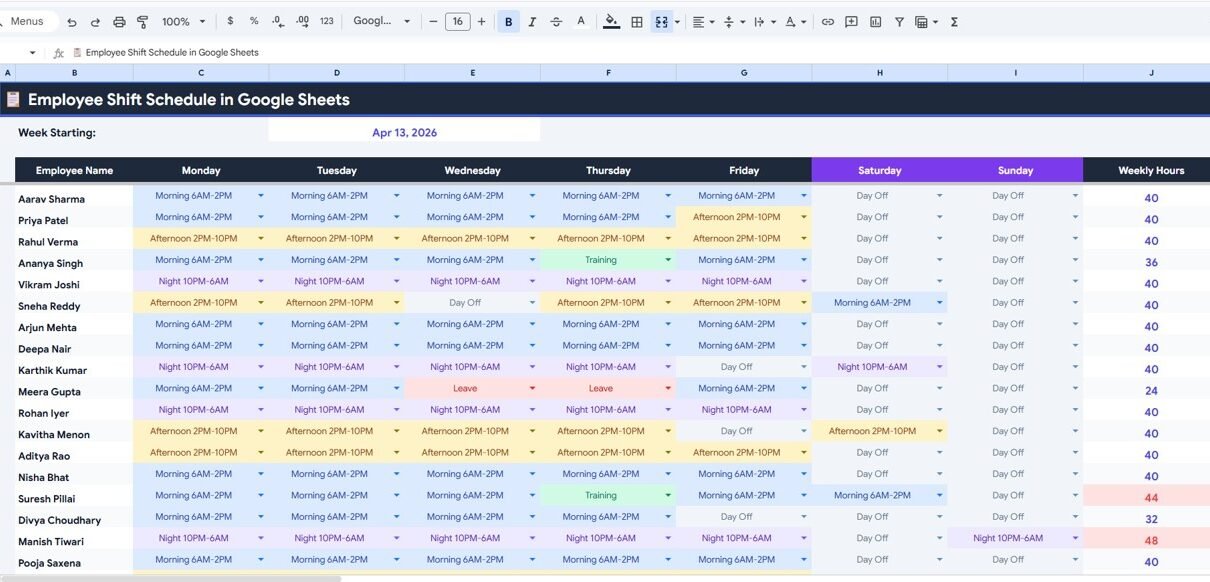
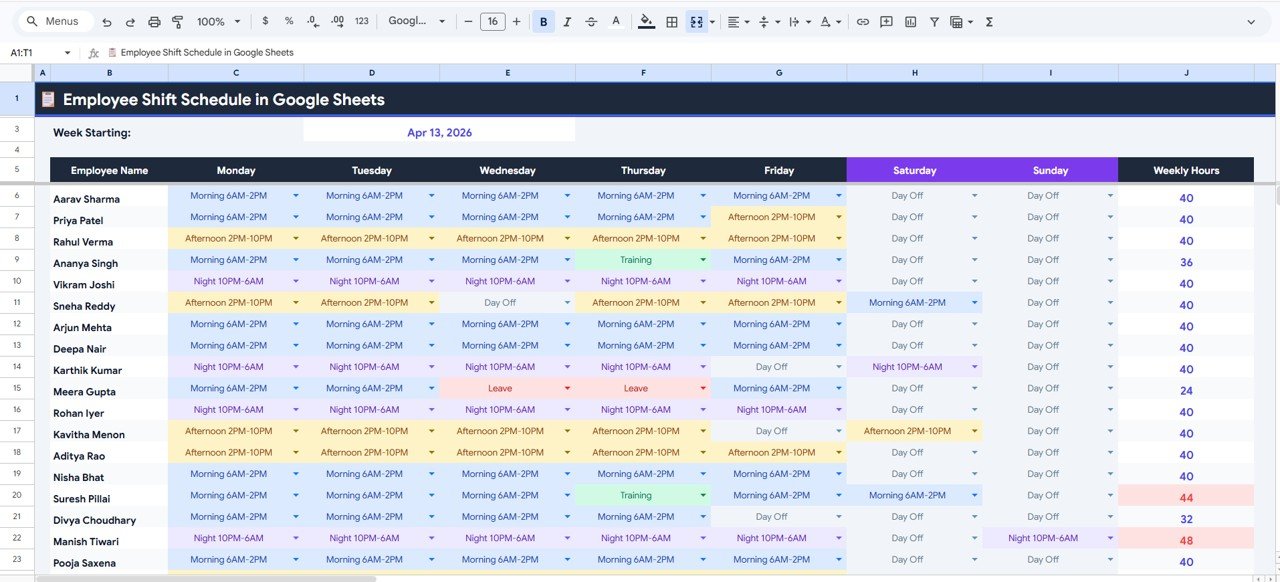
The Weekly Schedule View is the primary scheduling interface where managers assign shifts to employees across the entire week. At the top of the sheet, KPI cards display high-level information including the Week Starting Date, Employee Name, Monday through Sunday Shift Assignments, and Weekly Hours for each employee.
Two analytical charts provide instant visibility into scheduling patterns. The Shift Assignment by Employee by Day of Week chart shows how shifts are distributed across the team throughout the week, while the Weekly Hours by Employee chart displays total hours per employee to ensure fair workload distribution and compliance with labor regulations.
Weekly Schedule ViewMonthly Calendar View
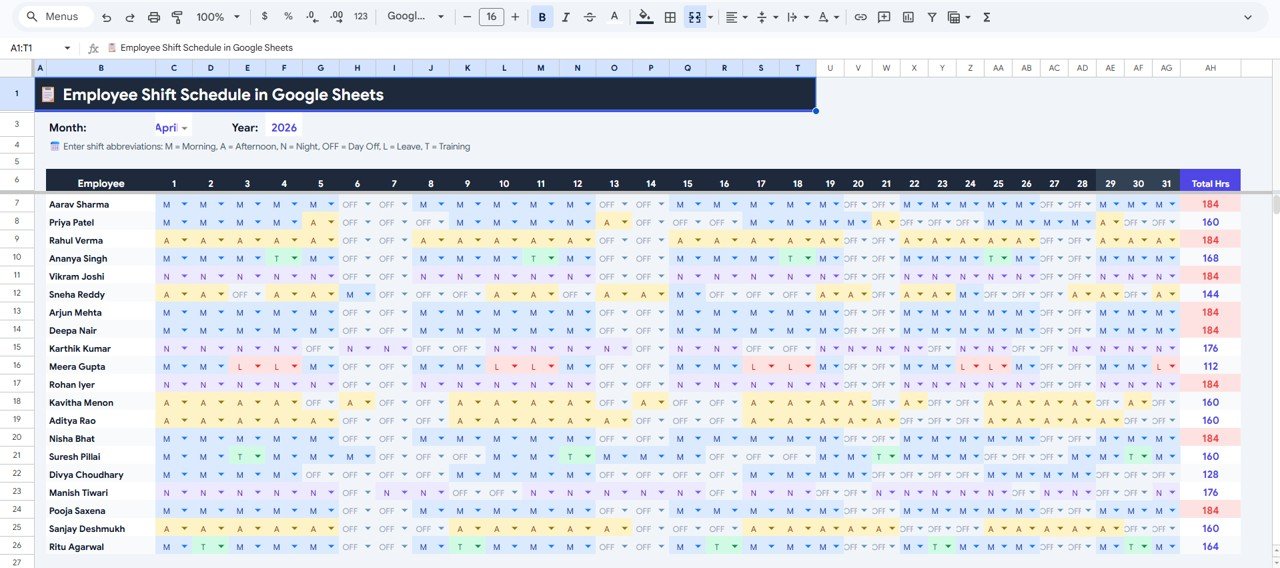
The Monthly Calendar View provides a broader perspective on shift scheduling by displaying an entire month of assignments. This page includes charts for Monthly Shift Assignments by Employee by Day, Total Hours by Employee for the Selected Month, and Shift Abbreviation by Day by Employee. These visualizations make it easy for managers to identify coverage gaps, plan for holidays, and balance overtime across the team.
 Monthly Calendar View
Employee Directory
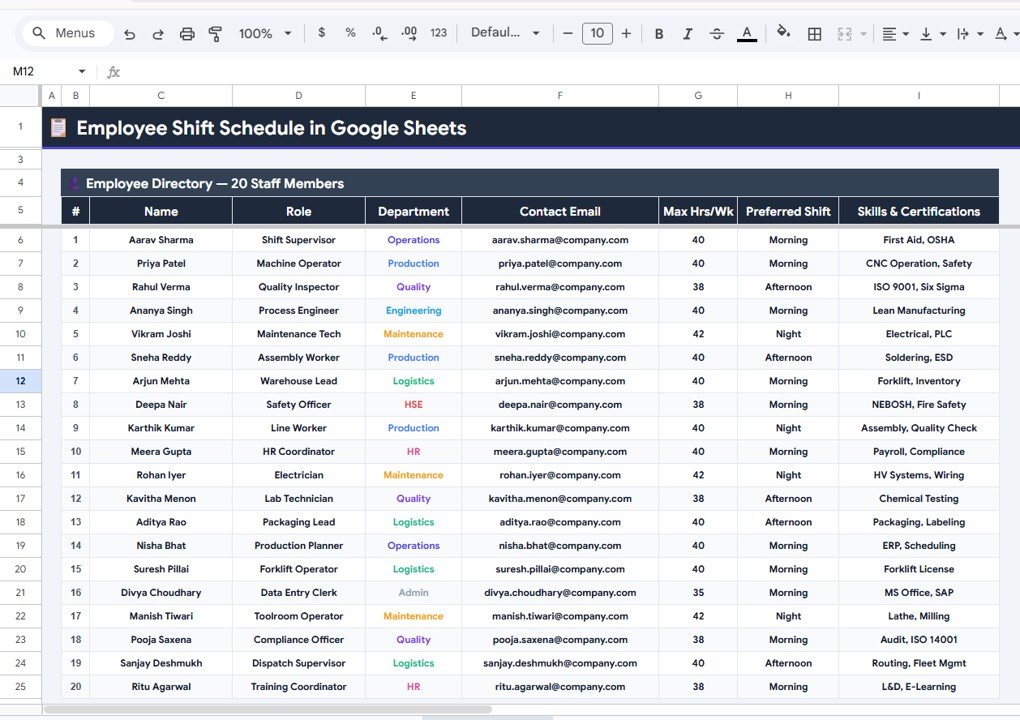
The Employee Directory serves as the central reference for all staff information relevant to scheduling. It captures Employee Name by Role, Department by Employee, Contact Email by Employee, Max Hours per Week by Employee, Preferred Shift by Employee, and Skills and Certifications by Employee. This comprehensive directory ensures that scheduling decisions account for employee qualifications, availability preferences, and contractual hour limits.
 Employee Directory
Dashboard
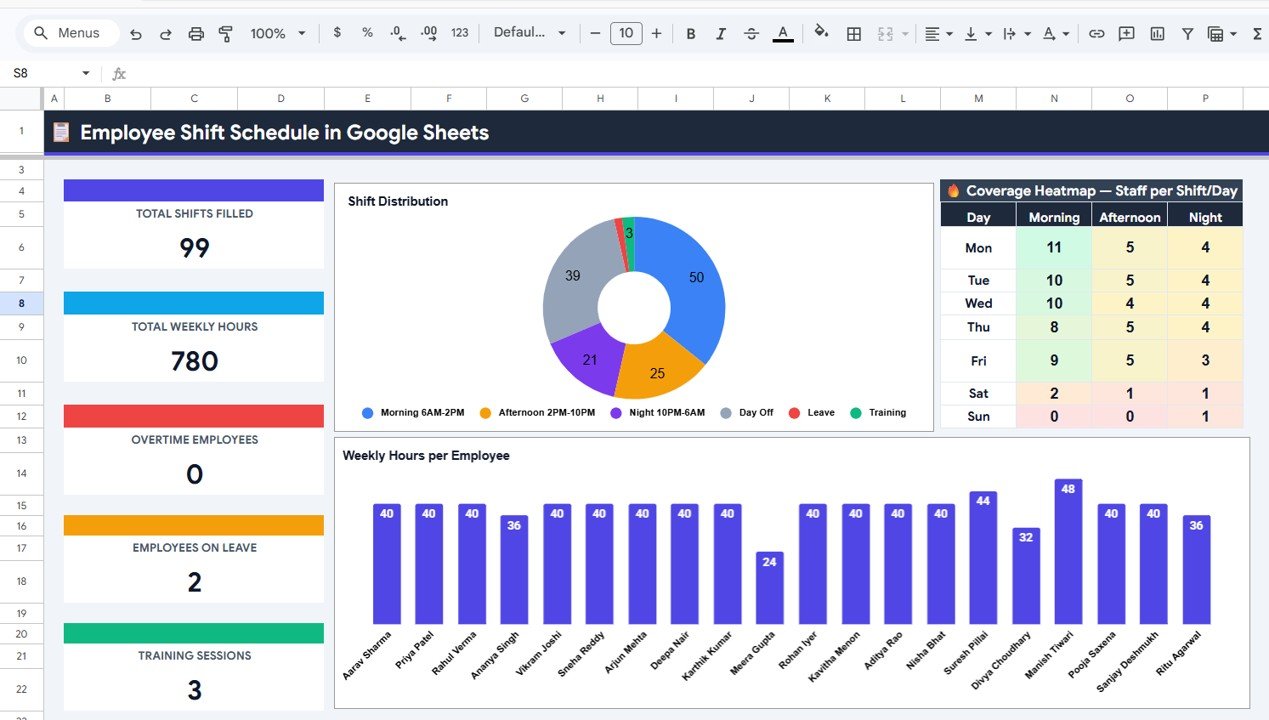
The Dashboard page delivers a complete analytical overview of shift operations. KPI cards track Total Shifts Filled, Total Weekly Hours, Overtime Employees, Employees on Leave, and Training Sessions at a glance. Three key charts provide deeper insights — Shift Distribution by Shift Type reveals the balance between morning, afternoon, night, and other shift categories; Weekly Hours by Employee highlights workload distribution; and the Coverage Heatmap showing Staff per Shift by Day identifies understaffed time slots that need attention.
 Dashboard
Settings
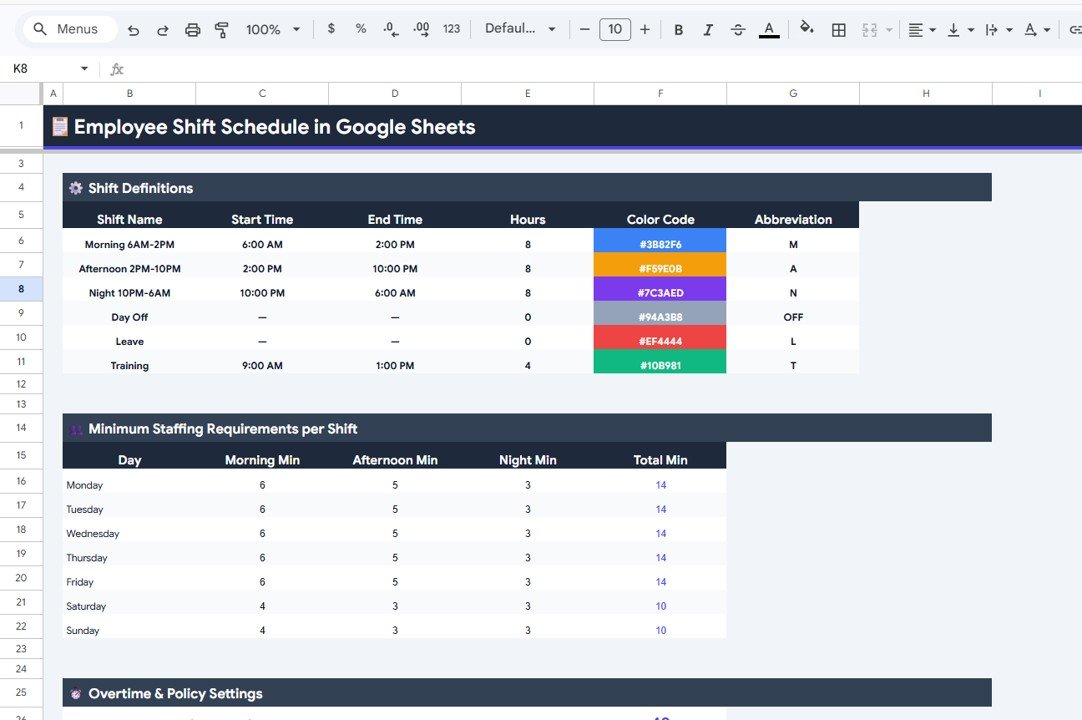
The Settings page is where organizations define the rules that govern their scheduling system. Configurable elements include Shift Definitions by Shift Name, Start Time and End Time by Shift, Hours and Color Code by Shift, Abbreviation by Shift Type, Minimum Staffing Requirements by Day by Shift, and Overtime and Policy Settings. These settings ensure the template adapts precisely to your organization’s operational requirements and labor policies.
 Settings
Advantages of Employee Shift Schedule in Google Sheets
- Centralized scheduling — All shift assignments, employee data, and analytics live in one accessible Google Sheets file.
- Real-time collaboration — Multiple managers can view and edit schedules simultaneously without version conflicts.
- Automated calculations — Weekly hours, overtime tracking, and KPI metrics update automatically as you assign shifts.
- Visual analytics — Built-in charts and coverage heatmaps reveal scheduling patterns and staffing gaps instantly.
- Customizable rules — Define shift types, staffing minimums, overtime policies, and color codes to match your operations.
- No software costs — Runs entirely on Google Sheets with no subscriptions, installations, or training required.
- Mobile-friendly — Access and update schedules from any device through the Google Sheets mobile app.
Opportunities for Improvement
- The template currently relies on manual shift entry — future versions could incorporate form-based input for faster data entry.
- Adding automated shift conflict detection would further reduce scheduling errors.
- Integration with Google Calendar for automatic employee notifications could enhance communication.
- A swap request tracking feature would help manage last-minute shift changes more efficiently.
Best Practices for Using the Employee Shift Schedule
Click here to Purchase Employee Shift Schedule in Google Sheets
- Start with Settings — Always configure your shift definitions and staffing rules before creating schedules.
- Keep the Employee Directory updated — Accurate max hours, preferred shifts, and certifications prevent scheduling violations.
- Review the Dashboard weekly — Monitor overtime trends, coverage gaps, and shift distribution to make proactive adjustments.
- Use the Monthly Calendar for planning ahead — Plan holiday coverage and seasonal staffing changes at least one month in advance.
- Share with team leads — Give department managers view-only or edit access so they can verify their team’s schedules.
Explore Relevant Templates
Click here to Purchase Employee Shift Schedule in Google Sheets
If you find this Employee Shift Schedule useful, explore these related templates to build a complete HR operations toolkit:
- Employee Work Hours Adjustment Request Tracker in Google Sheets — Track and manage employee requests for work hour changes with visual dashboards and smart search.
- Performance Review Tracker in Google Sheets — Monitor employee performance reviews with structured tracking and visual analytics.
- Job Description Update Tracker in Google Sheets — Manage job description updates, approvals, and compliance across departments.
Frequently Asked Questions
What is the best employee shift schedule template for Google Sheets?
The Employee Shift Schedule in Google Sheets by NextGenTemplates is one of the best options available. It includes 5 interactive pages — Weekly Schedule View, Monthly Calendar View, Employee Directory, Dashboard with KPI analytics, and a Settings page — providing complete shift management capability in a single spreadsheet.
How do I create an employee shift schedule in Google Sheets?
You can create an employee shift schedule in Google Sheets by using a pre-built template like this one. Start by configuring shift types in the Settings page, add employees to the Directory, then assign shifts in the Weekly Schedule View. The template automatically calculates hours and updates the Dashboard with real-time analytics.
Can I track overtime with this shift schedule template?
Yes. The Dashboard tracks Overtime Employees as a KPI card, and the Weekly Hours by Employee chart instantly shows employees exceeding their maximum weekly hours. The Settings page also includes Overtime and Policy Settings for customizable overtime thresholds.
Is this shift schedule template free?
This is a premium template available at a one-time purchase price. It includes professional formatting, automated calculations, KPI dashboards, and all 5 structured pages. You can purchase the Employee Shift Schedule in Google Sheets here.
Can multiple managers edit the schedule at the same time?
Yes. Since the template runs on Google Sheets, multiple managers and HR team members can view, edit, and collaborate on the schedule simultaneously from any device with internet access.
What industries can use this shift schedule template?
This template works for any industry that requires shift-based scheduling including restaurants, retail stores, healthcare facilities, manufacturing plants, hospitality businesses, call centers, security companies, and corporate offices with rotating schedules.
Conclusion
Click here to Purchase Employee Shift Schedule in Google Sheets
The Employee Shift Schedule in Google Sheets is a complete workforce scheduling solution that combines weekly and monthly scheduling views, an employee directory, KPI-driven analytics, and customizable shift settings into one easy-to-use template. It eliminates the chaos of manual scheduling, provides real-time visibility into staffing coverage, and supports collaborative decision-making across teams.
Whether you manage a small team or a large multi-shift operation, this template gives you the tools to schedule smarter, reduce overtime costs, and ensure every shift is properly staffed.
Click here to Purchase Employee Shift Schedule in Google Sheets
Visit our YouTube channel for step-by-step video tutorials — Youtube.com/@NeoTechNavigators
For more Google Sheets templates, explore our full collection of Google Sheets Dashboards and learn more about Google Sheets functions on Google Support.
Click here to Purchase Employee Shift Schedule in Google Sheets