Introduction
The Fitness Industry KPI Scorecard in Google Sheets is an essential tool designed to help fitness businesses track and analyze key performance indicators effectively. This ready-to-use scorecard template simplifies monitoring your gym or fitness center’s progress, enabling data-driven decisions to improve overall performance. Whether you manage memberships, track workout sessions, or monitor revenue growth, this scorecard streamlines your KPI tracking process.
Key Features of Fitness Industry KPI Scorecard in Google Sheets
- User-Friendly Interface: Easy navigation with dropdown menus for quick data selection.
- Comprehensive KPI Analysis: Compare actual values against targets for better performance insights.
- Visual Performance Indicators: Color-coded visuals and conditional formatting for at-a-glance status checks.
- MTD and YTD Comparisons: Analyze both month-to-date and year-to-date KPIs for detailed trends.
- Flexible Data Input: Simple data entry sheet to update KPIs regularly.
- KPI Definitions and Formulas: Clear explanations of each KPI for better understanding and consistency.
Dashboard Pages Explanation
1. Scorecard Sheet
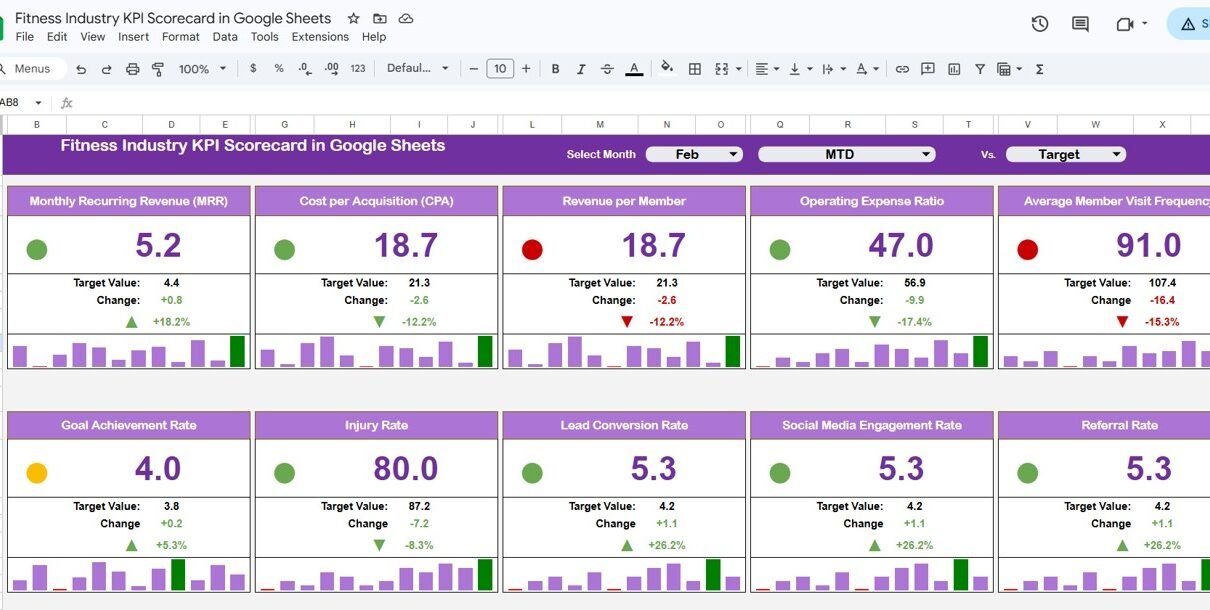
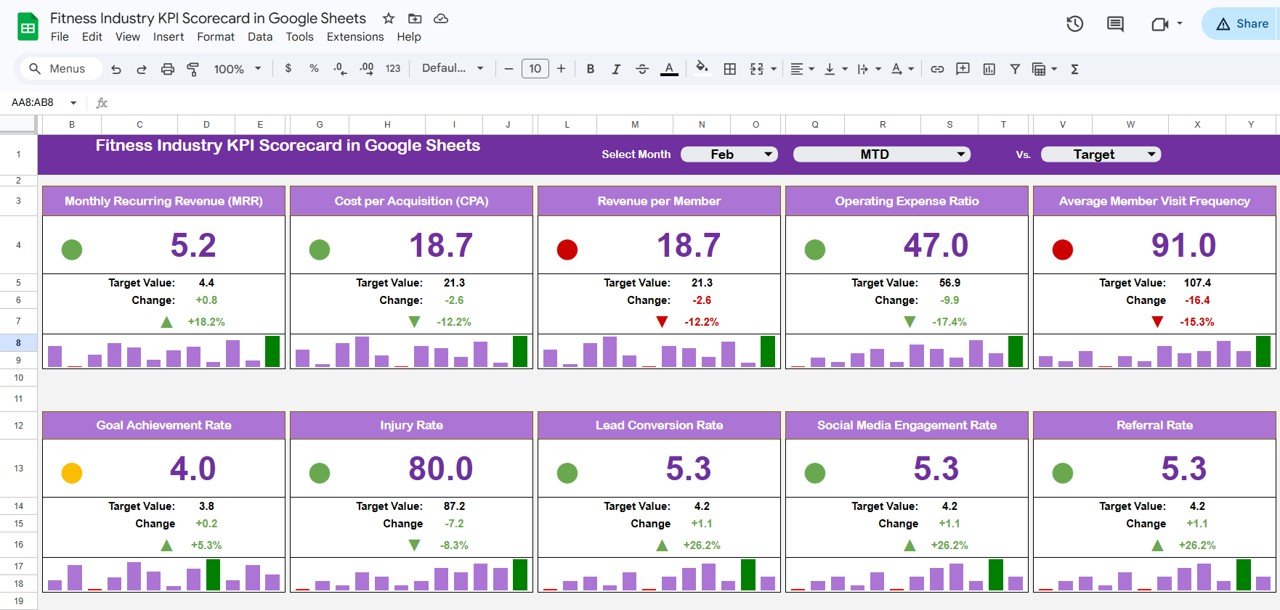 Fitness Industry KPI Scorecard in Google Sheets
The Scorecard sheet serves as the primary dashboard where you can instantly access and analyze KPI performance. Its key features include:
- Dropdown Menus: Select the month as well as MTD (Month-to-Date) or YTD (Year-to-Date) metrics for customized performance analysis.
- Actual vs Target Values: Easily view how each KPI is performing relative to established targets.
- Visual Indicators: Use color-coding and conditional formatting to identify areas that require attention quickly.
- Comprehensive KPI Overview: All critical KPI data including MTD and YTD statistics are readily displayed for a complete picture.
2. KPI Trend Sheet
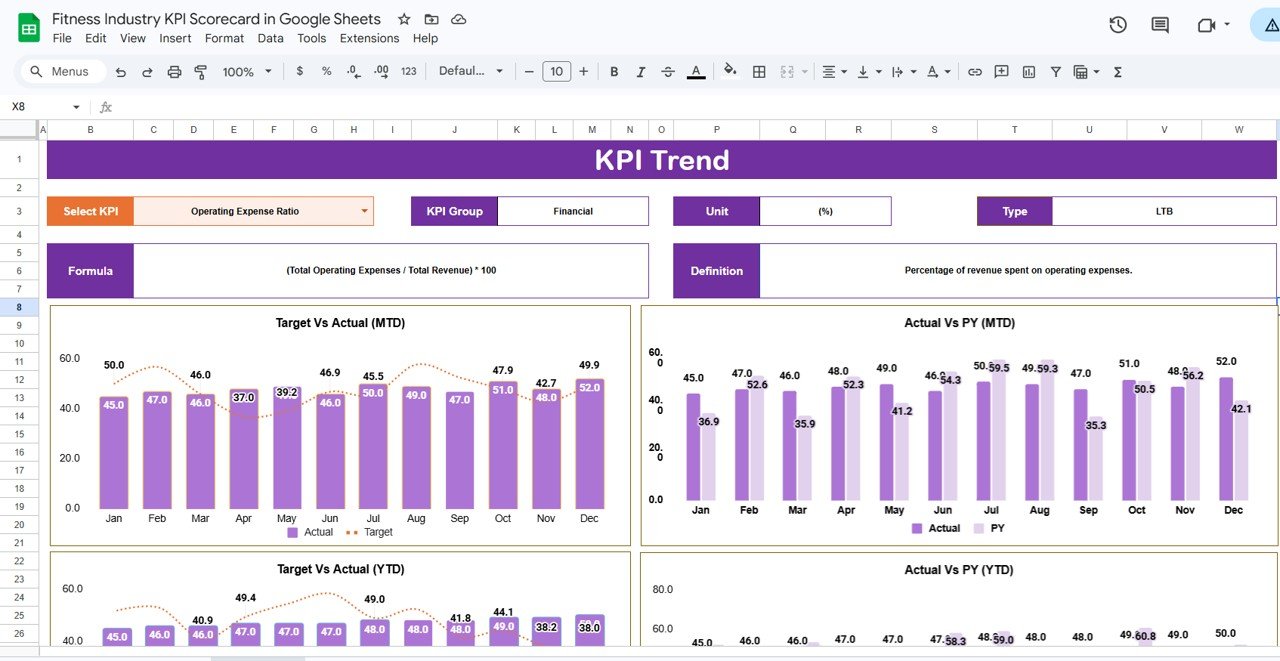 KPI Trend Sheet
Click to Buy Fitness Industry KPI Scorecard in Google Sheets
On the KPI Trend sheet, you can:
- Select KPI: Choose your KPI from a dropdown menu in cell range C3 for deeper analysis.
- View KPI Details: Easily understand KPI Group, Unit, Type (whether lower or upper values are better), formulas, and definitions.
- Analyze Trends: Visualize Month-to-Date and Year-to-Date trends for Actual, Target, and Previous Year (PY) figures through charts, providing actionable insights.
3. Input Data Sheet
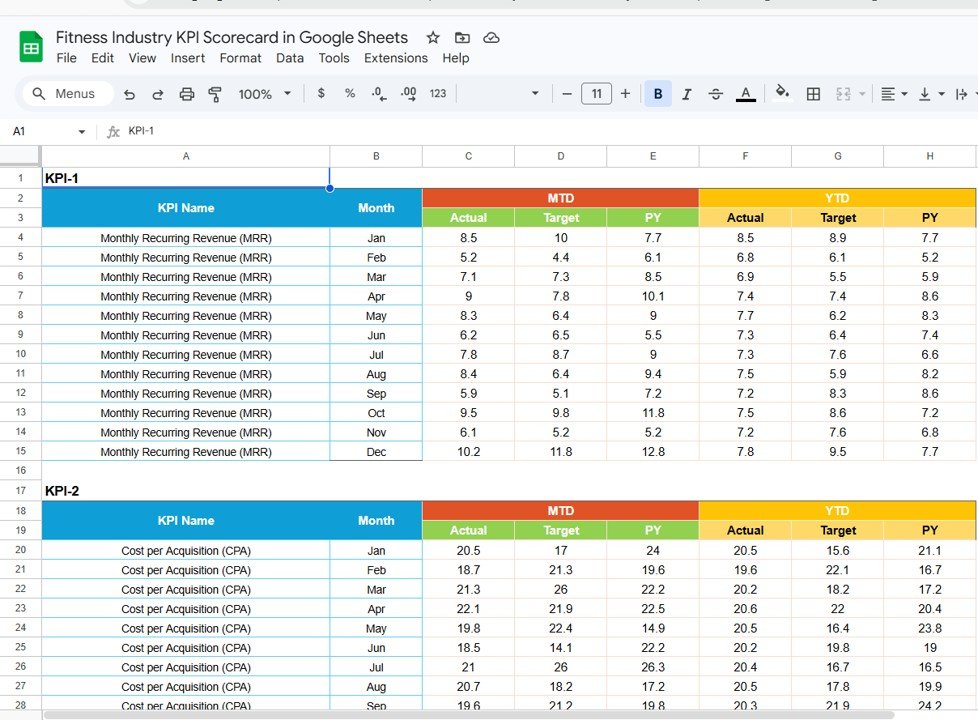 Input Data Sheet
Click to Buy Fitness Industry KPI Scorecard in Google Sheets
This sheet is the data entry hub where you input all KPI values. Features include:
- Data Entry: Easily record actual KPI values, targets, and other relevant metrics.
- Flexibility: Update this sheet regularly to keep the scorecard current and reliable.
4. KPI Definition Sheet
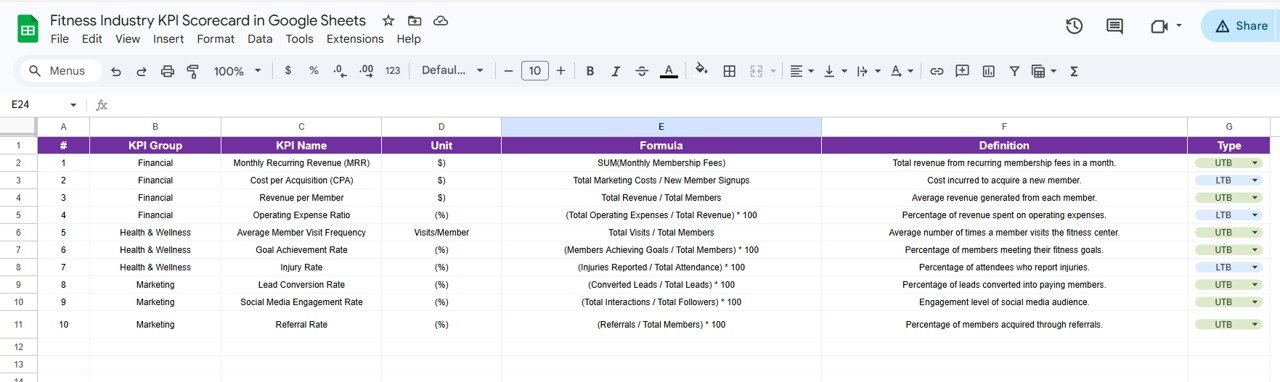 KPI Definition sheet tab
Click to Buy Fitness Industry KPI Scorecard in Google Sheets
This sheet provides a detailed explanation of each KPI, including:
- KPI Name
- KPI Group
- Unit of Measure
- Formula Used for Calculation
- Clear Definitions to Ensure Consistency and Understanding
Advantages of Fitness Industry KPI Scorecard in Google Sheets
Click to Buy Fitness Industry KPI Scorecard in Google Sheets
- Real-Time Collaboration: Google Sheets allows multiple users to update and view the scorecard simultaneously.
- Cost-Effective: Free to use with a Google account, providing powerful tracking without additional expenses.
- Customization: Easily modify and expand the template to fit unique business needs.
- Enhanced Decision Making: Quick access to KPIs facilitates timely and informed business decisions.
- Visual Dashboards: Data visualization helps recognize trends and potential issues quickly.
Opportunities for Improvement
- Integrate automated data imports from fitness management software to reduce manual data entry.
- Add interactive filters to analyze KPIs by different gym locations or departments.
- Incorporate predictive analytics to forecast future performance trends.
- Develop mobile-friendly views or Google Sheets app configurations for on-the-go access.
Best Practices
Click to Buy Fitness Industry KPI Scorecard in Google Sheets
- Regularly update your Input Data Sheet to maintain accuracy.
- Use conditional formatting judiciously to highlight true anomalies and points of interest, avoiding clutter.
- Familiarize your team with KPI definitions to ensure consistent data interpretation and reporting.
- Schedule monthly reviews of the scorecard to track progress and make strategic adjustments.
- Back up your Google Sheets data periodically to avoid accidental loss.
FAQs
Can I customize the KPIs in this scorecard?
Yes, the scorecard is built in Google Sheets, making it easy to add, remove, or modify KPIs according to your fitness center’s unique goals.
Is this scorecard suitable for individual trainers?
Absolutely. While designed for fitness facilities, individual trainers can track client progress and business KPIs by customizing the input data.
Do I need advanced Excel knowledge to use this template?
No. The template is user-friendly with clear dropdown menus and input cells. Basic familiarity with Google Sheets suffices.
Can I track year-over-year performance with this scorecard?
Yes, the KPI Trend sheet includes PY (Previous Year), MTD, and YTD comparisons for comprehensive trend analysis.
Conclusion
Click to Buy Fitness Industry KPI Scorecard in Google Sheets
The Fitness Industry KPI Scorecard in Google Sheets is a powerful yet accessible solution for fitness centers aiming to track and improve their key business metrics efficiently. With its comprehensive dashboards, clear KPI definitions, and visual trend analysis, this scorecard template empowers fitness managers to make informed, timely decisions that drive growth.
Take control of your fitness business performance today by leveraging this intuitive Google Sheets KPI scorecard.
For further learning and a step-by-step walkthrough, visit our YouTube channel to watch the demo.
For more advanced analytics and integration ideas, consider exploring tools from Microsoft Excel or Google’s official documentation on Google Sheets functions.
Click to Buy Fitness Industry KPI Scorecard in Google Sheets