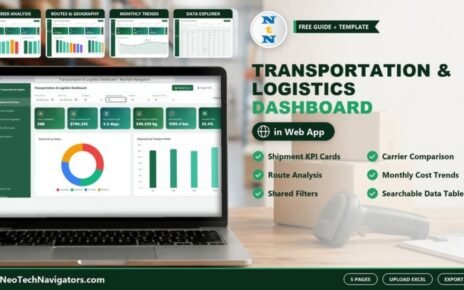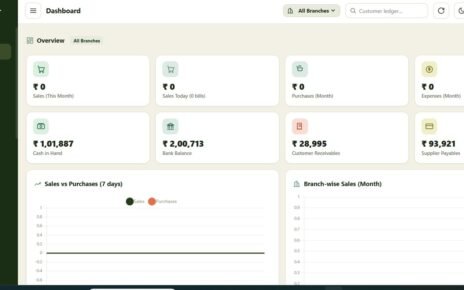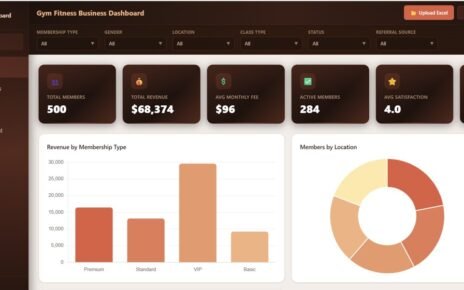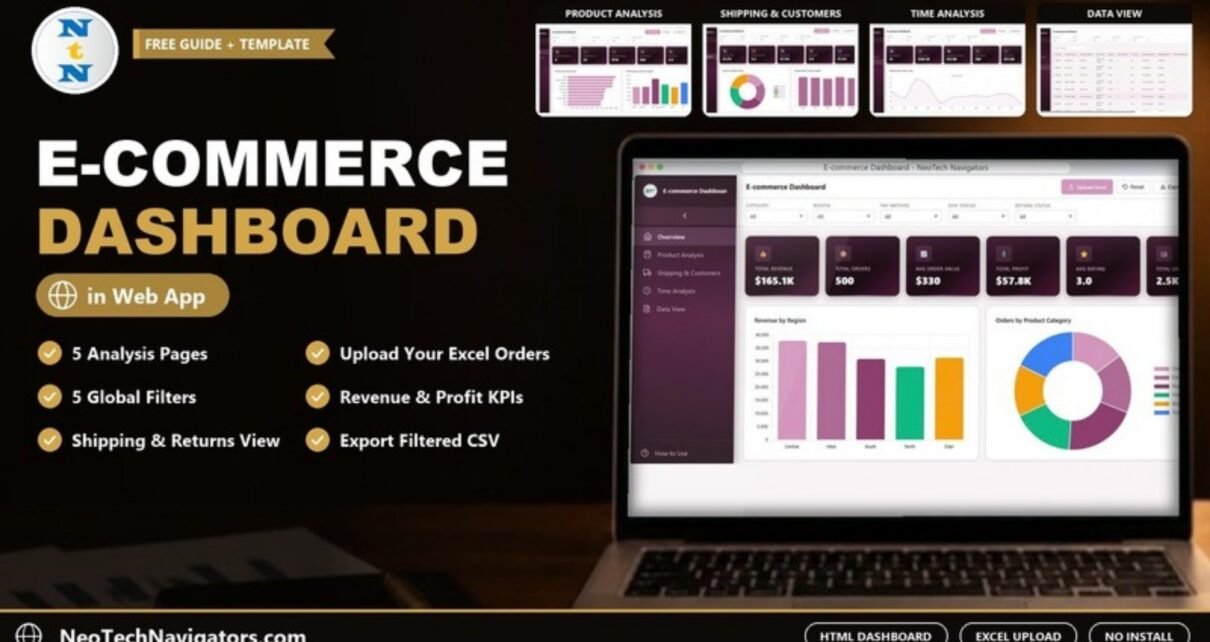
The E-commerce Dashboard in HTML is a single HTML file that opens in any modern browser and turns online store order data into five analysis pages: Overview, Product Analysis, Shipping & Customers, Time Analysis and Data View. It comes loaded with 500 demo orders. When you are ready, you click Upload Excel and see the same pages built from your own data.
It is meant for online store owners, e-commerce managers, marketplace sellers and analysts who want a clean, interactive report without installing Power BI or Tableau. Five global filters (Category, Region, Pay Method, Ship Status and Return Status) apply across every page. There is also a light/dark theme toggle, a Reset button, an Export CSV button and a built-in How to Use guide.
This guide walks through each page and its KPI cards, shows how the headline numbers relate to each other, and explains where an HTML dashboard fits and where it does not.
🎥 Watch the Video Tutorial
Get the E-commerce Dashboard in HTML
What Problem Does It Solve?
Most online sellers can export their orders to Excel, but a spreadsheet of 500 or 5,000 rows does not tell you much on its own. Building pivot tables and charts every month takes time, and BI tools need licences, installation and some training.
An HTML dashboard sits in between. It is one file you can open on a laptop, share with a colleague or keep in a shared folder. Load an Excel export and you get revenue, profit, ratings, shipping and monthly trends straight away, with filters that work across every page.
KPI Cards in the E-commerce Dashboard in HTML
Every page starts with a row of KPI cards. These are the cards and the demo values shown in the screenshots.
| Page | KPI cards (demo values) |
|---|---|
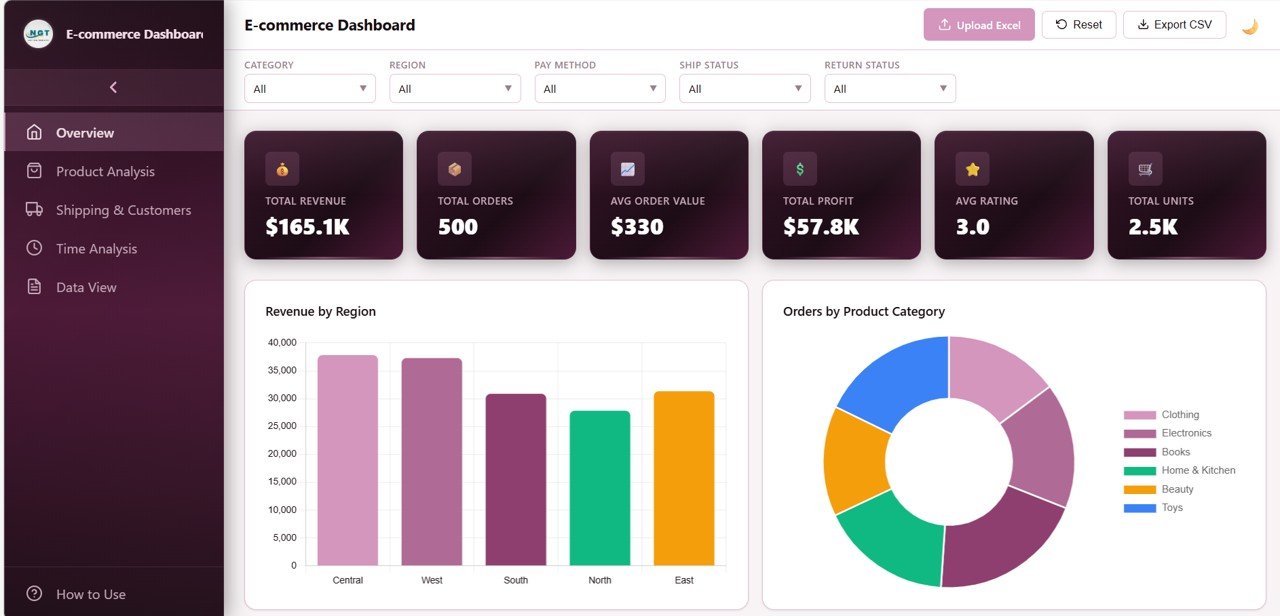
| Overview | Total Revenue ($165.1K), Total Orders (500), Avg Order Value ($330), Total Profit ($57.8K), Avg Rating (3.0), Total Units (2.5K) |
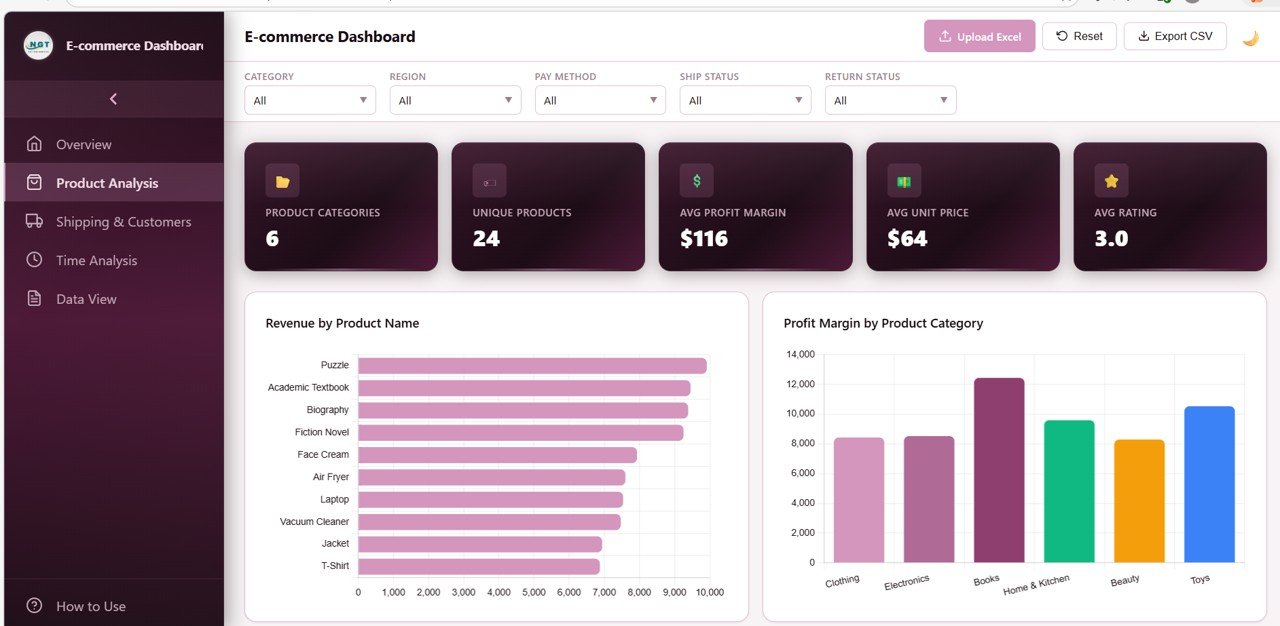
| Product Analysis | Product Categories (6), Unique Products (24), Avg Profit Margin ($116), Avg Unit Price ($64), Avg Rating (3.0) |
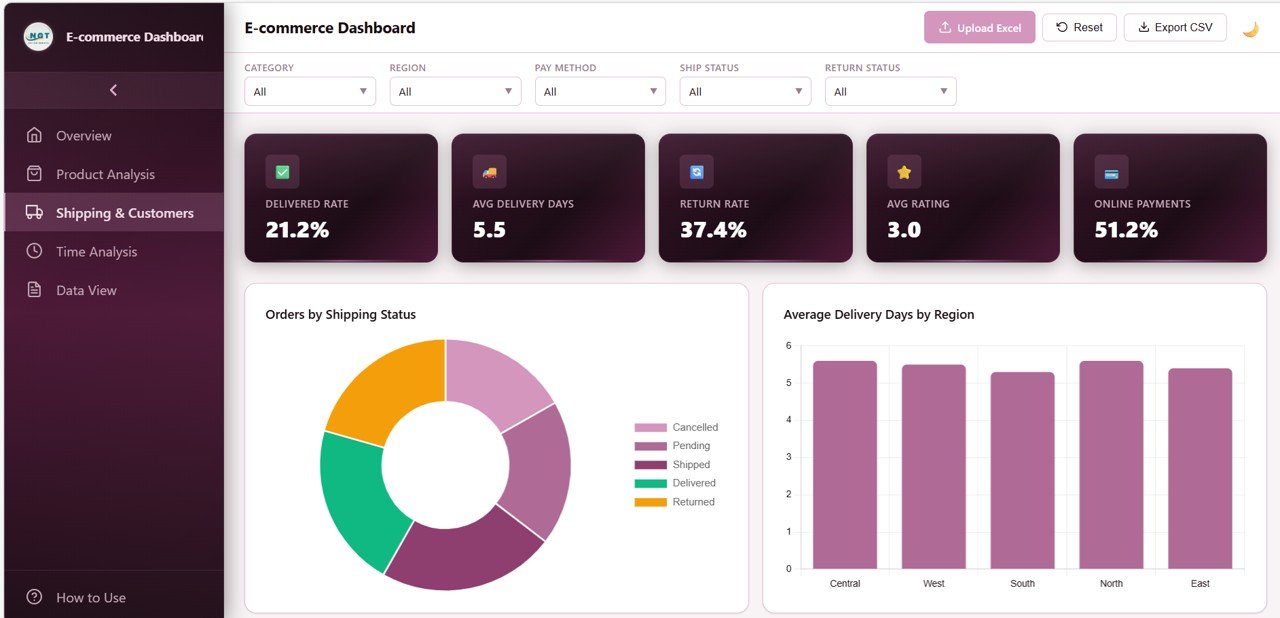
| Shipping & Customers | Delivered Rate (21.2%), Avg Delivery Days (5.5), Return Rate (37.4%), Avg Rating (3.0), Online Payments (51.2%) |
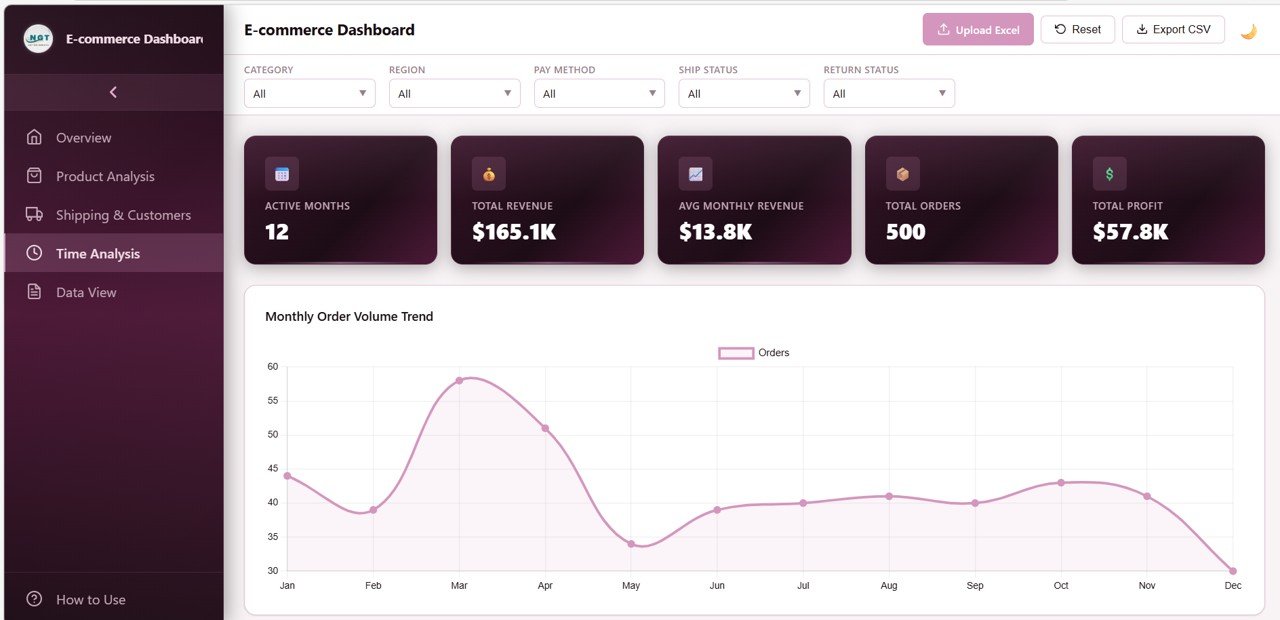
| Time Analysis | Active Months (12), Total Revenue ($165.1K), Avg Monthly Revenue ($13.8K), Total Orders (500), Total Profit ($57.8K) |
| Data View | Searchable, sortable record table (no KPI cards) |
Dashboard Pages Explained
1. Overview
The Overview is the executive summary. Below the six KPI cards, the charts cover Revenue by Region (Central, West, South, North and East in the demo data), Orders by Product Category (Clothing, Electronics, Books, Home & Kitchen, Beauty and Toys), Revenue by Payment Method, Shipping Status Distribution and Monthly Revenue Trend.
2. Product Analysis
This page shows which products and categories earn the most. Charts include Revenue by Product Name, Profit Margin by Product Category, Average Rating by Product Category, Units Ordered by Product Category and Top 10 Products by Revenue. In the demo data, Puzzle, Academic Textbook and Biography lead on revenue, and Books has the tallest bar on the Profit Margin by Product Category chart.
3. Shipping & Customers
Logistics and customer experience sit together here. Charts include Orders by Shipping Status (Cancelled, Pending, Shipped, Delivered, Returned), Average Delivery Days by Region, Return Status Distribution, Orders by Customer Rating and Payment Type Distribution. The demo shows a 37.4% return rate, which is exactly the kind of number this page is designed to make visible.
4. Time Analysis
The time page tracks how the store changes month by month: Monthly Order Volume Trend, Average Order Value by Month, Profit Margin by Month, Revenue by Region and Month and Average Delivery Days by Month. In the demo, orders peak in March and are lowest in December.
5. Data View
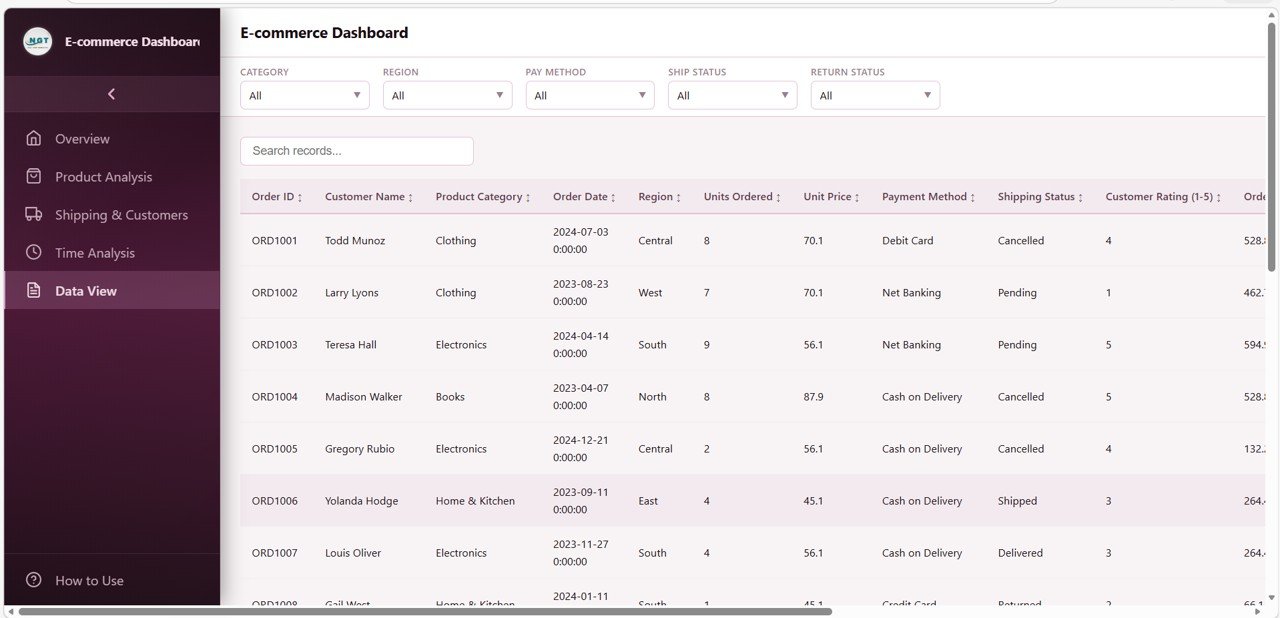
The Data View lists every record with a search box, sortable columns and pagination. Visible columns include Order ID, Customer Name, Product Category, Order Date, Region, Units Ordered, Unit Price, Payment Method, Shipping Status and Customer Rating (1-5), with more to the right. Use Export CSV to save the filtered records for further work in Excel.
Worked Example: How the Headline Numbers Connect
Several KPI cards are simple ratios of each other, which makes them easy to sanity-check against your own data. The third line is not a card, but it is a useful check you can work out from two cards:
Avg Order Value      = Total Revenue / Total Orders   = 165,100 / 500 = $330
Avg Monthly Revenue  = Total Revenue / Active Months  = 165,100 / 12  = $13.8K
Profit as % of sales = Total Profit / Total Revenue    = 57,800 / 165,100 = 35.0%
When you upload your own file, check these three relationships first. If Avg Order Value looks far too high or low, the usual cause is a revenue column holding unit price instead of order value, or a date column that has not been read as a date.
Now apply a filter, for example Category = Electronics. Every card and chart recalculates for that slice, so you can compare the category’s average order value and return rate with the store total in a few seconds.
How to Use It With Your Own Data
- Download the HTML file and open it in Chrome, Edge, Firefox or Safari. Explore the demo data first.
- Open How to Use in the sidebar and read the data format section, which lists the columns the dashboard expects.
- Export your orders from your store or marketplace to Excel (.xlsx or .xls) and rename the column headers to match.
- Click Upload Excel, drag in the file or browse to it, and pick the sheet that holds your orders.
- Check the Overview cards against totals you already know, using the worked example above.
- Use the five filters to explore, Reset to clear them, and Export CSV to save filtered records.
Three Real-World Use Cases
A small online shop’s monthly review
The owner uploads the month’s order export, checks revenue, profit and average order value on the Overview, then looks at Top 10 Products by Revenue to decide what to promote next month.
An operations lead tackling returns
Filtering Return Status and Category on the Shipping & Customers page shows which categories drive returns and whether slow delivery regions have lower ratings.
A consultant reporting to a client
The consultant loads the client’s data, switches to the light theme and walks through the five pages in a meeting. Because the dashboard is a single file, it is easy to hand over afterwards.
Best Practices
- Keep column headers identical every month so uploads work first time.
- Store dates as real Excel dates, not text, so the Time Analysis page groups months correctly.
- Click Reset before sharing a screen, so nobody reads a filtered view as the full picture.
- Look at Return Rate and Avg Rating together. A rise in returns usually shows up in ratings soon after.
- Keep the original Excel export as your record. The dashboard is a view, not a database.
Limitations and Who Should Not Use It
The dashboard reads a file you upload; it does not connect live to Shopify, Amazon, WooCommerce or any other platform, so you refresh it by uploading a new export. It is built around the columns described in the How to Use guide, so data with a very different structure will need reshaping first. Stores with millions of order lines, or teams that need scheduled reports and user permissions, will be better served by a BI tool such as Power BI.
Related Templates and Guides
If you prefer working in a spreadsheet, see the E-commerce Dashboard in Google Sheets or the target-based E-commerce KPI Scorecard. Other browser dashboards in the same style include the Retail Dashboard in HTML, the Shopify Store Dashboard in HTML and the Etsy Seller Analytics Dashboard in HTML.
Related template: if your team already uses Power BI, there is an E-commerce Dashboard in Power BI.
If you want to learn how to summarise order data and build reports like this yourself, the Excel Pivot Tables & Dashboards course on NextGenTemplates Academy is a good next step.
Frequently Asked Questions
Do I need to install anything to use the E-commerce Dashboard in HTML?
No. It is a single HTML file that runs in a modern web browser. There is no software to install and no account to create.
Can I load my own store data?
Yes. Click Upload Excel, choose an .xlsx or .xls file and pick the sheet. Match your column headers to the format described in the built-in How to Use guide.
Which filters are available?
Five global filters: Category, Region, Pay Method, Ship Status and Return Status. They apply to every page, and Reset clears them.
Can I export the data?
Yes. The Export CSV button saves the filtered records as a CSV file you can open in Excel or Google Sheets.
Is my data sent anywhere when I upload a file?
The dashboard runs inside your browser as a local file, and the Excel file you load is read by the page itself. As with any file, keep your copy somewhere secure.
Does it work on a phone or tablet?
Yes. The layout is responsive and the sidebar collapses on smaller screens, although the charts are easiest to read on a laptop or larger screen.
Get the E-commerce Dashboard in HTML
Wrapping Up
The E-commerce Dashboard in HTML gives online sellers a fast, install-free way to see revenue, products, shipping, returns and monthly trends in one place. Open it with the demo data, read the How to Use guide, and upload last month’s order export to see your own store through the same five pages.
📅 Last updated: October 2026