Recurring subscriptions are easy to start and surprisingly easy to forget. A streaming service here, a SaaS tool there, a professional membership, a domain renewal, a cloud storage plan, a mobile add-on, and suddenly the monthly total is harder to explain than it should be.Subscription and Membership Tracker in Google Sheets
The Subscription and Membership Tracker in Google Sheets is built to solve that problem with a simple, editable system. It gives you a dashboard for monthly cost, subscription status, annual cost, renewal timing, and dropdown-controlled data entry so your recurring expenses stay visible before they renew.
Get the Subscription and Membership Tracker in Google Sheets
Because the template is built in Google Sheets, it is easy to copy, share, filter, and update from the browser. Google also supports slicers for filtering charts and tables, which is useful when you want an interactive dashboard experience without moving to a separate business intelligence tool. You can learn more in Google’s guide to filtering charts and tables with slicers.Subscription and Membership Tracker in Google Sheets
What the Subscription and Membership Tracker Does
Subscription and Membership Tracker in Google Sheets.
This tracker gives you a single place to record every recurring subscription or membership you want to manage. Typical fields include service name, category, monthly cost, annualized cost, billing cycle, payment method, renewal date, days until renewal, and subscription status.Subscription and Membership Tracker in Google Sheets
The goal is not just to list subscriptions. The goal is to turn recurring expenses into a reviewable decision system. Once the information is entered, the Overview Page helps answer practical questions like:
- How much do we spend every month on subscriptions?
- Which categories are costing the most?
- Which services create the highest annual cost?
- Which renewals are coming up soon?
- How many services are active, paused, cancelled, or under review?
That makes the tracker useful for households, freelancers, creators, consultants, small business owners, finance teams, and operations teams that want visibility before renewal dates arrive.
Overview Page
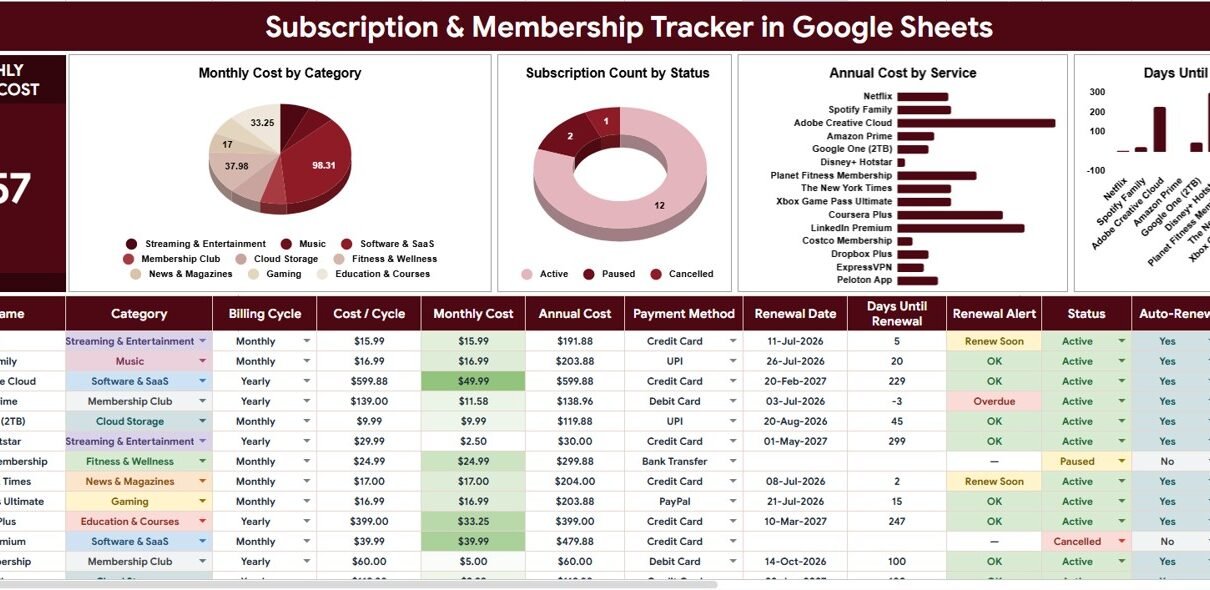
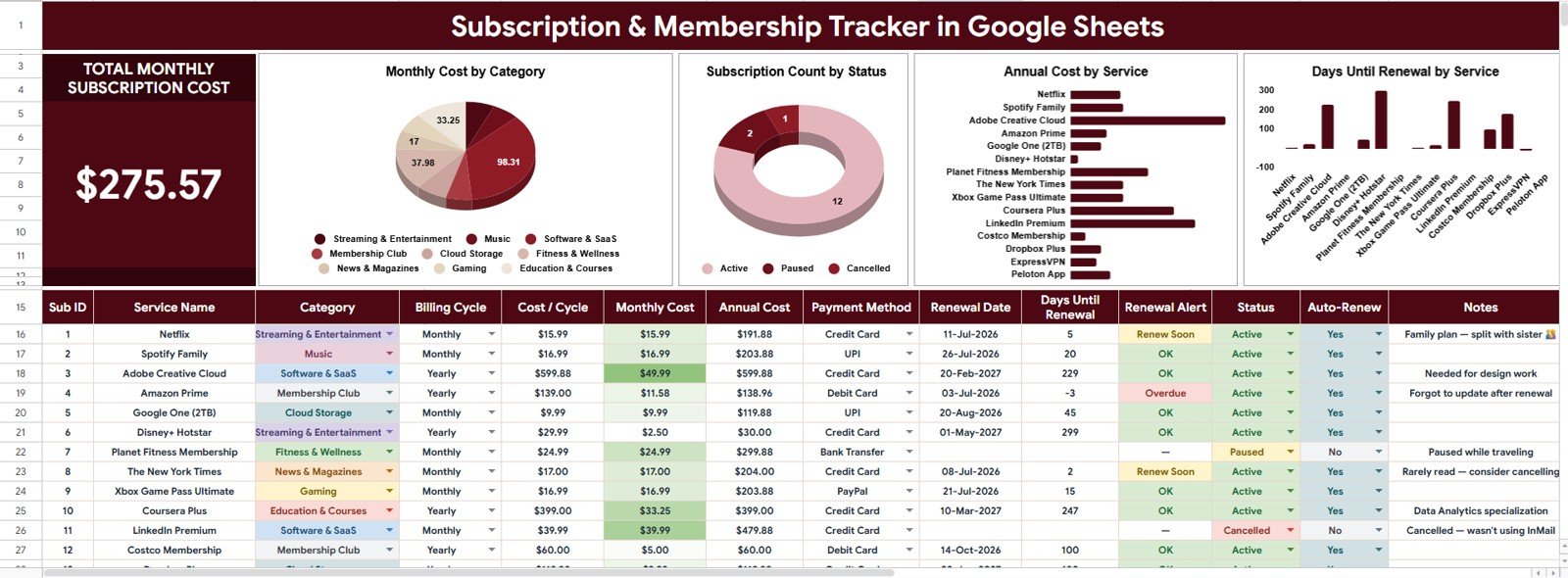
The Overview Page is the main dashboard. At the top of the sheet, the template includes a high-level KPI card for Total Monthly Subscription Cost. This card gives you the main recurring cost number immediately, so you can understand your current monthly commitment before studying individual subscriptions.
Below the KPI card, the dashboard uses charts and slicers to make the data easier to explore. Instead of scrolling through rows and manually adding amounts, you can filter the dashboard quickly and focus on categories, statuses, services, or renewal timing.
Total Monthly Subscription Cost
This card summarizes the combined monthly cost of all tracked subscriptions and memberships. It is the fastest way to see whether your recurring expenses are growing, stable, or ready for a cleanup.
Monthly Cost by Category
The Monthly Cost by Category chart groups recurring spend into categories such as software, entertainment, utilities, education, professional memberships, or business tools. This helps identify where most of the monthly budget is going and which category deserves review first.
For example, a freelancer may discover that business software costs are reasonable, but learning platforms and unused memberships are pushing total spend higher. A household may find that entertainment and app subscriptions need a tighter review cycle.
Subscription Count by Status
Subscription and Membership Tracker in Google Sheets.
The Subscription Count by Status chart shows how many services fall into each status, such as active, paused, cancelled, trial, or under review. This makes the tracker more useful than a simple list because you can quickly separate current commitments from items that no longer need action.Subscription and Membership Tracker in Google Sheets
Status tracking is especially helpful when you are reviewing trial subscriptions. A service marked as trial or under review can be checked before it becomes a paid plan.Subscription and Membership Tracker in Google Sheets
Annual Cost by Service
The Annual Cost by Service chart translates recurring charges into an annual view. This matters because a small monthly amount can feel harmless until it is multiplied across the full year.Subscription and Membership Tracker in Google Sheets
Seeing annual cost by service helps rank your subscriptions by true financial impact. It also makes renewal conversations easier because the cost is framed as a yearly decision instead of a small monthly charge.Subscription and Membership Tracker in Google Sheets
Days Until Renewal by Service
The Days Until Renewal by Service chart highlights which subscriptions or memberships are renewing soon. This helps you prioritize action, especially when annual memberships, software renewals, or domain-related services need a decision before the billing date.
When used consistently, this chart can reduce surprise renewals and give you enough time to cancel, downgrade, renegotiate, or confirm that the service is still worth keeping.Subscription and Membership Tracker in Google Sheets
Subscription and Membership Tracker in Google Sheets
Subscription and Membership Tracker in Google Sheets.
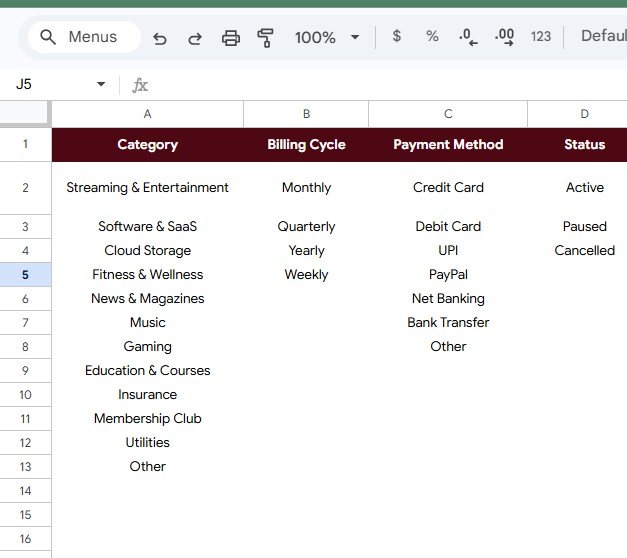
Dropdown Lists Sheet
The Dropdown Lists Sheet supports cleaner data entry. Instead of typing categories, billing cycles, payment methods, and statuses manually each time, the tracker uses structured list options. This keeps the dashboard cleaner because charts and slicers depend on consistent values.Subscription and Membership Tracker in Google Sheets
If one row says “Monthly” and another row says “month,” your analysis can become messy. Dropdown lists reduce that problem and make the tracker easier to maintain over time.Subscription and Membership Tracker in Google Sheets
Subscription Options by Category
This area manages category options for your subscriptions and memberships. You can use categories such as entertainment, productivity, finance, hosting, software, insurance, education, or professional memberships.
Clear categories make the Monthly Cost by Category chart more useful because every subscription is grouped consistently.Subscription and Membership Tracker in Google Sheets
Renewal Frequency by Billing Cycle
This area standardizes billing cycle options such as monthly, quarterly, semiannual, annual, or custom. A consistent billing cycle field helps compare services that renew on different schedules.Subscription and Membership Tracker in Google Sheets
It also makes it easier to calculate monthly and annual views without treating every subscription as if it followed the same billing pattern.Subscription and Membership Tracker in Google Sheets
Payment Options by Payment Method
This area records payment method options, such as credit card, debit card, bank transfer, PayPal, or a business account. Payment method tracking is useful when you need to know which card or account will be charged.
For business users, this can also help when card numbers change, employees leave, or recurring tools need to move to a different payment method.
Subscription State by Status
Subscription and Membership Tracker in Google Sheets.
This area controls the status values used in the tracker. Common status options include active, paused, cancelled, trial, expired, and under review.
Good status labels turn the tracker into a workflow tool because each subscription has a clear current state and can be reviewed more confidently.
Dropdown Lists Sheet
Who Should Use This Google Sheets Tracker?
This template is useful for anyone who wants a simple, visible recurring payment control file. It is especially helpful for people who do not want to buy another subscription just to track existing subscriptions.
- Households can track streaming, apps, storage, insurance add-ons, memberships, and other recurring payments.
- Freelancers can manage design tools, AI tools, invoicing apps, domains, hosting, training platforms, and professional memberships.
- Creators can monitor production tools, communities, software, newsletters, and content platforms.
- Small businesses can review SaaS tools, vendor renewals, team memberships, and monthly software costs.
- Finance and operations teams can use it as a lightweight recurring cost register before moving to a larger approval process.
Why Use Google Sheets for Subscription Tracking?
Subscription and Membership Tracker in Google Sheets.
Google Sheets works well for subscription tracking because it is accessible, collaborative, and flexible. You can share the file with family members, a business partner, or a small team, and you can customize the dropdown lists when your categories or payment methods change.
A paid subscription management app may be useful when you need direct bank integrations or automated cancellation support. But for many users, a structured spreadsheet is enough. It gives you control, transparency, and a low one-time cost.
Simple Review Workflow
- Add each subscription or membership to the tracker.
- Choose a category, billing cycle, payment method, and status from the dropdown options.
- Enter the renewal date so the dashboard can show days until renewal.
- Review the Total Monthly Subscription Cost card to understand your baseline spend.
- Use the charts to identify high-cost services, upcoming renewals, and categories that need attention.
- Update the status after cancelling, pausing, renewing, or reviewing a service.
Example Use Cases
Monthly budget cleanup: A household reviews the dashboard once per month and cancels unused entertainment or app subscriptions before the next billing date.
Freelancer cost review: A freelancer checks annual cost by service before renewing software tools and keeps only the tools that support active client work.
Small business renewal planning: A business owner reviews days until renewal by service and decides which tools should be renewed, downgraded, or replaced.
Get the Template
You can get the full template here: Subscription and Membership Tracker in Google Sheets.
The template is a one-time purchase and is designed for editable Google Sheets use. After purchase, copy it to your own Google Drive, enter your subscriptions, update the dropdown options if needed, and use the Overview Page to review recurring costs before they renew.
Want to build skills like this step by step? The NextGenTemplates Academy learning paths on NextGenTemplates Academy cover spreadsheet trackers and templates with practice files.
Get the Subscription and Membership Tracker in Google Sheets
Final Thoughts
Subscriptions are convenient, but they need regular review. A small recurring payment can become expensive when it continues for months or years without a clear owner. The Subscription and Membership Tracker in Google Sheets gives you a practical way to see the full picture, filter the dashboard, and make better renewal decisions.
If you want a clear, spreadsheet-based system for monthly subscription cost, annual service cost, status tracking, renewal timing, and dropdown-controlled data entry, this tracker is a strong place to start.