Power BI is a powerful tool that allows users to connect, analyze, and visualize data from various sources. Among these sources, Text/CSV files are common data formats used across industries for storing information. These formats are lightweight and easy to share, making them a popular choice for exporting data from various systems. This article provides […]

Author: PK
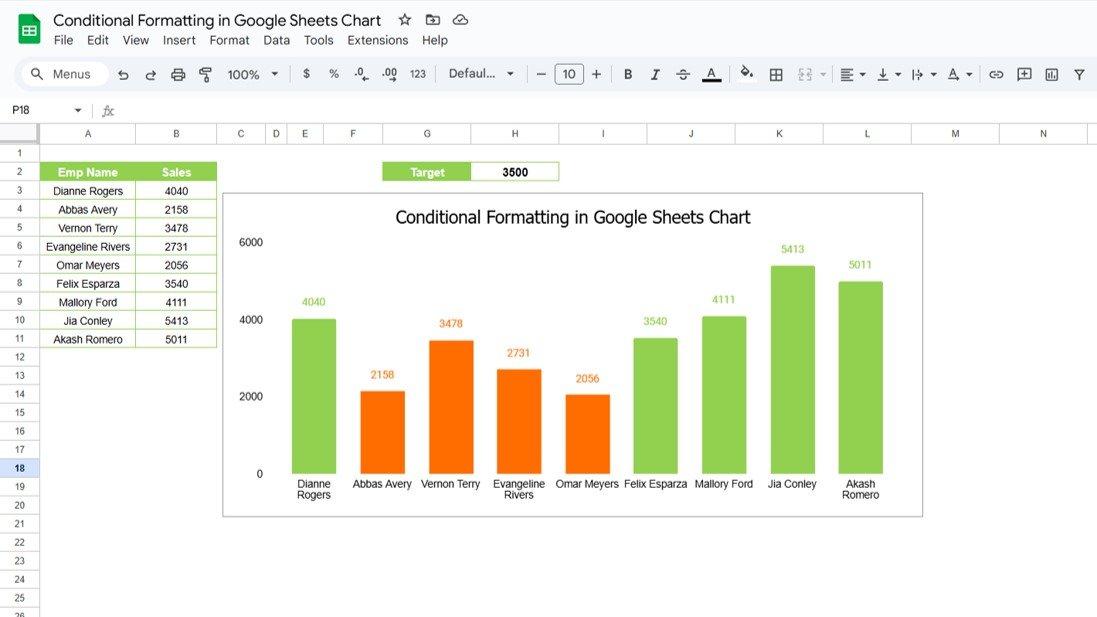
Conditional Formatting in Google Sheets Chart
Google Sheets offers a wide range of features to help you visualize and analyze data efficiently. One of the most powerful and visually appealing options is Conditional Formatting in Google Sheets Charts. By using conditional formatting, you can instantly highlight key data points, making it easier to interpret your data. In this article, we will […]
Connecting Power BI with Excel
Power BI and Excel are two of the most popular tools for data analysis and visualization. While each has its strengths, combining them can unlock even more powerful insights. Connecting Power BI with Excel allows you to work with Excel data in Power BI and vice versa, making your data analysis workflow more efficient. In […]
Power BI to Web Connectivity with Example
In today’s data-driven world, the ability to connect and visualize data from various sources is critical for making informed decisions. One such powerful feature is Power BI’s capability to connect to web data sources. Power BI to Web Connectivity By connecting Power BI to the web, users can access live data from websites, APIs, and […]
How to Rename a Google Sheets Tab
Rename a Google Sheets Tab is an incredibly useful tool for managing data, collaborating with teams, and organizing projects effectively. One essential feature of Google Sheets is the ability to rename tabs. Although it may seem like a small detail, renaming tabs can make a huge difference in keeping your spreadsheet organized and easy to […]
How to Freeze Rows and Columns
If you’ve ever scrolled through a large spreadsheet and lost track of your headers or important labels, you know how frustrating it can be. Fortunately, Google Sheets has a simple solution: freezing rows and columns. This feature keeps specific rows or columns visible no matter how far you scroll. In this guide, we’ll show you […]
How to Install Power BI Desktop Application for Free
If you’ve been curious about exploring the powerful world of Power BI but are unsure about the cost, there’s some great news for you! You can download and use the Power BI Desktop application absolutely free. In this article, we’ll walk you through the straightforward steps to install Power BI Desktop directly from Microsoft’s official […]
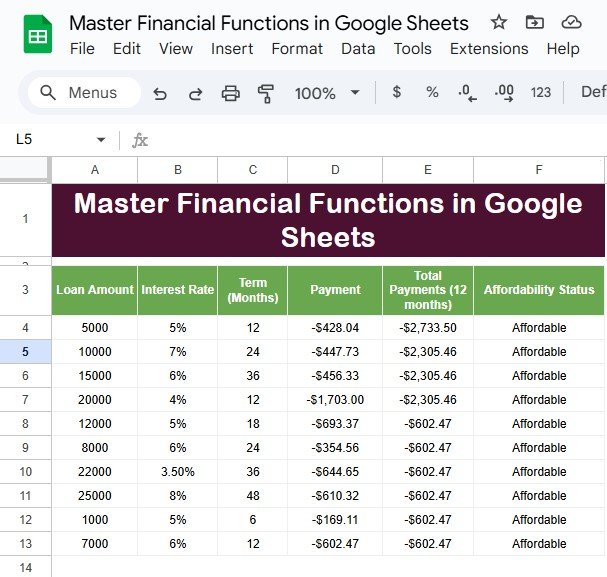
Master Financial Functions in Google Sheets
Master Financial Functions in Google Sheets is a powerful tool that can be used to handle a wide range of financial tasks. Whether you’re managing personal finances or calculating business budgets, mastering financial functions in Google Sheets will help you save time and reduce errors. This article will guide you through the essential financial functions […]
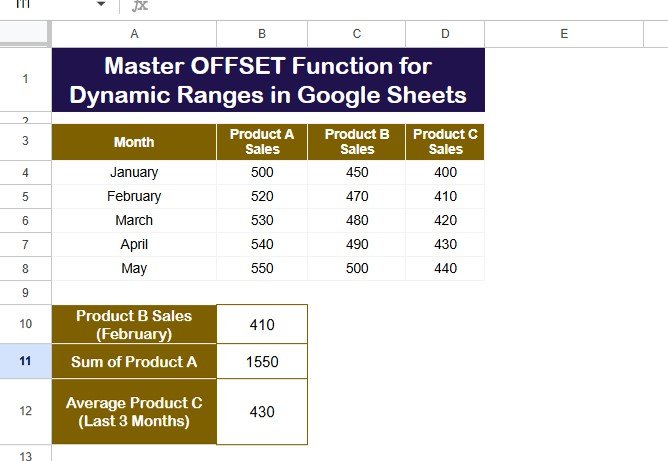
OFFSET Function for Dynamic Ranges in Google Sheets
Google Sheets is an incredibly versatile tool that helps you organize and analyze data with ease. One of its most powerful functions is the OFFSET function. This function allows you to create flexible data ranges, perform calculations, and manage data without constantly adjusting cell references. Whether you’re working with a large dataset or designing a […]
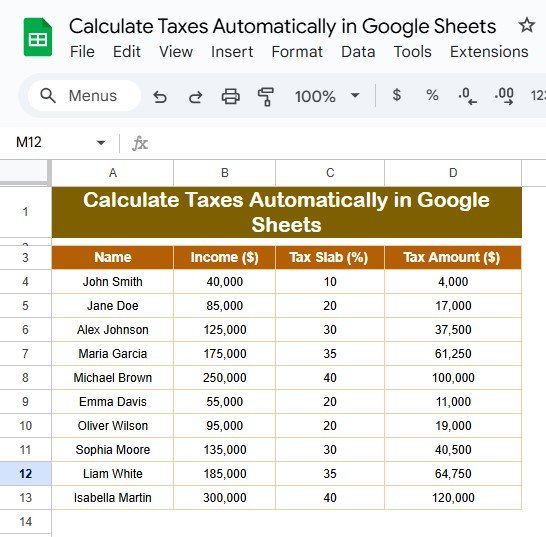
Calculate Taxes Automatically in Google Sheets
Calculate Taxes Automatically in Google Sheets are an essential but often tedious task, especially when working with multiple income records. However, Google Sheets simplifies this process by allowing you to calculate taxes automatically. Using structured formulas and predefined tax slabs, you can eliminate manual errors and save time. This guide explains everything you need to […]