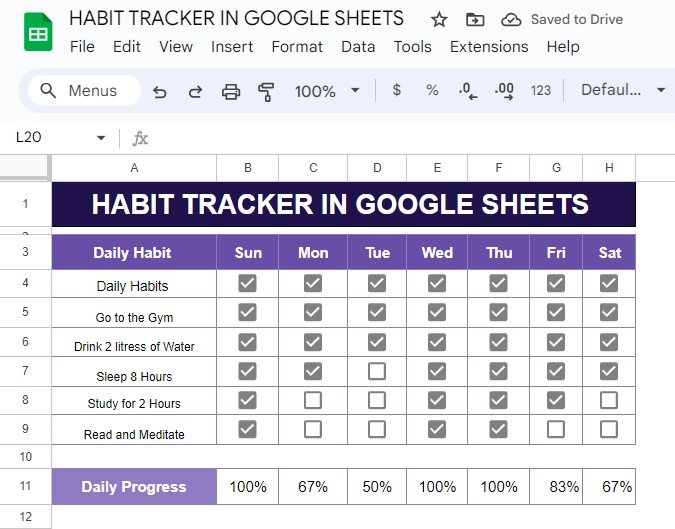
Do you want to track your daily habits and see your progress in real time? A habit tracker in Google Sheets might just be the perfect tool for you! In this post, I’ll show you how to set up a habit tracker with an example that you can easily replicate. No matter what habits you […]
Author: PK
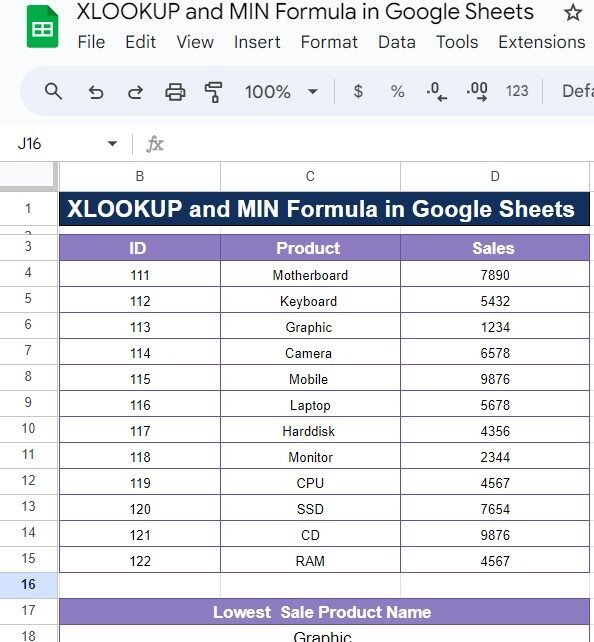
XLOOKUP and MIN Formula in Google Sheets: A Simple Guide with Example
If you’ve ever needed to find specific data, like the lowest sales figure from a dataset in Google Sheets, then you’re in for a treat! Today, we’ll explore how to combine the power of the XLOOKUP and MIN Formula to quickly and accurately retrieve valuable information. Don’t worry if you’re not familiar with these functions […]
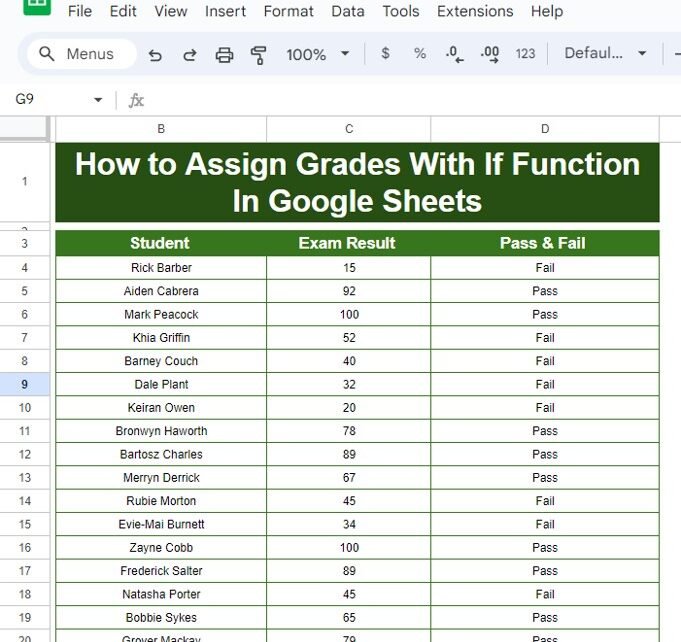
How to Assign Grades with IF Function in Google Sheets – Step-by-Step Guide with Example
Assign Grades with IF Function in Google Sheets grades based on students’ exam results can seem daunting, but Google Sheets has a fantastic tool to make this process seamless – the IF function. Whether you’re a teacher, student, or just working with data, knowing how to automate grade assignments can save you a lot of […]
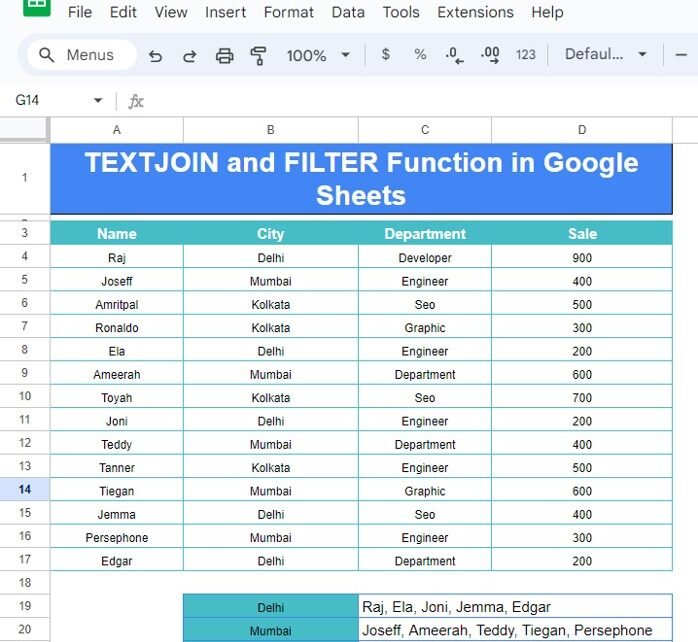
How to Use TEXTJOIN and FILTER Functions in Google Sheets: A Practical Example
When working with Google Sheets, sometimes you need to combine data from different rows or filter it based on specific criteria. Two incredibly powerful functions that help you achieve this are TEXTJOIN and FILTER Functions. Whether you’re trying to group names based on their city or filter information based on certain conditions, these functions will […]
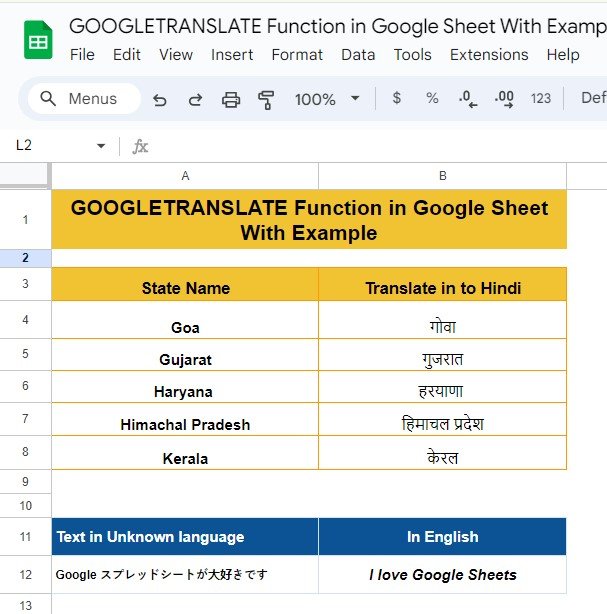
How to Use the GOOGLETRANSLATE Function in Google Sheets (Step-by-Step
Have you ever wanted to translate text in your Google Sheets with just a simple formula? Whether you’re working with international clients, learning a new language, or just need quick translations, Google Sheets has a built-in function to make this incredibly easy! In this post, I’ll walk you through how to use the GOOGLETRANSLATE function […]
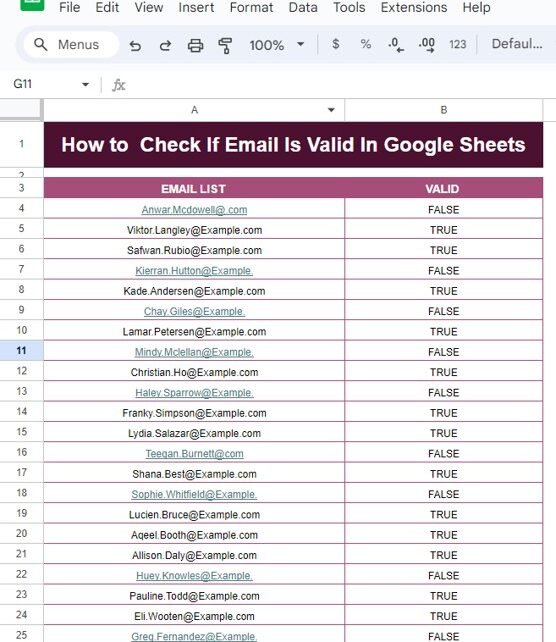
How to Check If Email Is Valid in Google Sheets – Step-by-Step Guide with Example
How to Check If Email Is Valid in Google Sheets In today’s digital age, emails are essential for communication, and having a valid email address is crucial for many processes. But how do you ensure that the email addresses you’re working with in your Google Sheets are valid? That’s where Google Sheets can come to […]
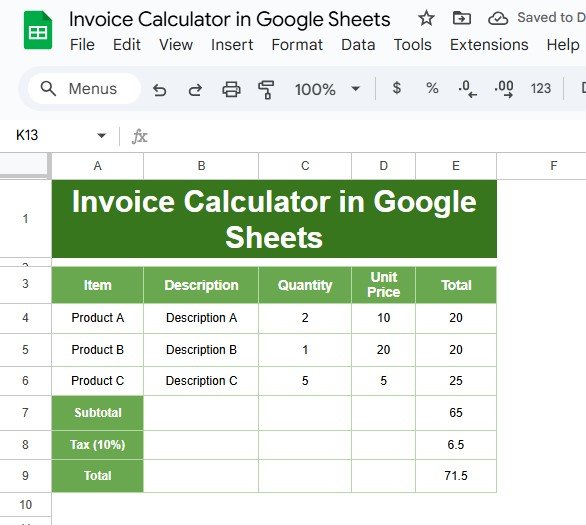
How to Create an Invoice Calculator in Google Sheets: A Step-by-Step Guide
Are you tired of dealing with messy invoices? If so, you’re in the right place! In this blog post, we’ll show you how to create an Invoice Calculator in Google Sheets using a simple example. By the end, you’ll have an easy-to-use tool that makes your invoicing process smooth and efficient. Why Choose Google Sheets […]
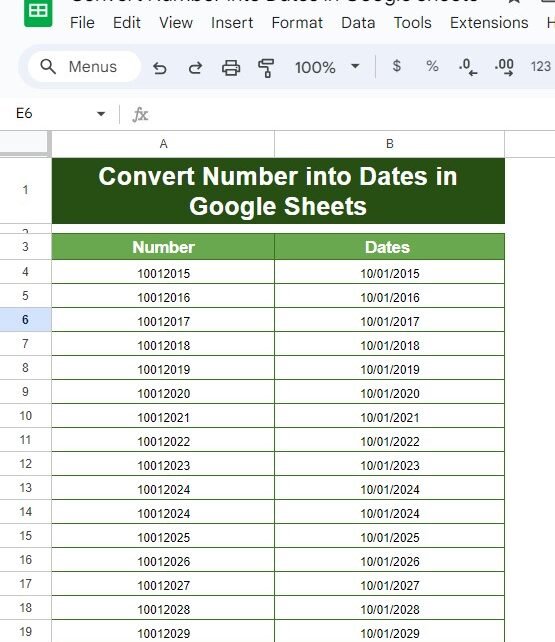
How to Easily Convert Numbers into Dates in Google Sheets
Convert Numbers into Dates Have you ever looked at a column of numbers in Google Sheets and thought, “These are supposed to be dates, but they don’t look right!”? Don’t worry—you’re not alone! This is a common issue, but luckily, there’s a quick and easy solution. In this blog post, I’ll show you how to […]
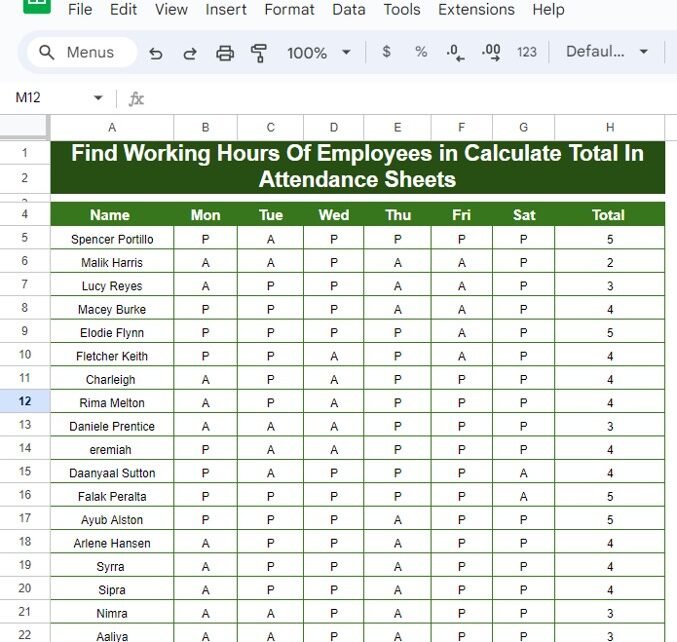
How to Find Working Hours of Employees and Calculate Totals in Attendance Sheets: A Practical Example
Managing employee attendance can be tricky, especially when you have to keep track of their working hours day by day. Thankfully, with Google Sheets, you can easily calculate the total working hours using the COUNTIF function, saving you tons of time and effort! In this guide, we’ll walk you through how to track attendance and […]
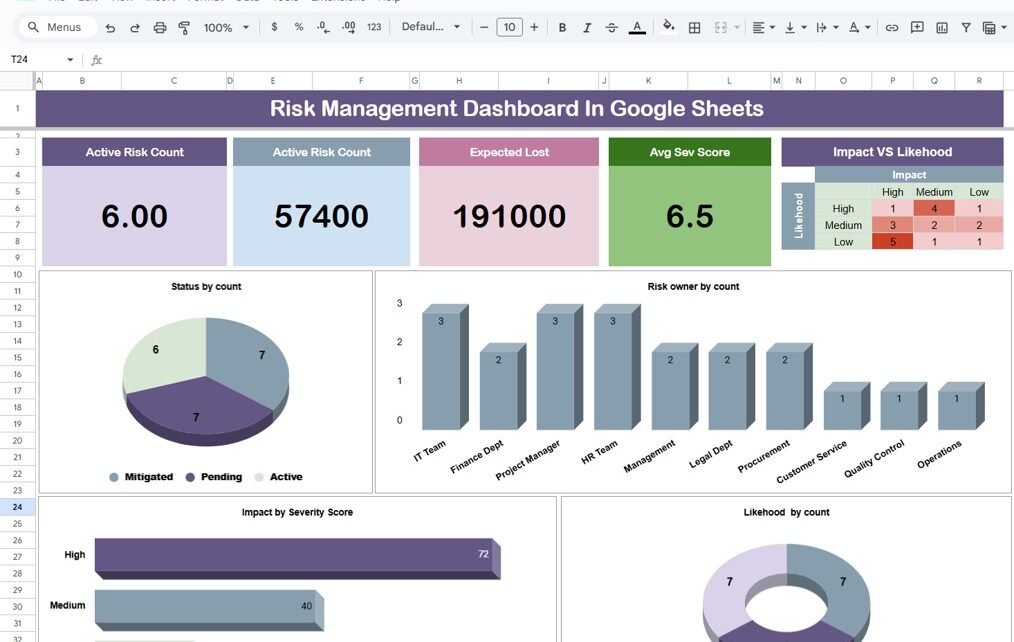
Risk Management Dashboard In Google Sheets
In today’s fast-paced business environment, managing risks is more important than ever. Whether you’re dealing with financial challenges, cybersecurity threats, or operational hurdles, it’s crucial to stay on top of potential risks. One of the best ways to do this is by using a Risk Management Dashboard. Even better? You can easily create one using […]