Organic search remains one of the most valuable and cost-effective digital marketing channels. However, many teams struggle to track organic performance accurately because data often stays scattered across tools like Google Search Console, Google Analytics, and spreadsheets. As a result, decision-making becomes slow and unclear.
That is exactly why an Organic Search KPI Dashboard in Google Sheets becomes essential.
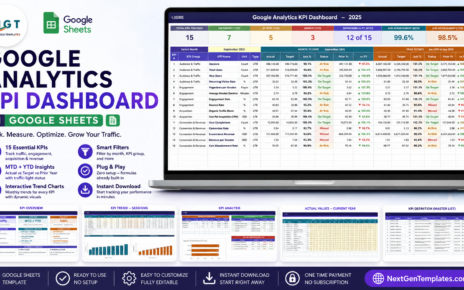
This ready-to-use dashboard converts organic search data into a structured, visual, and performance-driven reporting system. It allows marketing teams, SEO managers, and business leaders to monitor traffic growth, keyword rankings, engagement, conversions, and revenue impact—all in one place.
In this article, we will explain how the Organic Search KPI Dashboard in Google Sheets works, its sheet-wise structure, the KPIs included with units and formulas, and how organizations can use it to improve SEO performance consistently.
What Is an Organic Search KPI Dashboard in Google Sheets?
Click to Buy Organic Search KPI Dashboard in Google Sheets
An Organic Search KPI Dashboard in Google Sheets is a centralized reporting tool that tracks key performance indicators related to organic traffic, keyword visibility, engagement, and conversions.
Instead of checking multiple tools daily, this dashboard consolidates SEO performance into one interactive Google Sheets file. Because the dashboard updates automatically when numbers change, it supports both Month-to-Date (MTD) and Year-to-Date (YTD) performance analysis.
The dashboard helps teams answer questions such as:
-
Are organic sessions growing month over month?
-
Are keyword rankings improving?
-
Is organic traffic converting into leads or sales?
-
Are SEO targets being achieved?
Key Features of the Organic Search KPI Dashboard
This dashboard includes 6 structured worksheets, each designed for clarity, accuracy, and performance tracking.
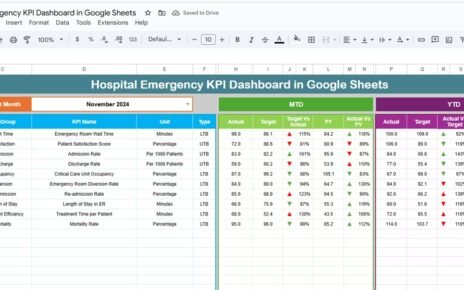
1️⃣ Dashboard Sheet Tab (Main Page)
Click to Buy Organic Search KPI Dashboard in Google Sheets
This is the central reporting page.
🔹 Month Selector
-
Located in cell D3
-
Selecting a month updates the entire dashboard automatically
🔹 KPI Comparison Metrics
For each KPI, the dashboard displays:
MTD Metrics
-
MTD Actual
-
MTD Target
-
MTD Previous Year
-
Target vs Actual
-
Previous Year vs Actual
YTD Metrics
-
YTD Actual
-
YTD Target
-
YTD Previous Year
-
Target vs Actual
-
Previous Year vs Actual
🔹 Conditional Formatting
-
Green arrow → positive performance
-
Red arrow → negative performance
-
Neutral indicator → stable performance
This allows quick performance reviews without deep analysis.

Click to Buy Organic Search KPI Dashboard in Google Sheets
2️⃣ KPI Trend Sheet Tab
This sheet focuses on individual KPI analysis.
How it works:
-
Select a KPI from the dropdown in cell C3
The sheet displays:
- KPI Group
- KPI Unit
- KPI Type (Lower the Better / Upper the Better)
- KPI Formula
- KPI Definition
Value:
This sheet helps teams understand KPI behavior over time and identify performance patterns.

Click to Buy Organic Search KPI Dashboard in Google Sheets
3️⃣ Actual Number Sheet Tab
This sheet stores actual SEO performance data.
Features:
-
Enter MTD and YTD actual values
-
Set the first month of the year in cell E1
-
Monthly structure adjusts automatically
This sheet becomes the single source for real SEO results.

4️⃣ Target Sheet Tab
This sheet captures SEO goals and benchmarks.
You can define:
-
Monthly SEO targets
-
Annual growth targets
-
Conversion and ranking objectives
Targets enable meaningful comparisons between planned and actual SEO performance.

Click to Buy Organic Search KPI Dashboard in Google Sheets
5️⃣ Previous Year Number Sheet Tab
This sheet stores last year’s SEO data.
It allows:
-
Year-over-year growth analysis
-
Seasonal trend identification
-
Performance benchmarking

6️⃣ KPI Definition Sheet Tab
This is the reference sheet for the entire dashboard.
It contains:
-
KPI Name
-
KPI Group
-
Unit
-
Formula
-
Definition
-
KPI Type (LTB / UTB)
This ensures consistency and clarity across teams.

Click to Buy Organic Search KPI Dashboard in Google Sheets
Advantages of the Organic Search KPI Dashboard
-
Centralized SEO performance tracking
-
Clear MTD and YTD visibility
-
Easy month-wise comparison
-
Target vs actual monitoring
-
Year-over-year performance analysis
-
No technical setup required
-
Fully customizable in Google Sheets
Opportunities for Improvement in Organic Search Tracking
Click to Buy Organic Search KPI Dashboard in Google Sheets
-
Integrate Google Search Console automatically
-
Add landing page-level KPIs
-
Include Core Web Vitals metrics
-
Add competitor keyword benchmarking
-
Track content performance KPIs
-
Add SEO ROI analysis
Best Practices for Using the Dashboard
-
Update data monthly without delay
-
Set realistic SEO targets
-
Track both traffic and conversions
-
Focus on keyword quality, not just quantity
-
Review trends, not single-month results
-
Use KPI Trend sheet during SEO reviews
Conclusion
Click to Buy Organic Search KPI Dashboard in Google Sheets
An Organic Search KPI Dashboard in Google Sheets transforms SEO reporting into a structured, visual, and decision-ready system. It helps marketing teams measure growth, identify gaps, and align SEO efforts with business goals. Because the dashboard is simple, flexible, and data-driven, it becomes an essential tool for any organization focused on long-term organic growth.
Visit our YouTube channel to learn step-by-step video tutorials
Youtube.com/@NeotechNavigators
Watch the step-by-step video tutorial: