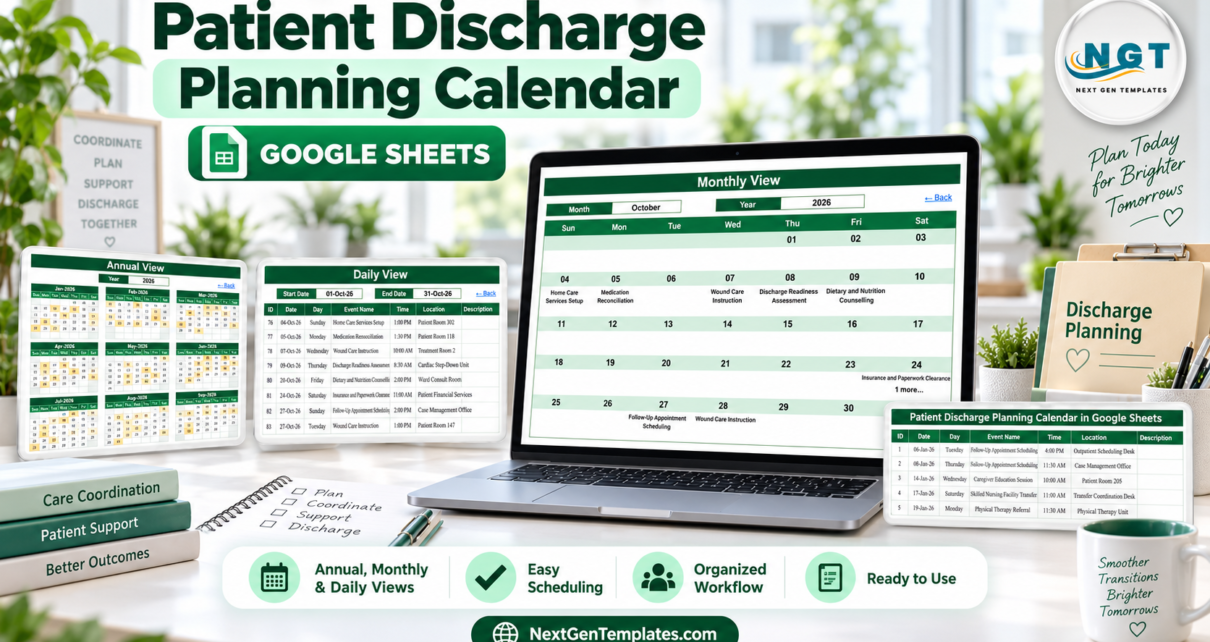
The Patient Discharge Planning Calendar in Google Sheets is a five-page administrative organizer for transition-related dates. Home links to Annual, Monthly, Daily, and Events views; Annual shows all 12 months; and the Events table uses seven fields: ID, Date, Day, Event Name, Time, Location, and Description. The sample is intentionally generic. No patient name, MRN, date of birth, diagnosis, contact detail, or account number was observed in the screenshots. That does not make the file a clinical system or automatically safe for protected data. It is a scheduling aid only, and users remain responsible for minimum-necessary data, controlled access, and approved organizational tools.
Get the Patient Discharge Planning Calendar in Google Sheets
Key Features of the Patient Discharge Planning Calendar in Google Sheets
- Five connected pages: Home, Annual View, Monthly View, Daily View, and Events.
- Twelve-month overview with dates containing events highlighted.
- Month/year controls for a focused Monthly View.
- Date-range filtering for an operational list of upcoming entries.
- Seven-field event records for date, time, location, and administrative description.
- Multiple-event indicator when more than one entry shares a date.
- Private-copy workflow through Google Drive.
- No macros, scripts, or subscription.
Calendar Pages Explanation
Home
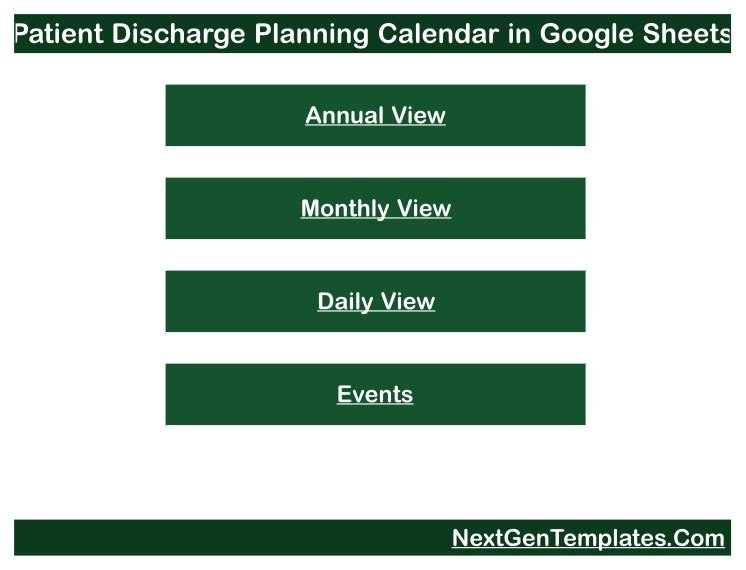
Home is a simple index with four large buttons. It reduces navigation errors and keeps users away from the source table until they need to edit it.
Annual View
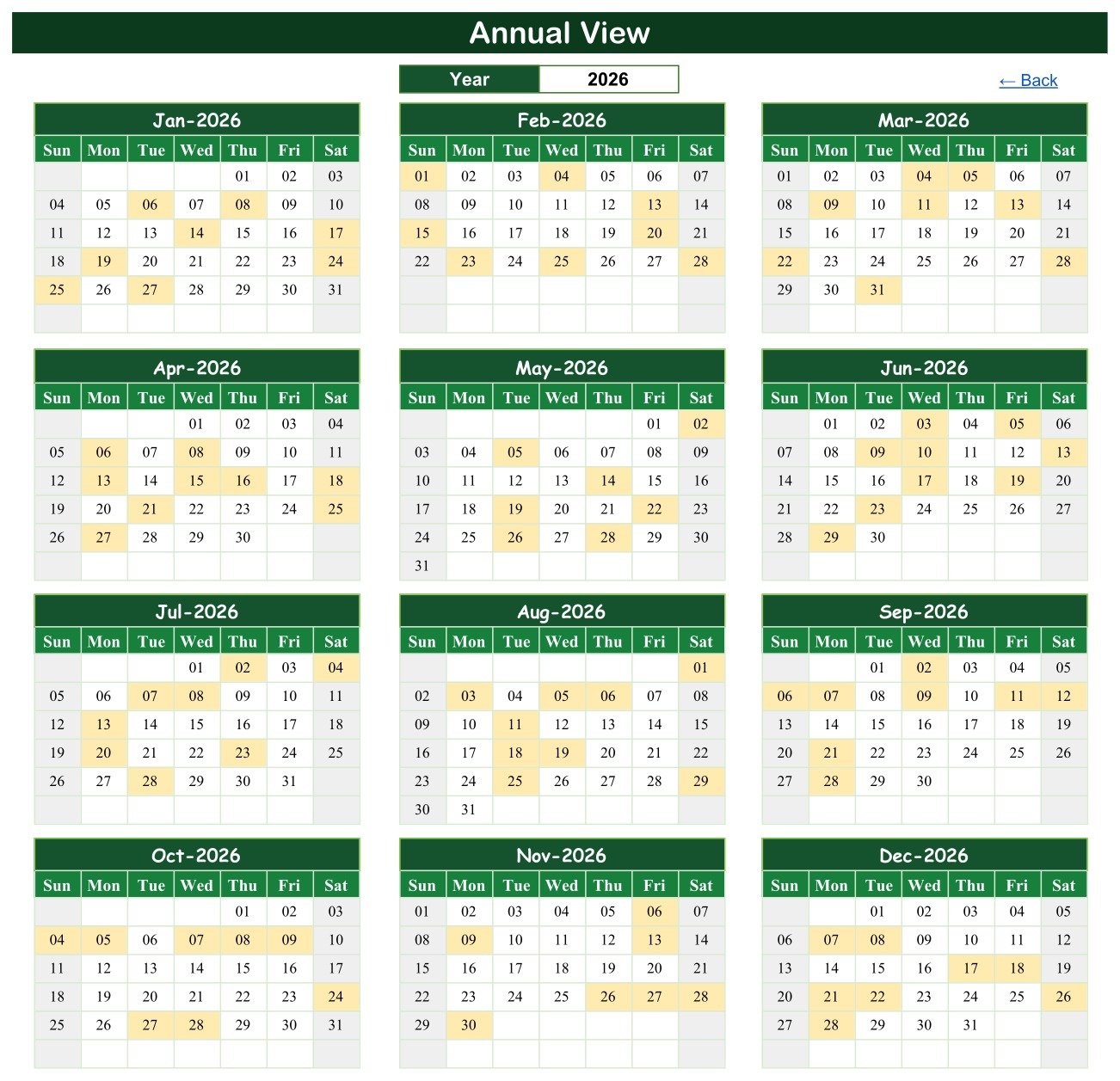
The annual page shows January through December 2026 in a 3-by-4 layout. The year cell sits above the calendar, and dates with sample entries are highlighted in pale yellow. This is useful for seeing how coordination activity is distributed across the year, but it does not show patient load, bed capacity, acuity, or clinical readiness.
Monthly View
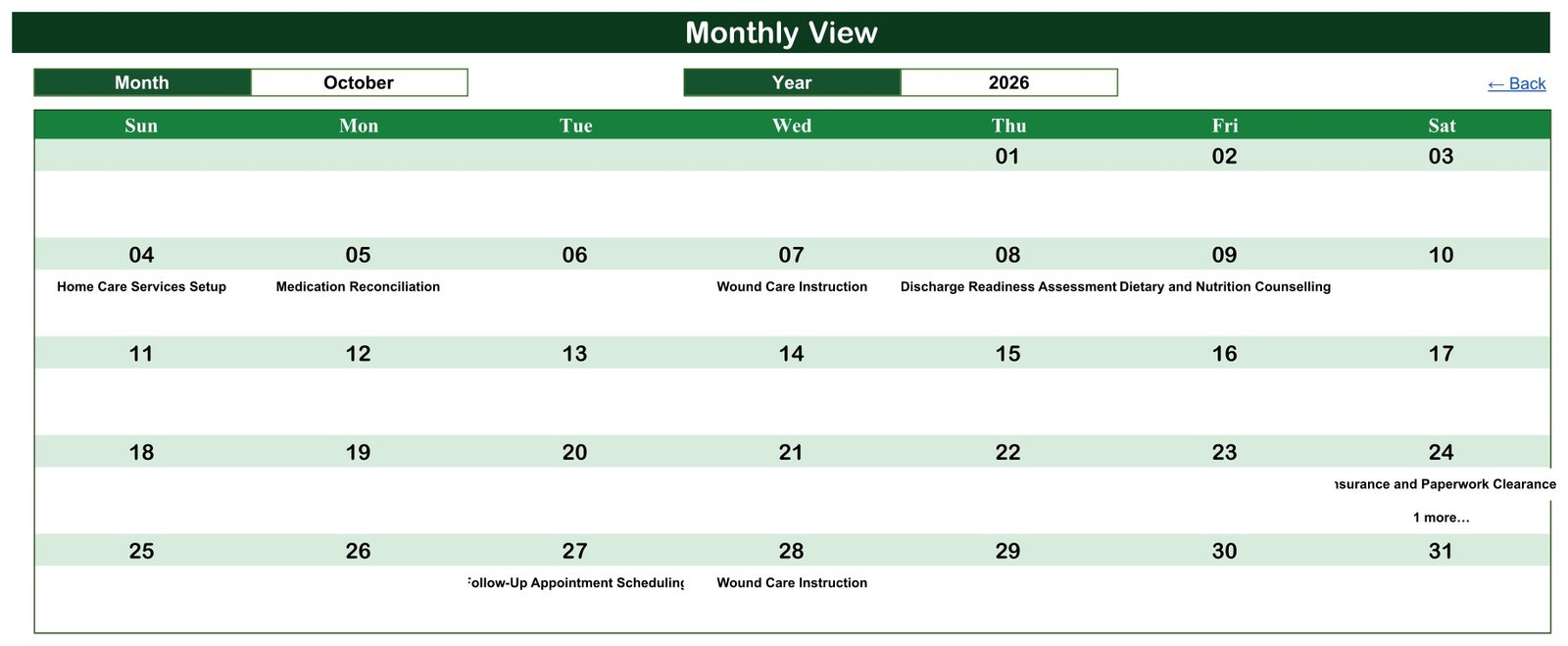
Monthly View has month and year selectors. The October sample shows Home Care Services Setup, Medication Reconciliation, Wound Care Instruction, Discharge Readiness Assessment, Dietary and Nutrition Counselling, Insurance and Paperwork Clearance, Follow-Up Appointment Scheduling, and another Wound Care Instruction entry. When a date holds more than one event, the page shows “1 more…” after the first visible item.
Visible limitation: several long labels are clipped at the left or right edge because the calendar cells are narrow. The event still exists in the source table, but the month page is not suitable for reading every detail. Use Daily View or Events for the full row.
Daily View
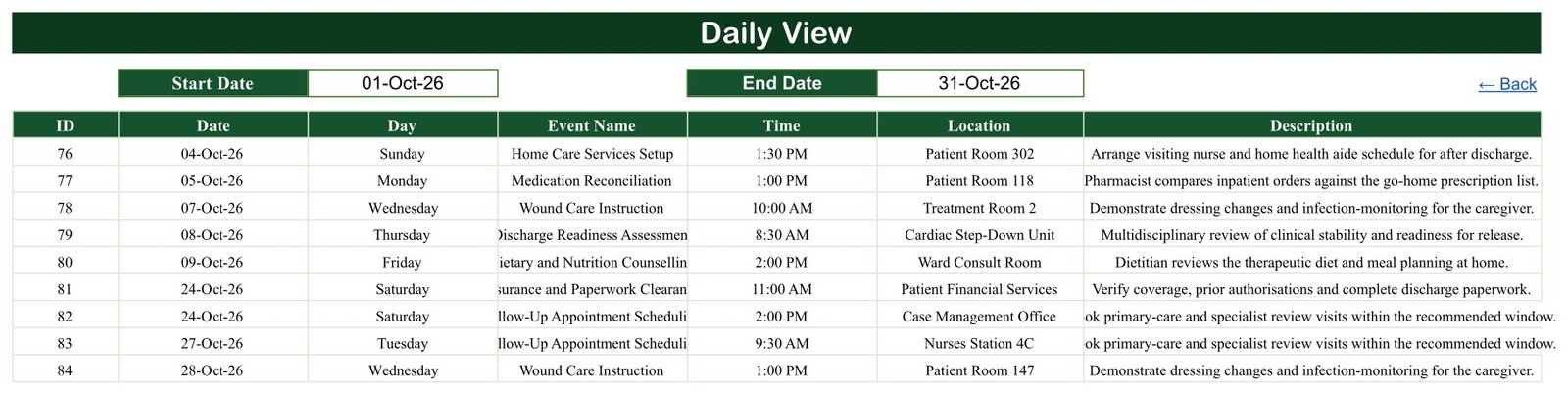
Select a start and end date to list matching entries with ID, date, day, event name, time, location, and description. The October screenshot includes generic locations such as Patient Room 302, Treatment Room 2, Cardiac Step-Down Unit, Ward Consult Room, Patient Financial Services, Case Management Office, Nurses Station 4C, and Patient Room 147. Room labels are locations, not patient identifiers, but organizations should still decide whether locations are appropriate to expose to each audience.
Some long event names and descriptions are visually clipped by the fixed column widths. Users can widen columns in their own copy or consult the Events page.
Events
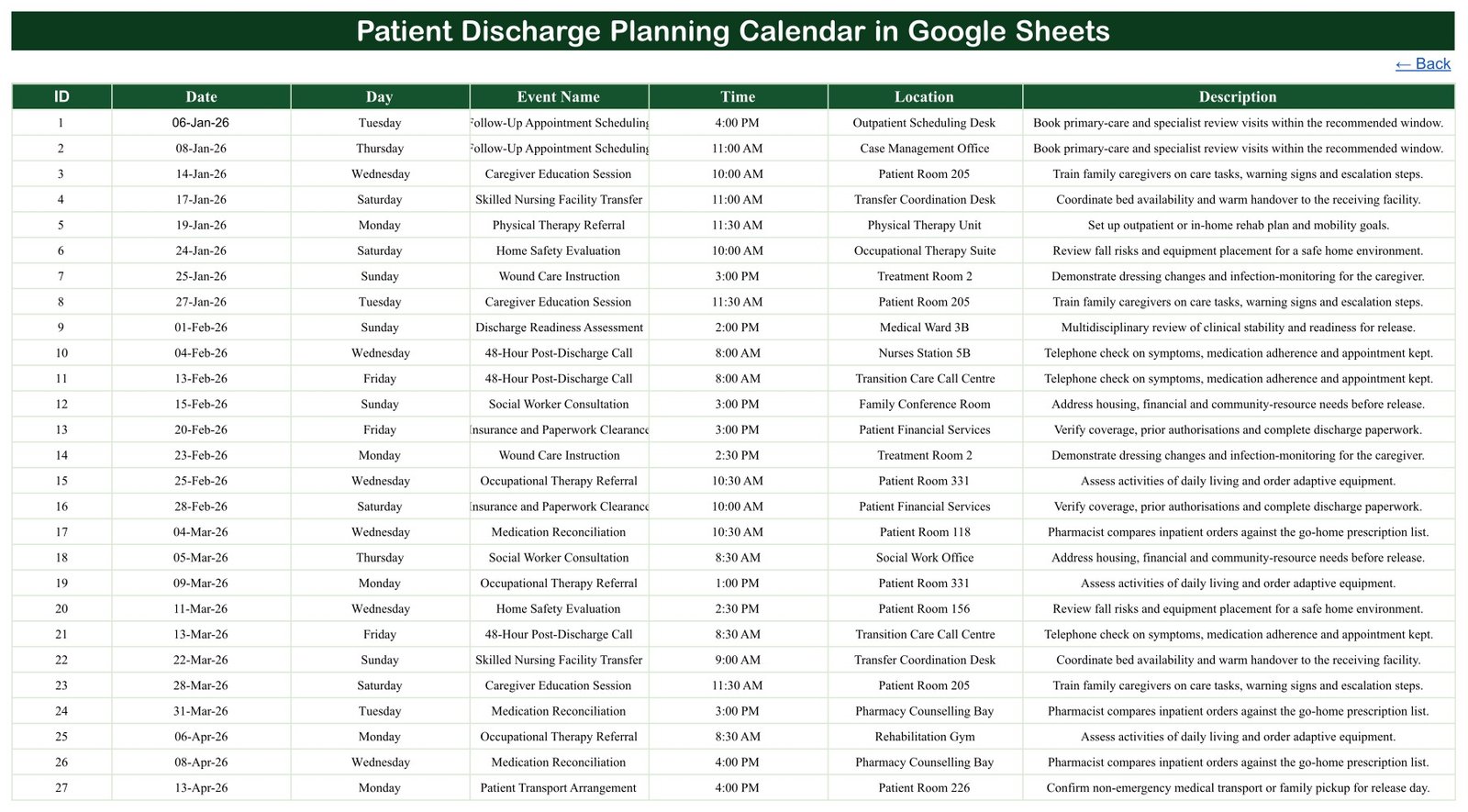
Events is the editable source table. Sample categories include follow-up scheduling, caregiver education, skilled-nursing transfer coordination, therapy referral, home-safety evaluation, post-discharge calls, social-worker consultation, paperwork clearance, medication reconciliation, and transport arrangements. These descriptions are examples, not instructions, protocols, orders, or medical advice.
Patient Discharge Planning Calendar in Google Sheets vs. Excel vs. Paid Care-Coordination SaaS – Feature Comparison
| Decision point | This Google Sheets calendar | Excel calendar | Paid care-coordination SaaS |
|---|---|---|---|
| Year-one cost | One-time 8.99, 4.99 on sale | Template plus Excel license | Recurring contract |
| Access | Browser/app link | Desktop-first | Managed user accounts |
| Collaboration | Google sharing controls | Cloud setup required | Role-based workflow |
| EHR integration | None | None | May be available |
| Clinical decision support | No | No | Vendor and configuration dependent |
| Audit/compliance features | No certification or workflow | No certification or workflow | May support governed use |
| Best fit | Low-risk administrative coordination | Offline planning | Authorized clinical/operational processes |
Who Should Use This Template
Administrative discharge coordinators, ward clerks, operations teams, and non-clinical case-management support staff can use it to arrange dates and handoffs. Qualified clinicians and authorized systems must still determine readiness, treatment, medication, follow-up requirements, and discharge authorization. The calendar cannot replace a care plan, EHR, discharge order, medication-reconciliation process, or clinical judgment.
A practical boundary is to schedule an already-approved administrative action without recording the clinical reasoning behind it. For example, the calendar can show that transport coordination is due at a certain time. It should not decide whether transport is medically appropriate, carry a diagnosis, reproduce progress notes, or become the evidence that a patient is safe to leave. The responsible professional and the approved clinical record remain authoritative.
Privacy and Governance Considerations
The supplied sample is generic, but a blank spreadsheet can still become sensitive through normal use. A name, medical record number, diagnosis, medication, phone number, or detailed free-text note could identify a person or reveal health information. Before rollout, decide which fields are permitted, who may edit them, who may only view them, how links may be shared, how long records are retained, and which system is the official source.
Prefer a de-identified internal reference when staff need to connect a calendar item to an approved record. Avoid copying clinical narrative into Description. Keep permissions narrow, disable broad link sharing, remove former team members, and review access periodically. If your organization requires HIPAA, GDPR, local health-privacy, contractual, or data-residency controls, have the responsible privacy/security team approve the entire workflow. Buying or copying this template does not provide that approval or compliance.
Real-World Use Cases
Transition logistics
An administrative coordinator schedules transport, paperwork, equipment delivery, and home-service setup after the responsible team has approved the tasks.
Near-term workload
A ward clerk uses Daily View for the next two weeks and checks whether coordination appointments have time and location fields.
De-identified team planning
A manager uses internal event IDs rather than names and keeps the authorized EHR as the source of truth.
Advantages of the Patient Discharge Planning Calendar in Google Sheets
The layout is familiar, inexpensive, and easy to copy. Annual, Monthly, and Daily views answer different scheduling questions without requiring a new platform. Google Drive supports view, comment, and edit permissions; see Google’s file-sharing guide. For more spreadsheet guidance, browse NeoTechNavigators Google Sheets articles.
Opportunities for Improvement
A safer operational version could add validation that discourages person identifiers, protected ranges, a de-identified reference field, and clearer column widths. Larger organizations may need authentication, audit logs, retention rules, EHR integration, alerts, task ownership, escalation, and approved hosting. Those needs belong in a governed system rather than being improvised in a general spreadsheet.
Best Practices
- Keep the EHR or approved source system authoritative.
- Enter only minimum-necessary administrative information.
- Prefer de-identified or internal references over names and medical identifiers.
- Restrict edit access and review link-sharing settings regularly.
- Use Events or widened columns when Monthly/Daily text is clipped.
- Remove sample rows before operational use.
- Follow organizational retention, security, and incident-reporting policies.
Test the calendar with fictional entries before inviting a team. Confirm that Annual and Monthly highlights respond to edited dates, Daily View returns the intended range, and long text remains understandable after column adjustments. Write a short local data-entry rule so everyone uses the same date, time, location, and description conventions. Consistency is what makes the three calendar views useful.
Explore Relevant Templates
Related resources include the Patient Follow-Up Visit Calendar, Hospital Patient Flow Dashboard, Hospitals Dashboard, and Healthcare & Hospital Management Bundle. Browse more Google Sheets calendars.
Want to build skills like this step by step? The NextGenTemplates Academy learning paths walk you through spreadsheet skills with practice files.
Get the Patient Discharge Planning Calendar in Google Sheets
Frequently Asked Questions
Does this decide whether someone is ready for discharge?
No. It has no clinical decision logic and cannot authorize discharge.
Can it replace an EHR or care plan?
No. Keep all official clinical and operational records in approved systems.
Does the sample include patient identifiers?
No patient names, MRNs, dates of birth, diagnoses, contacts, or account numbers were observed. It does include generic room/location labels and event IDs.
Is it HIPAA or GDPR compliant?
No compliance claim is made. Compliance depends on the full system, data, permissions, policies, contracts, and jurisdiction.
Can multiple people use it?
Yes, but sharing should be limited to authorized users and minimum-necessary data.
Why is text clipped?
Some supplied display columns are narrow. Widen them in your copy or read the full row on Events.
What is delivered?
A PDF with the link used to create your own editable Google Sheets copy.
About the Author
Built by PK – Microsoft Certified Professional with 15+ years of Excel, Google Sheets, and Power BI experience. Founder of NextGenTemplates, reaching 300K+ subscribers across YouTube channels. Every template is hand-built and tested before release.
Conclusion
The Patient Discharge Planning Calendar in Google Sheets is a lightweight administrative schedule, not a clinical tool. Used with de-identified references, limited permissions, and an approved source of truth, it can make transition dates easier to see. Get the calendar from NextGenTemplates, make a private copy, remove the examples, and follow your organization’s privacy rules. For tutorials, visit NeoTechNavigators on YouTube.