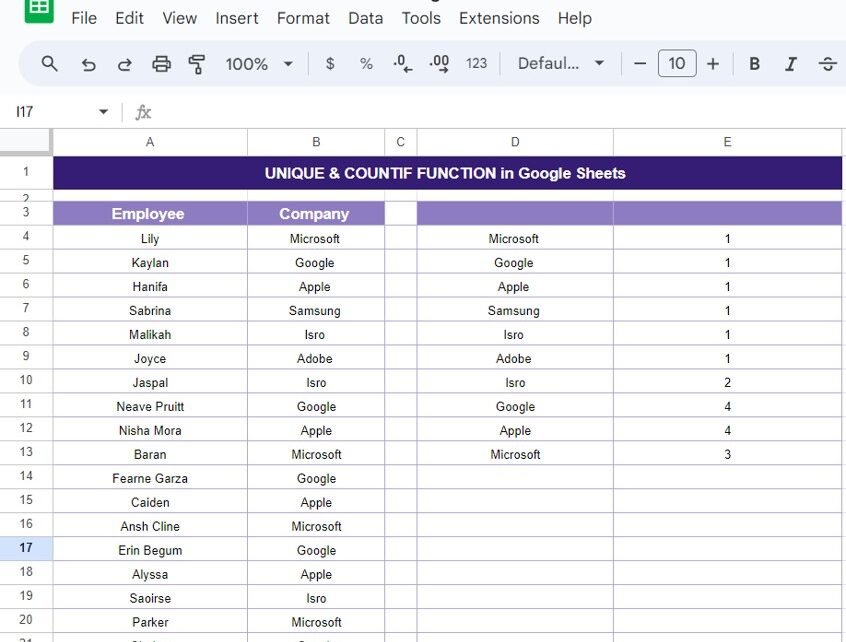
In today’s blog post, we’re diving into two powerful Google Sheets functions: UNIQUE & COUNTIF Functions. Whether you’re managing large datasets or just trying to organize some information, these functions can save you time and effort. We’ll walk through a real-world example to show you how to use these functions together to make data management […]
Author: PK
Opportunity Tracker and Template in Google Sheets
Tracking opportunities effectively is a crucial part of growing any business. Whether you’re working in sales, project management, or any other field, staying organized is key to ensuring nothing slips through the cracks. A well-designed Opportunity Tracker helps you keep an eye on important opportunities, monitor progress, and make informed decisions. One of the easiest […]
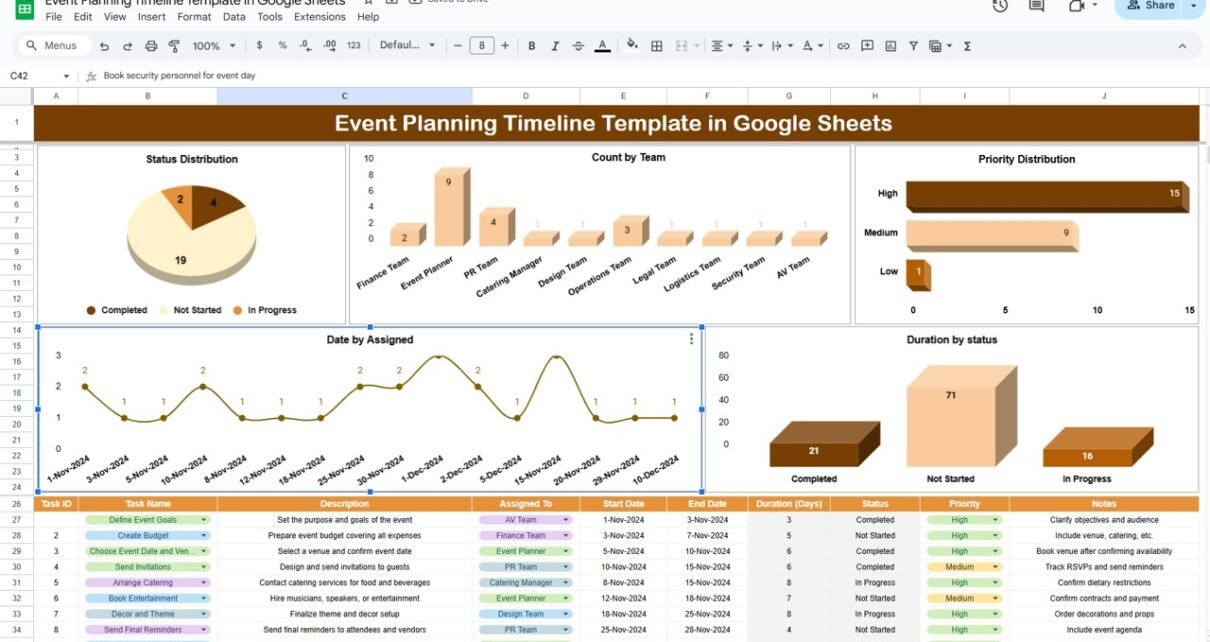
Event Planning Timeline Template in Google Sheets
Planning an event can be exciting, but let’s face it: it can also get overwhelming fast. From managing multiple teams and deadlines to juggling different priorities, there’s a lot that goes into making sure everything runs smoothly. But here’s the good news: a Google Sheets Event Planning Timeline Template can make your life a whole […]
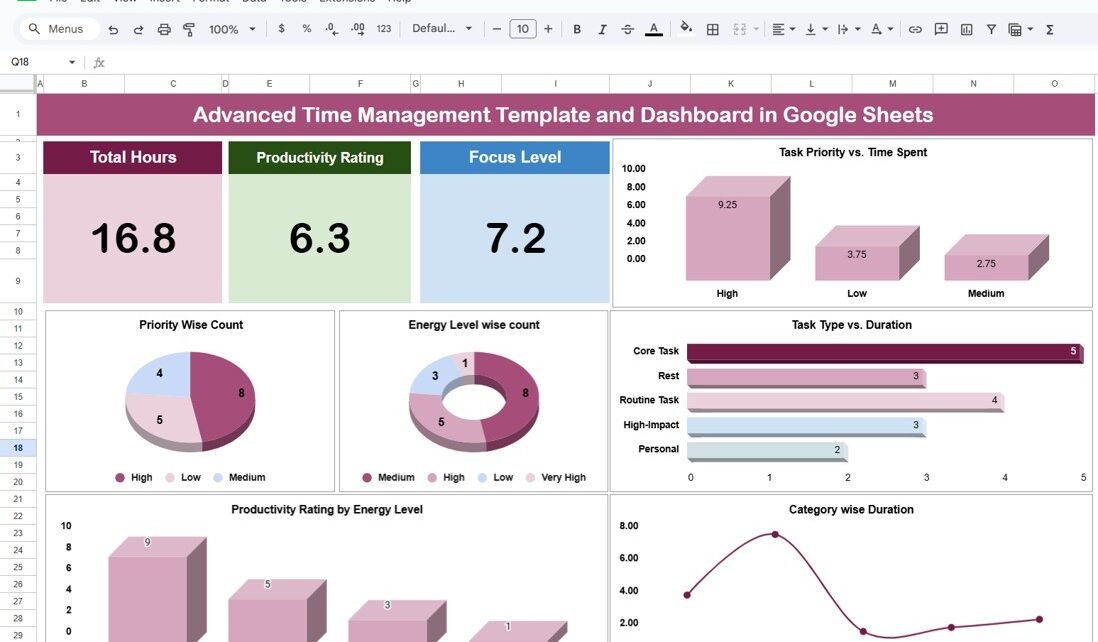
Advanced Time Management Template and Dashboard in Google Sheets
In today’s fast-paced world, managing your time efficiently is more important than ever. Whether you’re a busy professional, a student, or an entrepreneur, time management isn’t just a nice-to-have skill—it’s essential for long-term success. When you master time management, you not only get more done but also reduce stress and feel more in control of […]
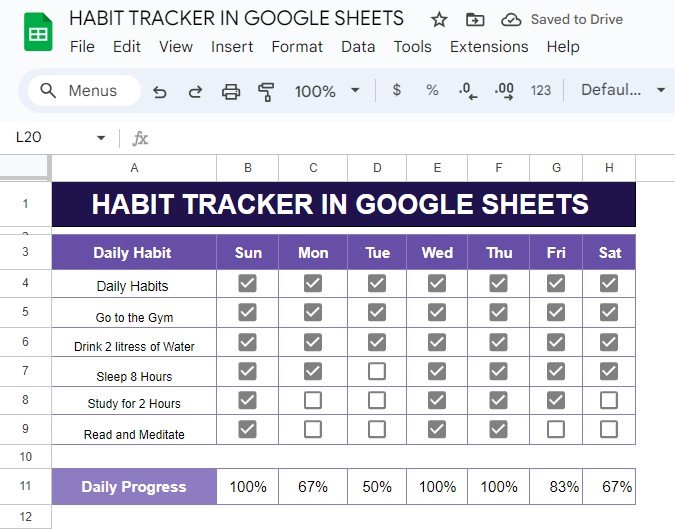
Master Your Habits with a Google Sheets Habit Tracker (Step-by-Step Guide)
Do you want to track your daily habits and see your progress in real time? A habit tracker in Google Sheets might just be the perfect tool for you! In this post, I’ll show you how to set up a habit tracker with an example that you can easily replicate. No matter what habits you […]
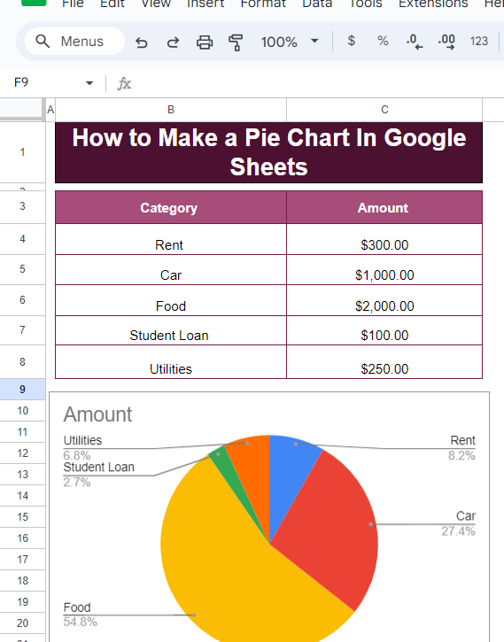
A Step-by-Step Guide: How to Make a Pie Chart in Google Sheets (with Example)
Looking to visualize your data effortlessly? Google Sheets makes it incredibly simple to create pie charts that can help you turn your numbers into beautiful, understandable visuals. In this post, I’ll walk you through exactly how to create a pie chart in Google Sheets using a straightforward example. Even if you’ve never worked with charts […]
How to Add a Date Picker to Google Sheets with Example: A Step-by-Step Guide
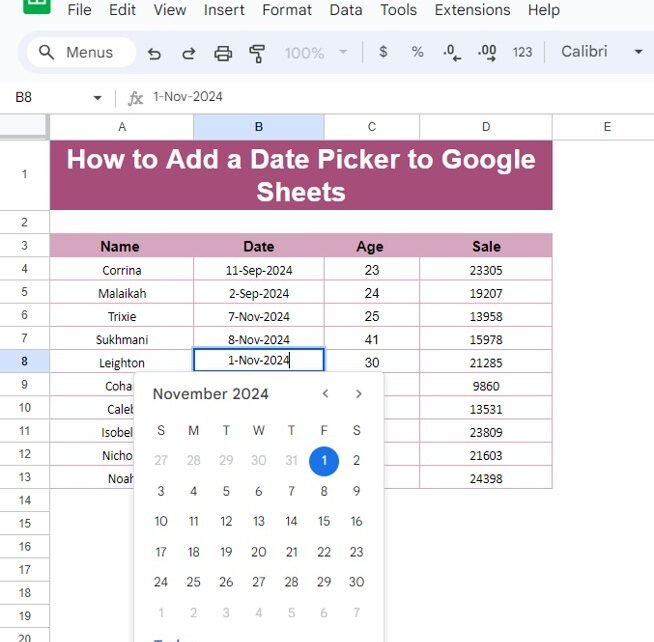
Managing dates in Google Sheets can sometimes be tricky, especially when you’re dealing with large datasets. But did you know that you can make the process smoother by adding a Date Picker to your Google Sheets? If you’re not familiar with this feature, don’t worry! In this post, we’ll walk you through how to add […]
Standard Deviation of a Sample in Google Sheets
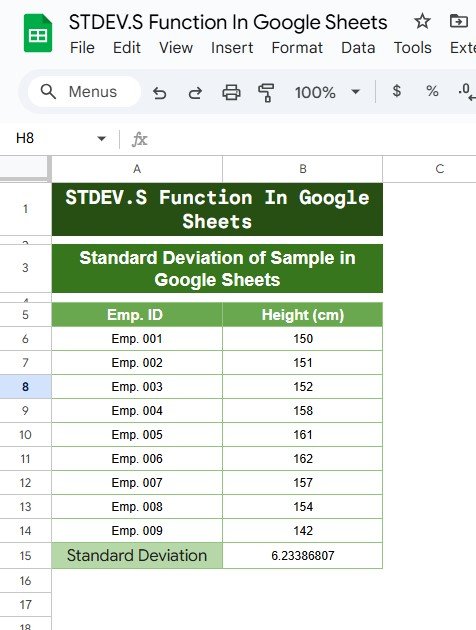
When working with data in Google Sheets, one of the essential statistical measures you’ll often need is Standard Deviation of a Sample in Sheets. This measure helps you understand the spread or variation of data points around the mean (average). In this blog post, we will guide you on how to calculate the standard deviation […]
How to Use the TAN Function in Google Sheets: A Step-by-Step Guide
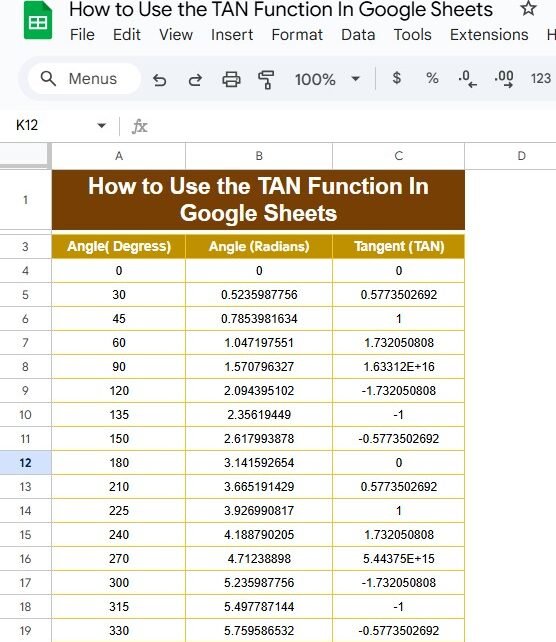
If you’ve ever found yourself tangled in trigonometry while using Google Sheets, you’re not alone! Today, we’re diving into the TAN function and how you can use it effectively. This blog post is inspired by our recent YouTube video, where we break down the process with practical examples. So, grab your spreadsheet, and let’s get […]
Memory updated How to Create an Invoice in Google Sheets with Step-by-Step Example
Create an Invoice in Google Sheets might seem like a tedious task, but using Google Sheets makes it easy and efficient. In this post, I will walk you through the entire process of generating a simple invoice from scratch in Google Sheets. We will cover each step in detail, and by the end of this […]