Introduction
SQL JOINs are one of the most powerful and essential features in database management. Whether you’re querying data from a single table or combining information from multiple tables, understanding JOINs is crucial for any data professional. In this comprehensive tutorial, we’ll explore different types of JOINs, their use cases, and practical examples that you can apply immediately.
What is a SQL JOIN?
A JOIN clause is used to combine rows from two or more tables based on a related column between them. Rather than storing all data in a single table, relational databases use JOINs to create flexible relationships between normalized tables, which improves data integrity and reduces redundancy.
Types of SQL JOINs
There are several types of JOINs in SQL, each serving different purposes:
1. INNER JOIN
2. LEFT JOIN (LEFT OUTER JOIN)
3. RIGHT JOIN (RIGHT OUTER JOIN)
4. FULL OUTER JOIN
5. CROSS JOIN
Each type has specific use cases and produces different results based on how the tables relate to each other.
INNER JOIN
The INNER JOIN is the most commonly used JOIN type. It returns only the rows that have matching values in both tables.
Syntax:
SELECT column_name(s)
FROM table1
INNER JOIN table2
ON table1.column_name = table2.column_name;
Key Characteristics:
– Returns only matching rows from both tables
– Non-matching rows are excluded
– Most restrictive JOIN type
– Best for finding records that exist in both tables
Example:
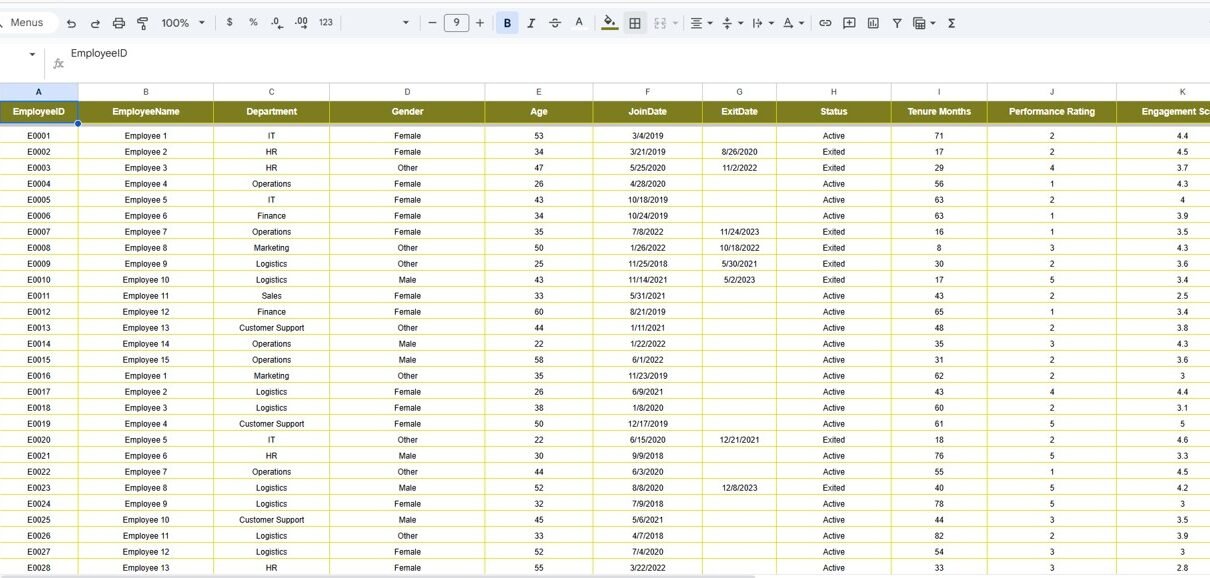
Assume we have two tables: Employees and Departments
SELECT e.employee_name, e.salary, d.department_name
FROM Employees e
INNER JOIN Departments d
ON e.department_id = d.department_id;
This query returns employee names, salaries, and their corresponding department names only for employees assigned to a department.
LEFT JOIN (LEFT OUTER JOIN)
The LEFT JOIN returns all rows from the left table and the matching rows from the right table. If there’s no match, NULL values are shown for the right table columns.
Syntax:
SELECT column_name(s)
FROM table1
LEFT JOIN table2
ON table1.column_name = table2.column_name;
Key Characteristics:
– Returns all rows from the left table
– Matching rows from the right table
– Non-matching rows from the right table show NULL
– Useful for finding unmatched records
Example:
SELECT e.employee_name, d.department_name
FROM Employees e
LEFT JOIN Departments d
ON e.department_id = d.department_id;
This query returns all employees, including those without a department assignment (showing NULL for department_name).
RIGHT JOIN (RIGHT OUTER JOIN)
The RIGHT JOIN is the opposite of LEFT JOIN. It returns all rows from the right table and matching rows from the left table.
Syntax:
SELECT column_name(s)
FROM table1
RIGHT JOIN table2
ON table1.column_name = table2.column_name;
Key Characteristics:
– Returns all rows from the right table
– Matching rows from the left table
– Non-matching rows from the left table show NULL
– Less commonly used than LEFT JOIN
Example:
SELECT e.employee_name, d.department_name
FROM Employees e
RIGHT JOIN Departments d
ON e.department_id = d.department_id;
This query returns all departments, including those without assigned employees.
FULL OUTER JOIN
The FULL OUTER JOIN combines the results of both LEFT JOIN and RIGHT JOIN. It returns all rows from both tables, with NULLs where matches don’t exist.
Syntax:
SELECT column_name(s)
FROM table1
FULL OUTER JOIN table2
ON table1.column_name = table2.column_name;
Key Characteristics:
– Returns all rows from both tables
– Shows NULL for non-matching records
– Most comprehensive JOIN type
– Not supported in MySQL (use UNION instead)
Example (SQL Server/PostgreSQL):
SELECT e.employee_name, d.department_name
FROM Employees e
FULL OUTER JOIN Departments d
ON e.department_id = d.department_id;
MySQL Alternative using UNION:
SELECT e.employee_name, d.department_name
FROM Employees e
LEFT JOIN Departments d ON e.department_id = d.department_id
UNION
SELECT e.employee_name, d.department_name
FROM Employees e
RIGHT JOIN Departments d ON e.department_id = d.department_id;
CROSS JOIN
The CROSS JOIN produces a Cartesian product of two tables, combining every row from the first table with every row from the second table.
Syntax:
SELECT column_name(s)
FROM table1
CROSS JOIN table2;
Key Characteristics:
– Produces a Cartesian product
– No ON clause needed
– Result set size = rows(table1) × rows(table2)
– Use with caution on large tables
Example:
SELECT p.product_name, s.size
FROM Products p
CROSS JOIN Sizes s;
This creates combinations of all products with all available sizes.
Join Multiple Tables
You can join more than two tables in a single query:
SELECT e.employee_name, d.department_name, l.location_name
FROM Employees e
INNER JOIN Departments d ON e.department_id = d.department_id
INNER JOIN Locations l ON d.location_id = l.location_id;
Best Practices for Using JOINs
– Always use meaningful aliases for table names
– Ensure join conditions are on indexed columns for better performance
– Use INNER JOIN when you need only matching records
– Use LEFT JOIN when you need all records from the left table
– Avoid unnecessary JOINs to improve query performance
– Test your JOINs with sample data before running on production
– Use EXPLAIN to analyze JOIN performance
Conclusion
Mastering SQL JOINs is essential for any database professional. By understanding the different types and their use cases, you can write efficient queries that extract meaningful insights from multiple related tables. Practice these examples and experiment with your own data to become proficient in using JOINs effectively.