Managing multiple debts such as credit cards, loans, and medical bills can quickly become stressful. Each debt may have a different interest rate, balance, and minimum payment. Without a structured plan, people often struggle to determine which debt to pay first and how to reduce interest costs effectively.Debt Payoff Calculator Template in Google Sheets
Therefore, having a clear debt repayment strategy becomes extremely important.
The Debt Payoff Calculator Template in Google Sheets is a powerful financial planning tool designed to help individuals organize their debts, compare repayment strategies, and visualize their payoff progress.Debt Payoff Calculator Template in Google Sheets
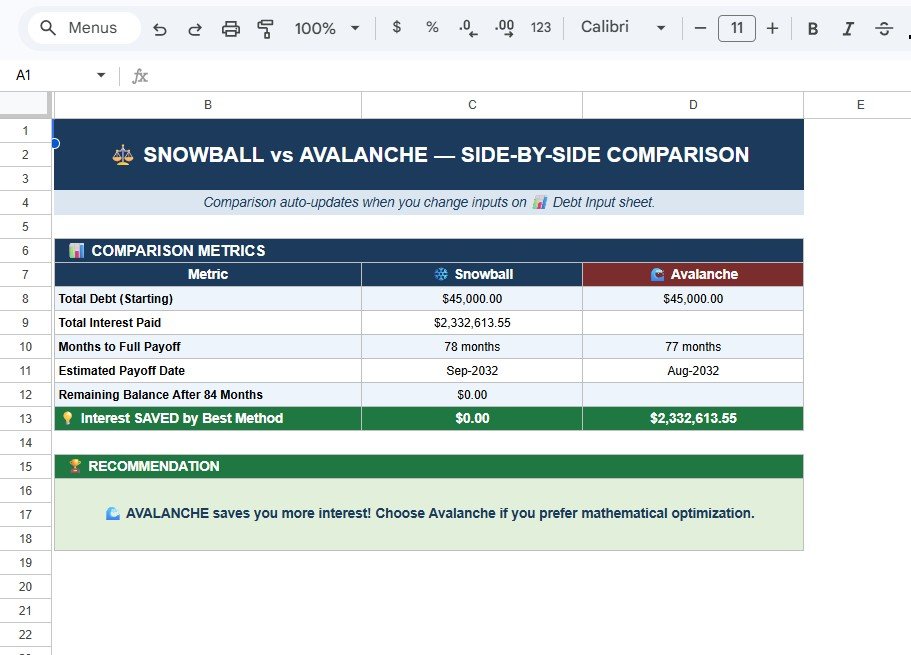
This template automatically calculates repayment schedules using two well-known methods:
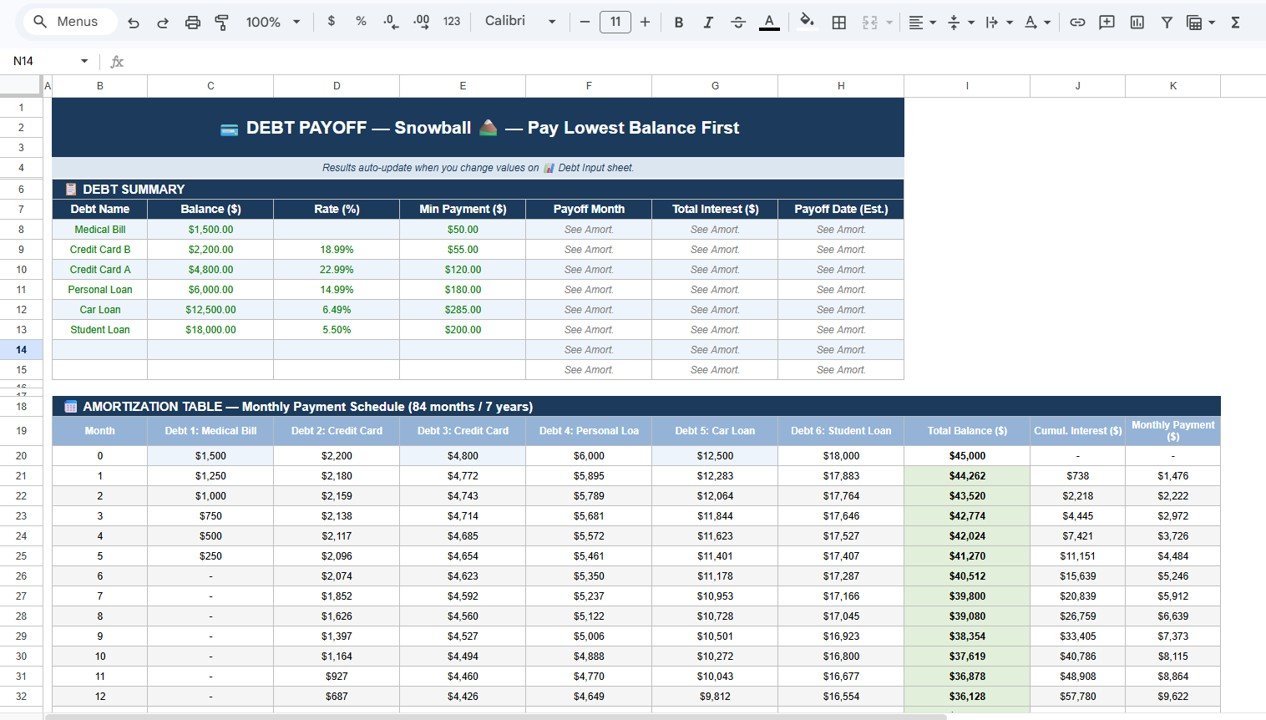
Debt Snowball Method – Pay the smallest balance first
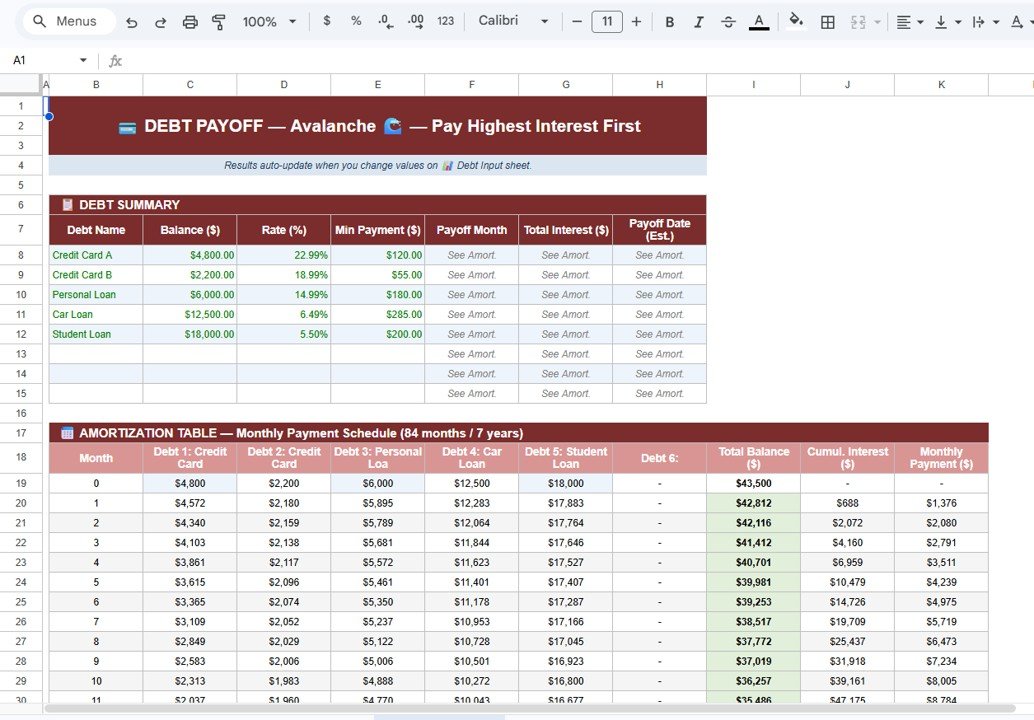
Debt Avalanche Method – Pay the highest interest rate first
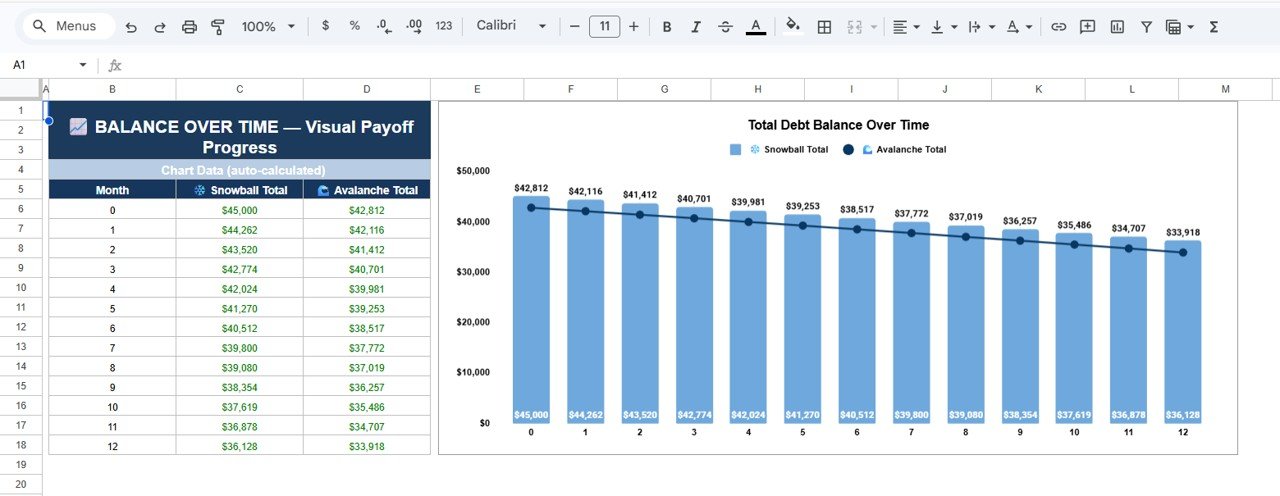
Moreover, the template includes automated amortization tables, repayment comparisons, and visual charts that clearly show your progress toward becoming debt-free.
Because Google Sheets works online and updates automatically, you can track your debt payoff plan from anywhere.
In this guide, we will explore the Debt Payoff Calculator Template in Google Sheets, including its features, structure, benefits, and best practices.
A Debt Payoff Calculator in Google Sheets is a financial spreadsheet designed to help individuals calculate how long it will take to pay off their debts.
Instead of calculating payment schedules manually, the spreadsheet automatically performs calculations when users enter their debt information.
With this template, users can:
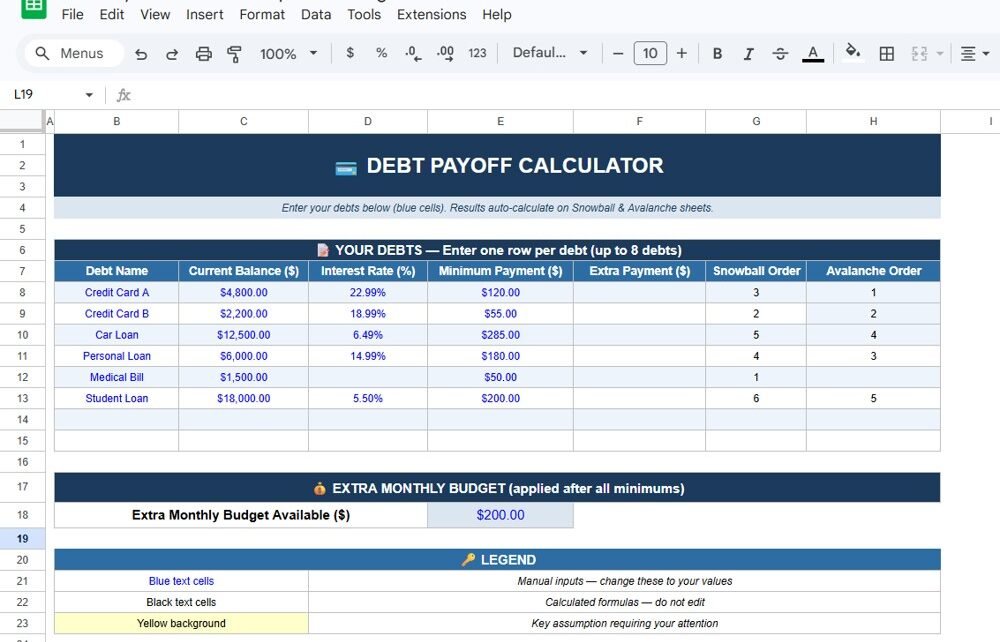
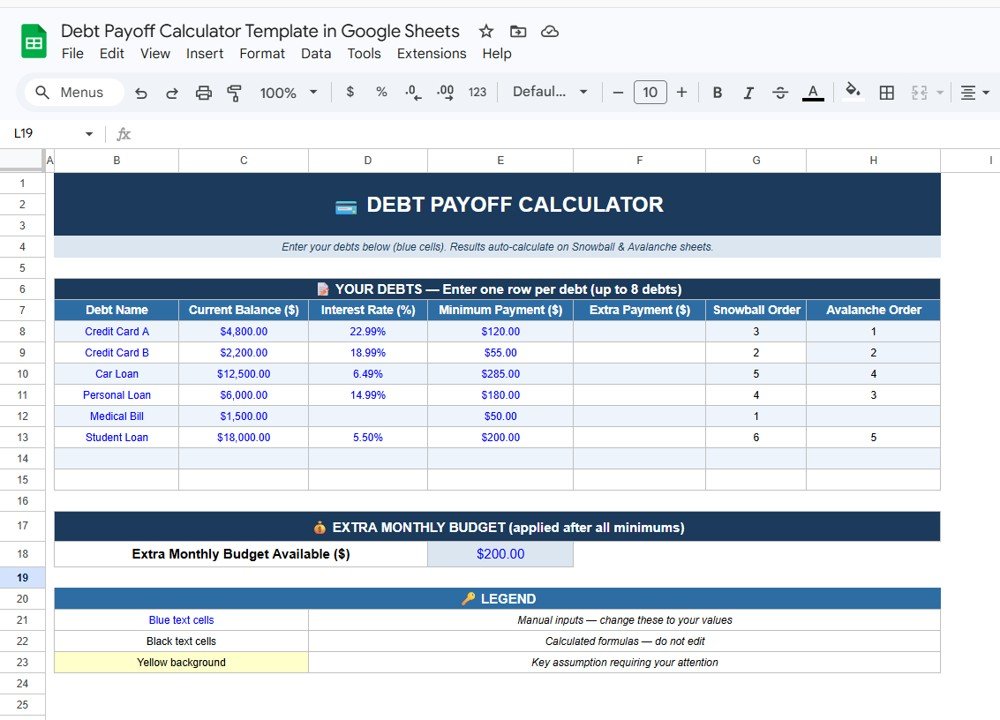
List multiple debts in one place
Enter balances, interest rates, and minimum payments
Add extra monthly payments
Compare Snowball vs Avalanche payoff methods
View repayment timelines and total interest costs
Track debt reduction through charts
As a result, users gain clear visibility into their financial situation and repayment plan.
Why Should You Use a Debt Payoff Calculator?
Many people attempt to repay debts without a clear plan. However, this approach often leads to:
Paying excessive interest
Slower debt reduction
Financial stress
Poor financial decision-making
A debt payoff calculator solves these issues by creating a structured repayment roadmap.
Key benefits include:
Complete overview of all debts
Faster debt repayment planning
Accurate interest cost calculations
Visual progress tracking
Motivation through financial milestones
Therefore, the Debt Payoff Calculator Template in Google Sheets becomes a valuable tool for personal finance management.
Key Features of the Debt Payoff Calculator Template
Ensure all debts receive minimum payments to avoid penalties.
Add Extra Payments Whenever Possible
Even small extra payments reduce interest significantly.
Update Balances Monthly
Updating balances ensures accurate calculations.
Avoid New Debt
Focus on paying off existing debt first.
Choose the Strategy That Works for You
Some people prefer motivation (Snowball), while others prefer financial efficiency (Avalanche).
Conclusion
The Debt Payoff Calculator Template in Google Sheets is a powerful financial tool for anyone who wants to eliminate debt faster.
By organizing debts, calculating repayment schedules, comparing strategies, and visualizing progress, this template simplifies debt management significantly.
With features such as Snowball and Avalanche strategies, amortization tables, payoff comparisons, and balance charts, users can create a clear roadmap toward becoming debt-free.
Therefore, if you want to reduce debt, save interest, and improve your financial future, using a structured debt payoff calculator is a smart decision.
Meet PK, the founder of NeotechNavigators.com! With over 15 years of experience in Data Visualization, Excel Automation, and dashboard creation. PK is a Microsoft Certified Professional who has a passion for all things in Excel. PK loves to explore new and innovative ways to use Excel and is always eager to share his knowledge with others. With an eye for detail and a commitment to excellence, PK has become a go-to expert in the world of Excel. Whether you're looking to create stunning visualizations or streamline your workflow with automation, PK has the skills and expertise to help you succeed. Join the many satisfied clients who have benefited from PK's services and see how he can take your data analysis skills to the next level!
Office relocation requests occur frequently in growing organizations. Employees may request a desk move, department transfer, floor change, branch relocation, or temporary seating adjustment. However, when teams manage these requests through emails or informal chats, problems arise quickly. Requests get delayed, priorities become unclear, approvals are missed, and facilities teams lose visibility.Office Relocation Request Tracker […]
Efficiently managing product development timelines is critical for businesses to ensure timely delivery, track milestones, and coordinate across teams. Our Product Development Calendar in Google Sheets is a ready-to-use tool designed to help product managers, project leads, and teams streamline their development schedules.Product Development Calendar in Google Sheets This calendar is fully interactive, easy to […]
As the automotive industry moves toward automation and smart mobility, monitoring performance and safety metrics becomes crucial. The Autonomous Vehicle KPI Dashboard in Google Sheets is a ready-to-use analytics solution designed to help engineering, R&D, and fleet management teams track performance, reliability, and safety KPIs in one centralized dashboard.Autonomous Vehicle KPI Dashboard in Google Sheets […]