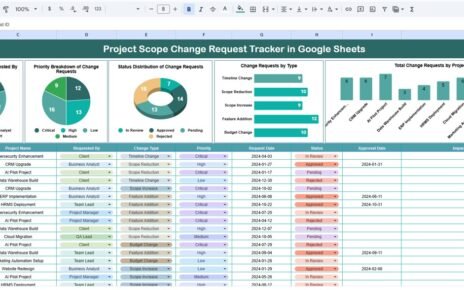
Internet access plays a critical role in employee productivity, collaboration, and daily operations. However, when organizations manage internet access requests through emails, verbal approvals, or unstructured spreadsheets, tracking approvals and access levels becomes difficult and risky.Employee Internet Access Request Tracker in Google Sheets
That is why an Employee Internet Access Request Tracker in Google Sheets becomes an essential administrative and IT tool.
This ready-to-use tracker helps HR, IT, and admin teams record, monitor, and analyze internet access requests in one centralized Google Sheets file. It provides visibility into approval status, access types, departments, job titles, and access levels—along with a powerful search feature.Employee Internet Access Request Tracker in Google Sheets
In this article, we explain how the tracker works, its charts, search functionality, advantages, and best practices.
What Is an Employee Internet Access Request Tracker in Google Sheets?
An Employee Internet Access Request Tracker is a structured tracking system designed to log and manage requests for internet access across an organization. It helps ensure security, compliance, and transparency while maintaining a complete audit trail.Employee Internet Access Request Tracker in Google Sheets
Because the tracker is built in Google Sheets, it offers:
- Centralized request management
- Real-time collaboration
- Automatic chart updates
- Easy sharing with access control
- No additional software cost
This tracker suits IT teams, HR departments, admin teams, and compliance officers.
Tracker Sheet Tab – Central Request Log
Click to Buy Employee Internet Access Request Tracker in Google Sheets
The Tracker Sheet Tab serves as the main data entry and storage area.
Typical fields include:
- Request ID
- Employee Name / ID
- Department
- Job Title
- Internet Access Type
- Access Level
- Request Date
- Approval Status
- Approved By
- Remarks
Once data is entered or updated, all charts refresh automatically.
Charts in the Employee Internet Access Request Tracker
The tracker includes five insightful charts that convert raw request data into clear insights.Employee Internet Access Request Tracker in Google Sheets
Approval Status Distribution
This chart shows the distribution of requests by approval status, such as:
- Approved
- Pending
- Rejected
It helps IT and admin teams:
- Monitor pending approvals
- Improve turnaround time
- Maintain control over access provisioning
Requests by Internet Access Type
This chart categorizes requests by access type, such as:
- Full internet access
- Limited access
- Application-specific access
- Temporary access
It helps organizations understand how internet access gets used across roles.
Requests by Department
This chart displays department-wise internet access requests.
It helps management:
- Identify departments with higher access demand
- Improve access policies
- Support departmental planning
Requests by Job Title
This chart shows internet access requests by job title.
It helps organizations:
- Analyze role-based access needs
- Improve onboarding access policies
- Strengthen IT governance
Requests by Access Level
This chart highlights requests by access level, such as:
- Basic
- Standard
- Advanced
- Admin
It helps IT teams manage security risks and permission controls.

Click to Buy Employee Internet Access Request Tracker in Google Sheets
Search Feature – Search by Keyword and Field Name
The tracker includes a smart search feature that allows users to quickly find specific access requests.
You can search by:
- Employee Name
- Department
- Job Title
- Access Type
- Access Level
- Approval Status
By entering a Search Keyword and selecting the Field Name, the tracker filters matching records instantly.
This feature proves extremely useful during:
- Security audits
- Compliance checks
- Access reviews
- Management reporting

Click to Buy Employee Internet Access Request Tracker in Google Sheets
Why Organizations Need an Internet Access Request Tracker
Without a structured tracker, internet access approvals become inconsistent and risky. This tracker helps organizations:
-
Maintain a complete approval history
-
Improve access governance
-
Reduce unauthorized access risks
-
Support audits and compliance
-
Improve IT response efficiency
A centralized tracker improves both security and accountability.
Advantages of the Employee Internet Access Request Tracker
-
Centralized access request tracking
-
Clear approval visibility
-
Role-based access analysis
-
Improved IT and HR coordination
-
Audit-ready documentation
-
Cost-effective Google Sheets solution
Opportunities for Improvement
Click to Buy Employee Internet Access Request Tracker in Google Sheets
You can enhance this tracker further by adding:
-
SLA tracking for approvals
-
Access expiry and renewal dates
-
Automated approval reminders
-
Access revocation tracking
-
Integration with identity management systems
These enhancements strengthen access control and compliance.
Best Practices for Using the Tracker
-
Log every internet access request
-
Standardize access types and levels
-
Review approval status weekly
-
Restrict edit access to authorized users
-
Archive historical records regularly
-
Back up data securely
Following these practices ensures accurate and reliable tracking.
Conclusion
Click to Buy Employee Internet Access Request Tracker in Google Sheets
An Employee Internet Access Request Tracker in Google Sheets provides a simple yet powerful way to manage internet access approvals across an organization. It centralizes records, improves visibility, strengthens security, and supports compliance audits. With built-in charts and a smart search feature, IT and admin teams gain full control over access management without complexity.Employee Internet Access Request Tracker in Google Sheets
For organizations focused on secure and well-governed IT access, this tracker becomes an essential operational tool.
Frequently Asked Questions (FAQs)
1. Who should use this tracker?
IT teams, HR teams, admin departments, and compliance officers.
2. Can it handle large organizations?
Yes, Google Sheets supports large datasets.
3. Is the tracker customizable?
Yes, all fields and charts can be modified.
4. Can it support audits?
Yes, it maintains a clear and searchable approval history.
5. Is the data secure?
Yes, with proper Google Sheets access permissions.
6. Does it require technical expertise?
No, basic Google Sheets knowledge is enough.
Visit our YouTube channel to learn step-by-step video tutorials
Youtube.com/@NeotechNavigators
Watch the step-by-step video tutorial:
Click to Buy Employee Internet Access Request Tracker in Google Sheets