In the world of data visualization, Microsoft Power BI has revolutionized the way users interact with their data. One powerful is Field Parameters in Power BI, which allow users to create dynamic reports and dashboards by switching between different fields in their visuals. Whether you’re a beginner or an experienced Power BI user, mastering Field […]
Tag: Data Visualization
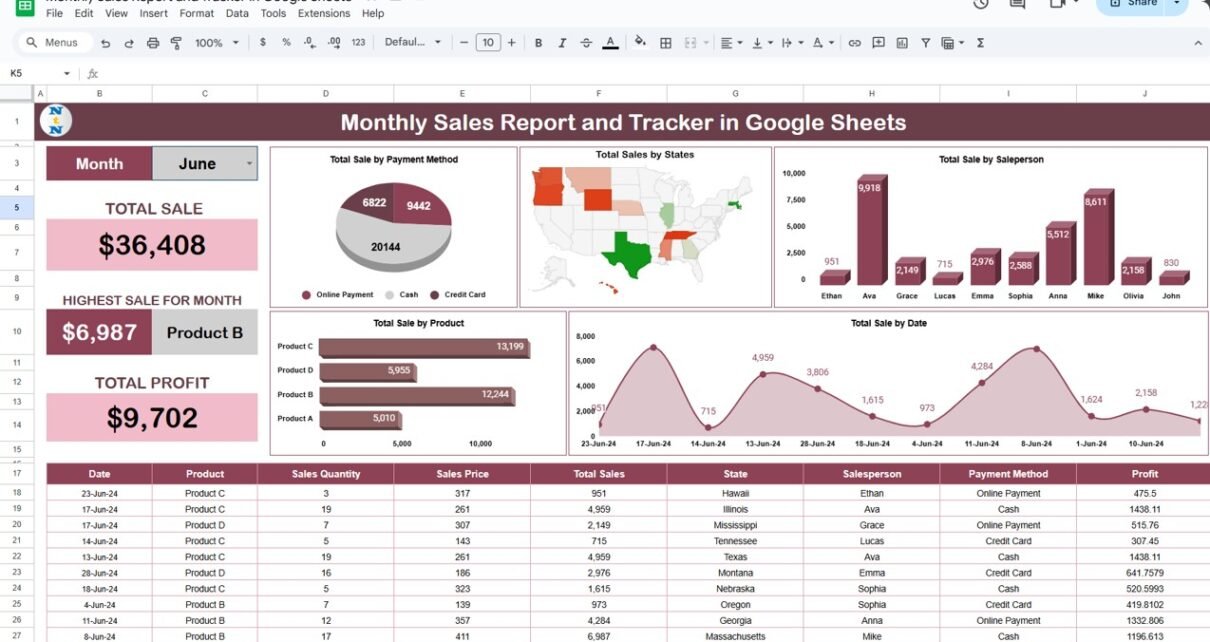
Monthly Sales Report and Tracker in Google Sheets
In today’s data-driven world, having a well-organized sales report and tracker is essential for businesses to understand performance and make informed decisions. Google Sheets provides an excellent platform to create monthly sales reports, thanks to its user-friendly features and cloud-based access. This guide will take you through the process of building a Monthly Sales Report […]
Dynamic Map in Google Sheets
Google Sheets is a powerful tool for managing data and creating visualizations. One of its advanced features is the ability to create dynamic maps. A dynamic map in Google Sheets allows you to visualize data in an interactive, map-based format that updates based on user input. This can be incredibly useful for tracking sales performance, […]
Text/CSV Connectivity in Power BI
Power BI is a powerful tool that allows users to connect, analyze, and visualize data from various sources. Among these sources, Text/CSV files are common data formats used across industries for storing information. These formats are lightweight and easy to share, making them a popular choice for exporting data from various systems. This article provides […]
Conditional Formatting in Google Sheets Chart
Google Sheets offers a wide range of features to help you visualize and analyze data efficiently. One of the most powerful and visually appealing options is Conditional Formatting in Google Sheets Charts. By using conditional formatting, you can instantly highlight key data points, making it easier to interpret your data. In this article, we will […]
How to Install Power BI Desktop Application for Free
If you’ve been curious about exploring the powerful world of Power BI but are unsure about the cost, there’s some great news for you! You can download and use the Power BI Desktop application absolutely free. In this article, we’ll walk you through the straightforward steps to install Power BI Desktop directly from Microsoft’s official […]
IF and UNICHAR Function In Google Sheets
Google Sheets is packed with powerful functions that can help you achieve almost anything with your data, from simple calculations to complex conditions. Today, we’re going to dive into two super handy functions—IF and UNICHAR Function—that you can use together to make your data not only more informative but also a little more fun. In […]
Sparklines in Google Sheets
Have you ever wondered how to make your data look snappy without clogging your spreadsheet with bulky charts? Well, Sparklines in Google Sheets are your go-to solution! These tiny, powerful mini-charts sit neatly in a single cell, showcasing trends and variations with ease. Google Sheets has made it incredibly simple for anyone to add and […]
Google Sheet Hacks: The Ultimate 3D Doughnut Chart Guide!
Hey there! Are you ready to jazz up your Google Sheets with some snazzy The Ultimate 3D Doughnut Chart Guide!? Well, you’re in the right place! Today, I’m going to walk you through creating a dynamic The Ultimate 3D Doughnut Chart Guide! That not only looks cool but also updates automatically. So, let’s dive in […]
Visualize Like a Pro: Ultimate Gauge Chart Guide in Google Sheet!
Hey there! Ready to turn your Google Sheets into a powerful dashboard? Well, you’re in luck because today we’re diving into the world of Ultimate Gauge Chart Guide in Google Sheet! These charts are not just cool to look at; they’re incredibly useful for visualizing data like service levels. So, let’s get started and show […]