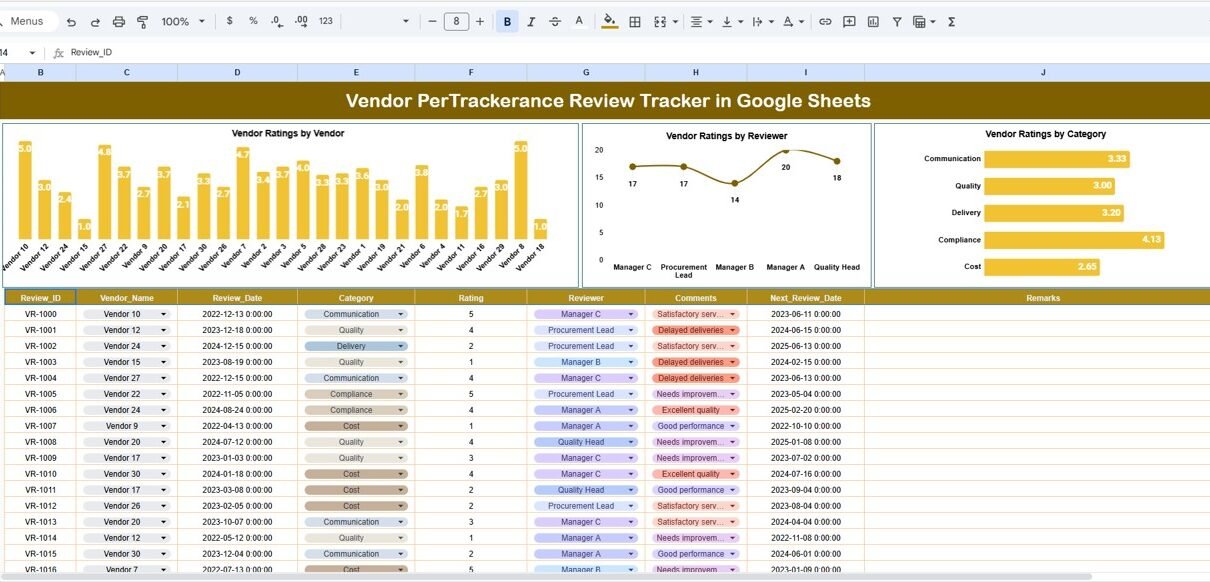
Vendor performance plays a major role in the success of any organization. When vendors deliver good quality, meet deadlines, and maintain strong communication, operations run smoothly. But without a structured tracking system, it becomes difficult to evaluate vendor performance consistently.Vendor Performance Review Tracker in Google Sheets
To solve this issue, the Vendor Performance Review Tracker in Google Sheets offers a simple and ready-to-use solution for capturing vendor ratings, reviewer comments, performance categories, and insights all in one place.Vendor Performance Review Tracker in Google Sheets
This tracker makes it easy to monitor vendor success, compare performance, and identify improvement areas.Vendor Performance Review Tracker in Google Sheets
What Is the Vendor Performance Review Tracker in Google Sheets?
Click to Buy Vendor Performance Review Tracker in Google Sheets
The Vendor Performance Review Tracker is a cloud-based tool designed to track and evaluate vendor performance across different parameters. It allows companies to keep all vendor ratings, feedback, and performance trends organized.
With this tracker, you can:
-
Evaluate vendors using different performance categories
-
Track vendor ratings by reviewers
-
Analyze vendor strengths and weaknesses
-
Identify top-performing and underperforming vendors
-
Improve vendor management decisions
Since it is built in Google Sheets, it supports real-time collaboration and easy customization.
Why Use Google Sheets fo Vendor Performance Tracking?
Google Sheets makes vendor evaluation easier because it is:
-
Cloud-Based – Access anytime, anywhere
-
Collaborative – Multiple users can evaluate vendors at the same time
-
Customizable – Add new ratings, categories, and metrics easily
-
Easy-to-Analyze – Built-in charts simplify vendor performance review
-
Cost-Free – No software installation required
Tracker Structure and Features
Click to Buy Vendor Performance Review Tracker in Google Sheets
This ready-to-use tracker includes two main sheets:
1. Tracker Sheet Tab
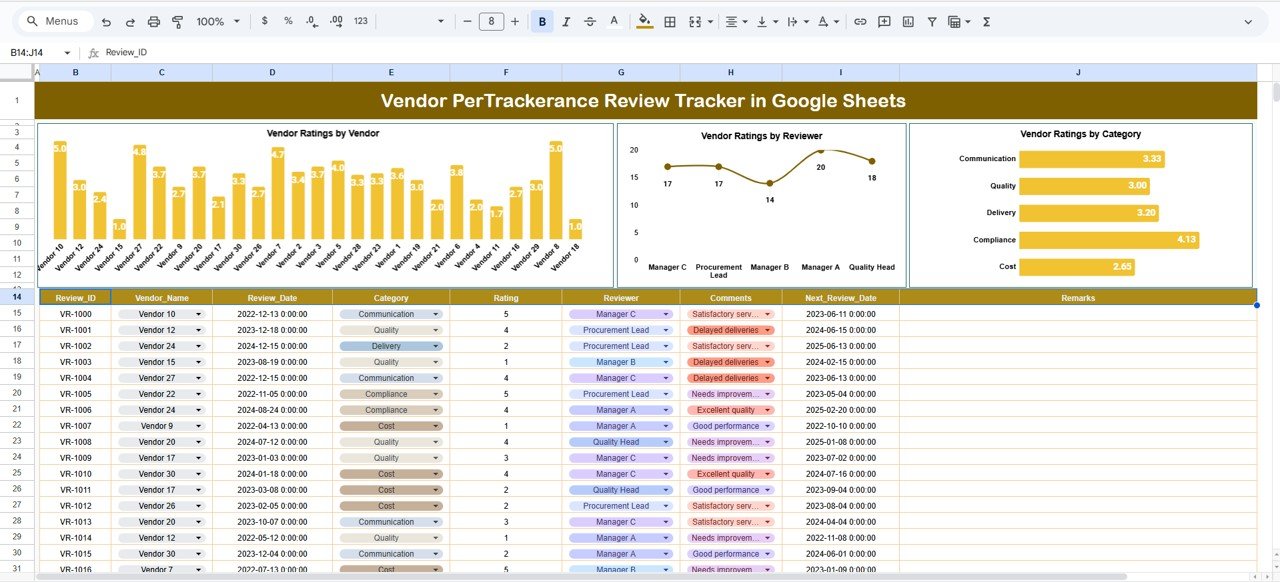
This is the dashboard sheet where all visual analysis happens.
Charts Included:
Vendor Ratings by Vendor
Shows the overall rating each vendor has received across all categories and reviewers.
Vendor Ratings by Reviewer
Helps identify how different reviewers rate the same vendors and highlights rating variations.
Vendor Ratings by Category
Shows performance across categories such as
- Quality
- Communication
- Delivery Timeliness
- Pricing
- Support
These charts help identify which vendors perform well consistently and which require improvement.
Click to Buy Vendor Performance Review Tracker in Google Sheets
2. Search Sheet Tab
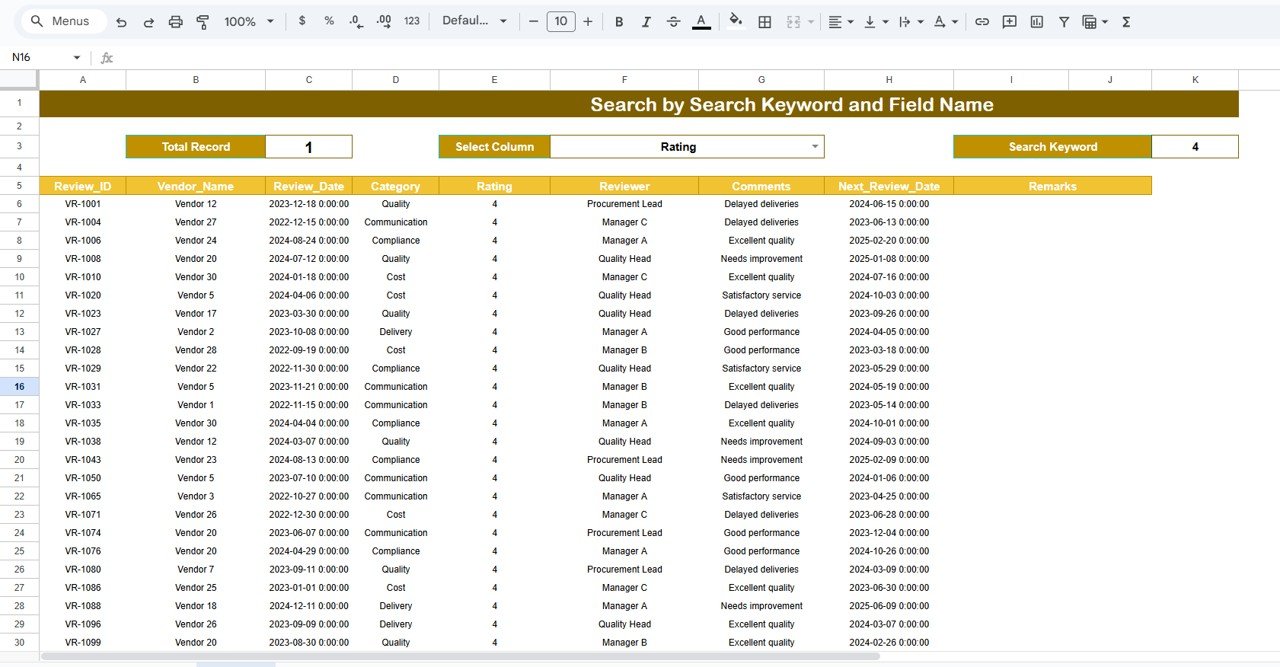
The Search tab helps users quickly locate specific vendor rating records.
Search Features:
-
Search by Keyword
-
Search by Field Name (Vendor Name, Reviewer Name, Rating Category, Comments, etc.)
This makes it easy to review vendor performance history without scrolling through large datasets.
Click to Buy Vendor Performance Review Tracker in Google Sheets
Advantages of Using the Vendor Performance Review Tracker
-
Centralized Vendor Evaluation System
All vendor ratings and comments are stored in one place. -
Quick Performance Insights
Visual charts help identify best and weak-performing vendors instantly. -
Reviewer Comparison
Understand how different reviewers evaluate vendors. -
Consistent Evaluation Criteria
Categories ensure standardized vendor assessment. -
Easy to Customize
Add rating categories or vendor fields easily. -
Ideal for Monthly or Quarterly Reviews
Makes periodic vendor performance assessments structured and simple.
Opportunities for Improvement
Click to Buy Vendor Performance Review Tracker in Google Sheets
You can enhance this tracker by adding:
-
Weighted Rating System
Assign weights to categories like quality, price, or delivery. -
Automated Alerts
Notify procurement or management when vendor ratings fall below a threshold. -
Vendor Scorecard Sheet
Add detailed scorecards for each vendor. -
Reviewer Analytics
Track reviewer behavior, rating patterns, and biases. -
Integration with Google Forms
Allow reviewers to submit ratings directly through a form.
Best Practices for Using the Vendor Review Tracker
-
Define Rating Categories Clearly
Make sure all reviewers understand what each category measures. -
Use Consistent Rating Scale
(e.g., 1–5 or 1–10) for fair comparison. -
Encourage Honest Feedback
Ratings should reflect real vendor performance. -
Update Vendor Records Regularly
Keep data fresh for accurate reporting. -
Replace Low-Performing Vendors Carefully
Use insights to guide procurement decisions. -
Review Charts Monthly
Identify long-term patterns, not just one-time issues.
Conclusion
Click to Buy Vendor Performance Review Tracker in Google Sheets
The Vendor Performance Review Tracker in Google Sheets is a powerful tool for organizations that depend heavily on vendors. It helps track vendor ratings, identify trends, monitor performance across categories, and make informed decisions to improve vendor relationships.
With its straightforward structure, automated charts, and easy search function, this tracker becomes an essential tool for procurement teams, operations managers, and business leaders.
Frequently Asked Questions (FAQs)
1. What does this tracker measure?
It tracks vendor ratings by reviewer, category, and vendor name.
2. Can I add more rating categories?
Yes, the sheet is fully customizable.
3. Is this tracker suitable for procurement teams?
Absolutely. It helps make better vendor selection and renewal decisions.
4. Are the charts automatic?
Yes, visuals update instantly when data changes.
Click to Buy Vendor Performance Review Tracker in Google Sheets
Visit our YouTube channel to learn step-by-step video tutorials
Youtube.com/@NeotechNavigators
Watch the step-by-step video Demo:
Click to Buy Vendor Performance Review Tracker in Google Sheets