A busy detailing studio can lose track of the day when bookings, bay assignments, job cards, invoices, staff attendance, memberships, inventory, and expenses sit in separate sheets or notebooks. The Car Detailing Studio Management System Web App is built around 16 connected pages, 8 overview KPI cards, 6 dashboard chart groups, and modules for customers, vehicles, billing, services, staff, stock, reports, audit history, users, lists, and settings. It is designed for teams that want a practical browser-based operating system without jumping into high-cost SaaS.
🚀 Try the Live Demo Before You Buy
We have deployed this web app in our own Google account so you can test every page, every role — Admin, Manager, Cashier, and Staff (Detailer) — with real sample data — before purchasing. No signup, no email required.
🔑 Test Login Credentials
Sign in as admin for full system control (Settings, User Management, List Management, Audit Log, Database Archive), as manager for all operations plus reports, as cashier for bookings, billing & payments, customers, and memberships, or as arjun / vikram to see the Staff (Detailer) view — assigned job cards, status updates, and customer lookup only.
💡 What you get after purchase: The full source code (Code.gs + Index.html) plus a step-by-step deployment guide so you can deploy your own private instance in your own Google account in under 15 minutes.
Key Features of Car Detailing Studio Management System Web App
The web app brings the main studio workflow into one place: bookings, bays, job cards, invoices, payments, inventory, and management reporting.
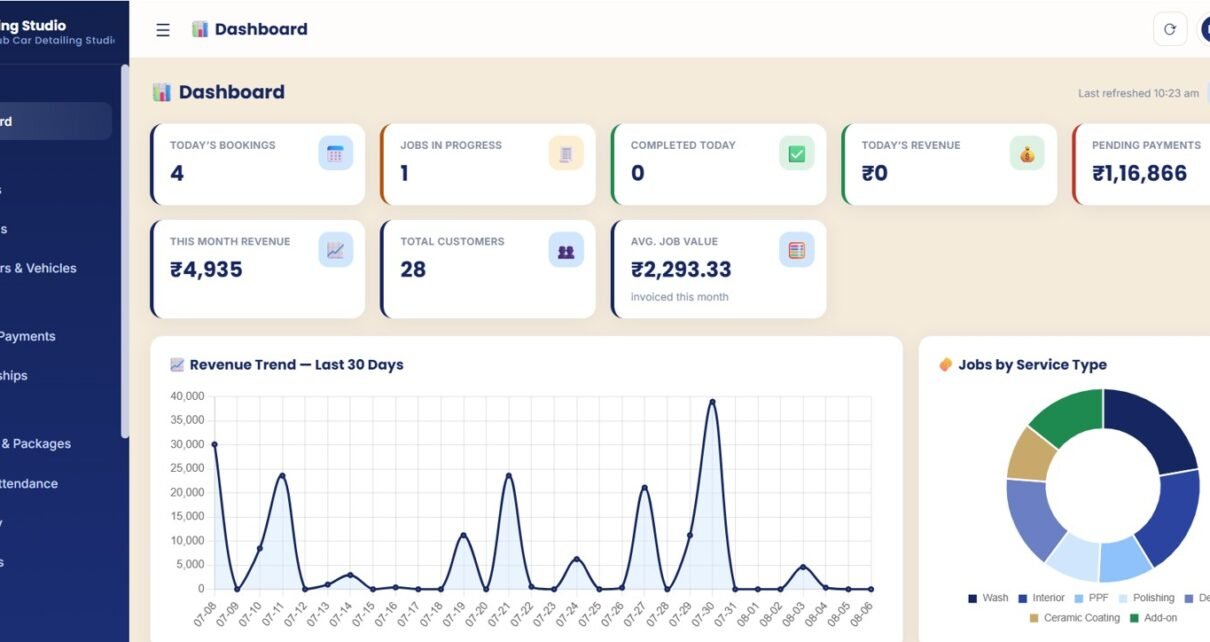
- Overview dashboard: See today’s bookings, jobs in progress, completed jobs, daily revenue, pending payments, monthly revenue, customer count, and average job value.
- Booking management: Track booking date, time slot, customer, vehicle, bay allocation, booking status, and detailer assignment.
- Job card tracking: Follow each vehicle through check-in, detailing workflow, billing, and delivery.
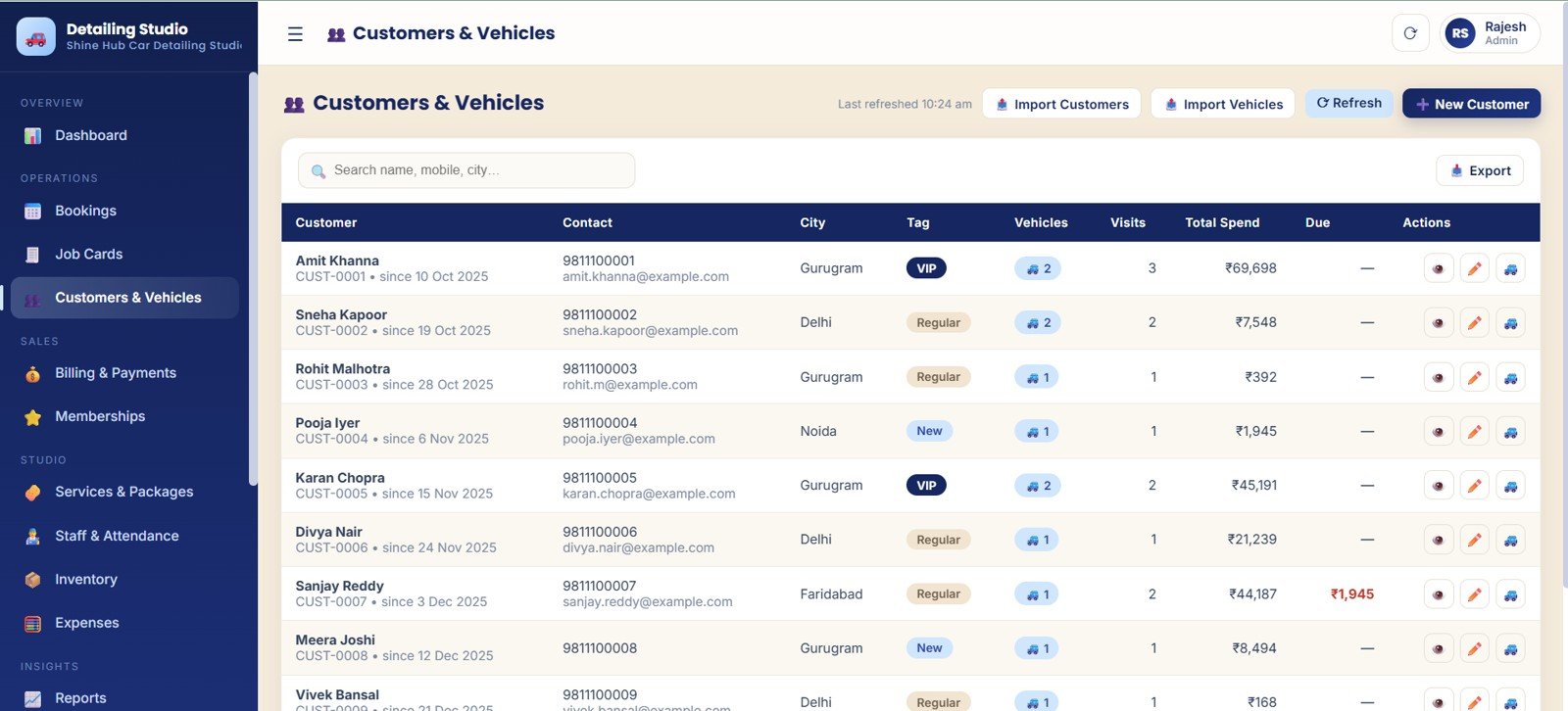
- Customer and vehicle records: Keep visit history, vehicle information, total spend, due amount, city, and customer tag data connected.
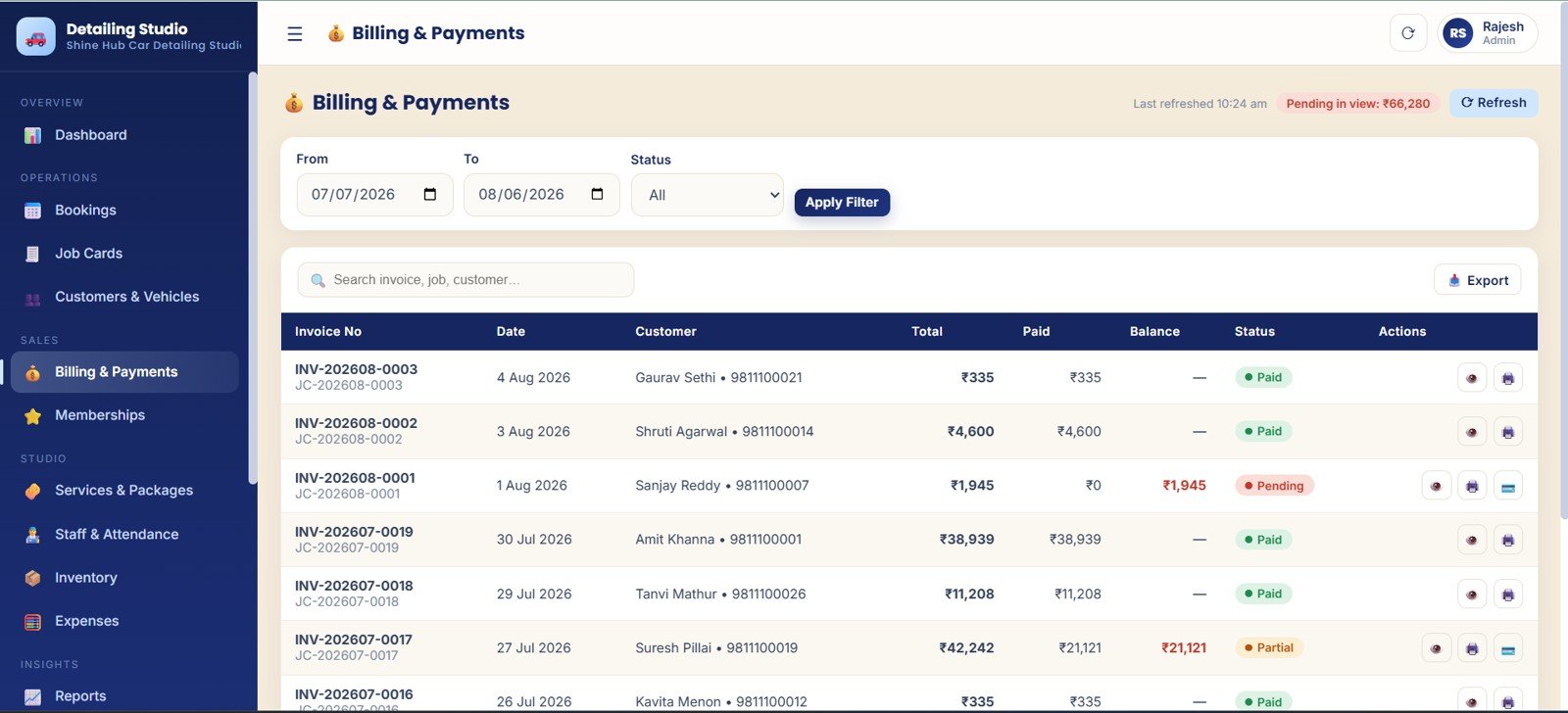
- Billing and payments: Review invoice totals, paid amounts, balances, payment status, and pending amounts.
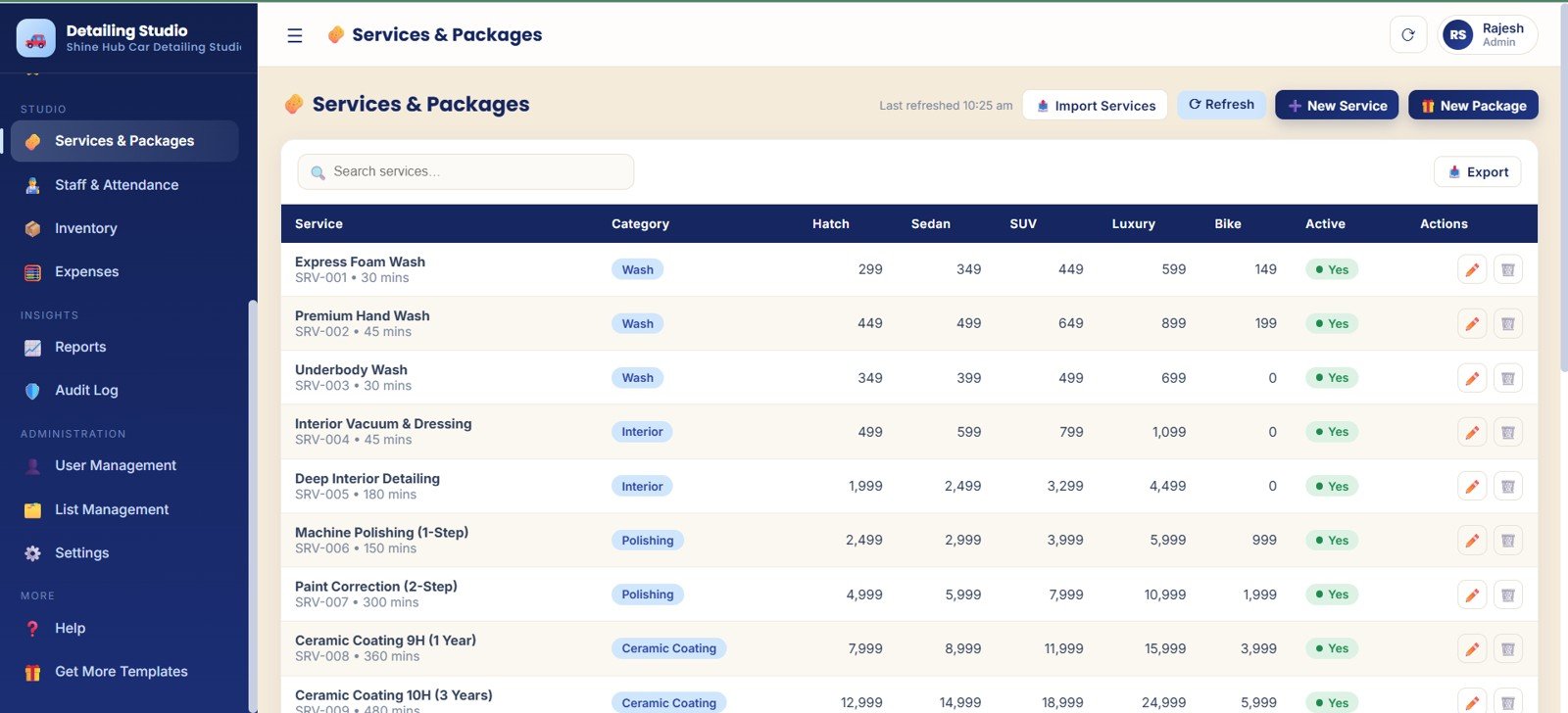
- Memberships and services: Manage plans, usage, validity, prices, service categories, packages, durations, and vehicle-type pricing.
- Staff, inventory, and expenses: Review attendance, jobs done by staff, revenue by staff, low stock items, reorder levels, purchases, and monthly expenses.
- Admin controls: Use audit logs, user management, list management, business settings, tax settings, print setup, and connected Google Sheet backup settings.
Dashboard Pages Explanation
Download the Car Detailing Studio Management System Web App
Overview Page
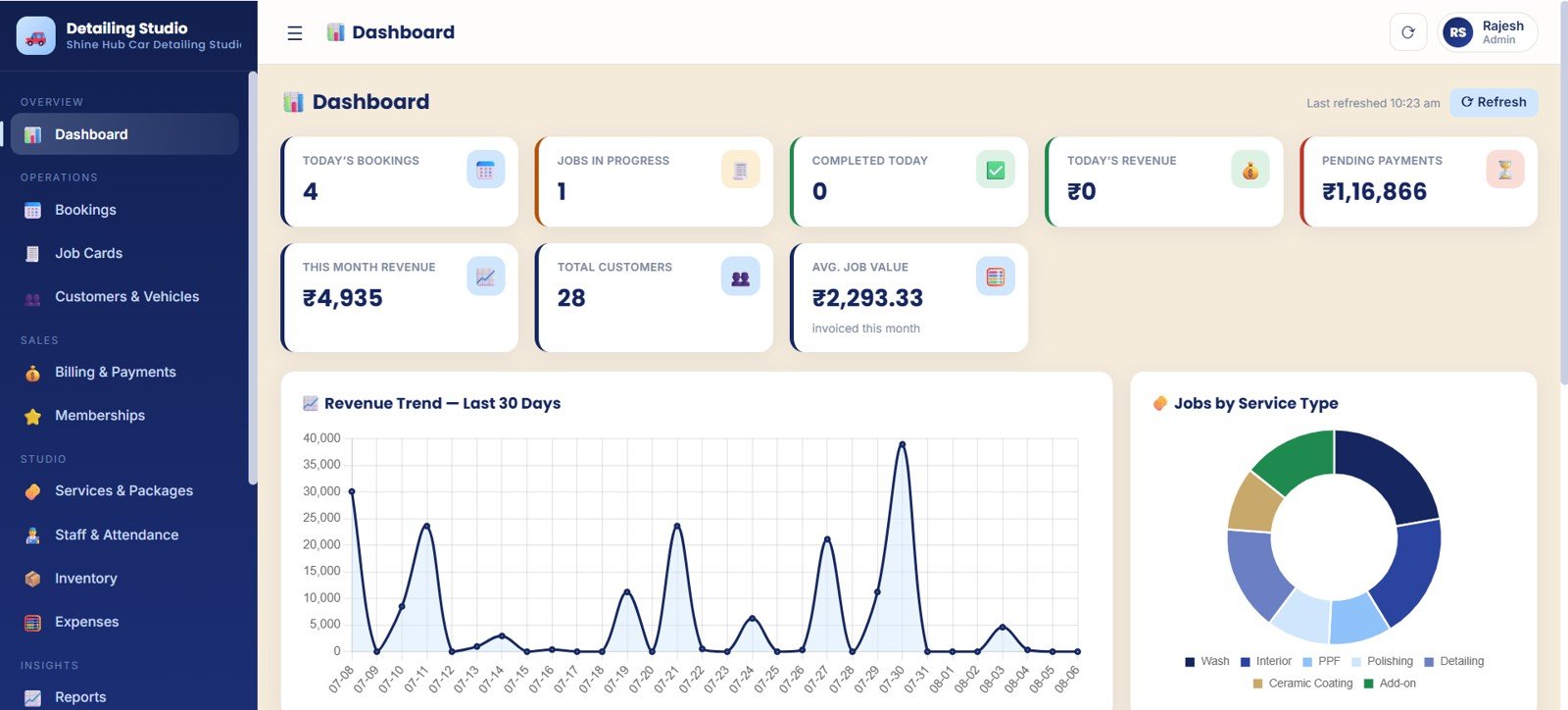
The Overview page is the daily command center. Cards summarize today’s bookings, active jobs, completed work, revenue, pending payments, monthly revenue, total customers, and average job value. Charts show the 30-day revenue trend, jobs by service type, booking load, pending payments, customer records, and monthly invoice job value.
Login and Welcome Page
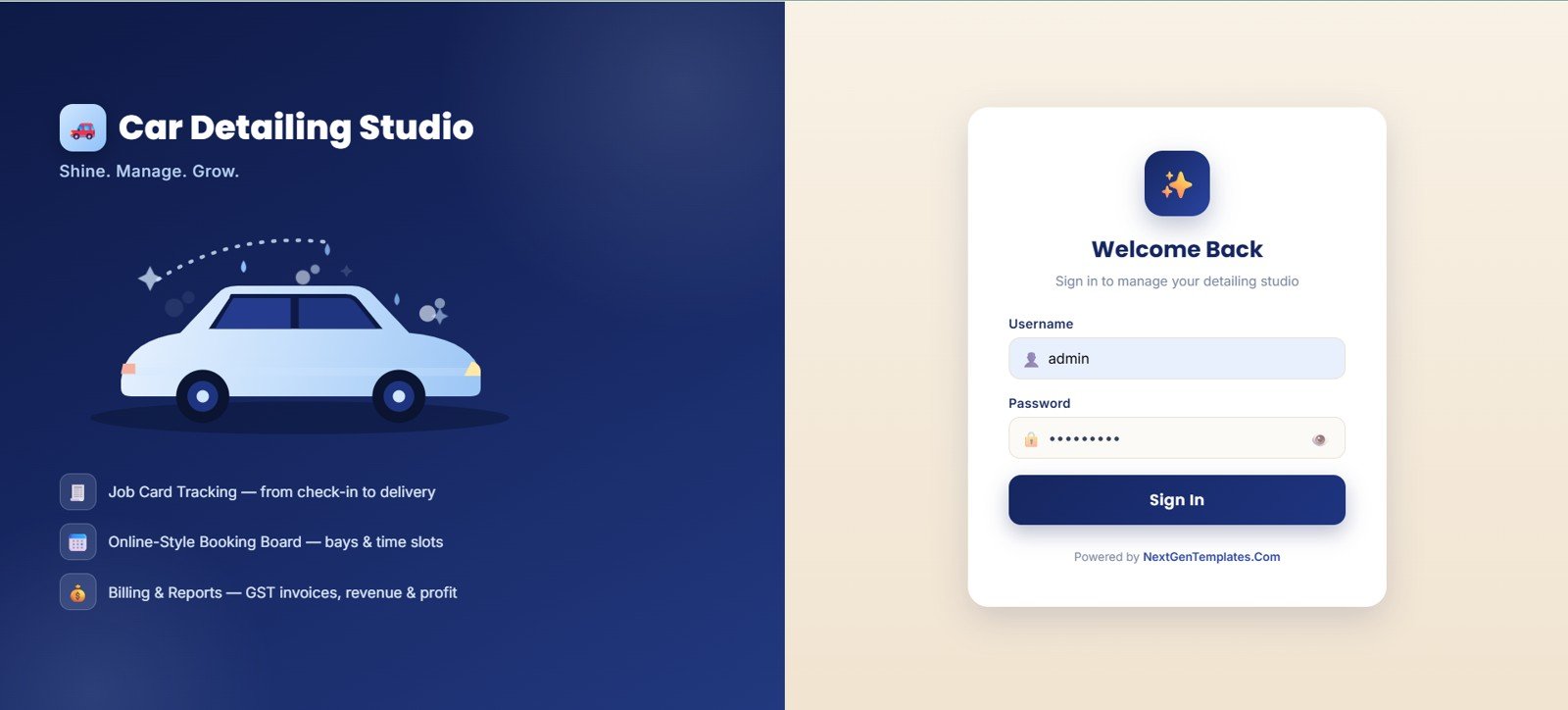
The Login and Welcome page frames the system as a controlled workspace for job tracking, booking boards, billing, reports, and admin access.
Bookings
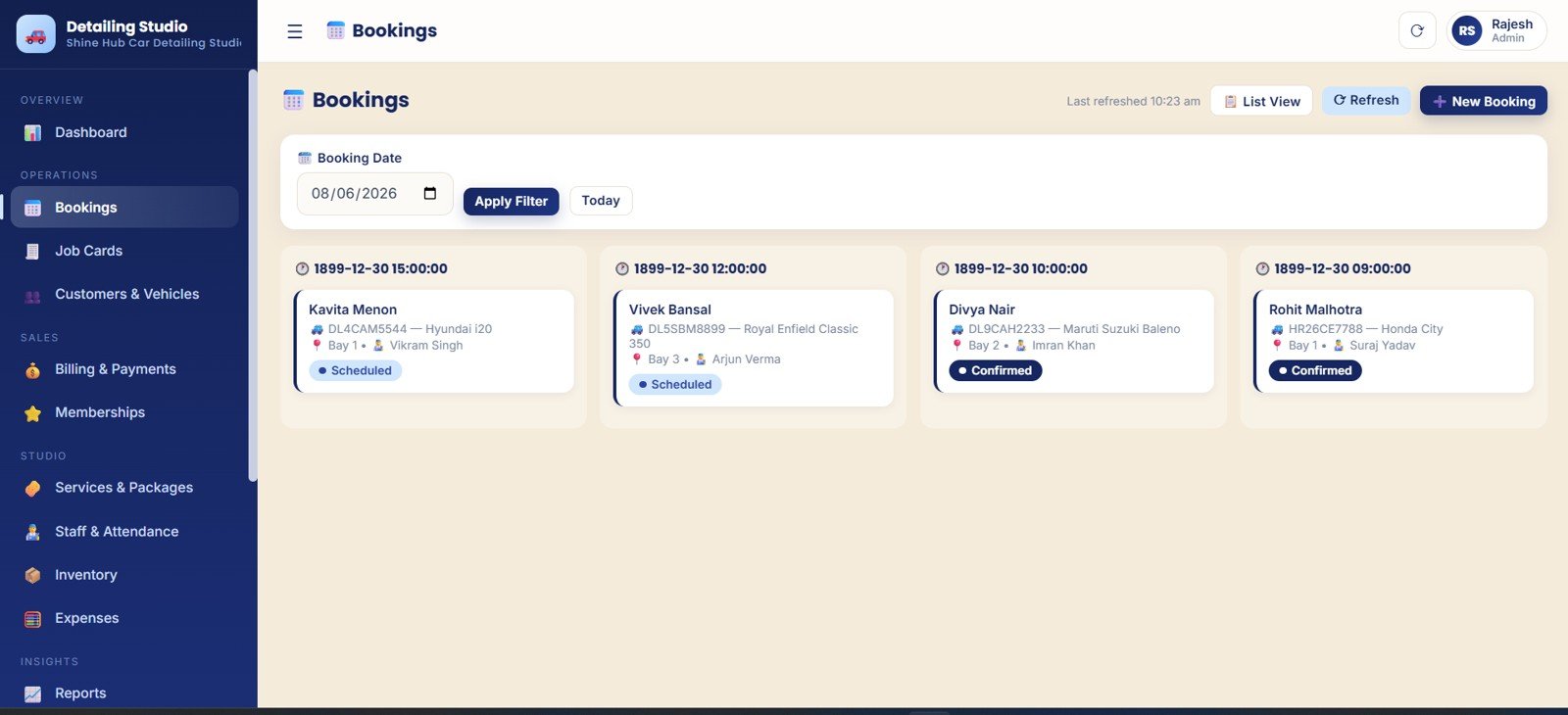
The Bookings page organizes appointment flow by booking date, customer, vehicle, time slot, bay allocation, status, and assigned detailer. For a shop with limited bays, it helps keep capacity visible before the day fills up.
Job Cards
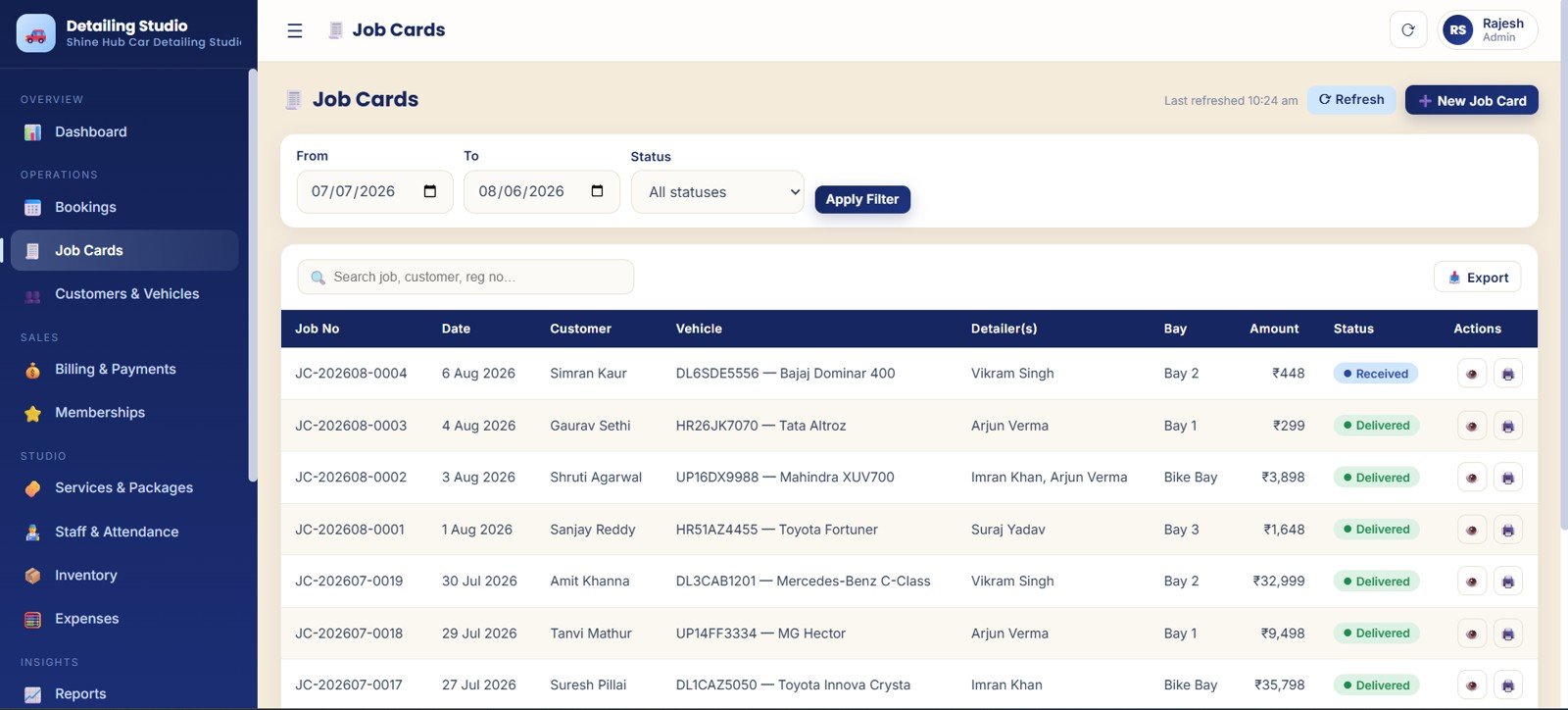
The Job Cards page follows the work after a booking becomes an active job. It tracks customer, vehicle, detailer, bay, amount, date range, and workflow stage so managers can see what is checked in, active, completed, billed, or ready for delivery.
Customers and Vehicles
The Customers and Vehicles page connects customer data with vehicle details, visit history, total spend, city, tags, and due amount.
Billing and Payments
The Billing and Payments page gives the billing desk invoice totals, paid amounts, balances, payment status, and pending amounts.
Memberships
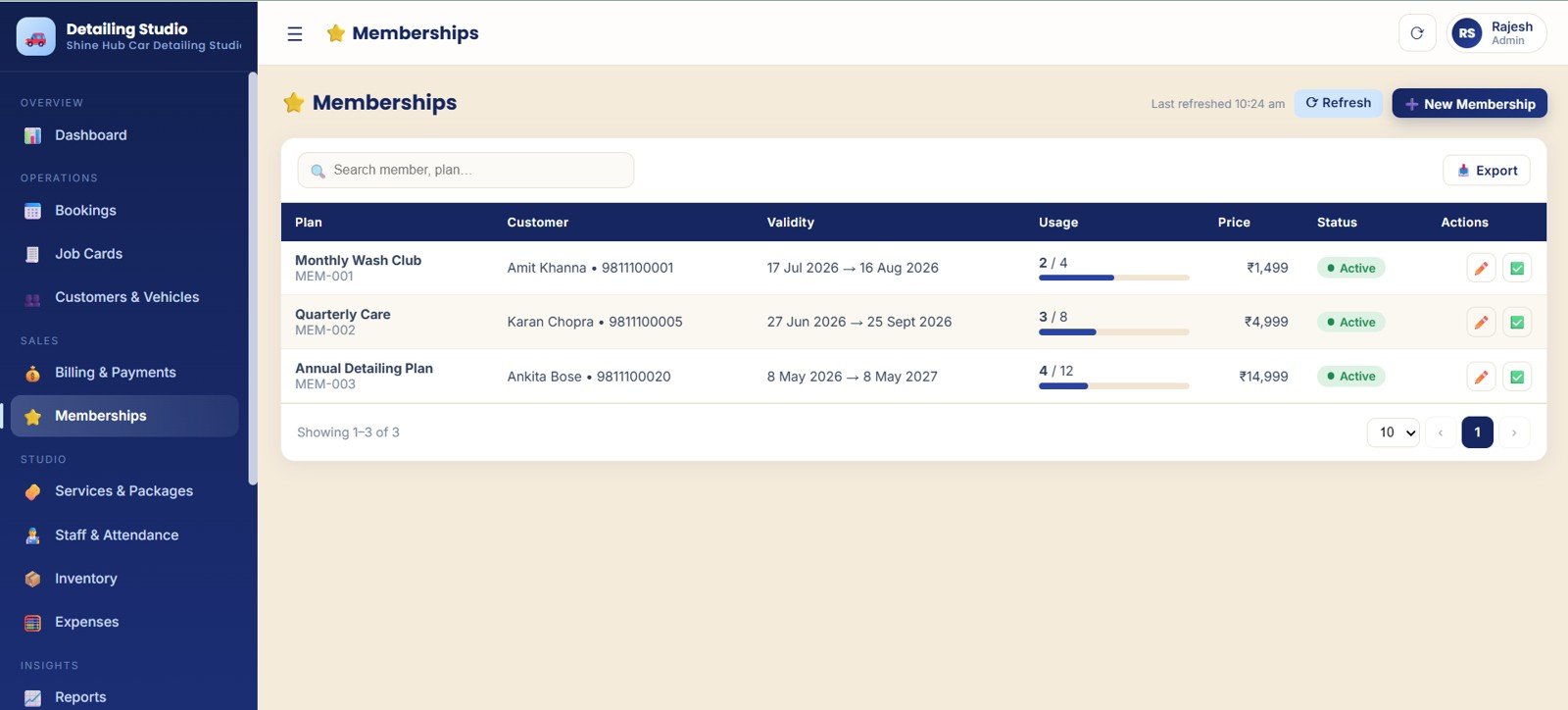
The Memberships page tracks plan customers, validity periods, usage, price, and membership status for recurring wash, detailing, or ceramic maintenance plans.
Services and Packages
The Services and Packages page stores service categories, durations, active status, vehicle-type pricing, and bundled offers.
Staff and Attendance
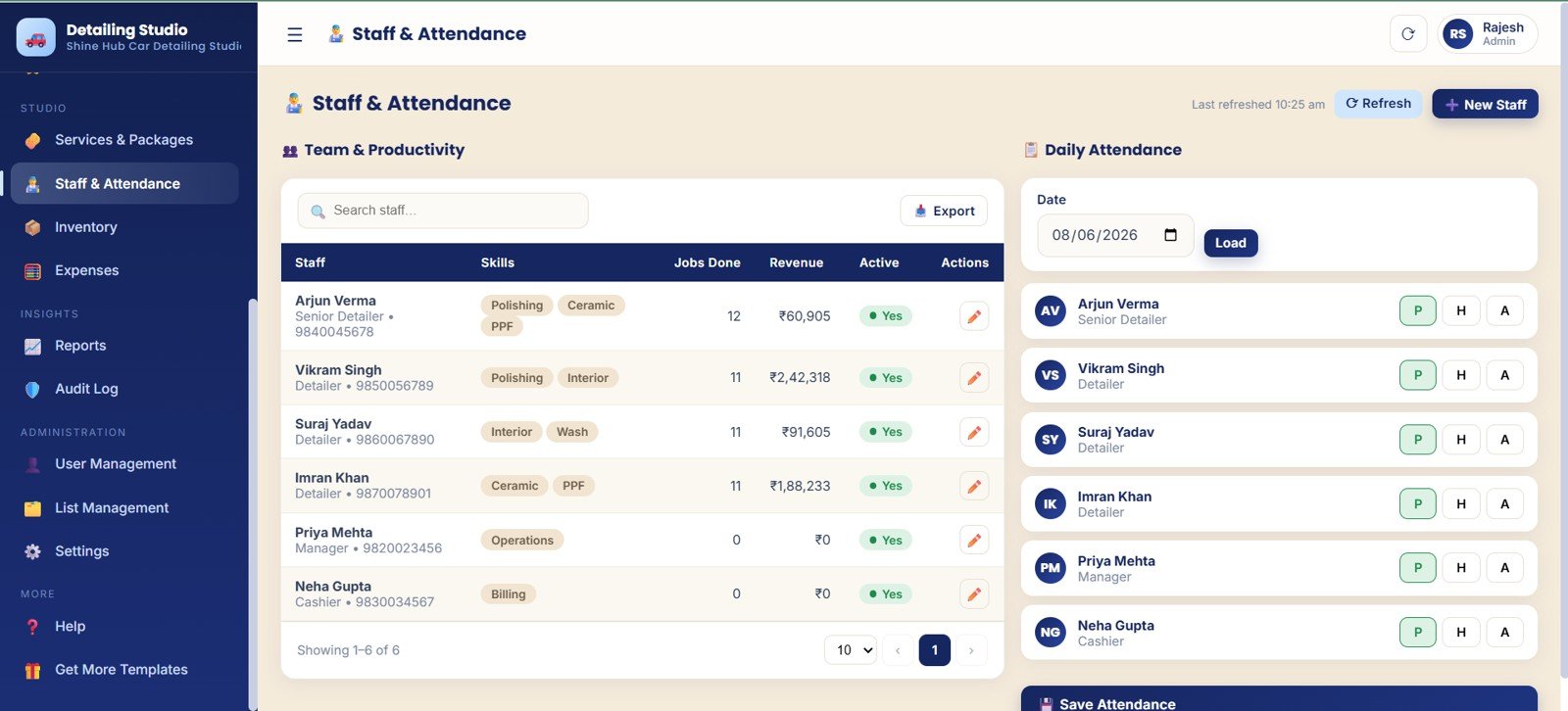
The Staff and Attendance page helps owners review skill, jobs done, staff revenue, attendance date, and attendance status.
Inventory
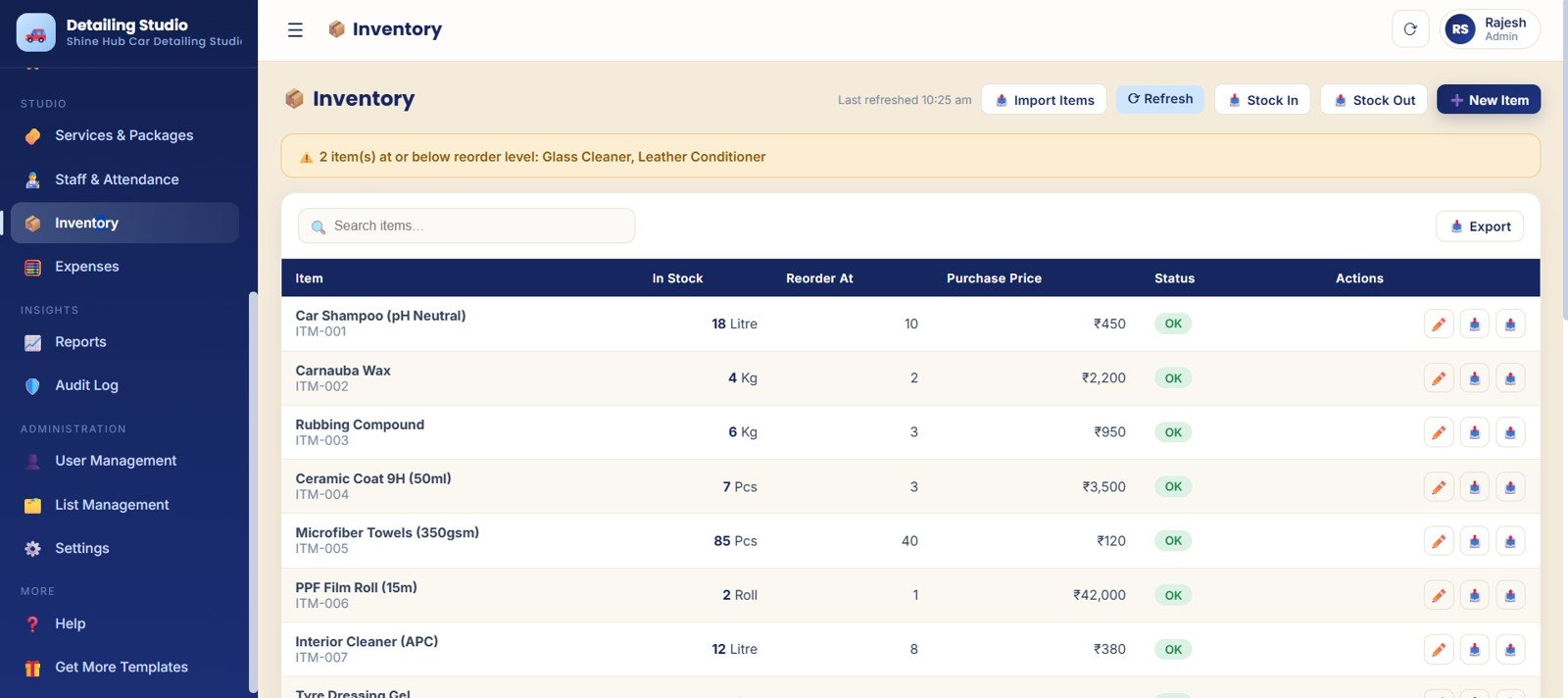
The Inventory page tracks stock quantity, reorder level, purchase price, stock status, and low-stock alerts for detailing consumables.
Expenses, Reports, Audit Log, Users, Lists, and Settings
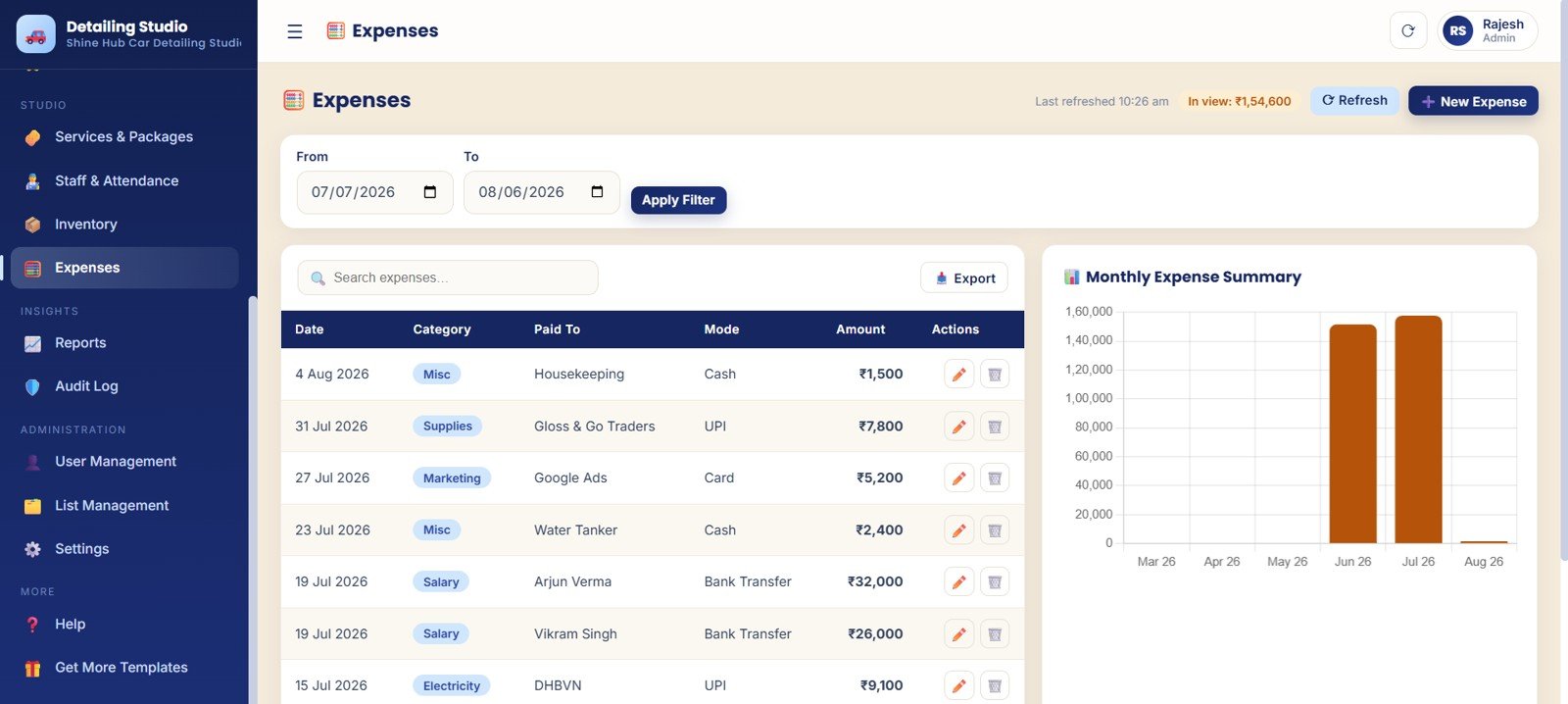
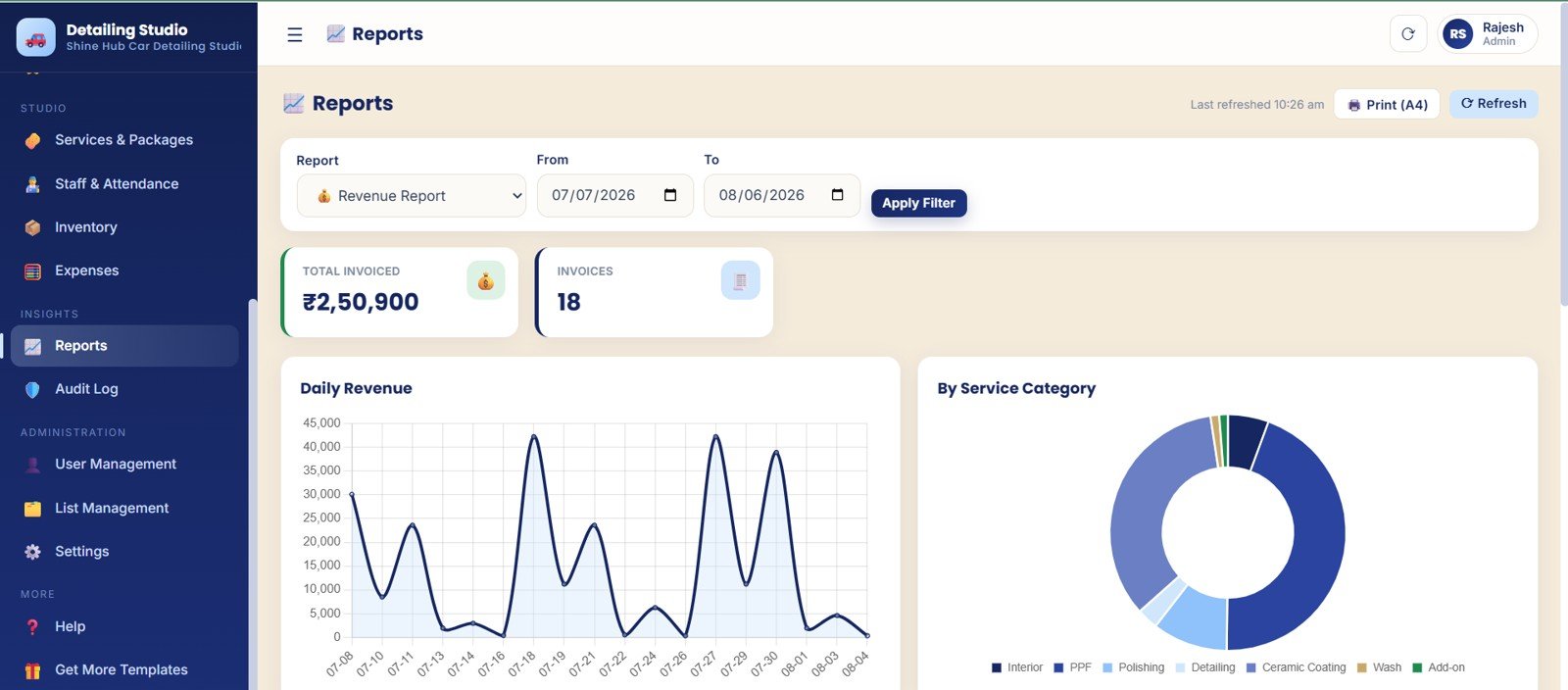
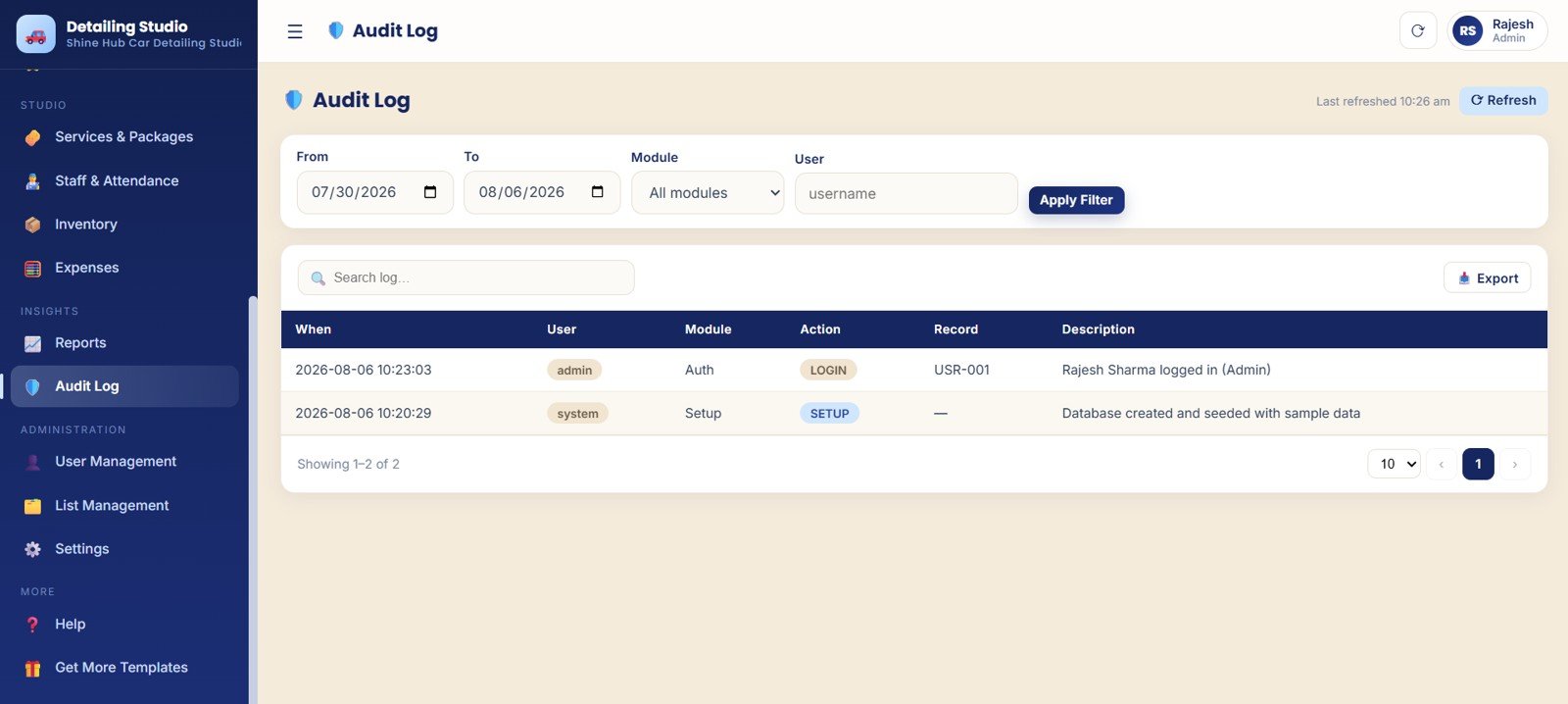
The remaining pages support the back office. Expenses tracks categories, paid-to details, payment modes, and monthly summaries. Reports covers invoiced totals, daily revenue, report periods, and service category revenue. Audit Log records activity by user, module, action, and date range.
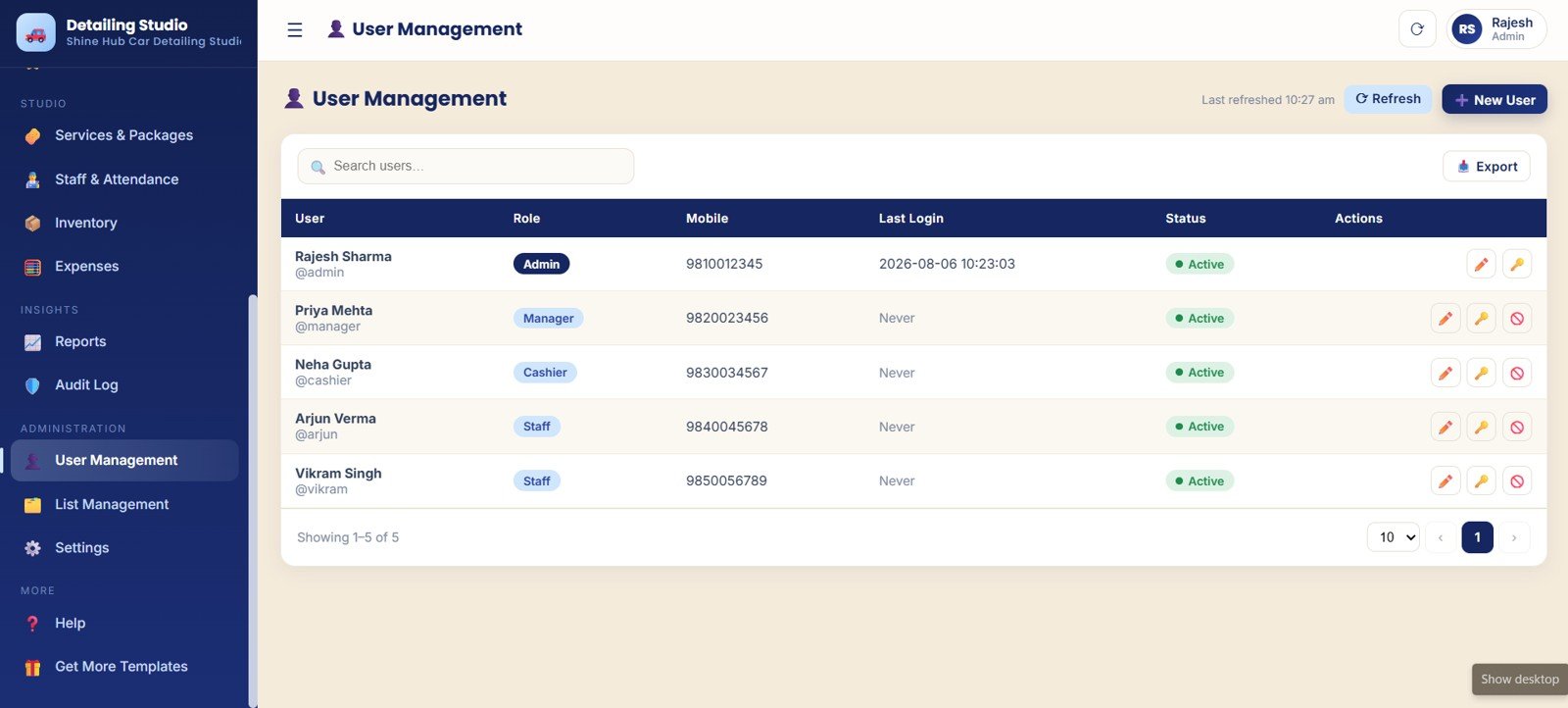
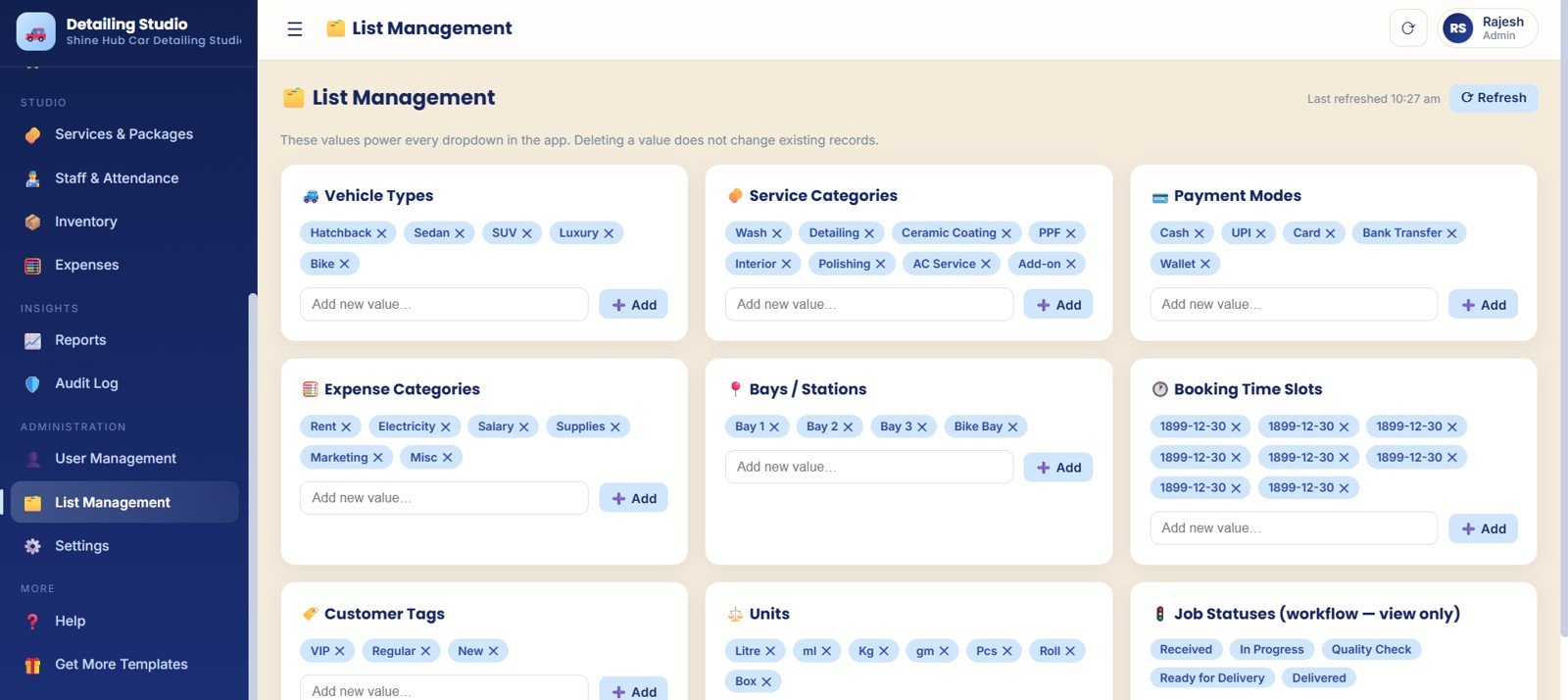
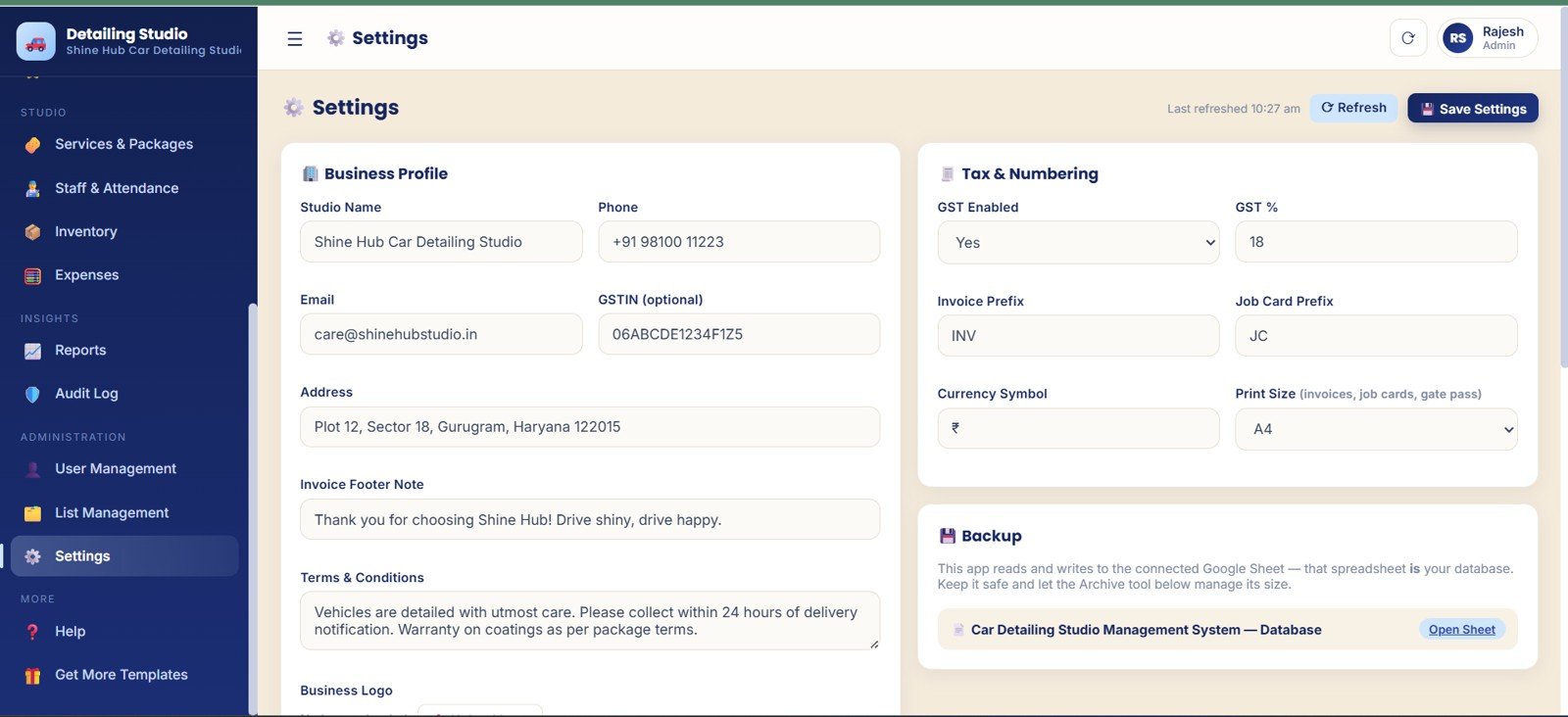
User Management controls roles, account status, last login, and access actions. List Management keeps dropdown values consistent. Settings stores studio details, GST configuration, numbering, print setup, and connected Google Sheet backup information.
Car Detailing Studio Management System Web App vs. Spreadsheet Tracker vs. Paid CRM/SaaS – Feature Comparison
| Feature | Car Detailing Studio Management System Web App | Spreadsheet tracker | Paid detailing SaaS |
|---|---|---|---|
| Cost | $39.99 one-time sale price | $0 to $30, but manual | $30 to $200+ per month depending on plan |
| Platform | Google Sheets + Apps Script web app in a browser | Excel or Google Sheets file | Hosted cloud platform |
| Setup time | Copy, configure, add users, and update lists | Fast, but limited | Can take hours or days |
| Real-time team collaboration | Designed for browser access by approved users | Possible, but formula/layout risk remains | Usually included |
| Mobile access | Modern browser access | Not ideal for operational entry | Usually included |
| Customizable fields | Editable lists, settings, services, packages, users, and studio details | Editable, but structure can break | Depends on subscription tier |
| Share with link | Deploy and share the app link with users | Share the file | Invite users to a plan |
| Year-1 cost at 5 users | $39.99 from NextGenTemplates | Low cash cost, high manual effort | Often $1,800 to $12,000+ per year |
| Job cards and bay workflow | Included | Requires custom setup | Usually included |
| Audit history and user access | Included for admin review | Rare | Plan-dependent |
Who Should Use This Template
This template is a strong fit for independent detailing studios, car wash businesses, ceramic coating shops, auto spa teams, service-center detailing departments, and small teams that want a controlled workflow before paying for a full SaaS stack.
It is especially helpful when the business already uses Google Workspace or is comfortable with a Google Sheets backend. See Google’s official Sheets help for the basic create, edit, share, and collaborate workflow.
Real-World Use Cases
Single-location detailing studio
A small studio with 2 or 3 bays can use Bookings and Job Cards to plan the day, assign detailers, avoid bay conflicts, and confirm payment before delivery.
Ceramic coating and premium package shop
A premium shop can use Services, Packages, Memberships, Customers, Vehicles, and Reports to track package usage, repeat customers, vehicle history, and service revenue.
Owner-led car wash business
An owner who handles billing can use Overview, Billing, Expenses, Inventory, and Reports to review cash flow, monthly costs, stock alerts, and balances.
Advantages of Car Detailing Studio Management System Web App
The biggest advantage is focus. Instead of adapting a general CRM, this template starts with the pages a detailing studio naturally needs: bookings, bays, job cards, customer vehicles, invoices, memberships, service packages, staff, stock, expenses, reports, audit logs, users, lists, and settings.
The one-time pricing also makes it attractive for small operators. A studio can test sample data, customize services and lists, and then move real records into the system.
Opportunities for Improvement
This web app template is not meant to replace every enterprise feature. Some studios may still want customer self-booking, SMS reminders, payment gateways, native mobile apps, photo uploads, VIN lookup, marketing automation, or accounting integrations.
Teams that need heavier browser-side storage, offline-first behavior, or custom development should review platform limits before modifying the app. MDN’s Web Storage API documentation is a useful starting point for browser storage concepts.
Best Practices
- Clean your service list first: Standardize services, packages, vehicle types, time slots, bays, units, and job statuses.
- Use clear job stages: Keep statuses simple: booked, checked in, in progress, completed, billed, delivered, or cancelled.
- Review pending payments daily: Make pending collections part of end-of-day closing.
- Keep inventory thresholds realistic: Set reorder levels from actual usage of chemicals, towels, pads, and tools.
- Limit admin access: Only owners or managers should edit tax settings, numbering, users, and list values.
- Check reports weekly: Review revenue, expenses, staff output, and membership usage before changing prices or staffing.
Explore Relevant Templates
- Download the Car Detailing Studio Management System Web App to manage bookings, job cards, billing, memberships, staff, inventory, reports, users, lists, and settings.
- Browse Mini Web Apps for more browser-based business systems from NextGenTemplates.
- Car Wash Management System Web App for wash queues, memberships, billing, inventory, and reports.
- Service Center and Repair Shop Management System Web App for repair shop job cards, estimates, billing, parts, delivery, and warranty tracking.
- Parking Management System Web App for vehicle entry, slot control, passes, tariffs, and revenue reporting.
- Car Rental Management System Web App for enquiry, booking, hand-over, return, invoices, payments, and deposits.
Frequently Asked Questions
What is the Car Detailing Studio Management System Web App?
It is a browser-based web app template for car detailing studios. It manages bookings, job cards, customers, vehicles, billing, memberships, services, staff, inventory, expenses, reports, users, audit logs, lists, and settings.
Is this only a dashboard?
No. The Overview page works like a dashboard, but the full product is a management system with operating pages for booking, job cards, billing, staff, inventory, reports, and admin setup.
Can I use this for a car wash business?
Yes, it can support many car wash and auto spa workflows, especially when the business needs bookings, bays, packages, invoices, inventory, staff tracking, and daily reports.
Does it support memberships?
Yes. The Memberships page tracks plan customers, validity periods, plan usage, price, and membership status.
Can I customize the dropdown lists?
Yes. List Management controls vehicle types, service categories, payment modes, expense categories, bays, booking time slots, customer tags, units, and job statuses.
Does it include reports?
Yes. The Reports page includes total invoiced by date range, invoices by report period, daily revenue by date, and revenue by service category.
Who should not use this template?
It may not be the best fit for teams that require native mobile apps, built-in online customer booking, automated SMS, payment gateway integration, VIN scanning, or enterprise accounting integrations.
About the Author
Built by PK – Microsoft Certified Professional with 15+ years of Excel, Google Sheets, and Power BI experience. Founder of NextGenTemplates, reaching 300K+ subscribers across YouTube channels. Every template is hand-built and tested before release.
Conclusion
The Car Detailing Studio Management System Web App gives detailing owners a practical way to run bookings, job cards, billing, memberships, customers, vehicles, staff, inventory, expenses, reports, users, lists, and settings from one workspace. It is best for studios that want a structured, editable system with one-time pricing before committing to a monthly SaaS plan.Car Detailing Studio Management System Web App
Visit our YouTube channel to learn step-by-step video tutorials: Youtube.com/@NeotechNavigators.