Catering Business Management System Web App is a 15-screen browser-based management template for catering teams that need customers, event bookings, menus, packages, quotations, invoices, payments, kitchen production, inventory, staff duties, reports, settings and audit history in one place. It includes 8 dashboard cards, 3 quick action buttons, a dedicated kitchen production sheet and an audit log, so owners can move from enquiry to event execution without scattered spreadsheets or monthly SaaS seats.
The template is built for a customizable web app workflow with Google Sheets-style ownership behind the scenes. For the platform pattern, see Google’s guide to Google Apps Script web apps.
🚀 Try the Live Demo Before You Buy
We have deployed this web app in our own Google account so you can test every page, every role — with real sample data — before purchasing. No signup, no email required.
🔑 Test Login Credentials
Sign in as admin for full system access, as manager for day-to-day operations, or as amit / sunita to see the restricted staff view.
💡 What you get after purchase: The full source code (Code.gs + Index.html) plus a step-by-step deployment guide so you can deploy your own private instance in your own Google account in under 15 minutes.
Key Features of Catering Business Management System Web App
Catering Business Management System Web App
- End-to-end catering workflow: Track enquiries, customers, quotations, bookings, invoices, payments, kitchen requirements and event duties.
- 15 operational screens: Login, dashboard, customer management, event bookings, menu packages, quotations, billing, staff, kitchen, inventory, reports, users, lists, settings and audit log.
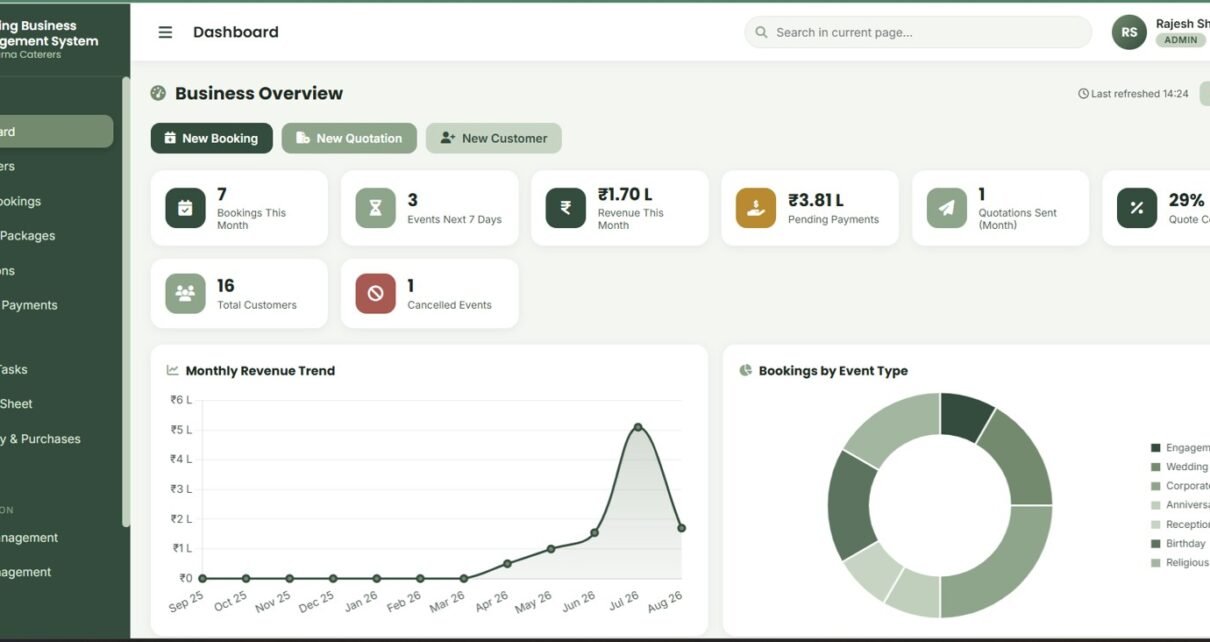
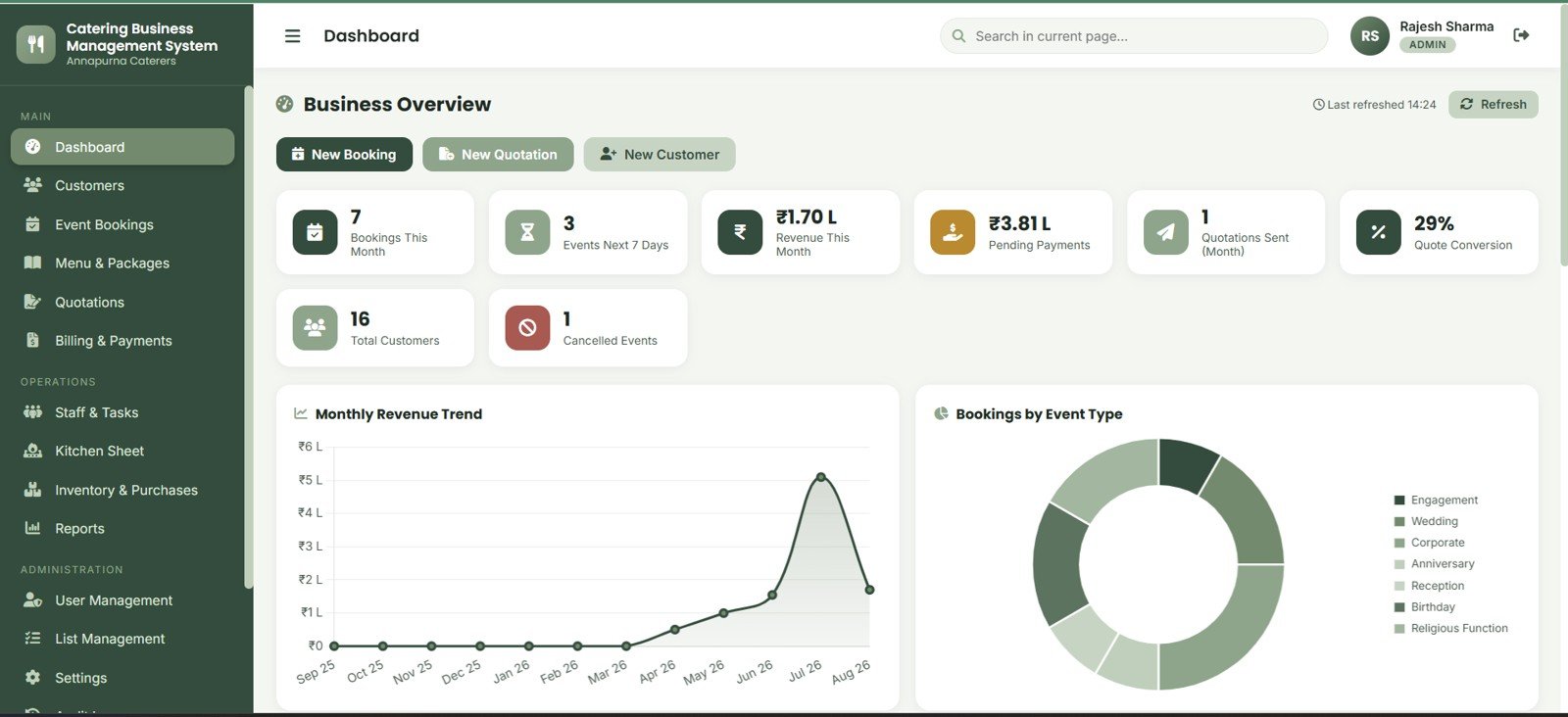
- Dashboard-ready metrics: Monitor Bookings This Month, Events Next 7 Days, Revenue This Month, Pending Payments, Quotations Sent, Quote Conversion, Total Customers and Cancelled Events.
- Quotation-to-booking control: Create quotes, print or email them, accept or reject estimates, then convert confirmed work into event bookings.
- Kitchen production planning: Generate item-wise quantity guidance from guest count and selected package details.
- Billing and receivables: Generate invoices, record payments, review receivables and export records for finance review.
- Team and inventory operations: Assign duties, manage staff, monitor raw materials, purchases, suppliers and low-stock status.
Dashboard Pages Explanation
Login Page
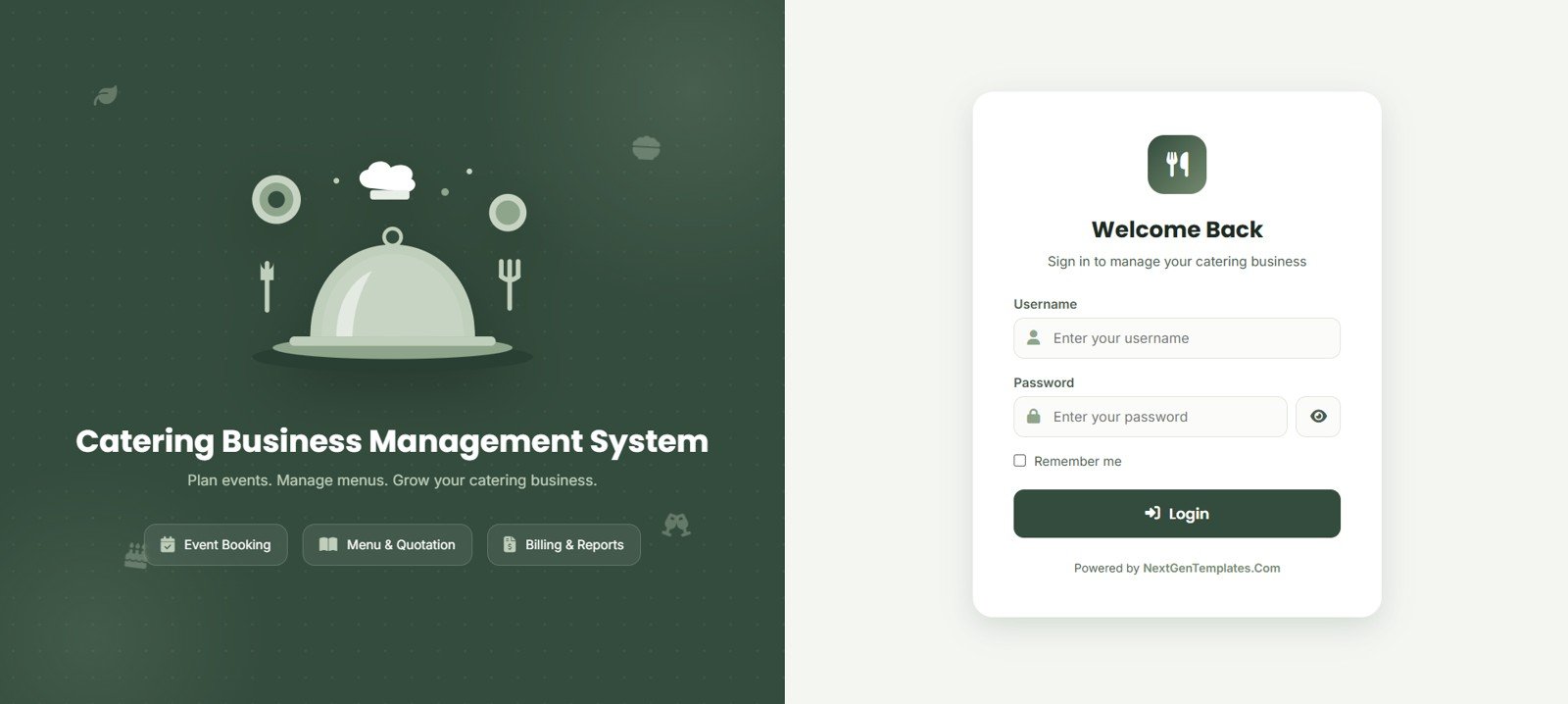
The login page gives your team a branded entry point with username, password, remember-me option and the message: Plan events. Manage menus. Grow your catering business. It frames the system around event booking, menu and quotation work, billing and reports.
Dashboard
The dashboard gives owners a quick read on monthly bookings, next-7-day events, monthly revenue, pending payments, quotation activity, quote conversion, customer count and cancellations. Revenue trend and bookings by event type charts help explain the operating mix.
Customer Management
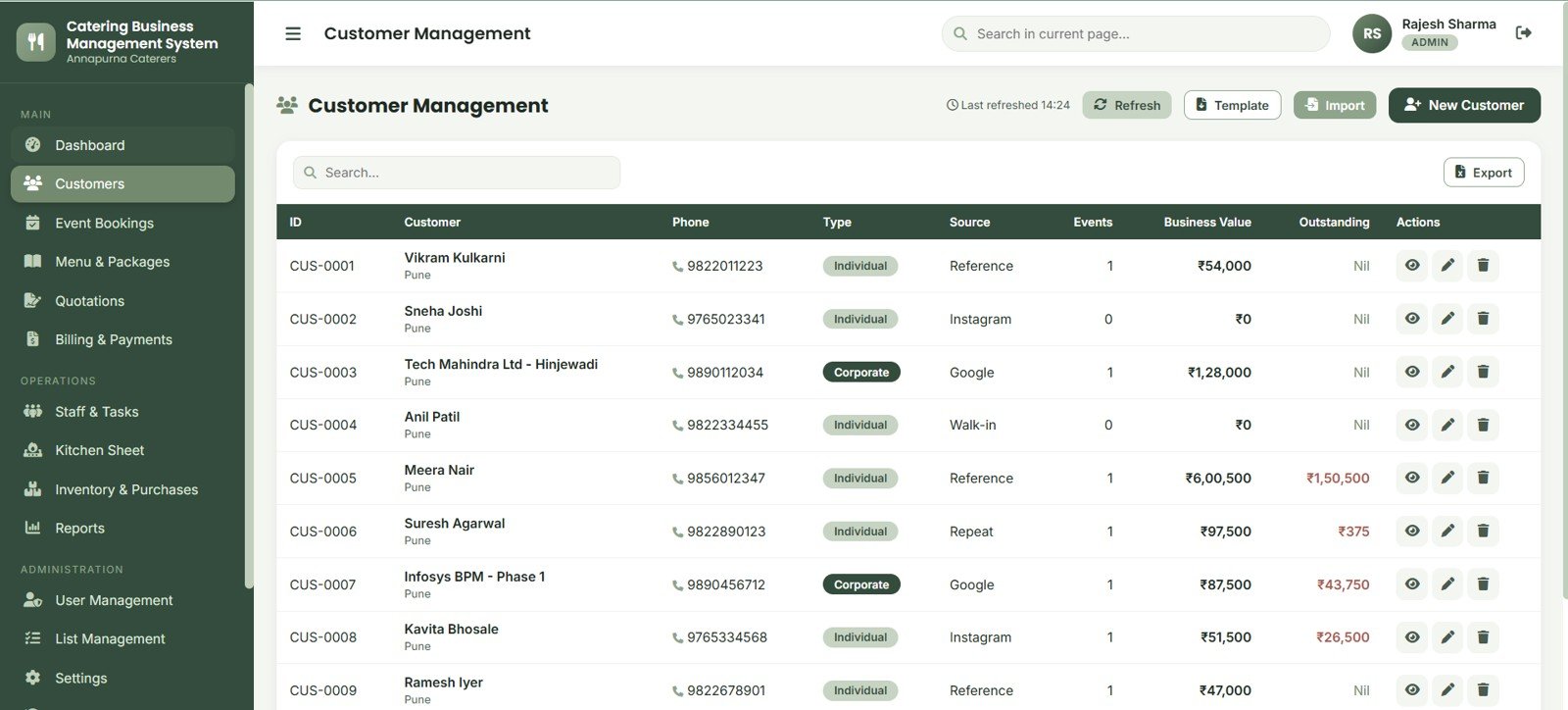
Customer Management stores customer ID, name, phone, type, source, event count, business value and outstanding balance. Search, template, import, new customer and export controls help teams keep their customer database clean.
Event Bookings
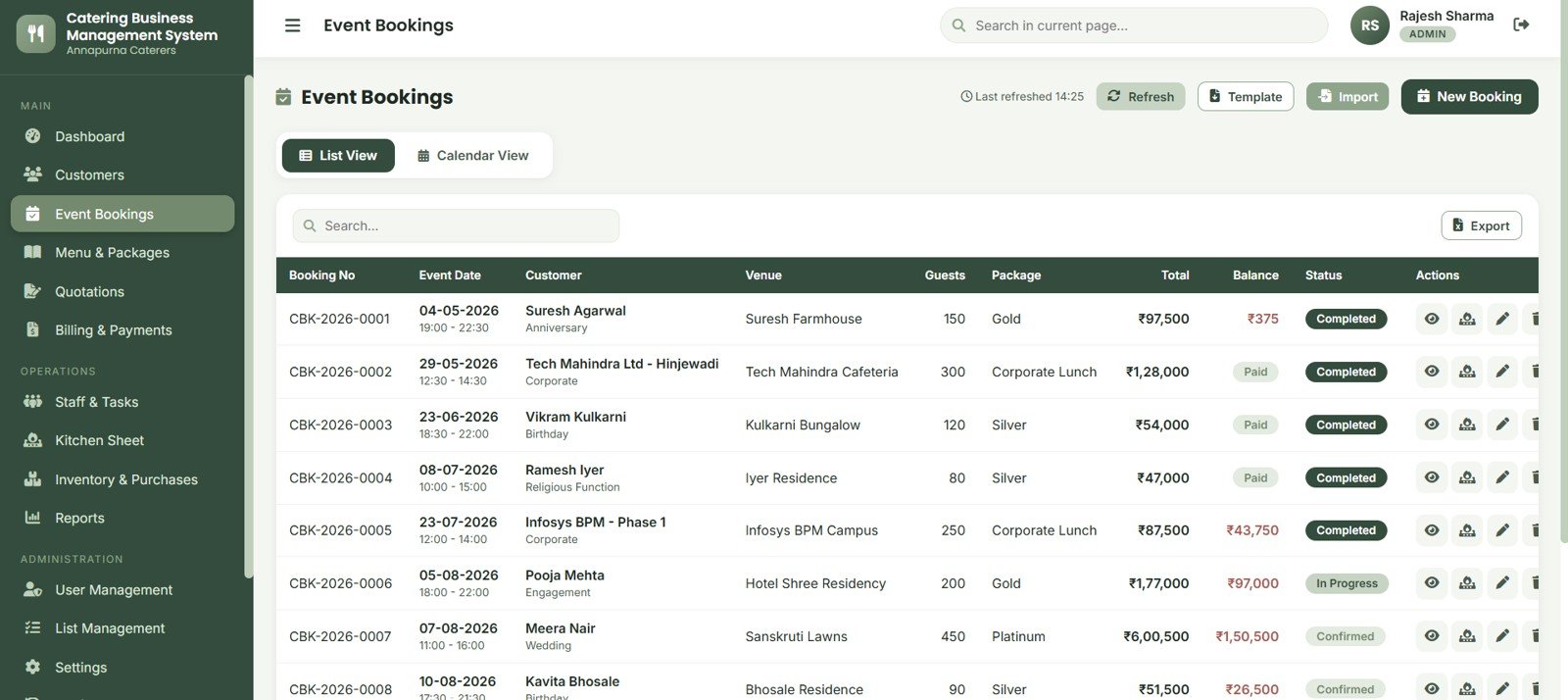
Event Bookings supports list view and calendar view for booking number, event date, customer, venue, guests, package, total, balance and status. It is the central place to see confirmed work and upcoming catering commitments.
Menu & Packages
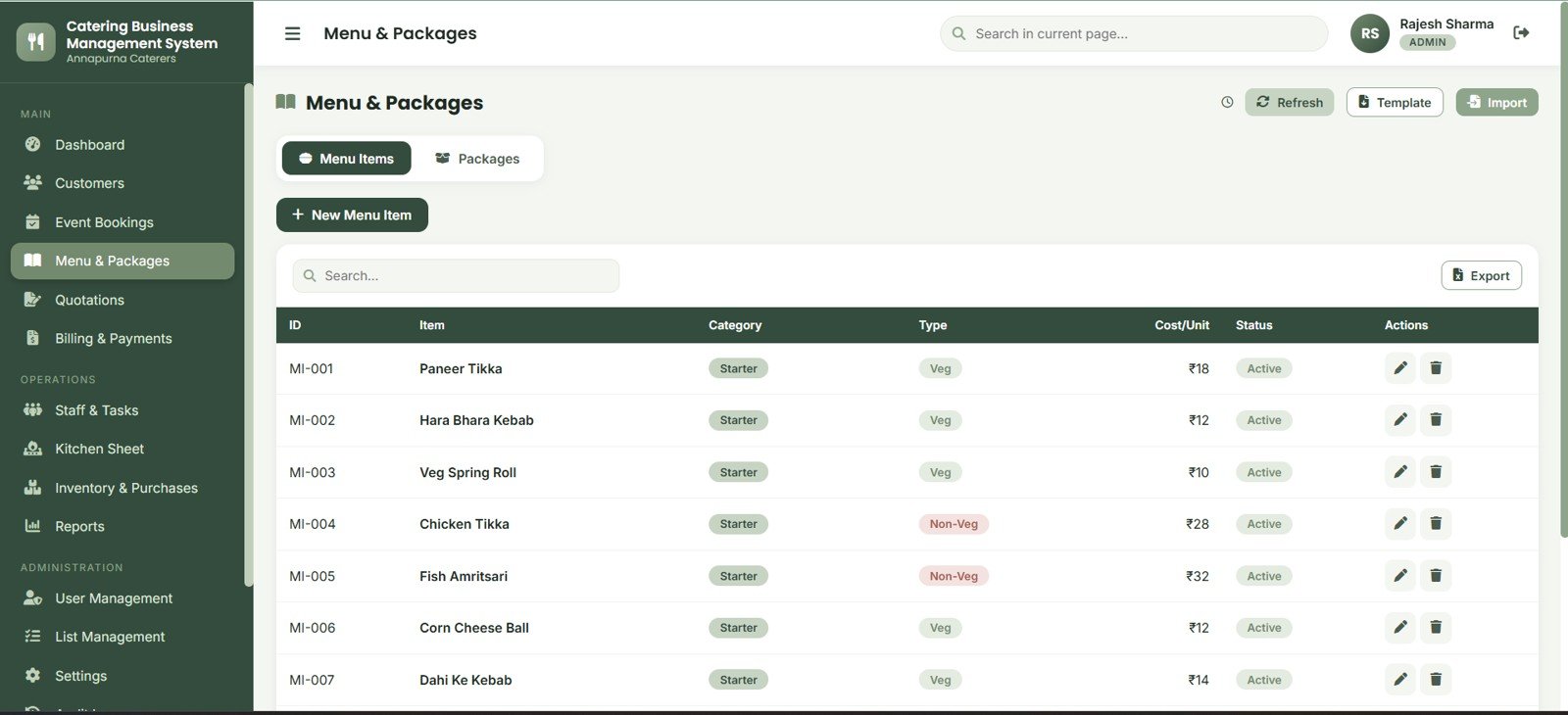
The Menu & Packages page manages menu items, packages, category, item type, cost per unit and active status. This helps standardize offers before the team prepares quotations.
Quotations
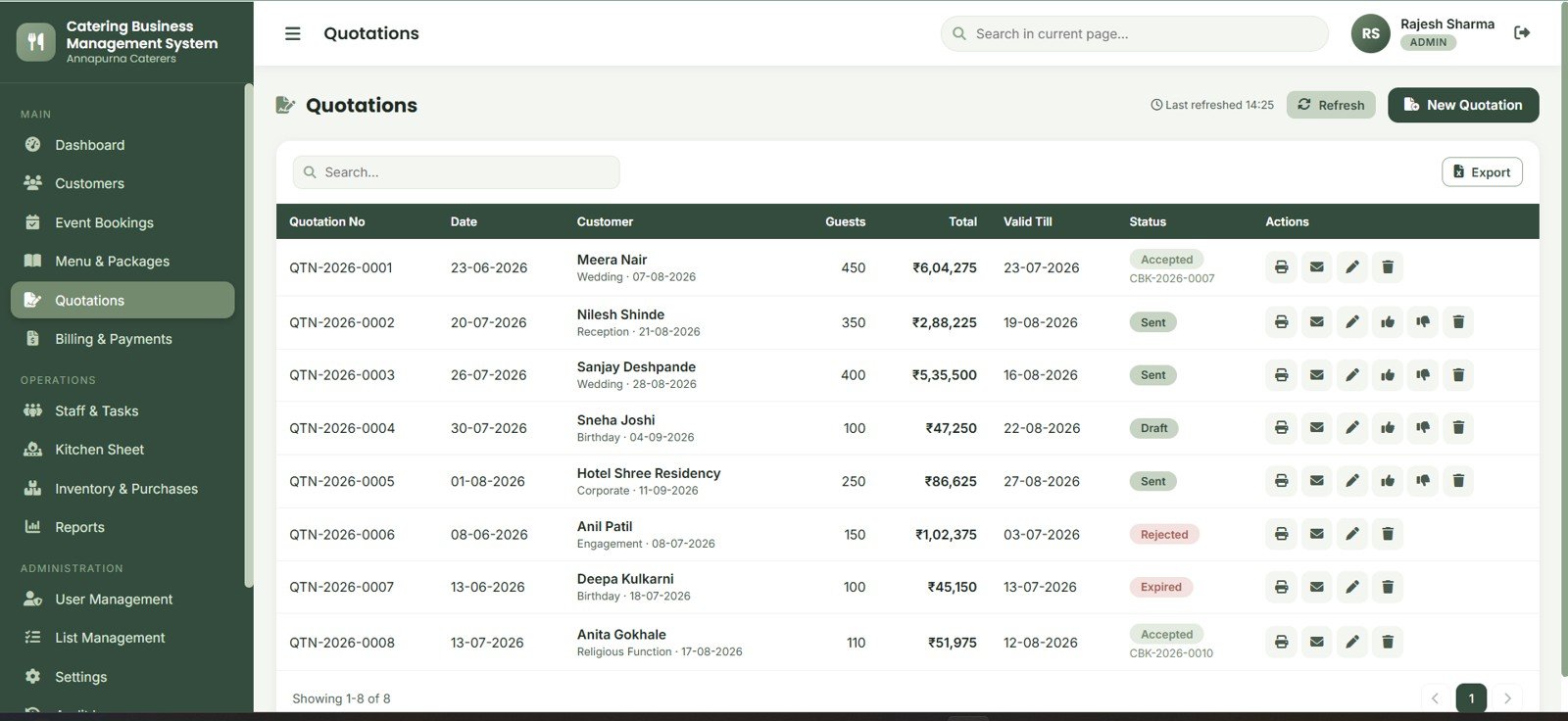
The Quotations page tracks quotation number, date, customer, guest count, total, validity and status. Print, email, edit, accept, reject and delete actions support the sales stage before a booking is finalized.
Billing & Payments
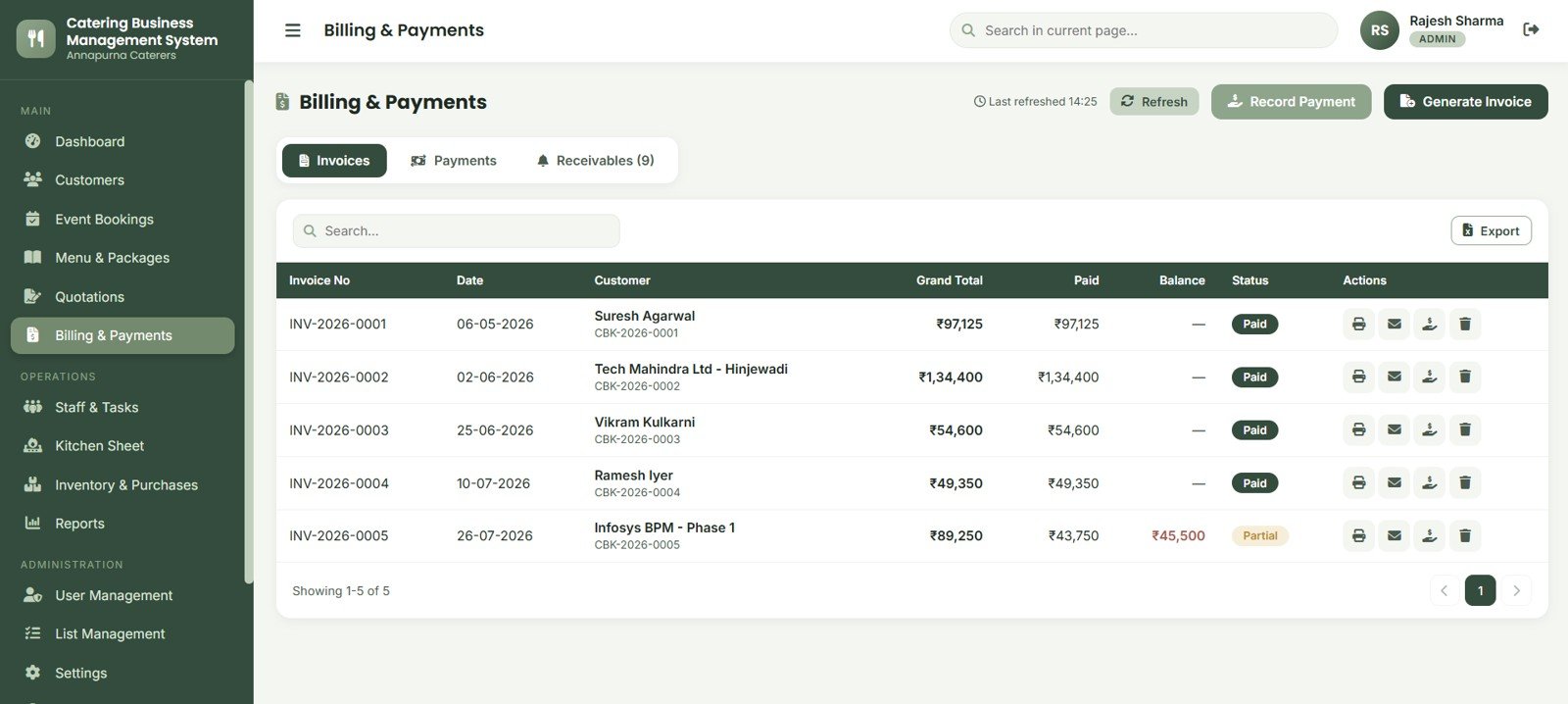
Billing & Payments handles invoices, payments and receivables. Users can record payments, generate invoices, export finance records and review grand total, paid amount, balance and invoice status.
Staff & Task Management
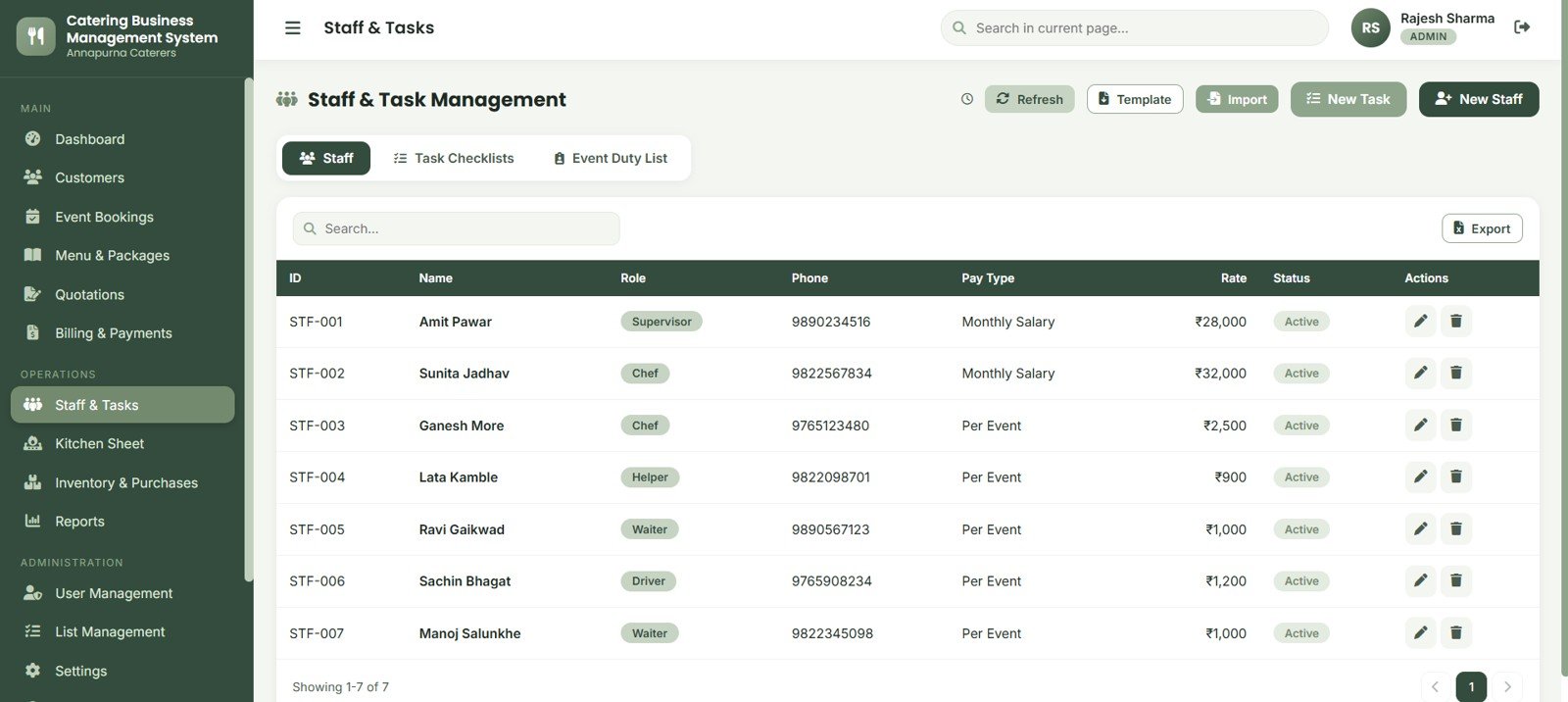
Staff & Task Management stores staff names, roles, phone numbers, pay type, rate and status. Task checklists and event duty lists help coordinate cooking, service, setup, transport, supervision and cleanup.
Kitchen Production Sheet
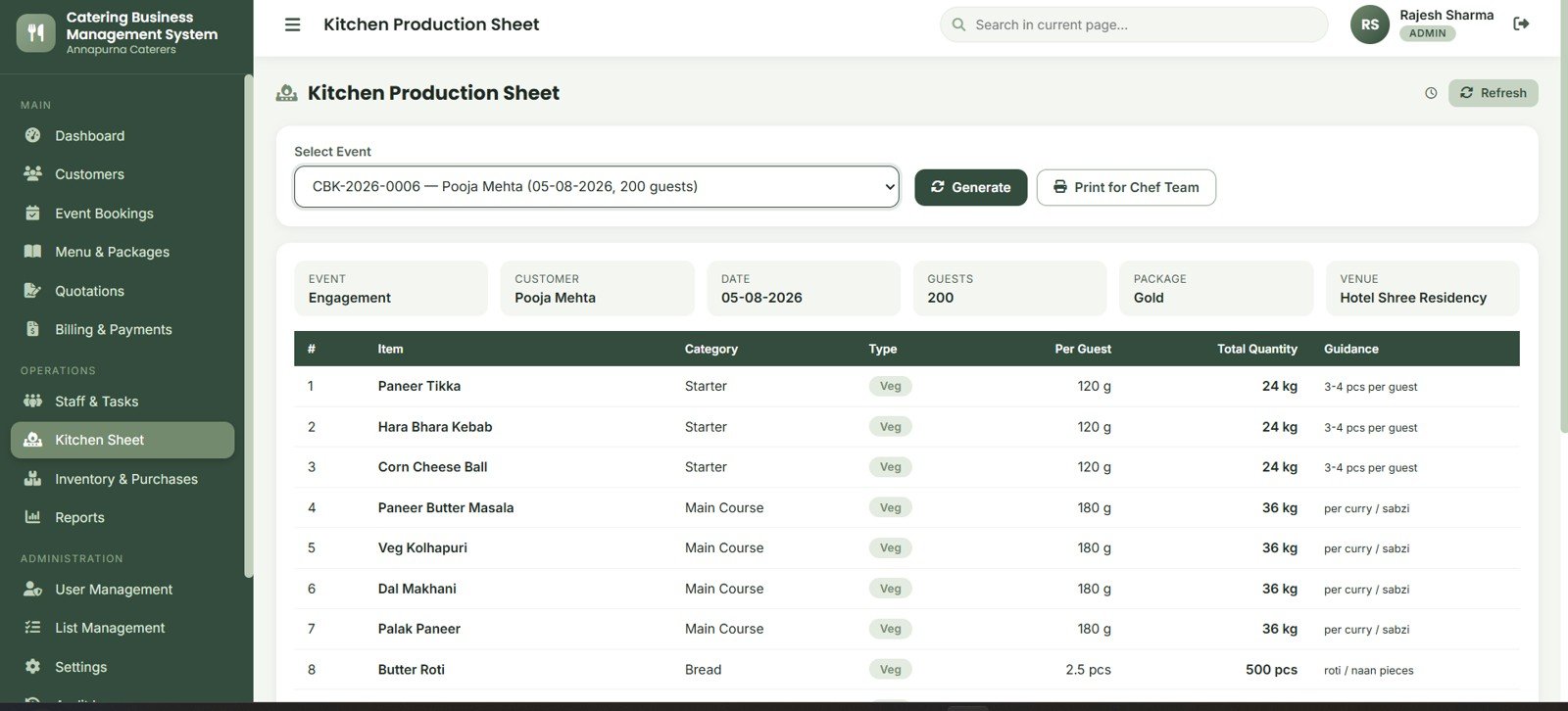
The Kitchen Production Sheet lets users select an event, generate item-wise requirements and print the plan for the chef team. It brings customer, date, guests, package, venue, item category, type, per-guest quantity and total quantity together.
Inventory & Purchases
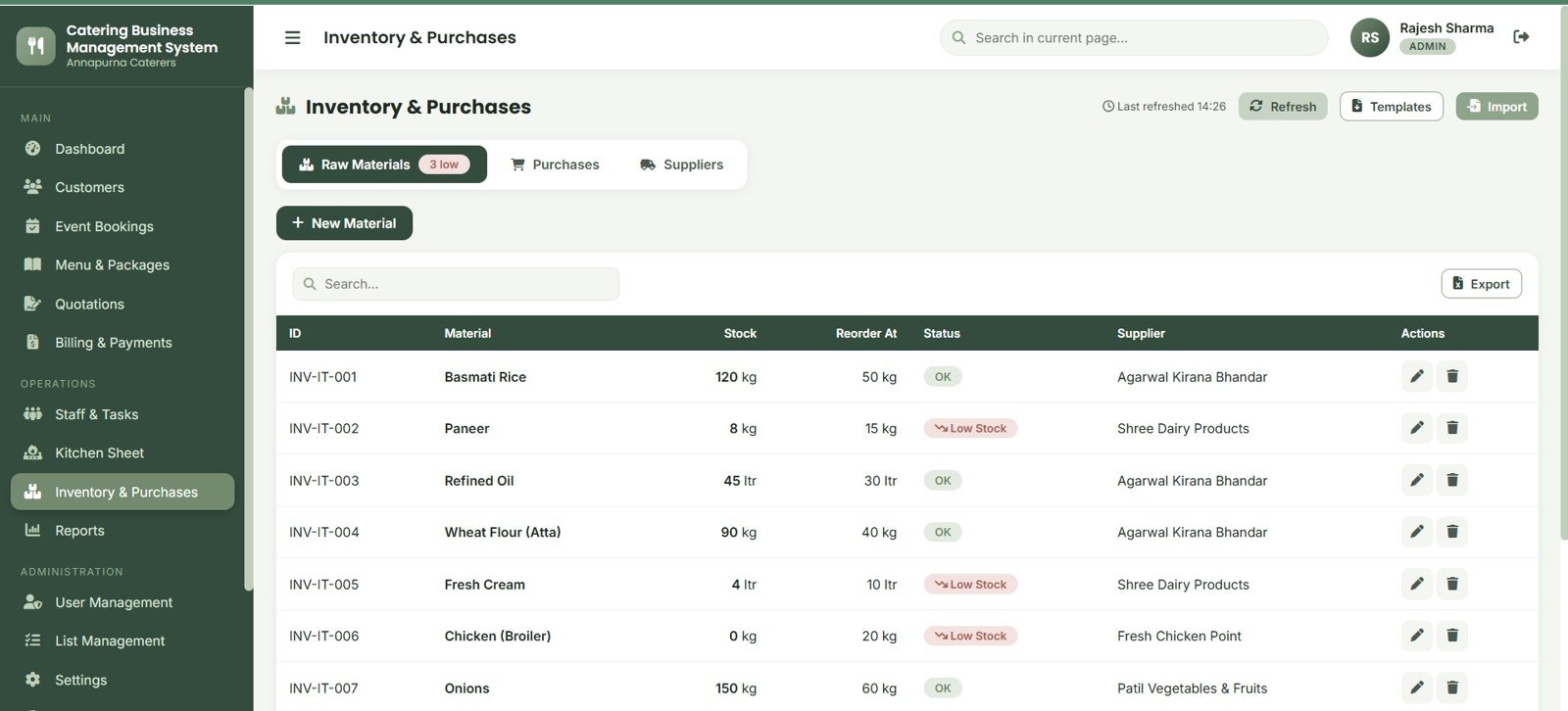
Inventory & Purchases covers raw materials, low-stock items, purchase records and suppliers. Stock, reorder-at, status and supplier columns help teams prepare before busy event days.
Reports
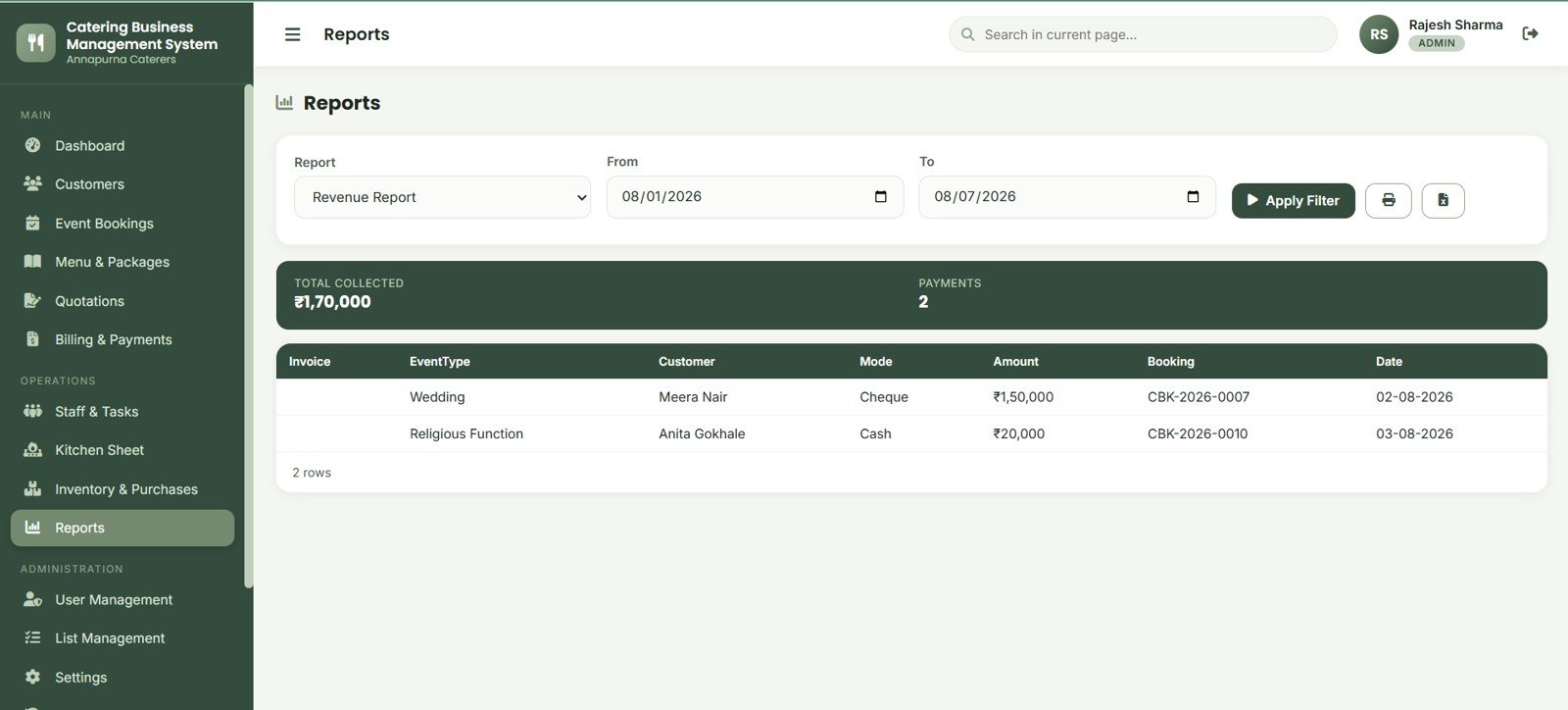
The Reports page supports revenue reporting with date filters, print and export controls. It summarizes collections, payments, invoice, event type, customer, mode, amount, booking and date for review.
User Management
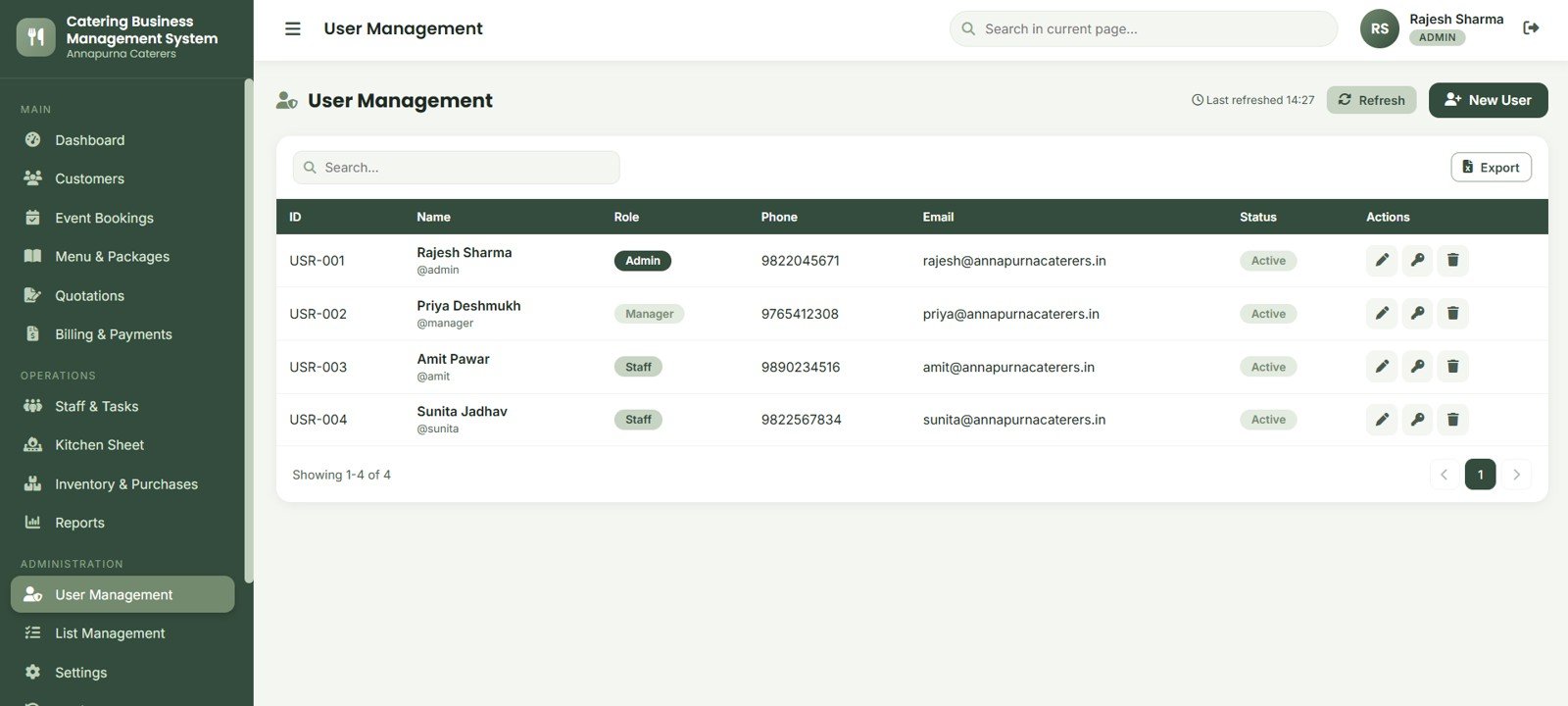
User Management helps owners add and maintain user records with ID, name, role, phone, email and status. This gives the web app a basic access structure for admin and team use.
List Management
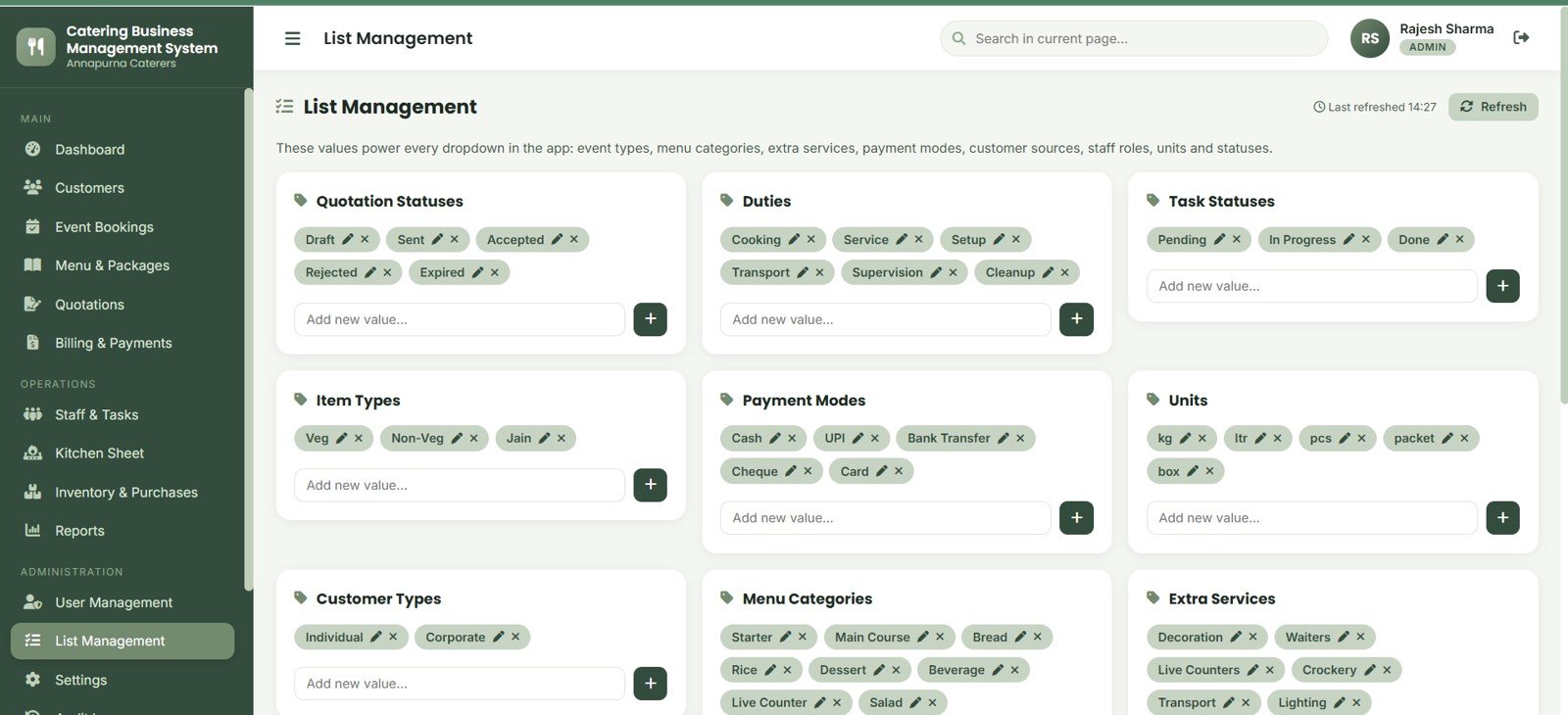
List Management controls dropdowns for quotation statuses, duties, task statuses, item types, payment modes, units, customer types, menu categories and extra services. Standardized lists make daily entry and reporting cleaner.
Settings
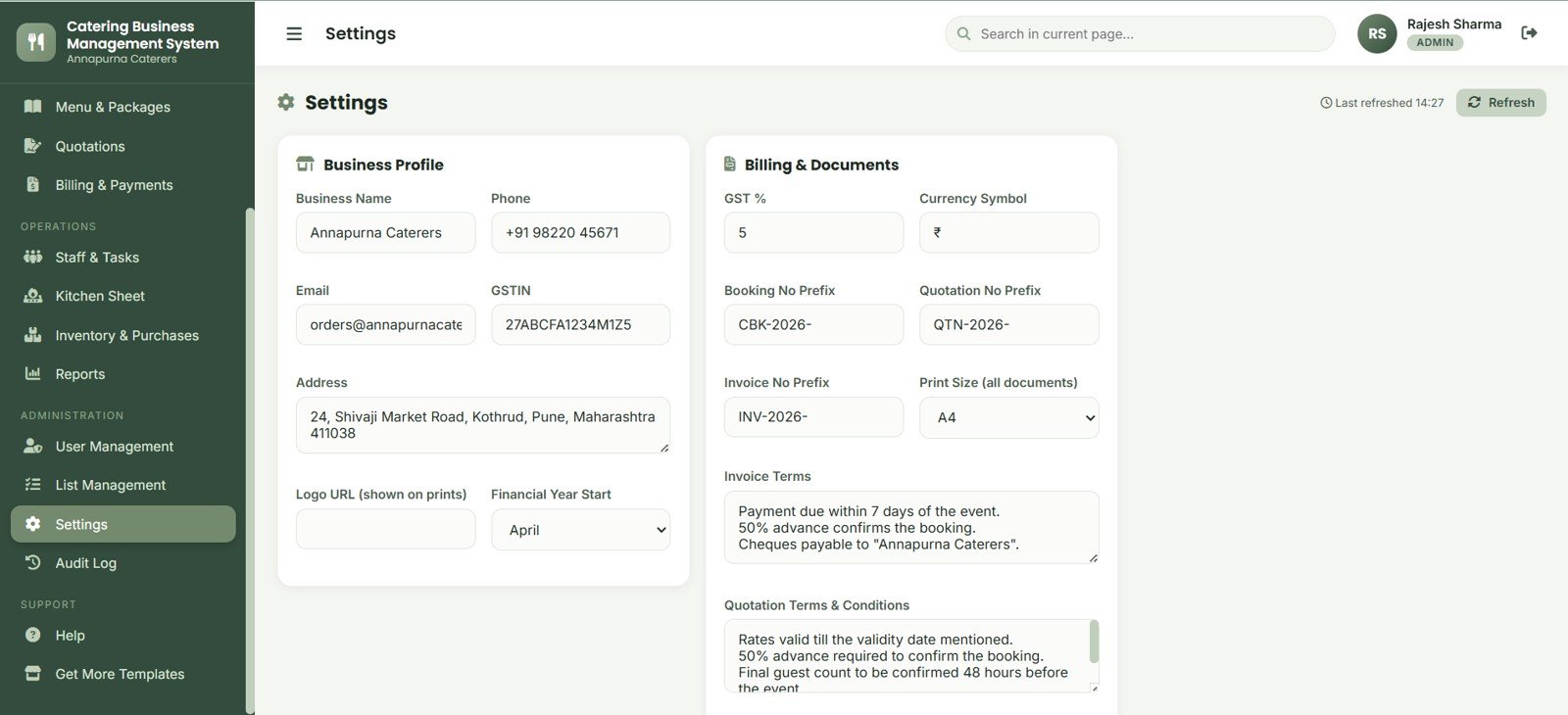
Settings stores business profile, billing defaults, invoice and quotation terms, prefixes, print size and other document fields. This is where the sample app becomes specific to the catering business.
Audit Log
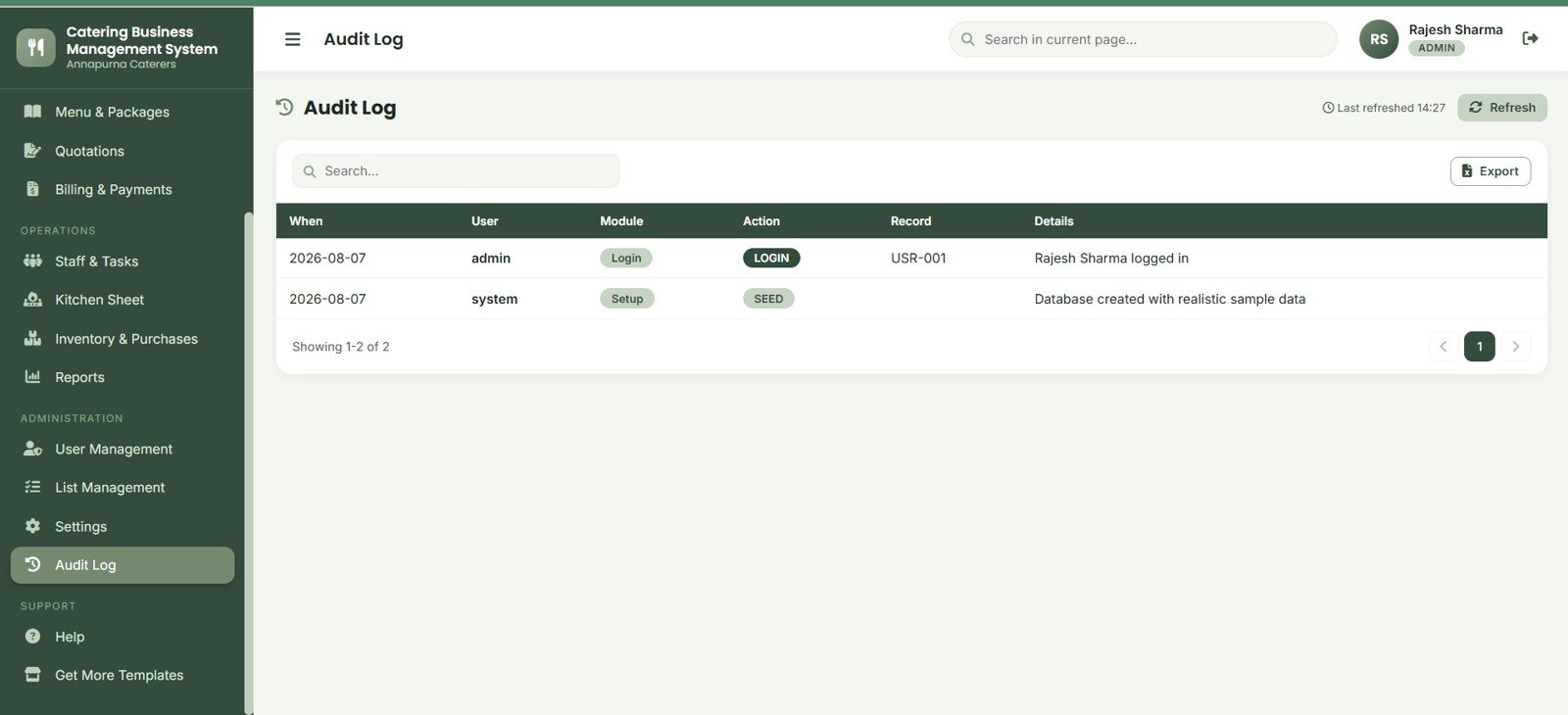
The Audit Log records when, user, module, action, record and details. It helps owners review login activity, setup changes, seed data actions and important system events.
Catering Business Management System Web App vs. Spreadsheet Tracker vs. Paid Catering SaaS – Feature Comparison
| Feature | Catering Web App | Spreadsheet Tracker | Paid Catering SaaS |
|---|---|---|---|
| Cost | One-time template purchase | Low software cost, higher manual setup | Monthly or annual subscription |
| Platform | Browser-based web app workflow | Excel or Google Sheets files | Vendor-hosted cloud app |
| Setup time | Starts with 15 ready screens | Requires structure and formulas from scratch | May require onboarding and plan setup |
| Real-time team collaboration | Designed for shared web app use | Possible, but file discipline matters | Usually strong, plan-dependent |
| Mobile access | Browser access after deployment | Works, but spreadsheet entry can feel cramped | Usually included |
| Customizable fields | Lists, settings and source files can be adapted | Highly editable but easy to break | Limited by vendor settings |
| Share with link | Yes, after deployment and access setup | Yes, with file permissions | Yes, through SaaS user accounts |
| Year-1 cost at 5 users | One-time template cost before customization | Internal build and maintenance time | Often materially higher due to seats |
| Kitchen production | Dedicated production sheet included | Usually custom-built manually | Included only in some catering systems |
| Quotations to bookings | Built into the workflow | Often split across multiple tabs | Usually included, less editable |
Who Should Use This Template
This template is useful for wedding caterers, corporate catering providers, party caterers, banquet catering teams, cloud kitchen operators, event planners and consultants who need a structured starting point for catering operations.
It is especially useful when the business needs better control over quotation follow-up, event bookings, menu packages, invoices, receivables, production quantities and raw material planning.
Real-World Use Cases
- Wedding catering: Track enquiries, quotation totals, event venue, guest count, package, advance payments and production quantities.
- Corporate catering: Manage recurring customer records, invoices, collections and revenue reports.
- Banquet operations: Coordinate staff duties, event checklists, kitchen requirements and inventory before busy weekends.
- Catering consultants: Use the structure as a client-ready starting point for a custom Google Apps Script solution.
Advantages of Using Catering Business Management System Web App
- It puts customer, quotation, booking, billing and production data into one operating flow.
- It reduces dependence on separate files for menus, bookings, invoices and raw material planning.
- It gives owners a practical dashboard before investing in expensive SaaS or custom ERP work.
- It keeps list values, settings and business document terms configurable.
- It includes export, print and audit-friendly views for business review.
Opportunities for Improvement
Catering Business Management System Web App
This template is intentionally focused on internal catering operations. It does not replace accounting software, payment gateways, WhatsApp automation, SMS reminders, public customer portals or delivery fleet management. Those can be treated as future customization opportunities if your catering business needs them.
Best Practices
- Start by updating settings, business profile, GST, currency, prefixes and document terms.
- Standardize customer types, menu categories, units, payment modes, duties and quotation statuses before importing live data.
- Review pending payments and upcoming events every morning.
- Generate kitchen production sheets only after guest count and package details are confirmed.
- Export reports weekly so finance and operations stay aligned.
- Keep a separate backup process for your underlying data source.
Explore Relevant Templates
Download the Catering Business Management System Web App from NextGenTemplates when you are ready to build a structured catering operations workspace.
You may also like the Banquet Hall Management System Web App, Buffet Restaurant Management System Web App, Hospitality & Restaurant Bundle and Catering Services Dashboard in Excel.
Frequently Asked Questions
What is included in the Catering Business Management System Web App?
It includes login, dashboard, customer management, event bookings, menu and packages, quotations, billing and payments, staff and tasks, kitchen production, inventory and purchases, reports, user management, list management, settings and audit log.
Is this a SaaS subscription?
No. It is a downloadable template product, not a monthly SaaS plan.
Can I manage quotations before confirming an event?
Yes. The quotation module supports quotation number, date, customer, guests, total, valid-till date, status and actions like print, email, edit, accept and reject.
Does the template include kitchen production planning?
Yes. The kitchen production sheet generates item-wise quantity guidance for selected events based on guests and package details.
Can I customize dropdown values?
Yes. List Management covers quotation statuses, duties, task statuses, item types, payment modes, units, customer types, menu categories and extra services.
Does it replace accounting software?
No. It helps with invoices, payments and receivables, but accounting, tax filing and bank reconciliation should remain in your formal accounting process.
About the Author
Built by PK – Microsoft Certified Professional with 15+ years of Excel, Google Sheets, and Power BI experience. Founder of NextGenTemplates, reaching 300K+ subscribers across YouTube channels. Every template is hand-built and tested before release.
Conclusion
The Catering Business Management System Web App is a practical starting point for catering teams that need better control over enquiries, quotations, bookings, menus, billing, payments, staff work, kitchen quantities, raw materials and reports. It gives owners a structured app-style workflow while keeping the template flexible enough for future customization.Catering Business Management System Web App
For more template walkthroughs and automation ideas, visit the NeoTechNavigators YouTube channel.
Catering Business Management System Web App