Typing invoices by hand means reused numbers, wrong addresses and sales tax charged on hours that are not taxable. In this tutorial you build a free invoice template in Google Sheets that fills itself: an automatic invoice number that never repeats, a customer dropdown with XLOOKUP, item dropdowns with prices, sales tax on taxable lines only and a balance due box that turns green when the invoice is paid. Formulas only: no Apps Script, no add-ons.
⬇️ Download the Free Practice File
Google Sheets · opens a Make a copy page · Practice + Solution + data sheets · no add-ons
Watch the Video Tutorial
Video Overview
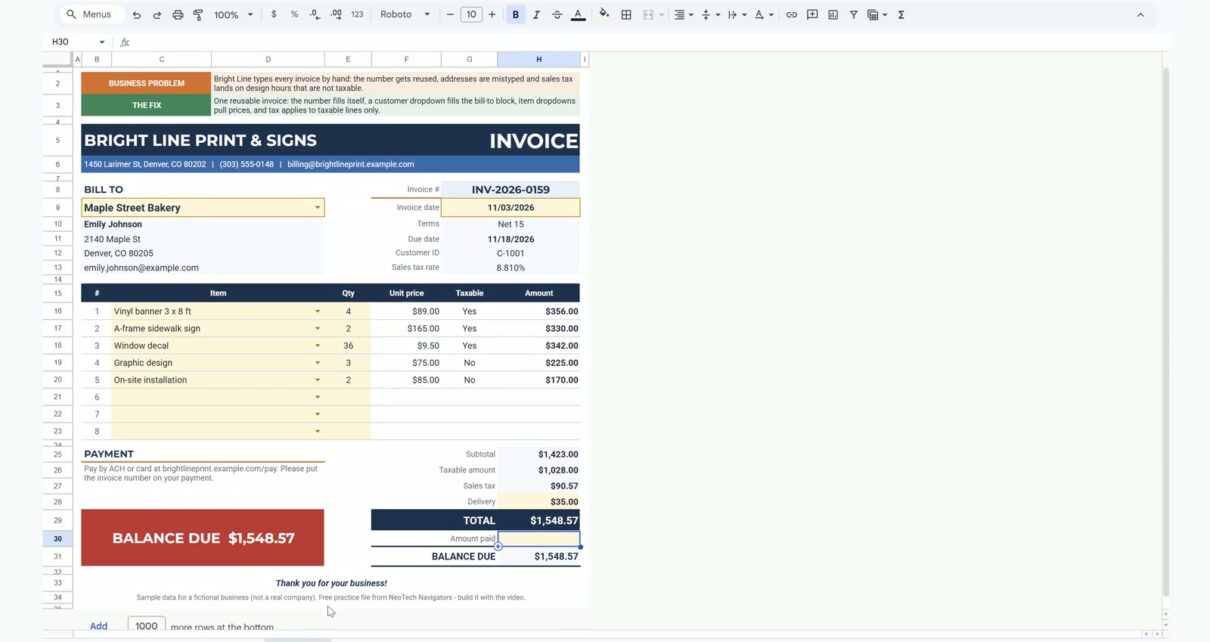
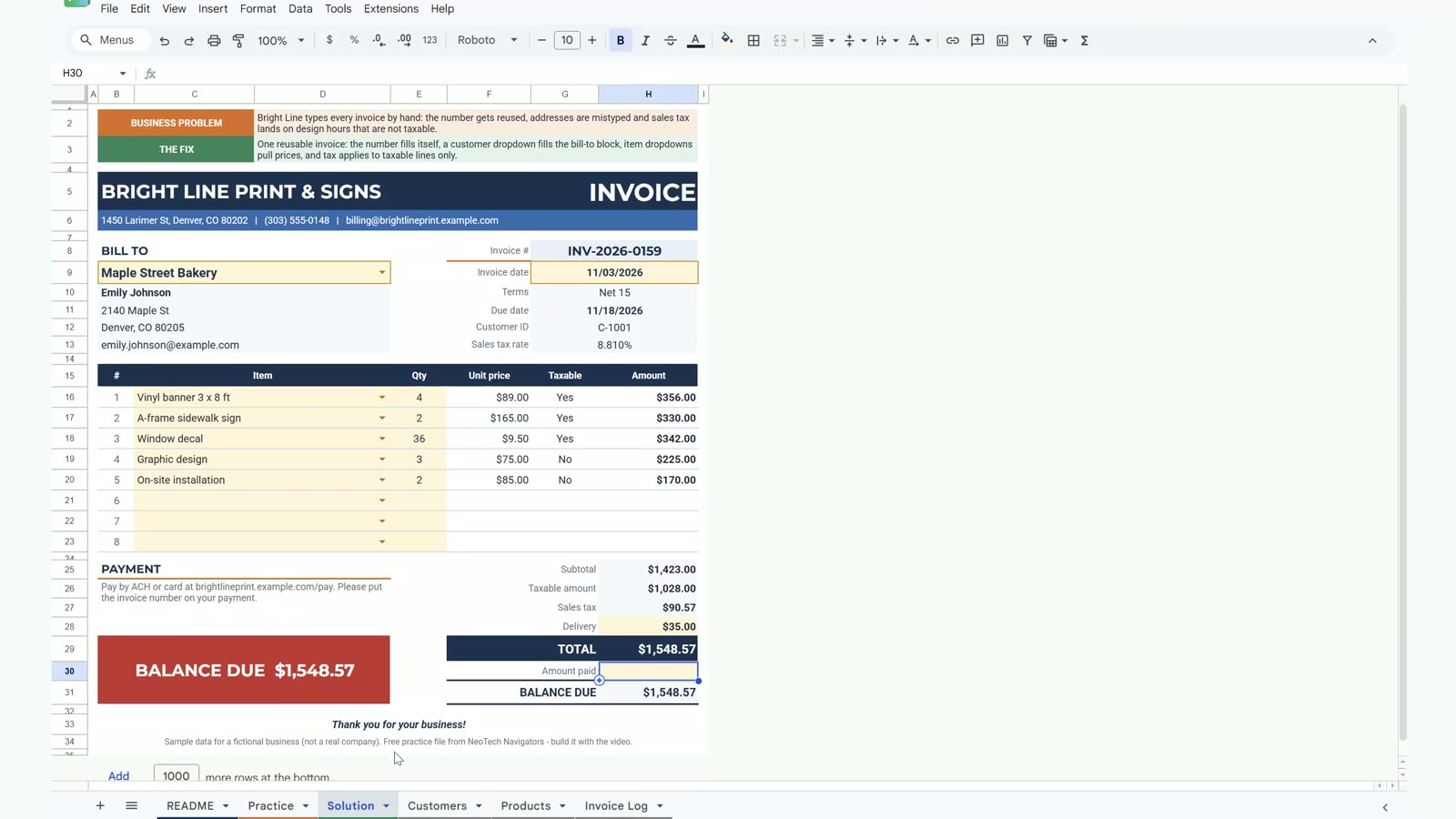
The 14-minute video builds the invoice for the fictional print shop Bright Line Print & Signs in Denver. Step 1 creates the invoice number with MAX plus 1. Step 2 adds the customer dropdown and fills the bill-to block, terms, due date and tax rate with XLOOKUP. Step 3 adds item dropdowns, prices from the price list and sales tax on the taxable lines only. The bonus builds a big status box that shows the balance due in red and turns green with PAID IN FULL when the payment is entered.
Invoice Template in Google Sheets: What You Will Build
- An invoice number that is the highest logged number plus one, so a deleted row never repeats a number.
- A customer dropdown that fills the contact, address, email, payment terms, due date and tax rate.
- Item dropdowns with unit price and a taxable flag for each line.
- Sales tax on the taxable amount only, plus delivery and a balance due.
- A status box that shows BALANCE DUE in red and PAID IN FULL in green.
The Practice File
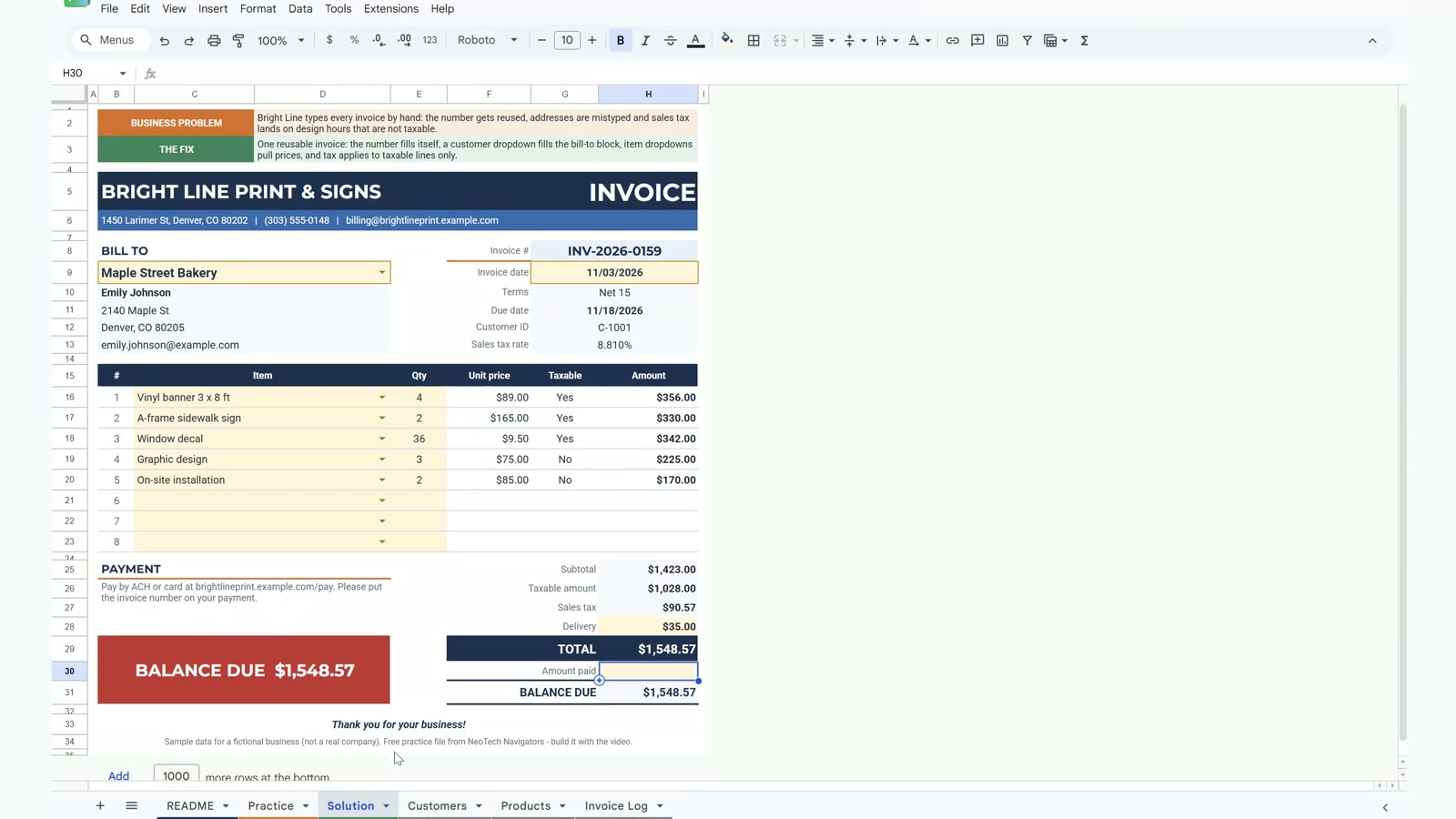
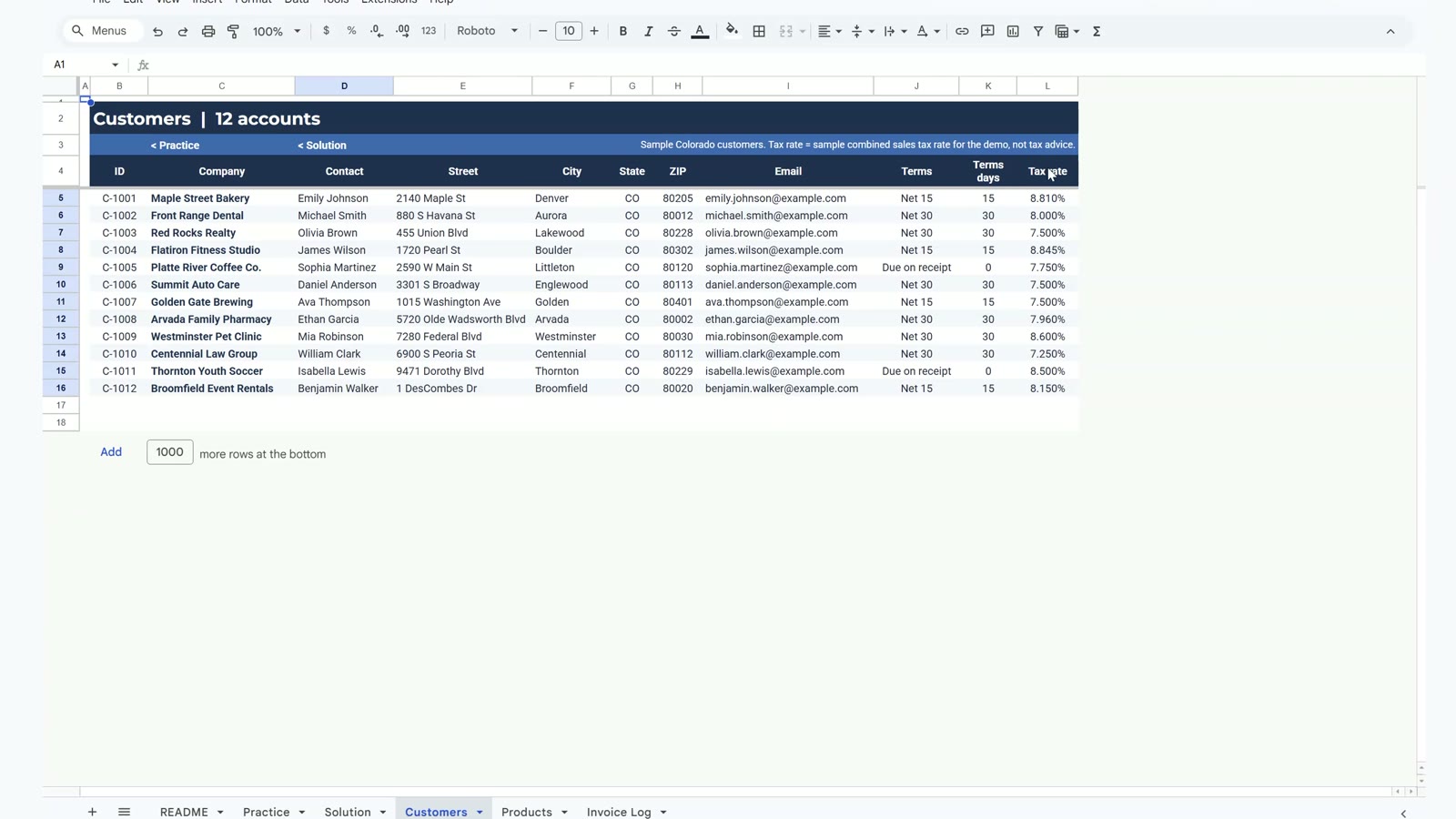
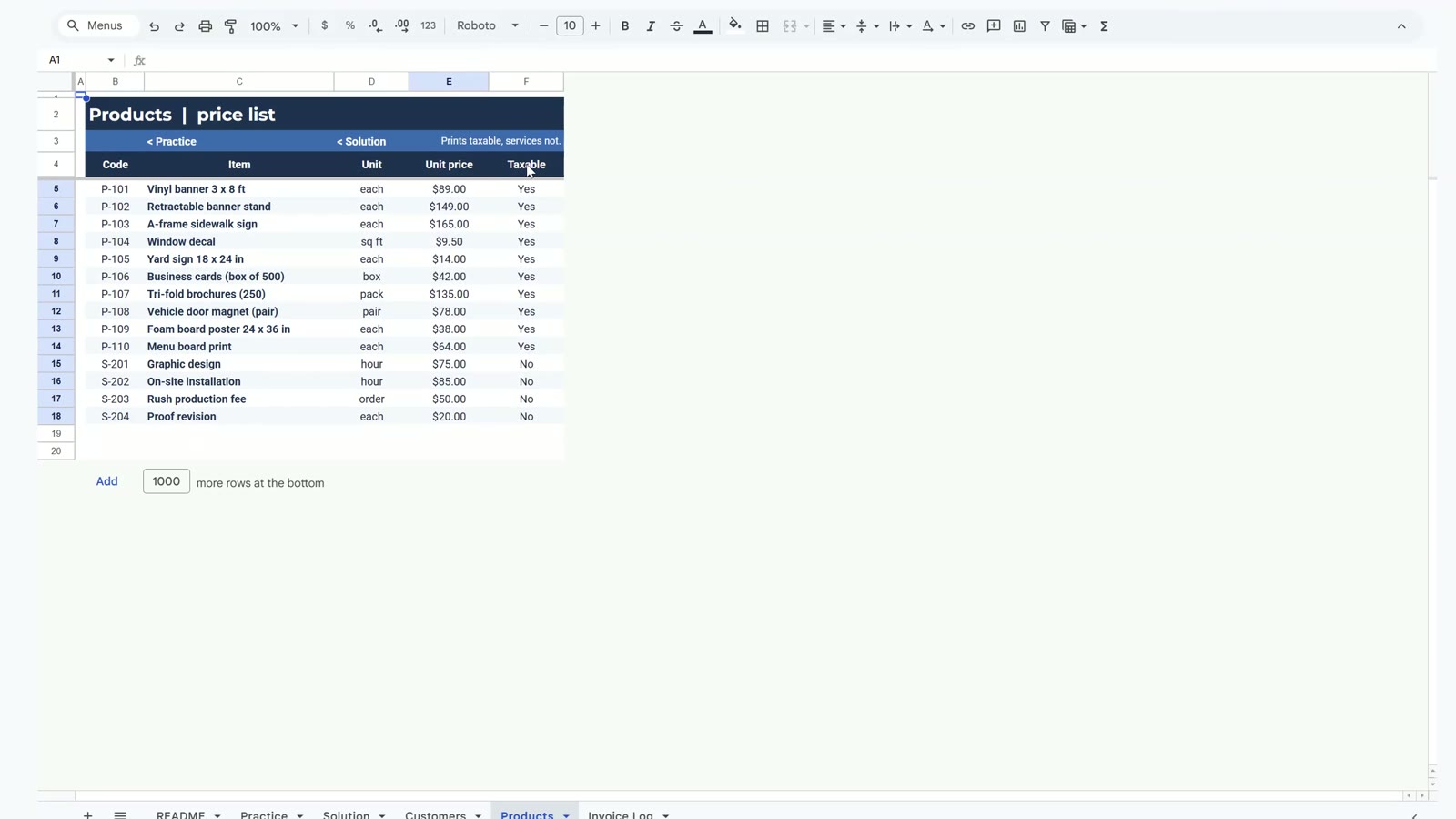
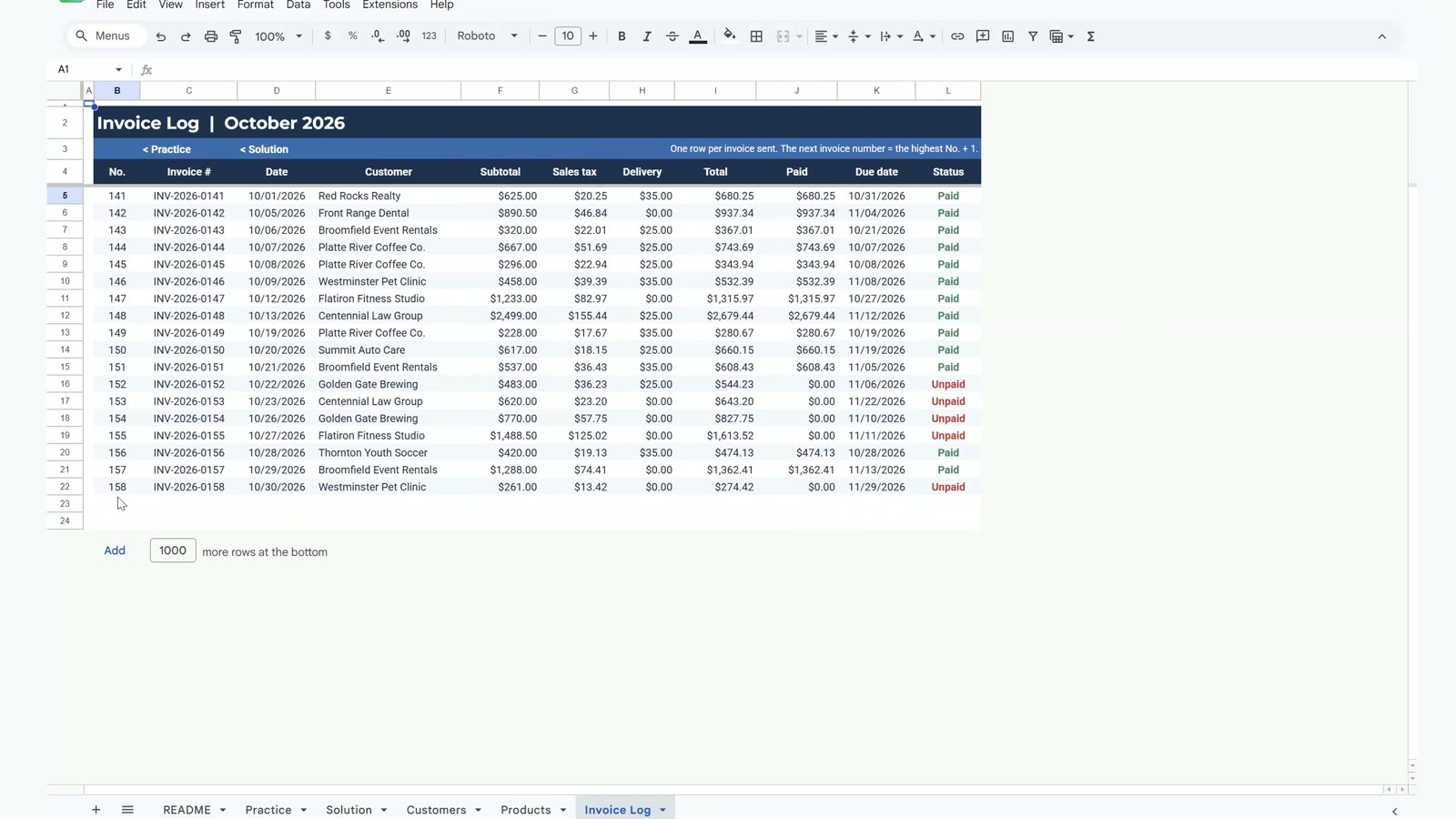
The free file opens a Make a copy page, so you get your own editable Google Sheet. It has a README, the Practice sheet to build along with the video, the finished Solution sheet and three data sheets: Customers (12 accounts), Products (a price list with 14 items and a taxable flag) and an Invoice Log with 18 invoices already sent, numbers 141 to 158.
Step 1: An Invoice Number That Fills Itself
On the Practice sheet select the invoice number cell G8 and type:
="INV-2026-"&TEXT(MAX('Invoice Log'!B5:B)+1,"0000")The log holds numbers up to 158, so the formula returns INV-2026-0159. TEXT(...,"0000") keeps the leading zeros.
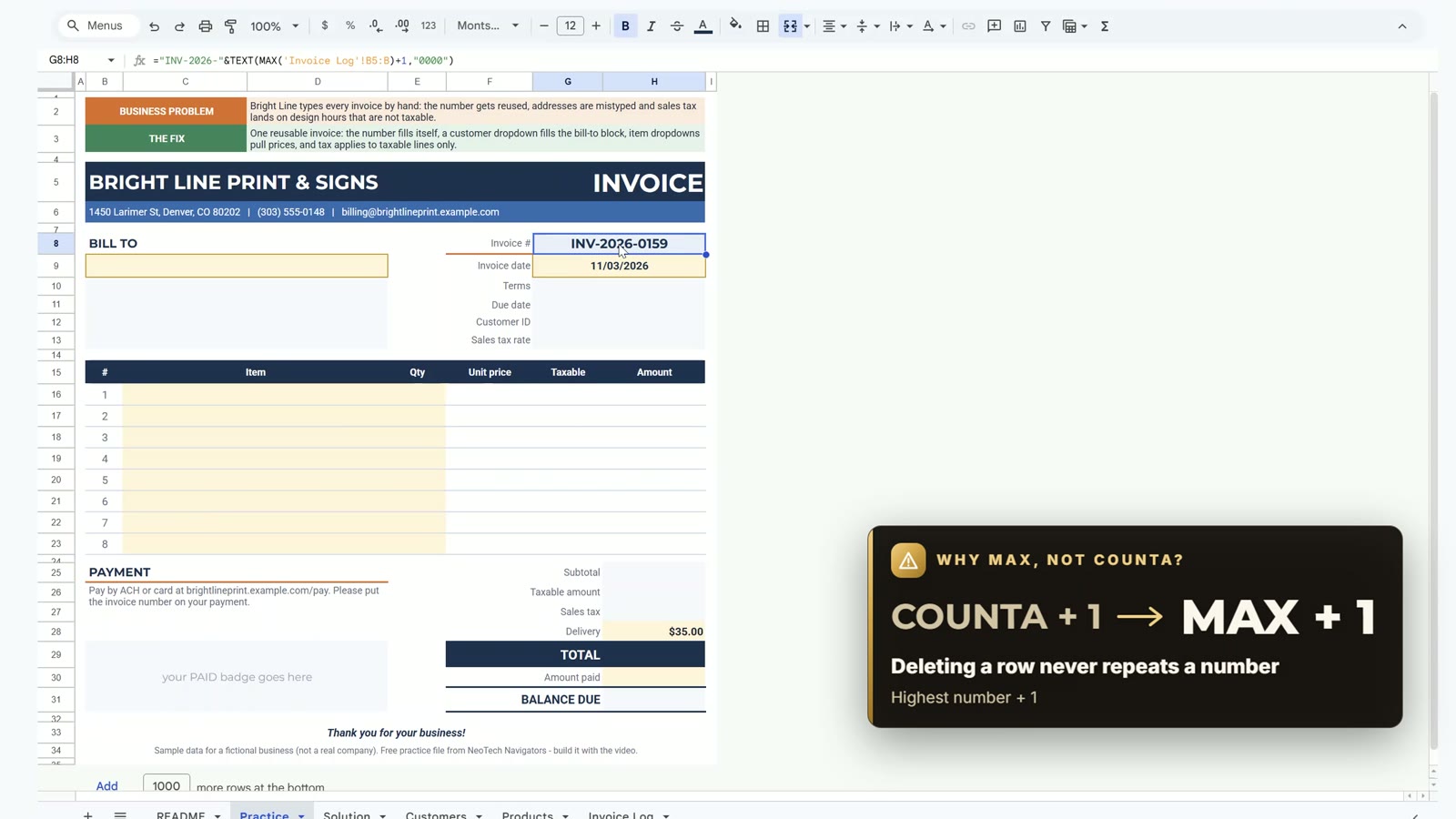
Why MAX and not COUNTA? COUNTA plus 1 counts rows, so after you delete a voided invoice the next invoice repeats an old number. MAX plus 1 never does.
Step 2: Customer Dropdown and Bill-To Block
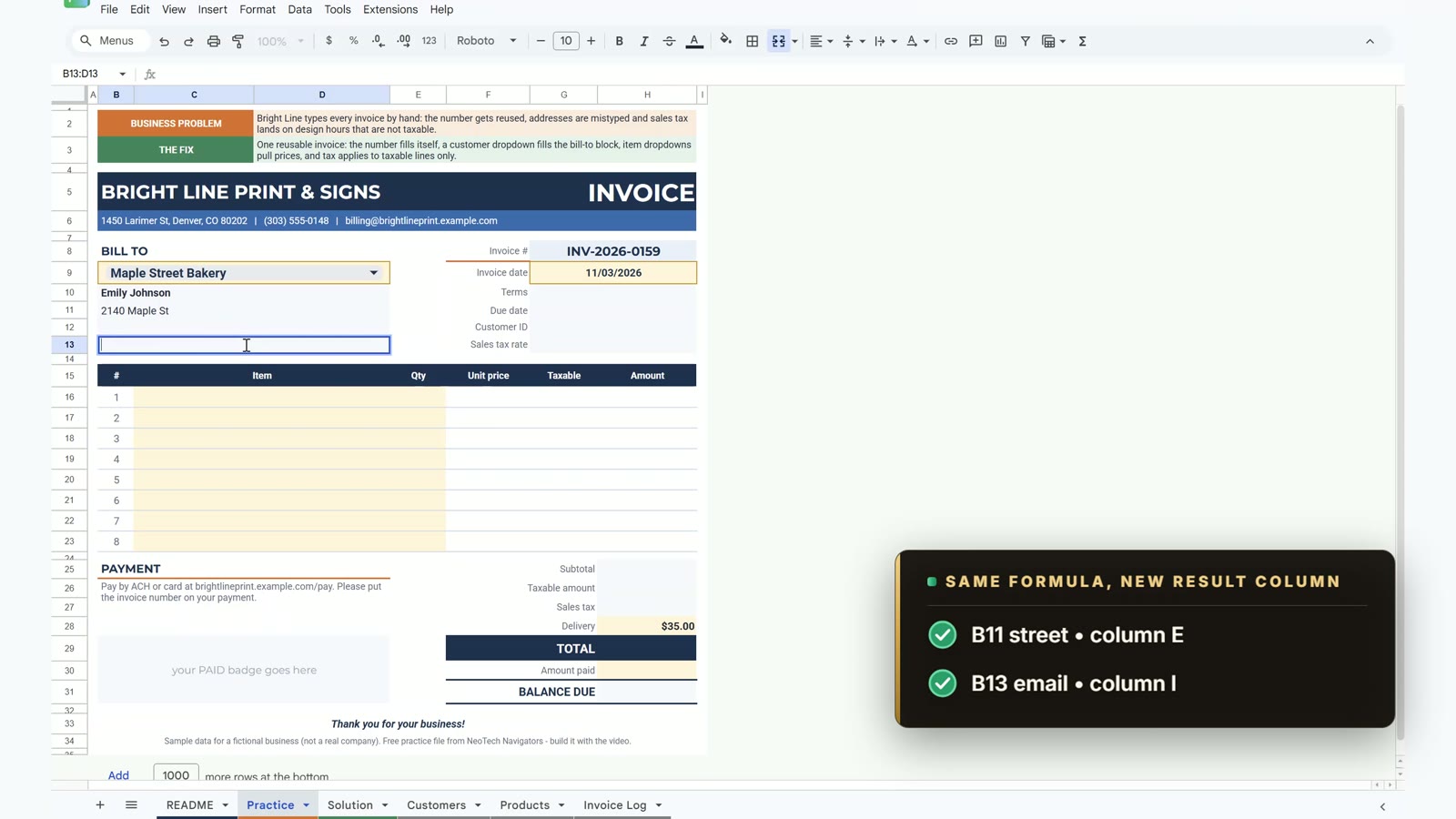
Select the merged customer cell B9, open Data › Data validation › Add rule, choose Dropdown (from a range), enter Customers!C5:C16 and click Done. Pick Maple Street Bakery. Then fill the block with XLOOKUP:
B10 =IF($B$9="","",XLOOKUP($B$9,Customers!$C$5:$C$16,Customers!$D$5:$D$16))
B11 same formula, return column E (street)
B13 same formula, return column I (email)
G10 terms, G11 due date =G9 + terms days, G12 customer ID, G13 tax rate
The guard IF($B$9="","",...) keeps a blank invoice clean instead of showing #N/A. Maple Street Bakery gives contact Emily Johnson, terms Net 15, a due date of 11/18/2026 and a tax rate of 8.810%.
Step 3: Item Dropdowns, Prices and Sales Tax
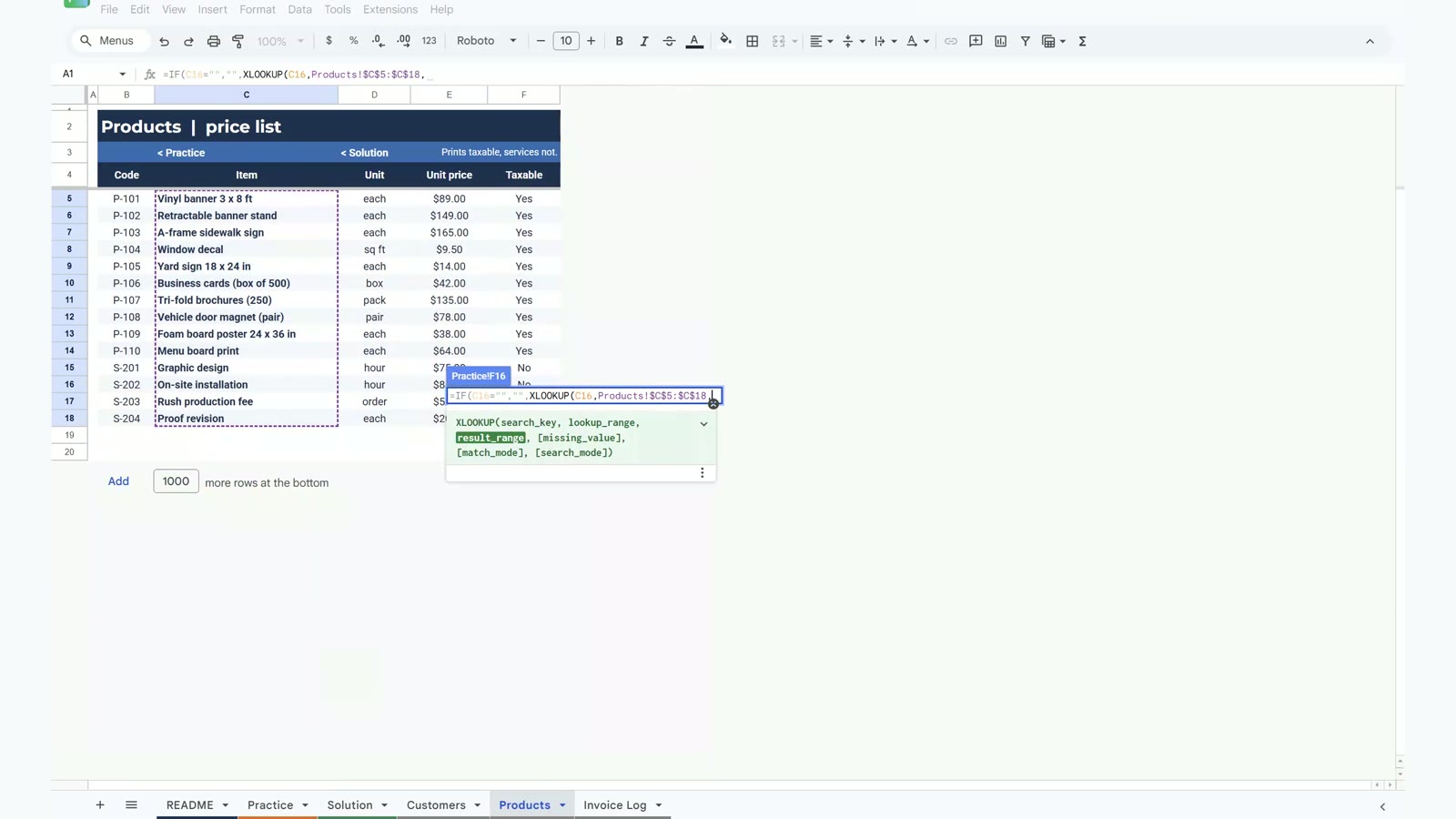
Select the item cells C16:C23 and add the same kind of dropdown with the range Products!C5:C18. Then look up the price in F16, and the taxable flag the same way from the next column:
=IF(C16="","",XLOOKUP(C16,Products!$C$5:$C$18,Products!$E$5:$E$18))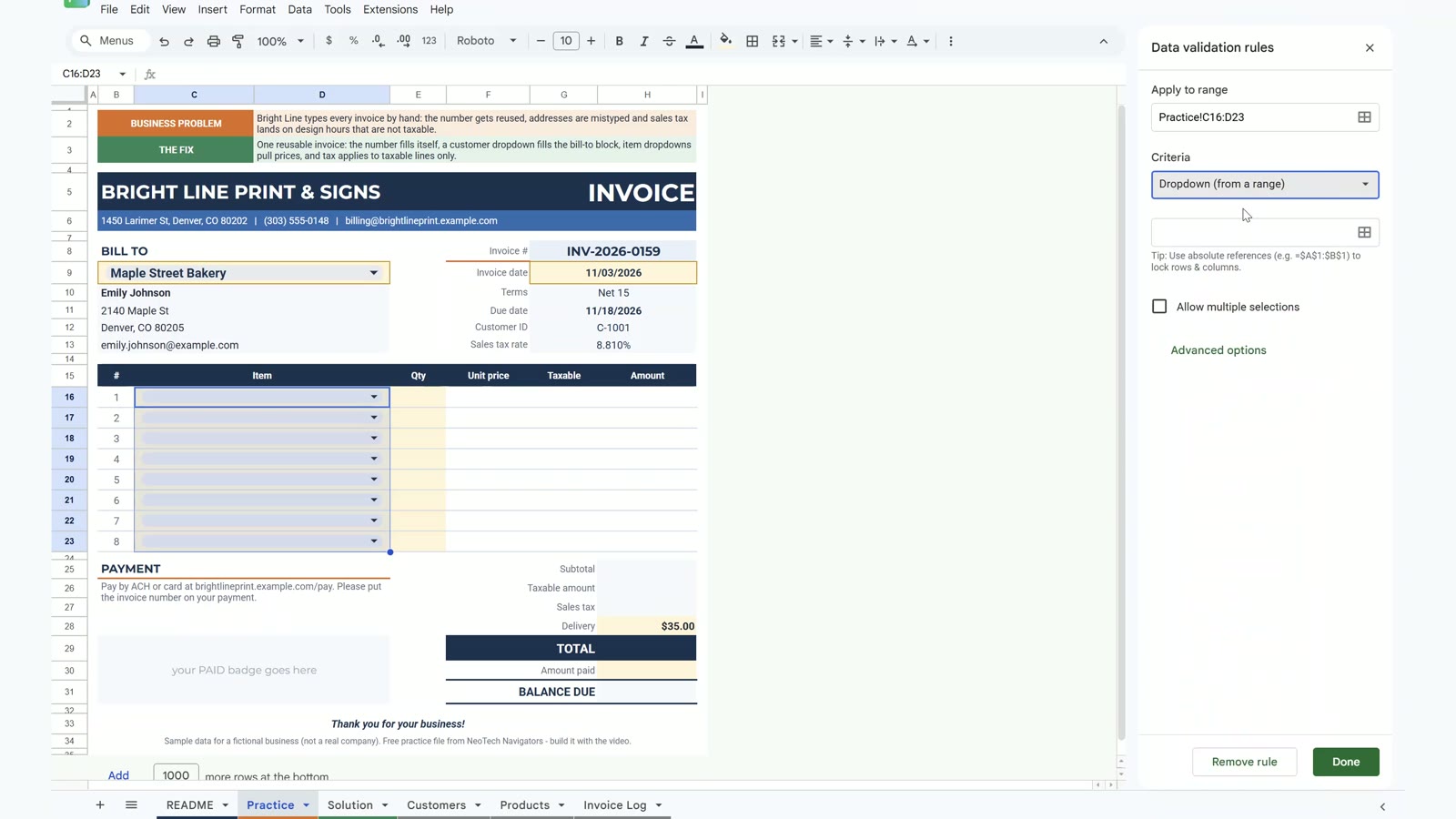
The amount is quantity times price. Copy the row formulas down to row 23:
=IF(C16="","",E16*F16)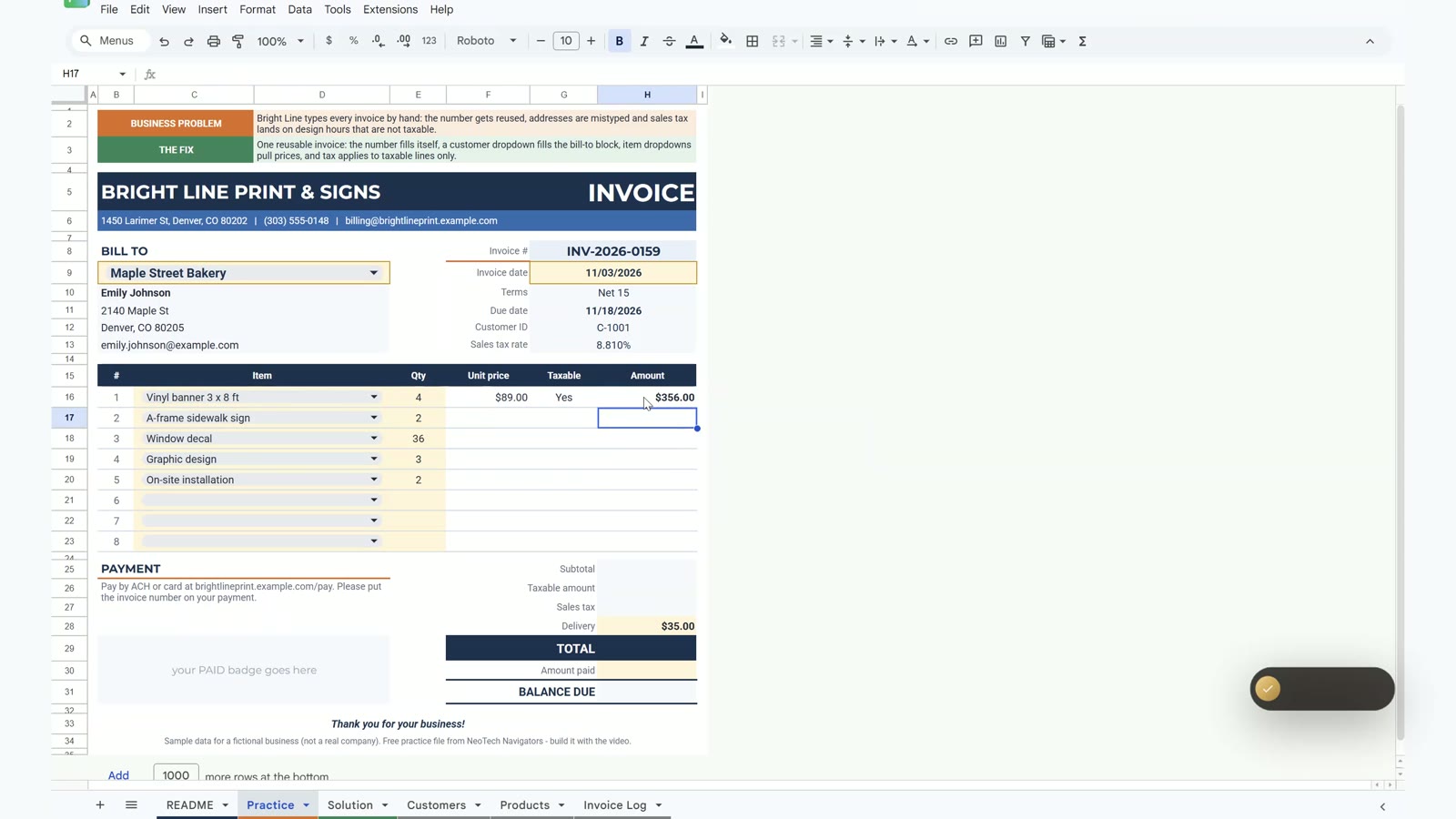
Now the totals. Tax is charged on the taxable lines only:
H25 Subtotal        =SUM(H16:H23)
H26 Taxable amount  =SUMIF(G16:G23,"Yes",H16:H23)
H27 Sales tax       =ROUND(H26*G13,2)
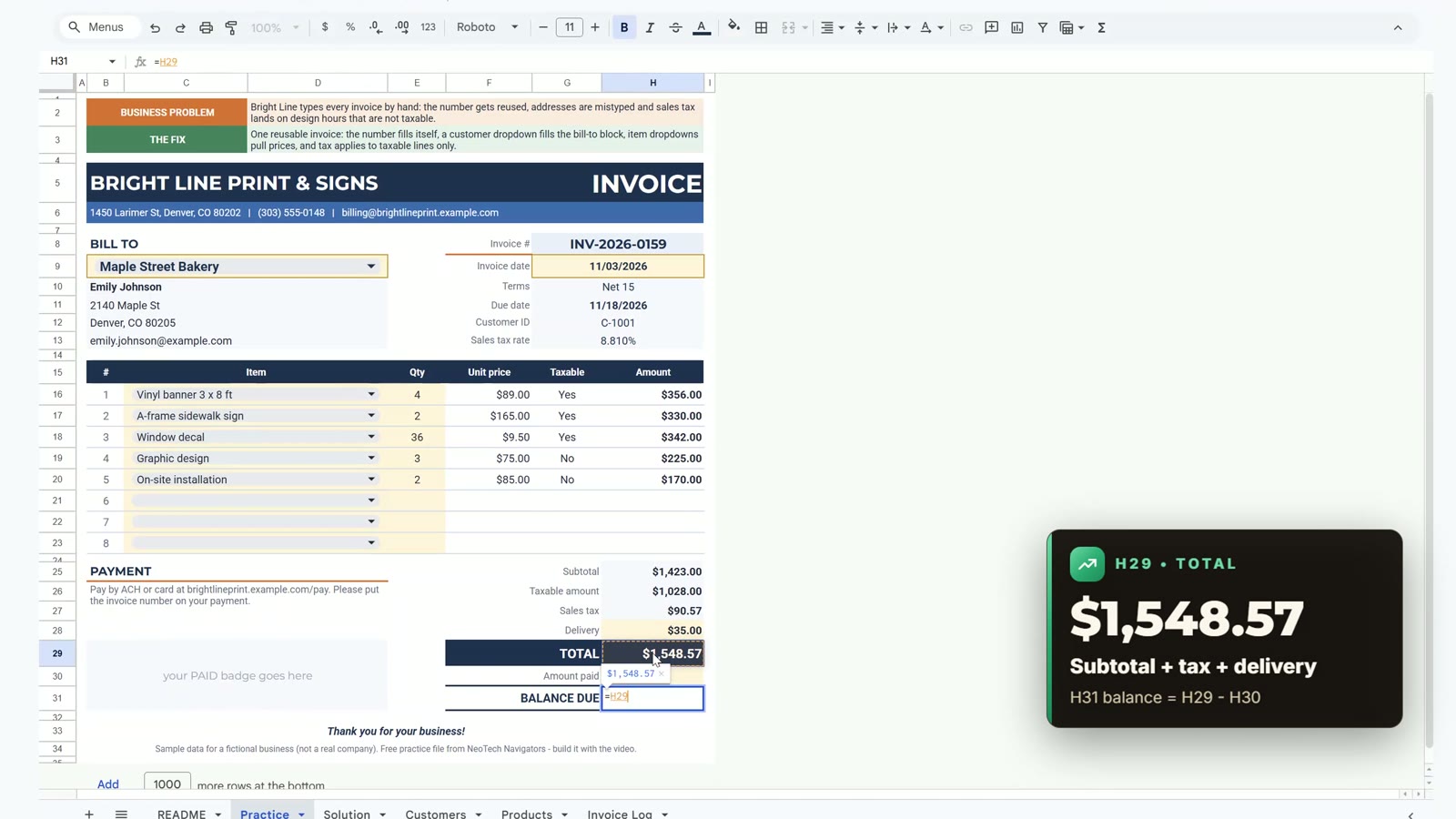
H29 TOTAL           =H25+H27+H28
H31 Balance         =H29-H30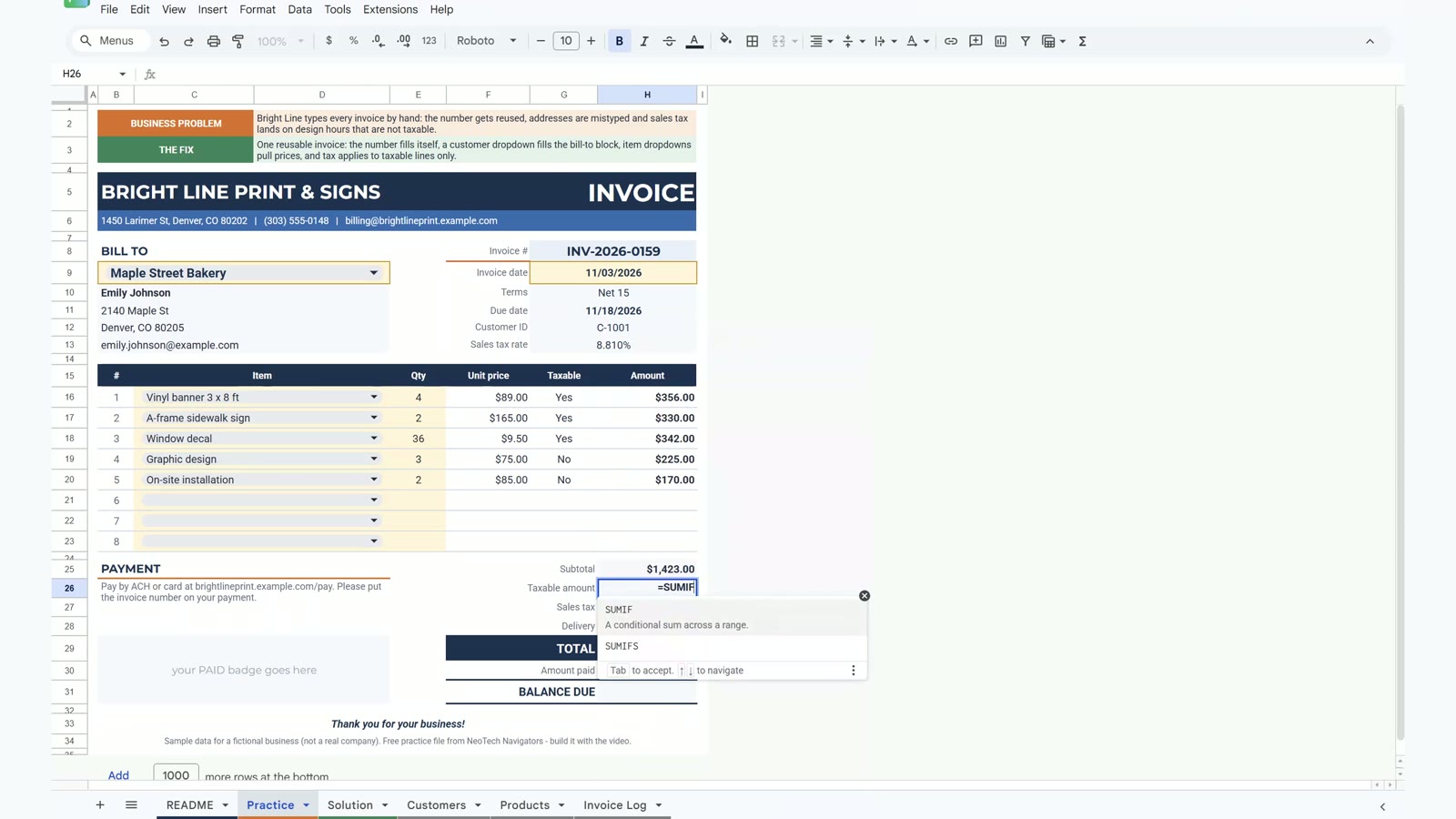
With a subtotal of $1,423.00 the taxable amount is $1,028.00 and the sales tax is $90.57. Add $35.00 delivery and the total is $1,548.57. Charging tax on the whole subtotal would give $125.37 and overcharge the customer.
Bonus: Balance Due Box That Turns Green
In the merged cell B29 type:
=IF(H29=0,"",IF(H31<=0,"PAID IN FULL","BALANCE DUE "&TEXT(H31,"$#,##0.00")))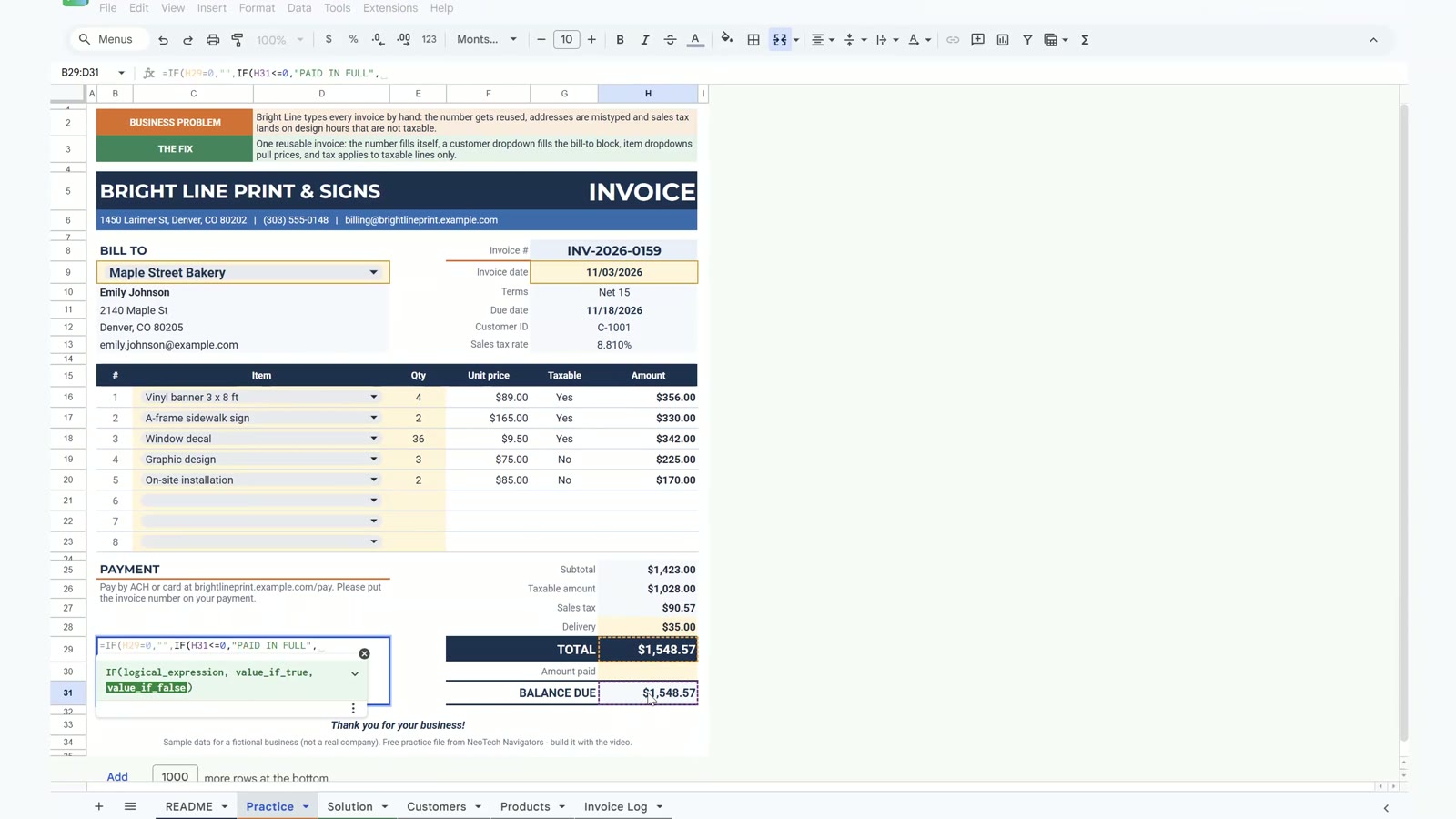
Select B29:D31, open Format › Conditional formatting, choose Text starts with and add two rules: PAID with a green fill and white text, BALANCE with a red fill and white text.
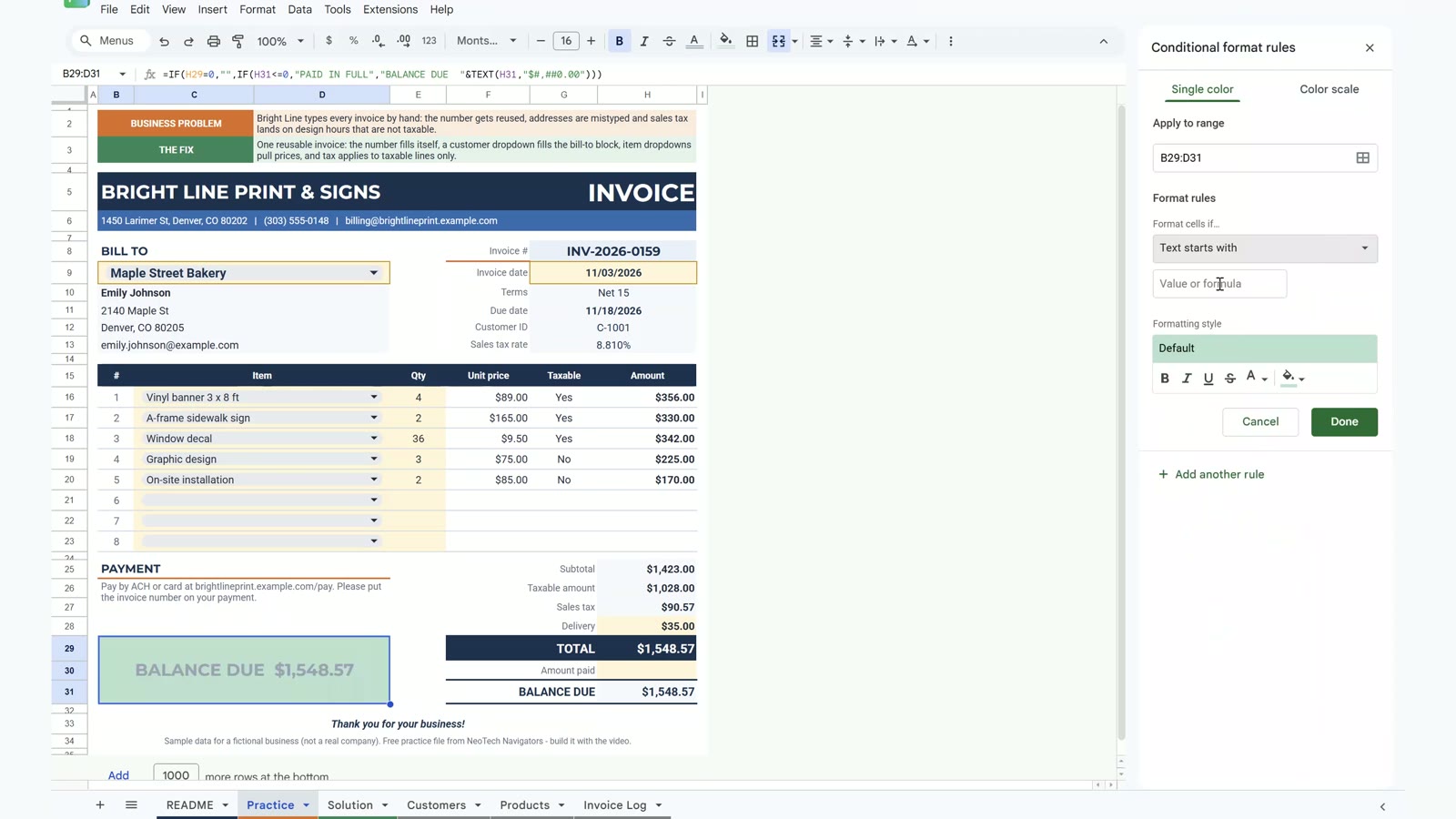
Type 1548.57 in the amount paid cell H30 and the box flips to PAID IN FULL in green.

Pick a second customer, Flatiron Fitness Studio in Boulder, and the template recalculates: tax $90.93, total $1,548.93, due 11/18/2026.
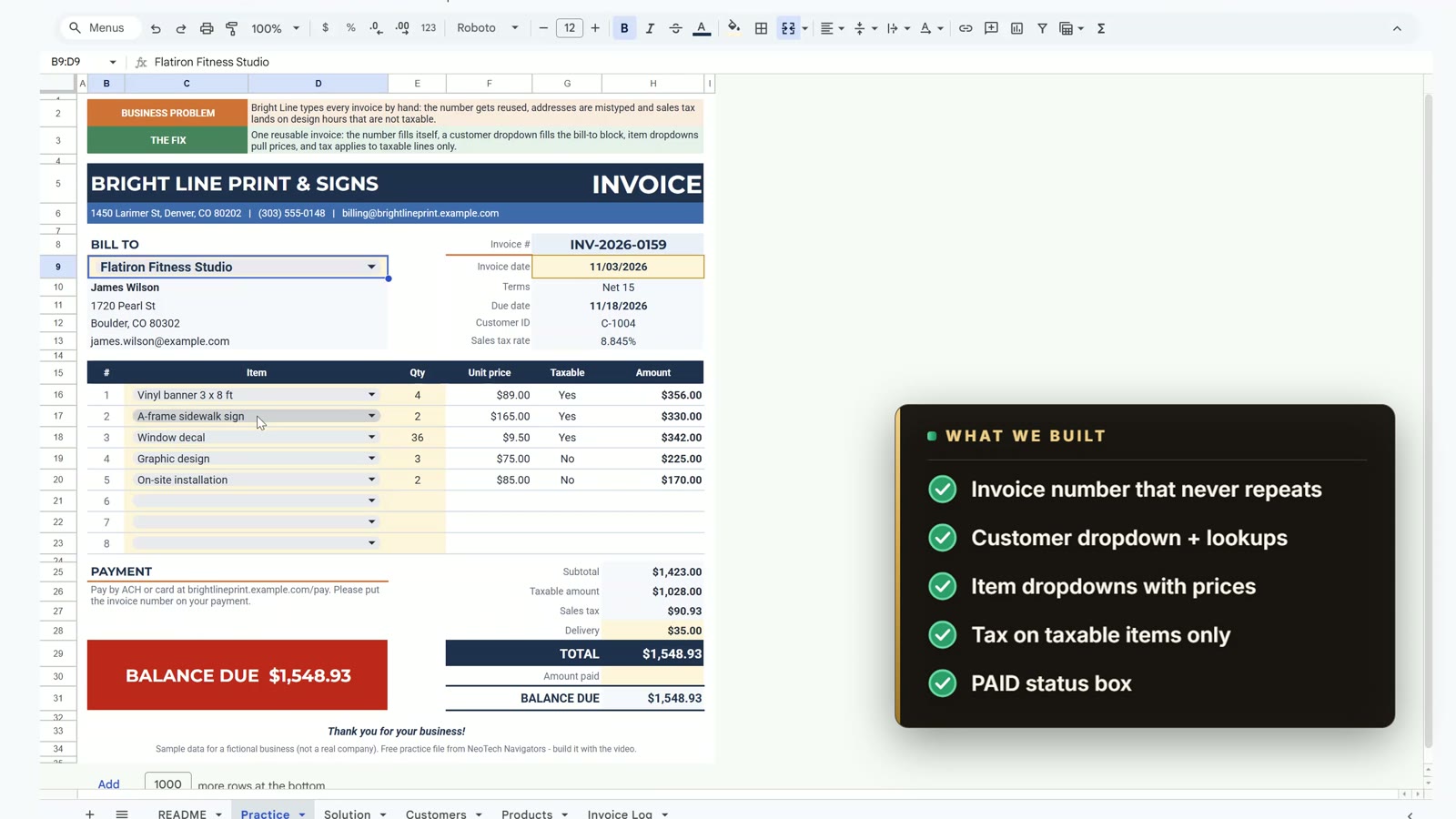
To send it, use File › Download › PDF with the selected cells B5:H34, fit to width and no gridlines.
Free Template vs the Ready-Made Version
| Need | This free invoice template | Professional Invoice Template in Google Sheets |
|---|---|---|
| Auto number, customer lookup, tax, status box | Yes | Yes |
| Professionally designed, ready to use | Basic | Yes |
| Price | Free | Paid |
Tips
- Pick dropdown values by clicking the option, not by typing.
- Keep the guard
IF($B$9="","",...)on every lookup so a blank invoice stays clean. - Replace the sample company name, customers and prices with your own.
- Check your local tax rules: the rates in the file are sample rates, not tax advice.
- Google’s XLOOKUP function help page explains every argument.
Want It Ready-Made?
This free template is perfect to learn the idea. For a polished version see the Professional Invoice Template in Google Sheets on NextGenTemplates.com. If you also work in Excel, the video course Excel + AI Mastery: 100 Essential Formulas teaches lookups and more step by step.
Frequently Asked Questions
How do I make an invoice template in Google Sheets?
Lay out the invoice on one sheet, keep customers, products and sent invoices on their own sheets, then add four things: a formula for the invoice number, a customer dropdown with XLOOKUP, item dropdowns with prices and tax, and a balance due box. This tutorial builds all four.
Is this invoice template free?
Yes. The practice file opens a Make a copy page, so you get your own editable Google Sheet with a Practice sheet to build along, a finished Solution sheet, a Customers sheet with 12 accounts, a Products price list with 14 items and an Invoice Log with 18 sent invoices.
How do I create an automatic invoice number in Google Sheets?
Use the highest number in the log plus one: ="INV-2026-"&TEXT(MAX('Invoice Log'!B5:B)+1,"0000"). With 141 to 158 logged, the next invoice is INV-2026-0159.
Why MAX plus 1 and not COUNTA plus 1?
COUNTA counts rows. If you delete a voided invoice, the count drops and the next invoice repeats an old number. MAX looks at the highest number used, so a number is never used twice.
How do I charge sales tax only on taxable items?
Give every product a Yes or No taxable flag, look it up next to each line, then add up only the Yes lines with SUMIF and multiply by the customer's tax rate. In the demo, tax on the taxable amount of $1,028.00 is $90.57, while tax on the whole subtotal would be $125.37 and overcharge the customer.
Are the tax rates in the file real?
No. They are sample combined rates for the demo, not tax advice. Replace them with the rates that apply to your customers.
How does the balance due box turn green?
One IF formula returns PAID IN FULL when the balance is zero or less, or BALANCE DUE with the amount otherwise. Two conditional formatting rules colour the text that starts with PAID green and the text that starts with BALANCE red.
Download the Practice File
Make your own copy of the practice file and build the invoice template along with the video.
⬇️ Download the Free Practice File
Google Sheets · opens a Make a copy page · Practice + Solution + data sheets · no add-ons
About the Author
PK (Priyendra Kumar) runs NeoTech Navigators, PK: An Excel Expert and NextGenTemplates.com, and builds Google Sheets and Excel tools for small businesses. Bright Line Print & Signs and its customers are fictional, and every number in this tutorial comes from the Solution sheet of the free file.
Conclusion
An invoice template in Google Sheets needs no add-ons or scripts. MAX plus 1 gives a number that never repeats, a dropdown with XLOOKUP fills the bill-to block, item dropdowns bring the prices, SUMIF charges sales tax on taxable lines only and one IF formula with two conditional formatting rules shows when the invoice is paid.