The Maintenance Tasks Calendar in Google Sheets organizes maintenance schedules across 5 structured worksheets, with annual, monthly, and daily calendar views plus a centralized events database. Facilities teams typically manage 50-200 recurring maintenance tasks per quarter, and missed preventive maintenance increases equipment failure risk by 35-40%. A structured calendar reduces scheduling gaps by up to 45%, helping teams stay ahead of breakdowns rather than reacting to them.
Whether you manage office buildings, rental properties, manufacturing equipment, or school campuses, tracking maintenance tasks in a shared Google Sheets calendar eliminates the confusion of scattered emails, sticky notes, and forgotten service dates. This ready-to-use Maintenance Tasks Calendar template gives operations teams, facility managers, and property owners a structured system to log, view, and filter every scheduled task — without paying monthly fees for dedicated CMMS software.
Get the Maintenance Tasks Calendar in Google Sheets
Key Features of Maintenance Tasks Calendar in Google Sheets
The Maintenance Tasks Calendar in Google Sheets includes 5 dedicated worksheets: Home, Annual View, Monthly View, Daily View, and Events. It tracks unlimited maintenance entries with 7 data fields per event — auto-generated ID, Date, Day, Event Name, Time, Location, and Description — giving every task a unique reference for quick lookup.
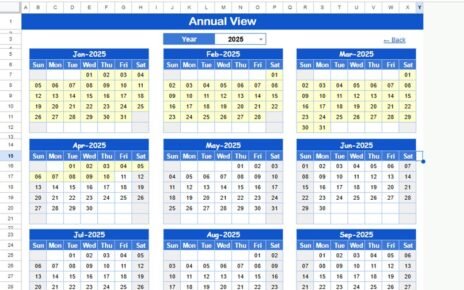
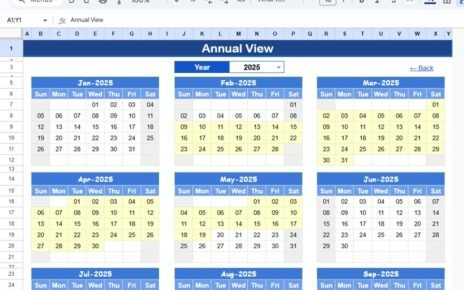
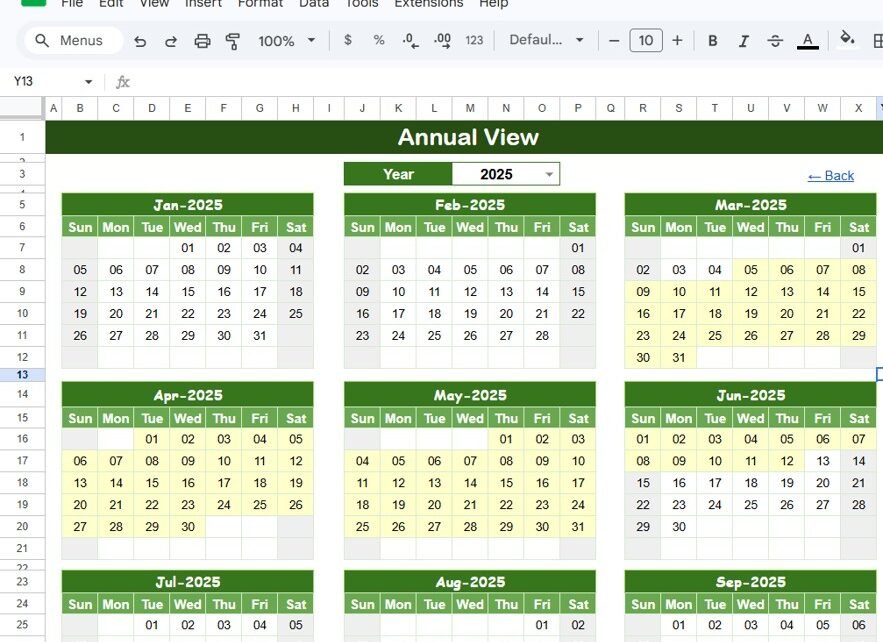
The Annual View displays all 12 months of the selected year in a single compact grid, letting managers spot seasonal maintenance patterns and heavy task months at a glance. The Monthly View renders a single month’s calendar where each date cell shows one scheduled event, with a “more than 1…” indicator when multiple tasks fall on the same day. The Daily View filters all maintenance events within a custom date range using built-in calendar pickers for start and end dates.
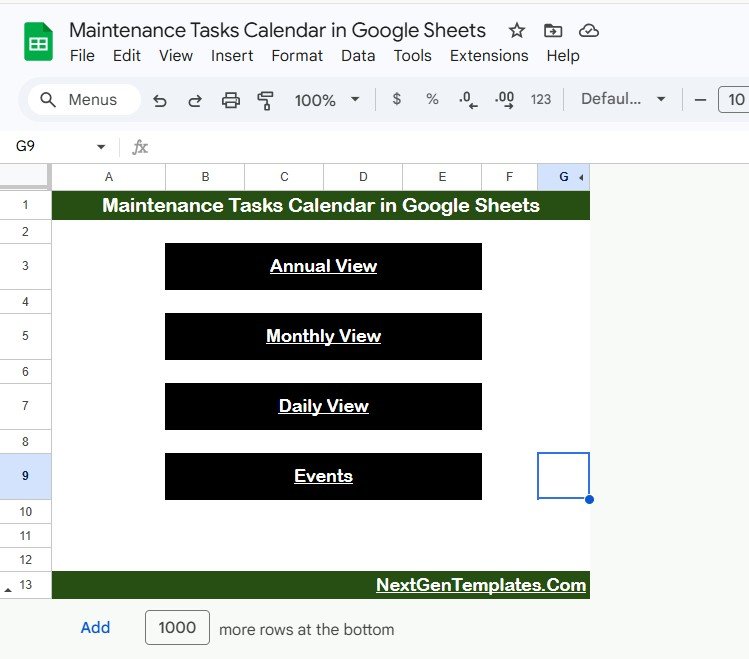
The Home sheet provides an index page with 4 navigation buttons (Annual View, Monthly View, Daily View, Events) for instant access to any section. The Events sheet functions as the centralized database where all task details are stored in a clean tabular format ready for sorting, filtering, and exporting.
Template Structure — Sheets Explanation
Home Sheet
The Home sheet serves as the landing page with 4 clearly labeled navigation buttons: Annual View, Monthly View, Daily View, and Events. Click any button to jump directly to the corresponding worksheet. This eliminates scrolling through sheet tabs, especially useful when sharing the calendar with team members who are less familiar with spreadsheet navigation.
Maintenance Tasks Calendar in Google Sheets
Annual View Sheet
The Annual View displays all 12 months of the selected year in a compact calendar grid. Each month shows the full day layout with maintenance events highlighted on their scheduled dates. This view is ideal for identifying seasonal maintenance clusters — for example, noticing that March and September have heavy HVAC servicing schedules, or that December has fewer tasks due to holiday closures. Facility managers use this view for annual planning, budget forecasting, and coordinating maintenance windows with operational schedules.Maintenance Tasks Calendar in Google Sheets
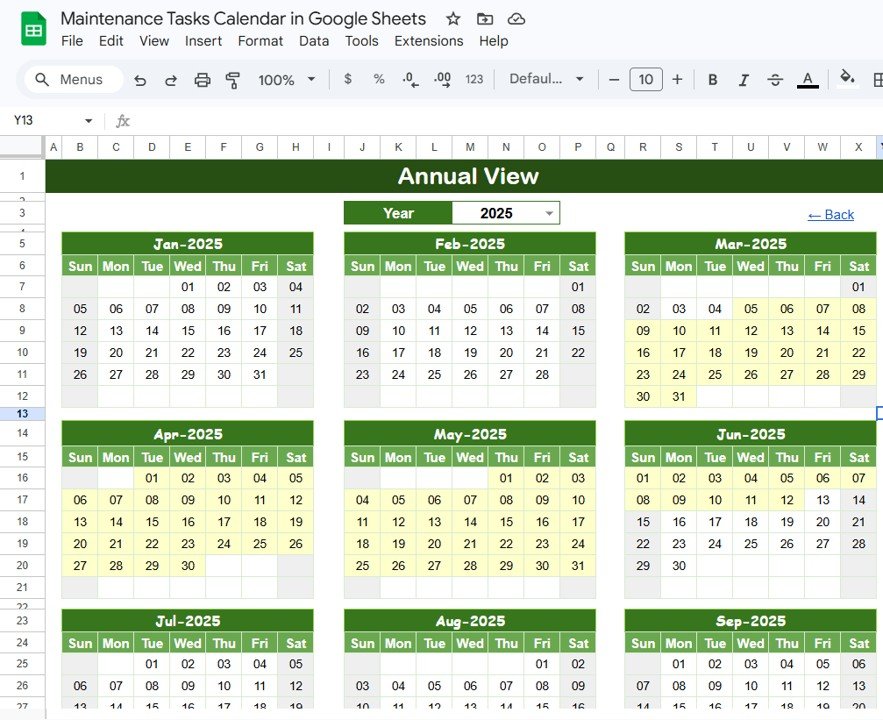
Annual View Sheet tab
Monthly View Sheet
The Monthly View presents a single month calendar for a selected month and year. Users choose the month and year from dropdown controls at the top, and the calendar dynamically updates to show scheduled maintenance tasks. Each date cell displays one event name, and if multiple tasks are scheduled on the same day, a “more than 1…” indicator appears so users know to check the Daily View or Events sheet for the complete list. This is the go-to view for weekly maintenance planning and team coordination.Maintenance Tasks Calendar in Google Sheets
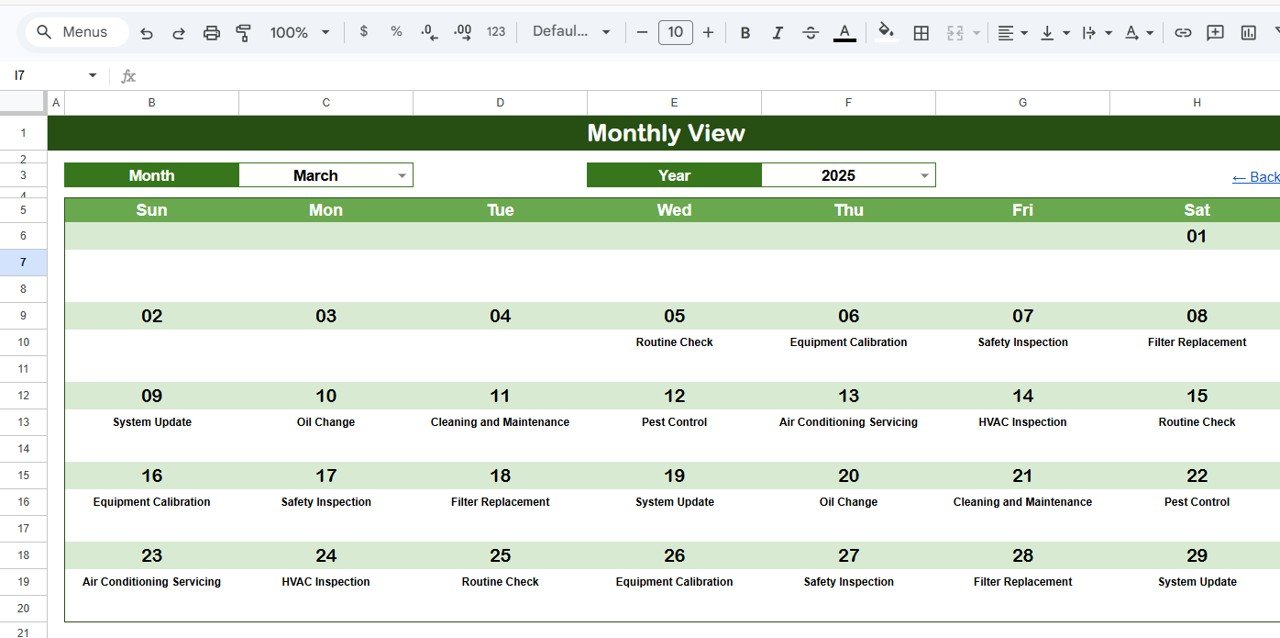
Monthly View Sheet tab
Daily View Sheet
The Daily View lists all maintenance events within a user-defined date range. Set the Start Date and End Date using the built-in calendar date pickers (double-click the cell to open the picker), and the sheet instantly filters all matching tasks with full details including event name, time, location, and description. This view is particularly useful for generating weekly maintenance reports, briefing technicians on upcoming tasks, or auditing completed work within a specific window.
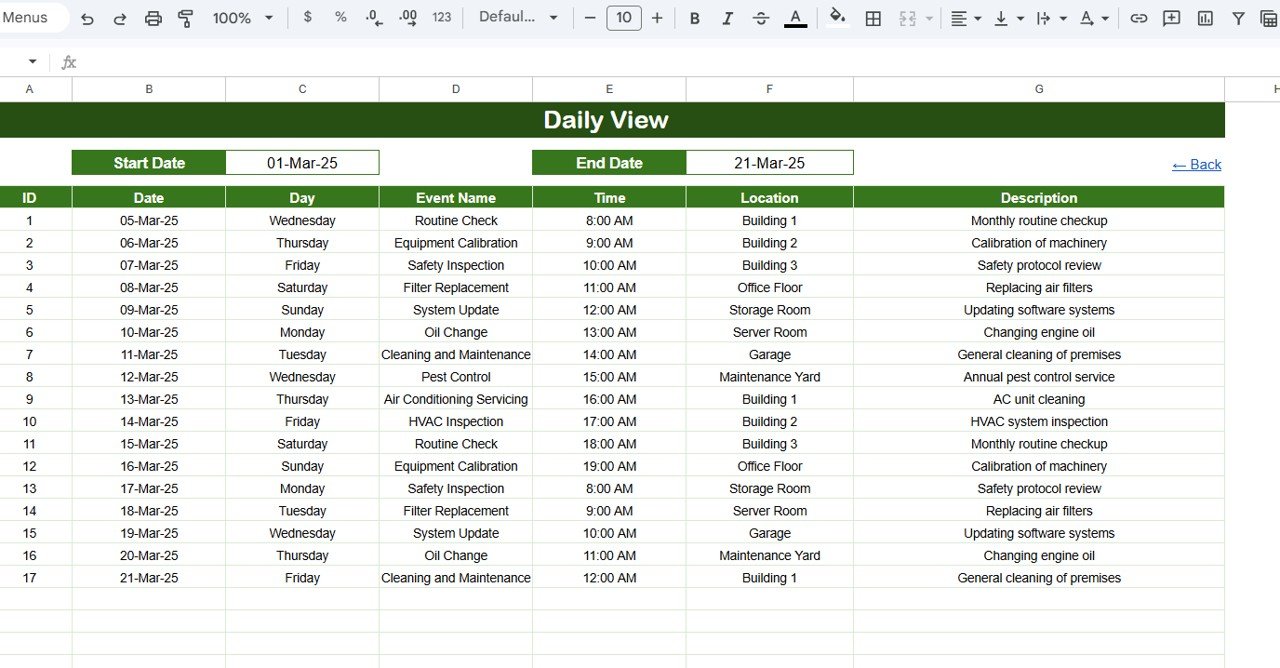
Daily View Sheet tab
Events Sheet
The Events sheet is the centralized database that stores every maintenance task’s complete details. Each row captures the following fields:
- ID: Auto-generated sequential number for unique task reference
- Date: Date of the maintenance event
- Day: Auto-populated day of the week (Monday, Tuesday, etc.)
- Event Name: Name or title of the maintenance task
- Time: Scheduled time for the task
- Location: Building, room, or equipment location
- Description: Short description or notes about the maintenance work
To add a new maintenance task, simply enter the data manually in a new row. The ID and Day columns auto-populate, and the calendar views instantly reflect the new entry.
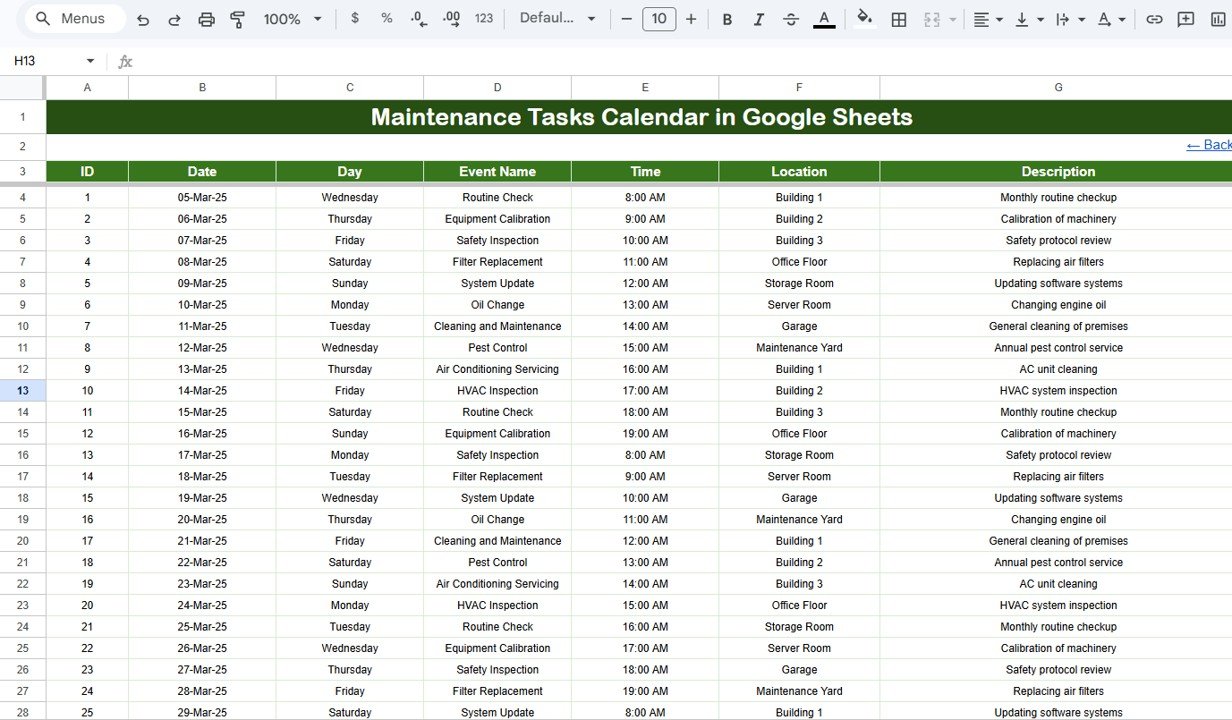
Events Sheet tab
Maintenance Tasks Calendar vs. Microsoft Excel Calendar vs. Paid CMMS Software — Feature Comparison
| Feature | Maintenance Tasks Calendar in Google Sheets | Microsoft Excel Calendar | UpKeep / Fiix CMMS |
|---|---|---|---|
| Cost | $4.99 one-time | $4.99-8.99 one-time | $20-75 / user / month |
| Platform | Google Sheets (browser-based) | Desktop Excel required | Web + Mobile app |
| Setup time | Under 5 minutes | 10-15 minutes | 1-4 weeks onboarding |
| Real-time collaboration | ✅ Built-in | ❌ File sharing required | ✅ Yes |
| Mobile access | ✅ Any browser / Sheets app | ❌ Limited | ✅ Dedicated app |
| Customizable fields | ✅ Fully editable | ✅ Fully editable | ⚠️ Plan-dependent |
| Share with link | ✅ One-click | ❌ Email attachment | ✅ Invite-based |
| Year-1 cost at 5 users | $4.99 total | $4.99-8.99 total | $1,200-4,500 |
| Work order automation | ❌ Manual | ❌ Manual | ✅ Automated |
For teams that want structured maintenance scheduling without $20+ per user per month CMMS costs, the Maintenance Tasks Calendar in Google Sheets delivers the scheduling fundamentals at a fraction of the price.
Who Should Use This Template
✅ Perfect for:
- Facility managers tracking preventive maintenance across buildings, offices, or campuses
- Property managers scheduling inspections, repairs, and service appointments across units
- Small business owners managing equipment upkeep without dedicated CMMS software
- Operations teams at 5-200 person companies needing a shared maintenance calendar
- School administrators scheduling building maintenance, safety inspections, and ground care
❌ Not a fit if:
- You need automated work order routing, IoT sensor integration, or regulatory compliance audit trails — use UpKeep, Fiix, or Limble instead
- You manage 500+ assets requiring barcode scanning and mobile technician dispatch systems
Real-World Use Cases
David manages facilities at a 3-building office complex with 120 employees. He uses the Maintenance Tasks Calendar in Google Sheets to schedule quarterly HVAC inspections, monthly fire extinguisher checks, and weekly janitorial deep cleans. The Annual View helps him plan around tenant move-ins and avoid scheduling conflicts during busy quarters — replacing a $2,400/year CMMS license that his team barely used beyond basic scheduling.
Priya runs a small manufacturing workshop with 15 CNC machines. She logs every machine’s preventive maintenance — oil changes, belt replacements, calibration checks — in the Events sheet. The Daily View lets her pull up next week’s tasks in seconds, and the auto-generated IDs help her cross-reference service records during auditor visits.
Carlos oversees maintenance for a 40-unit rental property portfolio. Each property’s plumbing, electrical, and appliance servicing goes into the calendar. The Monthly View shows overlapping maintenance windows across properties, so he batches technician visits and cuts travel costs by 25%.
Advantages of Maintenance Tasks Calendar in Google Sheets
The biggest advantage is cost savings — $4.99 one-time versus $20-75 per user per month for CMMS platforms. For teams managing 20-200 maintenance tasks per month, this calendar provides 90% of the scheduling functionality without recurring fees.
Real-time collaboration through Google Sheets means every team member sees the same calendar instantly. There are no version conflicts, no file merging, and no “which spreadsheet is the latest” confusion. Share it with a link and set edit or view-only permissions per person.
The template works on any device — desktop, tablet, or phone — through the Google Sheets app or any mobile browser. Field technicians can check their upcoming tasks on-site without needing a separate mobile app or login credentials for another platform.
Setup takes under 5 minutes. Copy the template to your Google Drive, enter your first maintenance tasks, and the calendar views auto-populate. There are no formulas to build, no macros to enable, and no integrations to configure.
Opportunities for Improvement
The template does not include automated reminders or email notifications — you would need to pair it with Google Apps Script or a third-party tool like Zapier to send scheduled alerts. CMMS platforms handle this natively.
There is no built-in work order tracking with status workflows (open → in progress → completed → verified). Users who need formal work order management should consider pairing this calendar with a task tracker or moving to a dedicated CMMS.
The template does not track costs per maintenance task out of the box, though you can add a “Cost” column to the Events sheet to capture this data manually.
Best Practices
Enter maintenance tasks as early as possible — ideally at the start of each quarter when you plan preventive maintenance schedules. Backfilling data after tasks are completed defeats the purpose of proactive scheduling.
Use consistent naming conventions in the Event Name column. For example, always write “HVAC Inspection — Building A” rather than varying between “HVAC check”, “AC inspection”, and “heating system review”. Consistent naming makes filtering and searching much faster.
Add a custom “Status” column (Scheduled / Completed / Overdue) to the Events sheet if you want to track task completion alongside scheduling. This turns the calendar into a lightweight maintenance log.
Share the Google Sheet with view-only access for team members who only need to see the schedule, and edit access for those who add or update tasks. This prevents accidental formula changes while keeping everyone informed. Learn more about sharing and permissions in Google Sheets from Google’s official documentation.
Explore Relevant Templates
If you find the Maintenance Tasks Calendar useful, explore these related templates on NextGenTemplates:
📌 Product Expiration Date Calendar in Google Sheets — Track product shelf life, warranty dates, and renewal deadlines with the same calendar structure.
📌 Construction Project Timeline in Google Sheets — Plan construction phases, milestones, and deadlines with a visual timeline.
📌 Property Management Dashboard in Google Sheets — Monitor rent collections, occupancy, and financials alongside maintenance scheduling.
📌 Municipal Services KPI Scorecard in Google Sheets — Track public services KPIs including infrastructure maintenance metrics.
📌 Browse all Google Sheets Calendar Templates for more scheduling and planning tools.
Want to build skills like this step by step? The NextGenTemplates Academy learning paths walk you through spreadsheet scheduling and tracking with practice files.
Get the Maintenance Tasks Calendar in Google Sheets
Frequently Asked Questions
How many maintenance tasks can I track in this calendar?
The Maintenance Tasks Calendar in Google Sheets supports unlimited entries in the Events sheet. Google Sheets handles thousands of rows without performance issues, so you can log years of maintenance history in a single file.
Can I customize the fields in the Events sheet?
Yes. The Maintenance Tasks Calendar is fully editable. You can add columns for priority level, assigned technician, cost, or completion status without breaking the existing calendar view formulas, as long as the core columns remain intact.
Does this calendar work on mobile devices?
The Maintenance Tasks Calendar in Google Sheets works on any device with the Google Sheets app or a mobile browser. View and edit maintenance schedules from your phone or tablet while on-site conducting inspections.
How does this compare to UpKeep or Fiix CMMS software?
The Maintenance Tasks Calendar costs $4.99 one-time versus $20-75 per user per month for UpKeep or Fiix. It handles scheduling and tracking well but lacks automated work order routing and IoT integration that enterprise CMMS platforms offer.
Can multiple team members edit simultaneously?
Yes. Google Sheets supports real-time multi-user editing. Multiple team members can view and update the Maintenance Tasks Calendar at the same time, with changes appearing instantly for everyone — no file merging or version conflicts.
How long does setup take?
Setup takes under 5 minutes. Copy the template to your Google Drive via the link in the PDF guide, enter your first few maintenance tasks in the Events sheet, and all calendar views populate automatically.
Can I use this for HVAC, plumbing, electrical, and other maintenance types?
The Maintenance Tasks Calendar in Google Sheets works for any maintenance category. Specify the type using the Event Name and Description fields. You can also add a custom “Category” column to filter by maintenance type across all views.
About the Author
Built by PK — Microsoft Certified Professional with 15+ years of Excel, Google Sheets, and Power BI experience. Founder of NextGenTemplates, reaching 300K+ subscribers across YouTube channels. Every template is hand-built and tested before release.
Conclusion
The Maintenance Tasks Calendar in Google Sheets gives facility managers, property owners, and operations teams a structured way to schedule and track maintenance tasks across annual, monthly, and daily views — all inside a shared Google Sheet that the entire team can access from any device.
✅ Instant download · One-time payment · No subscription · Lifetime access