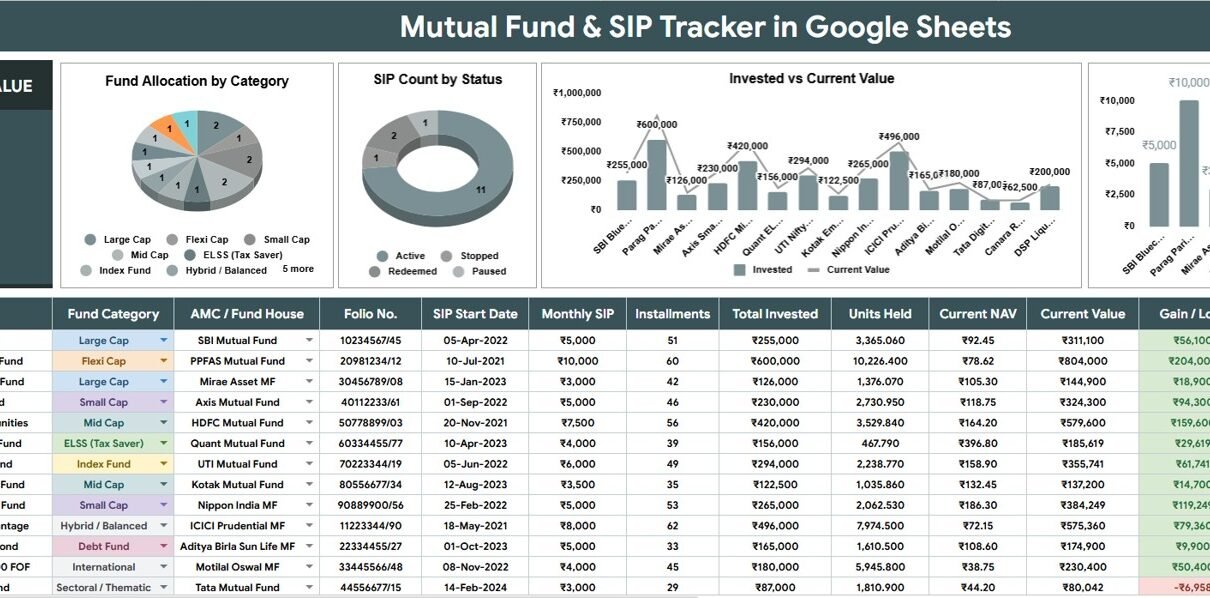
Mutual Fund and SIP Tracker in Google Sheets is built for investors, financial advisors, family finance planners, and mutual fund distributors who want a simple way to track SIP activity, fund allocation, invested value, current value, and monthly contribution in one spreadsheet. The need is very real: AMFI reported Rs. 31,781 crore collected through SIPs in June 2026, and the Indian mutual fund industry’s AUM stood at Rs. 82.22 lakh crore as of June 30, 2026. When portfolios grow across fund houses, categories, statuses, and recurring SIP amounts, a clean Google Sheets tracker can make review work faster and easier to explain.
This template focuses on two practical pages: an Overview Page for dashboard-style review and a Reference List Sheet for maintaining dropdown values. It is not a live NAV feed or investment advice tool. It is a structured Google Sheets template for organizing the records you enter or paste, then using cards, charts, slicers, and controlled lists to make sense of your mutual fund portfolio.
Key Features of Mutual Fund and SIP Tracker in Google Sheets
- Total Portfolio Value card: See the headline portfolio value before checking fund-level detail.
- Overview Page: Review allocation, SIP status, invested value, current value, and monthly SIP contribution in one dashboard view.
- Multiple slicers: Apply filters quickly so you can focus on selected categories, fund houses, statuses, or other available dimensions.
- Fund-level comparisons: Compare invested value and current value by fund name to understand portfolio concentration.
- SIP contribution review: See monthly SIP contribution by fund name and identify where recurring investments are going.
- Reference List Sheet: Maintain Fund Category, AMC / Fund House, and Status dropdown values in one setup tab.
- Google Sheets sharing: Work from your own Google Drive copy and share access with trusted collaborators when needed.
Dashboard Pages Explanation
Click to Buy Mutual Fund and SIP Tracker in Google Sheets
1 – Overview Page
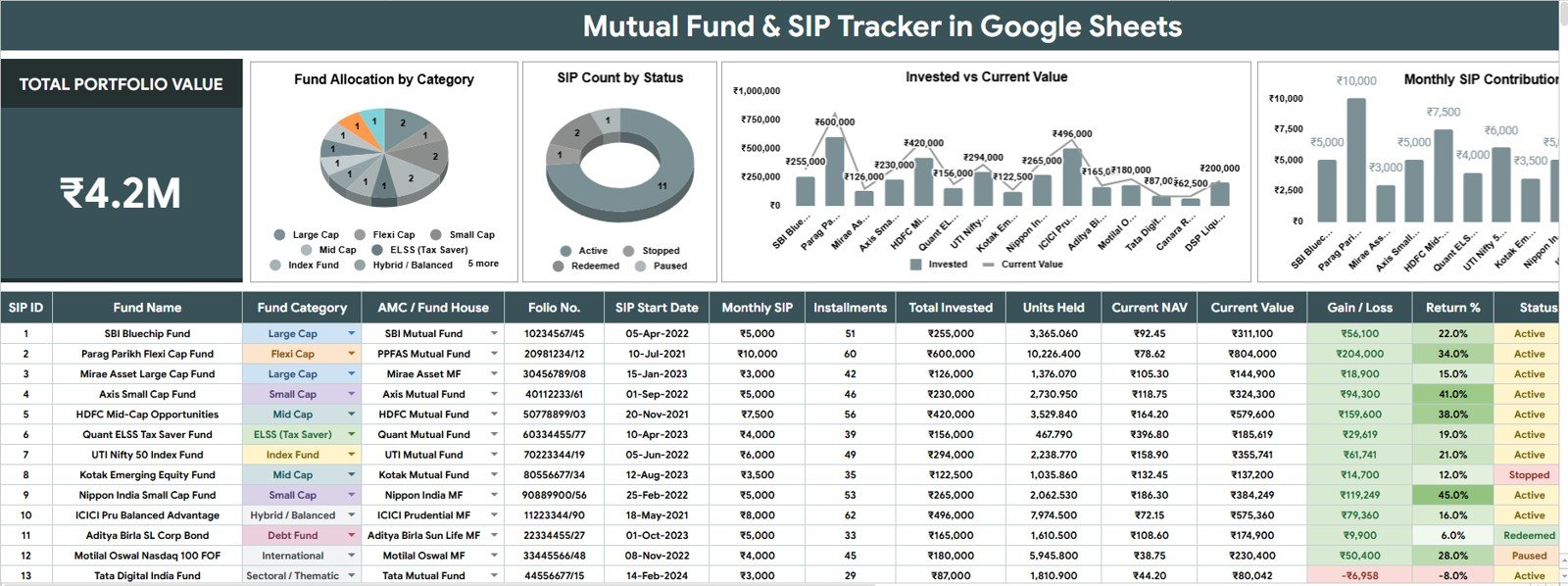
The Overview Page is the main page of the tracker. At the top of the sheet, the Total Portfolio Value card gives a high-level portfolio snapshot, while slicers help users filter the dashboard without touching formulas or rebuilding charts.Mutual Fund and SIP Tracker in Google Sheets
Fund Allocation by Category: This chart shows how your mutual fund portfolio is distributed across fund categories. It helps you spot whether too much value is concentrated in one category, such as equity, debt, hybrid, index, or another custom group.
SIP Count by Status: This chart counts SIPs by their current status. It helps users quickly identify active, paused, closed, completed, or watchlist SIPs before taking follow-up action.
Invested Value by Fund Name: This chart compares the invested amount across individual funds. It is useful for understanding where capital has been deployed before looking at current market value.
Current Value by Fund Name: This chart compares the latest value across fund names. It helps users see which funds currently carry the largest weight inside the portfolio.Mutual Fund and SIP Tracker in Google Sheets
Monthly SIP Contribution by Fund Name: This chart shows recurring SIP contribution amounts by fund. It helps investors check monthly cash flow, confirm plan commitments, and review whether future contributions are balanced.
Mutual Fund and SIP Tracker in Google Sheets
Click to Buy Mutual Fund and SIP Tracker in Google Sheets
2 – Reference List Sheet
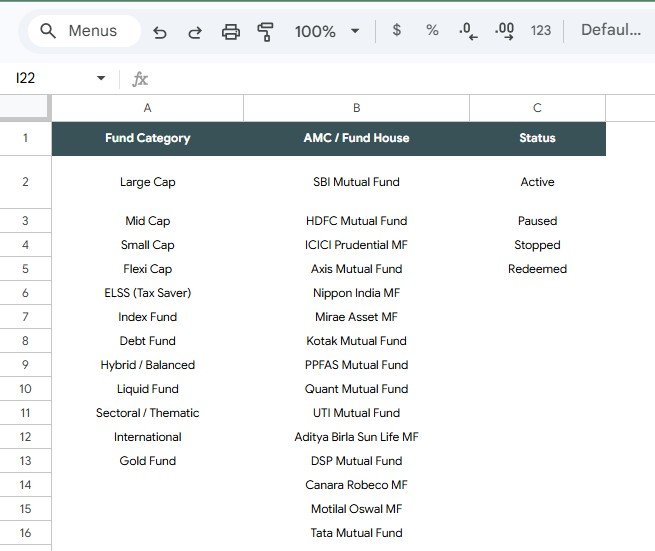
The Reference List Sheet keeps the dropdown lists organized in one place. This matters because inconsistent spelling of fund categories, AMC names, or statuses can make filters and charts messy very quickly.Mutual Fund and SIP Tracker in Google Sheets
Fund Category by Dropdown List: Use this list to standardize fund categories across the tracker. Clean category names make allocation analysis more reliable.Mutual Fund and SIP Tracker in Google Sheets
AMC / Fund House by Dropdown List: Use this list to maintain fund house names consistently. It prevents the same AMC from appearing in multiple slightly different formats.
Status by Dropdown List: Use this list to control SIP status options. Standard status names make it easier to count active, paused, stopped, or completed SIPs.
Mutual Fund and SIP Tracker in Google Sheets vs. Microsoft Excel Tracker vs. Paid Portfolio SaaS – Feature Comparison
| Feature | This Google Sheets tracker | Microsoft Excel tracker | Paid portfolio SaaS |
|---|---|---|---|
| Cost | $6.99 one-time template price | Template cost plus possible Microsoft 365 cost | Usually monthly or annual subscription |
| Platform | Google Sheets in Drive | Excel desktop or web | Vendor-hosted app |
| Setup time | Copy file, edit lists, enter fund records | Open workbook and customize structure | Create account, configure portfolio, import data |
| Real-time team collaboration | Included through Google Drive sharing | Requires OneDrive or SharePoint workflow | Depends on plan |
| Mobile access | Google Sheets mobile app or browser | Excel mobile app or browser | Usually included |
| Customizable fields | Editable lists, labels, formulas, and charts | Editable if workbook is unlocked | Often limited by product settings |
| Share with link | Yes, using Google Drive permissions | Yes, through Microsoft sharing | Usually account based |
| Year-1 cost at 5 users | $6.99 before any Google Workspace cost | Template cost plus any licensing | Can become recurring per user or per portfolio |
| SIP status view | Built around SIP Count by Status | Must be built or customized | Depends on software module |
| Dropdown list control | Reference List Sheet included | Manual setup required | Usually hidden in settings |
Who Should Use This Template
This template is useful for individual investors who maintain their own mutual fund records, families reviewing monthly SIP commitments, financial advisors preparing quick portfolio summaries, and mutual fund distributors who need a spreadsheet-based view of client fund holdings.Mutual Fund and SIP Tracker in Google Sheets
It also fits finance coaches and spreadsheet users who prefer manual control over their data. Because it runs in Google Sheets, it works well when you want an editable tracker instead of a closed app interface.Mutual Fund and SIP Tracker in Google Sheets
Real-World Use Cases
Neha, individual investor: checks total portfolio value and SIP status each month before increasing or pausing a contribution.
Arjun, financial advisor: reviews fund allocation by category and current value by fund name before a client discussion.
Meera, family finance planner: shares a view-only copy with her spouse so both can review mutual fund value and monthly SIP commitments.
Advantages of Mutual Fund and SIP Tracker in Google Sheets
Click to Buy Mutual Fund and SIP Tracker in Google Sheets
The biggest advantage is simplicity. You can copy the tracker into your own Google Drive, update the dropdown lists, enter your own records, and review the dashboard without learning a new investment platform.
The slicers make review work faster because users can filter the tracker visually. The Reference List Sheet also keeps data entry cleaner, which is important when fund house names and status labels are reused across many rows.
Opportunities for Improvement
This template is intentionally manual, so it does not connect to live NAV data, broker accounts, bank accounts, or automatic transaction feeds. Users who need real-time market updates or tax reporting should use specialist tools alongside this tracker.
A future version could add a dedicated transaction input sheet, goal tracking, XIRR-style return fields, or a separate realized gain view. Those additions would be useful for advanced investors, but the current version keeps the workflow focused and easy to edit.Mutual Fund and SIP Tracker in Google Sheets
Best Practices
- Keep dropdown values clean: Update Fund Category, AMC / Fund House, and Status values before entering large data volumes.
- Use consistent fund names: Avoid small spelling differences because they can split chart results.
- Review SIP status monthly: Active, paused, stopped, and completed plans should be checked before contribution decisions.
- Keep a backup copy: Make a duplicate in Google Drive before major structural edits.
- Use Google sharing carefully: Follow Google Drive sharing guidance when giving access to sensitive finance files.
Explore Relevant Templates
Click to Buy Mutual Fund and SIP Tracker in Google Sheets
You can get the Mutual Fund and SIP Tracker in Google Sheets from NextGenTemplates. Related options include Investment Management Dashboard in Google Sheets, Stock Portfolio Tracker in Google Sheets, Personal Finance Net Worth Tracker in Google Sheets, and Mutual Funds Dashboard in Power BI.
Frequently Asked Questions
What does the Mutual Fund and SIP Tracker in Google Sheets track?
It tracks total portfolio value, fund allocation by category, SIP count by status, invested value by fund name, current value by fund name, and monthly SIP contribution by fund name.Mutual Fund and SIP Tracker in Google Sheets
Can I customize fund categories?
Yes. The Reference List Sheet includes Fund Category dropdown values, so you can adjust categories to match your own investment structure.
Can I customize AMC or fund house names?
Yes. The AMC / Fund House dropdown list lets you standardize fund house names and reduce inconsistent entry labels.
Does this tracker connect to live NAV data?
No. It is designed for manual entry or pasted data. That keeps the spreadsheet simple, editable, and easy to audit.
Can I share the tracker with a financial advisor?
Yes. Since it runs in Google Sheets, you can share the copied file with view, comment, or edit access using Google Drive permissions.
Is this template investment advice?
No. It is a spreadsheet tracking tool and does not provide financial, tax, legal, or investment recommendations.
About the Author
Click to Buy Mutual Fund and SIP Tracker in Google Sheets
Built by PK – Microsoft Certified Professional with 15+ years of Excel, Google Sheets, and Power BI experience. Founder of NextGenTemplates, reaching 300K+ subscribers across YouTube channels. Every template is hand-built and tested before release.
Conclusion
The Mutual Fund and SIP Tracker in Google Sheets gives investors a focused way to review portfolio value, fund allocation, SIP status, invested value, current value, and monthly SIP contributions. It is a practical choice when you want spreadsheet control, Google Drive sharing, and clean dropdown-driven tracking without committing to another recurring finance app.Mutual Fund and SIP Tracker in Google Sheets
Visit our YouTube channel @NeoTechNavigators for step-by-step Google Sheets tutorials and dashboard demos.