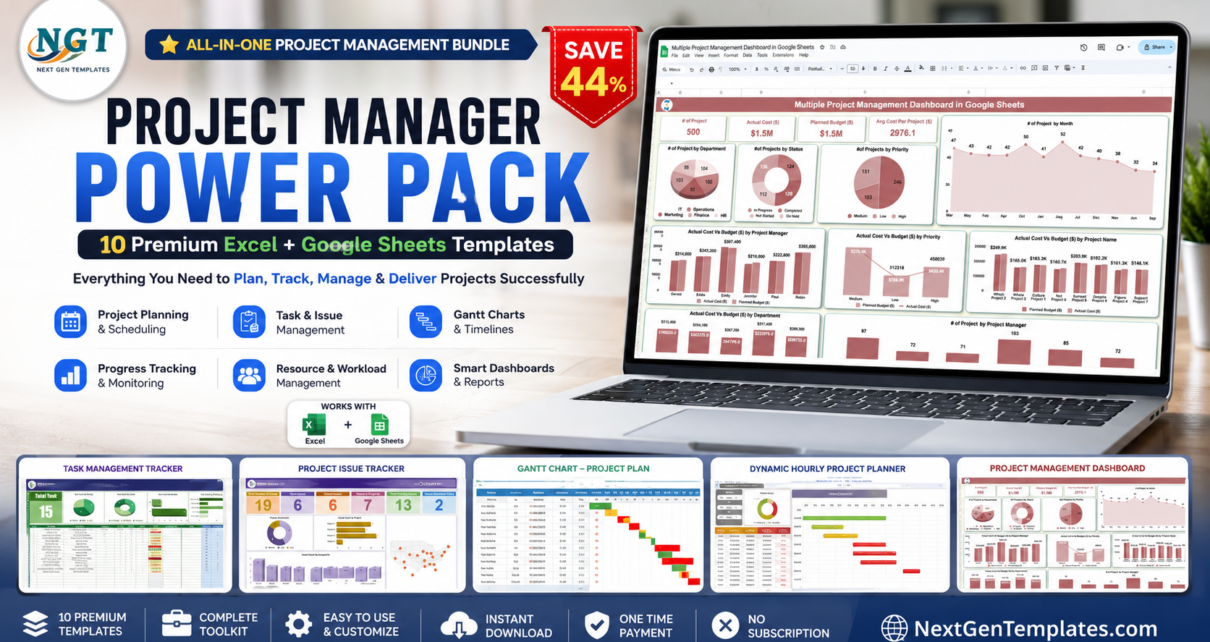
If you manage projects for a living, your toolkit is probably scattered: a Gantt chart someone built in 2019, a task list in one tab, an issue log in a different file, and a status report you rebuild from scratch every Friday. The Project Manager Power Pack replaces all of that with ten purpose-built templates that cover planning, tracking, reporting and escalation — across both Excel and Google Sheets.
Purchased individually these ten templates cost $86.90. As a bundle they are $48.99 — you save $37.91, a 44% discount. One payment, no seats, no renewals, unlimited projects. Browse the full Template Bundles range or all Google Sheets Project Management templates to see how this fits your stack.
🎯 Project Manager Power Pack — 10 Templates, 44% Off
Individually $86.90 → $48.99 — you save $37.91
Key Features of the Project Manager Power Pack
Dual-platform coverage. Five templates are Excel workbooks and five are Google Sheets files. That split is deliberate: Excel is still where most people do offline analysis and build board-ready reports, while Google Sheets is where distributed teams actually collaborate in real time. Rather than forcing you to pick a side, the pack covers both, so the same project can be planned in Sheets and reported in Excel.
Four different Gantt views. Most template packs give you one timeline and call it done. This one includes a standard project plan Gantt, an advanced multi-phase planner with dependencies and a today-marker, an hourly Gantt for cutovers and shift work, and a multi-project portfolio dashboard. Different projects need different time granularity, and having all four means you are never forcing an eight-hour cutover into a template designed for eight-week phases.
Two executive dashboards. The Project Management and Task Management dashboards in Excel are the reporting layer. Both give you KPI cards, completion percentages, overdue counts and charts that refresh from your underlying data. These are the pages you screenshot into a steering-committee deck rather than rebuilding a summary slide by hand.
Issue tracking in both formats. Projects rarely fail because nobody knew the plan; they fail because issues went unlogged until they became escalations. The pack includes a Google Sheets issue tracker for collaborative logging and an Excel form-driven tracker for controlled data entry, so you can pick the model that suits your team’s discipline.
Everything is pre-built and editable. Formulas, conditional formatting, dropdown lists and chart ranges are already configured. Overdue items turn red, completed items turn green, progress bars fill automatically. At the same time nothing is locked — you can rename columns, add phases, change status values and extend date ranges to fit your methodology.
What’s Included in the Project Manager Power Pack
1. Project Management Dashboard in Excel — $17.99
The flagship template. A multi-page Excel dashboard covering project status, budget versus actual, milestone tracking, resource allocation and risk indicators. The executive summary page is designed to be exported straight into a steering-committee pack, which removes the weekly ritual of rebuilding the same summary slide.
View the Project Management Dashboard in Excel
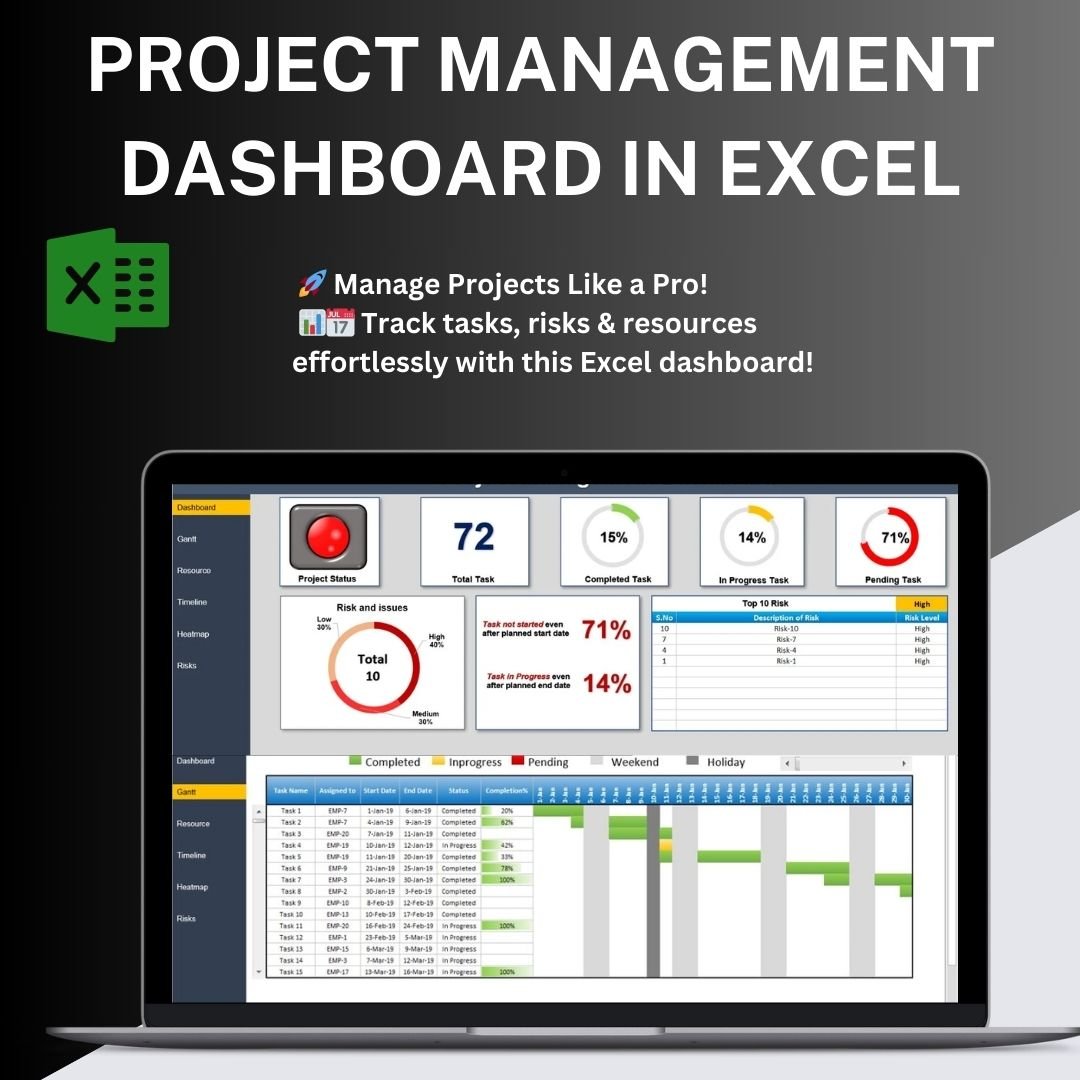
Project Management Dashboard in Excel
2. Task Management Dashboard in Excel — $17.99
Where the project dashboard reports at initiative level, this one operates at task level: workload per team member, tasks by priority and status, completion trends over time and overdue analysis. It answers the two questions that dominate every stand-up — who is overloaded, and what is slipping.
View the Task Management Dashboard in Excel
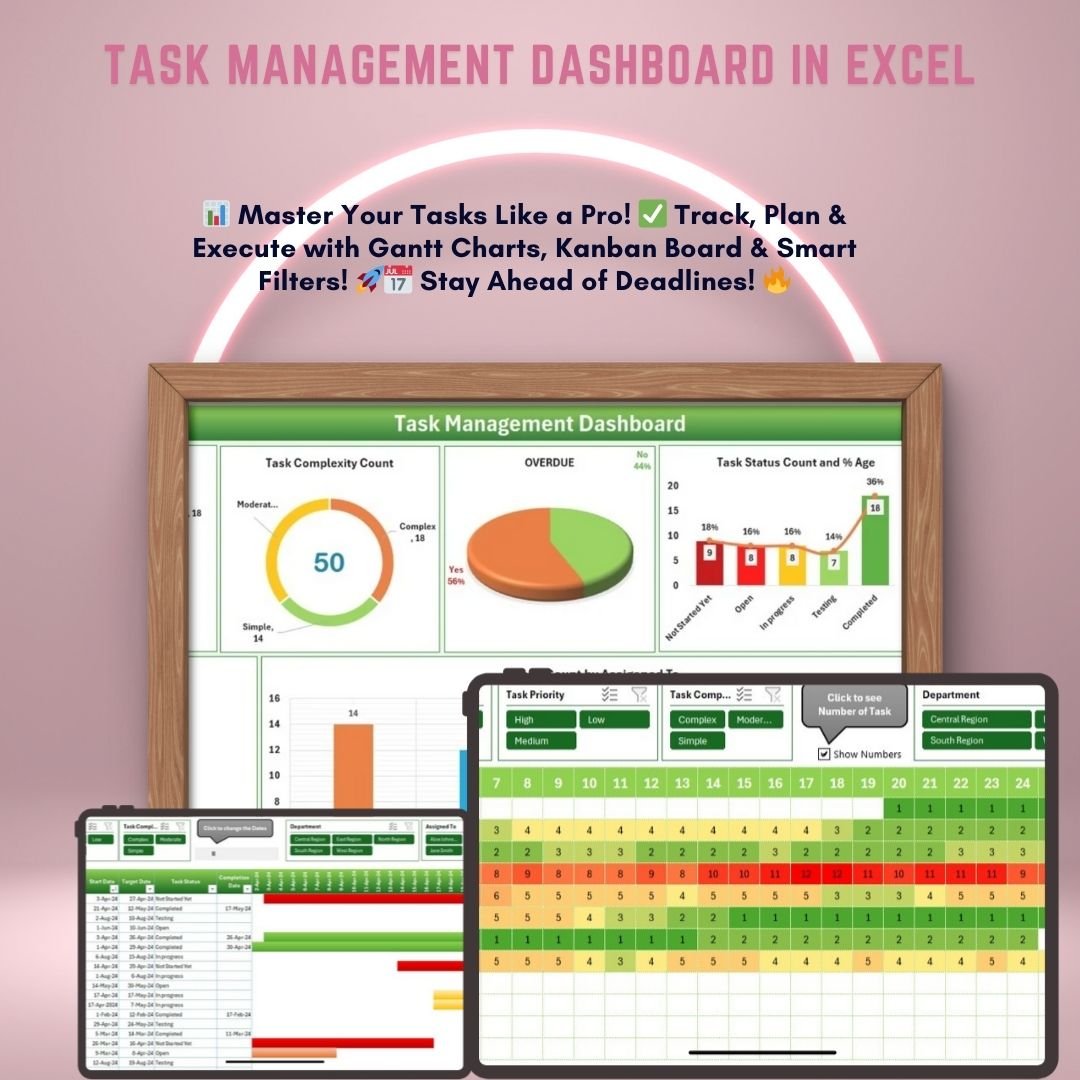 Task Management Dashboard in Excel
3. Multiple Project Management Dashboard in Google Sheets — $9.99
The portfolio view. Track several concurrent projects in a single shared Google Sheet with per-project health indicators, budget consumption and milestone progress. If you run a PMO or an agency delivery function, this is the file you open first on a Monday morning.
View the Multiple Project Management Dashboard
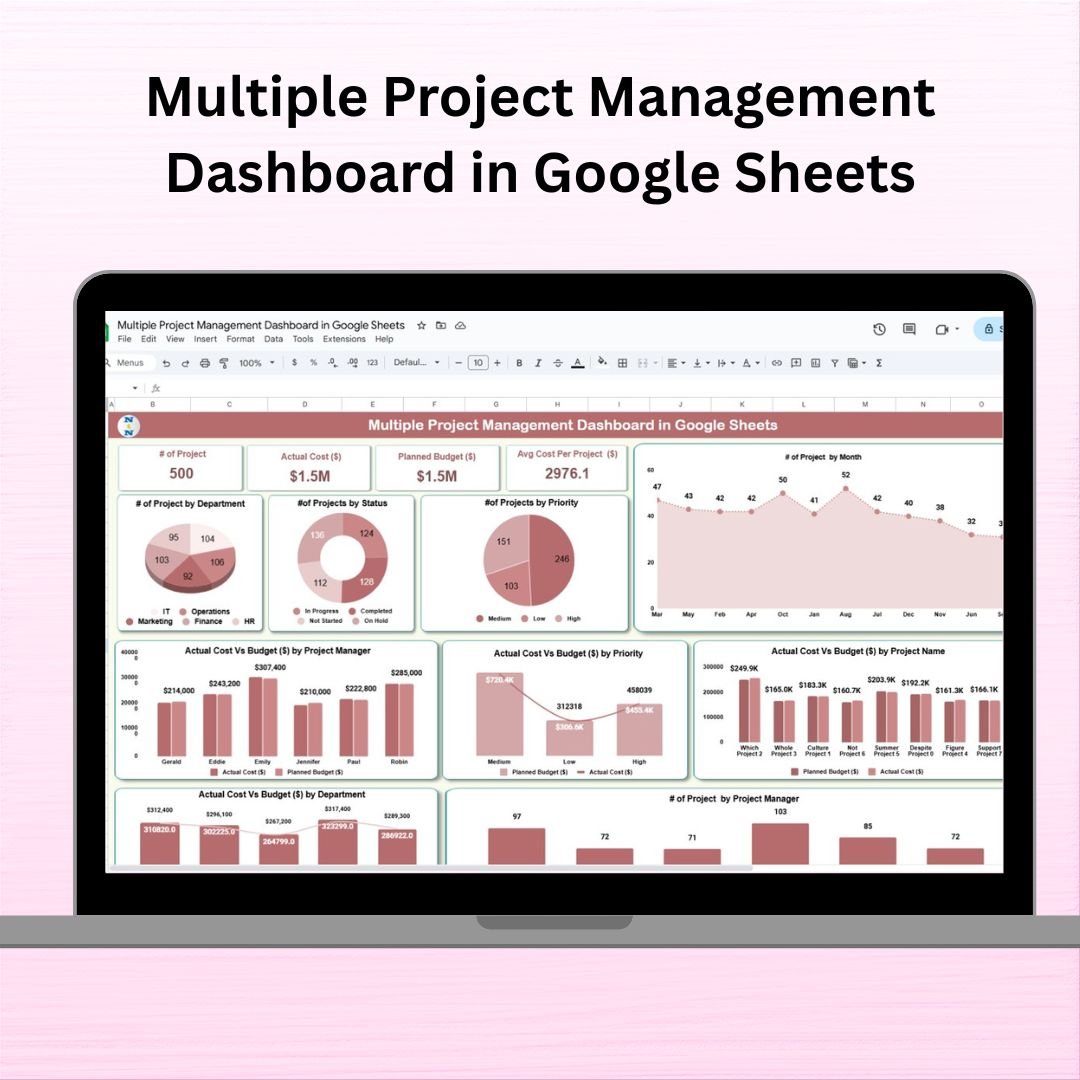 Multiple Project Management Dashboard in Google Sheets
4. Task Management Tracker in Google Sheets — $6.99
A shared, real-time task board carrying owner, deadline, priority, status and progress percentage on every row. Conditional formatting flags overdue work the moment a date passes, and because it lives in Google Sheets the whole team can edit simultaneously from a browser or phone with no user cap.
View the Task Management Tracker
 Task Management Tracker in Google Sheets
5. Project Issue Tracker in Google Sheets — $6.99
A structured issue log capturing severity, category, owner, raised date, target resolution and current status, with a built-in summary view. You can report open-versus-closed issue counts and ageing without building a single pivot table.
View the Project Issue Tracker
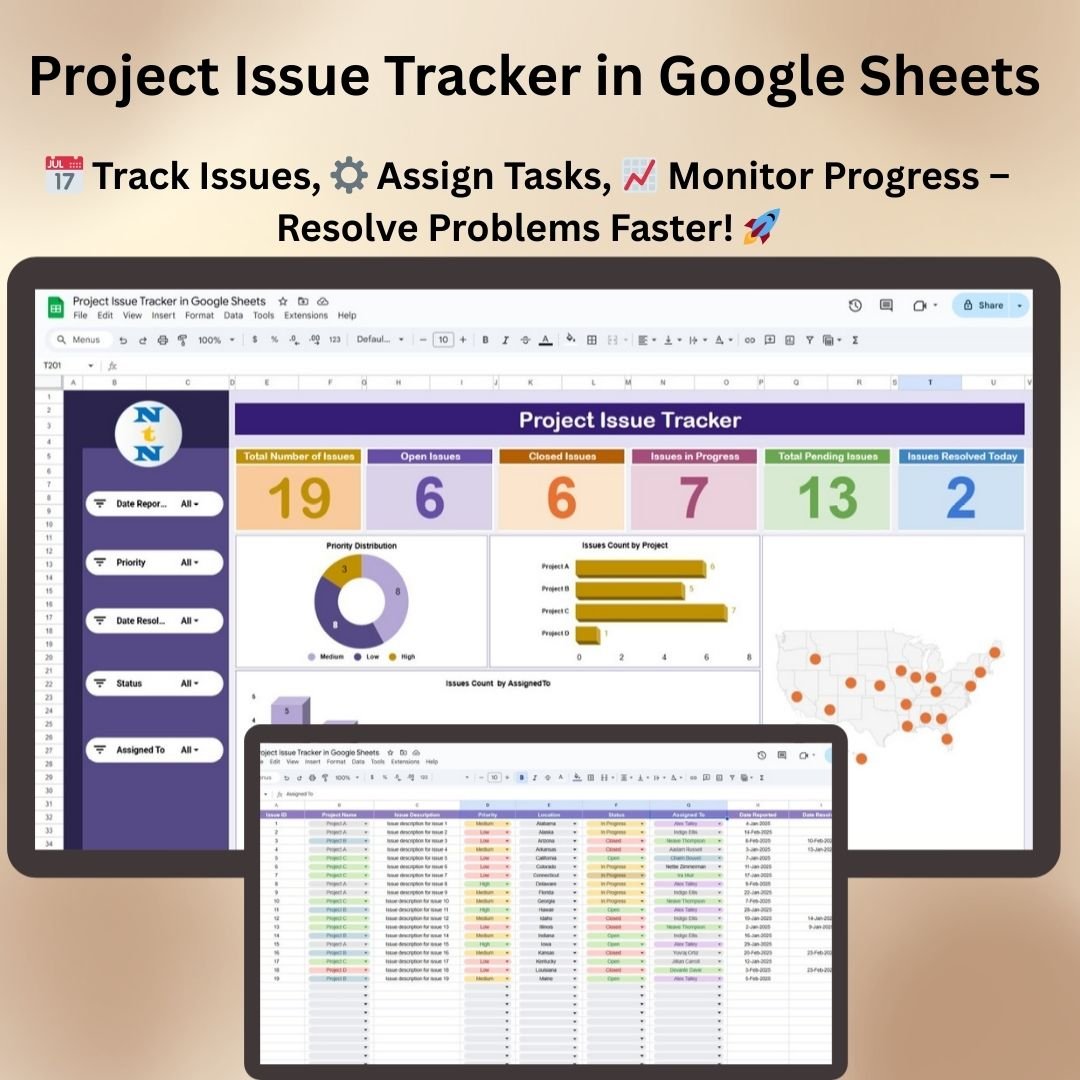 Project Issue Tracker in Google Sheets
6. Project Management Issue Tracker Form — $6.99
The Excel counterpart, built around a guided data-entry form. Team members add, update and search issue records through the form rather than typing directly into the master table — which is the difference between a clean issue log and one nobody trusts by month three.
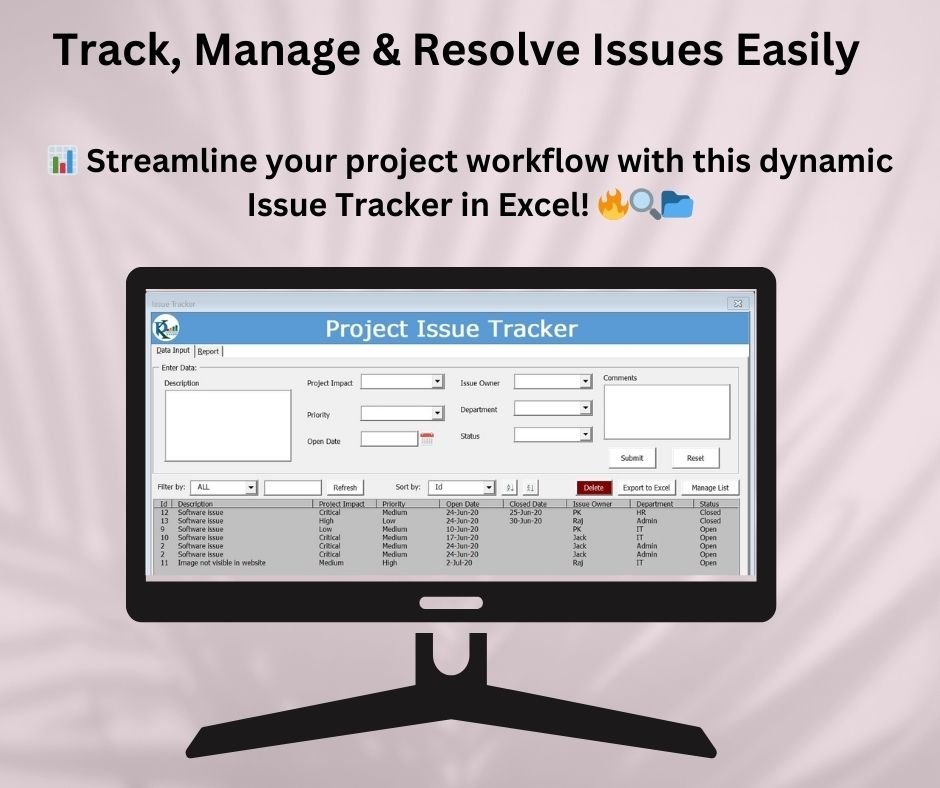 Project Management Issue Tracker Form
7. Project Progress Tracker in Excel — $4.99
Milestone-by-milestone progress reporting with planned versus actual completion, variance flags and a visual progress bar per workstream. This is the template behind a status report your sponsor does not have to chase you for.
View the Project Progress Tracker
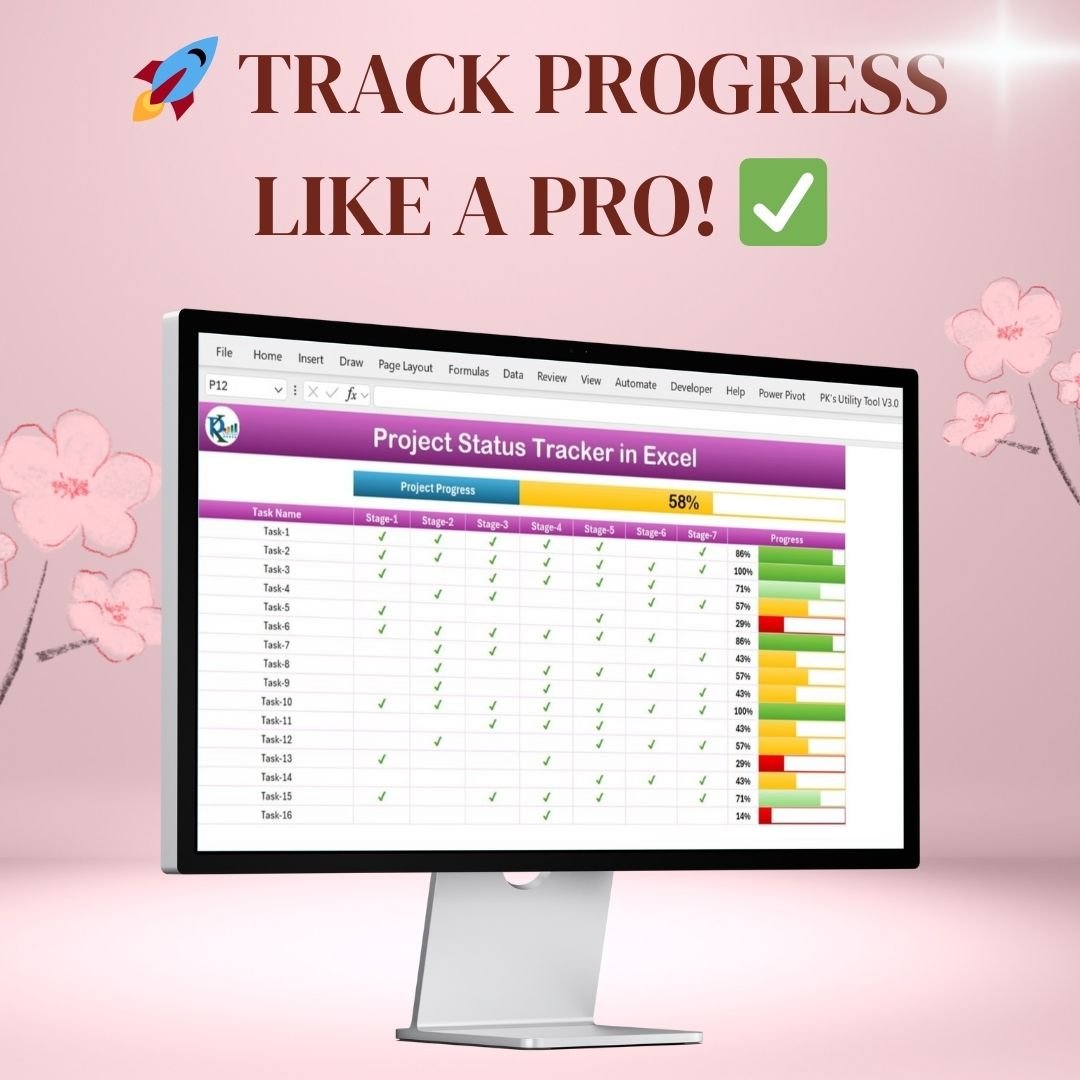 Project Progress Tracker in Excel
8. Project Plan Gantt Chart in Google Sheet — $4.99
A clean, shareable Gantt timeline that draws itself from your task start and end dates. Ideal for client-facing plans where you need a professional-looking timeline without exporting anything out of MS Project or buying a licence for someone who will open it twice.
View the Project Plan Gantt Chart
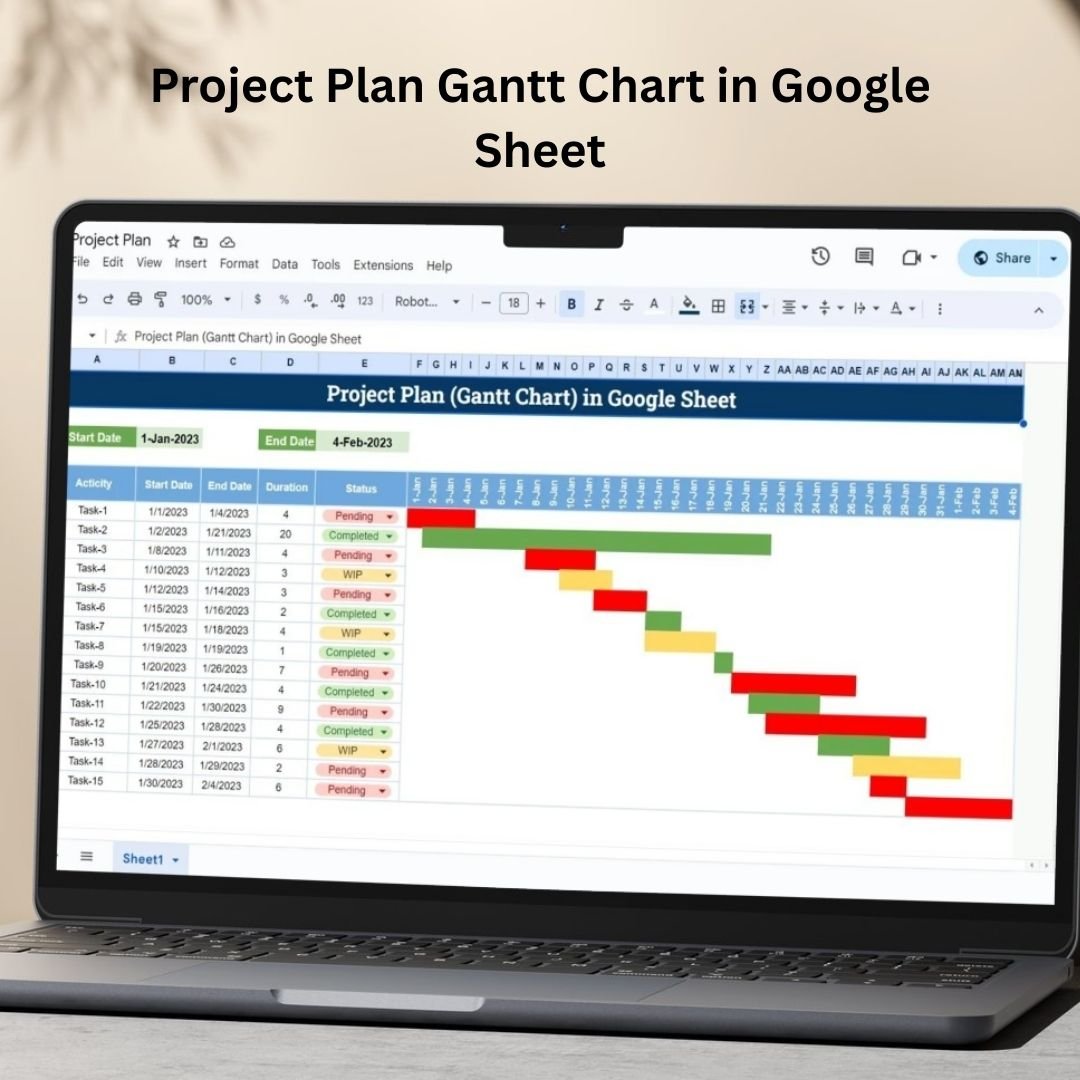 Project Plan Gantt Chart in Google Sheet
9. Pro Gantt Chart Project Planner in Google Sheets — $4.99
The advanced timeline: phases, dependencies, owner assignment, percentage-complete overlays and a today-marker line so slippage is visible at a glance. Built for multi-phase programmes rather than simple task lists.
View the Pro Gantt Chart Planner
 Pro Gantt Chart Project Planner in Google Sheets
10. Dynamic Hourly Gantt Chart for Projects — $4.99
Most Gantt templates stop at daily granularity, which is useless when the entire project is a single weekend. This one plans by the hour — built for system cutovers, event schedules, shift planning, maintenance windows and go-live runbooks.
View the Dynamic Hourly Gantt Chart
 Dynamic Hourly Gantt Chart for Projects
Smart Comparison — Buying Individually vs the Bundle
| # | Template | Platform | Individual Price |
|---|---|---|---|
| 1 | Project Management Dashboard | MS Excel | $17.99 |
| 2 | Task Management Dashboard | MS Excel | $17.99 |
| 3 | Multiple Project Management Dashboard | Google Sheets | $9.99 |
| 4 | Task Management Tracker | Google Sheets | $6.99 |
| 5 | Project Issue Tracker | Google Sheets | $6.99 |
| 6 | Project Management Issue Tracker Form | MS Excel | $6.99 |
| 7 | Project Progress Tracker | MS Excel | $4.99 |
| 8 | Project Plan Gantt Chart | Google Sheets | $4.99 |
| 9 | Pro Gantt Chart Project Planner | Google Sheets | $4.99 |
| 10 | Dynamic Hourly Gantt Chart | MS Excel | $4.99 |
| Individual Total | — | $86.90 | |
| Bundle Price | — | $48.99 — save $37.91 (44%) |
Advantages of Buying the Bundle Instead of Individual Templates
You get the templates you did not know you needed. Most people arrive looking for one thing — usually a Gantt chart. Six weeks later they need an issue log, and a month after that a portfolio view. Buying the pack up front means the template exists the day the need appears, instead of you improvising in a blank spreadsheet at 6pm.
Consistent structure across files. Because the templates share conventions for status values, priority levels and date handling, moving data between them is straightforward. Templates bought piecemeal from different sources rarely line up that way.
The economics are hard to argue with. $48.99 once, versus a per-seat PM tool at $10–$24 per user per month. A five-person team on a mid-tier plan spends more in the first month than this pack costs outright — and keeps spending it every month afterwards.
No vendor lock-in. Your project data sits in Excel and Google Sheets files you own. There is no export process, no API limit, and nothing to migrate if you change tools.
Best Practices for Deploying the Pack
Split by function, not preference. Use the Google Sheets templates for anything the team touches daily — task tracking, issue logging, shared timelines. Use the Excel dashboards for weekly and monthly reporting, where you want a stable snapshot rather than a live document changing under you mid-analysis.
Set your dropdown values before anyone else opens the file. Agree your status values and priority levels once, apply them across all ten templates, and the data stays comparable. Let each person invent their own and you will spend the next quarter reconciling “In Progress” against “WIP” against “Ongoing”.
Pick one Gantt per project and commit. Having four timeline templates is useful across a portfolio, not within a single project. Choose based on granularity: hourly for cutovers, the standard plan for client-facing work, the pro planner for multi-phase programmes.
Duplicate, do not overwrite. Keep the original downloads untouched as your master set and copy them per project. That way template number eleven is always one duplication away.
Explore More Templates
Frequently Asked Questions
What is included in the Project Manager Power Pack?
Ten premium project management templates: two Excel dashboards (Project Management and Task Management), four Gantt and planning tools covering daily, hourly, multi-phase and multi-project views, two issue-tracking systems in Excel and Google Sheets, a task management tracker, and a milestone progress tracker. Five templates are Excel workbooks and five are Google Sheets files.
How much do I save compared to buying separately?
The ten templates cost $86.90 when purchased individually. The bundle is $48.99, so you save $37.91 — a 44% discount. There are no recurring charges.
Do I need both Excel and Google Sheets to use the pack?
No. Each template works independently. If your team only uses Google Sheets, the five Sheets templates cover planning, task tracking, issue logging and portfolio reporting on their own. The Excel templates are there so you are covered if that changes, or if different clients and departments work in different tools.
Is this a subscription?
No. It is a one-time purchase. You download the files once, own them permanently, and can reuse them across unlimited projects with no user limits or renewal dates.
Can I customise the templates?
Yes. Column names, dropdown values, status labels, colour rules, date ranges and chart ranges are all editable. Nothing is password-protected or locked, so you can adapt each file to your own methodology.
How do the Google Sheets templates get delivered?
The Google Sheets templates arrive as PDFs containing a one-click copy link. Clicking the link creates your own editable copy in your Google Drive, leaving the original template untouched so you can copy it again for the next project. The Excel files download directly and open in Excel.
Who is this bundle designed for?
Project managers, scrum masters, PMO and programme managers, construction and engineering leads, IT and implementation teams, agencies and consultants, and startup founders. It also works well for students managing thesis milestones or group projects.
Conclusion
The Project Manager Power Pack is not a collection of loosely related spreadsheets. It is the set of templates a working project manager actually reaches for over the life of a project — plan it with the Gantt tools, run it with the trackers, control it with the issue logs, and report it with the dashboards. Covering both Excel and Google Sheets means it fits whichever way your organisation works, and the one-time price means it keeps working long after a trial licence would have expired.
Get All 10 Project Management Templates — Save 44%
Individually $86.90 → $48.99
You save $37.91 — Excel + Google Sheets — one-time payment, lifetime access.
For step-by-step video tutorials on these templates, visit our YouTube channels: Youtube.com/@NeoTechNavigators and Youtube.com/@NextGenTemplates