Most alarm companies own a receiver or a monitoring platform. Very few own the business that sits around it. The customer list is in one spreadsheet, keyholder phone numbers are in another, false alarms are counted from memory, and the monthly invoices are typed by hand from a contract file nobody has opened since the site was installed. The Alarm Monitoring Service Management System Web App puts all of that in one browser tab – and it does it on Google Apps Script with a Google Sheets database, so it runs in your own Google account with no per-seat SaaS bill.
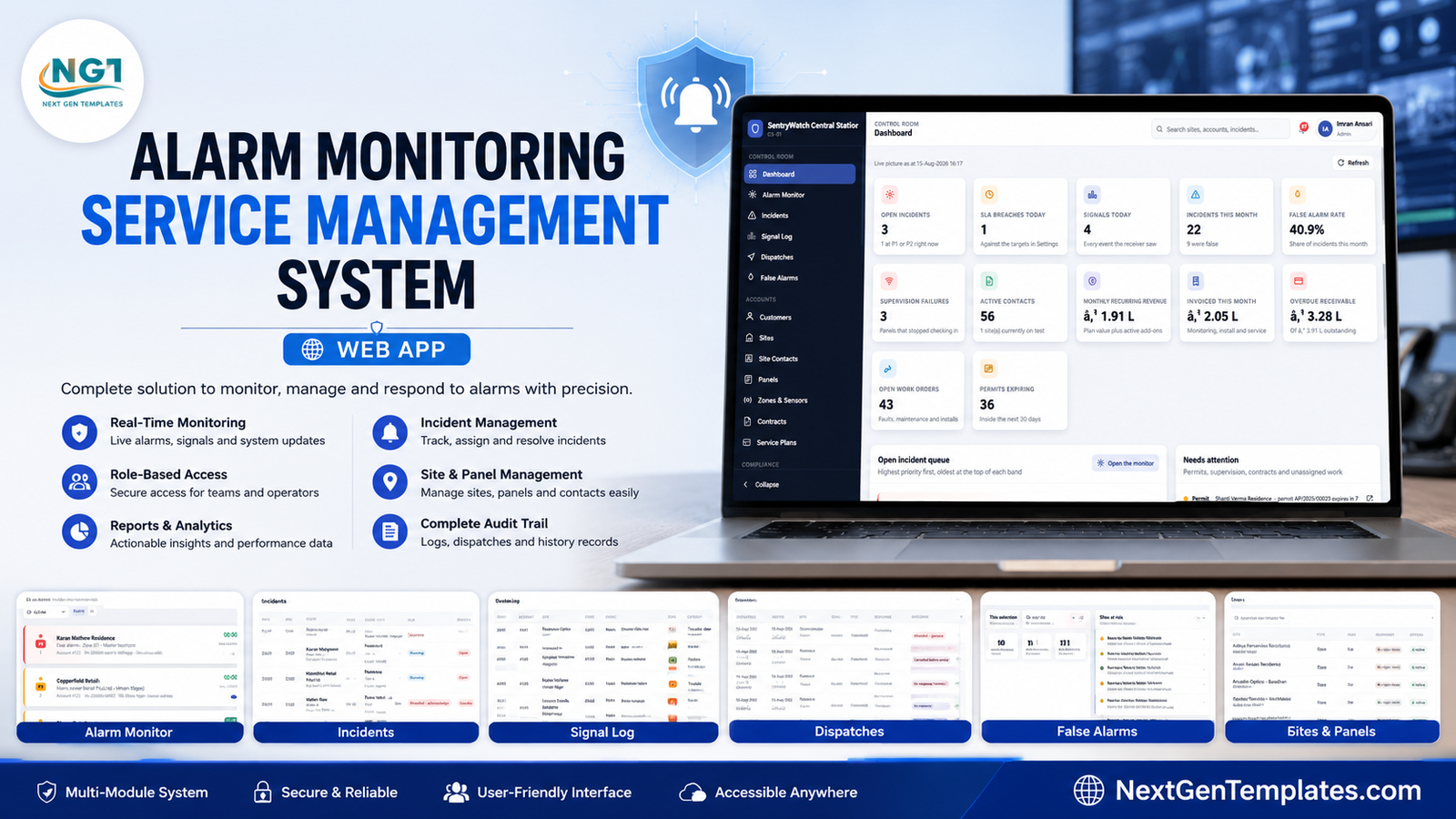
It arrives as a working alarm company, not an empty database: 60 customers, 85 protected sites, 85 control panels, 697 zones and sensors, 244 site contacts, 85 monitoring contracts, 12 response authorities, 10 technicians, 45 stock items and roughly six months of signals, incidents, dispatches, work orders, invoices and receipts. A handful of incidents are deliberately left open so the alarm monitor is alive the moment you sign in, one site sits on test so the suppression banner can be seen, and two panels are in supervision failure so the watch can be demonstrated.
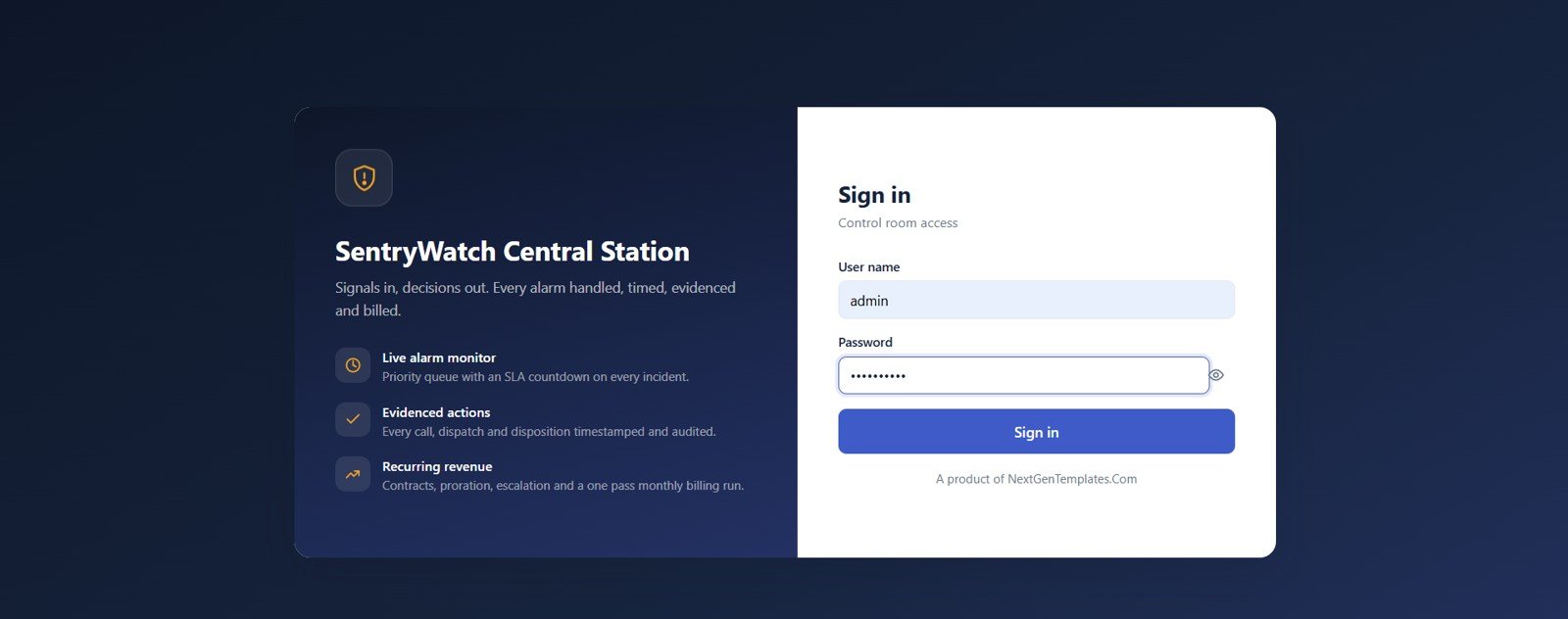
🚀 Try the Live Demo Before You Buy
We have deployed this web app in our own Google account so you can test every page, every role and every report – with real sample data – before purchasing. No signup, no email required.
🔑 Test Login Credentials
Sign in as admin to see everything including users, settings and the archive tool, then sign out and return as operator1 to see how little a monitoring operator can touch – no invoices, no contracts, no billing. That contrast is the product. tech is worth a look too: a technician sees only their own work orders and the panel they are working on.
💡 These credentials are public on purpose – they are the seeded logins of a shared demo instance that resets, not of anyone’s live system. Please treat it as a sandbox. What you get after purchase: the full source (Code.gs + Index.html) plus a step-by-step deployment guide, so you can run your own private instance in your own Google account in under 15 minutes.
Key Features of the Alarm Monitoring Service Management System Web App
- A queue that ranks itself. P1 first, oldest at the top of each band, with a live countdown against the acknowledge and resolve targets you set per priority. Press 1-9 to take the nth incident.
- Explicit ownership. Each incident is owned by a named operator or shows as Unowned, with a Force take for supervisors.
- The whole handling chain, timestamped. Signal to incident, contact calls with an outcome, authority dispatch, close with a disposition – each step written to the record and to the audit log.
- Verbal passcodes and call order on the site contact list, with keyholder and can-cancel flags.
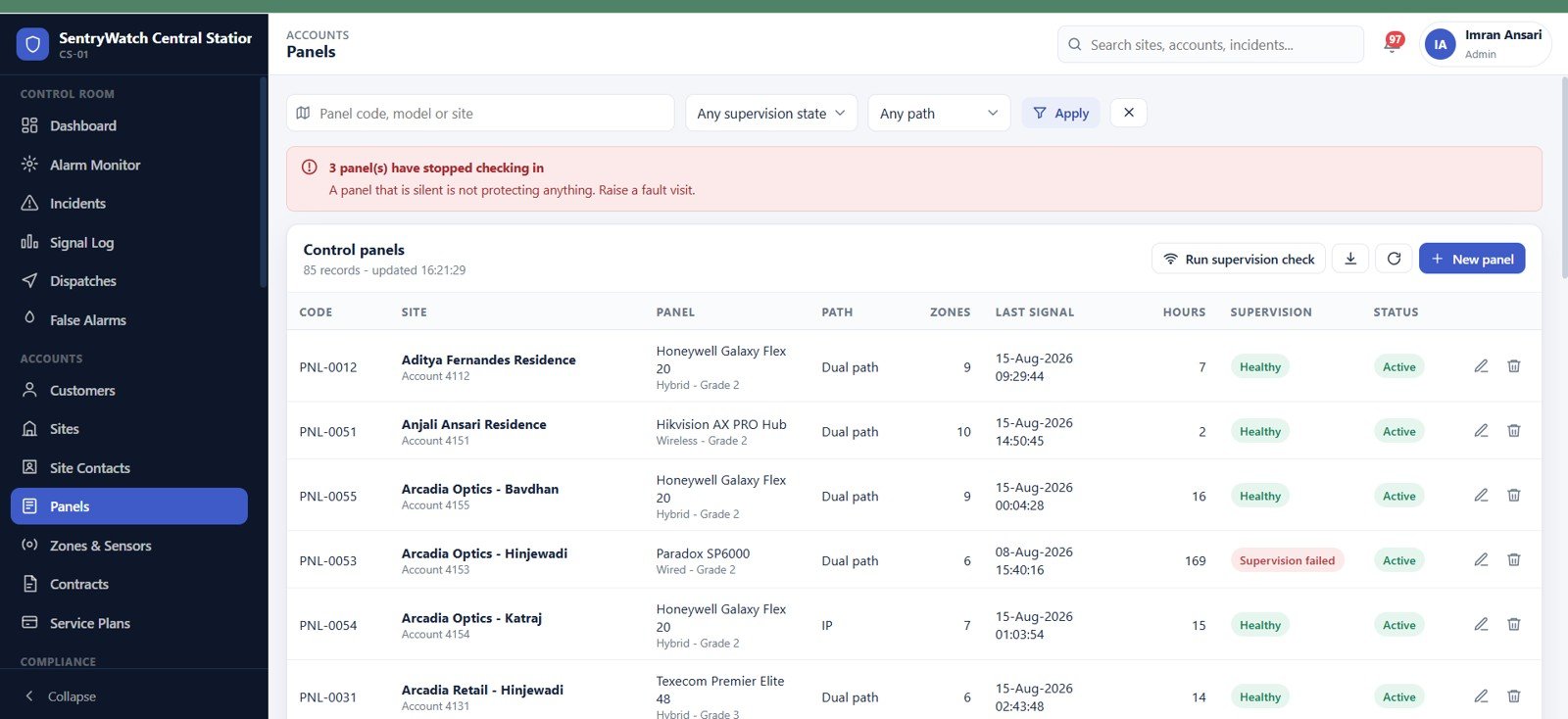
- Supervision watch that flags panels which have stopped checking in, with hours since last signal and a re-test button.
- A false alarm register with teeth – rolling window per site, tiered fine schedule, recharge tracking and automatic response suspension past the limit.
- Contracts and recurring revenue – an eight-plan catalogue, monthly or quarterly cycles, add-on services, MRR and term end dates.
- A one-pass monthly billing run you preview before you commit, with prorated and escalated lines counted per run.
- The service business too – work orders, installations, inspections with certificate numbers, technicians with certification expiry, and device stock with reorder points.
- Seven roles enforced on the server, not just hidden in the menu.
Dashboard Pages Explanation
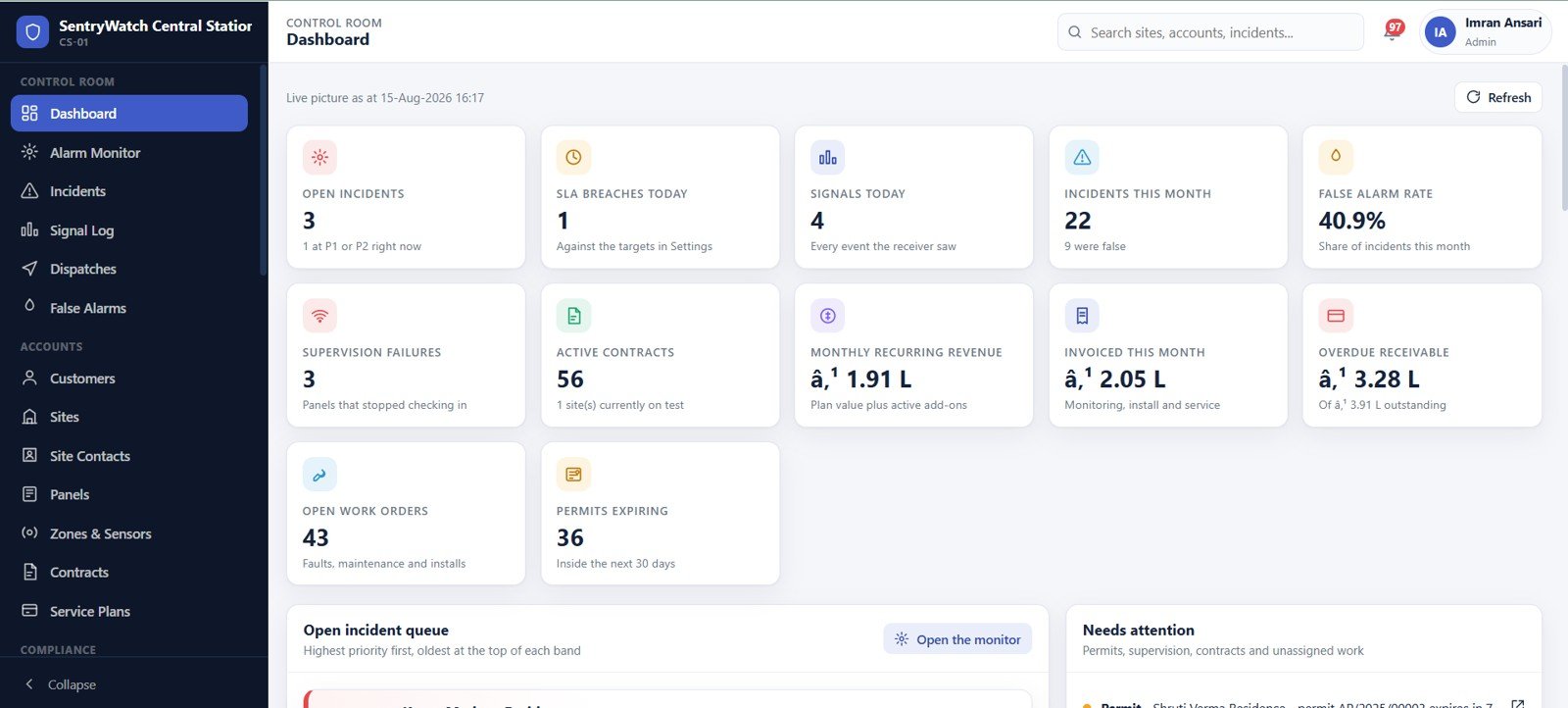
Control Room Dashboard
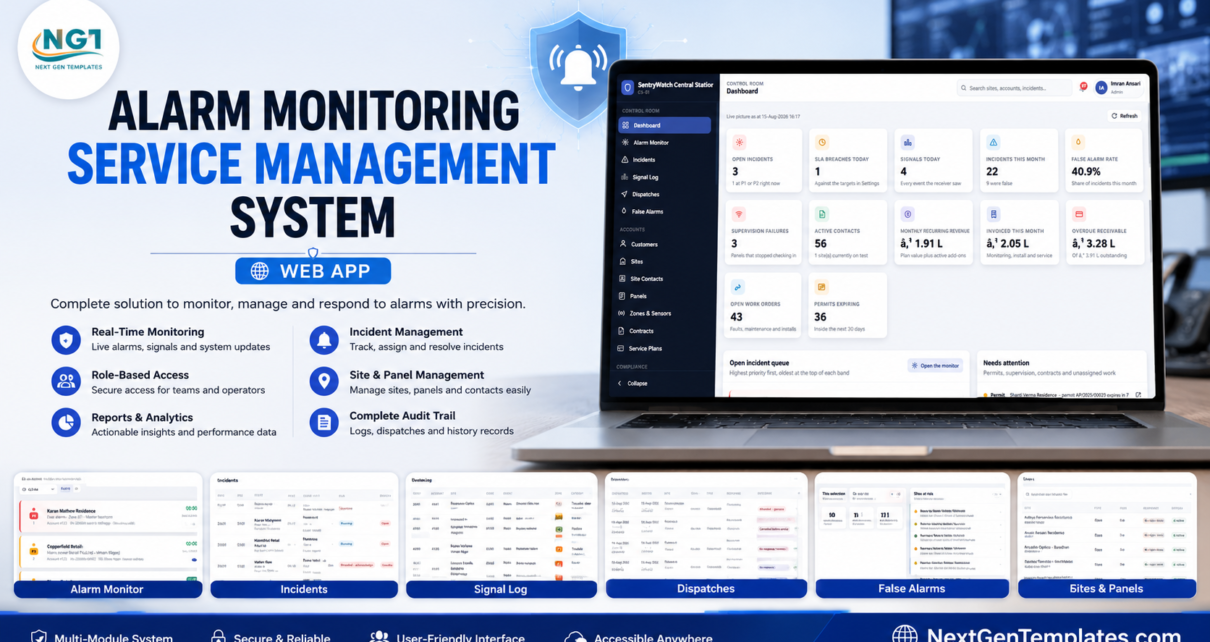
Twelve cards give the live picture: open incidents and how many are P1 or P2 right now, SLA breaches today, signals today, incidents this month, false alarm rate, supervision failures, active contracts, monthly recurring revenue, invoiced this month, overdue receivable, open work orders, and permits expiring inside 30 days. Underneath sit the open incident queue and a Needs attention list covering permits, supervision, contracts and unassigned work.
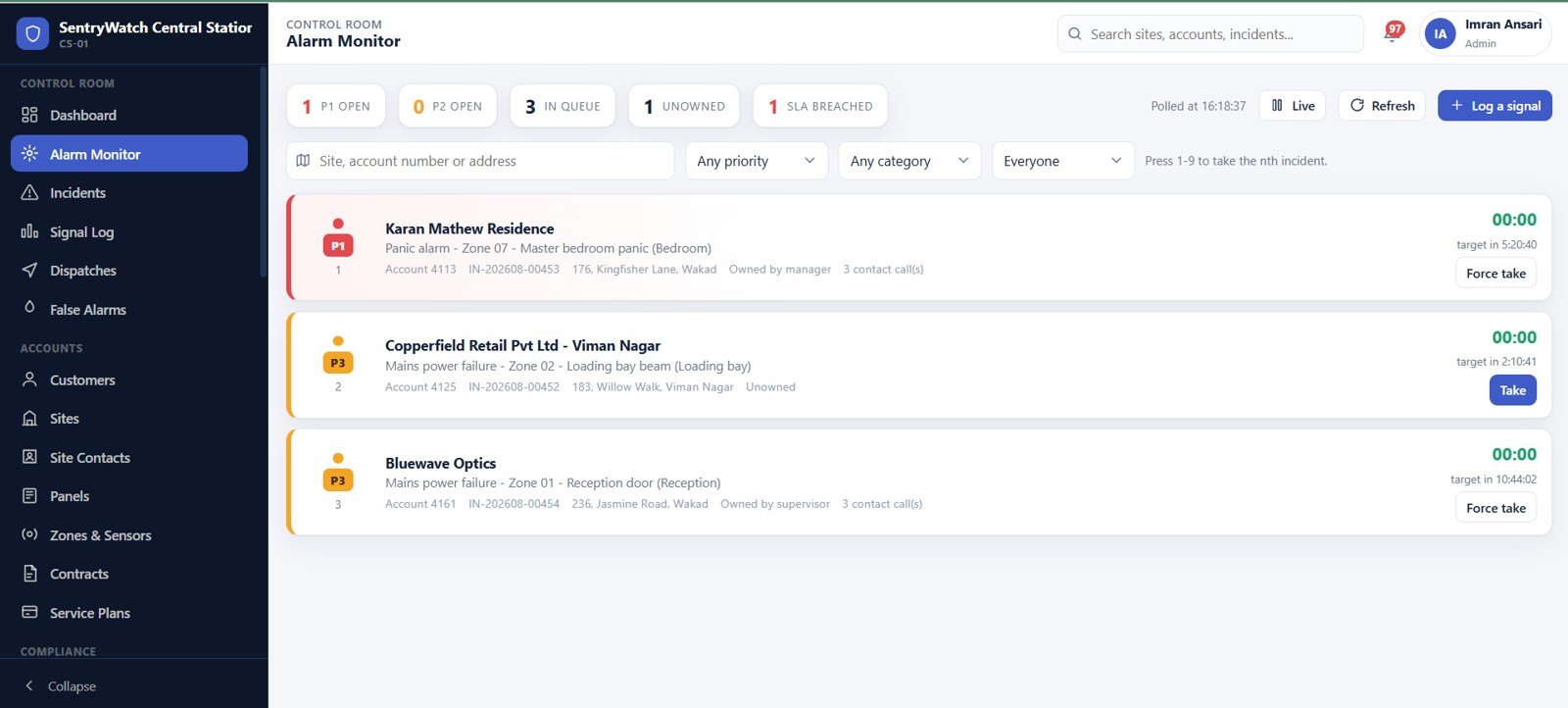
Alarm Monitor
The operator’s home screen. Counters across the top for P1 open, P2 open, in queue, unowned and SLA breached; filters for site, priority, category and owner; then priority-coloured cards showing the site, the event and zone, the account number, how many keyholder calls have been made, and the time remaining on target.
Incidents
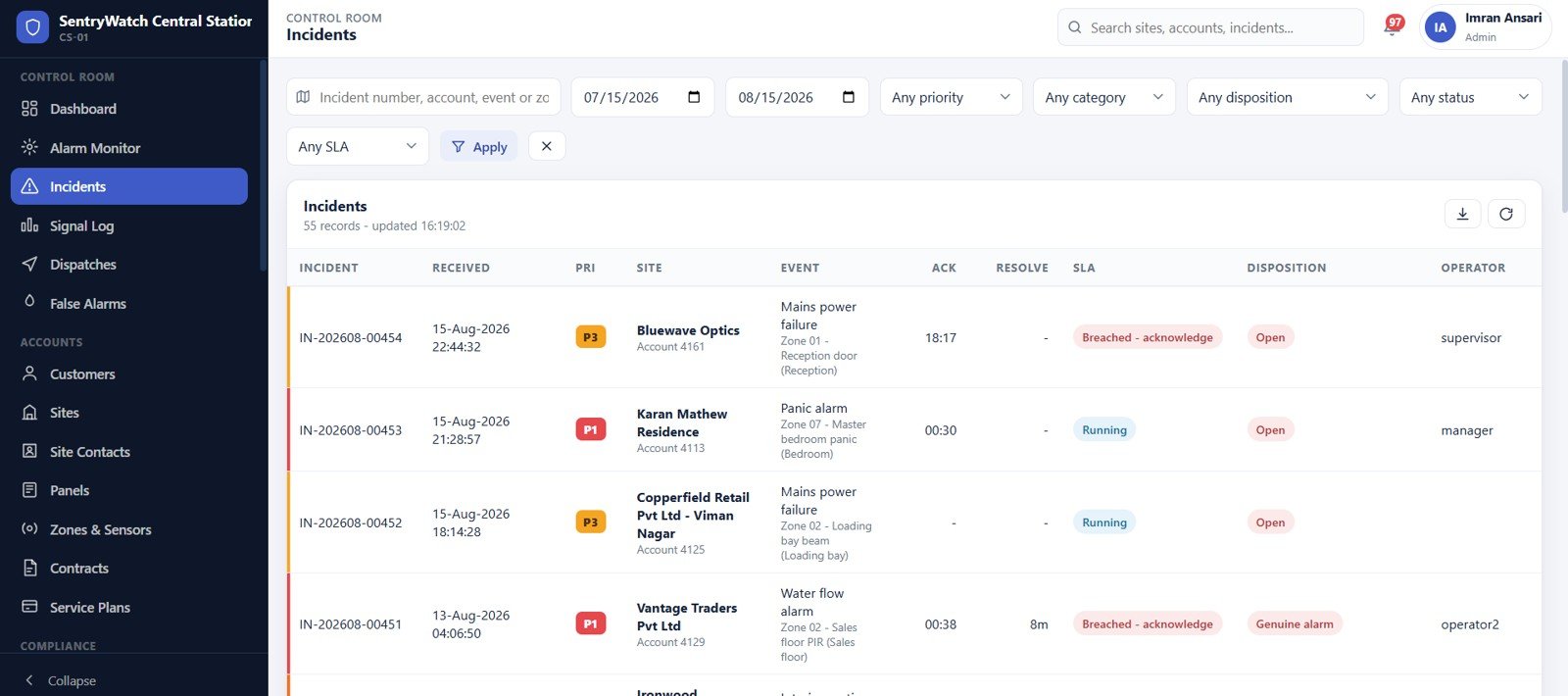
The permanent register behind the monitor. Filter by date range, priority, category, disposition, status and SLA state, and read acknowledge and resolve times, the disposition, and which operator handled it. Everything exports to CSV.
Signal Log
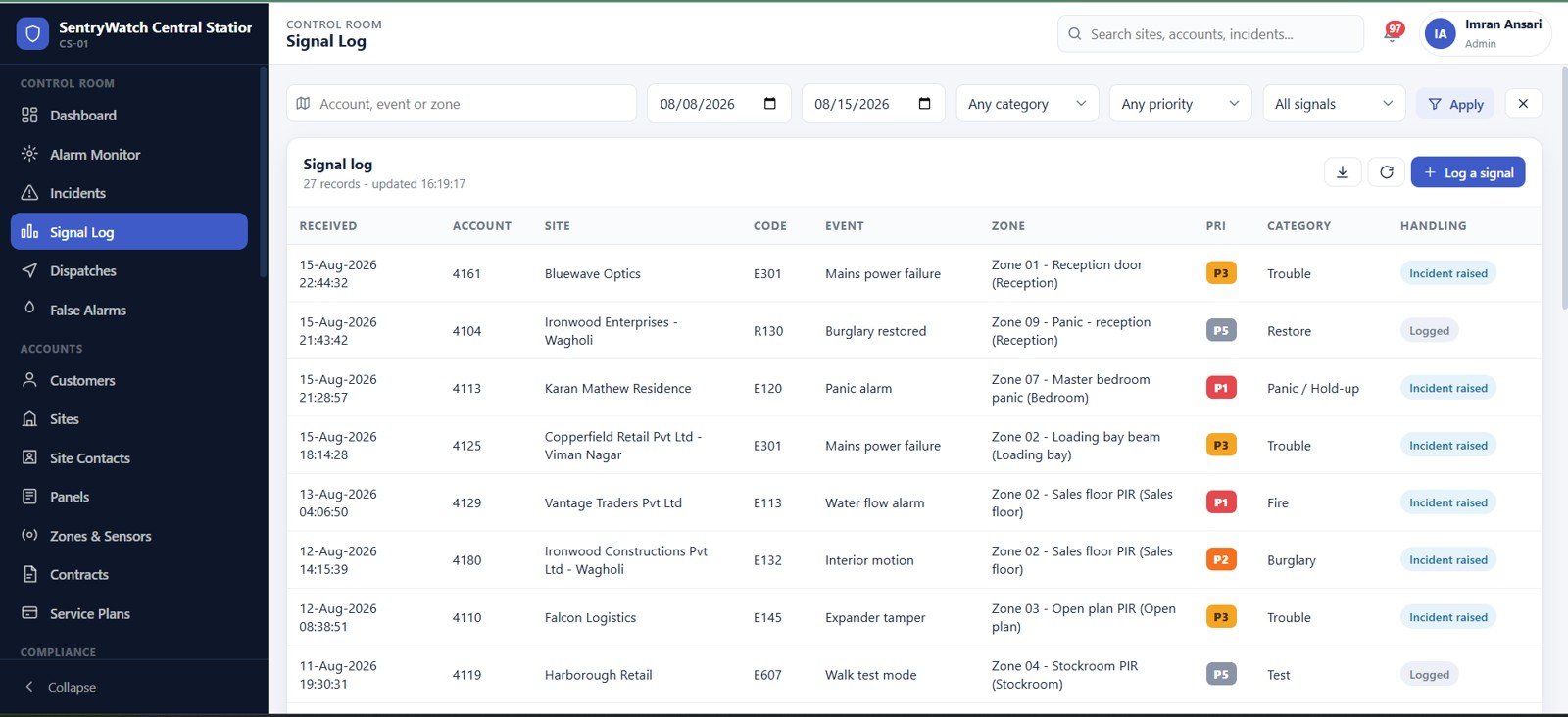
Every event the receiver saw, whether or not it became an incident. Fifty-nine Contact ID codes are seeded – E120 Panic alarm, E301 Mains power failure, E113 Water flow alarm, E607 Walk test mode, R130 Burglary restored – each mapped to a zone, a category and a priority, and marked either Incident raised or Logged.
Dispatches
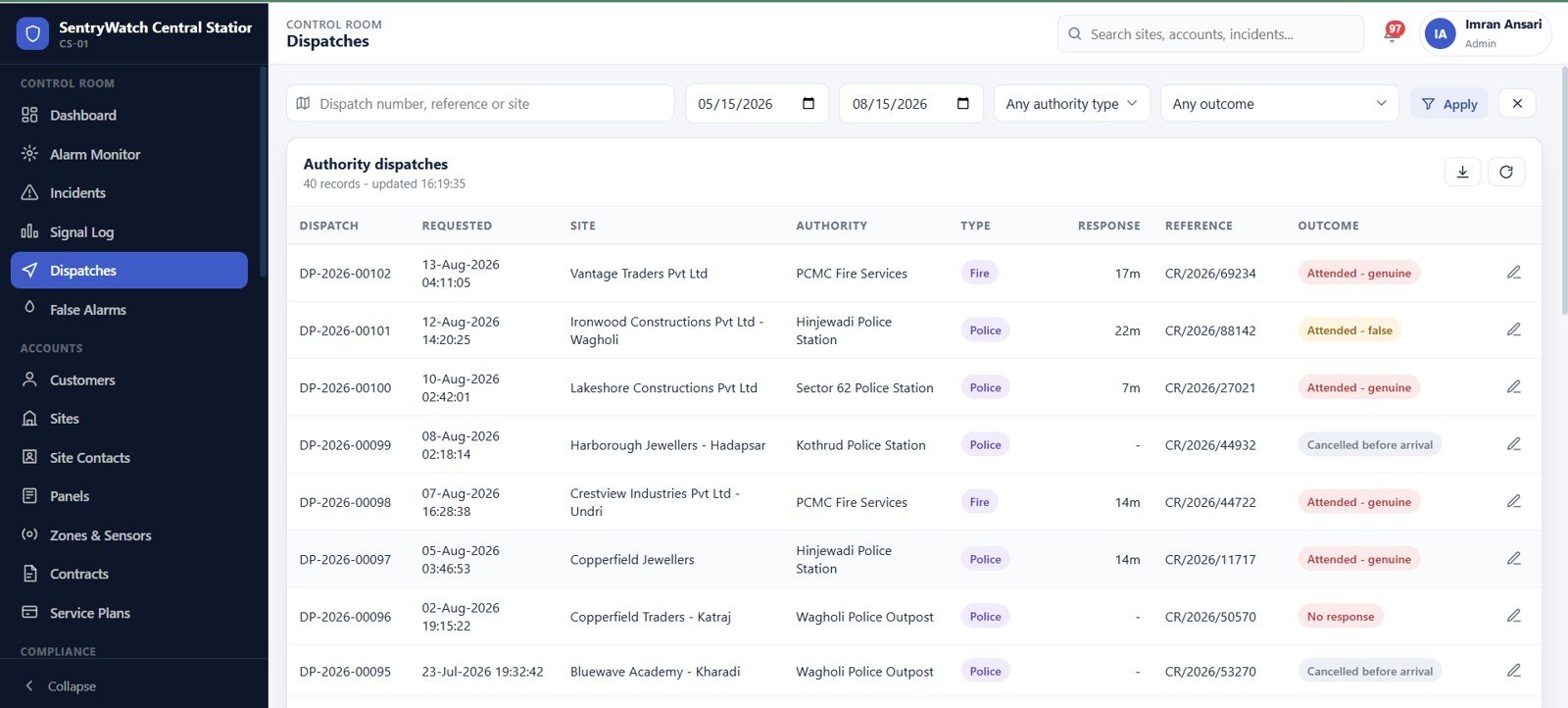
Every authority dispatch: the police, fire or medical unit sent, the response time, the authority’s own reference number, and the outcome – attended genuine, attended false, cancelled before arrival, or no response. This is the page that settles an argument about a call-out.
False Alarms
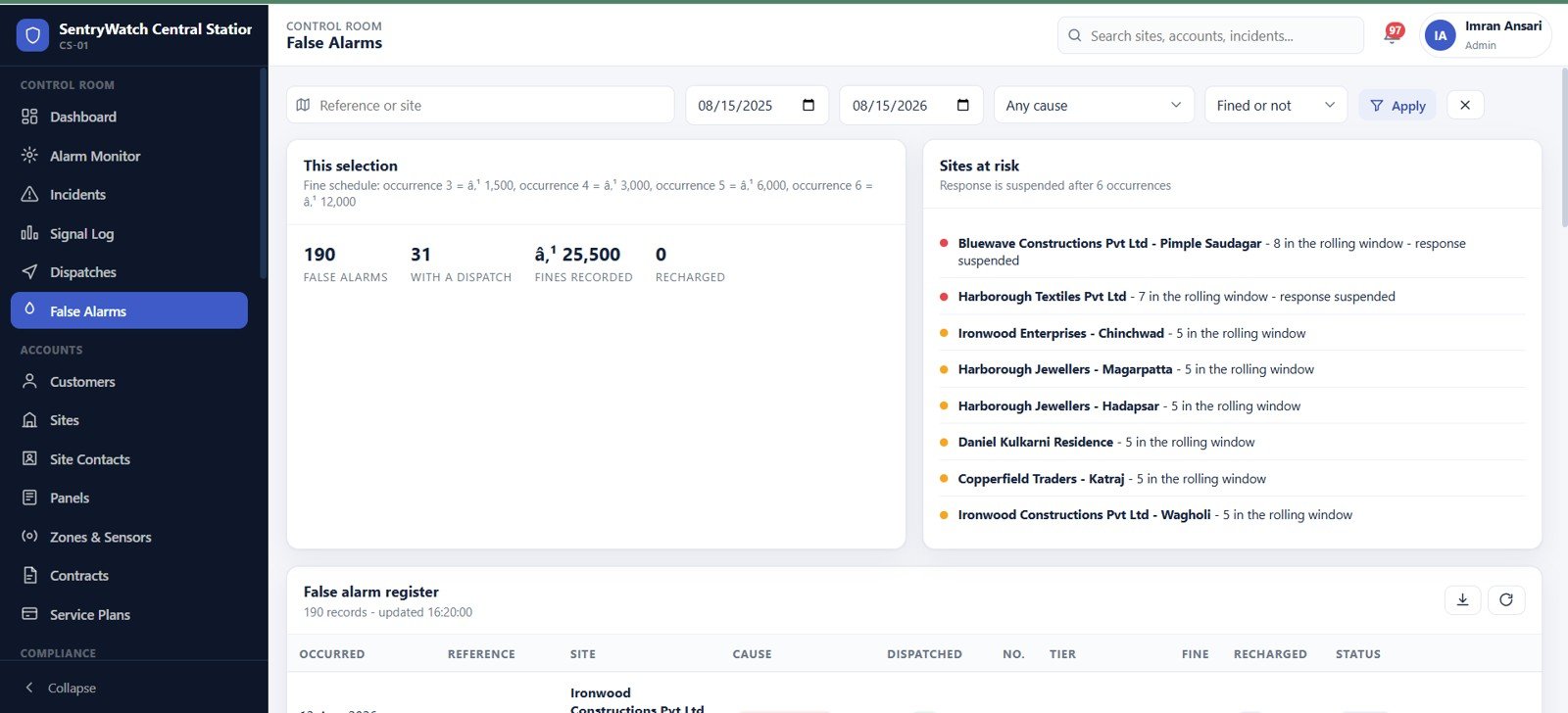
The register plus the money. The fine schedule escalates by occurrence, dispatched and recharged counts sit alongside it, and a Sites at risk panel names the accounts approaching or already past the suspension limit – in the seeded data, two sites are suspended and six more are one or two occurrences away.
Sites, Panels, Zones and Contacts
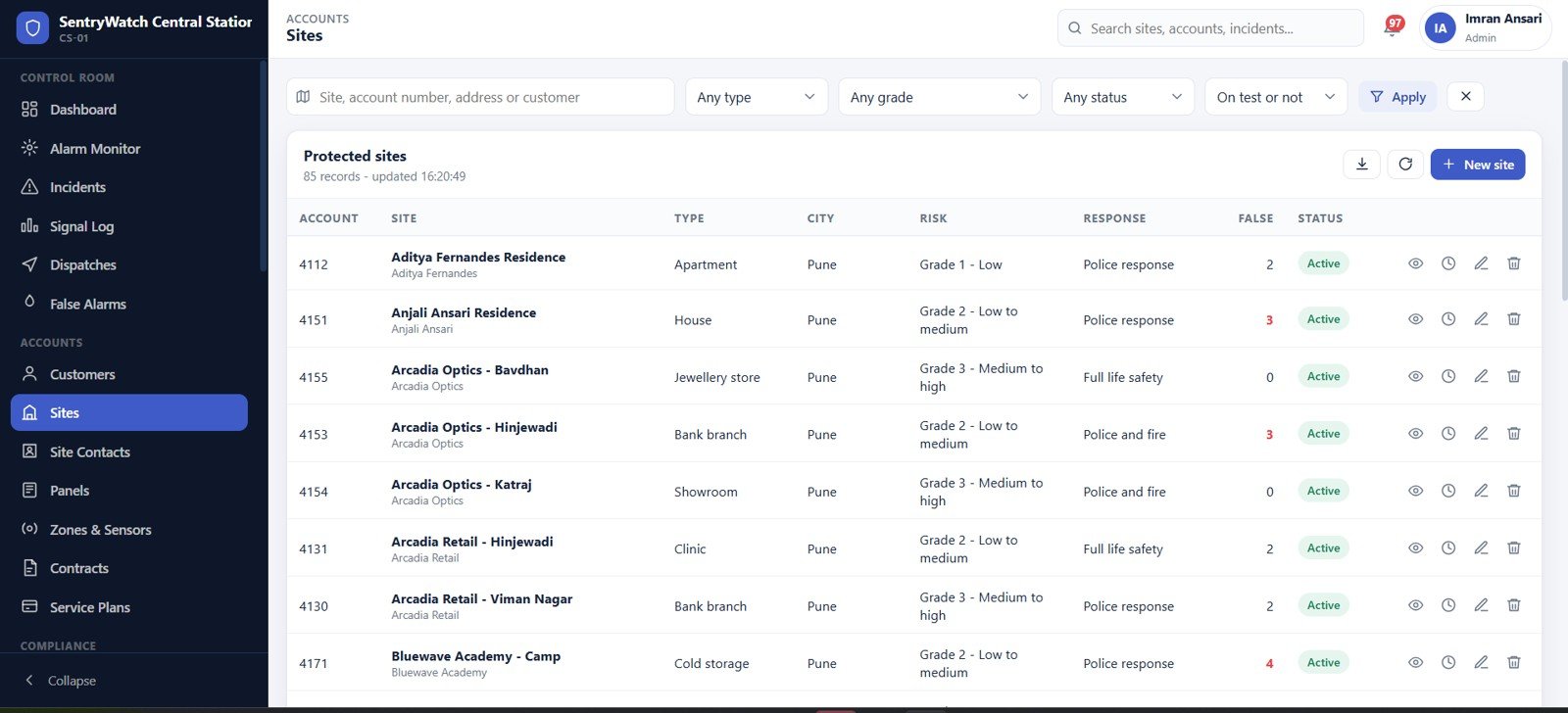
Sites carry a type, a risk grade, the agreed response – police response, police and fire, or full life safety – and a running false alarm count. Panels record make and model, signalling path, zone count, last signal and supervision state. Zones list device type, zone type, serial and last test date. Site Contacts hold call order, keyholder and can-cancel flags, and the verbal passcode.
Contracts and Service Plans
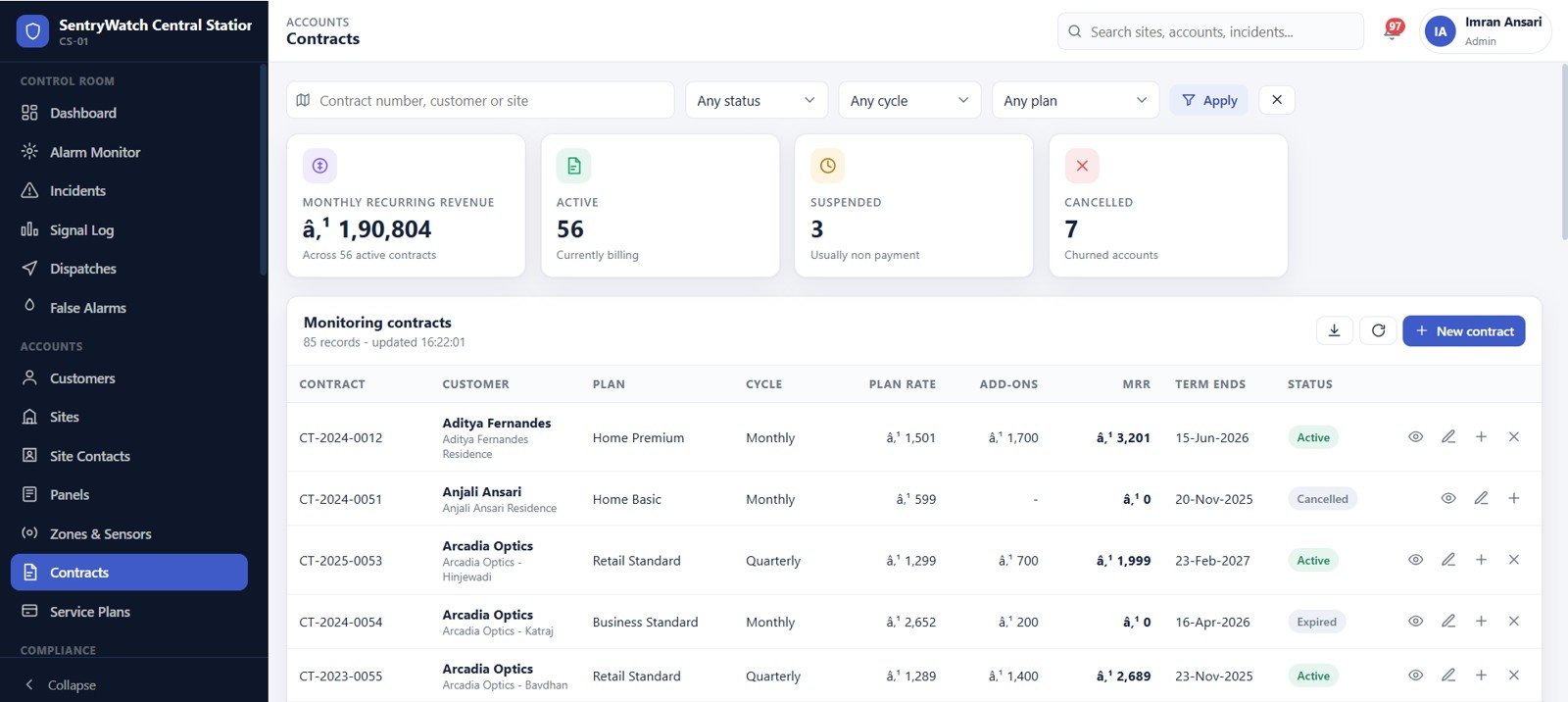
Contracts show plan, cycle, plan rate, add-ons, MRR, term end and status, headed by MRR, active, suspended and cancelled counts. Behind them the plan catalogue sets monthly rate, setup fee, included service visits, term length and what is monitored – intruder only, combined, or full life safety.
Invoices, Receipts, Billing Runs and Expenses
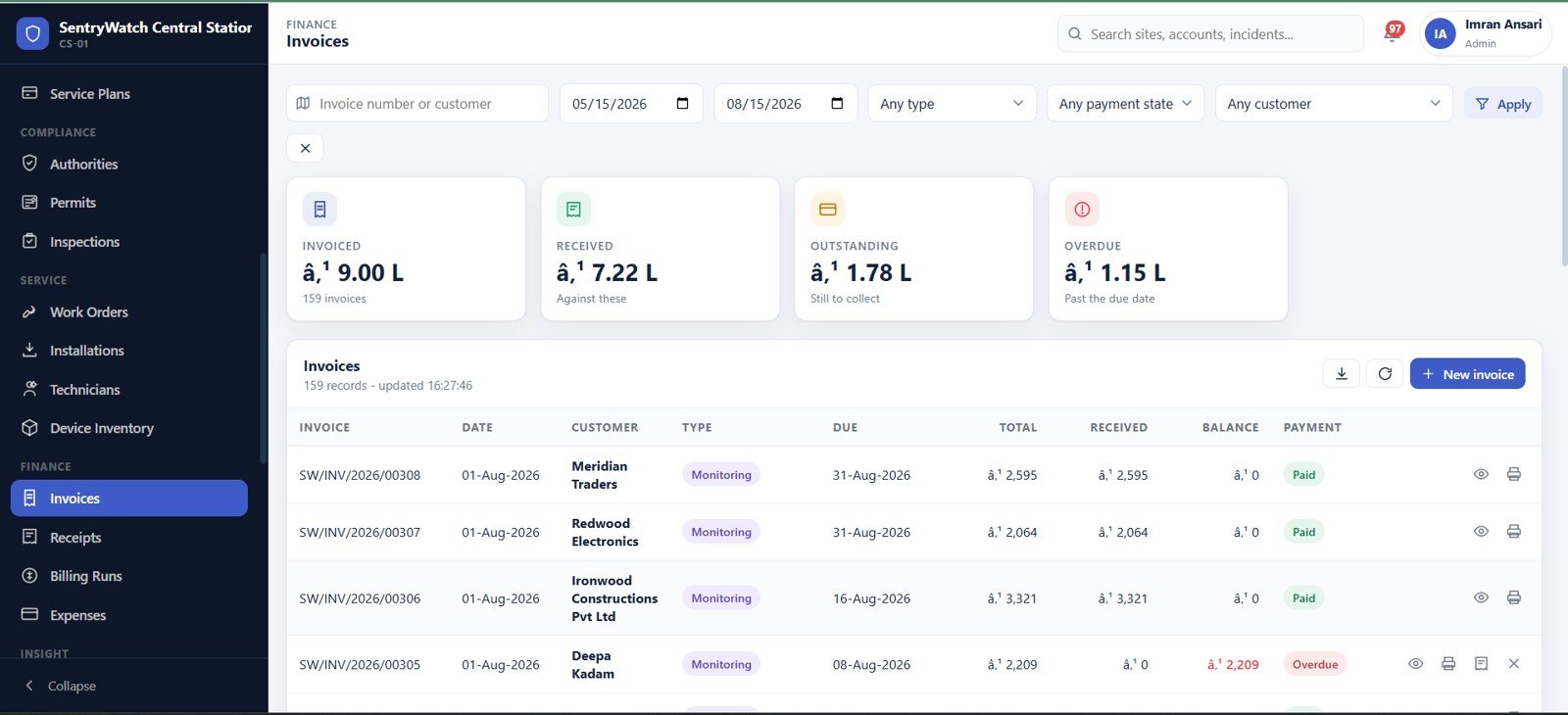
Invoiced, received, outstanding and overdue on one strip. Invoices are typed as monitoring, install or service; receipts are matched against an invoice with a payment mode and reference; billing run history shows contracts, invoices produced, and prorated and escalated counts for each month; and an operating expense ledger carries an approval state.
Reports
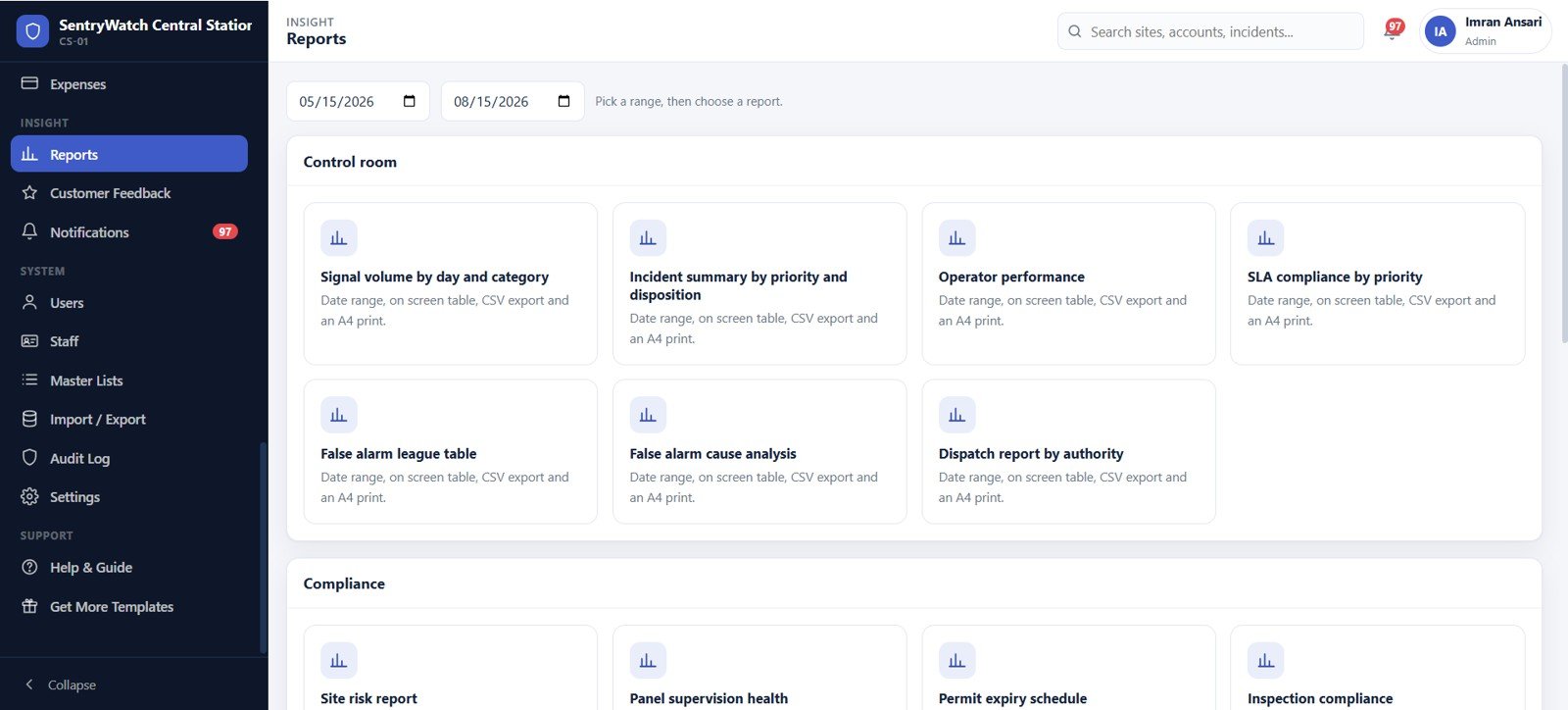
Pick a date range, then a report. Control room: signal volume by day and category, incident summary by priority and disposition, operator performance, SLA compliance by priority, false alarm league table, false alarm cause analysis, dispatch report by authority. Compliance: site risk, panel supervision health, permit expiry schedule, inspection compliance. Service and finance groups follow. Each gives an on-screen table, a CSV export and an A4 print.
Settings, Users and Master Lists
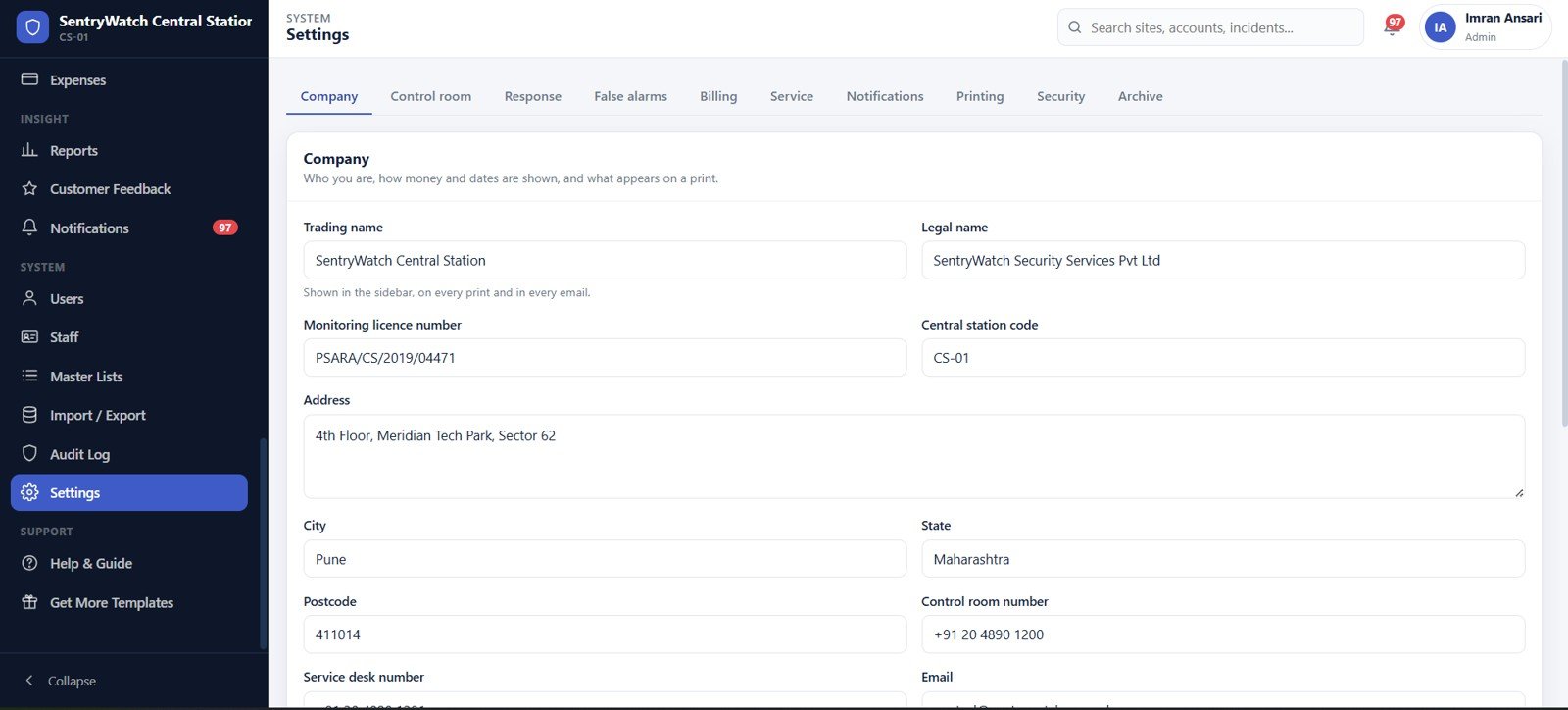
Ten settings tabs – company, control room, response, false alarms, billing, service, notifications, printing, security and archive – decide the SLA targets per priority, how many contacts to try before dispatch, the false alarm window and fine schedule, the invoice prefix and tax, labour and travel rates, session length and password rules. Users manages the accounts and their roles, Master Lists holds every dropdown in the product, and the Audit Log records who did what.
Not pictured but included: Customers, Authorities, Permits (with a banner naming active sites that have no permit where one is required), Inspections, Work Orders, Installations, Technicians, Device Inventory with stock movements, Customer Feedback, Notifications, Staff, Import / Export and a Help & Guide page.
Alarm Monitoring Web App vs. Spreadsheets vs. Paid Central-Station Software – Feature Comparison
| This web app | Spreadsheets + WhatsApp | Paid automation software | |
|---|---|---|---|
| Cost | One payment | Free, plus the errors | Typically per-account or per-operator, monthly |
| Platform | Apps Script + Google Sheets, in your own account | Excel or Sheets files | Vendor cloud or on-premise server |
| Setup time | About 15 minutes, then one click to seed | Already there | Weeks, usually with paid onboarding |
| Live SLA countdown per incident | Yes | No | Yes |
| Role-based access re-checked server-side | Yes, seven roles | No – file access is all or nothing | Yes |
| False alarm fines and suspension logic | Yes, configurable schedule | Manual | Usually yes |
| Monthly billing run with proration | Yes, preview then commit | Manual | Yes |
| Automatic signal capture from a receiver | No – logged in-app or imported | No | Yes, this is what you pay for |
| Year-1 cost, small company | Under $50 | $0 and a lot of rework | Four figures and up |
Who Should Use This Template
A small or mid-size alarm installation and monitoring company that already has a receiver but runs the business around it on spreadsheets. A facilities or in-house security team that needs a defensible, timestamped log of alarms, keyholder calls and dispatches across several buildings. A security integrator that wants contracts, service visits and billing living beside the incident history rather than in a different folder. And trainers or students who want to see how central-station workflow, SLAs and false alarm management actually fit together.
It is not for you if you need the signals themselves. This is business-management software, not a signal receiver: it does not connect to alarm receivers or communicator paths, does not ingest Contact ID automatically, and sends nothing to a PSAP. It is not UL-listed, not SIA CP-01 certified, carries no regulatory approval, and is not a monitoring or emergency response service. Nothing here dispatches police for you – it records that you did.
Real-World Use Cases
A 220-account alarm company. Operators handled alarms on a whiteboard and invoices were typed from a contract file, so nobody could say how long a P1 really took to acknowledge. The SLA compliance report gives that number, and the false alarm league table usually finds a small group of sites generating a disproportionate share of call-outs.
A nine-building campus security team. They sell nothing; they need evidence. Every alarm, keyholder call, dispatch and disposition is timestamped and exportable – which is what an insurer asks for at renewal.
An integrator’s service desk. The coordinator lives in Work Orders, Installations, Inspections and Device Inventory and cannot see a single invoice, because the role does not include them. When a panel drops into supervision failure, the fault visit is raised against the same site record the monitoring team is looking at.
Advantages of the Alarm Monitoring Service Management System Web App
It is yours. Deployed with Google Apps Script web apps, the whole thing lives in your Google account: your Drive, your Sheets, your access control. There is no vendor holding your customer list.
It is honest about permissions. The role map drives the menu and the server guard. An operator who guesses a URL still gets refused, because the check happens before the data is touched.
It is complete on day one. The seeded dataset means you evaluate a working control room instead of imagining one, and you can hand the demo to an operator and watch them use it without training.
It prints. Every report has an A4 print layout and a CSV export, which matters more than it sounds when an authority or an insurer asks for the file.
Opportunities for Improvement
Three things we would rather you heard from us than discovered later.
The currency symbol in the shipped seed data is mis-encoded. The seeded currency_symbol setting was written with the wrong byte encoding, so money renders with stray characters instead of the intended sign on every screen that shows an amount. The numbers are correct – only the symbol is wrong – and the fix takes five seconds in Settings → Company → Currency symbol. The same slip affects the bullet mask on the site contact passcode column and two apostrophes in modal captions.
The Work Orders scheduled column can print a 1899 placeholder date on time-only values, where a spreadsheet time cell has been serialised with its epoch date. It is cosmetic – the scheduled date itself is correct in the row above it.
The Installations margin figures read negative in the seeded data, because gross margin is calculated against full device cost rather than the parts actually consumed. Invoiced values, receipts and the billing run are unaffected; treat the installation margin column as indicative until you replace the seed data with your own.
Beyond the defects: Google Sheets is a practical database, not an unlimited one. It is comfortable for a few dozen to a few hundred accounts, not for tens of thousands of signals a day, and Apps Script has its own execution quotas. The archive tool in Settings exists precisely so old signals and incidents can be moved out as the sheet grows.
Best Practices
- Set the SLA targets before anything else. The countdown, the breach counters and the compliance report all read from Settings → Control room. Wrong targets make every downstream number meaningless.
- Delete the seeded users on day one and change every password. The credentials ship with the product, so treat them as public.
- Install the daily triggers from the SentryWatch menu in the bound spreadsheet. Without them the supervision check, the permit and invoice ageing sweep and the morning digest never run.
- Record the disposition every time. The false alarm register, the league table and the fine schedule are all built from dispositions – skip them and the compliance side of the app goes quiet.
- Preview the billing run before committing it. Proration and escalation are visible in the preview, and a committed run is much harder to unpick.
- Keep Master Lists tidy. Every dropdown in the product comes from there, so a duplicated authority type or contract status shows up in six screens at once.
Explore Relevant Templates
- Alarm Monitoring Service Management System Web App – the product page for this system, with the full download.
- Access Control and ID Card Management System Web App – passes, credentials and door access alongside your alarm accounts.
- Airport Transfer Management System Web App – the same dispatch-and-SLA pattern applied to vehicle jobs.
- Hospital Management System Web App – the largest multi-role Apps Script system we ship.
- Browse the whole Web Apps category.
Curious how Google Sheets-based management systems are structured? The NextGenTemplates Academy learning paths cover the spreadsheet skills behind them, with practice files to follow along.
Frequently Asked Questions
Can I try it before buying?
Yes – the live demo above is a fully deployed instance with the seeded dataset, and all nine logins across seven roles are published in the green box. Sign in as any of them. The demo is shared and resets periodically, so treat it as a sandbox rather than storage.
Does it receive alarm signals from panels automatically?
No. Signals are logged in the app with the Log a signal button or brought in through Import / Export. Automatic receipt from a receiver or communicator path is not part of this product, and no listing or certification is claimed for it.
Do I need Google Workspace?
No. A normal Gmail account is enough – Apps Script, Sheets and Drive are all included, and the app runs entirely inside your own account.
How many people can use it?
As many as you create. The nine seeded accounts are only a starting point; each user is bound to one of the seven roles, and roles are enforced on the server as well as in the menu.
Can I change the fields, thresholds and dropdowns?
Thresholds, rates and fine tiers live in Settings, and every dropdown in the product is editable in Master Lists – no code required. For structural changes you have the complete source, or you can ask us for a customisation.
What is in the download?
A zip with Code.cs.txt (the Apps Script backend), Index.txt (the whole frontend) and a detailed user manual PDF covering every module, the role matrix, deployment and first-run setup.
About the Author
Built by PK – Microsoft Certified Professional with 15+ years of Excel, Google Sheets, and Power BI experience. Founder of NextGenTemplates, reaching 300K+ subscribers across YouTube channels. Every template is hand-built and tested before release.
Conclusion
Alarm monitoring is a business of evidence. Who called, when, what they were told, who was dispatched, what the outcome was, and whether the customer has been billed for any of it. The Alarm Monitoring Service Management System Web App keeps all of that in one place, enforces who may see which part of it, and hands you the reports at the end of the month – without a subscription and without your customer list living on someone else’s server. It will not receive your signals, and we would rather say so plainly than let you find out later. Everything after the signal, it handles.
Start with the live demo – sign in as operator1 and work one incident from queue to disposition. If that feels like your control room, the full system is here.