A sound and lighting hire business fails in two places: the shelf and the ledger. Either the same pair of subs gets promised to a sangeet and a club night on the same Saturday, or the gear goes out, comes back scuffed, and nobody ever raises the damage charge. The DJ & Sound Equipment Booking System Web App closes both gaps in one Google Apps Script application that runs inside your own Google account – no servers, no monthly platform fee, no data leaving your Drive.
The build we are looking at ships seeded with 12,936 rows across 25 database tabs: 182 tagged assets, 60 clients, 32 venues, 10 package rigs, 541 bookings, 3,460 booking lines, 2,903 dispatch records, 34 crew, 1,456 crew assignments, 222 quotations, 453 invoices, 1,784 payments, 170 maintenance jobs, 16 suppliers and 110 purchase orders. That matters because every screen and all 49 reports are already populated – you are evaluating a working hire desk, not an empty shell.
Get the DJ & Sound Equipment Booking System Web App
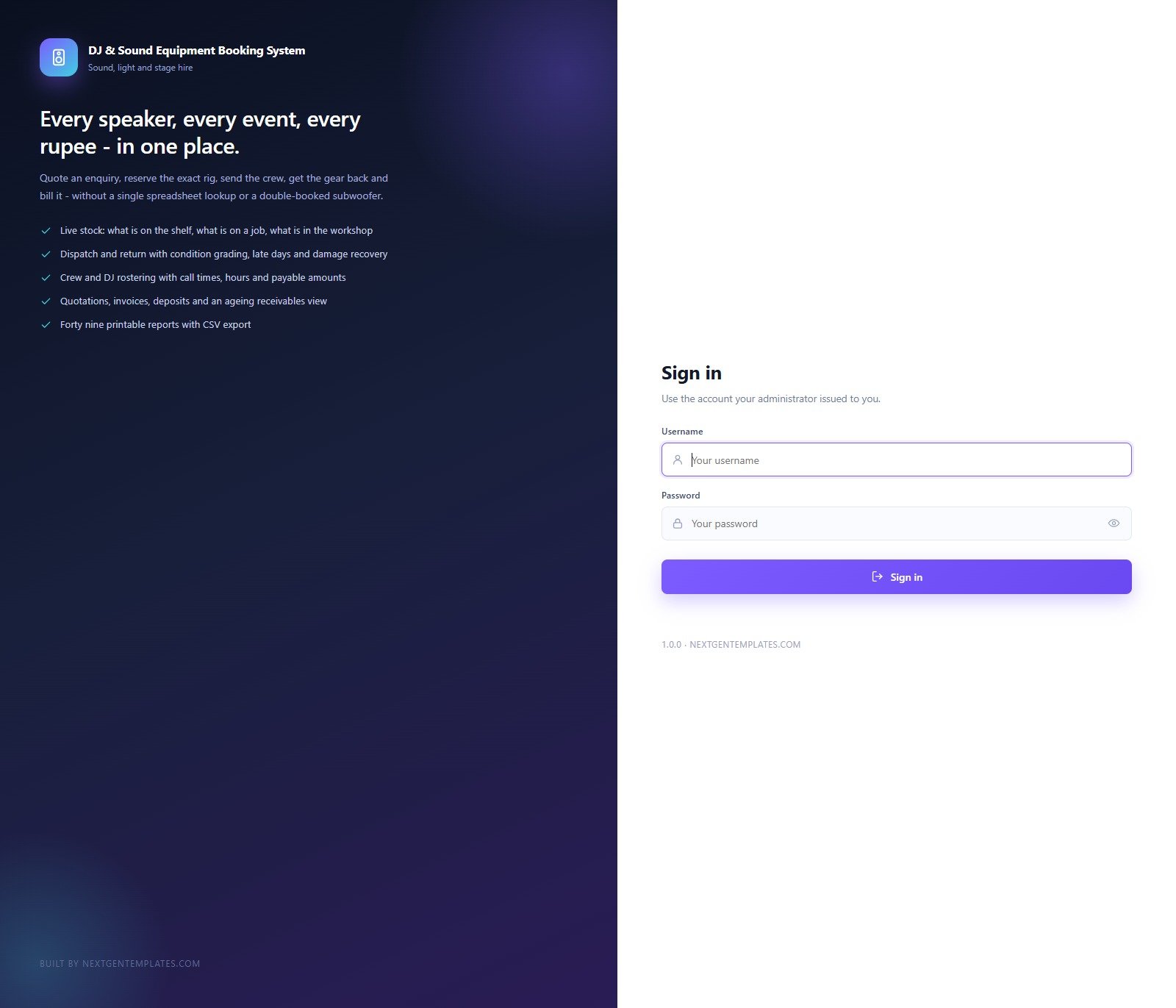
🚀 Try the Live Demo Before You Buy
This exact build is deployed in our own Google account so you can test every page, every role and every printable document – with a full year of realistic sample data – before spending anything. No signup, no email required.
🔑 Test Login Credentials
Sign in as admin to see everything, then sign out and come back as dj.arjun. The second login is the more interesting one: a crew member sees the schedule and the gear, read only, with no money columns anywhere.
💡 These credentials are public on purpose – they are the seeded logins of a shared demo instance that resets, not of anybody’s live system. Buyers get the full source code (Code.gs + Index.html) and a deployment guide, and run their own private copy in their own Google account.
Key Features of the DJ & Sound Equipment Booking System
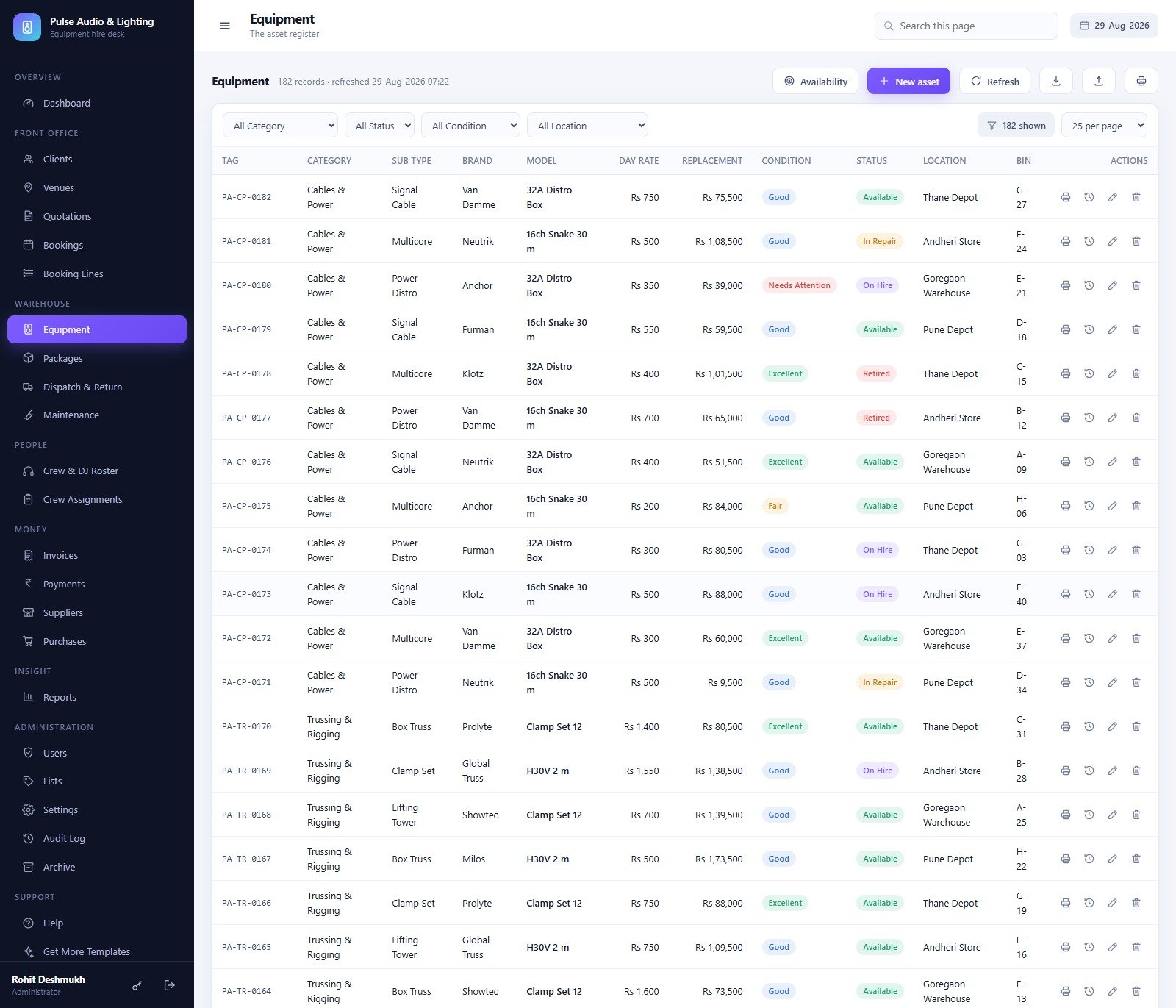
- An asset register that knows where every item is. 182 tagged assets across Main PA Speakers, Subwoofers, Stage Monitors, Amplifiers, Microphones, Mixers & Processors, DJ Gear, Lighting, Trussing & Rigging and Cables & Power – each with day rate, replacement value, condition, status (Available, On Hire, In Repair, Retired), depot and bin number.
- Availability across a date window. The Equipment screen has an Availability button that answers the only question that matters on a Friday afternoon: is this specific box free on those dates?
- Ten pre-priced package rigs – Sangeet Night Rig at Rs 48,000 with 3 crew, Club Night Rig at Rs 58,000, Concert Main Stage at Rs 1,68,000 with 9 crew, down to a Birthday House Party at Rs 14,500. A coordinator quotes in seconds instead of picking twenty line items.
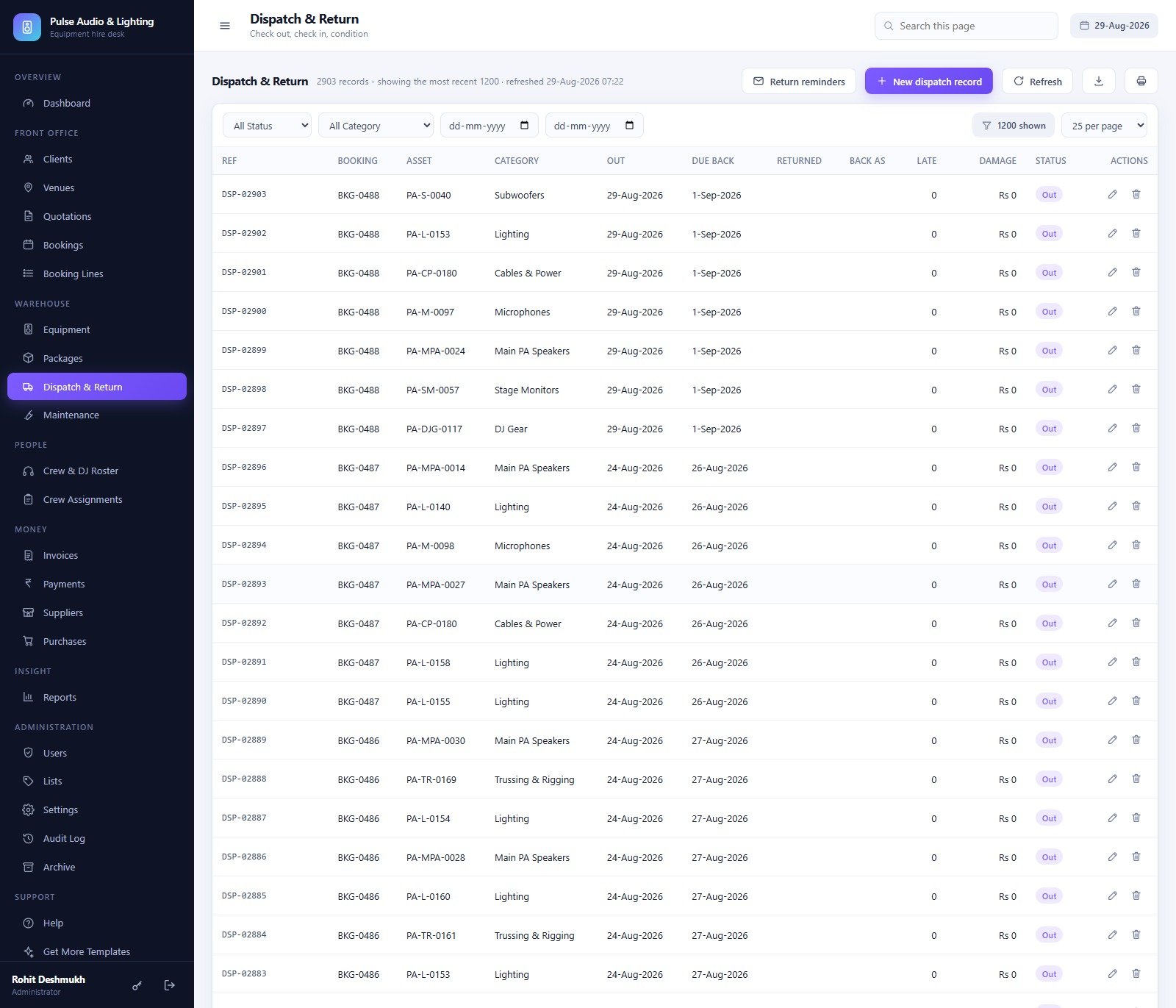
- Dispatch and return with condition grading, days late and damage charges, plus a Return reminders button that emails every client whose gear is overdue.
- The full money chain – quotation (versioned, convertible to a booking), booking, invoice with the GST split, payments covering advances, balances, security deposits, refunds, damage recovery and late charges.
- Crew and DJ rostering with skill grade, day rate, availability, call times, hours and payable amounts, and a printable three-week call sheet.
- 49 printable reports with CSV export.
- Six roles, enforced server-side, an audit log of every change, and a database archive that keeps the live file fast.
Every Screen in the DJ & Sound Equipment Booking System, Explained
Dashboard
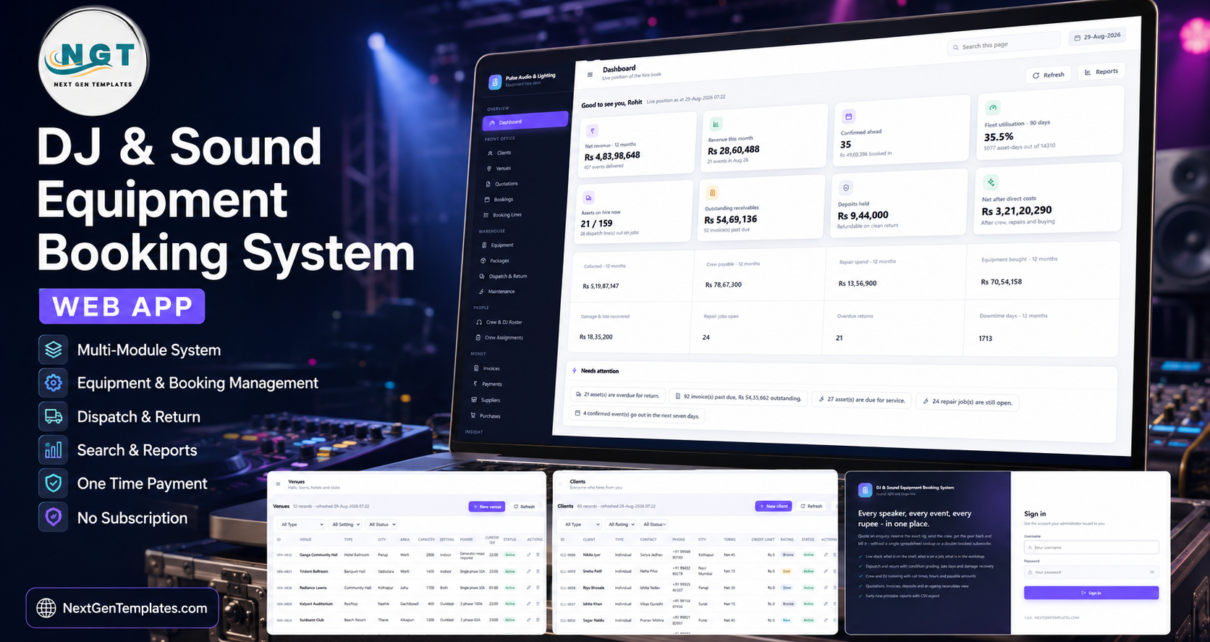
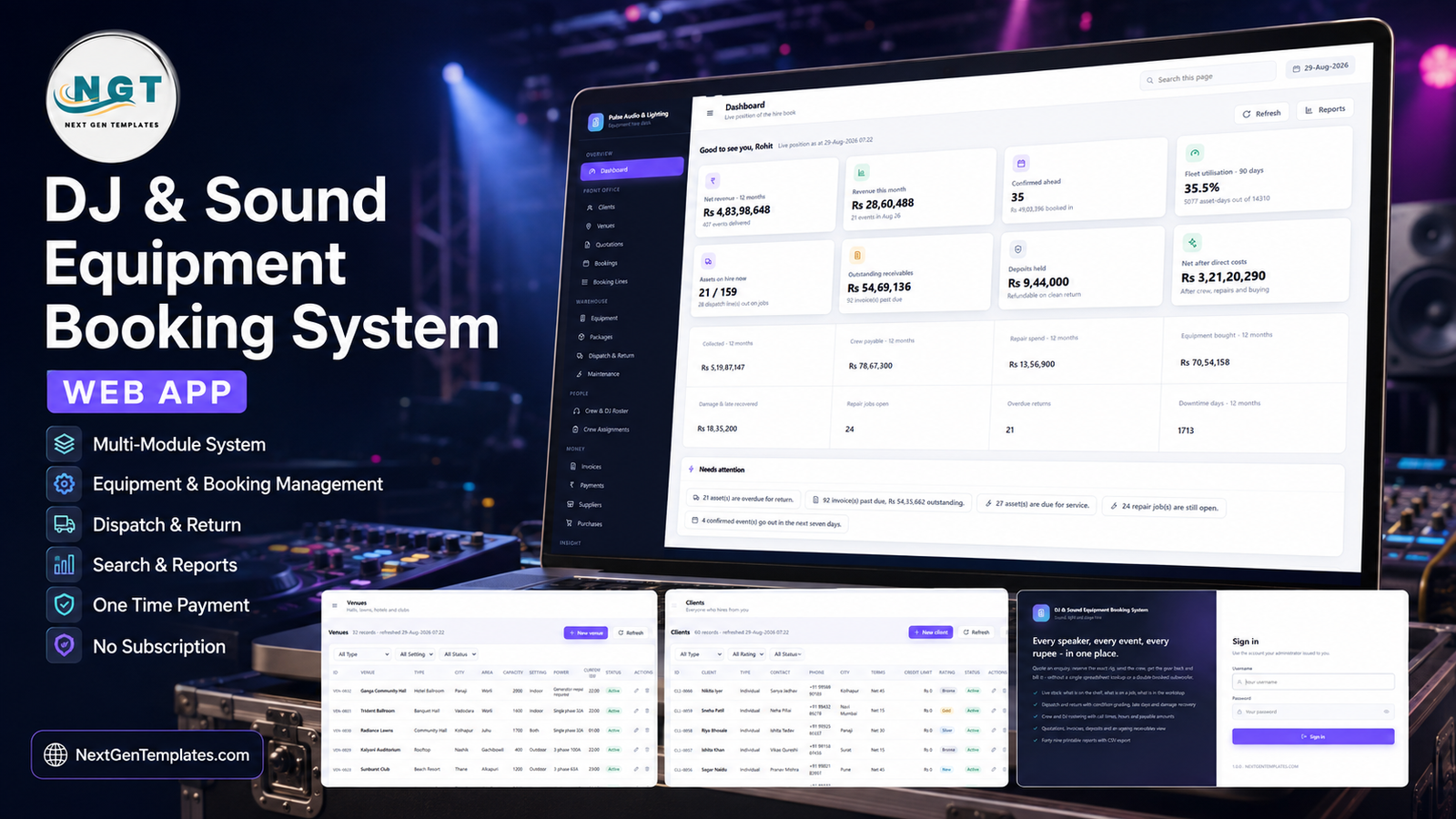
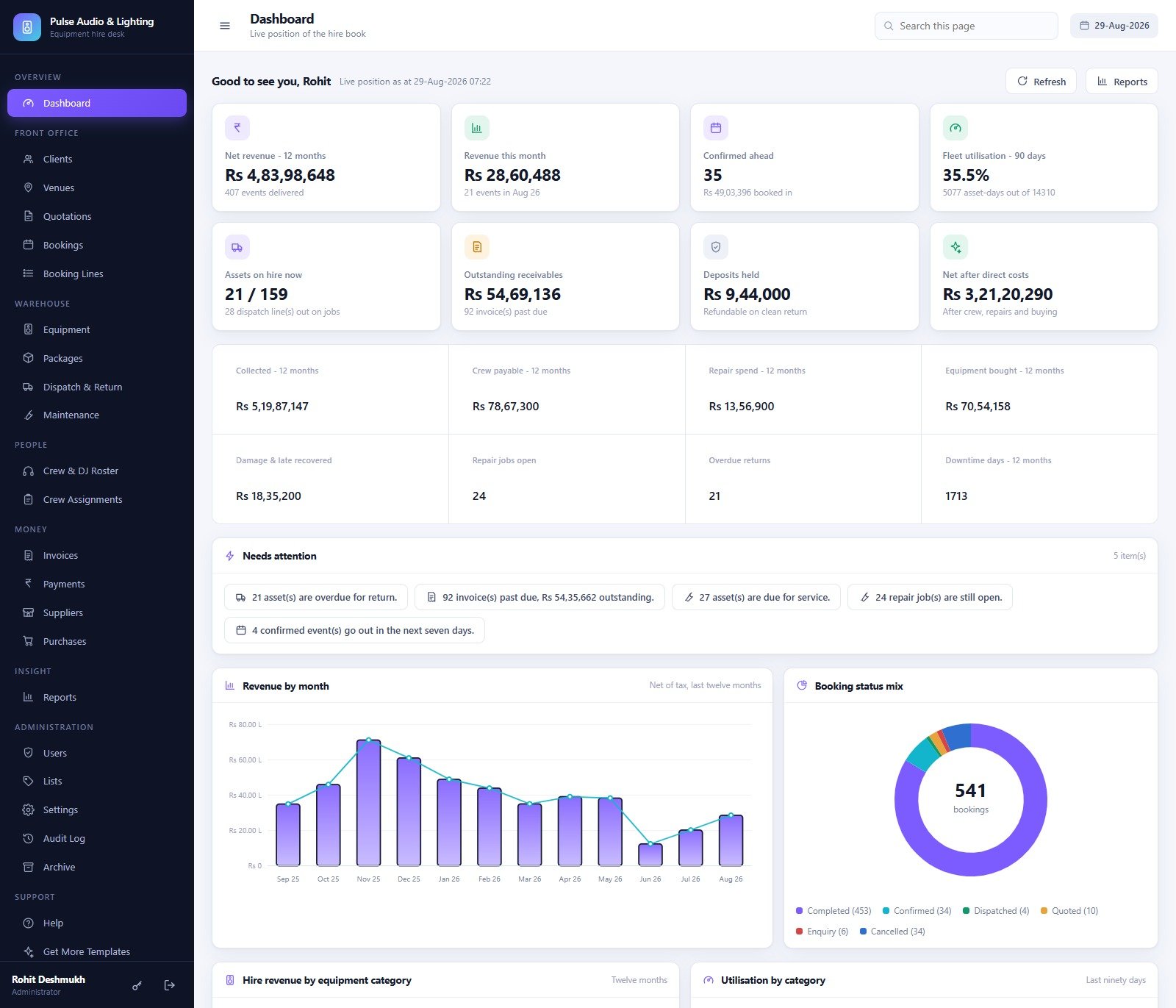
Eight headline cards – net revenue over twelve months, revenue this month, confirmed events ahead, fleet utilisation as asset-days used against asset-days available over 90 days, assets on hire now, outstanding receivables, deposits held, and net after direct costs. Eight supporting totals sit under them (collected, crew payable, repair spend, equipment bought, damage and late recovered, repair jobs open, overdue returns, downtime days). Then a Needs attention strip – overdue returns, past-due invoices, assets due for service, open repair jobs, events going out inside seven days – and four charts: Revenue by month, Booking status mix, Hire revenue by equipment category and Utilisation by category.
Front office – Clients, Venues, Quotations, Bookings, Booking Lines
Clients carry type (wedding family, planner, corporate, hotel, college, club), contact, payment terms, credit limit and a rating. Venues carry the detail a crew actually needs on the day: capacity, indoor or outdoor, the power available (single phase 32A, three phase 63A, 100A, 200A or “generator required”) and the curfew time. Bookings are the heart of it – one row per event with client, venue, dates, days, total, received and balance – and each row opens the event sheet, the dispatch note, check-out, check-in, the invoice and a copy-to-new-date action. Booking Lines hold the 3,460 rows of exactly what was reserved, at what rate, for how many days.
Warehouse – Equipment, Packages, Dispatch & Return, Maintenance
Equipment is the asset register; Packages are the pre-priced rigs; Dispatch & Return is one row per asset per booking with out date, due back, returned, condition back, late days and damage. Maintenance holds 170 repair jobs with fault type, severity, vendor, downtime days and cost – and an open job automatically shows its asset as In Repair, so nobody can quote a box that is on a bench.
People and Money
Crew & DJ Roster lists 34 people by role – DJ, Sound Engineer, Lighting Operator, Rigger, Technician, Stage Hand, Driver – with grade, day rate and availability. Crew Assignments ties them to bookings with call time, hours and payable amount. On the money side, Invoices carry the GST split, amount paid, balance and due date with print, email and record-payment actions on the row; Payments print a thermal receipt; Suppliers and Purchases cover buying new gear and consumables.
Insight and Administration
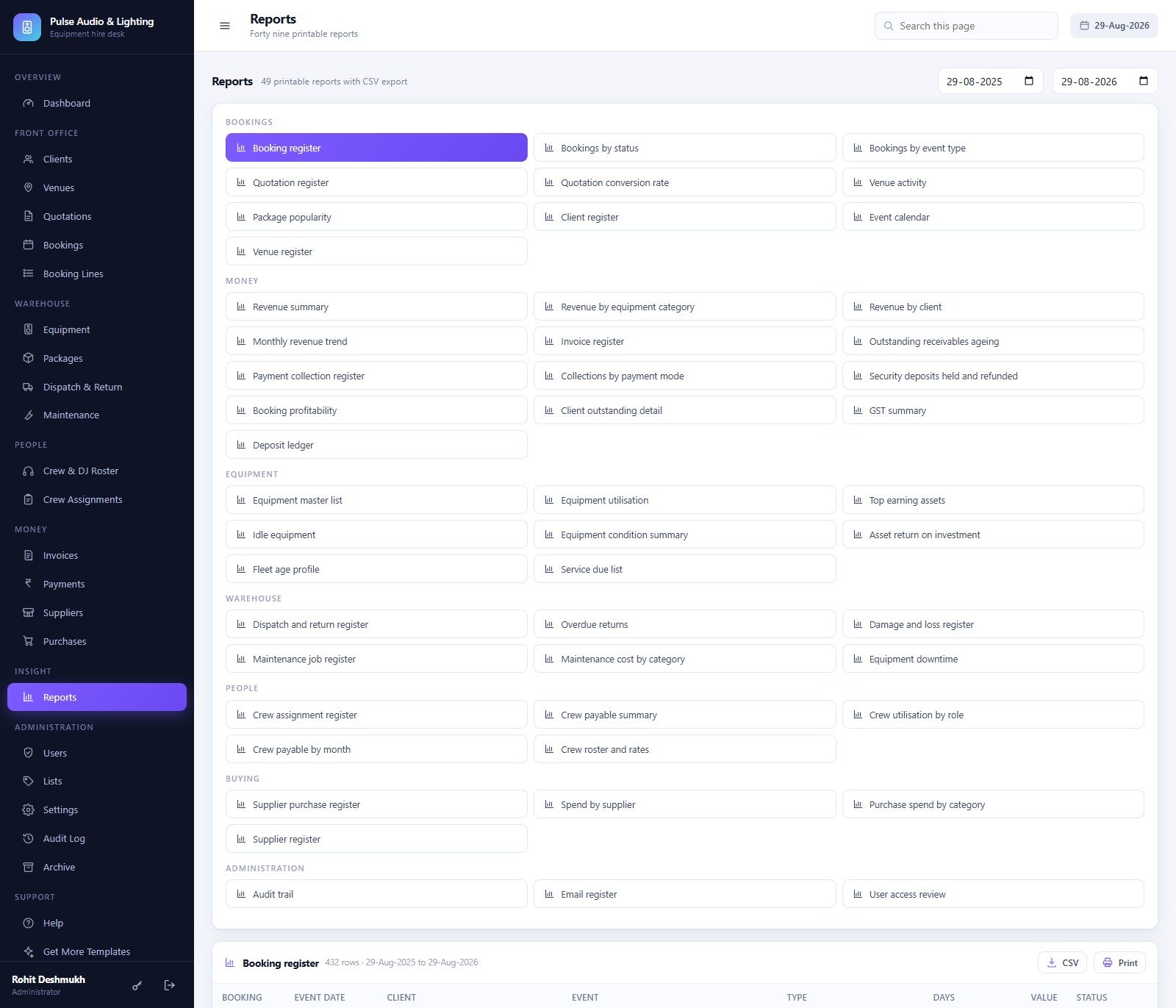
Reports is a library of 49 reports grouped as Bookings (10), Money (13), Equipment (8), Warehouse (6), People (5), Buying (4) and Administration (3) – each filtered by date range, totalled, printable and exportable to CSV. Administration holds Users, Lists (215 dropdown values you can extend without touching code), Settings, the Audit Log and the Archive.
DJ & Sound Equipment Booking System vs. a Spreadsheet Hire Book vs. Paid Rental SaaS – Feature Comparison
| This web app | Spreadsheet hire book | Paid rental SaaS | |
|---|---|---|---|
| Cost | One payment, no renewal | Free | Roughly USD 40-100 per user per month |
| Platform | Google Apps Script in your own Google account | Excel or Google Sheets | Vendor cloud |
| Setup time | About 15 minutes – one paste, one deploy | Immediate, then endless upkeep | Days, plus onboarding calls |
| Real-time team collaboration | Yes, concurrent users with their own logins | Fragile once two people edit | Yes |
| Mobile access | Yes, responsive in any browser | Painful | Yes, usually a native app |
| Customisable fields | Yes – Lists screen, plus the source code | Yes, but nothing enforces it | Limited to vendor options |
| Share with a link | Yes – one web app URL for the whole team | Yes, with all the risks | Yes |
| Asset-level double-booking check | Yes, across a whole date window | Manual and easy to get wrong | Yes |
| Thermal receipt and asset-tag printing | Built in – 3 inch, 4 inch and A4 | No | Usually an add-on |
| Year-1 cost at 5 users | The purchase price, once | Zero, plus the cost of the mistakes | Roughly USD 2,400-6,000 |
Who Should Use This Template
It suits a sound and lighting hire company, a DJ collective that sub-hires gear, an event production house that runs crew and rigs together, and an in-house AV department at a hotel, club, banquet venue or college. The sweet spot is roughly 50-500 tagged assets and a handful of coordinators.
It is the wrong tool if you want customers to self-serve a public booking page – this is a staff-facing back office. There is no payment gateway (payments are recorded, never taken), no barcode scanner integration, and no general ledger. A fleet in the tens of thousands of assets is past the point where a spreadsheet-backed database is the right storage.
Real-World Use Cases
Friday, 4pm, 180 assets. The owner opens the Dashboard, sees 21 assets overdue for return and four confirmed events going out inside seven days, fires the return reminders from Dispatch in one click, and prints the weekend call sheet from Crew Assignments.
Month end, from the accountant’s chair. Signed in as Accountant, she works the Outstanding receivables ageing report, records a UPI advance against a booking, prints a 3-inch thermal receipt – and never sees the Users or Settings screens at all, because her role does not include them.
Monday morning in the warehouse. A truss set comes back with a bent clamp. The supervisor checks it in with a condition grade, raises a repair job against the asset, and the asset immediately shows as In Repair so no coordinator can quote it. Replacement cable is ordered from a supplier through Purchases.
Advantages of the DJ & Sound Equipment Booking System
- The role model is real. A DJ or crew login is genuinely read-only and money-free. The same rule is applied on the server, so hiding a menu is not the whole defence.
- It is populated from minute one. A year of seeded bookings, dispatches, invoices and repairs means the charts, the ageing report and the utilisation numbers all show something meaningful while you evaluate it.
- Print sizes match the job – A4 for invoices, quotations, dispatch notes and reports, 4 inch for asset tags and short dispatch slips, 3 inch for thermal receipts and gate passes.
- Your data stays yours. The app builds its own Google Sheets database in your Drive, plus a folder tree for equipment photos, damage reports, dispatch notes, invoices, imports and backups.
- You own the source and can add a module, a report or a list value without asking anyone’s permission – see the Google Apps Script web apps documentation for how the deployment model works.
Opportunities for Improvement
Three things worth knowing before you deploy, all found by working through the build rather than reading the brochure:
- Two totals for the same 92 invoices. On the Dashboard, the “Outstanding receivables” card reads Rs 54,69,136 while the Needs attention strip reads Rs 54,35,662 – both for 92 past-due invoices. The Rs 33,474 gap is a single partially-paid invoice counted at a different stage. The underlying records and the receivables report are consistent; only the two headline figures differ.
- The DJ/Crew logins are not linked to roster rows. The seeded user
dj.arjunis “Arjun Mehta” on the Users screen, while the Crew & DJ Roster has an Arjun Mishra. Users and crew are separate tables by design, but a future build could join them so a DJ signing in lands on their own assignments. - The seed is Indian. Rupees, an 18% GST default, a 20% security deposit and a Rs 750 per day late charge. All of those are Settings fields – currency symbol, tax rate, deposit percentage, late charge, transport charge, numbering prefixes – so a new deployment can be any currency, but the sample figures stay in Rs until you replace them.
None of these are blockers. The Archive register also shows zero archives on a fresh install, which is correct rather than broken – there is nothing to archive yet.
Best Practices
- Change every seeded password before anyone else signs in, and delete the accounts you do not need. Nine accounts are created on build; most hire desks need four or five.
- Fill in Settings before the first real booking. Numbering prefixes, GST rate, deposit percentage and the late charge all bake into documents you cannot cleanly re-issue later.
- Tag every asset, including cables. Utilisation, downtime and return-on-investment reports are only as good as the asset register beneath them.
- Grade condition on the way out as well as the way in. Damage recovery is only defensible if you recorded the condition you sent.
- Back up before an archive run or a large import. Settings > Database tools > Back up now takes a complete copy to Drive.
- Redeploy a new version after any code change. Apps Script keeps serving the last deployed version – this is the single most common “my change did not appear” complaint.
Explore Relevant Templates
If you also hire venues or run catering alongside the rig, the Banquet Hall Management System Web App and the Catering Business Management System Web App share the same architecture and role model. For a different booking shape, look at the Adventure Sports Booking Management System Web App or the Escape Room Booking Management System Web App. If you want the reporting without deploying an application, the Banquet Hall Tracker in Google Sheets and the Photography Dashboard in Google Sheets are lighter places to start.
If you would like to build up the spreadsheet skills behind systems like this, the NextGenTemplates Academy learning paths take you through them step by step with practice files.
Get the DJ & Sound Equipment Booking System Web App
Frequently Asked Questions
Can I try it before buying?
Yes – the green box above is a live deployment with a full year of sample data and all nine seeded accounts. Nothing you do there touches a real business, and the instance resets.
What is in the download?
A ZIP with Code.cs.txt (the complete Apps Script server code), Index.txt (the whole single-page front end) and a user manual PDF covering deployment, every role, every module and the troubleshooting list.
Do I need Google Workspace?
No – a free personal Google account runs it. Apps Script quotas, especially the daily email quota used by invoice emails and return reminders, belong to the account that owns the deployment, so a Workspace account has more headroom.
Where does the data live?
In a Google Sheets database the app creates in your own Drive, named “DJ & Sound Equipment Booking System – Database”, plus a Drive folder tree for photos, damage reports, dispatch notes, invoices, imports and backups.
Can I start from an empty database instead of the sample data?
Yes. Clear the rows under the headers of each transaction tab, or delete the whole database spreadsheet, run resetSetupProgress() and then setup() again with the seed functions removed.
What happens if I lose the admin password?
Open the Apps Script editor and run resetAdminPassword('YourNewPassword'). Everyday password resets are done from the Users screen.
Does it take card payments?
No. Payments are recorded – advances, balances, deposits, refunds, damage recovery and late charges, each with a mode and a reference – but there is no gateway, no card storage and no auto-debit anywhere in the system.
About the Author
Built by PK – Microsoft Certified Professional with 15+ years of Excel, Google Sheets, and Power BI experience. Founder of NextGenTemplates, reaching 300K+ subscribers across YouTube channels. Every template is hand-built and tested before release.
Conclusion
Hire businesses do not usually lose money on the big things. They lose it on a double-booked subwoofer, a monitor that never came back, and an invoice nobody chased. The DJ & Sound Equipment Booking System puts the shelf and the ledger in the same application, with a role model strict enough that a DJ can use it on a Saturday night without ever seeing a rupee, and reports honest enough to print for your accountant.
Open the live demo and sign in as dj.arjun first – it is the fastest way to understand what the role model actually buys you. If it looks like the business you have been running out of a spreadsheet, you can get the system here.