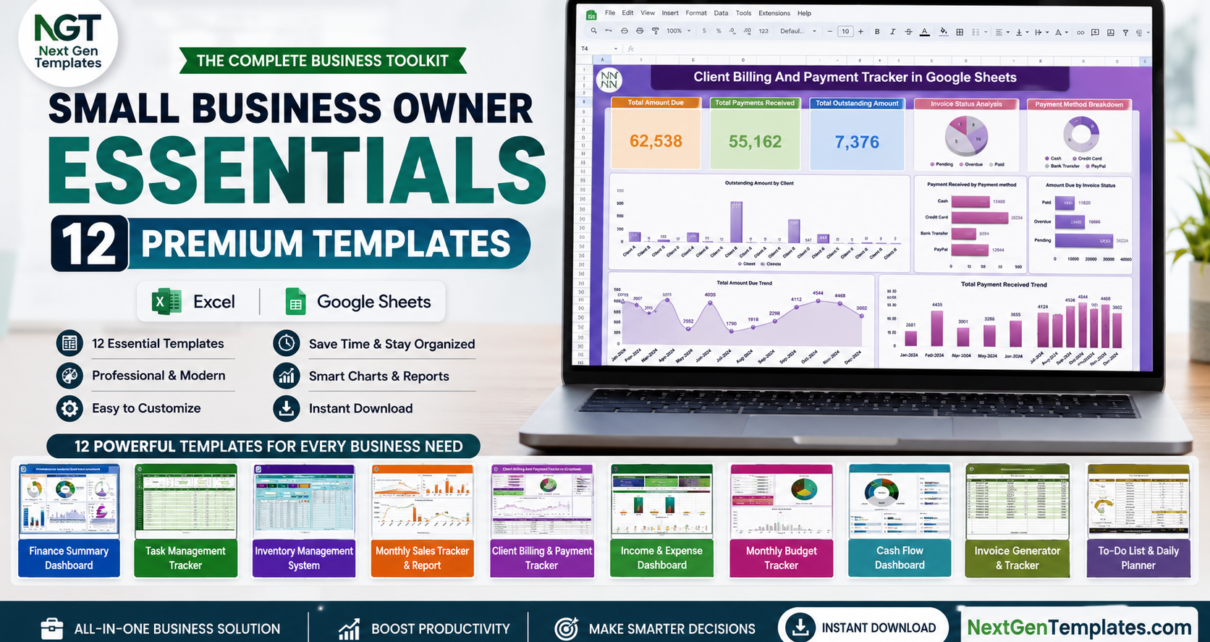
Running a small business means doing the work of an entire department on your own: finance one hour, sales the next, then inventory, payroll and customer complaints before lunch. The Small Business Owner Essentials bundle was built for that reality. It brings together 12 premium templates across Microsoft Excel and Google Sheets, so you can run the back office of a small business from one affordable toolkit.
Bought separately, the 12 templates are listed at $121.88. The bundle is listed at $59.99, a saving of $61.89 (about 51%). Below you will find what each template does, the full price breakdown and a simple order for setting them up.
Get the Small Business Owner Essentials Bundle
Why Small Business Owners Need This Bundle
Many small businesses struggle not because of a bad product, but because the owner loses control of the numbers: cash runs short, stock goes missing, invoices are forgotten and good staff go unrecognised. The Small Business Owner Essentials bundle gives you a structured tool for each of those areas without the cost and complexity of full business software. You get a finance stack, sales and billing tools, inventory and purchasing control, team management and a customer service tracker, all in apps you already know.
Because the kit spans both Excel and Google Sheets, you can work offline on your desktop or collaborate in the cloud with your team. Open a file, replace the sample data with your own, and the dashboards, charts and KPIs update. There is no monthly fee and no coding required.
What’s Included in the Small Business Owner Essentials Bundle
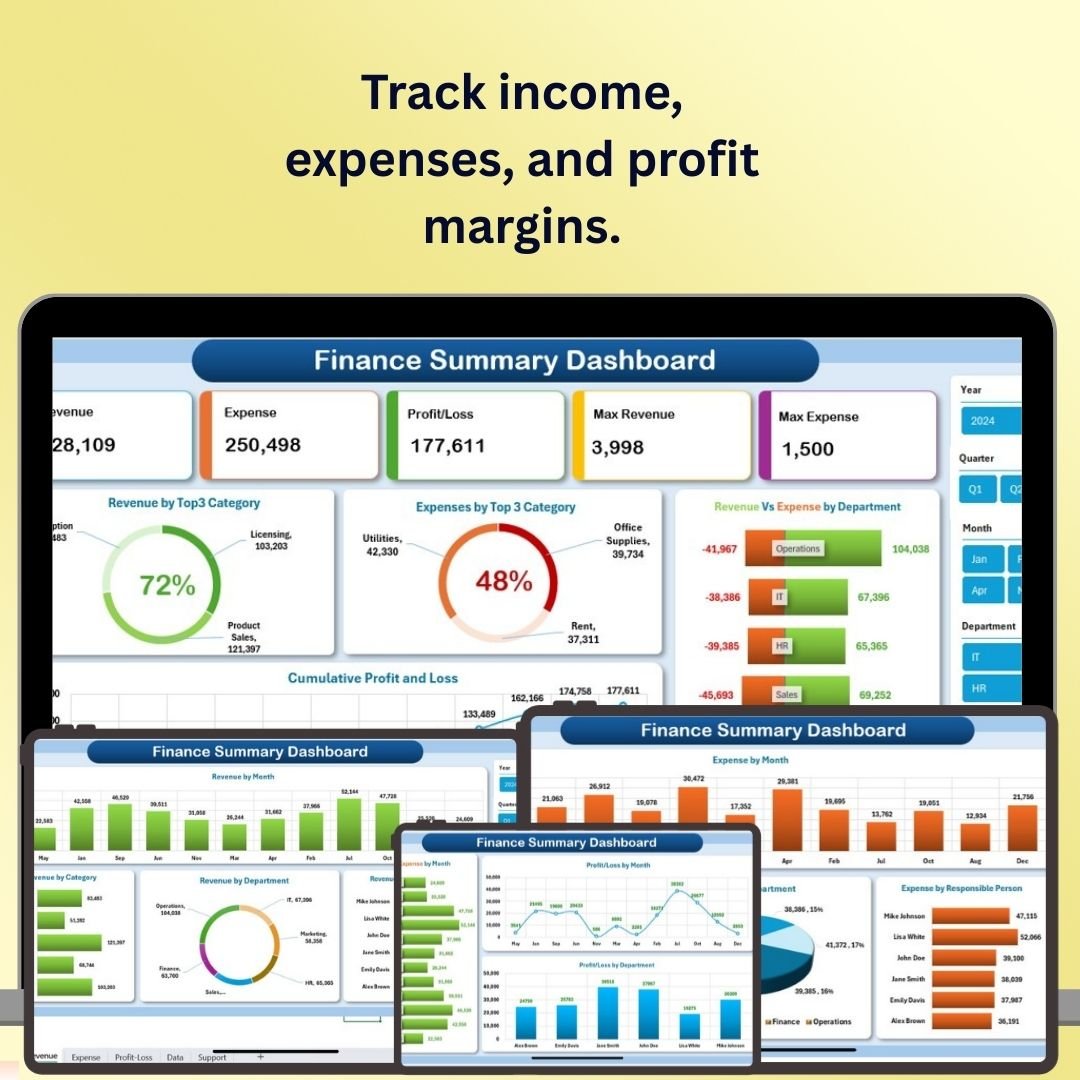
1. Finance Summary Dashboard in Excel
A view of income, expenses, profit margins and cash flow in one interactive Excel dashboard, useful for a monthly financial health check. View the Finance Summary Dashboard.
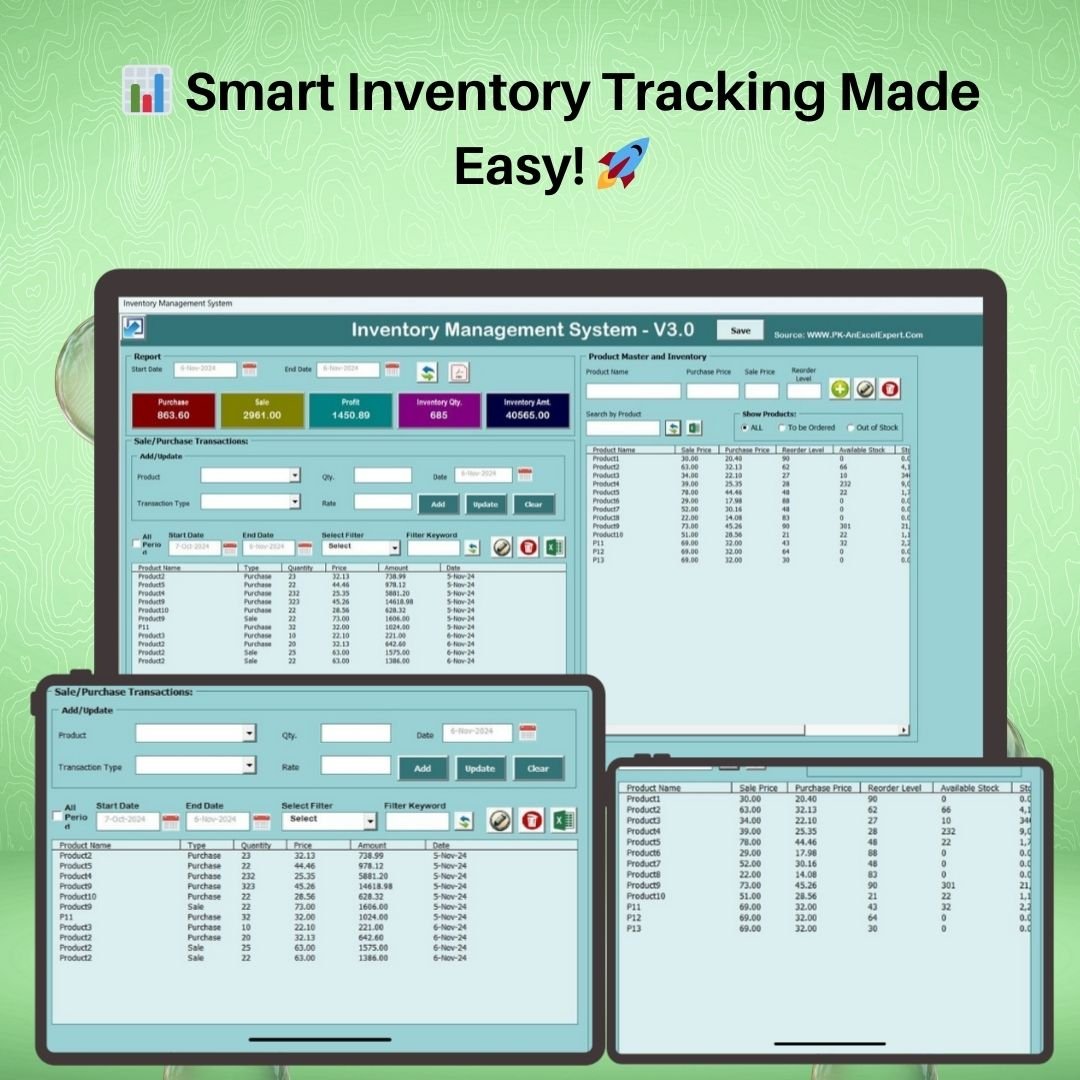
2. Inventory Management System V3.0
A VBA-powered Excel application with a login screen, product master, automatic stock updates, reorder alerts and one-click Excel/PDF reports. View the Inventory Management System.
3. Task Management Tracker in Google Sheets
Assign, prioritise and track tasks by owner, status and deadline so nothing slips through the cracks. View the Task Management Tracker.

4. Monthly Sales Tracker and Report in Google Sheets
Log daily sales and generate clean monthly performance reports to spot trends fast. View the Monthly Sales Tracker.

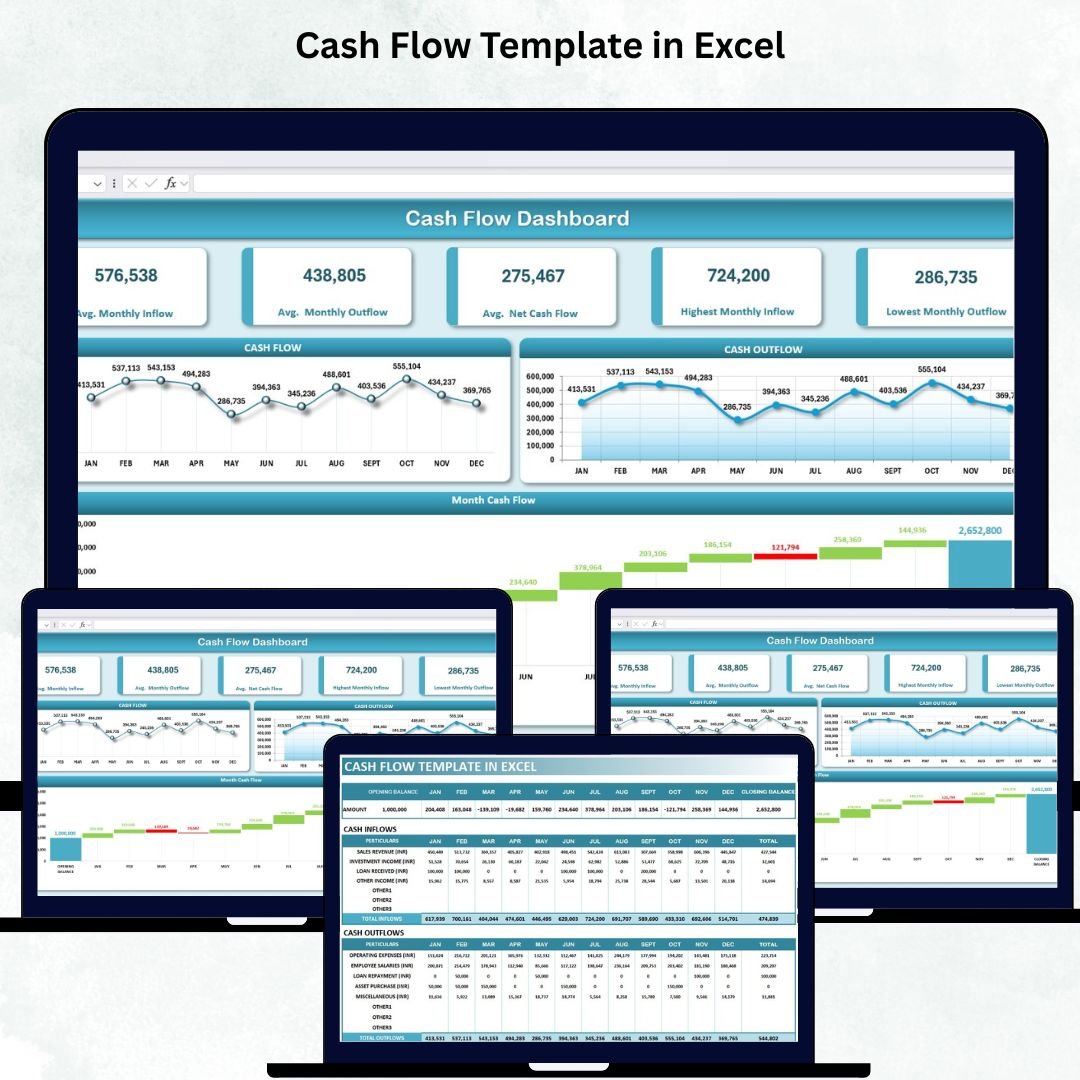
5. Cash Flow Template in Excel
Track inflows, outflows and closing balances with charts so you always know your runway. View the Cash Flow Template.
6. Client Billing and Payment Tracker in Google Sheets
Track invoices, payments and outstanding balances for every client to keep receivables under control. View the Client Billing Tracker.

7. Income and Expense Dashboard in Google Sheets
See income against expenses with category breakdowns and monthly trends in a clean cloud dashboard. View the Income and Expense Dashboard.

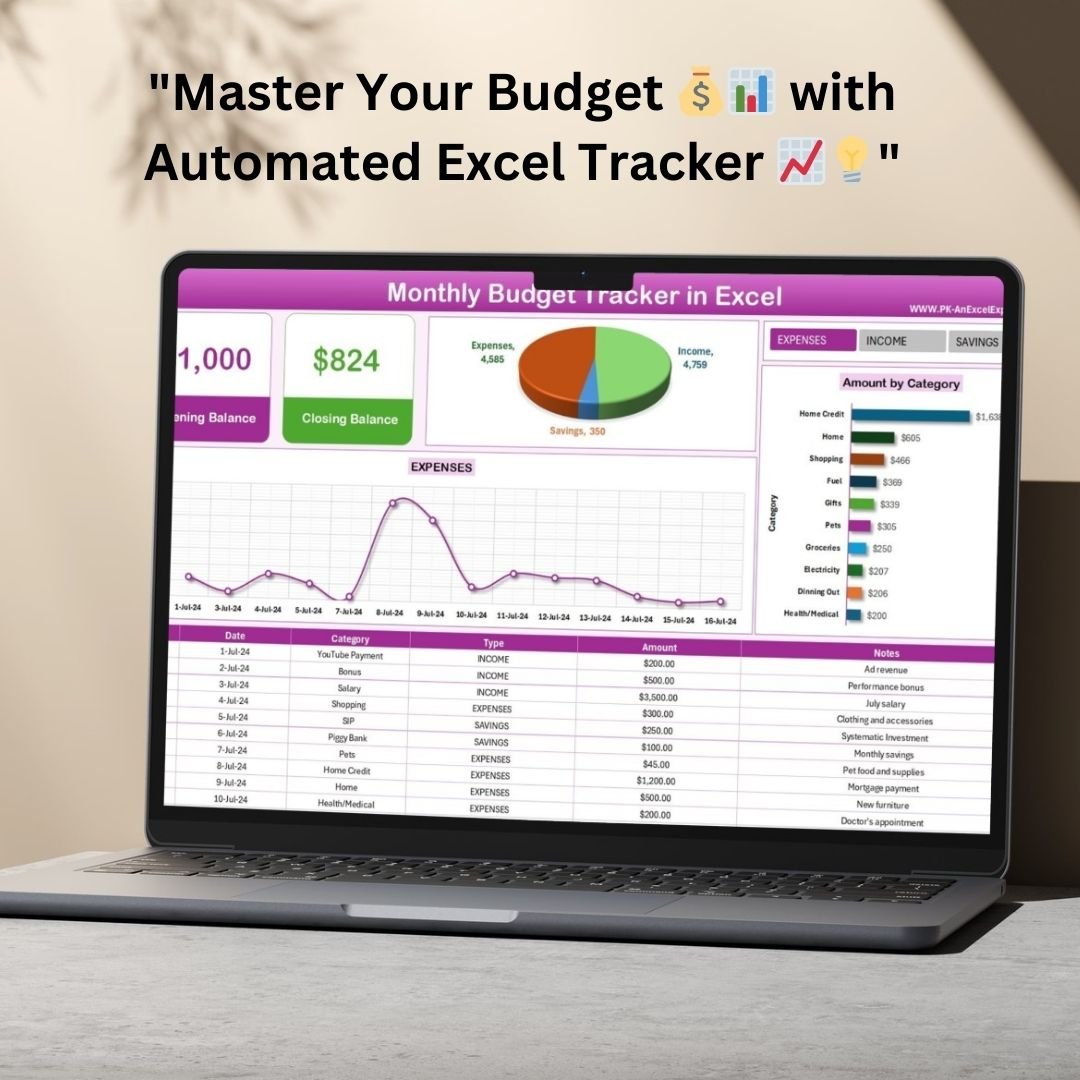
8. Monthly Budget Tracker in Microsoft Excel
Plan budget against actuals across categories every month to keep spending on target. View the Monthly Budget Tracker.
9. Employee Performance Rating Card and Dashboard in Excel
Score employees against criteria and see team performance on a dashboard for fair, data-driven reviews. View the Employee Performance Rating Card.

10. Attendance Sheet Template in Google Sheet
Mark and track daily staff attendance with automatic monthly summaries. View the Attendance Sheet Template.

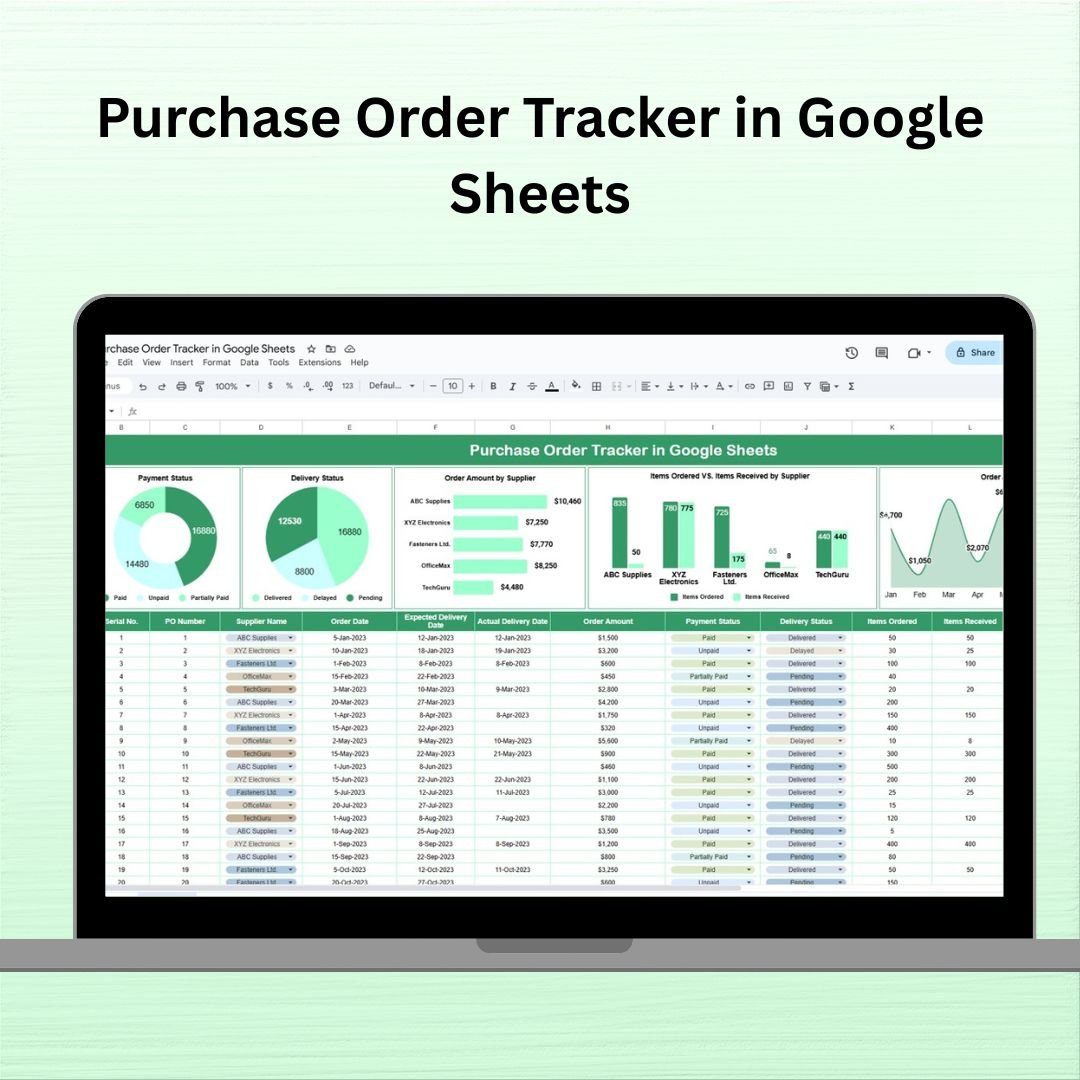
11. Purchase Order Tracker in Google Sheets
Raise, track and manage purchase orders and supplier status in one organised sheet. View the Purchase Order Tracker.
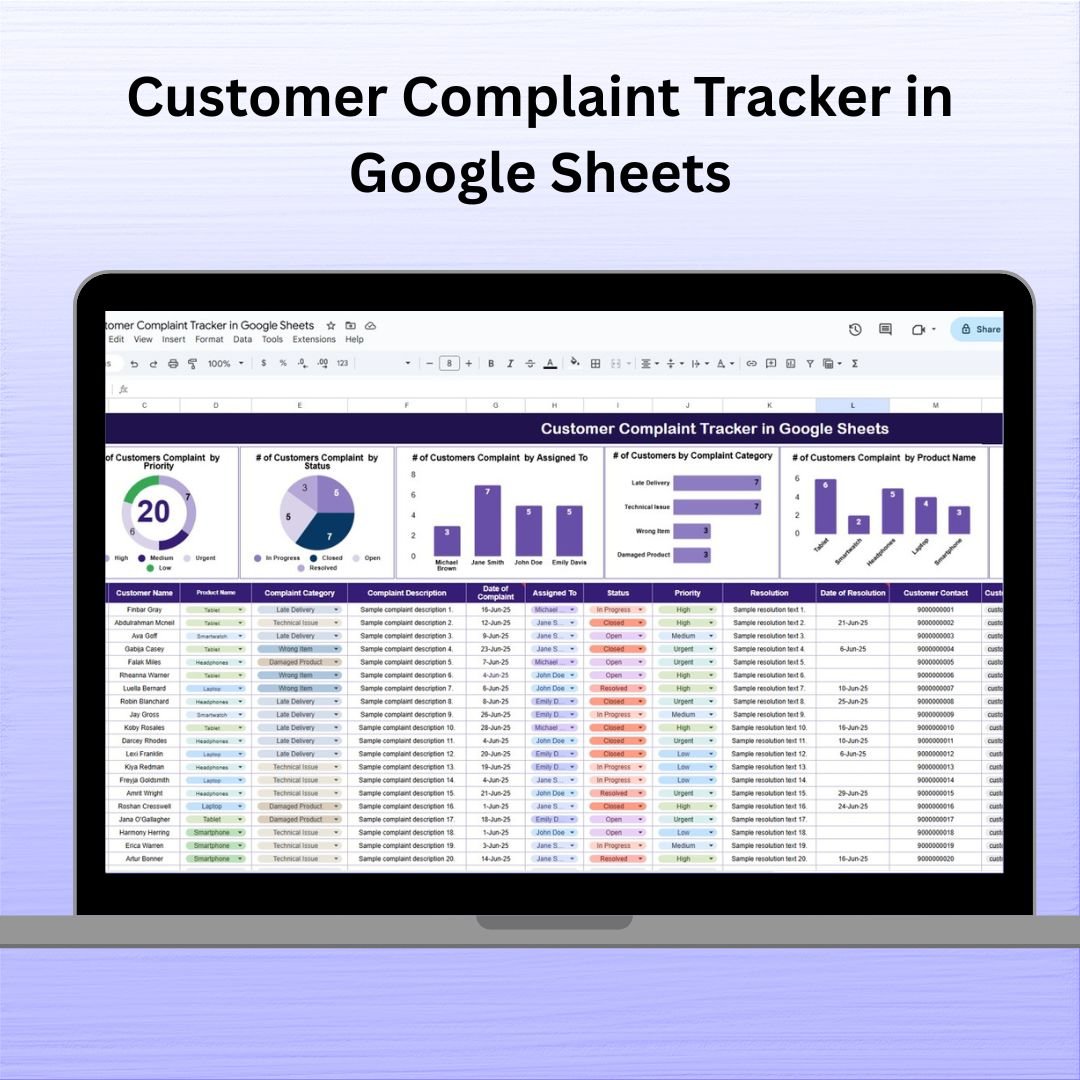
12. Customer Complaint Tracker in Google Sheets
Log, categorise and resolve customer complaints with full status tracking so issues never get lost. View the Customer Complaint Tracker.
Small Business Owner Essentials Price Breakdown: Individual vs Bundle
| # | Template | Platform | Individual Price |
|---|---|---|---|
| 1 | Finance Summary Dashboard | Excel | $17.99 |
| 2 | Inventory Management System V3.0 | Excel (VBA) | $19.99 |
| 3 | Task Management Tracker | Google Sheets | $6.99 |
| 4 | Monthly Sales Tracker and Report | Google Sheets | $6.99 |
| 5 | Cash Flow Template | Excel | $6.99 |
| 6 | Client Billing and Payment Tracker | Google Sheets | $6.99 |
| 7 | Income and Expense Dashboard | Google Sheets | $9.99 |
| 8 | Monthly Budget Tracker | Excel | $6.99 |
| 9 | Employee Performance Rating Card and Dashboard | Excel | $17.99 |
| 10 | Attendance Sheet Template | Google Sheets | $6.99 |
| 11 | Purchase Order Tracker | Google Sheets | $6.99 |
| 12 | Customer Complaint Tracker | Google Sheets | $6.99 |
| Individual total | $121.88 | ||
| Bundle price | $59.99 (save $61.89) | ||
Prices are the USD list prices shown on the bundle page when this post was updated. Check the product page for the current price in your currency.
Advantages of Buying the Bundle
Buying the bundle instead of individual templates does more than save money. You get a consistent set of tools across your whole business rather than a patchwork bought at different times. Because you own every file outright, there are no recurring fees, unlike cloud platforms that charge per user, per month.
It also prepares you for growth. You already have tools for areas you may not be tracking yet, such as employee performance or customer complaints, ready to use on the day you need them.
Who Should (and Should Not) Buy It
Good fit: owners of small shops, service businesses, agencies and startups who want ready-made spreadsheets for finance, sales, stock, staff and customer service, and who are comfortable working in Excel or Google Sheets.
Not a fit: businesses that need full accounting software with bank feeds, payroll processing or tax filing, or teams that only use Mac Excel and need the VBA inventory system (VBA macros need Excel on Windows).
Best Practices for Deploying the Bundle
- Start with finance. Set up the Finance Summary Dashboard, Cash Flow Template and Monthly Budget Tracker first, because cash control is the foundation of everything else.
- Add sales and billing. Next, start logging sales and invoices in the Monthly Sales Tracker and the Client Billing and Payment Tracker.
- Bring in stock and purchasing. Keep the Excel VBA Inventory System on the computer that manages stock, and raise orders in the Purchase Order Tracker.
- Share the Google Sheets tools. Save each one to your Drive with File > Make a copy so your team can collaborate.
- Set a monthly routine. Update each tracker, review the dashboards and act on what the numbers tell you.
Related Guides on NeoTech Navigators
Several of the bundle’s templates have their own detailed walkthroughs: the Task Management Tracker in Google Sheets, the Purchase Order Tracker in Google Sheets, the Customer Complaint Tracker in Google Sheets and the Attendance Sheet Template in Google Sheets. If you want one page of business KPIs on top of these trackers, see the Small Business KPI Dashboard in Google Sheets.
New to spreadsheets? The learning paths on NextGenTemplates Academy are a structured way to build the Excel and Google Sheets skills you need to adapt these templates to your business.
Frequently Asked Questions
What is included in the Small Business Owner Essentials bundle?
Twelve templates: Finance Summary Dashboard, Inventory Management System V3.0, Task Management Tracker, Monthly Sales Tracker and Report, Cash Flow Template, Client Billing and Payment Tracker, Income and Expense Dashboard, Monthly Budget Tracker, Employee Performance Rating Card and Dashboard, Attendance Sheet, Purchase Order Tracker and Customer Complaint Tracker. They span Microsoft Excel and Google Sheets.
How much do I save by buying the bundle?
At the listed USD prices, the 12 templates cost $121.88 individually and the bundle is $59.99, a saving of $61.89, or about 51%.
Do I need both Excel and Google Sheets?
The bundle includes tools for both platforms. The Excel files run in Microsoft Excel on your computer, and the Google Sheets tools work in the browser after you make a copy to your Drive.
Does the Inventory Management System require macros?
Yes. Inventory Management System V3.0 is a VBA tool, so you need to enable macros in Excel on Windows for its login, forms and automation to work.
Is this a one-time purchase or a subscription?
It is a one-time purchase. You download the templates once and keep them, with no recurring fees.
Can I customise the templates for my business?
Yes. Every template is editable. You can change categories, labels and formatting, and replace the sample data with your own.
Wrapping Up
The Small Business Owner Essentials bundle gives a small business twelve ready-made tools for finance, sales, stock, staff and customer service at about half the individual price. Start with the three finance templates, add the rest one area at a time, and you will have a working back-office system within a few weeks.
Get All 12 Templates in One Bundle
📅 Last updated: October 2026