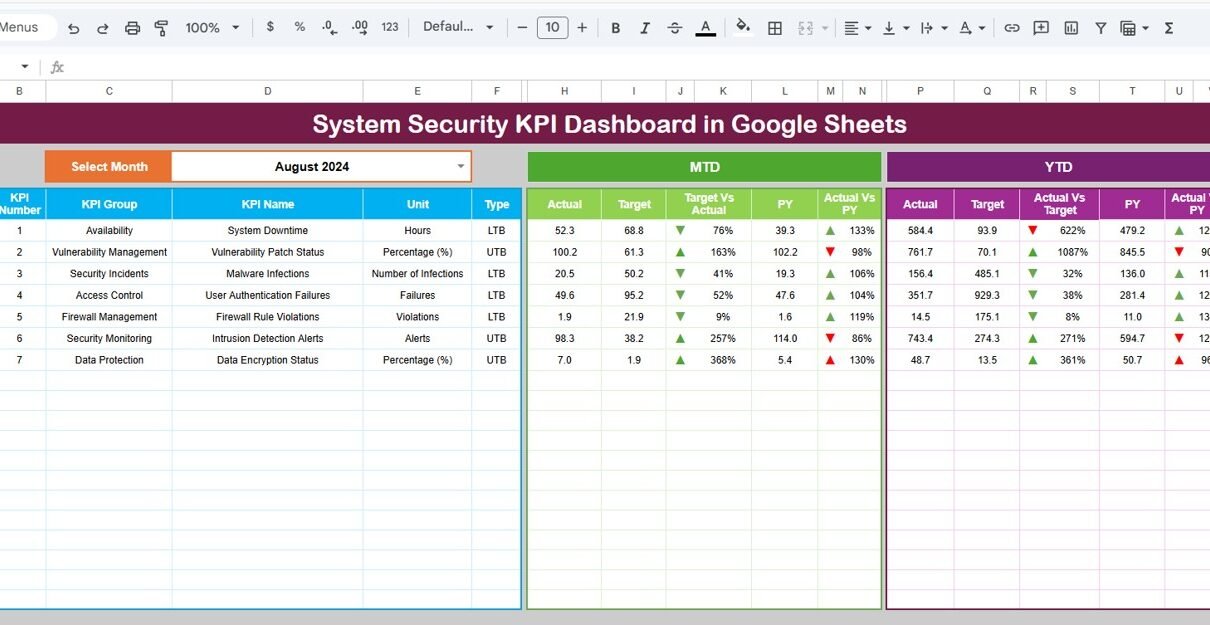
In today’s digital world, system security has become more important than ever. Organizations face constant threats such as cyberattacks, data breaches, and unauthorized access. However, many companies struggle to track their security performance effectively because their data remains scattered across multiple tools and reports.System Security KPI Dashboard in Google Sheets
So, how can you monitor your security KPIs, analyze trends, and improve your cybersecurity strategy in one place?System Security KPI Dashboard in Google Sheets
System Security KPI Dashboard in Google Sheets.
This powerful and ready-to-use dashboard helps IT teams, security professionals, and business leaders track key security metrics in real time. Moreover, it converts raw data into meaningful insights using dynamic visuals, automated calculations, and structured KPI tracking.
What is a System Security KPI Dashboard in Google Sheets?
A System Security KPI Dashboard in Google Sheets is an advanced analytics tool designed to monitor, measure, and improve system security performance using key performance indicators (KPIs).
Instead of using multiple spreadsheets, this dashboard allows you to:
- Track cybersecurity performance in real time
- Compare actual vs target values
- Analyze trends using MTD and YTD metrics
- Evaluate previous year performance
- Understand KPI definitions, formulas, and units
Therefore, it provides a complete and structured approach to cybersecurity monitoring.
Why Do You Need a System Security KPI Dashboard?
Click to Buy System Security KPI Dashboard in Google Sheets
Managing system security without proper tracking can lead to serious risks. However, when you use a structured KPI dashboard, you gain full visibility into your security performance.
Key Reasons to Use This Dashboard:
- Centralizes all security KPIs
- Provides real-time monitoring
- Improves threat detection
- Enhances decision-making
- Supports compliance and audits
As a result, you can proactively manage risks and strengthen your security framework.
Key Features of System Security KPI Dashboard in Google Sheets
This dashboard includes 6 well-structured worksheets, each designed to deliver specific insights.
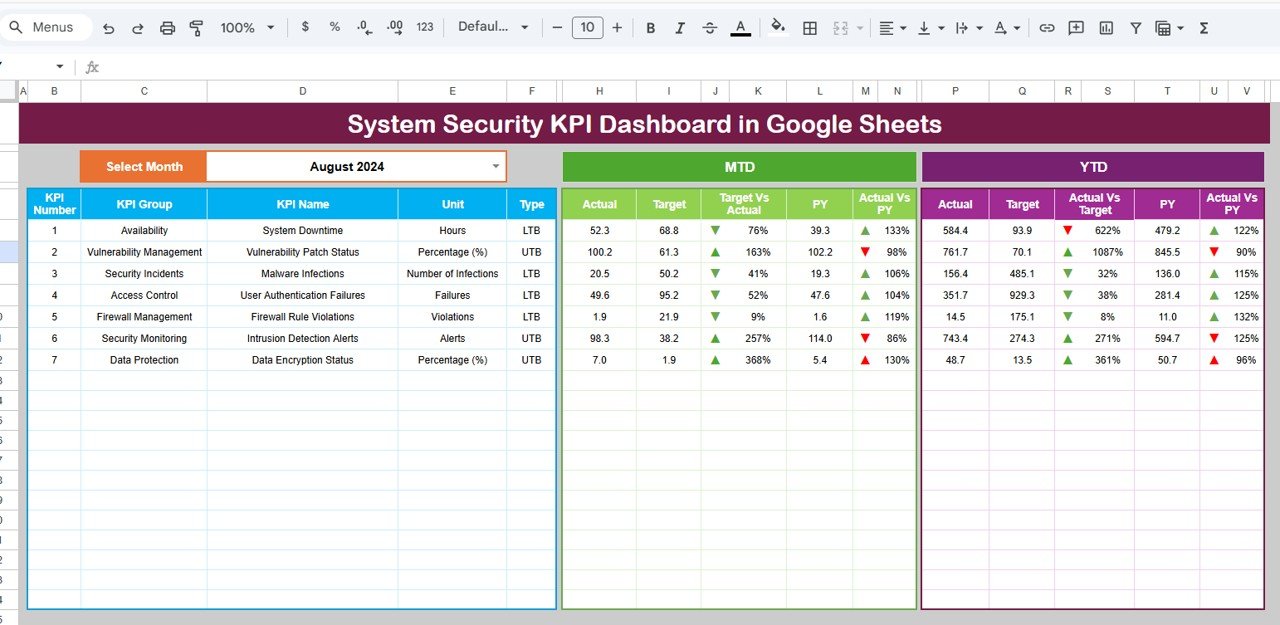
Dashboard Sheet – Central Performance Overview
The Dashboard Sheet acts as the main interface of the KPI system.
🔹 Key Features:
- Month selection dropdown (Cell D3)
- Dynamic dashboard updates based on selected month
- MTD (Month-to-Date) metrics:
- Actual
- Target
- Previous Year
- YTD (Year-to-Date) metrics:
- Actual
- Target
- Previous Year
🔹 Visual Indicators:
- Target vs Actual comparison
- Previous Year vs Actual comparison
- Up/down arrows with conditional formatting
Click to Buy System Security KPI Dashboard in Google Sheets
KPI Trend Sheet – Deep KPI Analysis
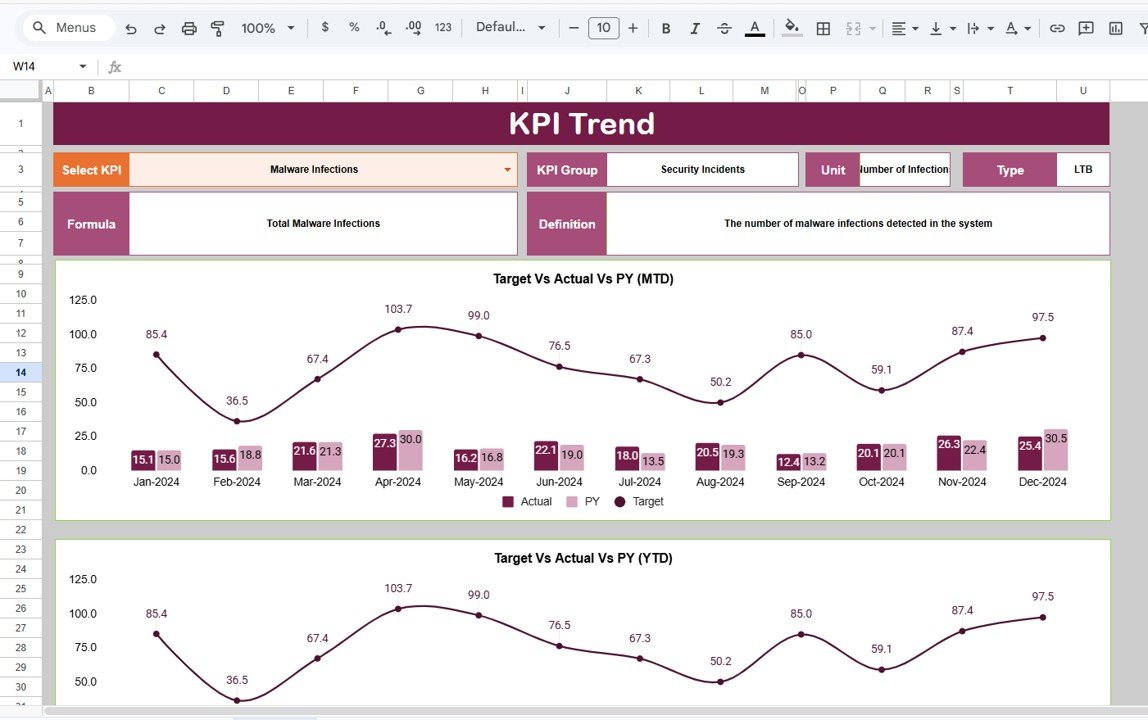
The KPI Trend Sheet allows detailed analysis of individual KPIs.
🔹 Key Features:
- KPI selection dropdown (Cell C3)
- Displays:
- KPI Group
- Unit of KPI
- KPI Type (Lower the better / Upper the better)
- KPI Formula
- KPI Definition
Click to Buy System Security KPI Dashboard in Google Sheets
Actual Number Sheet – Input Current Data
This sheet stores actual KPI values.
🔹 Features:
- Enter MTD and YTD values
- Month selection (Cell E1)
- Input starting month of the year
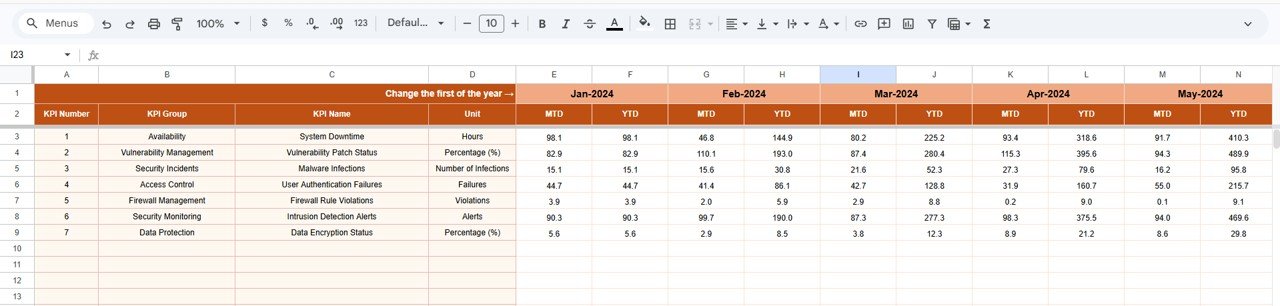
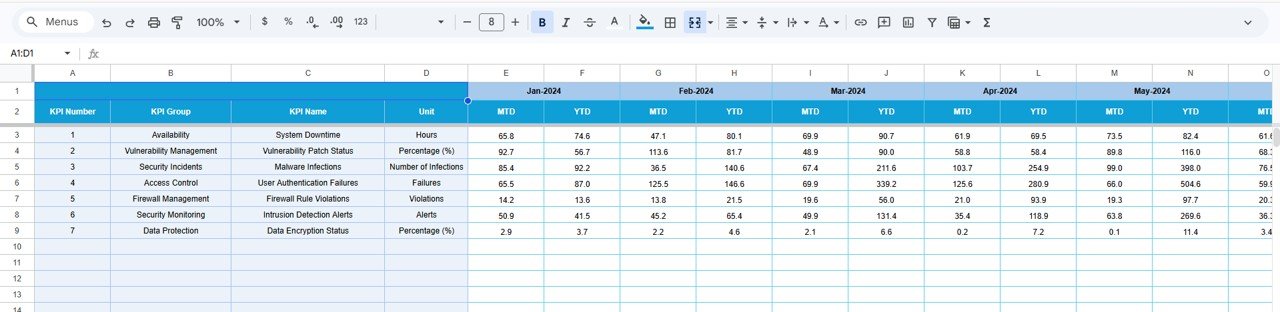
Target Sheet – Define Goals
The Target Sheet helps set performance benchmarks.
🔹 Features:
- Enter monthly targets
- Define both MTD and YTD targets
Click to Buy System Security KPI Dashboard in Google Sheets
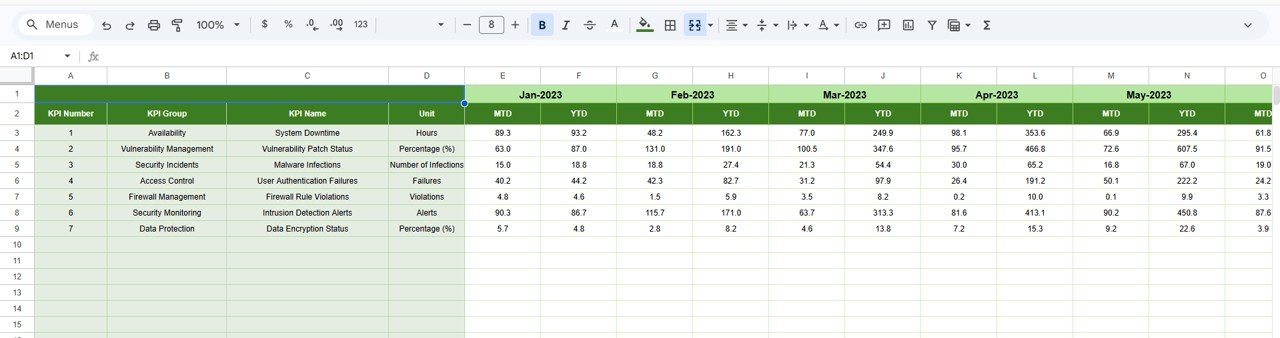
Previous Year Sheet – Historical Comparison
This sheet stores last year’s KPI data.
🔹 Features:
- Enter previous year values
- Compare past and current performance
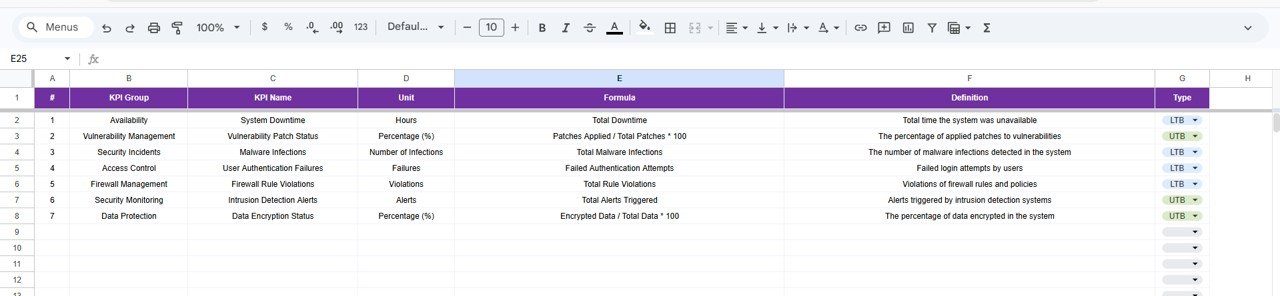
KPI Definition Sheet – KPI Documentation
This sheet provides detailed KPI information.
🔹 Includes:
- KPI Name
- KPI Group
- Unit
- Formula
- KPI Definition’
Click to Buy System Security KPI Dashboard in Google Sheets
Advantages of System Security KPI Dashboard in Google Sheets
Using this dashboard offers multiple benefits:
Real-Time Monitoring
- Track security performance instantly
- Identify issues quickly
Improved Decision-Making
- Data-driven insights
- Faster response to threats
Better KPI Management
- Organized KPI structure
- Clear definitions and formulas
Performance Comparison
- Compare actual vs target
- Analyze previous year trends
Time-Saving Automation
- Automated calculations
- Reduced manual effort
How Does This Dashboard Improve Cybersecurity?
Click to Buy System Security KPI Dashboard in Google Sheets
This dashboard helps organizations strengthen their security systems.
Here’s how:
- It identifies weak areas in security
- It tracks incident trends
- It measures response performance
- It supports compliance reporting
- It improves overall security strategy
As a result, organizations can reduce risks and enhance protection.
Best Practices for the System Security KPI Dashboard in Google Sheets
To maximize effectiveness, follow these best practices:
Define Relevant KPIs
- Focus on critical security metrics
- Avoid unnecessary data
Update Data Regularly
- Keep data accurate
- Ensure real-time insights
Use Clear Targets
- Set realistic goals
- Align with business objectives
Monitor Trends Continuously
- Analyze patterns
- Take proactive action
Train Your Team
- Ensure proper usage
- Promote data-driven decisions
Opportunities for Improvement
Click to Buy System Security KPI Dashboard in Google Sheets
You can enhance this dashboard further:
🔹 Add Automation
- Integrate with security tools
🔹 Include Alerts
- Notify users of critical issues
🔹 Add Advanced Analytics
- Predict future threats
🔹 Integrate with SIEM Systems
- Improve real-time monitoring
Who Can Benefit from This Dashboard?
This dashboard is ideal for:
- Cybersecurity professionals
- IT teams
- Organizations
- Data analysts
- Compliance officers
Therefore, anyone responsible for system security can benefit from this tool.
How to Use the System Security KPI Dashboard?
Click to Buy System Security KPI Dashboard in Google Sheets
Using this dashboard is simple:
- Enter KPI definitions
- Input actual values
- Set targets
- Add previous year data
- Select the month from dropdown
- Analyze dashboard insights
As a result, you can monitor and improve security performance effectively.
Conclusion
The System Security KPI Dashboard in Google Sheets is a powerful tool for managing and improving cybersecurity performance. It provides real-time insights, structured KPI tracking, and clear visualizations.
Moreover, it helps organizations make data-driven decisions and stay ahead of security threats. Therefore, if you want to strengthen your cybersecurity strategy, this dashboard is the perfect solution.
Visit our YouTube channel to learn step-by-step video tutorials