The E-commerce Order Fulfillment Tracking System Web App brings 23 structured Google Sheets, 10 server-enforced roles, 20 reports, and CSV tools for 11 data areas into one fulfillment workspace. Orders move from New and Verified through Picking, Packing, Ready to Ship, Shipped, Delivered, RTO, and Returned. Inventory reservations, COD balances, refunds, customer records, issues, proofs, and audit history follow the same workflow. For small online sellers and warehouse teams, that replaces disconnected spreadsheets with an accountable browser-based process while data remains in the business’s own Google account.
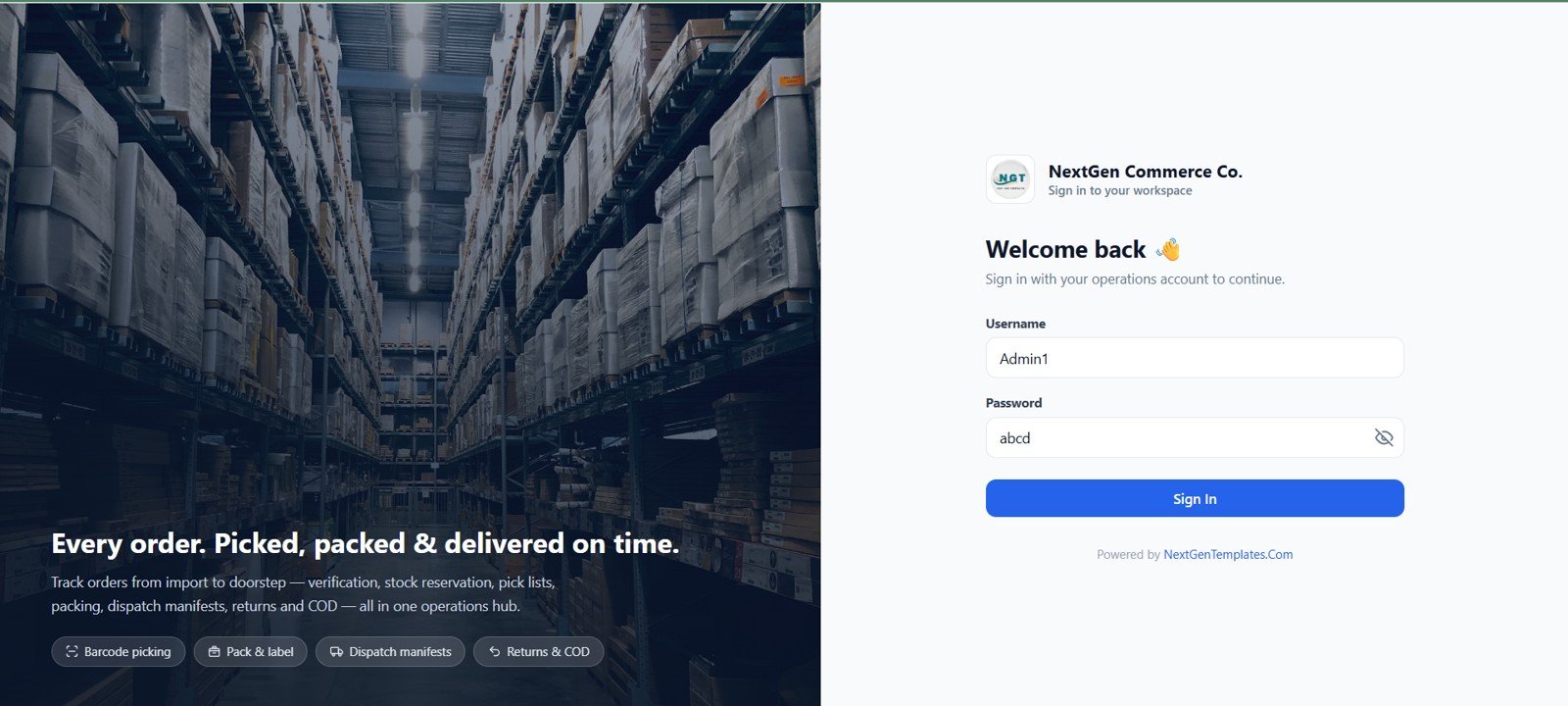
E-commerce Order Fulfillment Tracking System Web App login page
🚀 Try the Live Demo Before You Buy
We have deployed this web app in our own Google account so you can test every page, every one of the 10 role-based views — with real sample data — before purchasing. No signup, no email required.
🔑 Test Login Credentials — 10 Role-Based Logins
This system ships with 10 dedicated roles, each with its own login and its own permission set. Sign in with any account below to see exactly what that role sees — from full Admin control down to a read-only Viewer.
💡 What you get after purchase: The full source code (Code.gs + Index.html) plus a step-by-step deployment guide so you can deploy your own private instance in your own Google account in under 15 minutes.
Key Features of E-commerce Order Fulfillment Tracking System Web App
- Order-to-delivery control: Verify stock, reserve units, pick by bin, pack with checklists, dispatch with tracking, and close delivery or RTO.
- Multi-channel entry: Create orders manually or import store and marketplace CSV files with duplicate and validation checks.
- Inventory ledger: Record opening, inward, reserved, released, shipped, return, adjustment, and damaged movements.
- Warehouse documents: Print pick lists, packing slips, thermal labels, invoices, manifests, payment receipts, and reports.
- Payments and COD: Track unpaid, partial, paid, refunded, pending, settled, and on-hold amounts.
- Governance: Use 10 roles, module whitelists, 12-hour sessions, activity logs, and database archives.
Setup also creates realistic sample channels, SKUs, orders, pick lists, shipments, returns, payments, and stock, giving a new team a working environment to explore before importing live records. Uploaded product images, package photos, shipping labels, return proofs, delivery proofs, invoices, and archive copies are stored in organized Google Drive folders and linked back to their transactions. Page-level caching keeps navigation responsive, while refresh, filter, save, verify, pick, pack, ship, payment, return, import, and settings actions reload the data that changed.
Dashboard Pages Explanation
1. Secure Login
The split login screen combines configurable branding with username/password access. Default accounts are provided for setup, but every password should be changed before real use.
2. Fulfillment Dashboard
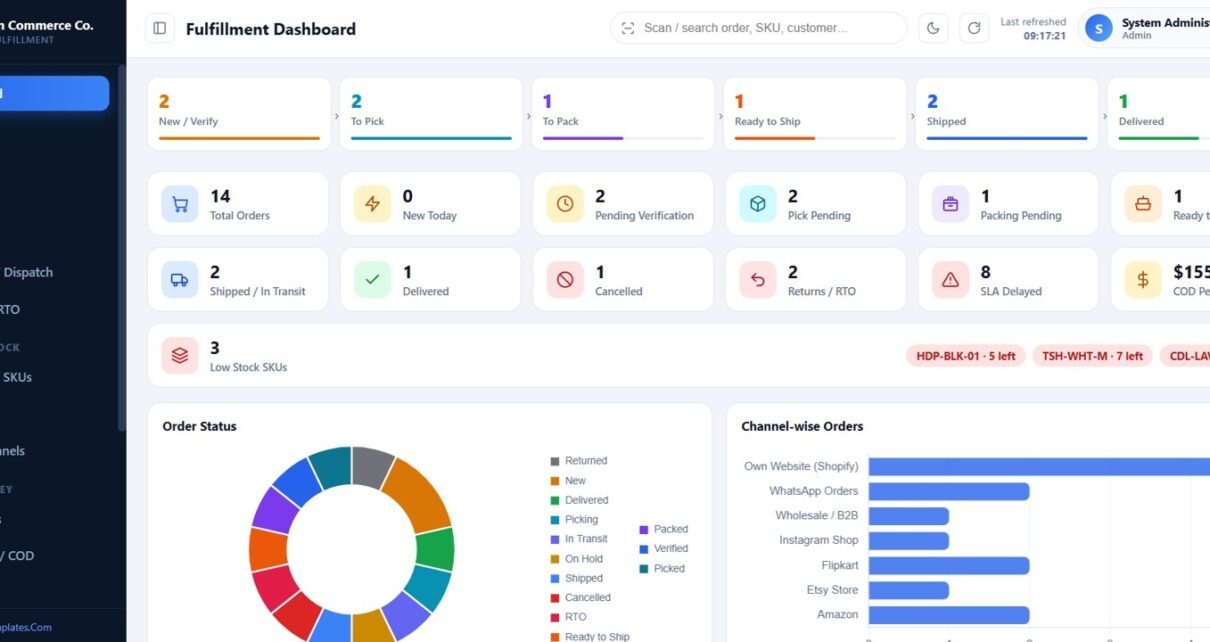
The control tower shows the six-stage pipeline, 12 operational KPI cards, low-stock alerts, order-status mix, channel volume, dispatch trends, fulfillment time, and recent activity.
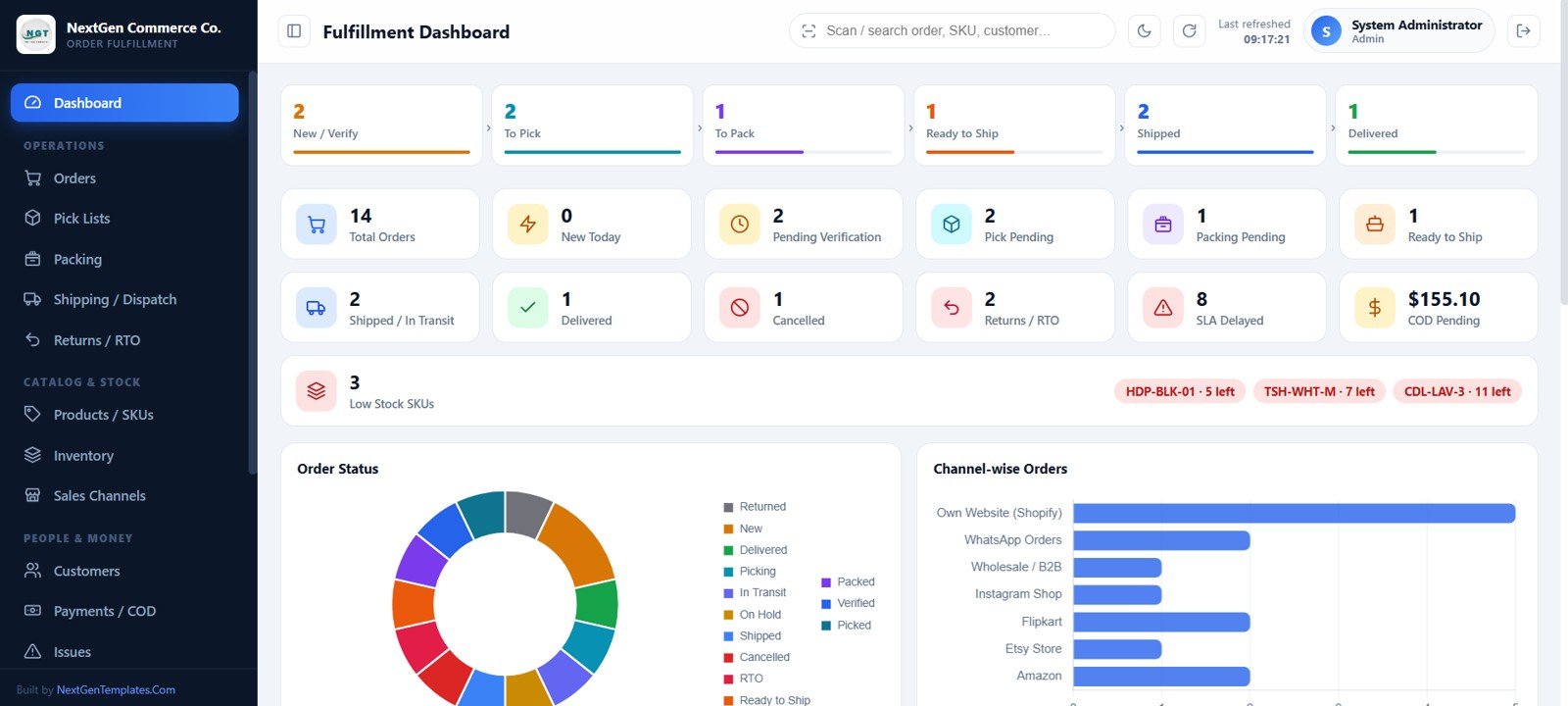
Fulfillment dashboard
3. Order Management
Filter orders by status, channel, payment mode, and date; import orders and items; export data; create orders; and verify selected records after stock checks.
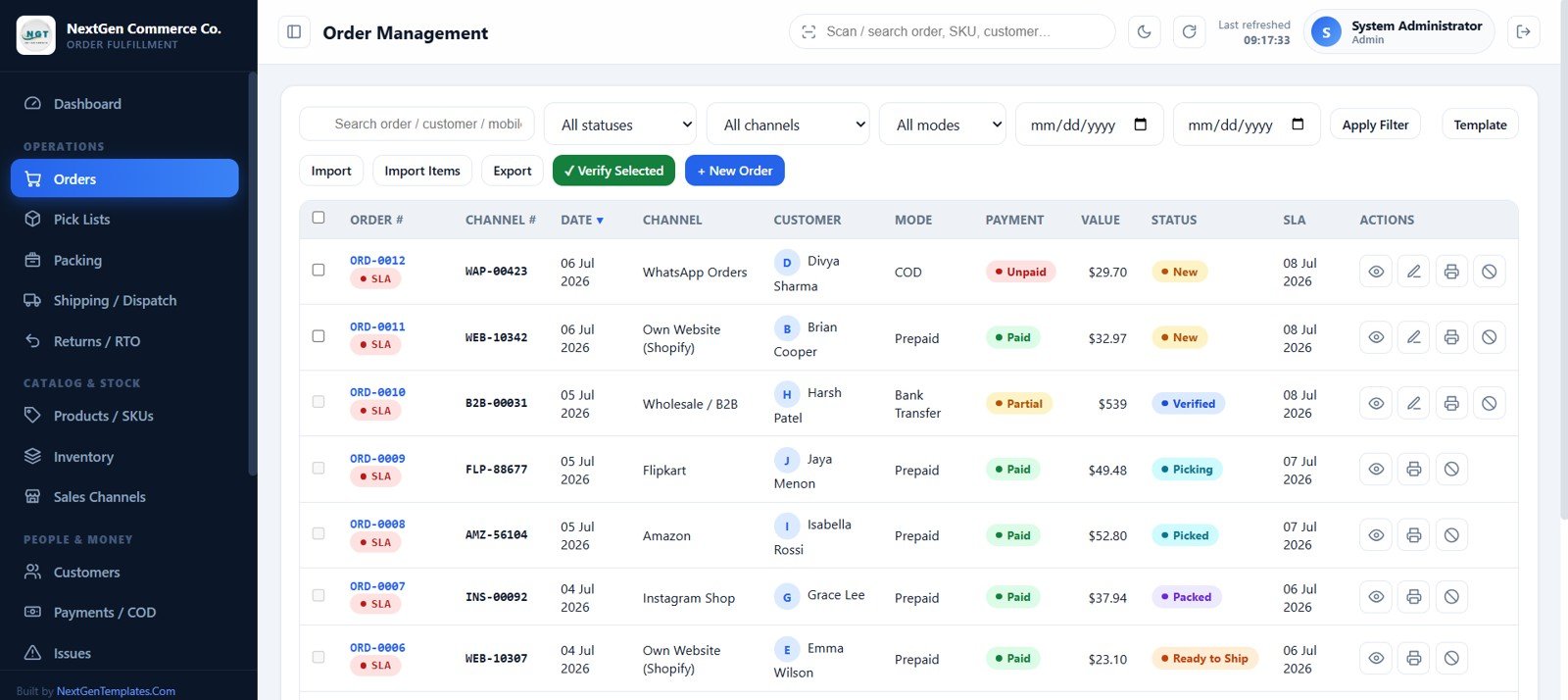
Order management
4. Pick Lists and Picking
Generate SLA-prioritized waves, assign a picker, combine lines, and sort the work by warehouse bin. Pickers record picked, short, or not-found quantities.
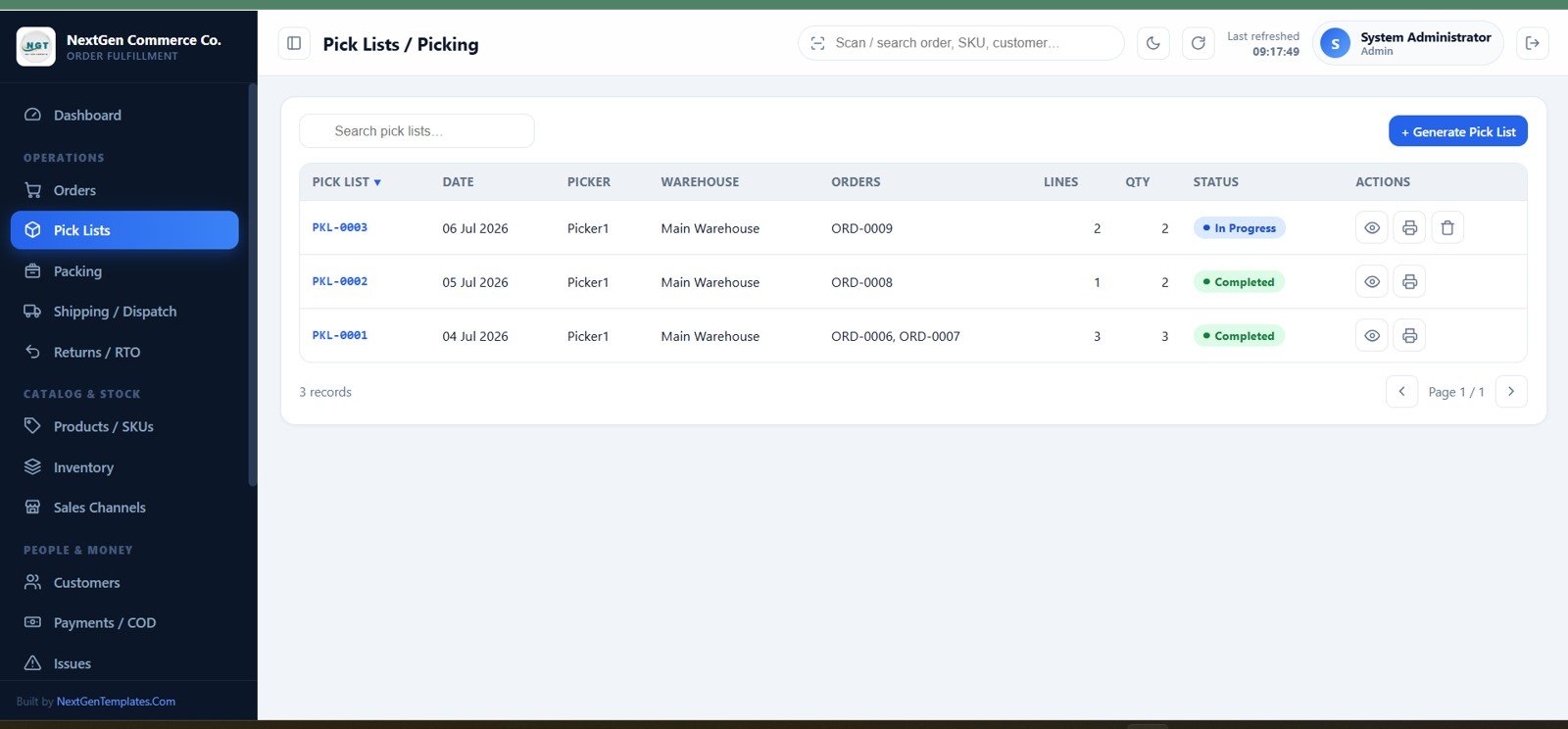
Pick lists and picking
5. Packing Station
The Pack Queue handles picked, packed, and ready-to-ship orders. Staff can record materials, weight, dimensions, checklist results, package photos, and packing slips.
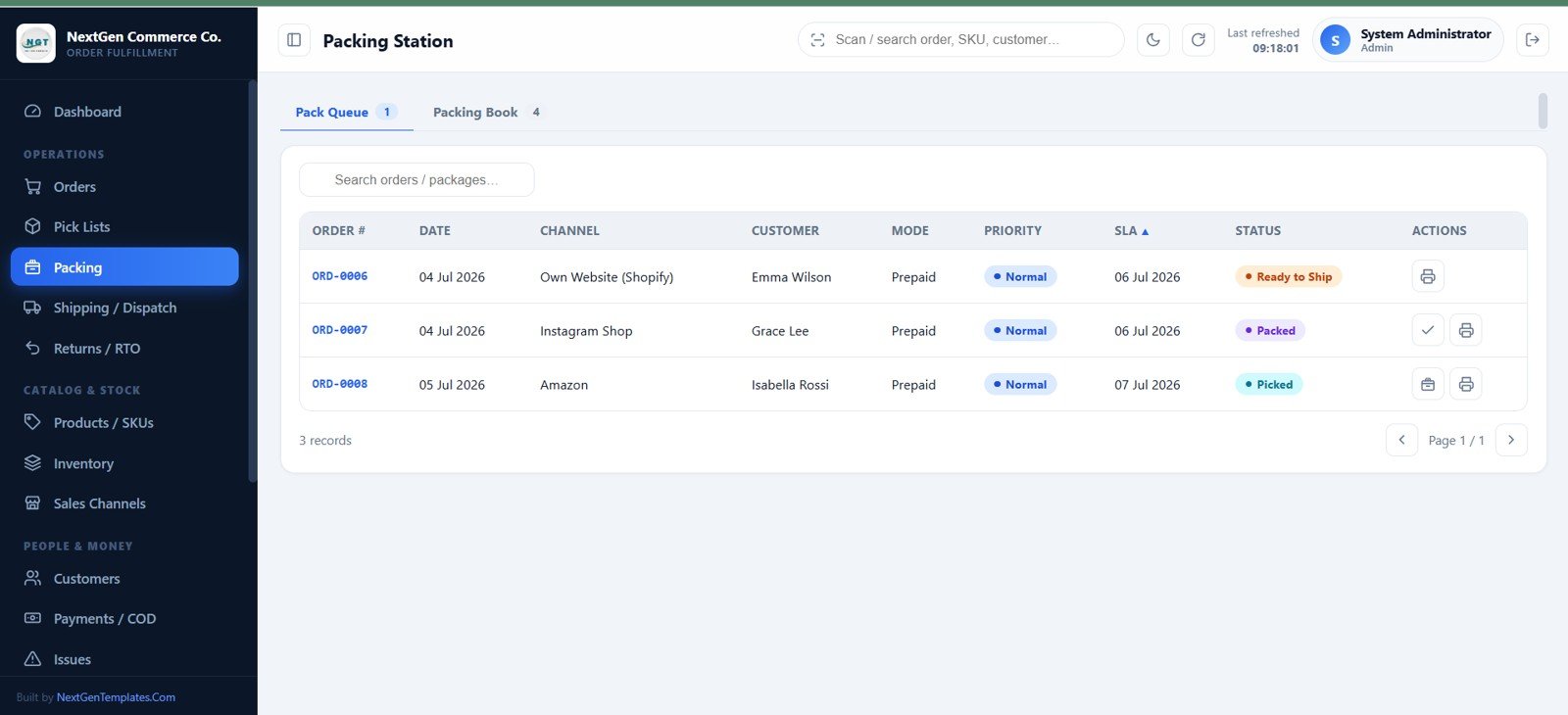
Packing station
6. Shipping and Dispatch
Add courier, AWB, dates, and shipping cost; print a CODE-128 label; generate manifests; email tracking details; and update In Transit, Delivered, or RTO.
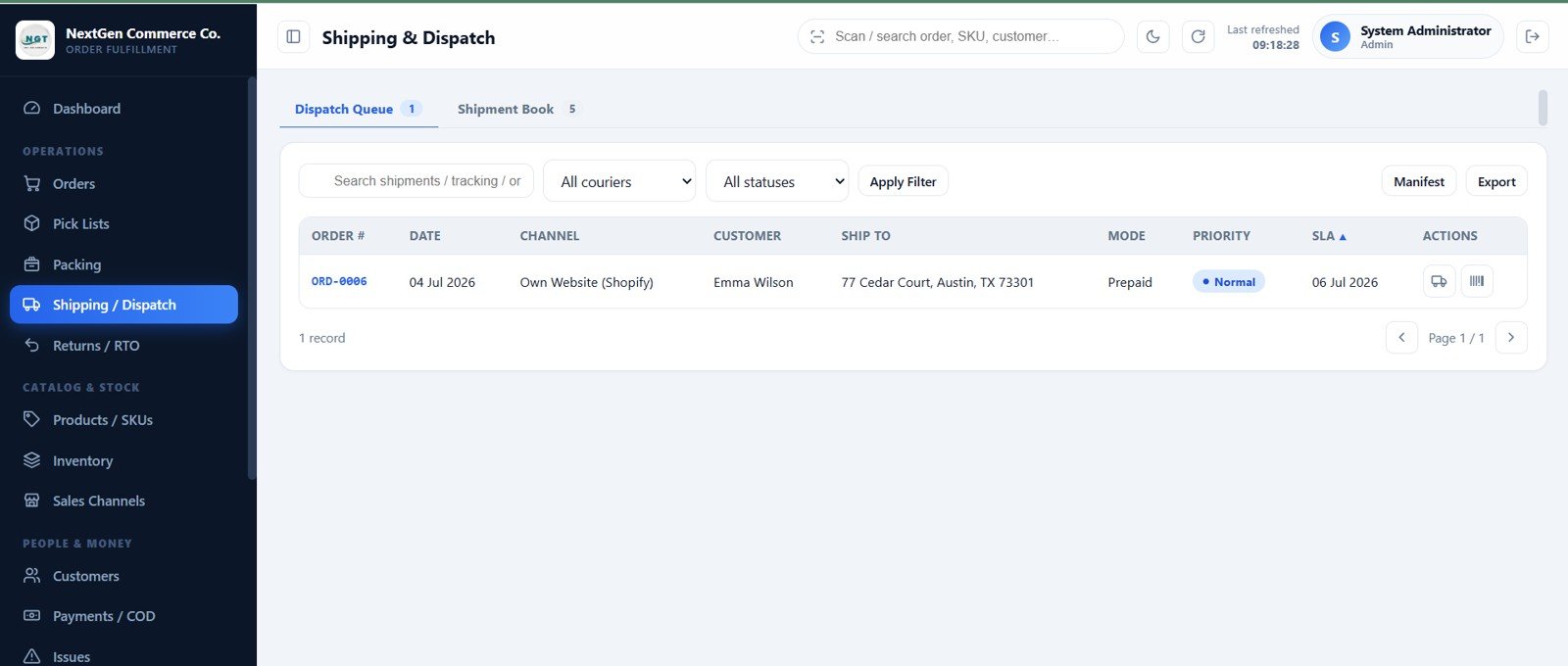
Shipping and dispatch
7. Returns, RTO, and Refunds
Track customer returns, exchanges, damage, and RTO from request to closure. Received sellable items can restock inventory once, while refunds update payment status.
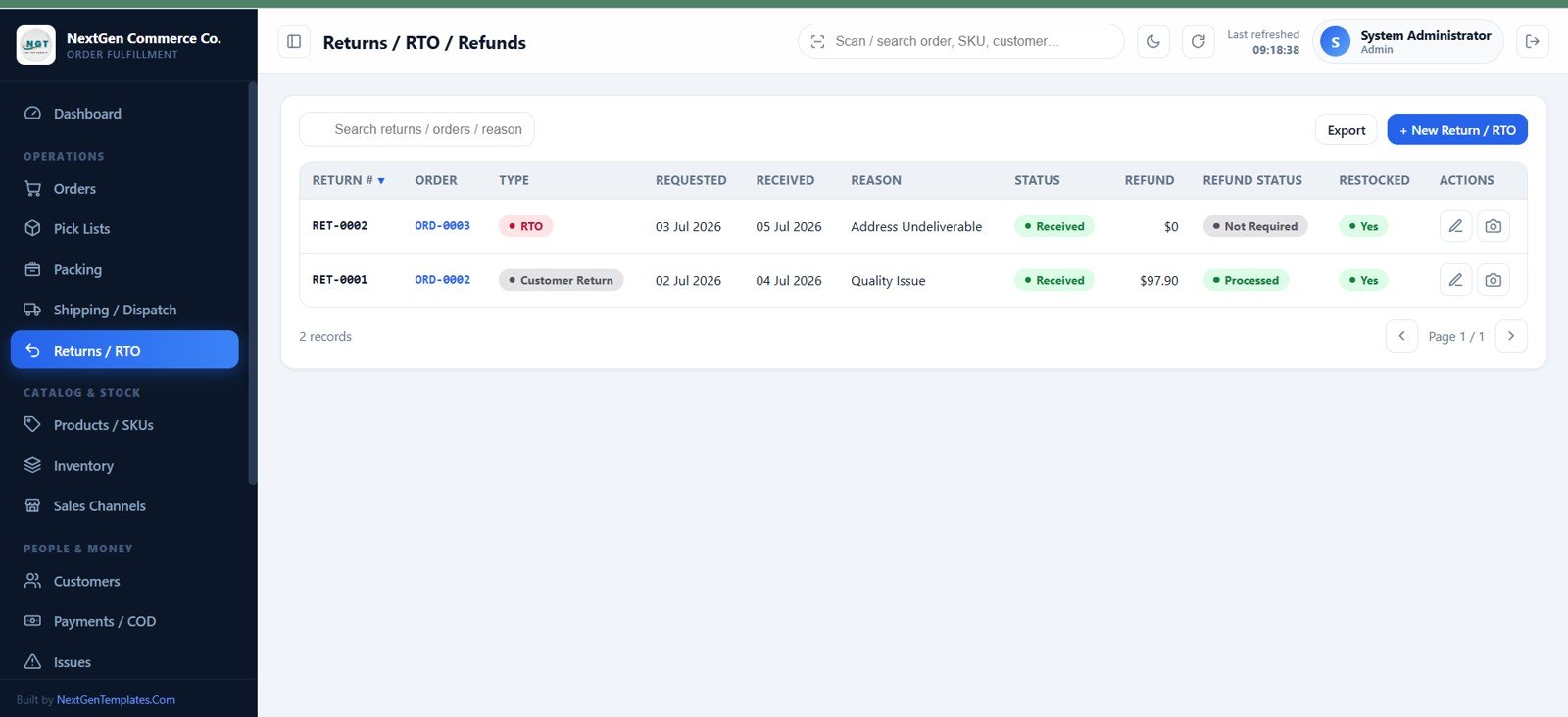
Returns, RTO, and refunds
8. Product and SKU Master
Maintain code, product, category, brand, variant, barcode, unit, sale price, cost, reorder level, warehouse, bin, and product image for each SKU.
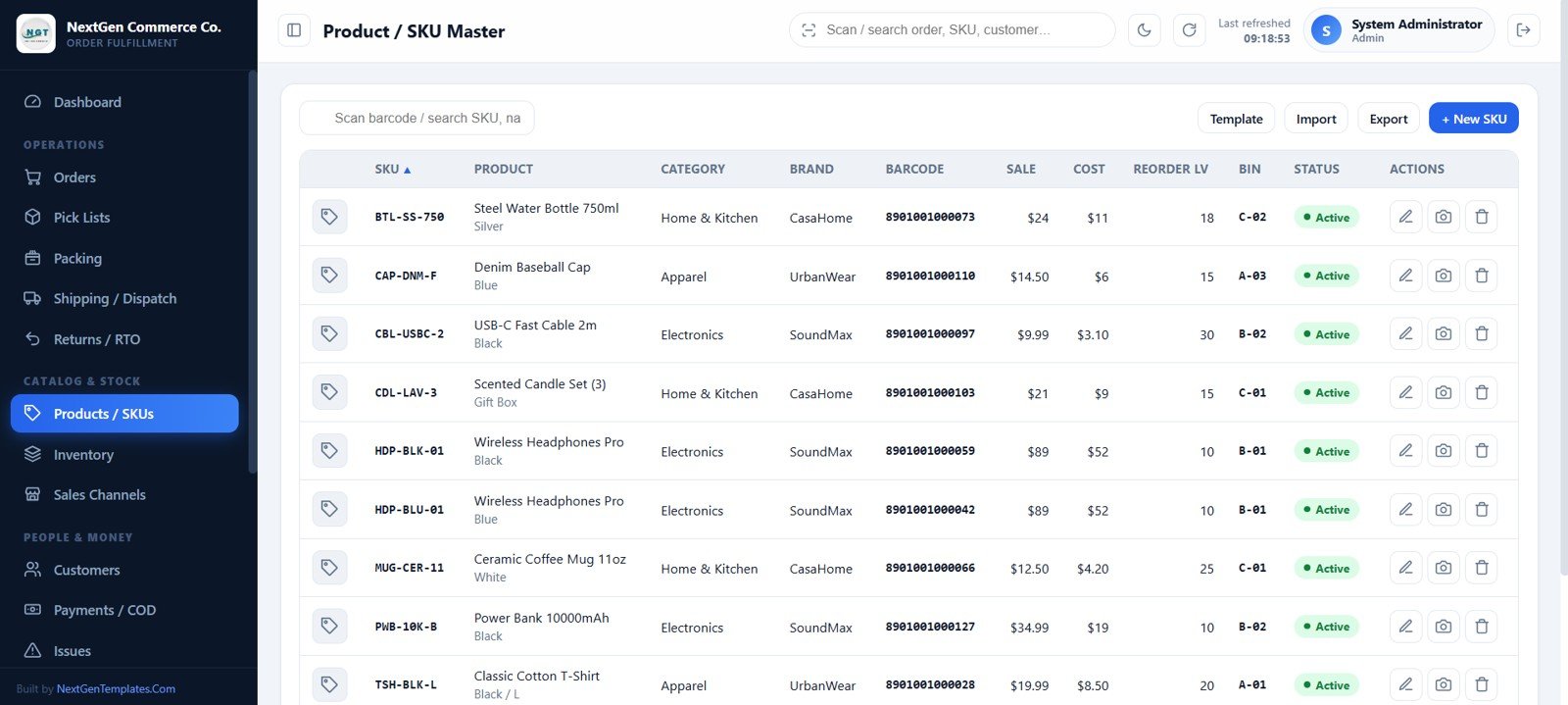
Product and SKU master
9. Inventory and Warehouse
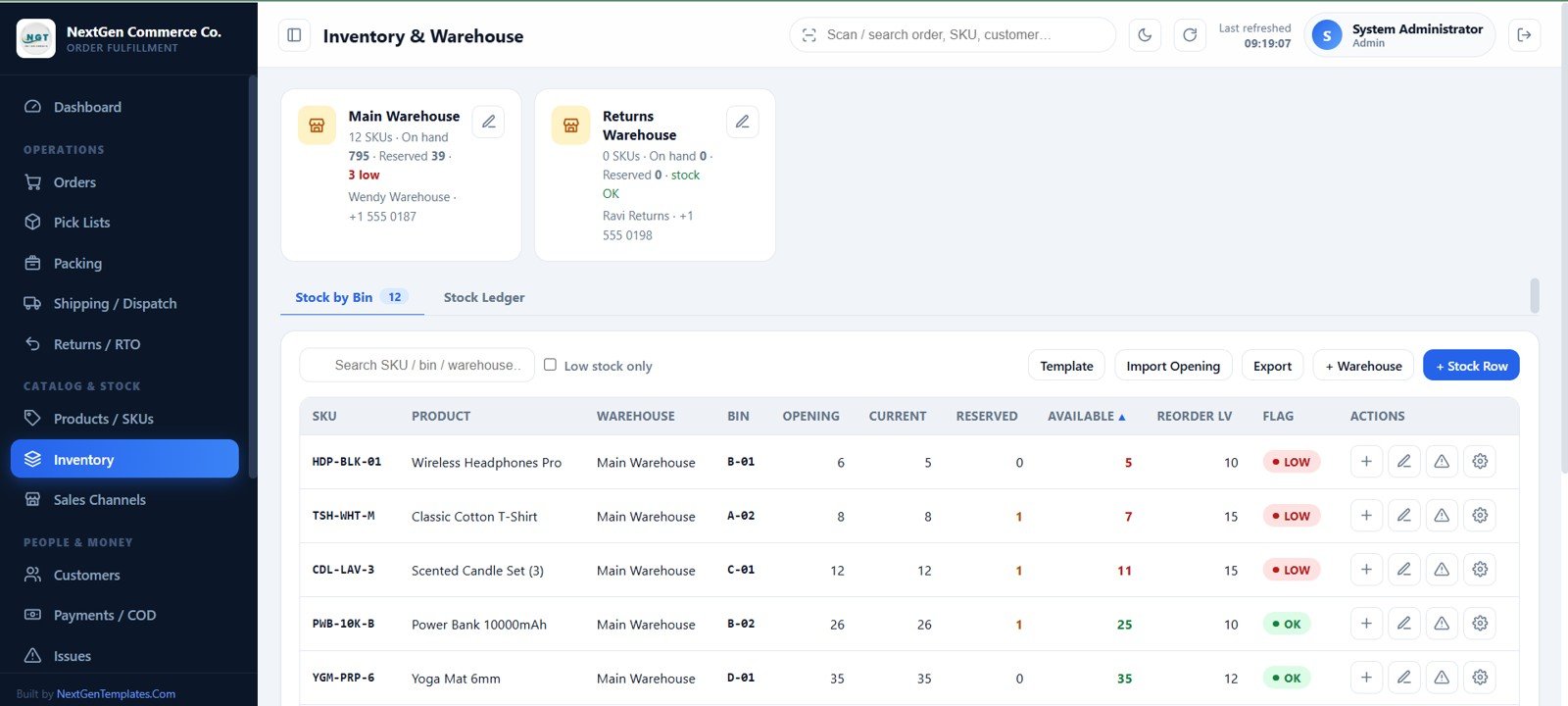
Warehouse cards summarize on-hand, reserved, and low stock. Stock by Bin shows opening, current, reserved, available, reorder, and LOW/OK values with inward and adjustment actions.
Inventory and warehouse
10. Sales Channels
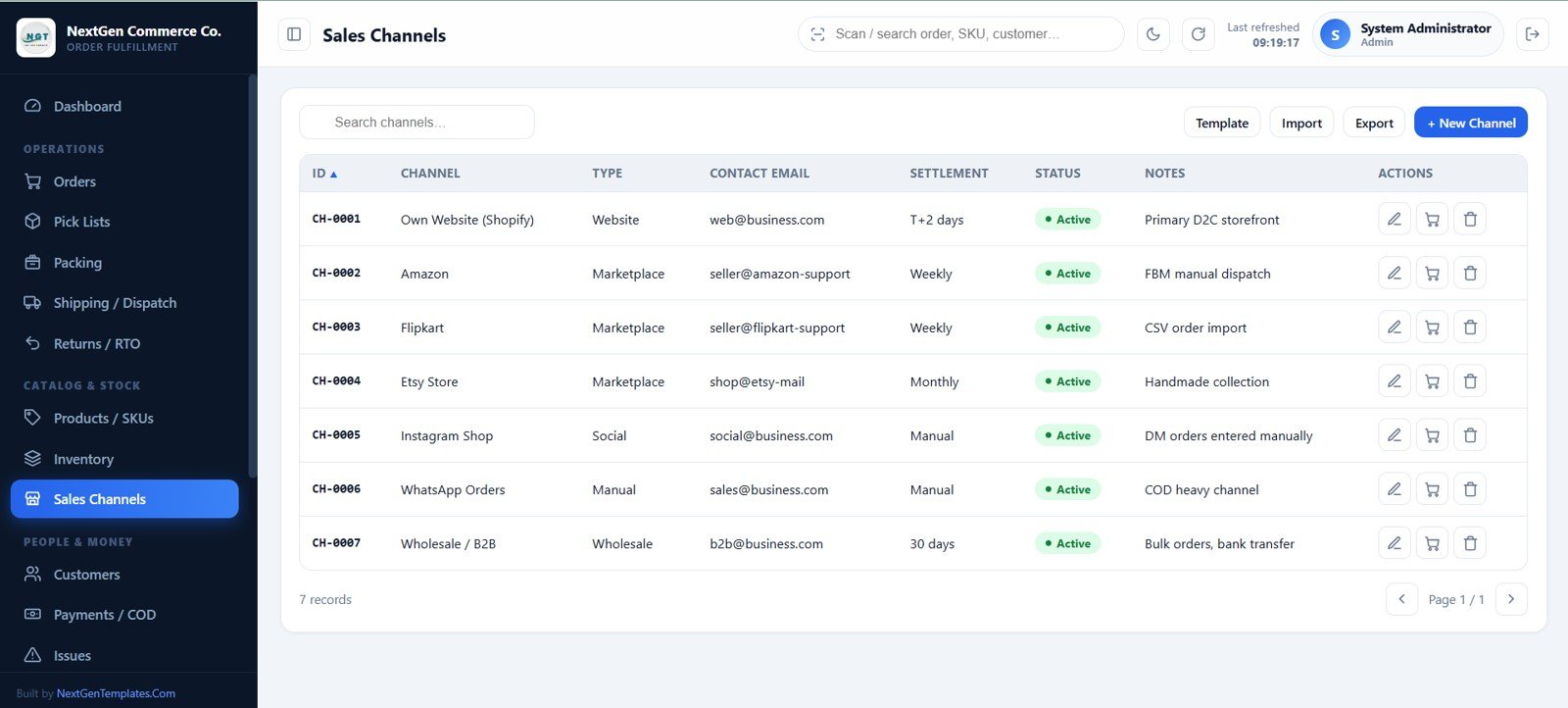
Store website, marketplace, social, manual, and wholesale channels with contact email, settlement cycle, notes, and status for order forms, filters, and reporting.
Sales channels
11. Customers
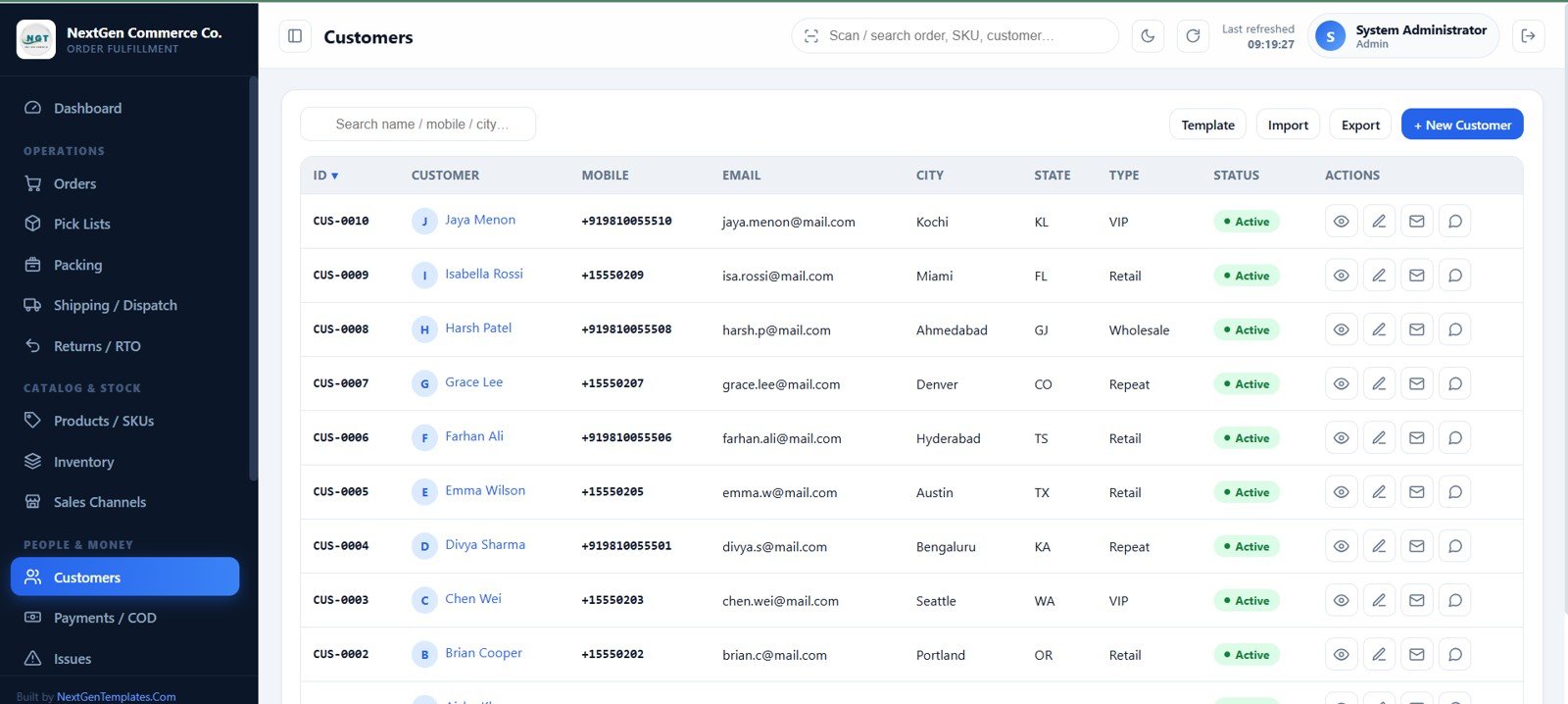
Customer profiles combine contact details, type, status, notes, lifetime value, order history, payments, and returns, plus email and WhatsApp actions.
Customers
12. Payments and COD Tracking
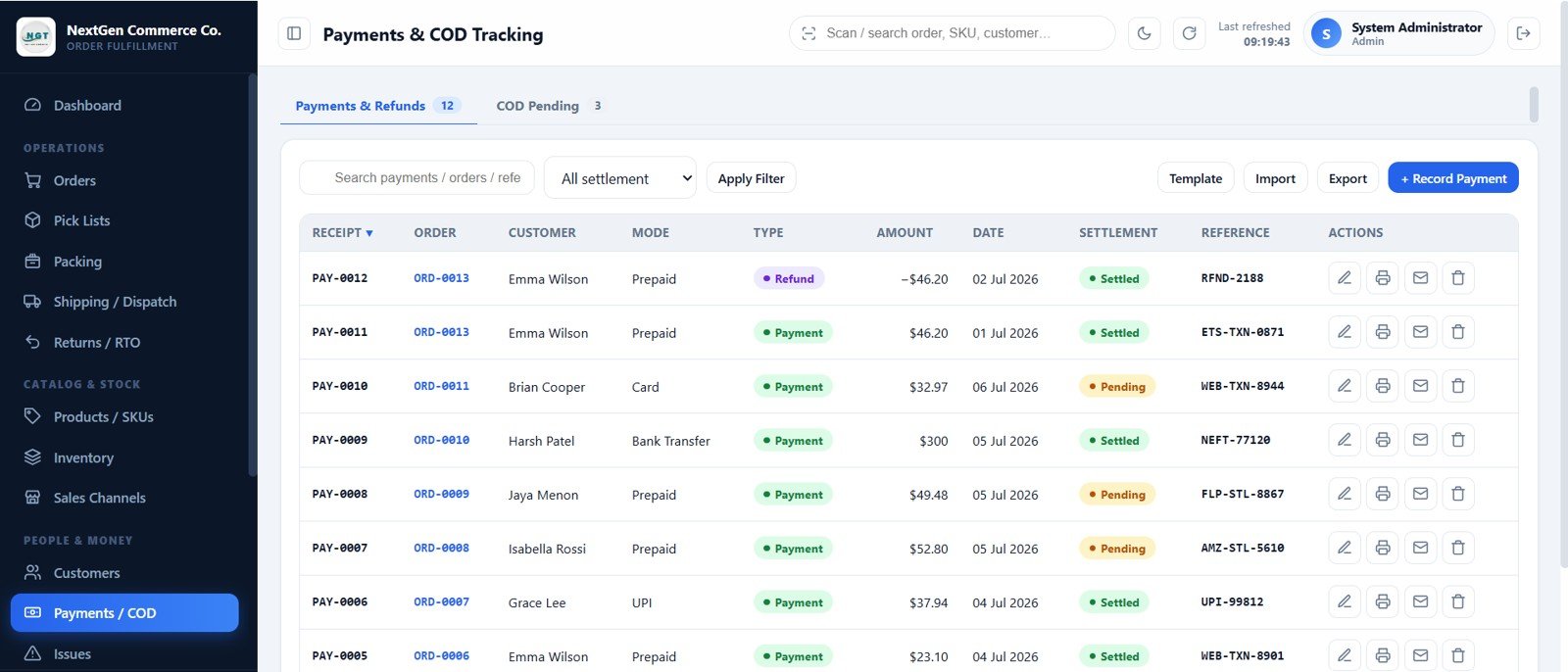
Record payments and refunds with amount, mode, date, settlement, and reference. The COD Pending tab isolates uncollected orders and pre-fills collection entries.
Payments and COD
13. Issues and Exceptions
Raise address, payment, stock, courier, complaint, or damage issues; set priority and owner; and move each item through Open, In Progress, Resolved, or Closed.
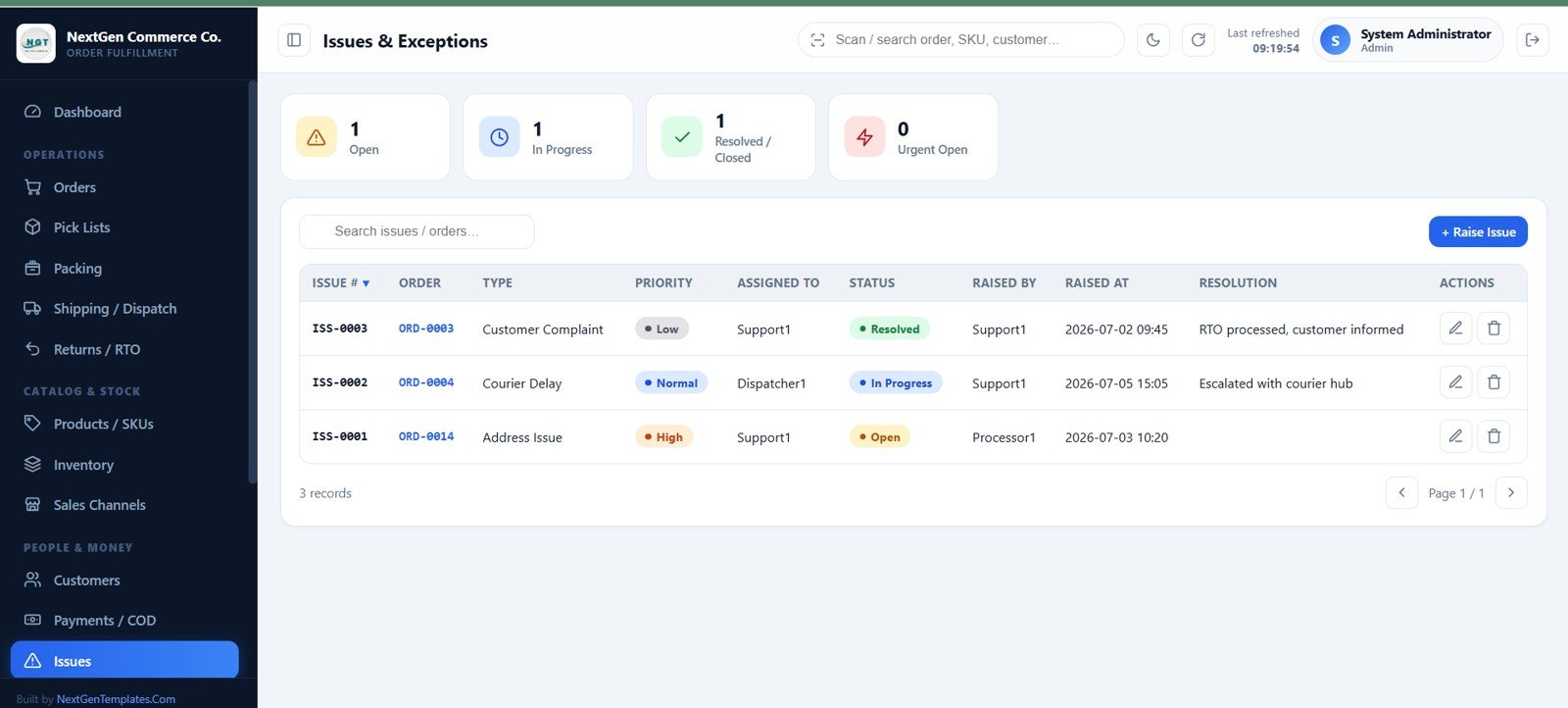
Issues and exceptions
14. Reports
Run 20 reports covering orders, channels, SKUs, SLA, COD, picking, packing, dispatch, couriers, returns, payments, stock, issues, and user activity.
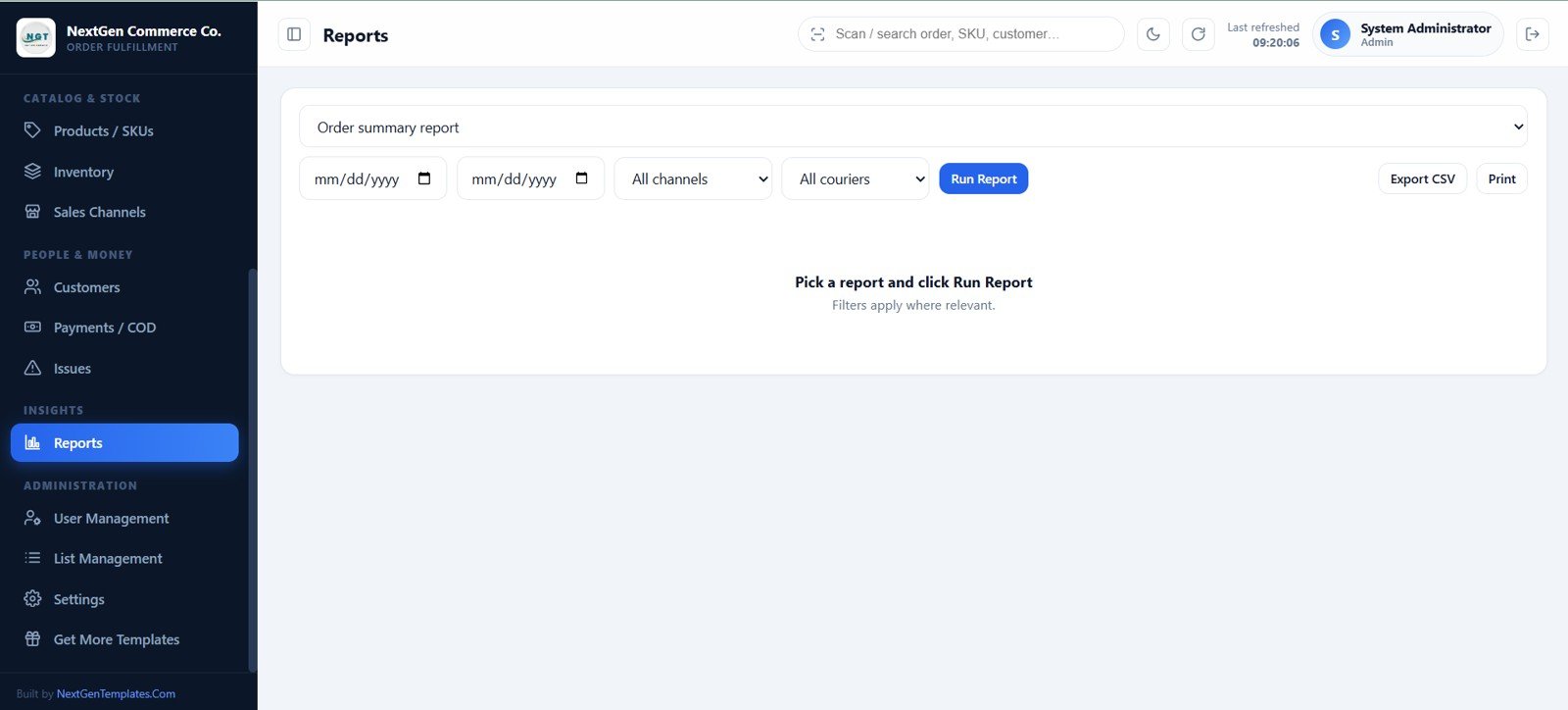
Reports
15. User Management
Admins add users, choose one of 10 roles, narrow module access, reset passwords, deactivate accounts, and review the activity log.
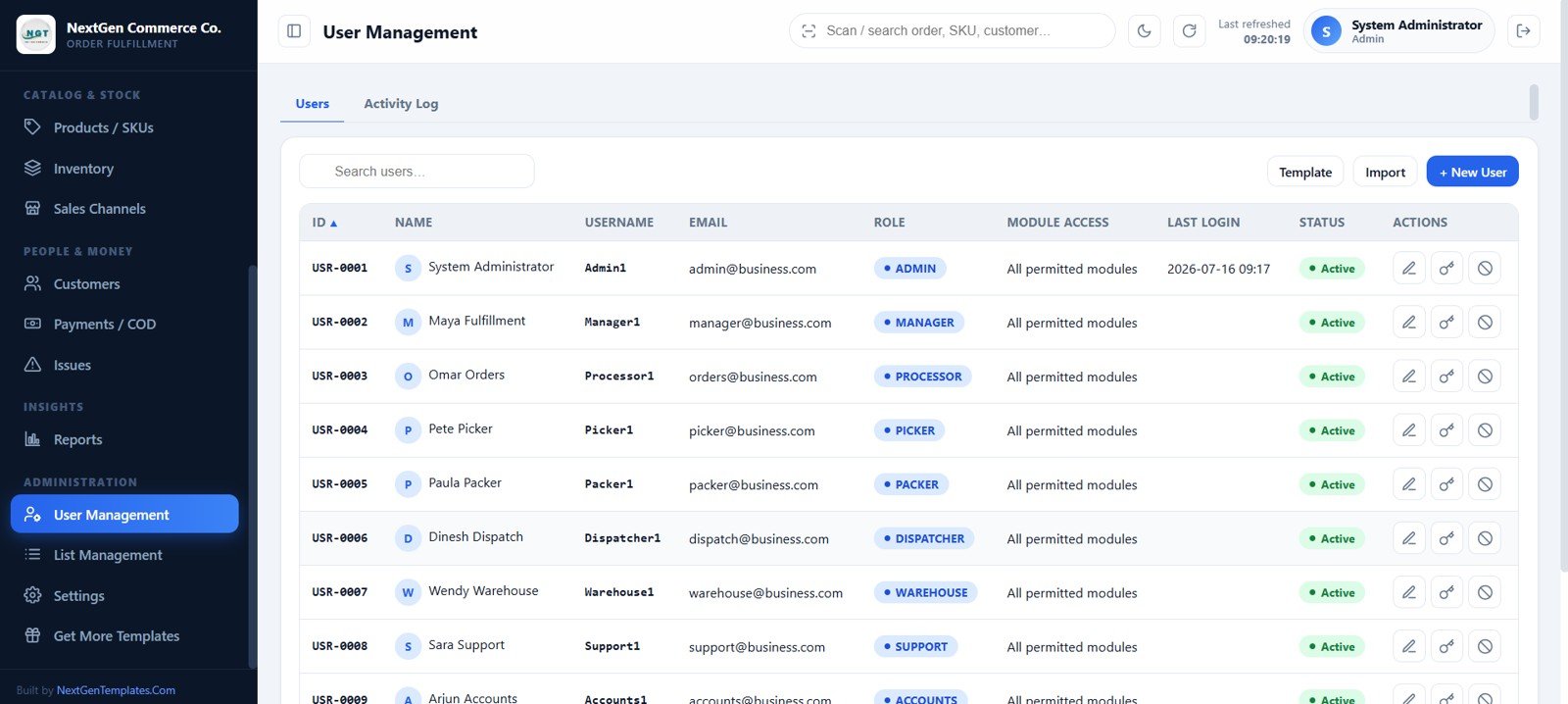
User management
16. List Management
Operational dropdowns are editable data. Manage couriers, bins, statuses, payment modes, return reasons, priorities, tax rates, units, conditions, and other values without code changes.
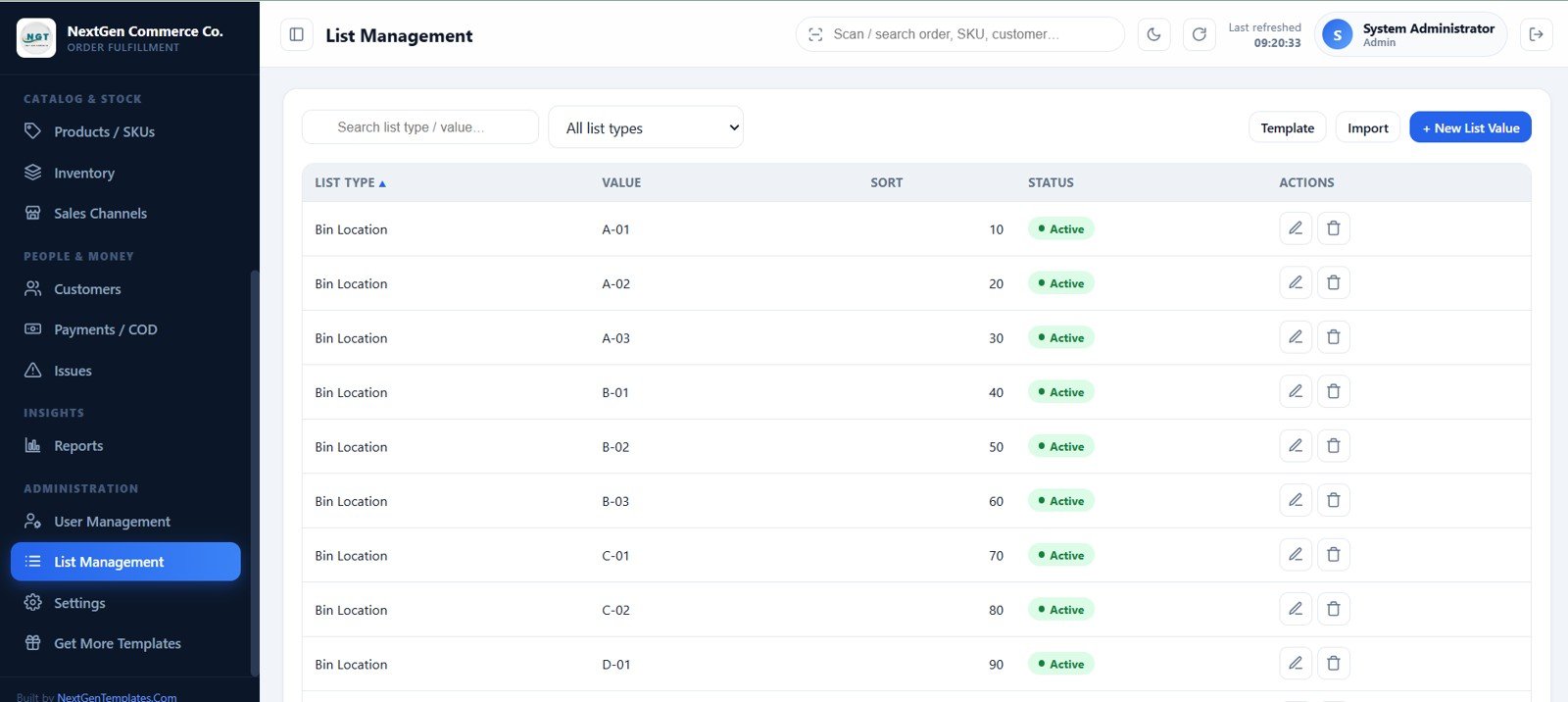
List management
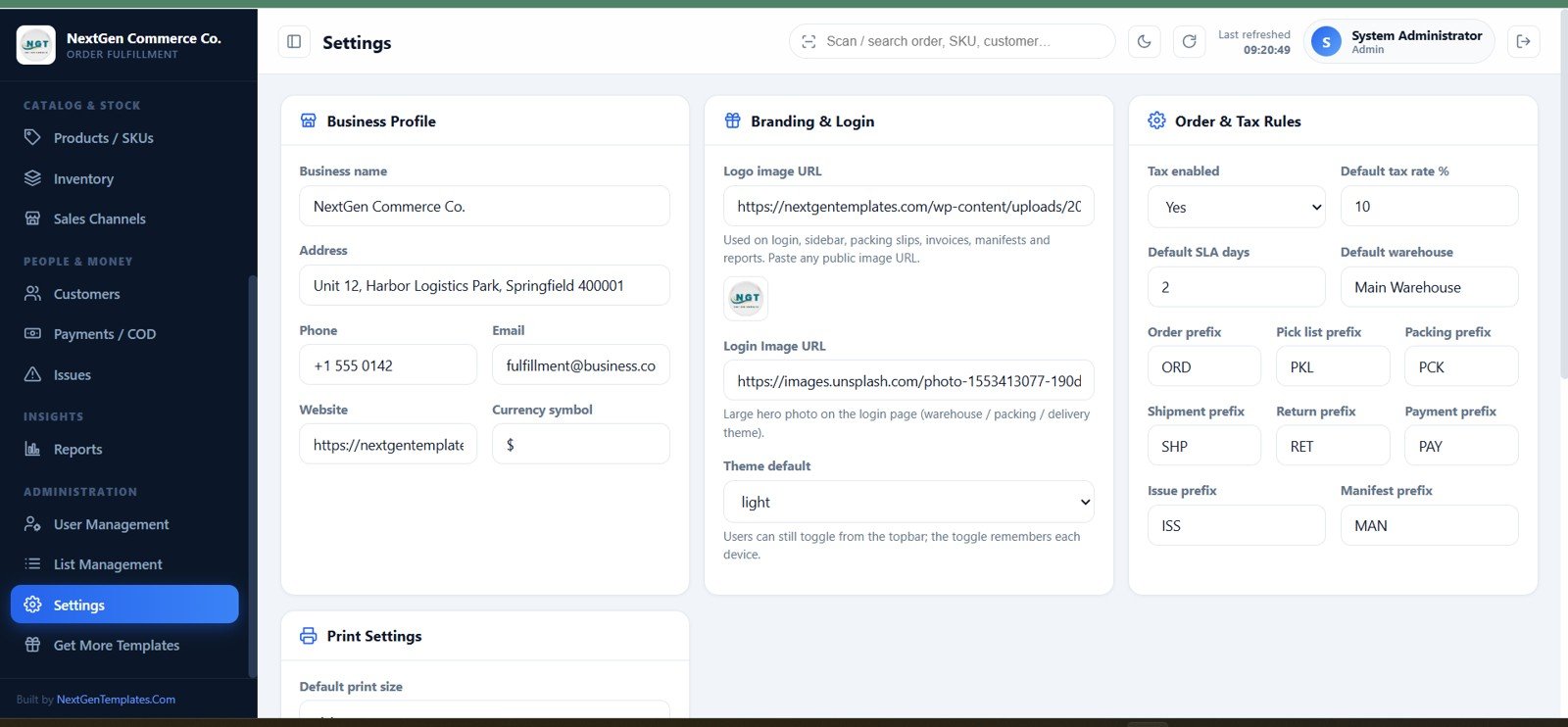
17. Settings
Configure business identity, logo, login image, currency, tax, SLA, warehouse, document prefixes, theme, print size, label footer, and database archive rules.
Settings
E-commerce Order Fulfillment Tracking System Web App vs. Google Sheets Tracker vs. Paid WMS/SaaS – Feature Comparison
| Feature | This web app | Basic Sheets tracker | Paid WMS/SaaS |
|---|---|---|---|
| Cost | $39.99 one-time sale price | Build time | Recurring plan |
| Platform | Apps Script + Sheets + Drive | Google Sheets | Vendor cloud |
| Setup time | Copy, setup, deploy | Design from scratch | Onboarding |
| Team permissions | 10 roles and module access | Sheet sharing | Plan dependent |
| Mobile access | Responsive browser UI | Sheets app | Usually included |
| Custom fields | Source and lists editable | Editable cells | Vendor limits |
| Share with link | Apps Script deployment URL | Sheet link | Account login |
| Five-user year-one cost | $39.99 plus Google usage | Internal labor | Often recurring per user |
| Pick-pack-ship flow | Built in | Manual columns | Usually included |
Who Should Use This Template
D2C brands, Shopify or WooCommerce sellers, marketplace merchants, wholesale teams, small warehouses, and fulfillment service providers can use this app when orders arrive through CSV exports or manual entry. It is especially useful when separate stock, packing, courier, COD, and return sheets no longer agree.
Real-World Use Cases
Maya, fulfillment manager: verifies morning orders in batches, creates picking waves, and reviews delayed SLAs. Pete, picker: follows a bin-sorted mobile list and records shortages. Dinesh, dispatcher: assigns couriers, prints labels, creates a manifest, and emails tracking. Arjun, accounts user: reconciles COD and refunds.
Advantages of E-commerce Order Fulfillment Tracking System Web App
One workflow ties status changes to stock and payment consequences. The app keeps data and uploaded files in the owner’s Google environment, supports role separation, provides ready CSV templates, and avoids rebuilding a management interface from scratch. Search, filters, responsive tables, light/dark themes, print layouts, and page caching improve day-to-day usability.
Opportunities for Improvement
The package does not include live marketplace, carrier, payment-gateway, or accounting APIs. Very high transaction volumes may exceed practical Apps Script quotas. Multi-branch access, automated courier tracking, barcode hardware behavior, tax logic, and custom integrations should be tested and tailored before a large rollout.
Best Practices
- Import opening stock before verifying orders, because verification reserves available units.
- Change every default password and grant only the modules each role needs.
- Configure real bins, couriers, taxes, SLA days, prefixes, branding, and print size before launch.
- Use the app rather than editing transaction rows directly, so stock, totals, and audits remain synchronized.
- Archive closed records periodically and monitor Google quotas as volume grows.
For deployment concepts, review Google’s official Apps Script web apps guide.
Explore Relevant Templates
Compare the Logistics Management System Web App, Order Fulfillment KPI Dashboard, Warehouse Efficiency Dashboard, Inventory Management Dashboard, and Procure360 ERP Web App.
Frequently Asked Questions
What platform does the system use?
Google Sheets stores structured records, Google Apps Script powers the web app, and Google Drive stores uploaded documents and archive copies.
Does it need a paid server?
No separate server or product subscription is required. The owner’s Google account and applicable quotas run the solution.
Can multiple roles work in the same system?
Yes. Ten roles cover administration, management, processing, picking, packing, dispatch, warehouse, support, accounts, and read-only access.
Does it connect live to Amazon, Shopify, or WooCommerce?
No direct API is included. Orders can be imported with CSV templates or entered manually; live connectors require customization.
How does inventory change during fulfillment?
Verification reserves stock, cancellation releases it, dispatch deducts it, and eligible received returns can add it back with ledger entries.
What is included in the download?
The package includes the web-app source files and a user manual covering setup, deployment, credentials, roles, modules, reports, printing, email, and troubleshooting.
About the Author
Built by PK – Microsoft Certified Professional with 15+ years of Excel, Google Sheets, and Power BI experience. Founder of NextGenTemplates, reaching 300K+ subscribers across YouTube channels. Every template is hand-built and tested before release.
Conclusion
The E-commerce Order Fulfillment Tracking System Web App turns order verification, warehouse work, dispatch, returns, payments, and reporting into one accountable flow. Get the E-commerce Order Fulfillment Tracking System Web App and deploy it in your own Google account.
For step-by-step tutorials, visit YouTube.com/@NeoTechNavigators.
Last updated: July 16, 2026.