Running a busy barbershop means juggling appointments, walk-ins, the till, product sales and barber payouts all at once — and most shops still do it with a paper diary and a calculator. The Barbershop Management System Web App replaces all of that with one screen: 20 built-in modules, 3 secure user roles, 13 owner reports and 30 connected Google Sheets tables, built on Google Sheets and Google Apps Script.
🚀 Try the Live Demo Before You Buy
We have deployed this web app in our own Google account so you can test every page, every role and every report — with real sample data — before purchasing. No signup, no email required.
🔑 Test Login Credentials
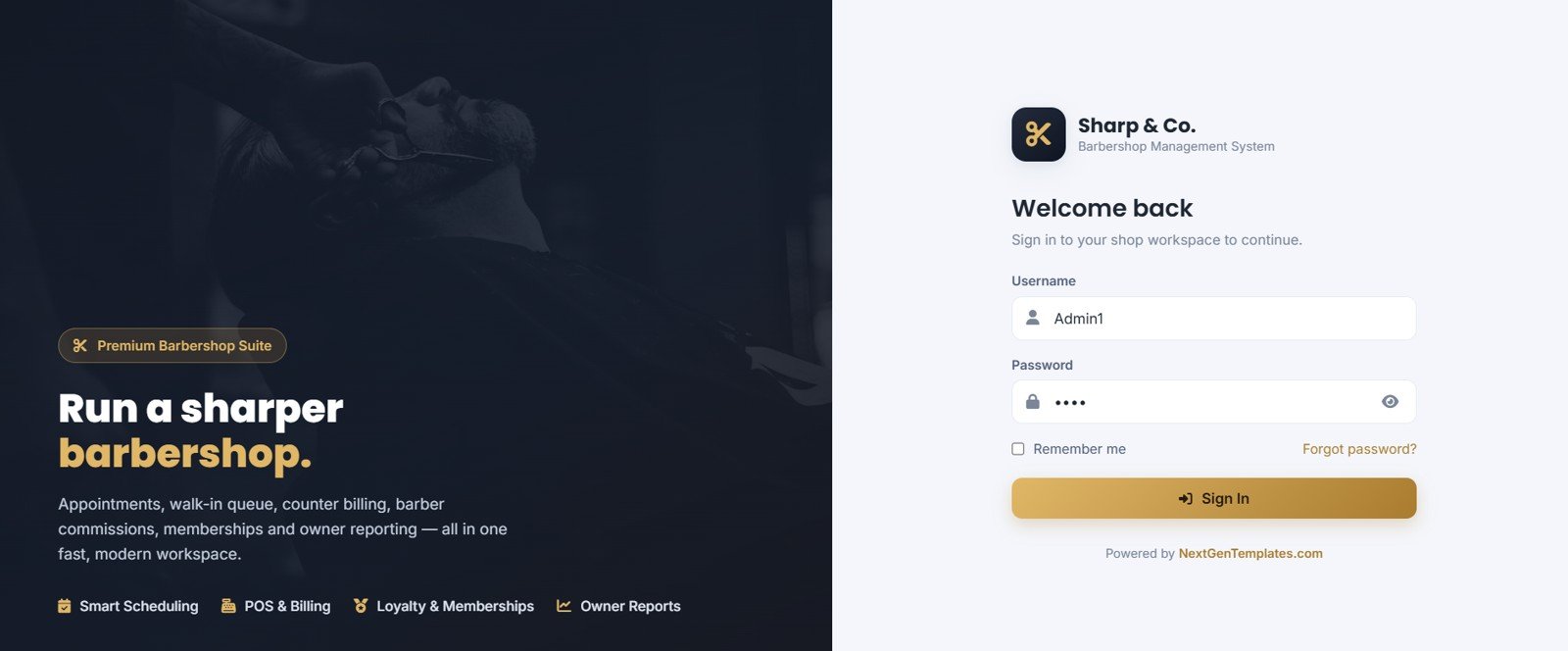
Sign in as Admin1 to run the whole shop — every module plus Settings, User Management, List Management, commission rates, Reports, Audit Log and Database Archive — or as Manager1 to work the front desk: appointments, walk-in queue, billing/POS, customers, services, products, inventory, memberships, staff attendance, expenses and reports (pay and commission fields stay hidden). 💡 Tip: book an appointment first, then bill it from the POS screen to see the full flow end to end.
| Role | Username | Password |
|---|---|---|
| 👨💼 Admin / Owner Rohan Mehra — full access | Admin1 | abcd |
| 👤 Manager / Reception Priya Sharma — daily operations | Manager1 | abcd |
💡 What you get after purchase: The full source code (Code.gs + Index.html) plus a step-by-step deployment guide so you can deploy your own private instance in your own Google account in under 15 minutes.
It ships pre-loaded with a realistic demo shop — 3 barbers, 25 services, 20 products, 40 customers and 3 membership plans — so you can test every button in minutes, then clear it and go live. Best of all, it is a one-time $39.99 purchase with no subscription and no per-booking fees, and every record stays in your own Google Drive. This guide walks through every page of the Barbershop Management System and how a real shop uses it day to day.
Key Features of the Barbershop Management System
- Appointments with double-booking prevention — day, week and list views that respect each barber’s shift hours, weekly off and shop holidays, then convert straight into a bill.
- Walk-in queue with auto tokens — daily token numbers, estimated wait times and a large “Now Serving” board for a counter screen.
- Counter POS billing — services and products on one bill with discounts, tax, tips, loyalty redemption, membership redemption and split payment.
- Automatic barber commissions — calculated on every bill line, with monthly statements and payouts per barber.
- Memberships and loyalty — prepaid wallet, service-credit and discount plans, plus a full points ledger per customer.
- Inventory with a stock ledger — retail and consumable stock, low-stock alerts and automatic deduction on sale.
- 13 owner reports and an audit log — day-end closing, profit snapshot, tax summary and more, each exportable and printable.
The Barbershop Management System tracks 8 live dashboard KPIs and 5 owner charts, and enforces its 3 roles — Owner, Manager/Receptionist and Barber — on the server, not just in the menu.
Dashboard Pages Explanation
Here is every screen in the Barbershop Management System and what it does:
Barbershop Management System
The branded login screen secures the workspace with a username and password and highlights the four pillars of the system — Smart Scheduling, POS and Billing, Loyalty and Memberships, and Owner Reports. Staff sign in with role-based access so each person only sees what they should.
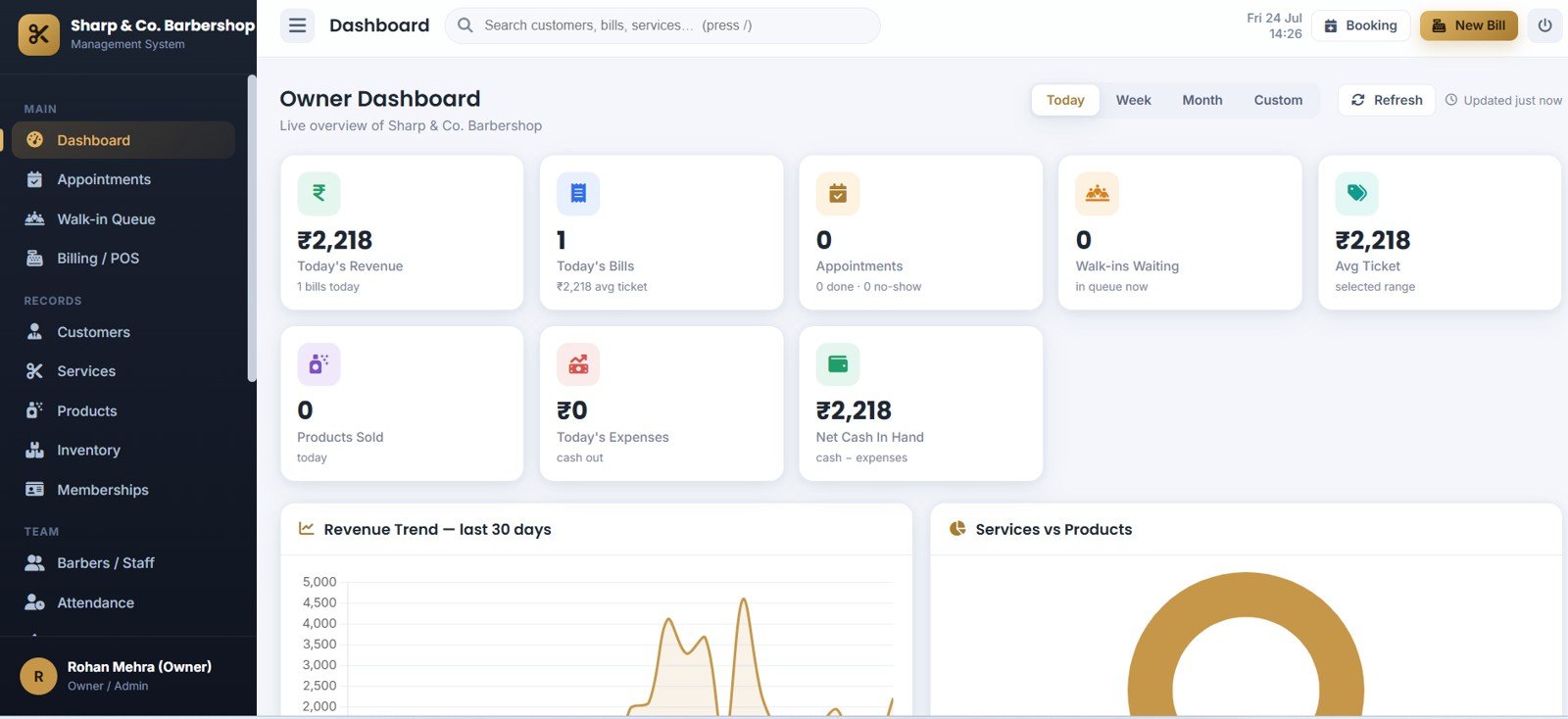
Owner Dashboard
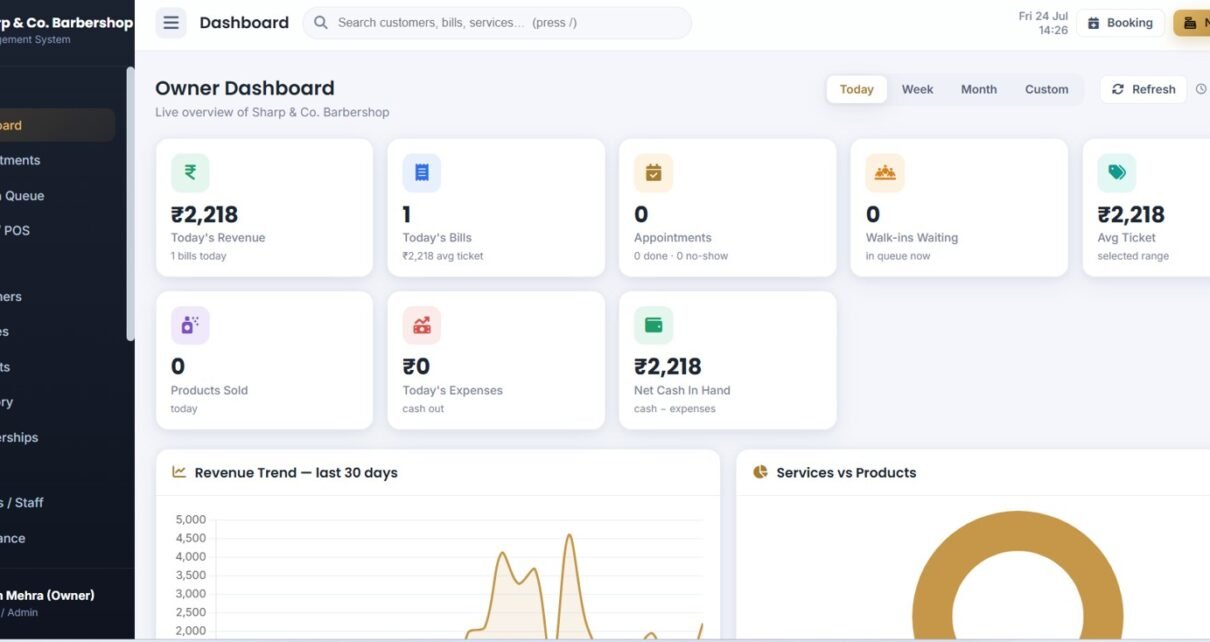
A live control room showing Today’s Revenue by Selected Range, Today’s Bills by Selected Range, Appointments by Status, Walk-ins Waiting by Queue, Avg Ticket by Selected Range, Products Sold by Today, Today’s Expenses by Cash Out, and Net Cash In Hand by Cash and Expenses, plus Revenue Trend by Last 30 Days and Services vs Products by Sales Mix.
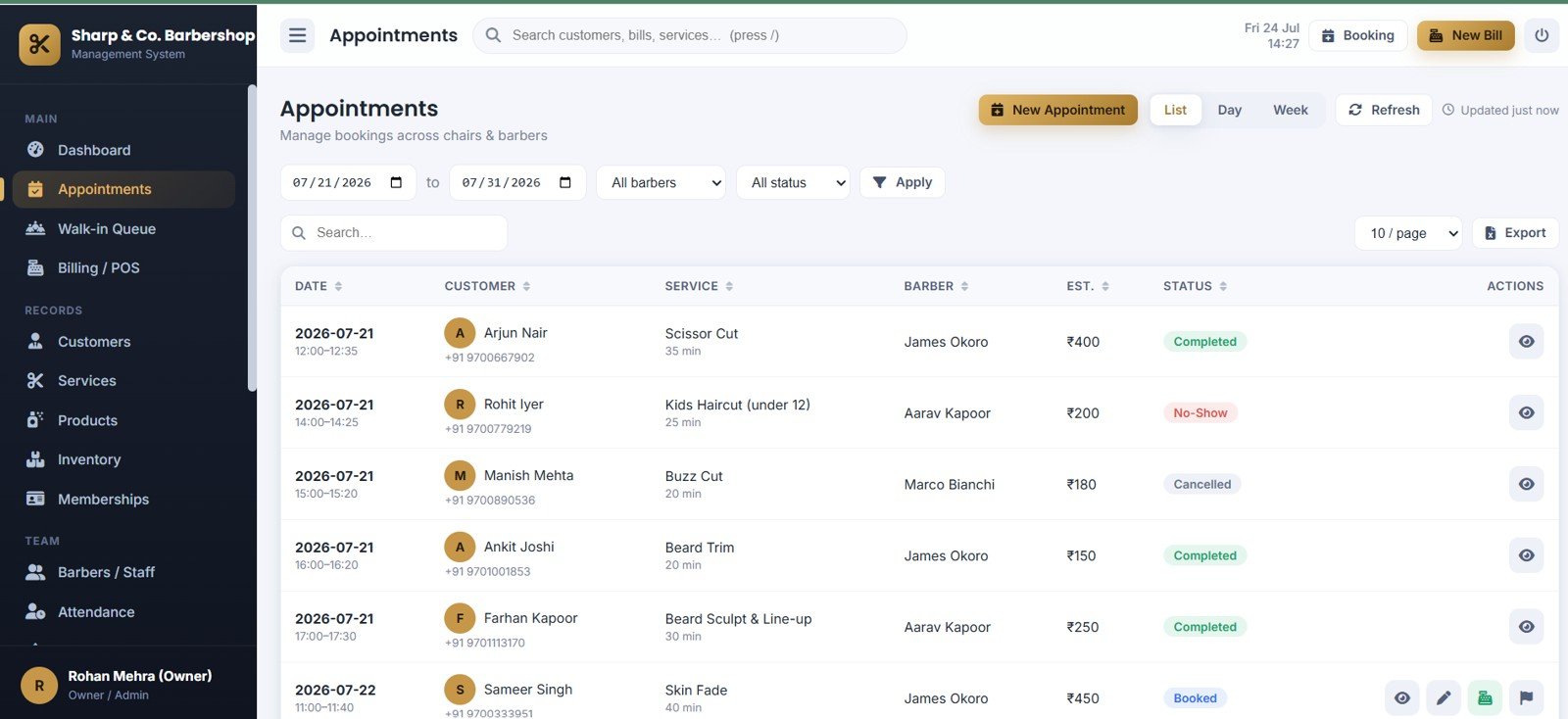
Appointments
Book and track visits with Appointments by Date, Appointments by Customer, Appointments by Service, Appointments by Barber, Estimated Amount by Service, and Appointment Status by Booking Result. Double-booking is blocked automatically and each appointment can be converted straight into a bill.
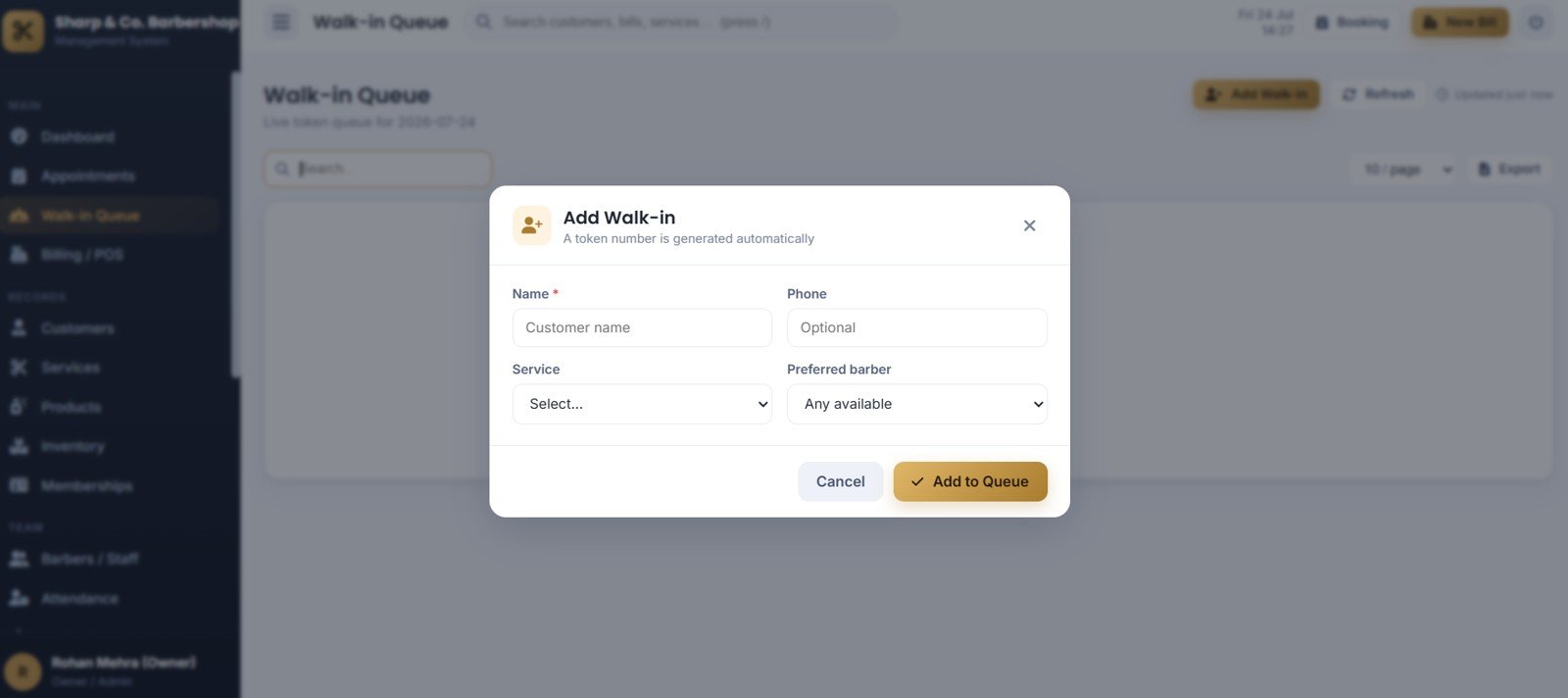
Walk-in Queue
Manage the counter line with Walk-in Entry by Customer Name, Walk-in Entry by Phone, Walk-in Entry by Service, Walk-in Entry by Preferred Barber, and an auto Queue Token by Walk-in Customer with an estimated wait time and a large “Now Serving” board.
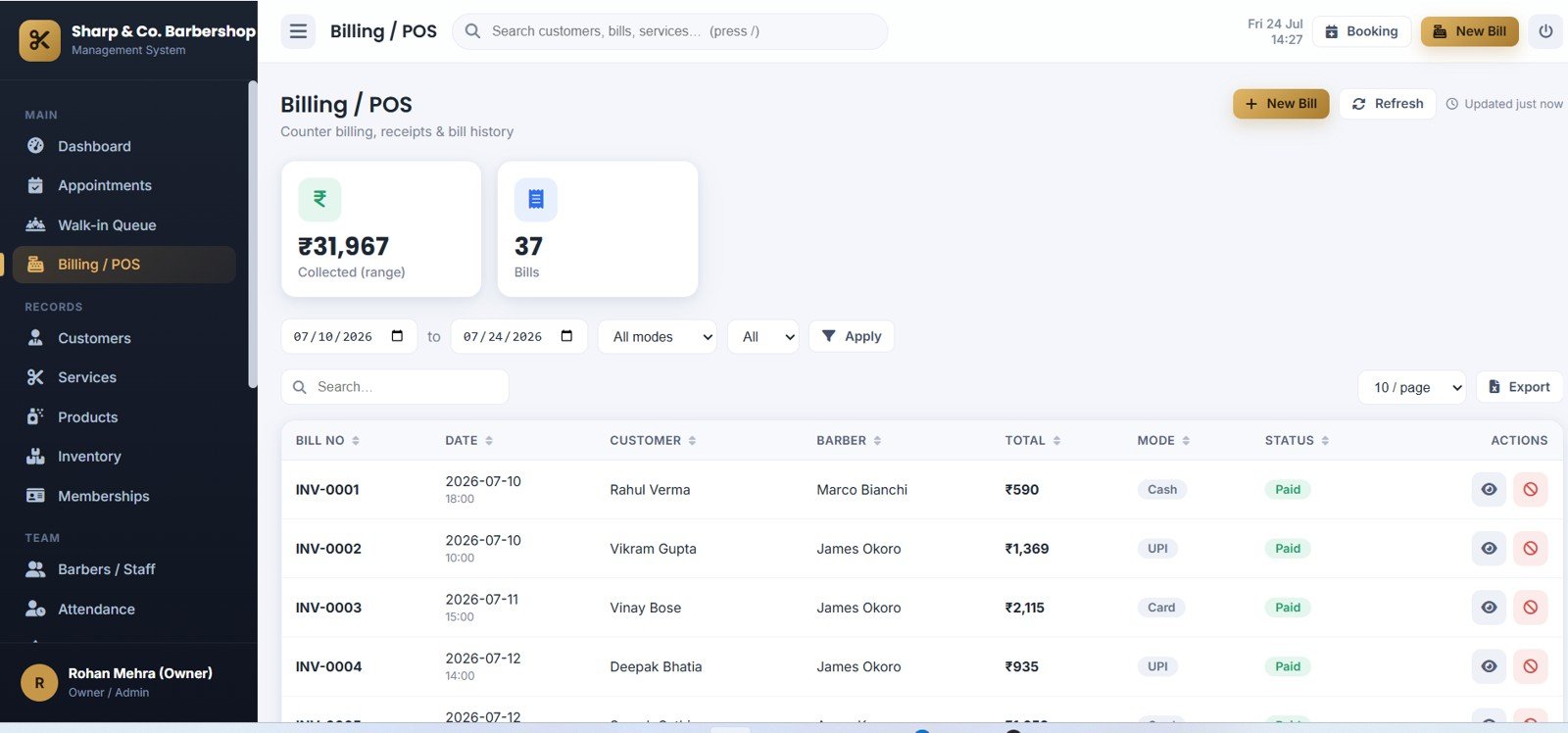
Billing and POS
Ring up services and products together with Collected Amount by Date Range, Bills by Date Range, Billing History by Bill Number, Total by Customer, Payment Mode by Bill, and Paid Status by Invoice — including discounts, tax, tips, loyalty, membership redemption and split payment.
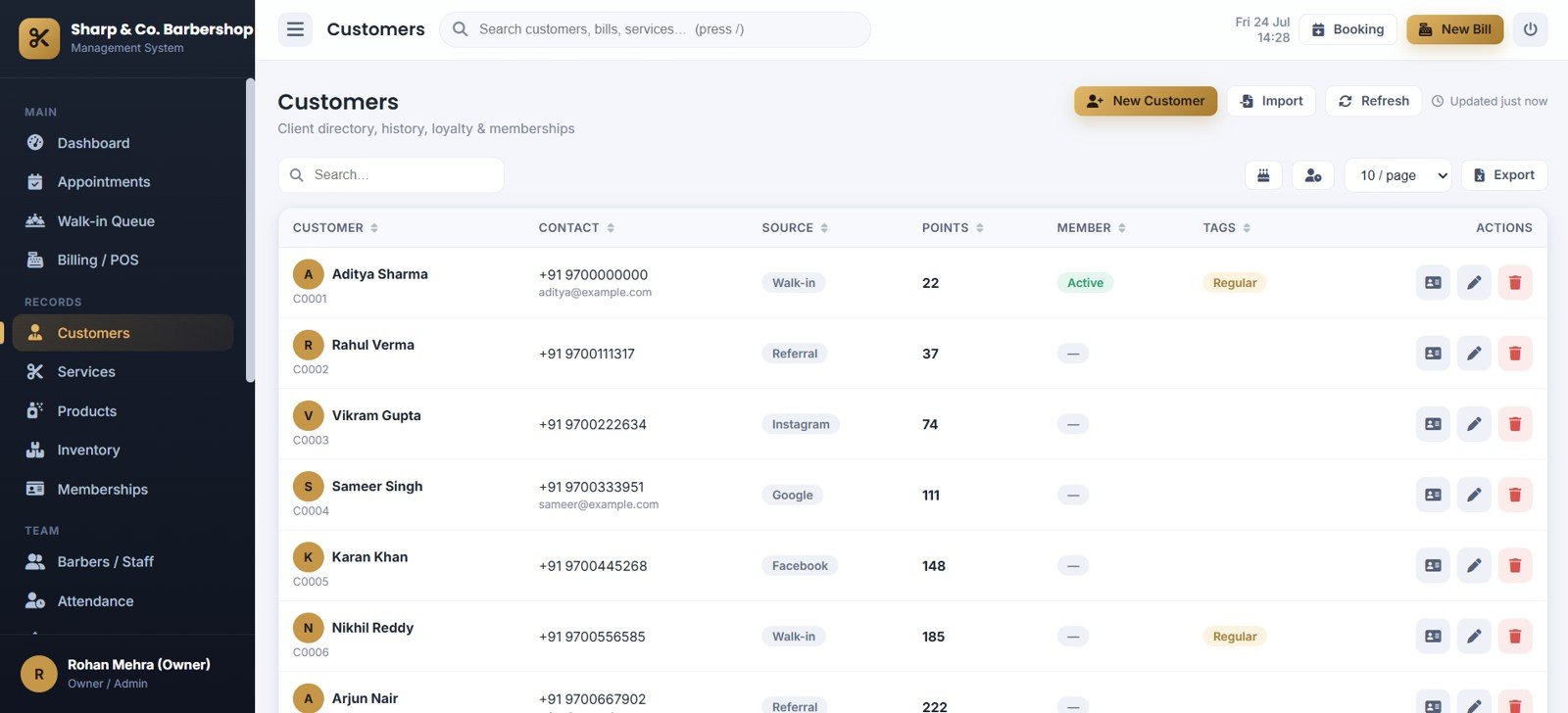
Customers
A full client directory with Customer Directory by Contact, Customer Source by Customer, Loyalty Points by Customer, Member Status by Customer, and Tags by Customer, plus visit history, birthdays and lapsed-customer views.
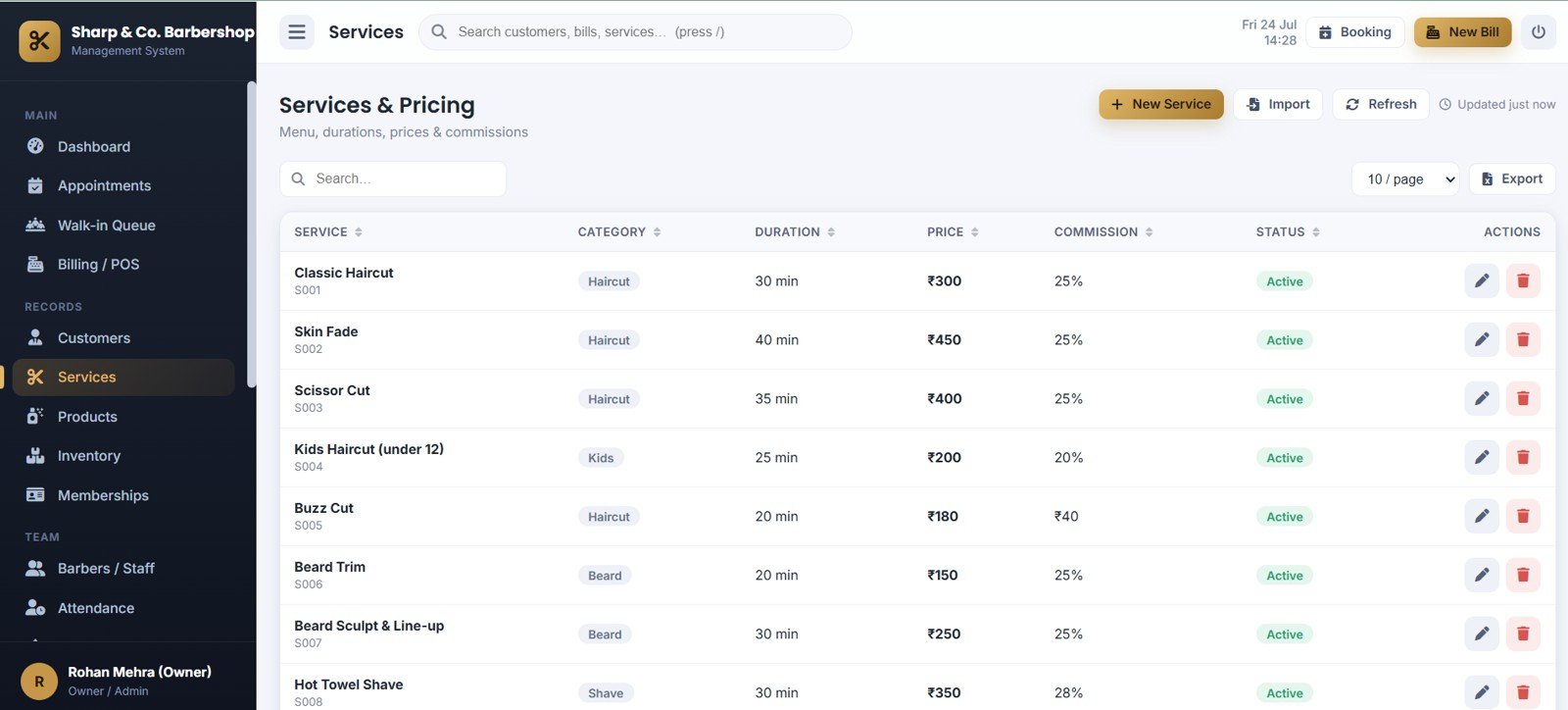
Services and Pricing
Manage the service menu with Service Menu by Category, Duration by Service, Price by Service, Commission by Service, and Status by Service so pricing and barber commissions flow straight into billing.
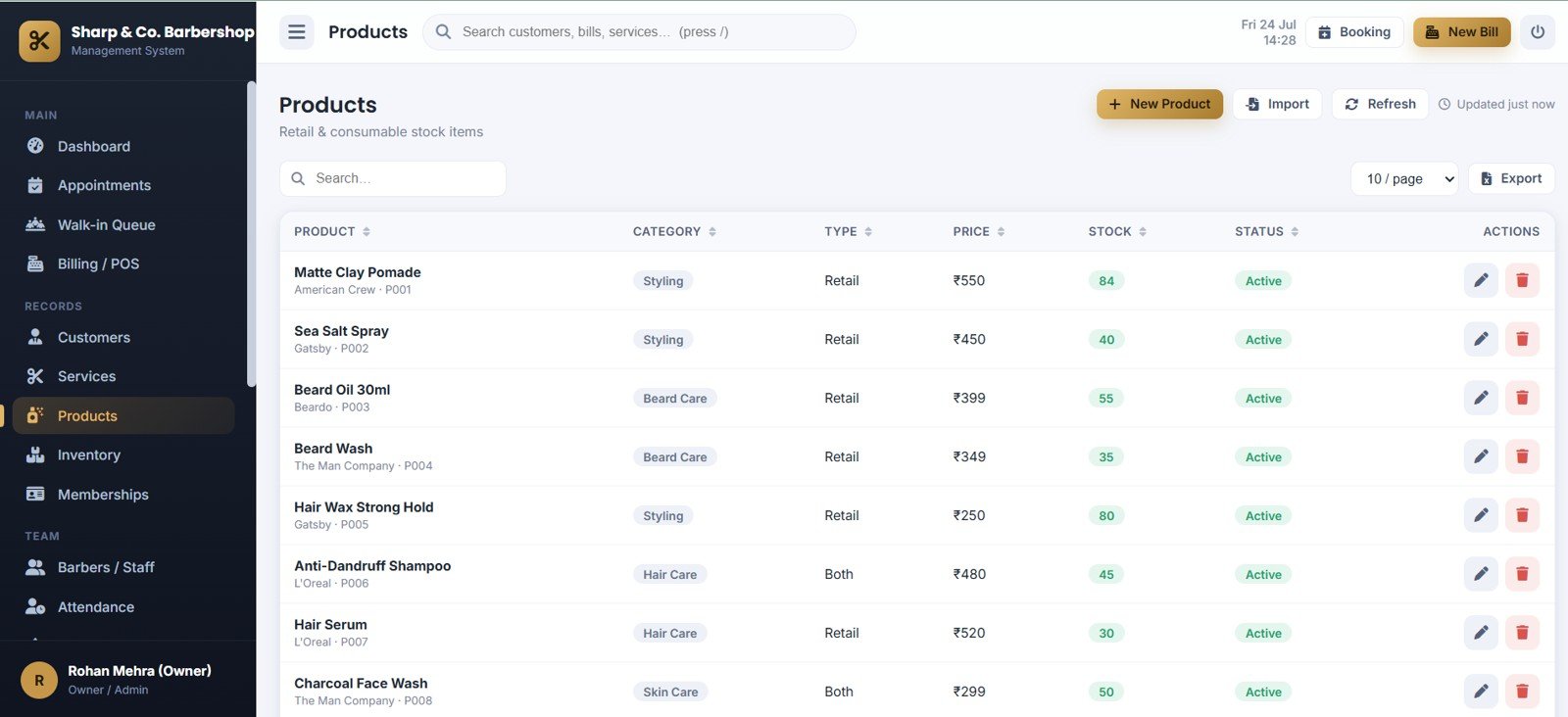
Products
Track retail and consumable stock with Products by Category, Product Type by Product, Price by Product, Stock by Product, and Status by Product — selling a product on a bill reduces stock automatically.
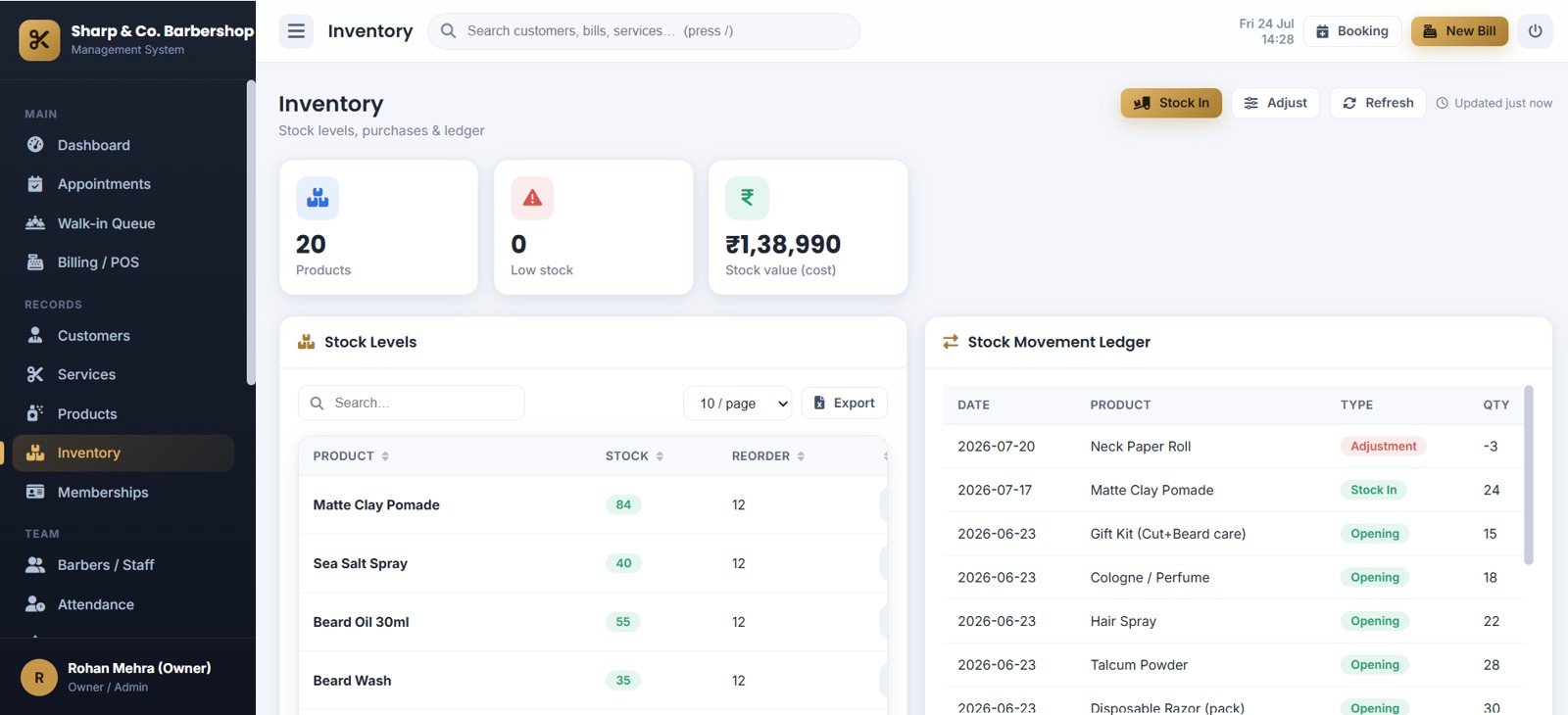
Inventory
Keep stock accurate with Products by Stock Count, Low Stock by Product, Stock Value by Cost, Stock Levels by Product, Stock Movement by Product, and Quantity by Movement Type, backed by a per-product stock ledger.
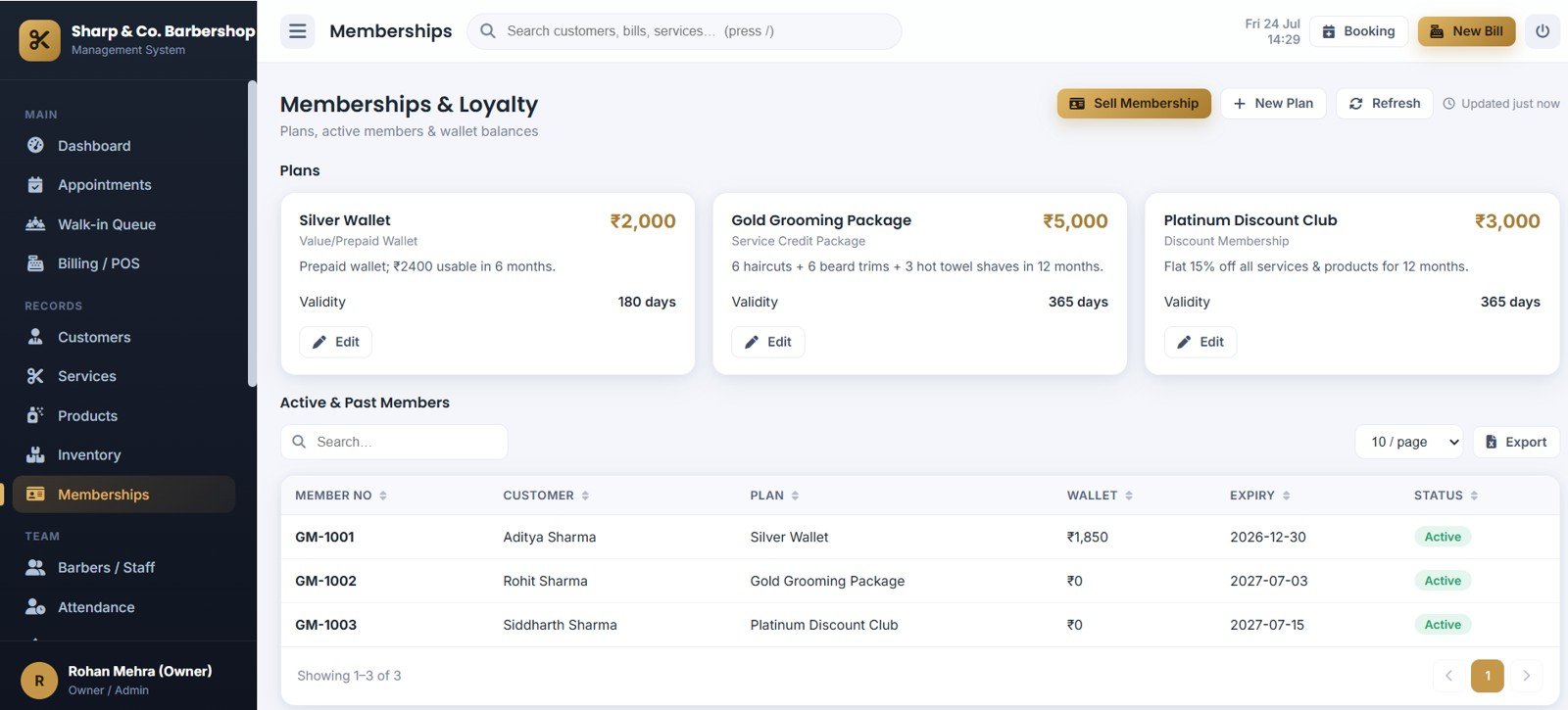
Memberships and Loyalty
Sell and track plans with Membership Plans by Price, Validity by Plan, Active Members by Customer, Wallet Balance by Member, Expiry Date by Member, and Status by Membership across prepaid wallet, service-credit and discount plans.
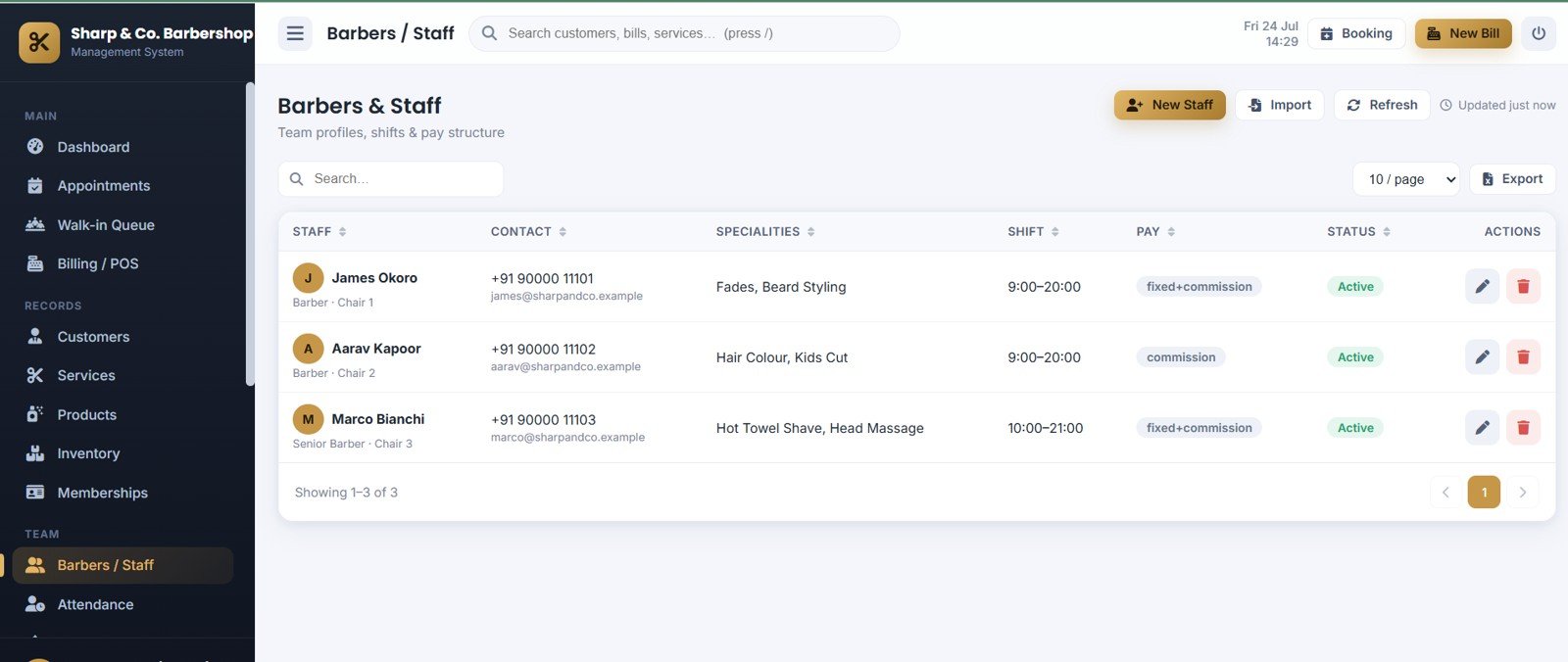
Barbers and Staff
Manage your team with Staff Profiles by Role, Specialties by Staff, Shift by Staff, Pay Structure by Staff, and Status by Staff — including working days, weekly off and commission rates.
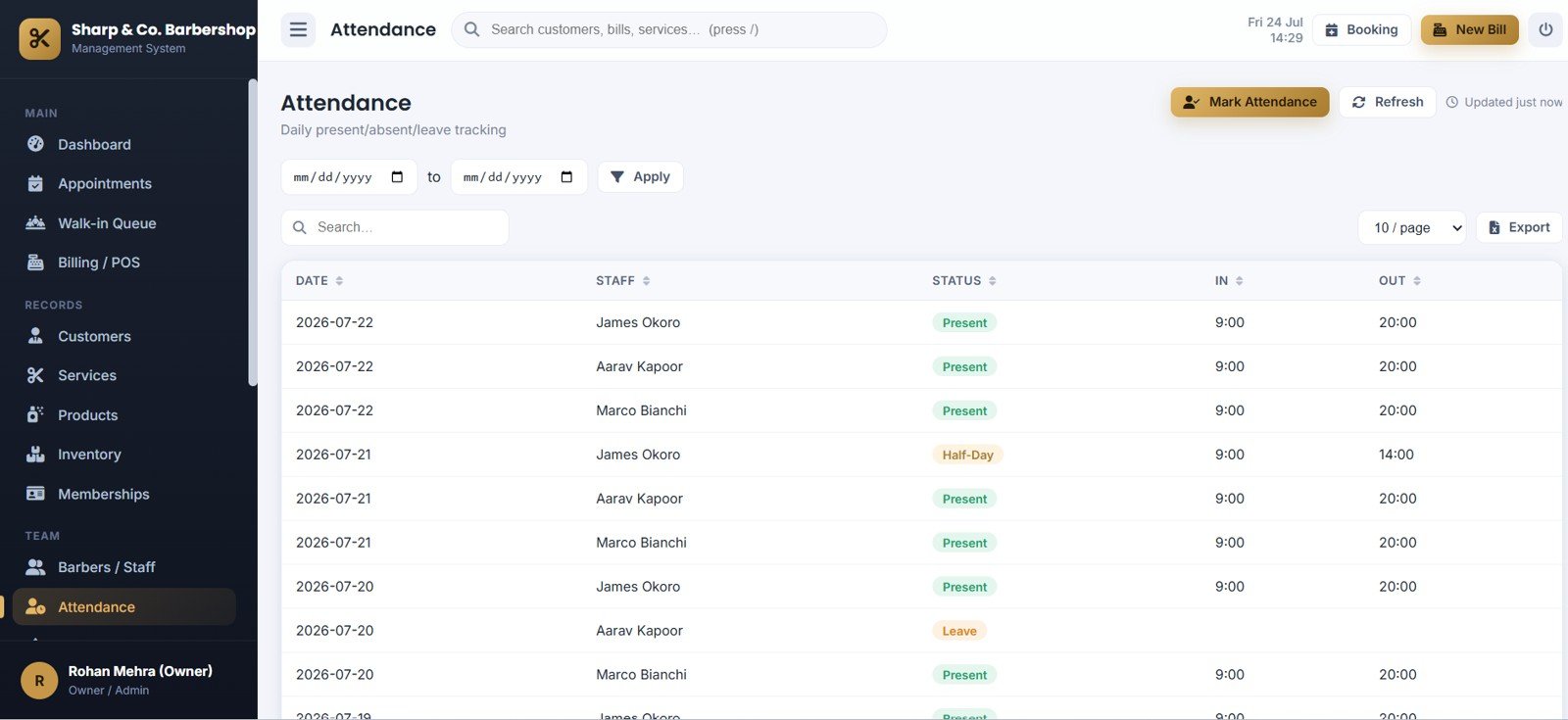
Attendance
Record daily attendance with Attendance by Date, Status by Staff, In Time by Staff, Out Time by Staff, and Leave and Half-Day by Staff, feeding straight into monthly payout calculations.
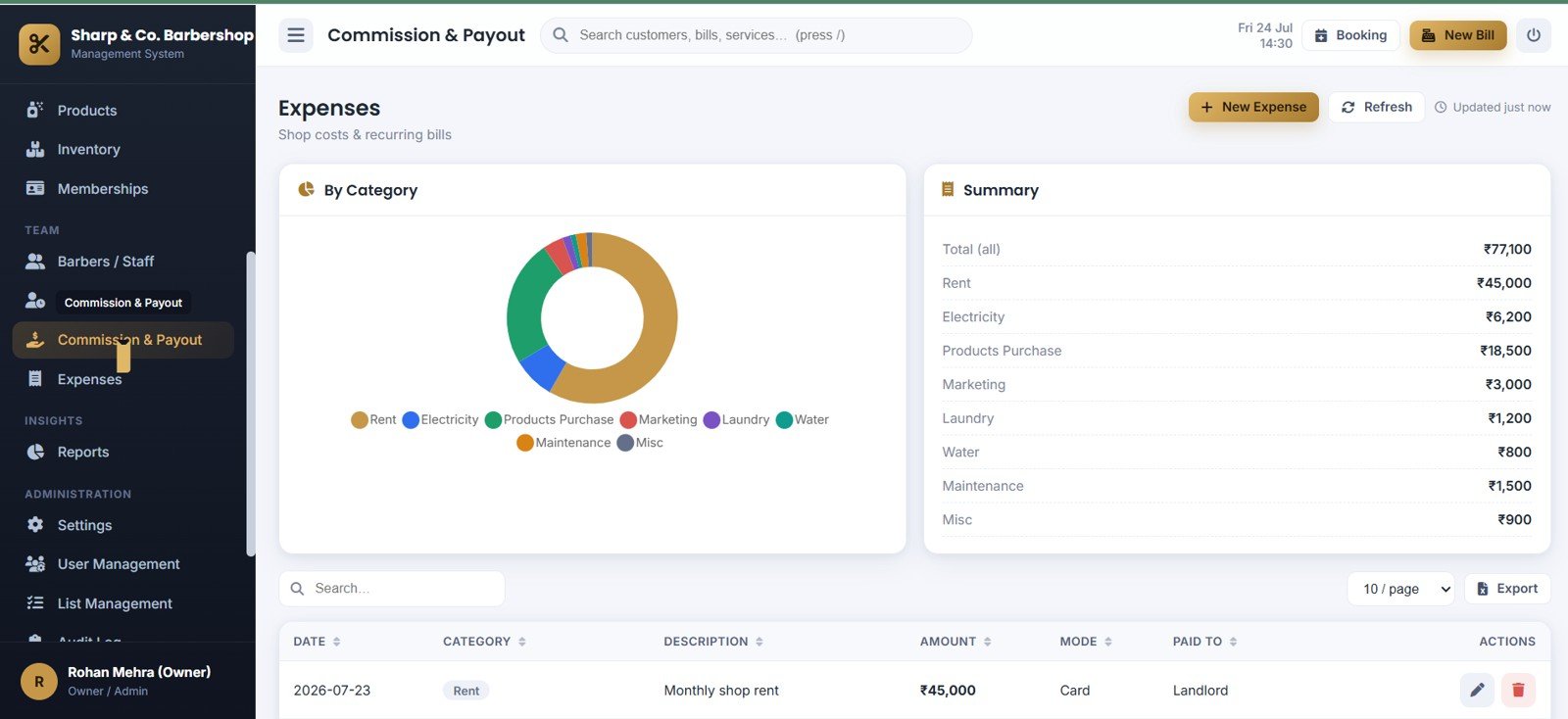
Commission, Payout and Expenses
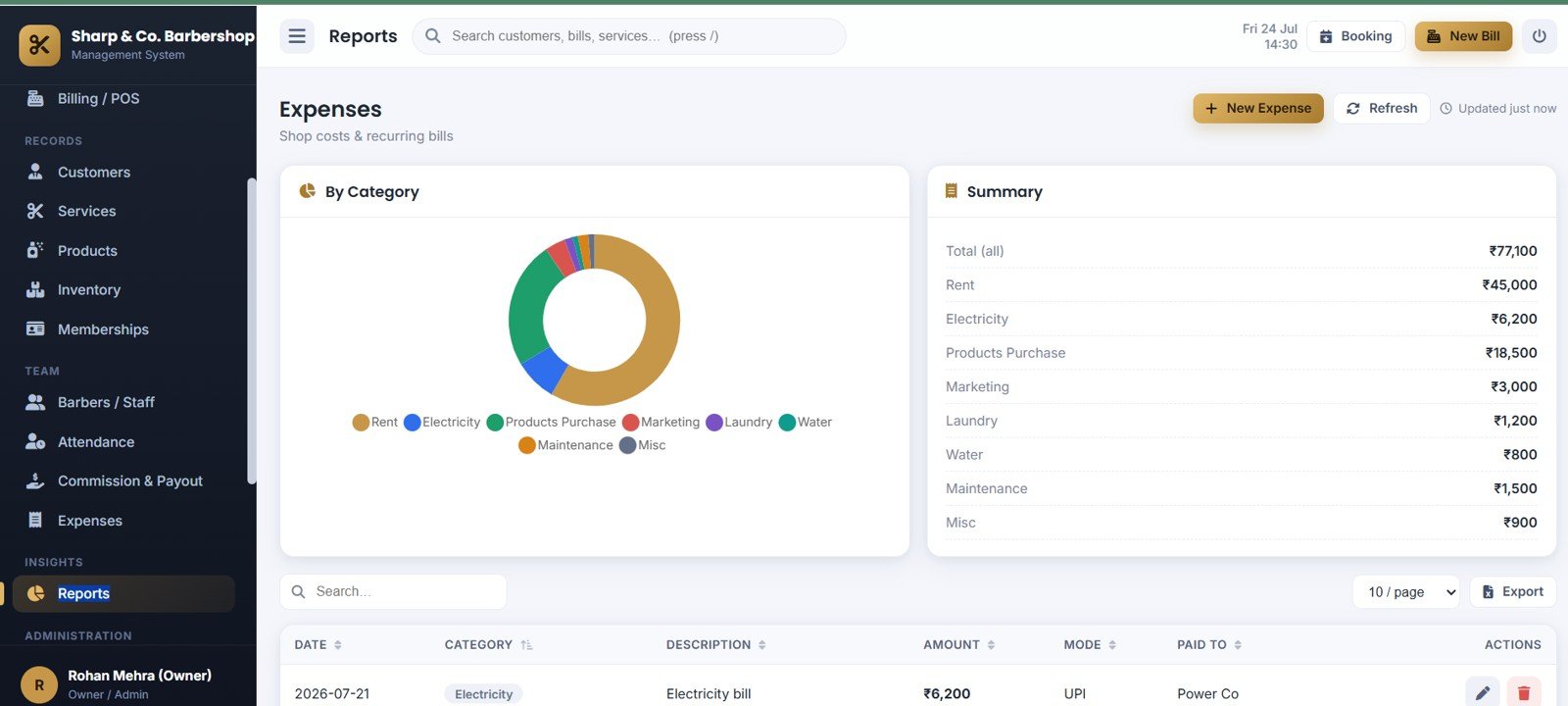
Handle money-out with Expenses by Category, Total Expenses by Summary, Amount by Expense Category, Expense Details by Date, Payment Mode by Expense, and Paid To by Expense, alongside auto-calculated barber commission statements and payouts.
Reports
Owner-ready reporting including Expense Report by Category, Expense Summary by Category, Amount by Expense Date, Expense Details by Description, and Payment Mode by Report Entry, plus day-end closing, sales, barber performance and tax-summary reports — each exportable and printable.
Settings
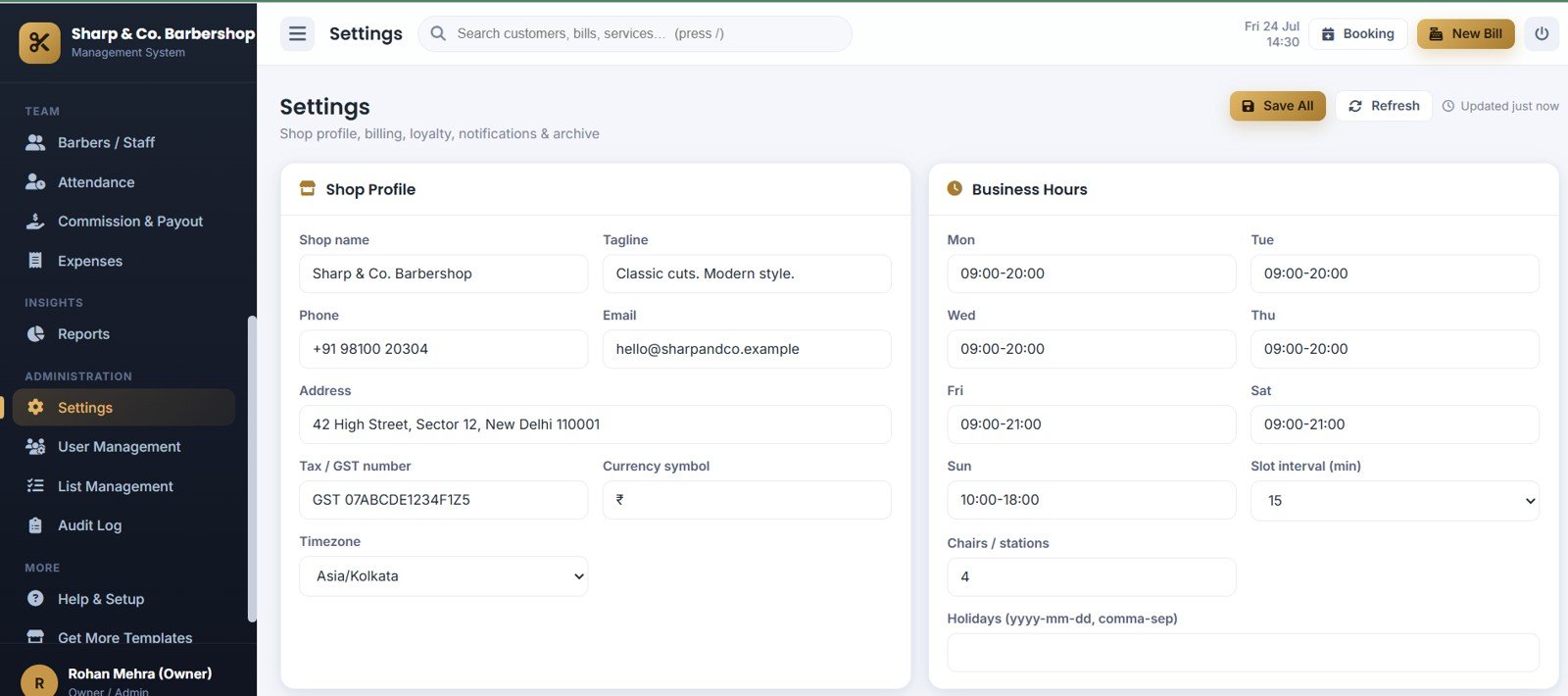
Configure the shop with Shop Profile by Business Details, Business Hours by Day, Slot Interval by Booking Setup, Chairs by Station Count, and Holidays by Calendar Setup, plus tax, bill numbering, loyalty and email options.
User Management
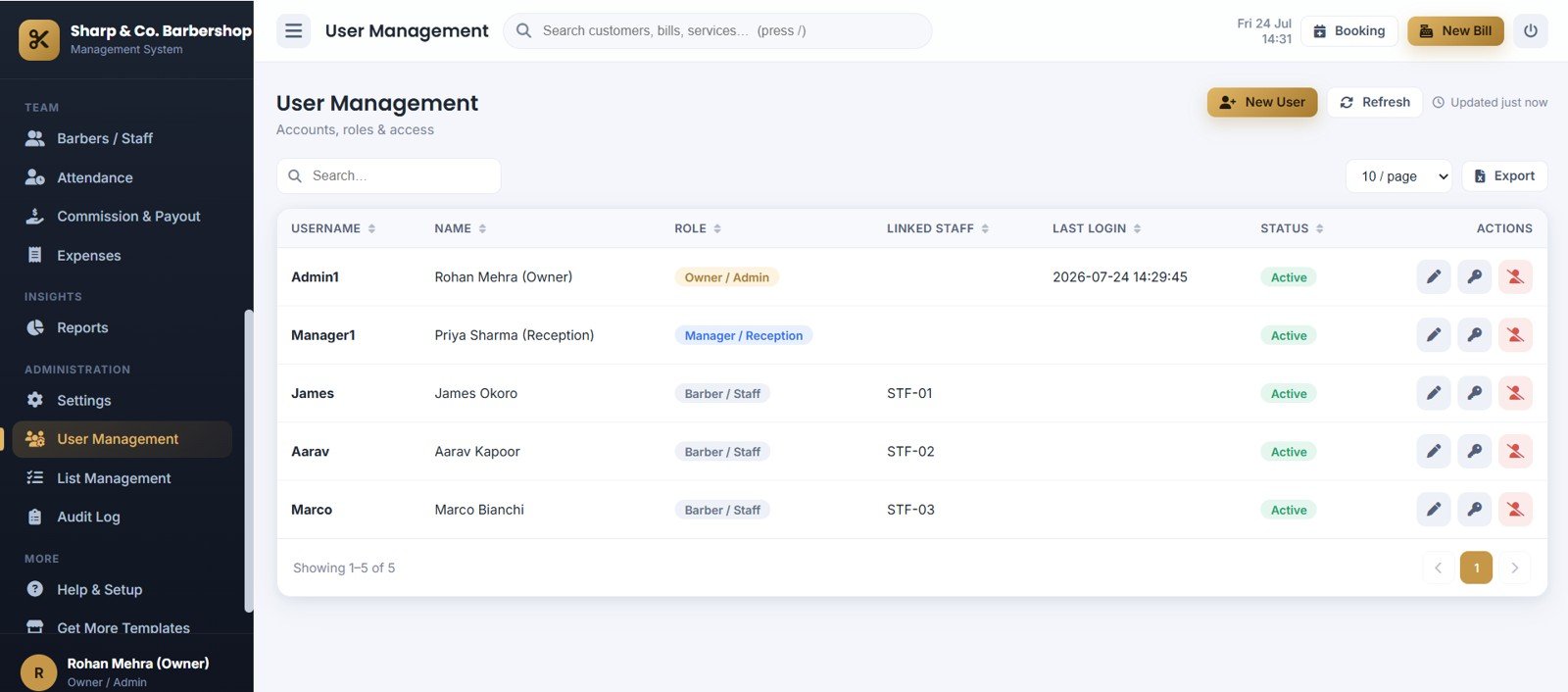
Control access with Accounts by Username, Roles by User, Linked Staff by User, Last Login by User, and Status by User — passwords are salted and hashed, never stored in plain text.
List Management
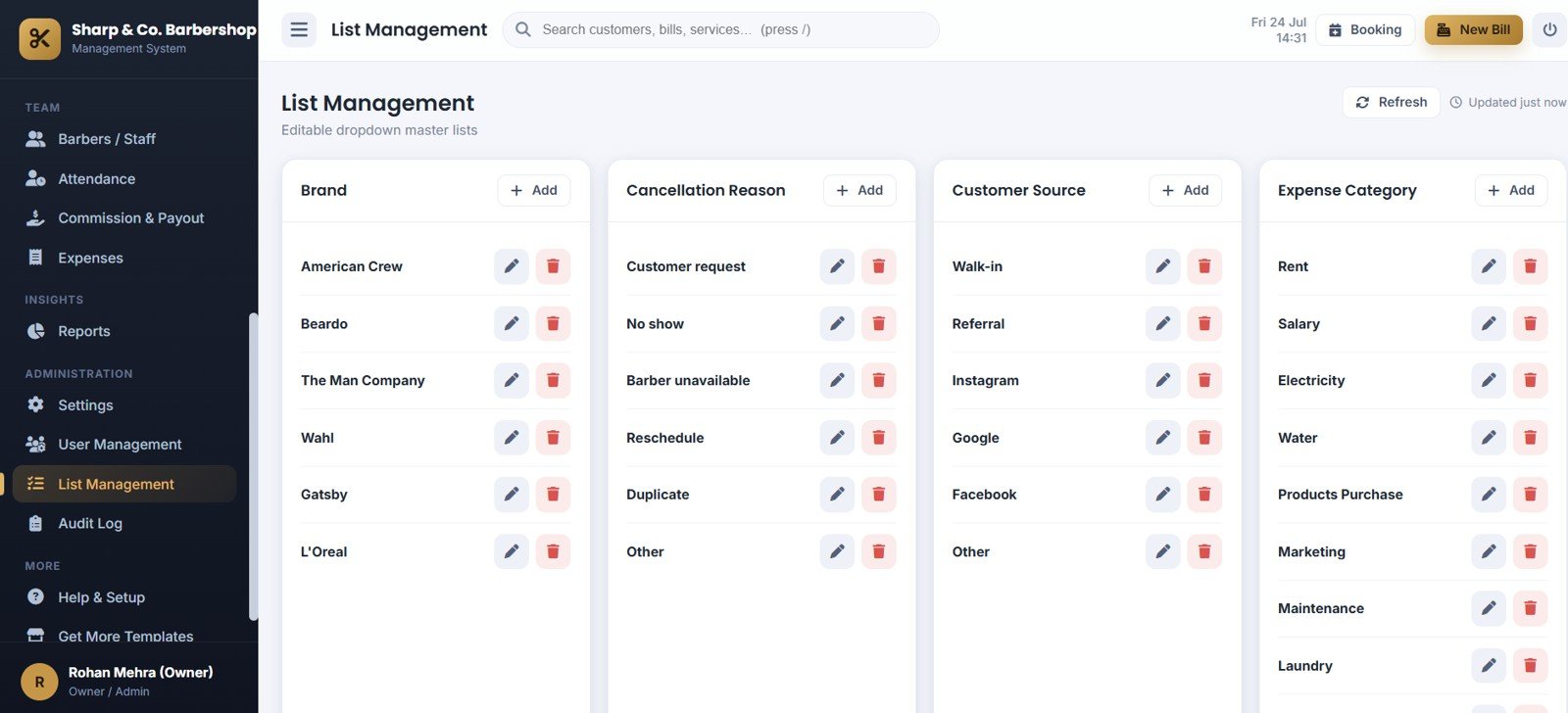
Maintain editable master lists with Brand List by Product Brand, Cancellation Reason by Booking Status, Customer Source by Lead Channel, and Expense Category by Cost Type so every dropdown stays consistent.
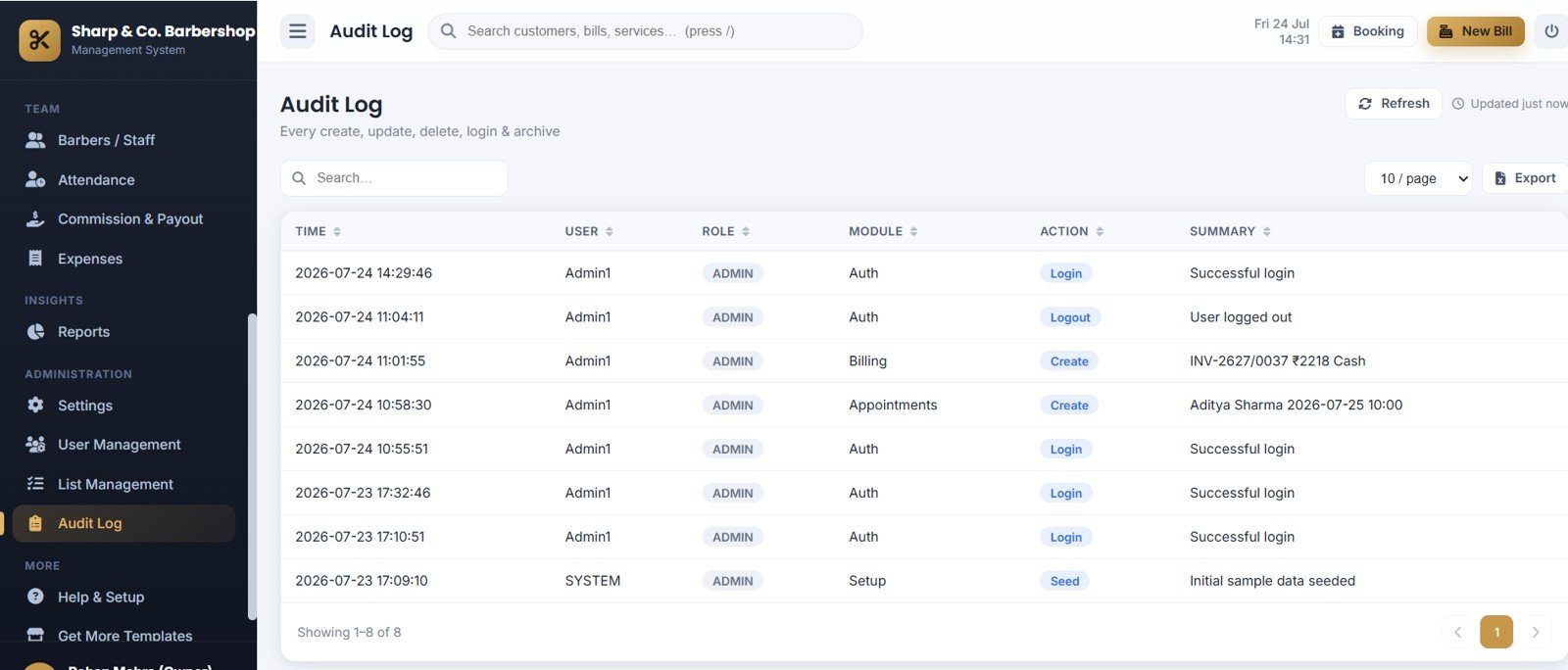
Audit Log
Full accountability with Audit Log by Time, Activity by User, Activity by Module, Action by Event Type, and Summary by System Event — every create, update, void, payout and login is recorded.
Barbershop Management System vs. Manual Spreadsheet vs. Salon SaaS — Feature Comparison
| Feature | Barbershop Management System | Excel / Manual Spreadsheet + Calendar | Salon SaaS (Fresha / Booksy / Vagaro) |
|---|---|---|---|
| Cost | $39.99 one-time | Free but manual | $0–$200 / month + booking fees |
| Platform | Google Sheets + Apps Script (your Drive) | Excel / Google Calendar | Vendor cloud |
| Setup time | Under 15 minutes | Hours of formula building | Account + onboarding |
| Appointments + walk-in queue | ✅ Both, with token board | Manual entries | ✅ Yes |
| POS billing & printable receipts | ✅ 3″/4″/A4 receipts | ❌ | ✅ (often add-on) |
| Barber commissions & payouts | ✅ Automatic per bill | Manual | Higher-tier plans |
| Memberships & loyalty | ✅ Wallet, credits & points | ❌ | ✅ Yes |
| Own your data / no lock-in | ✅ 100% in your Google Drive | ✅ Yes | ❌ Vendor-hosted |
| Year-1 cost at 5 users | $39.99 total | $0 (your time) | $600–$2,400+ |
For a shop that wants real appointments, POS billing and barber commissions without monthly SaaS fees or per-booking charges, the Barbershop Management System sits in the sweet spot.
Who Should Use This Template
Perfect for:
- Single-location barbershops and men’s salons with 2–10 barbers
- Owner-operators who want appointments, POS billing and commissions in one place
- Shops moving off pen-and-paper or a spreadsheet, or cutting a monthly SaaS bill
- Anyone comfortable with a free Google account — no coding required
Not a fit if:
- You run a large multi-branch chain needing enterprise ERP and single sign-on
- You need fully offline software with no Google account
- You want a managed vendor to host and run everything for you
Real-World Use Cases
Rohan owns a 4-chair barbershop. He opens the Owner Dashboard each morning to see today’s revenue, appointments and walk-ins waiting, and runs the Day-End Closing report at night — without paying per-booking fees to a salon app.
Priya runs the reception desk. She books appointments, adds walk-ins to the queue with auto tokens, and bills services plus retail products on one screen, redeeming loyalty points and membership credits at checkout.
Marco is a senior barber. He logs in on his phone to see only his own schedule and daily earnings, marks services complete, and checks his monthly commission statement — while shop-wide revenue stays private to the owner.
Advantages of the Barbershop Management System
- No subscription, no lock-in — a one-time $39.99 purchase that can replace $600–$2,400+ per year of salon SaaS fees.
- You own your data — every appointment, bill and customer lives in your own Google Sheet, which you can open, export or back up anytime.
- Fast to deploy — paste the code, run Setup and deploy; most owners are live within 15 minutes.
- Runs anywhere — desktop, tablet or phone, because it is a responsive web app served by Google.
- Built-in accountability — salted-and-hashed passwords, a full audit log and a safe database archive.
Opportunities for Improvement
To be fair and balanced, the Barbershop Management System has trade-offs. It requires an internet connection and a Google account, so it is not an offline desktop tool. It is designed for a single location, so multi-branch chains needing centralized dashboards across sites will outgrow it. And because it is self-hosted in your Drive, you handle your own deployment and updates rather than relying on a managed vendor — a fair trade for zero monthly fees and full data ownership, but worth knowing up front.
Best Practices
- Finish the Settings page first — shop name, hours, tax, bill prefix and currency — before taking live bills.
- Replace the demo barbers, services and products with your own, and set each barber’s commission rate.
- Create a login for every staff member and link barbers to their staff record so role scoping works.
- Run the Day-End Closing report at close each day, and archive old transactions once or twice a year.
Explore Relevant Templates
Browse the full Web App Management Systems collection on NextGenTemplates, or explore these related web apps:
- HR Employee Management System Web App — staff, attendance and payroll in one app.
- Auto Parts Store Management System Web App — POS billing and stock for a parts store.
- Baby Products Store Management System Web App — retail billing, inventory and reports.
New to Apps Script web apps? Google’s own Apps Script web app guide explains how deployment works.
Frequently Asked Questions
What can the Barbershop Management System do?
The Barbershop Management System handles appointments, a walk-in queue, POS billing, barber commissions, retail products, inventory, memberships, loyalty points, expenses and 13 owner reports — across 20 modules and 3 user roles, all in Google Sheets.
Do I need coding skills to set it up?
No. You paste the provided code into Google Apps Script, name the HTML file “Index”, run the Setup function once and deploy as a web app. A written guide and video walk you through it in under 15 minutes.
How does the Barbershop Management System compare to Fresha or Booksy?
Unlike Fresha, Booksy or Vagaro, the Barbershop Management System is a one-time $39.99 purchase with no per-booking fees, and all data stays in your own Google Drive. You trade a managed vendor for full ownership and zero monthly cost.
Can barbers see other barbers’ earnings?
No. The Barber role is limited to their own appointments, queue assignments and earnings, enforced on the server — shop-wide revenue and other barbers’ data stay private to the Owner and Manager.
Can I print receipts and reports?
Yes. The Barbershop Management System prints POS receipts at 3″, 4″ or A4 and prints owner reports and barber statements at A4, and every table exports to Excel.
Is my data safe?
Yes. Everything lives in your own Google Sheet, passwords are stored as salted SHA-256 hashes, an audit log records every action, and a database archive lets you back up and trim old transactions safely.
About the Author
Built by PK — Microsoft Certified Professional with 15+ years of Excel, Google Sheets and Power BI experience. Founder of NextGenTemplates, reaching 300K+ subscribers across YouTube channels. Every template is hand-built and tested before release.
Conclusion
The Barbershop Management System Web App gives a small shop the tools a salon SaaS charges monthly for — appointments, a walk-in queue, POS billing, barber commissions, memberships and owner reports — for a single one-time price, in software you fully own. Click here to purchase the Barbershop Management System and deploy it in your own Google account today.
Instant download · One-time payment · No subscription.
For step-by-step video tutorials, visit YouTube.com/@NeoTechNavigators.
Watch the demo video:
Last updated: July 2026