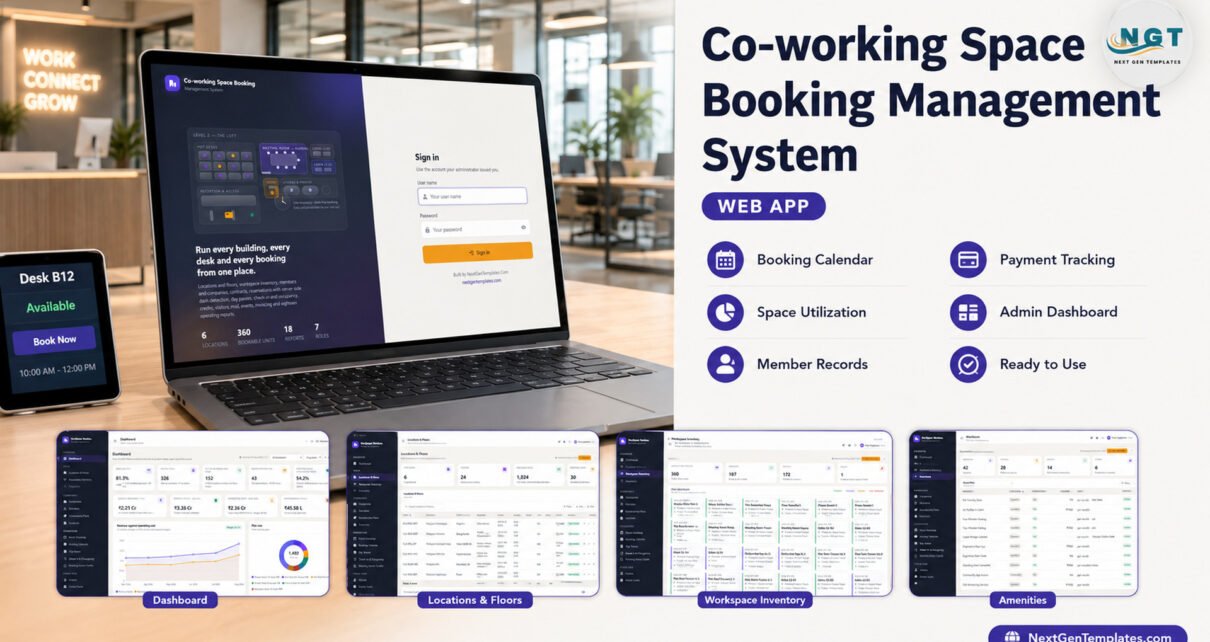
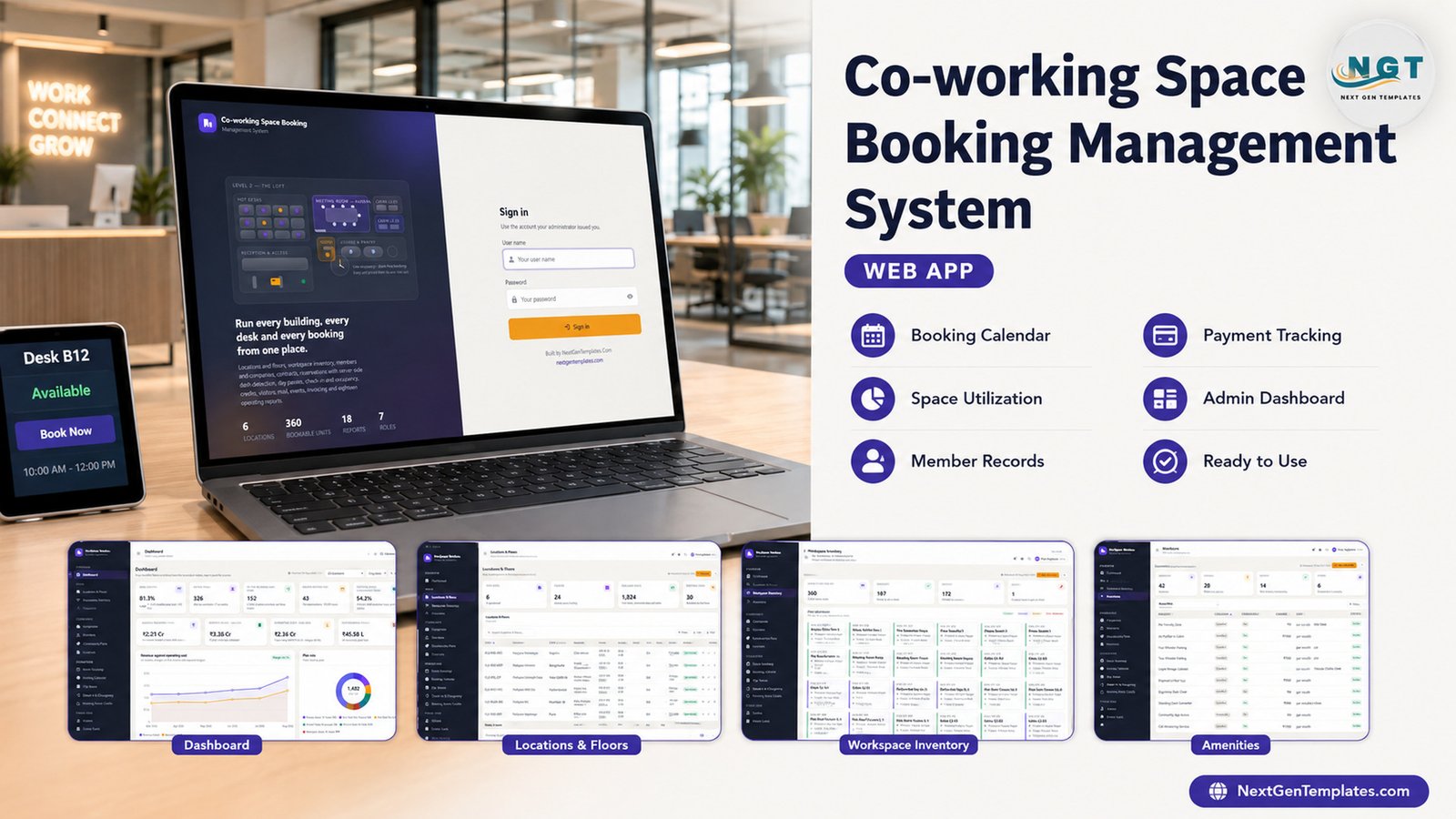
Most co-working operators do not lose money on rent. They lose it on the gap between what was sold and what anybody can prove was sold. A desk gets promised twice. A meeting room gets booked over. A contract renews at the old rate because nobody looked at the price book. A member burns 40 credit hours that never make it onto an invoice. Every one of those is a spreadsheet problem, and none of them survives contact with a co-working space booking management system that prices from a rate card and refuses a clash on the server.
This one runs six buildings, 24 floors, 1,824 sellable seats, 360 bookable units and 30 meeting rooms. Setup writes 14,472 rows across 29 tables, so the first time you sign in the dashboard already reads 81.3% desk occupancy, 326 active members, 152 people in the building, Rs 2.21 Cr of monthly recurring revenue from 408 live contracts and a 30.1% operating margin – all computed from the transaction tables, none of it typed into a summary cell. It is a Google Apps Script web app, so the database is a Google Sheet in your own Drive and there is nothing to subscribe to.
Try the Live Demo – No Purchase Needed
This is the real deployed app, not a video. Sign in with any of the seven roles below. If you only have ten seconds, sign in as Facilities: every rate, contract value, invoice total, revenue figure and margin is gone from the screen, because the server strips them out of the payload before it is sent – not because CSS is hiding them.
Demo sign-in details
| Role | User name | Password | What it reaches |
|---|---|---|---|
| Admin | admin | Admin@2026 | Everything, plus users, lists, settings, audit log and the archive |
| Community Manager | community | Community@2026 | Every operational and money module, approvals, all 18 reports |
| Location Manager | locmgr | Location@2026 | One building inventory, members, bookings, tickets and reports |
| Front Desk | frontdesk | Reception@2026 | Members, visitors, day passes, check-in, cards, mail and tickets |
| Sales | sales | Sales@2026 | Companies, members, plans and contracts; invoices read-only |
| Accounts | accounts | Accounts@2026 | Invoices, payments, credit notes, expenses and the billing run |
| Facilities | facilities | Facility@2026 | Inventory, amenities, tickets, check-ins – money switched off |
These credentials are public by design. They are the seeded logins of a shared demonstration instance that resets, not of anybody’s live deployment. Your own copy ships with the same seeds, and the sign-in card tells you to change all seven before you let anyone else in.
Key Features of the Co-working Space Booking Management System
The app is built on five rules it states on its own Help page, and every module obeys them:
- The workspace unit is the spine. A contract, a booking, a check-in, an invoice line and a maintenance ticket all point back at one workspace code, and one unit cannot be sold twice for the same moment.
- Price is never typed. A booking is priced from that unit rate card for its duration. A contract is priced from the membership plan, less the negotiated discount, plus tax. The pro-rata line appears before you save.
- No unit is double booked. Every reservation is checked on the server against every other confirmed reservation for that unit, and an overlapping start or end time is refused with the clashing booking reference named.
- Meeting room credits are money. A contract grants a monthly allowance, a booking draws it down before cash is charged, and the wallet balance always equals granted minus consumed plus adjustments.
- Occupancy is derived, never entered. Desk occupancy comes from active contracts against capacity; the headcount comes from open check-in records.
On top of those sit seven roles, 31 permission-guarded modules, 18 operating reports, 45 editable dropdown lists holding 271 values, a full audit trail, a copy-first database archive and three print sizes – 3 inch for day pass slips, visitor badges and mail collection slips, 4 inch for counter slips, A4 for contracts, tax invoices, credit notes and every report.
Screen by Screen: What Each Module Does
Dashboard. Ten headline cards – desk occupancy, active members, in the building right now, rooms booked today, meeting room utilisation, monthly recurring revenue, revenue billed, operating cost, outstanding receivables – over a six-month revenue-against-cost chart, a plan mix donut of 1,482 seats sold, occupancy by location, an hourly meeting-room heat bar and a contracts-expiring-soon table. A month picker re-cuts every monthly figure.
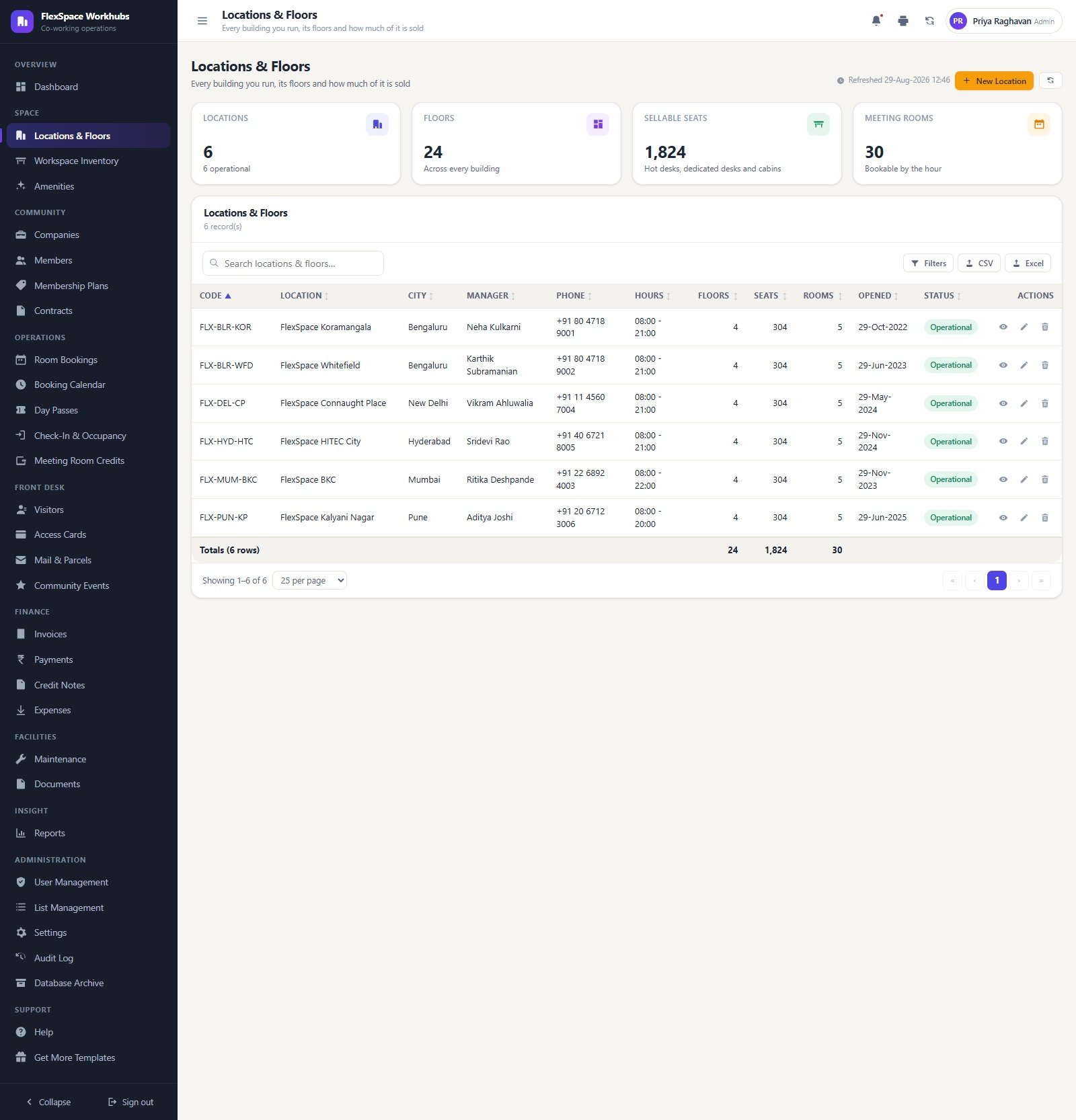
Locations and Floors. Six operational buildings across Bengaluru, Mumbai, New Delhi, Hyderabad and Pune, each with a manager, phone, opening hours, floor count, seat count and room count, totalling to 24 floors, 1,824 seats and 30 rooms.
Workspace Inventory. All 360 units on a floor plan board coloured available, occupied, reserved or under maintenance – hot desk clusters, dedicated bays, private cabins, phone booths, meeting rooms, conference rooms, event spaces and virtual office plans, each with its seat count and, where sold, the company holding it.
Amenities. 42 items across six categories, 28 chargeable and 14 free, each with a charge, a unit (per month, per page, per booking, per head) and the workspace types it applies to – from a Rs 500 personal locker to Rs 3 black and white printing.
Community. Companies with industry, size, home location, credit terms and discount percentage; 380 members with plan, card and join date; a 24-plan price book carrying seats, credit hours, print quota, guest passes, access level, lock-in and notice days; and 520 contracts you can activate, renew, put on notice, terminate or move to another plan.
Operations. A room bookings register with reference, date, hours, room, purpose and guests; a day-grid booking calendar coloured by status where clicking a block opens the booking behind it; day passes sold at the counter as single, half day, weekly or bundles with entries remaining; check-in and occupancy with arrivals by hour and footfall across recent working days; and the meeting room credit ledger with its own reconciliation strip.
Front desk. Pre-registered visitors with badge numbers, ID proof type, host and purpose; 414 access cards with access level, floors, deposit, expiry and lost-or-blocked state; mail and parcels with sender, courier, tracking, weight, shelf location and whether the member has been notified; and 60 community events with capacity, registrations, attendance, feedback score and sponsor recovery.
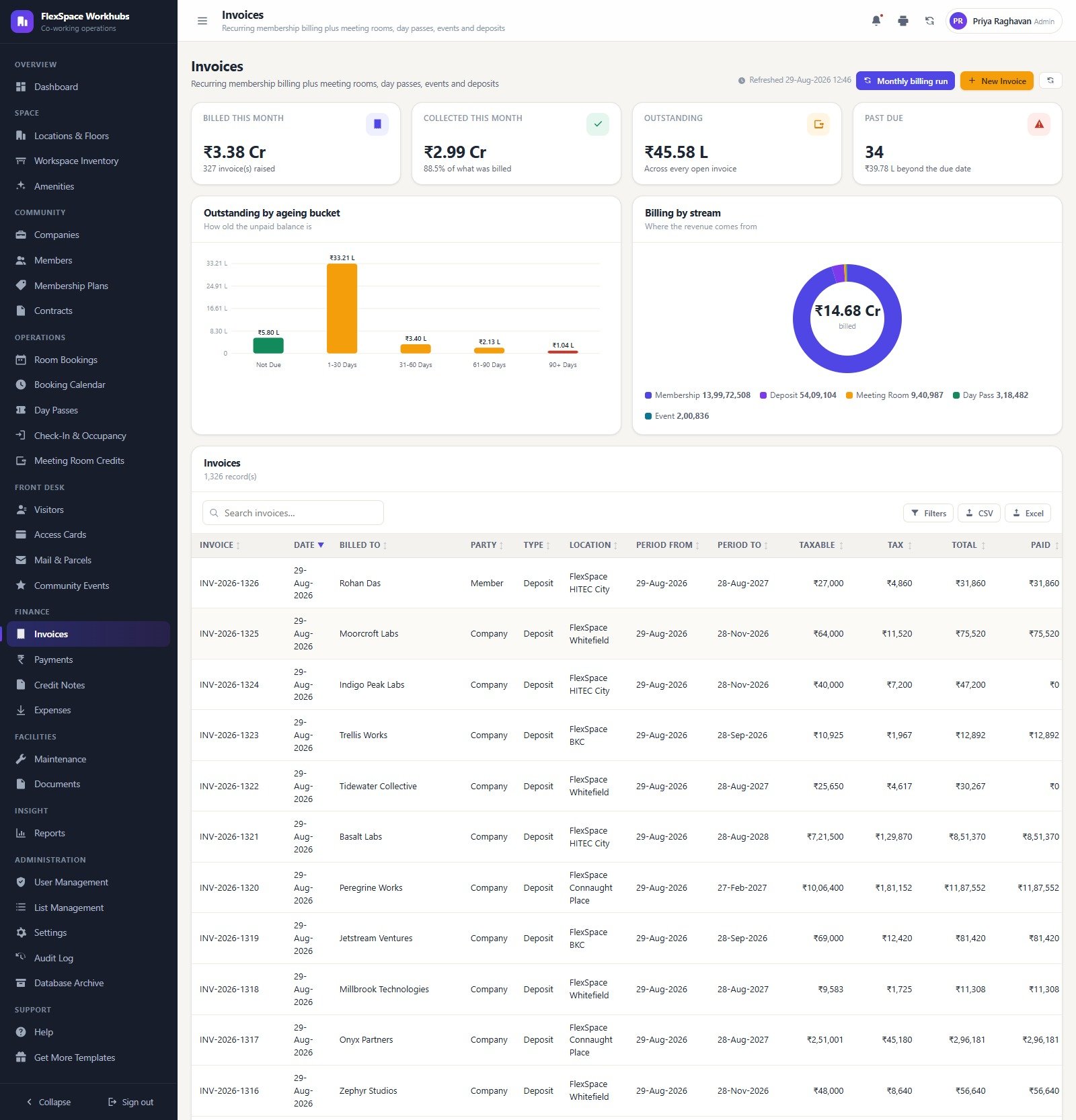
Finance. Invoices with a monthly billing run that previews every contract for the period and refuses to bill the same one twice, an ageing bucket chart and a billing-by-stream donut splitting membership, deposits, meeting rooms, day passes and events. Payments across bank transfer, UPI, auto debit, card, cheque and cash, with unallocated advances held on account. Credit notes for billing errors, cancellations, deposit refunds, early termination, service issues and goodwill. Expenses across 16 categories with vendor, tax and paid state.
Facilities and insight. Maintenance tickets by category and priority with SLA hours and a satisfaction score captured at closure; a documents register linking every file in the Drive folder tree to its record; and the report library – 18 reports grouped Space, Money, Community, Operations and Facilities, each with a date window, a location filter, print and CSV or Excel export.
Co-working Space Booking Management System vs. Spreadsheets vs. Paid Coworking SaaS – Feature Comparison
| This web app | Shared spreadsheet | Paid coworking SaaS | |
|---|---|---|---|
| Cost | One payment, 39.99 | Free | Typically 100-400 a month per location |
| Platform | Google Apps Script and Google Sheets | Google Sheets or Excel | Vendor cloud |
| Setup time | 15-30 minutes, seeded database included | Immediate, then months of patching | Days, plus onboarding calls |
| Real-time team collaboration | Yes, seven roles at once | Yes, but no role separation | Yes |
| Mobile access | Yes, browser based | Yes | Yes, native apps |
| Customizable fields | Full source, schema driven, setup repairs itself | Unlimited but unguarded | Vendor roadmap only |
| Share with link | Yes, you control who signs in | Yes, all-or-nothing | Per-seat licences |
| Year-1 cost at 5 users | 39.99 once | 0 | 1,200-4,800 |
| Double-booking prevention | Server-side, refuses the clash | None | Yes |
| Who owns the data | You, in your own Drive | You | The vendor |
Who Should Use This Template
Independent co-working operators running one to ten buildings, managed-office and business-centre teams selling hot desks alongside cabins and virtual office plans, incubators and accelerators billing resident startups monthly, and facilities teams that want an occupancy figure nobody has to hand-maintain. It also suits anyone who has outgrown a booking spreadsheet but is not ready to pay a per-location SaaS bill on a portfolio that is still growing.
Real-World Use Cases
The portfolio view. Neha runs six buildings. The dashboard shows Koramangala at 87.5% and Kalyani Nagar at 74.0%, so the next enterprise enquiry goes to Pune rather than to a Bengaluru cabin that does not exist. The contracts panel tells her 76 contracts worth Rs 34.39 L a month renew inside 45 days, which is her renewal call list for the fortnight.
The counter. Rahul on the front desk sells a day pass to a walk-in. The pass creates its own check-in record, the visitor gets a badge, and a parcel that arrives for them lands on a numbered shelf with the member marked notified. He never opens a spreadsheet.
Month end. Sanjay in Accounts runs the billing run, raises 327 invoices, collects 88.5% of what was billed, and works the ageing chart – Rs 33.21 L in the 1-30 day bucket, 34 invoices past due, Rs 45.58 L outstanding in total. Credit notes for the two billing errors adjust against the original invoices rather than being retyped.
Advantages of the Co-working Space Booking Management System
- Nothing to subscribe to. One payment, then Google Apps Script and a sheet in your own Drive. Your data never leaves your Google account.
- The permission model is real. The same map builds the sidebar and guards every server endpoint, and one role is money-blind at the payload level. That is genuinely rare at this price.
- The numbers reconcile. The credit ledger balances on screen, day passes issued equals redeemed plus unused, occupancy percentages agree between the dashboard and the Occupancy and Seat Utilisation report.
- It repairs itself. Running setup again creates any missing tab and adds any column you have added to the schema, without duplicating seeded data.
- Full source, no obfuscation. Code.cs.txt and Index.txt ship in the ZIP alongside the user manual PDF.
Opportunities for Improvement
Three things are worth knowing before you buy, and none of them is hidden in the demo:
- The booking calendar day grid runs 08:00 to 19:00. Five of the six seeded locations open until 21:00 and FlexSpace BKC until 22:00, so late-evening reservations exist in the Room Bookings register but fall outside the visible columns of the day grid. If your buildings trade past seven, widen that window in the source.
- There is no payment gateway and no door hardware. Payments are recorded, not processed. Access cards are tracked as records with deposits and expiry, but the app does not talk to an access controller. Both are deliberate, and both are worth being clear about.
- The seed is India-shaped. INR, Asia/Kolkata, dd-MMM-yyyy, 18% GST, GSTIN and PAN fields, Indian phone formats. Everything is editable in Settings, but a European or US operator will spend their first twenty minutes there rather than five.
There is also no public self-service portal: every user signs in with an account the administrator issues, so members book through your front desk or through an account you create for them, not through a customer-facing app.
Best Practices
- Change all seven passwords before anyone else signs in. They ship with every copy, so they are not secret. Passwords are stored as salted SHA-256 hashes and cannot be read back out of the spreadsheet.
- Fill in Settings before you read a single money column. Operator name, registered address, GSTIN and PAN, currency, time zone, tax rate and the invoice, receipt and credit note prefixes all feed printed documents.
- Load the estate in order – locations, then floors, then workspace units, then amenities and plans. Contracts and bookings price themselves off that chain, so getting it right once saves every correction later.
- Take a backup before you clear the demo data. There is deliberately no one-click wipe. Back up first, then empty only the transaction tabs and leave Users, Roles, Settings and Lists alone so your configuration survives.
- Redeploy after every code change. Apps Script serves the last deployed version, so Deploy, Manage deployments, New version. Skip it and your edit will look as though it did nothing.
- Archive on a schedule once you are live. A co-working space writes a check-in row per member per working day. The archive copies the whole database to Drive first, then trims only closed rows past your cutoff.
Explore Relevant Templates
- Coworking Space Dashboard in Google Sheets – reporting only, if your booking process already works and you just want the numbers.
- Space Utilization Dashboard in Google Sheets – a narrower look at how the floor is actually used.
- Visitor Entry Management System Web App – a front-desk-only alternative if bookings are not your problem.
- Escape Room Booking Management System Web App – the same clash-free booking engine applied to timed sessions.
- Office Supplies Restock Calendar in Google Sheets – a small companion for the pantry and stationery reorder cycle.
Frequently Asked Questions
Can I try it before buying?
Yes. The green box above links to the real deployed app with all seven role logins. Create a booking, try to overlap it, then sign in as Facilities and confirm the money really is missing from the payload.
Do I need a server or a monthly subscription?
No. It runs on Google Apps Script inside your own Google account, and the database is a Google Sheet in a Drive folder you control. Google publishes the platform quotas and deployment steps in its Apps Script web apps documentation, and Neotech Navigators has a ten-minute walkthrough of deploying an Apps Script web app if this is your first one.
How does it stop a room being double booked?
The check runs on the server, not in the browser. Any overlapping start or end time for the same unit is refused and the booking that is in the way is named in the error, so a member cannot force it by editing the page.
Can I hide rates and revenue from some staff?
Yes, and this is the feature worth testing in the demo. The Facilities role has money stripped from the payload before it is sent. You can set the same on any role from the Roles and Permissions grid, along with separate create, edit, delete, export and approve rights.
Will the database get too big?
Only if you never archive. The Database Archive previews sheet by sheet what would move, writes a full copy of the spreadsheet to Drive, and then trims only closed rows on or before your cutoff. Master tables and every open contract, booking, ticket and unpaid invoice stay exactly where they are, and lifetime billed value rolls into a brought-forward column so historic totals never shift.
Can I add my own fields or modules?
Yes. The full source is in the ZIP, the setup routine is schema driven, and re-running setup adds any column you have declared without duplicating seeded data.
About the Author
Built by PK – Microsoft Certified Professional with 15+ years of Excel, Google Sheets, Apps Script and Power BI experience. Founder of NextGenTemplates, reaching 300K+ subscribers across YouTube channels. Every template is hand-built and tested before release.
Conclusion
If you can say what your buildings are worth this month but not which desk is free at 3pm, or you can name every member but not which of them has 40 unbilled credit hours, this co-working space booking management system closes that gap. One workspace unit is the spine, price comes from the rate card, the server refuses the clash, and seven roles decide who sees the money. Open the live demo above and sign in twice – once as admin, once as Facilities. Ten seconds in the second account will tell you whether the permission model is the one your operation needs.
👉 Click here to get the Co-working Space Booking Management System Web App
Instant download · One-time payment · No subscription · Runs in your own Google account
🎥 More walkthroughs: Youtube.com/@NeoTechNavigators
Last updated: September 2026