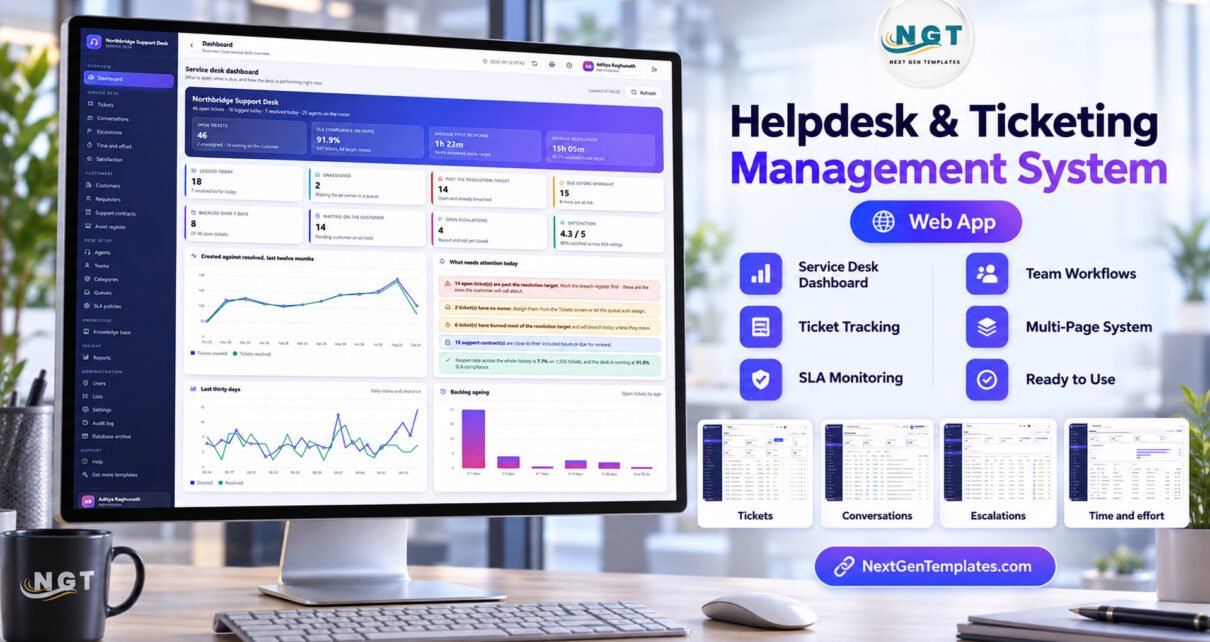
The Helpdesk & Ticketing Management System Web App is a helpdesk ticketing management system that runs on Google Apps Script inside your own Google account. It ships with 22 working screens, 21 built-in reports, 7 permission-driven roles and 11,458 rows of fictional sample data across 24 Google Sheets tables, including 1,500 tickets with replies, effort logs, escalations and 654 satisfaction ratings.
Plenty of small support teams still run the desk out of a shared inbox and a spreadsheet. Nobody can see which tickets are about to miss their target, who owns the unassigned ones, or how many hours a customer has already used on their support plan. This guide walks through each screen of the system, what it calculates, how it compares with a spreadsheet and with paid helpdesk software, and where its limits are.
🚀 Try the Live Demo Before You Buy
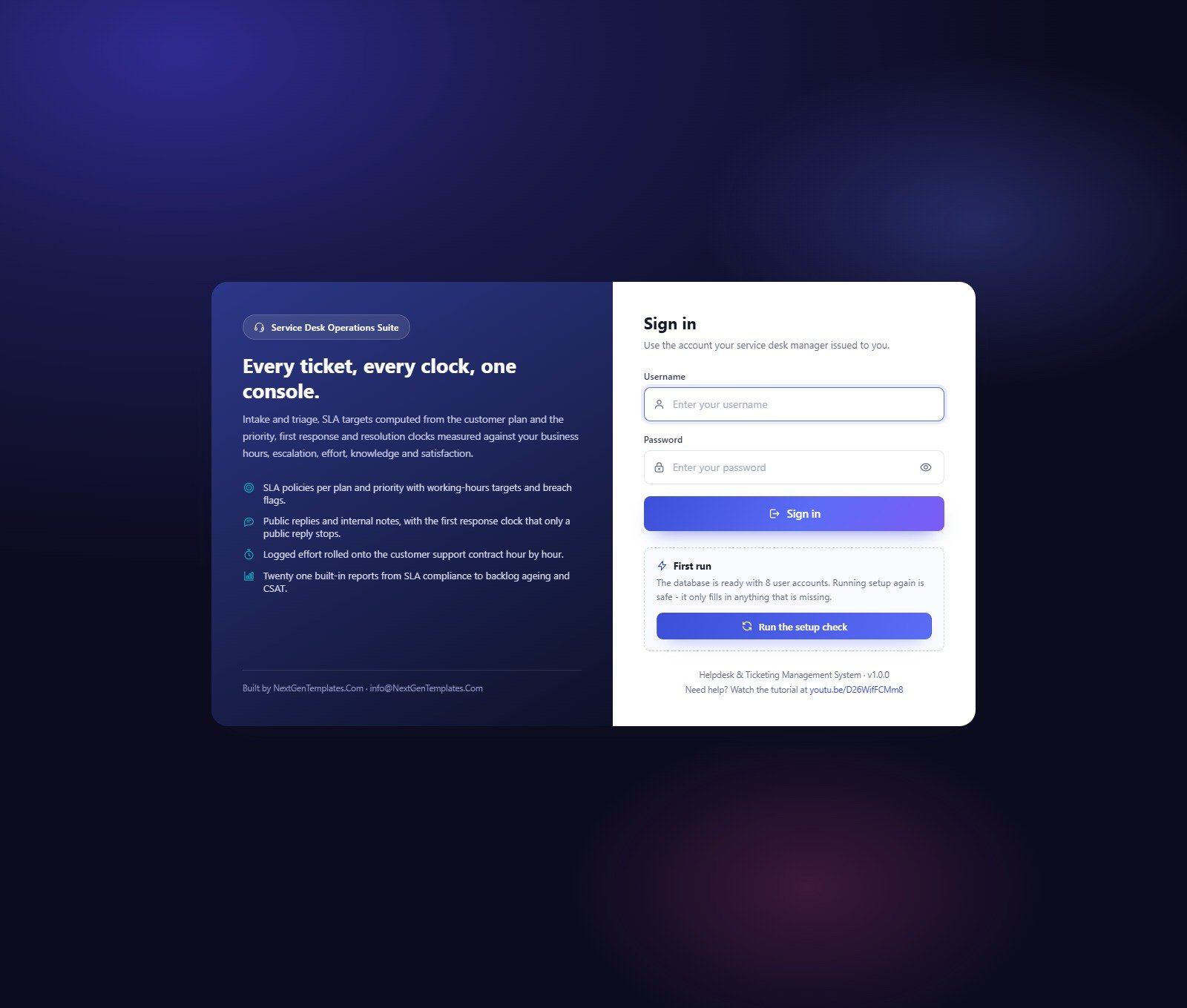
We have deployed this web app in our own Google account so you can test every page and all 7 roles (8 seeded accounts) with realistic sample data before purchasing. No signup, no email required.
🔑 Test Login Credentials
Sign in as admin to see everything, then sign in as analyst or auditor and watch the sidebar and every server call shrink to that role’s permissions.
💡 These are the public logins of a shared demo instance that we reset regularly, not a system you would share with other buyers. After purchase you get the full source code and a user manual PDF, so you run your own private copy in your own Google account.
Key Features of the Helpdesk Ticketing Management System
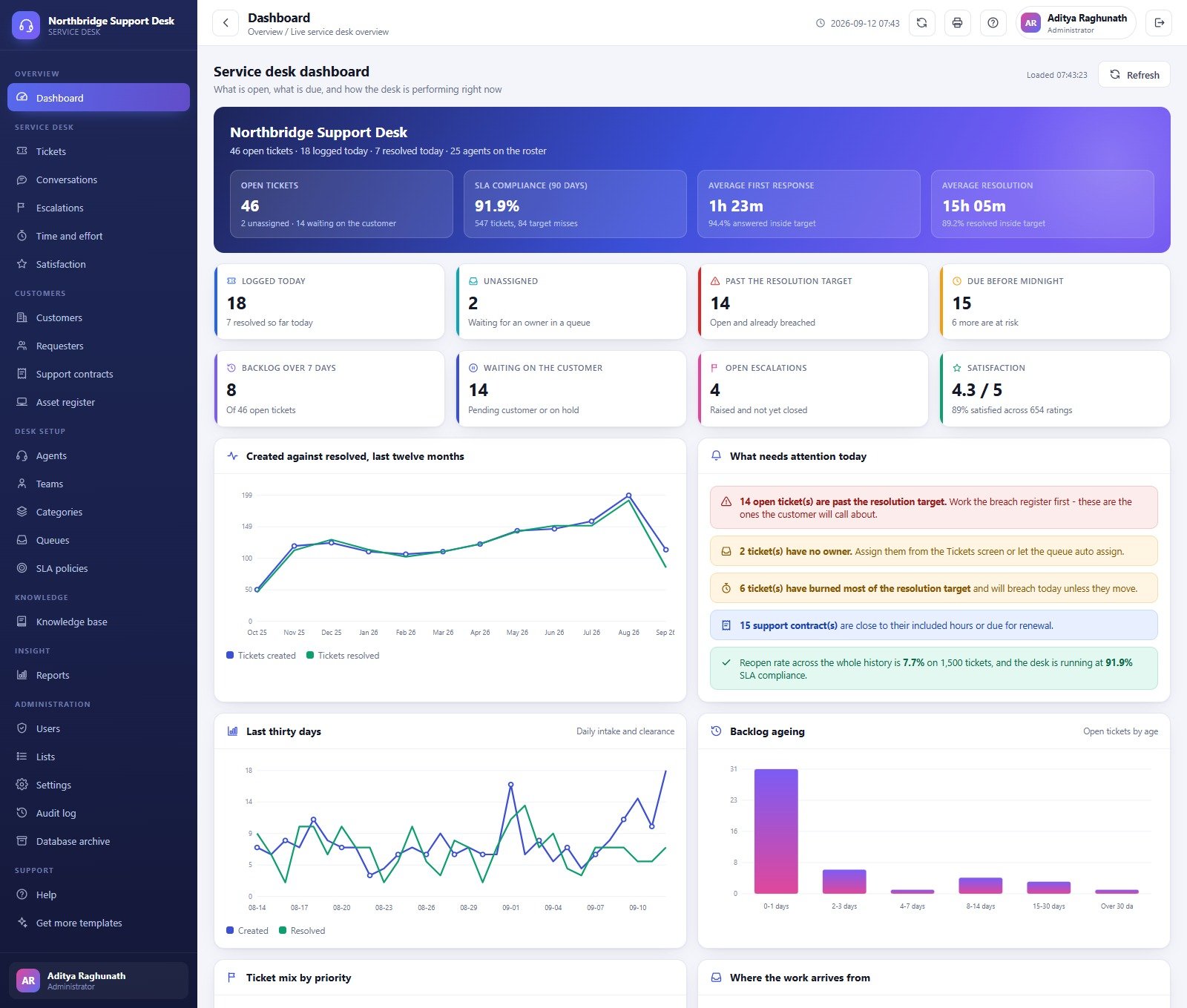
- Service desk dashboard. Four headline figures (open tickets, 90-day SLA compliance, average first response, average resolution) and eight status cards, from tickets logged today to backlog over seven days and open escalations.
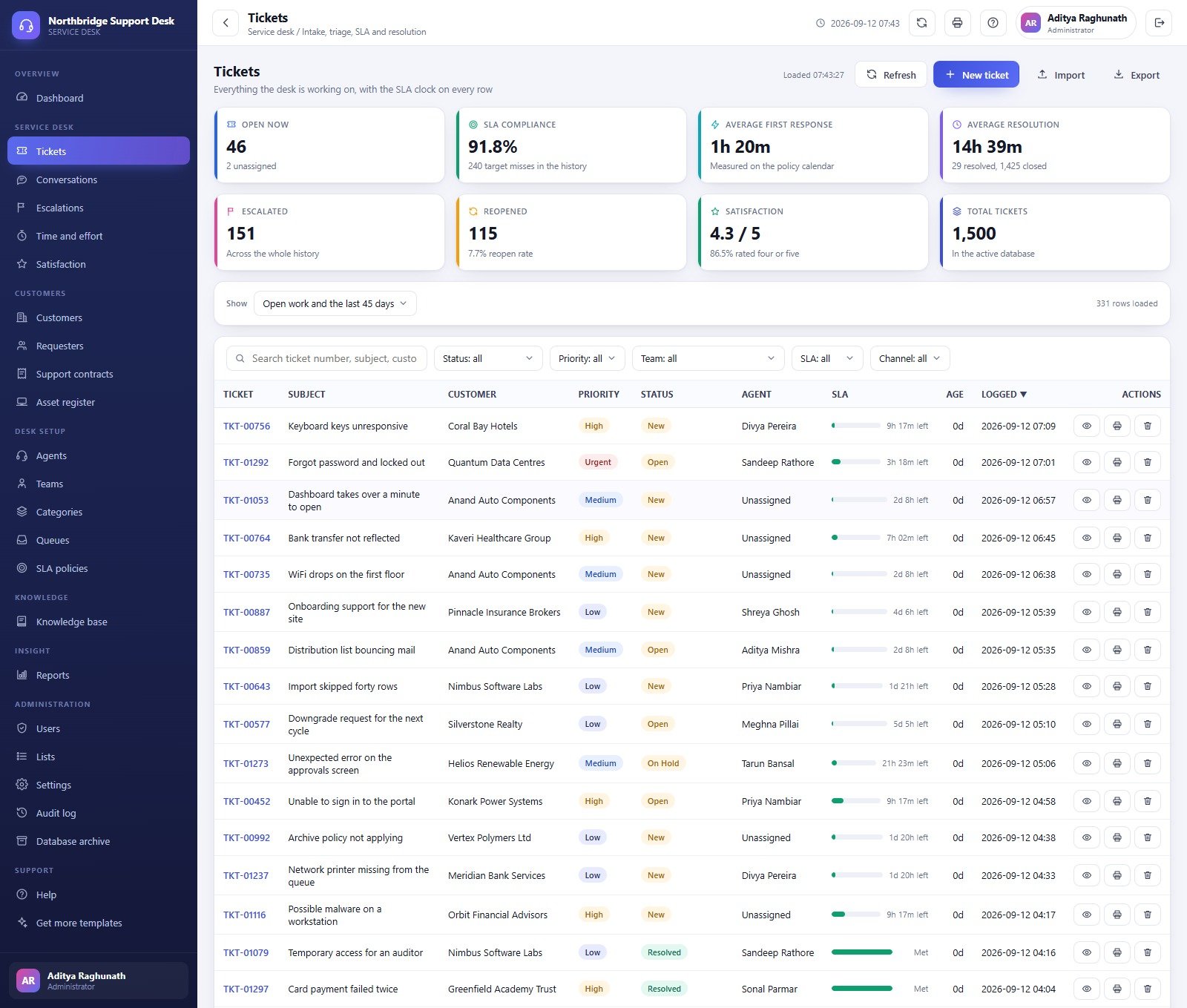
- SLA clock on every ticket. Each row in the ticket register shows a progress bar and the time left before its target, or “Met” once it is resolved in time.
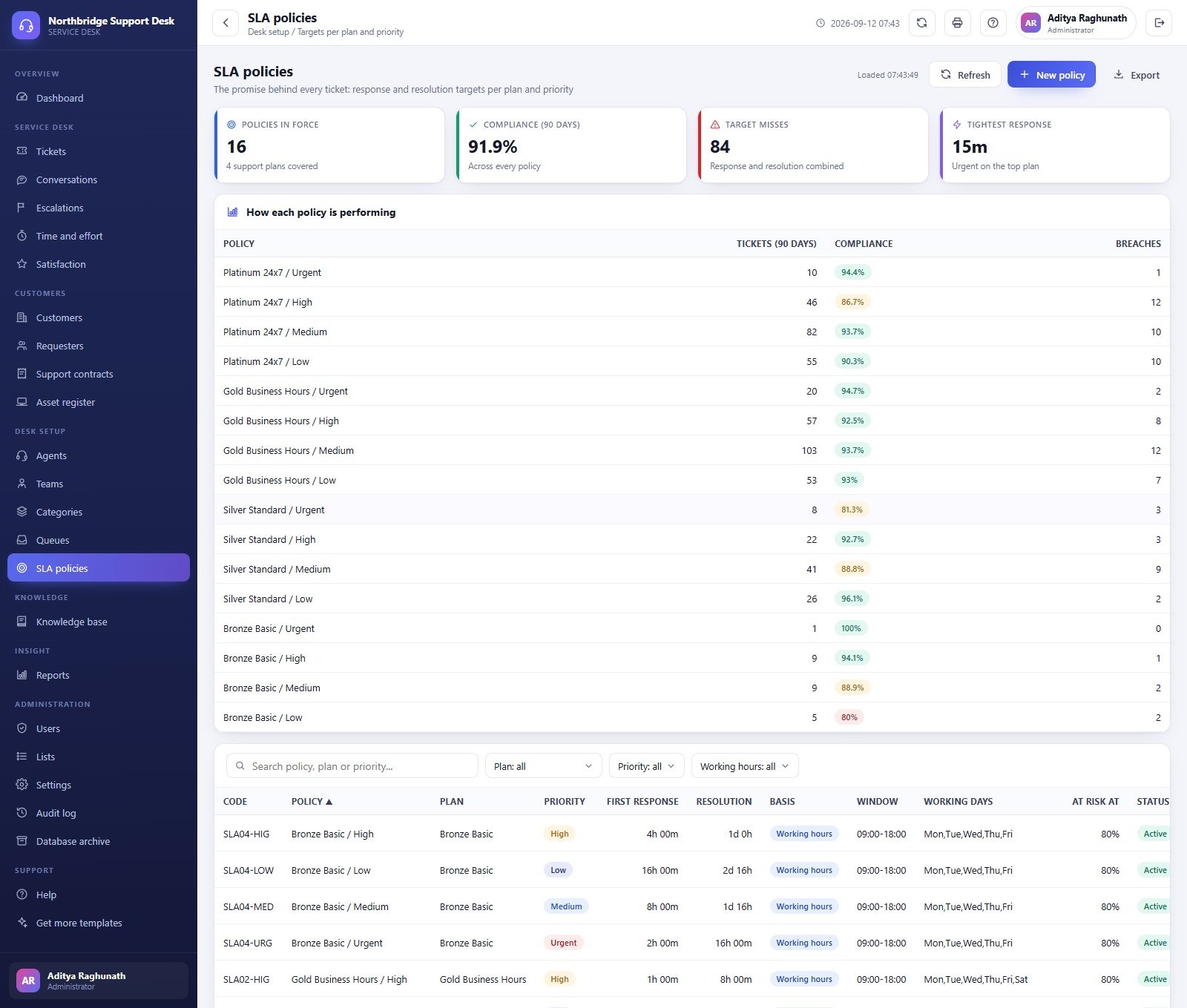
- SLA policies per plan and priority. The sample desk has 16 policies across four support plans, each with first response and resolution targets, a working-hours window, working days and an at-risk threshold.
- Replies and internal notes. Public replies are seen by the requester and can be emailed from your Google account; internal notes never leave the desk.
- Escalations, effort and satisfaction. Escalations by level with turnaround, billable and non-billable effort per ticket, and 1 to 5 ratings with a score distribution.
- Knowledge base, contracts and assets. Articles with a review workflow, support contracts with included and used hours, and an asset register that ties tickets to devices.
- Seven roles enforced on the server. One permission map drives the sidebar and the server-side guard, and every change is written to the audit log.
Web App Screens Explained
Service Desk Dashboard
The dashboard answers “what is open, what is due and how is the desk doing”. In the sample data the desk has 46 open tickets, 91.9% SLA compliance over 90 days, a 1h 23m average first response and 4.3 out of 5 satisfaction. The “What needs attention today” panel lists tickets past their resolution target, tickets with no owner, tickets about to breach and contracts near their included hours. Below it sit charts for created against resolved over twelve months, daily intake for the last thirty days and backlog ageing.
Tickets
The ticket register is where intake, triage, assignment, hold, resolution, closure and reopening happen. Filters cover status, priority, team, SLA state and channel, and the list can be imported or exported. Summary cards show SLA compliance, escalated and reopened counts, and total tickets.
Conversations
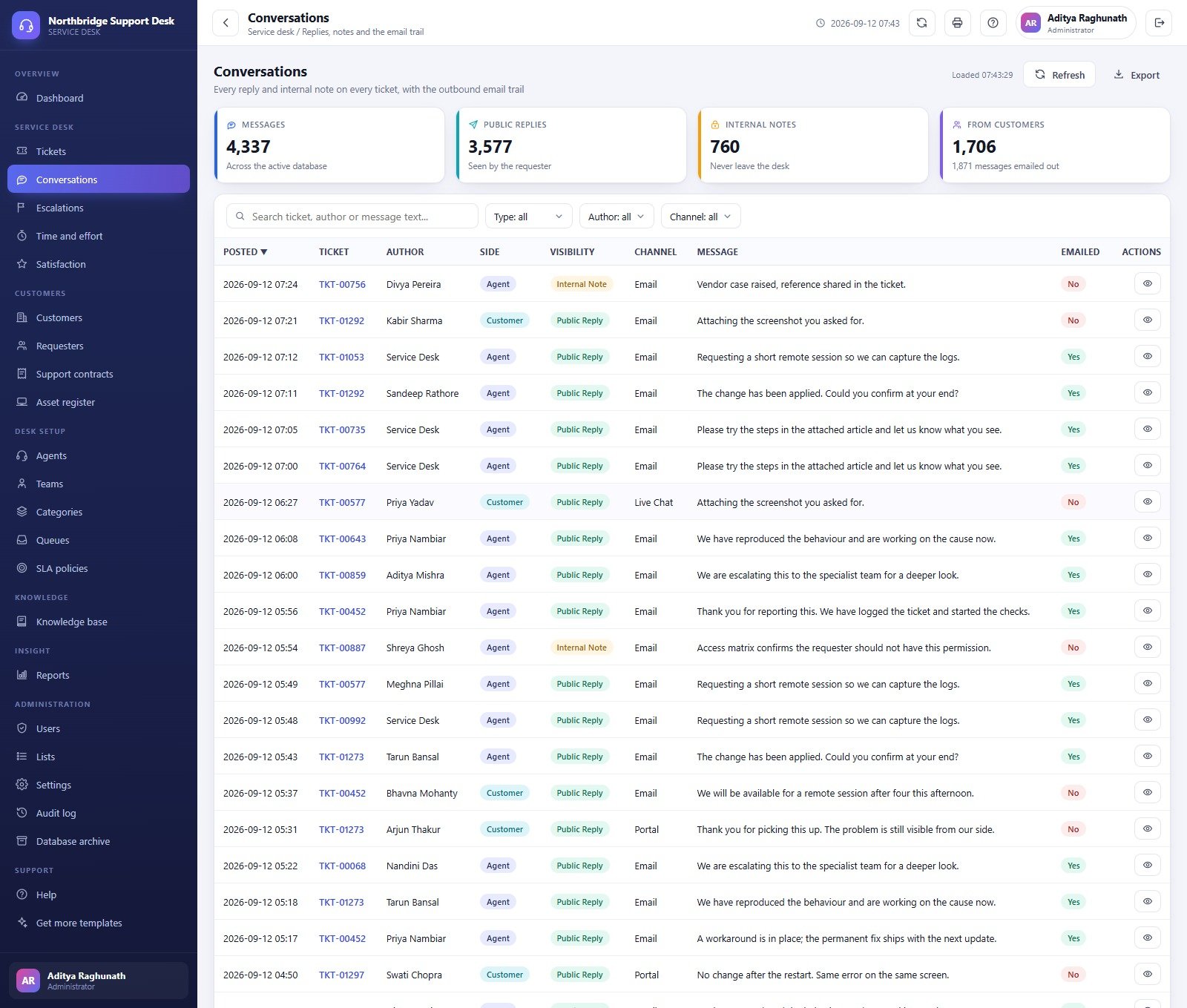
Every reply and internal note on every ticket, with the author, side (agent or customer), visibility, channel and whether the message was emailed out.
Escalations
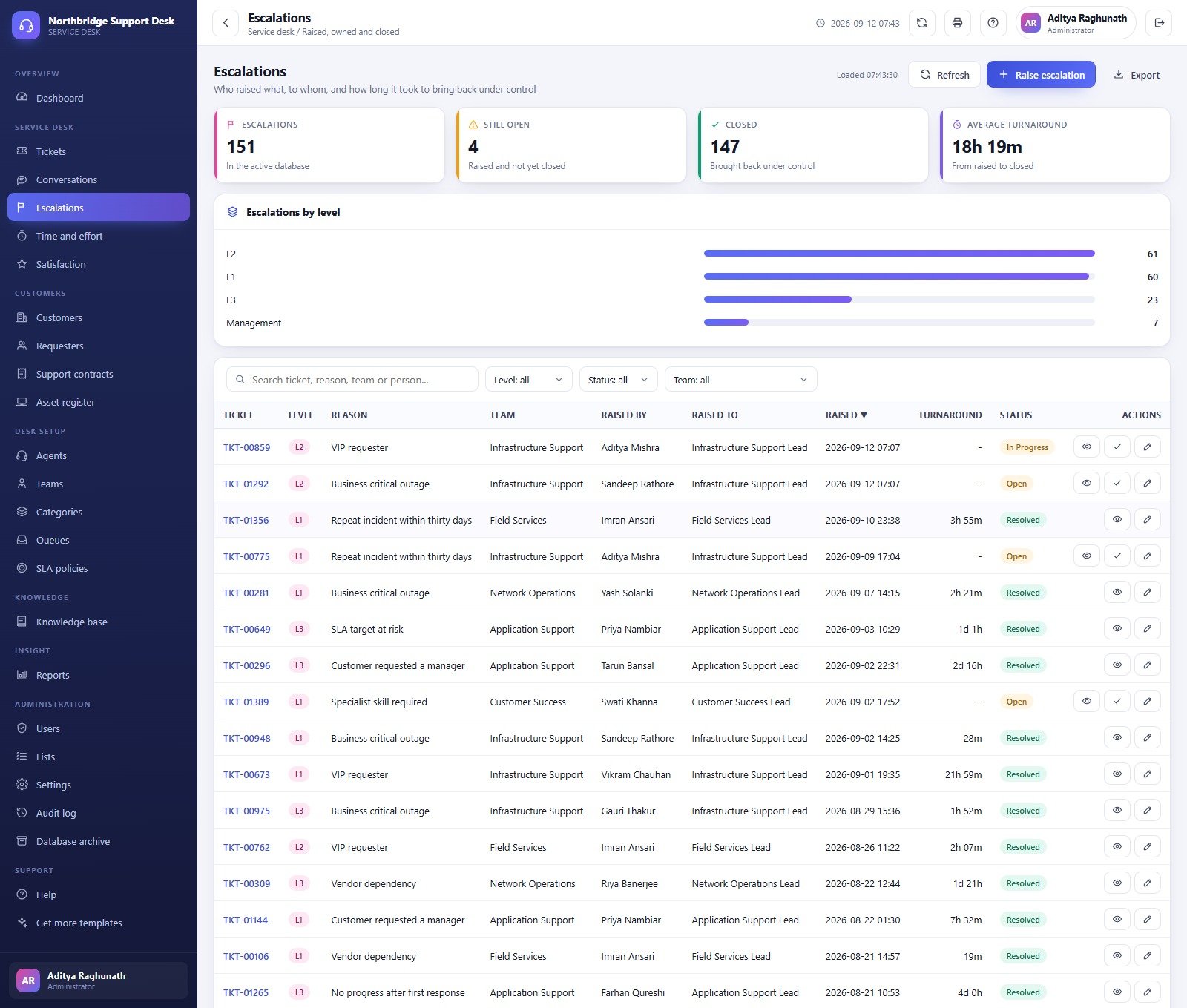
Escalations are recorded at L1, L2, L3 or Management with a reason such as business-critical outage or VIP requester, the team, who raised it, who it was raised to and the turnaround time.
Support Contracts
Contracts track plan, start and end dates, included hours, used hours with a utilisation percentage, value and renewal state, with a donut of contracts by plan.

SLA Policies
Each policy row shows its code, plan, priority, first response and resolution targets, basis, window, working days and at-risk percentage. A table above shows 90-day tickets, compliance and breaches per policy.
Knowledge Base
48 sample articles with status, category, author, views, helpful votes and the number of linked tickets, plus a most-read list.

Reports
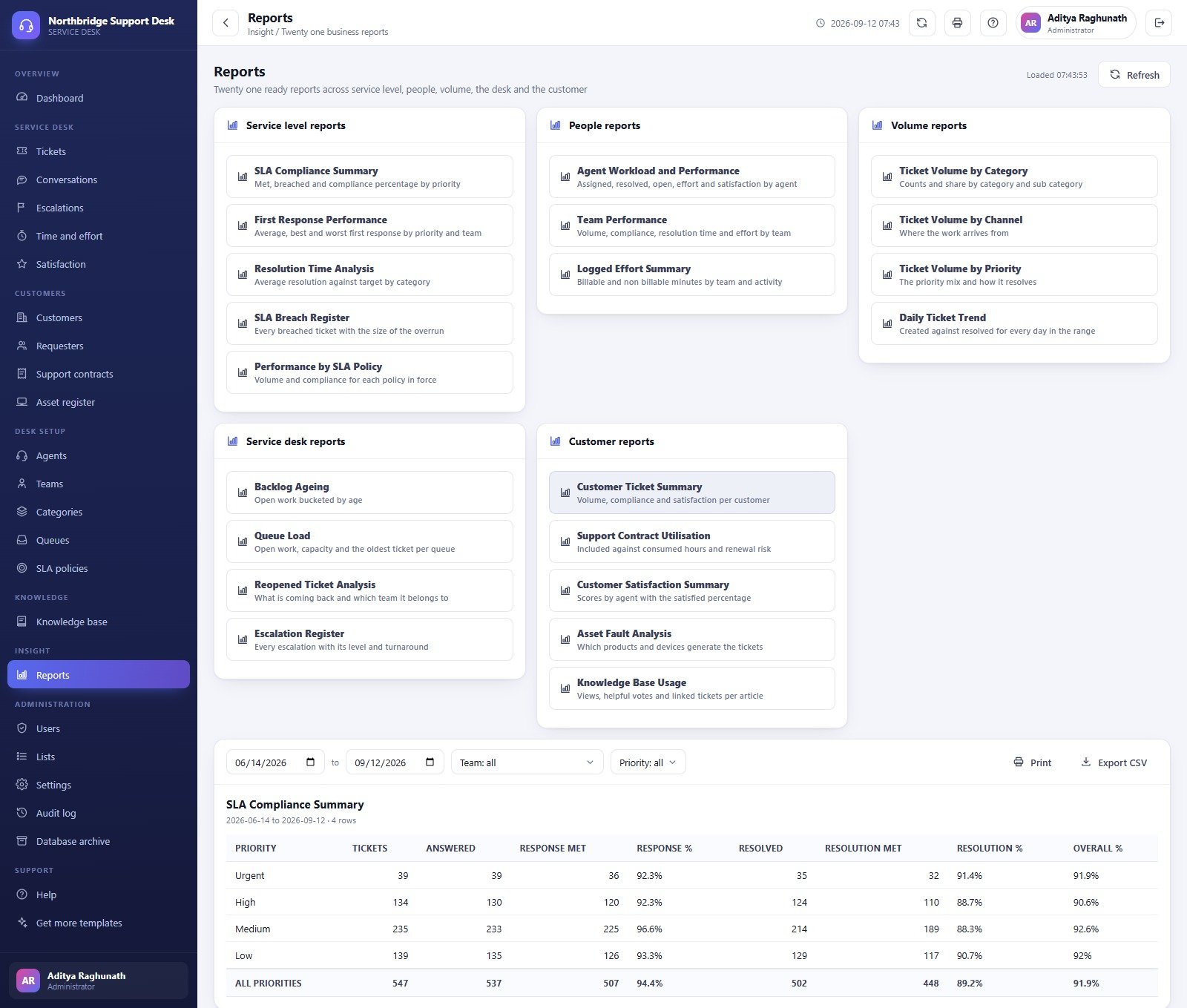
21 reports in five groups. Service level: SLA Compliance Summary, First Response Performance, Resolution Time Analysis, SLA Breach Register, Performance by SLA Policy. People: Agent Workload and Performance, Team Performance, Logged Effort Summary. Volume: by category, channel and priority, plus Daily Ticket Trend. Service desk: Backlog Ageing, Queue Load, Reopened Ticket Analysis, Escalation Register. Customer: Customer Ticket Summary, Support Contract Utilisation, Customer Satisfaction Summary, Asset Fault Analysis, Knowledge Base Usage. Each report can be printed or exported to CSV.
Settings and Administration
Settings hold business identity, service desk defaults (default priority and channel, auto assign, acknowledgements, statuses that pause the clock, auto-close days), the SLA calendar, email and printing. Users, Lists, Audit log and a Database archive that moves old closed tickets into a Drive copy complete the admin area.

Helpdesk Web App vs. Shared Inbox + Spreadsheet vs. Paid Helpdesk SaaS
| Feature | Helpdesk & Ticketing Management System Web App | Shared inbox + spreadsheet | Zendesk / Freshdesk / Jira Service Management |
|---|---|---|---|
| Cost | ✅ One-time purchase | Free, but manual | Recurring per-agent subscription |
| Where your data lives | ✅ Your own Google account | Your own account | Vendor cloud |
| SLA targets per plan and priority | ✅ Built in, business-hours aware | Formulas you maintain | ✅ Built in |
| Role-based access | ✅ 7 roles, server-side | Sheet sharing only | ✅ Yes |
| Knowledge base | ✅ Internal article register | No | ✅ Public help centre |
| Inbound email to ticket | No | No | ✅ Yes |
| Customer self-service portal | No | No | ✅ Yes |
| Source code you can edit | ✅ Full source | n/a | No |
For a small desk that wants SLA clocks, roles and reporting without a monthly per-agent bill, this web app sits in the sweet spot.
Who Should Use This Template
Perfect for:
- IT and product service companies supporting customer companies on support plans
- Internal IT teams that want tickets, assets and a knowledge base in one place
- Managed service providers that sell included support hours
Not a fit if:
- You need tickets created automatically from a mailbox, chat widget or WhatsApp
- You need a customer-facing portal, SSO or a certified ITSM process
Real-World Use Cases
Ravi runs a 20-agent support desk for a software reseller. He opens the dashboard at nine, works the breach list first, and every Friday exports the SLA Compliance Summary for leadership.
Anita manages accounts at an IT managed service provider. Before each renewal call she checks Support Contract Utilisation to see which customers are over their included hours.
Sam is the team lead for infrastructure support. He watches the Escalation Register and the Backlog Ageing report to move work between agents before tickets go past their targets.
Advantages of the Helpdesk & Ticketing Management System
- No per-agent subscription: add agents without adding cost.
- Data stays in your own Google Sheets, which you can back up from the spreadsheet menu.
- Full source code, so the fields, lists and screens can be changed.
- Sample data makes every screen and report meaningful from the first sign-in.
Opportunities for Improvement
- Tickets are logged in the console; there is no inbound email, chat or WhatsApp capture. The channel is a label.
- There is no customer self-service portal.
- Email goes out through your Google account’s daily MailApp quota.
- In the sample data a few figures differ between screens because they use different windows or definitions (for example 89% satisfied on the dashboard and 86.5% rated four or five on the Satisfaction screen), and the Support contracts card labelled “Live contracts” also counts lapsed contracts.
Best Practices
- Set business hours and working days in Settings before you load real tickets; every business-hours target depends on them.
- Change every seeded password and deactivate accounts you do not need.
- Run “Rebuild Notifications” so the daily digest, SLA breach and auto-close jobs are scheduled.
- Use the Database archive once a year or two of closed tickets make the sheet heavy. The Google Apps Script web app documentation explains deployment versions.
Explore Relevant Templates
If you already have ticket data and only need analysis, read about the IT Help Desk Dashboard in Google Sheets and the Helpdesk Efficiency KPI Dashboard in Google Sheets. Both are analytical dashboards, a different template family from this web app. For customer complaints rather than support tickets, see the Complaint Management System Web App. More systems are listed in the Web Apps collection.
Frequently Asked Questions
Can I try the Helpdesk & Ticketing Management System before buying?
Yes. The live demo above runs the full system with sample data, and the eight seeded accounts let you see what each of the seven roles can reach. The demo logins are public by design and the demo instance is reset regularly.
Does it create tickets from incoming email?
No. Agents and analysts log tickets in the web app and record the channel. The system can send acknowledgements and replies from your own Google account, but it does not read a mailbox.
How does it compare with Zendesk or Freshdesk?
This web app is a one-time purchase with full source code that runs in your Google account. Paid helpdesks add inbox capture, portals and integrations, and charge per agent every month.
How long does setup take?
Paste two files into a new Apps Script project, deploy it as a web app and press “Build the database now”. Setup is staged and resumable, so on a slow account it saves its place and continues by itself.
Can I change the SLA targets?
Yes. SLA policies are records you edit in Desk setup, and the business-hours window and working days are set in Settings.
About the Author
Built by PK, Microsoft Certified Professional with 15+ years of Excel, Google Sheets, Apps Script and Power BI experience, and founder of NextGenTemplates. Every template is hand-built and tested before release.
Conclusion
The Helpdesk & Ticketing Management System Web App gives a small support desk SLA clocks, escalations, effort, satisfaction, a knowledge base and 21 reports in one Google Apps Script system you own. Try the live demo first, then deploy your own copy.
👉 Click here to Purchase the Helpdesk & Ticketing Management System Web App
✅ Instant download · One-time payment · No subscription
🎥 Tutorials: Youtube.com/@NeoTechNavigators
Last updated: September 2026