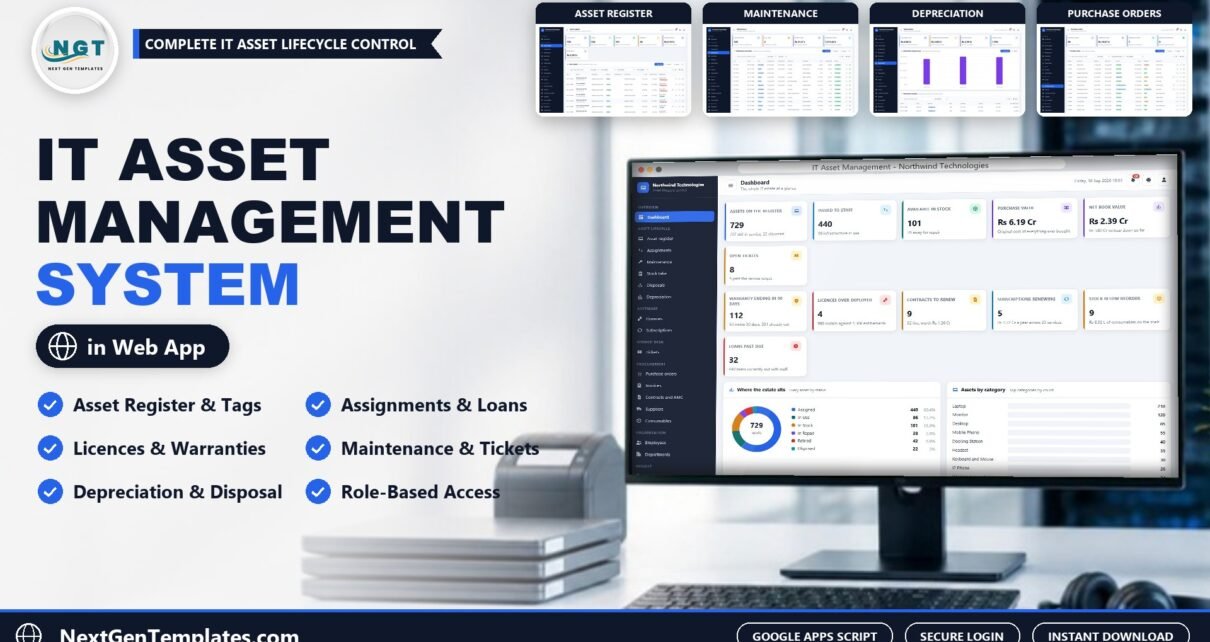
The IT Asset Management System Web App is a Google Apps Script application with 25 screens, 7 user roles built from 44 permissions and 29 ready-made reports, all backed by a 30-table Google Sheets database that its own setup routine creates. The demo company it ships with holds 729 assets, 1,023 check-out movements, 46 software licences and 1,100 helpdesk tickets, so you can judge every screen with realistic data before you load your own.
Most small IT teams track hardware in a spreadsheet, licences in a second one and tickets in an inbox. Nobody can answer “who has laptop NWT-LT-0204 and when is it due back?” without digging. This IT asset management system puts the register, custody history, licences, contracts, tickets, purchasing and depreciation behind one sign-in page that runs in your own Google account.
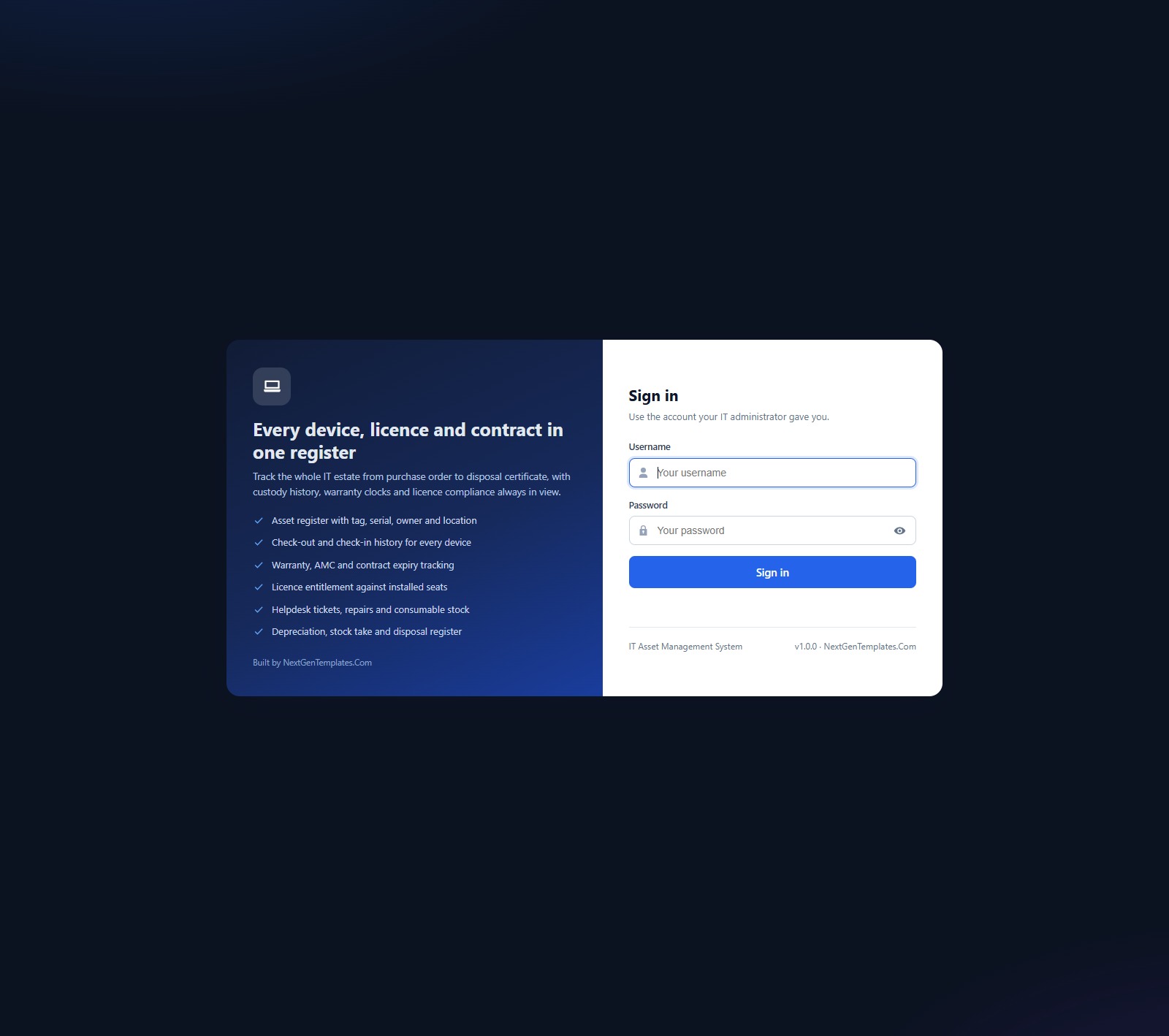
🚀 Try the Live Demo Before You Buy
We have deployed this web app in our own Google account so you can test every page and every one of the 7 roles — with real sample data — before purchasing. No signup, no email required.
🔑 Test Login Credentials
Sign in as admin to see every module, users, settings and the archive, or as viewer to see how a read-only account is locked down. Try helpdesk and finance to watch the sidebar change with the role.
💡 These logins are public by design: they belong to a shared demo instance with fictional sample data that is reset periodically, not to any customer’s system. What you get after purchase: the full source code (Code.cs.txt + Index.txt) plus the User Manual PDF, so you can deploy your own private instance in your own Google account and change every password.
Key Features of the IT Asset Management System Web App
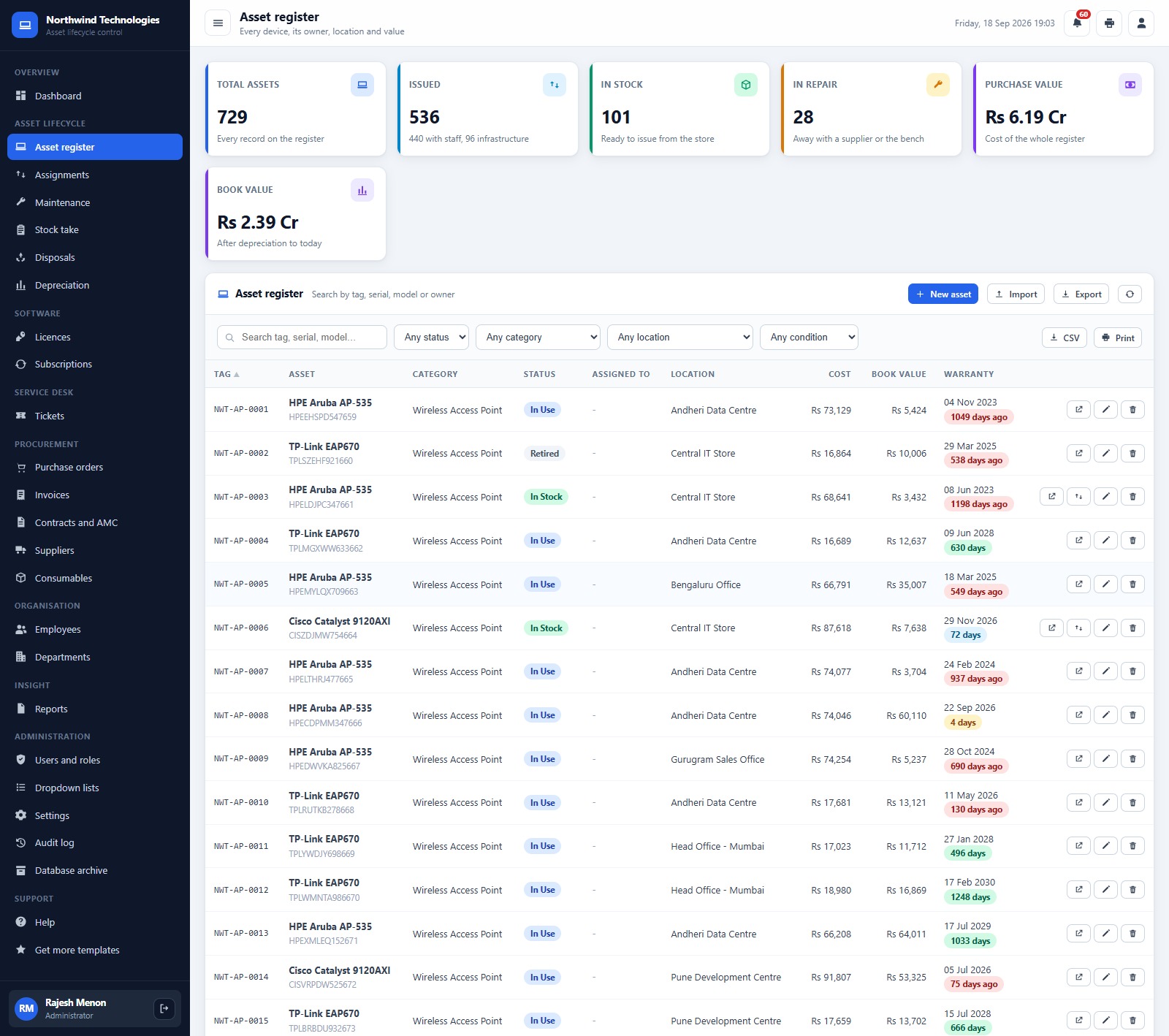
- Asset register with tag, serial, owner and location. Every device carries its category, status, holder, location, purchase cost, book value and warranty date, and a colour badge shows how many days of warranty are left or how long ago it ran out.
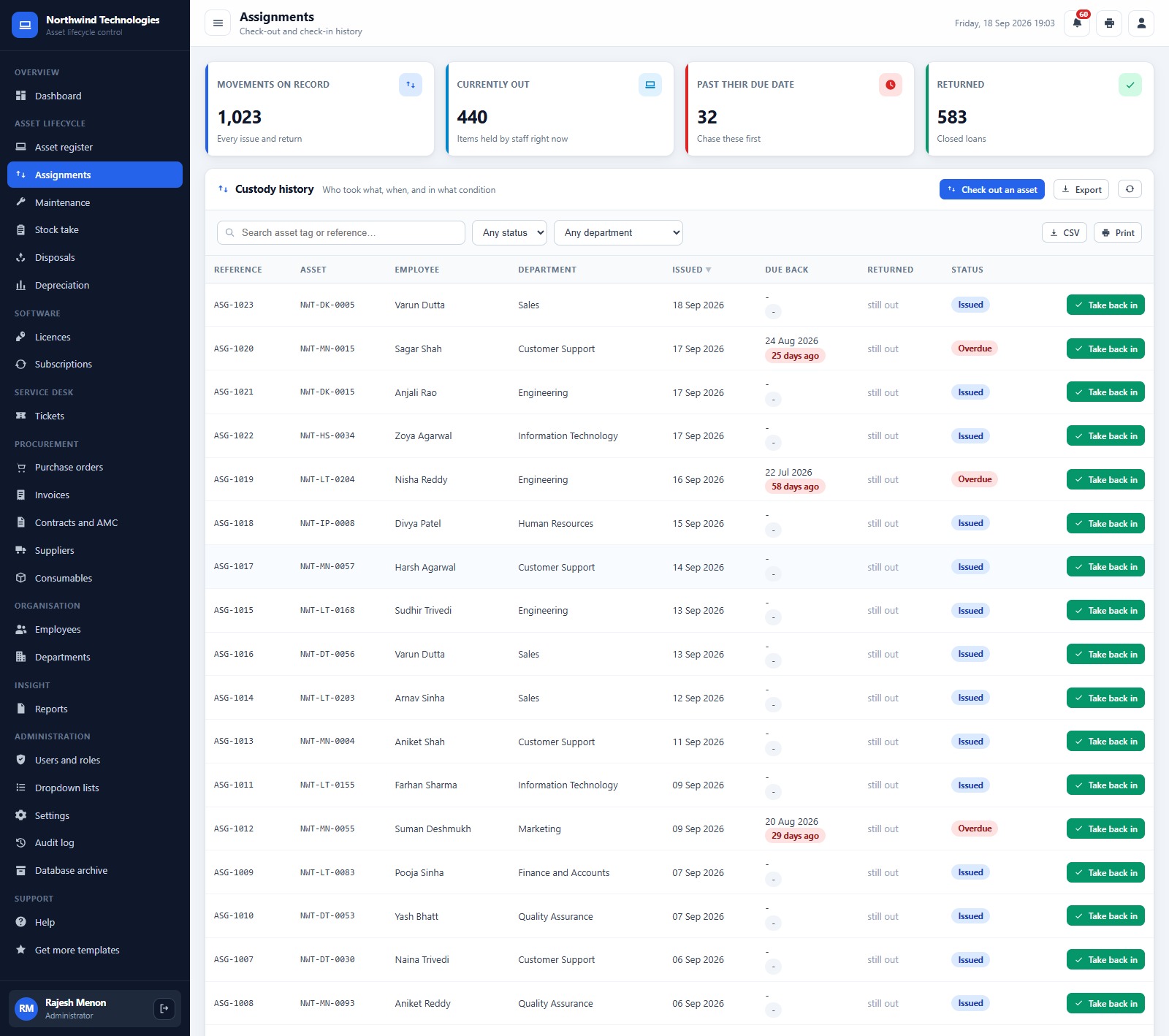
- Check-out and check-in with a custody trail. The Assignments screen records the employee, department, issue date, due-back date, return date and condition. In the demo, 440 items are out with staff and 32 loans are past their due date.
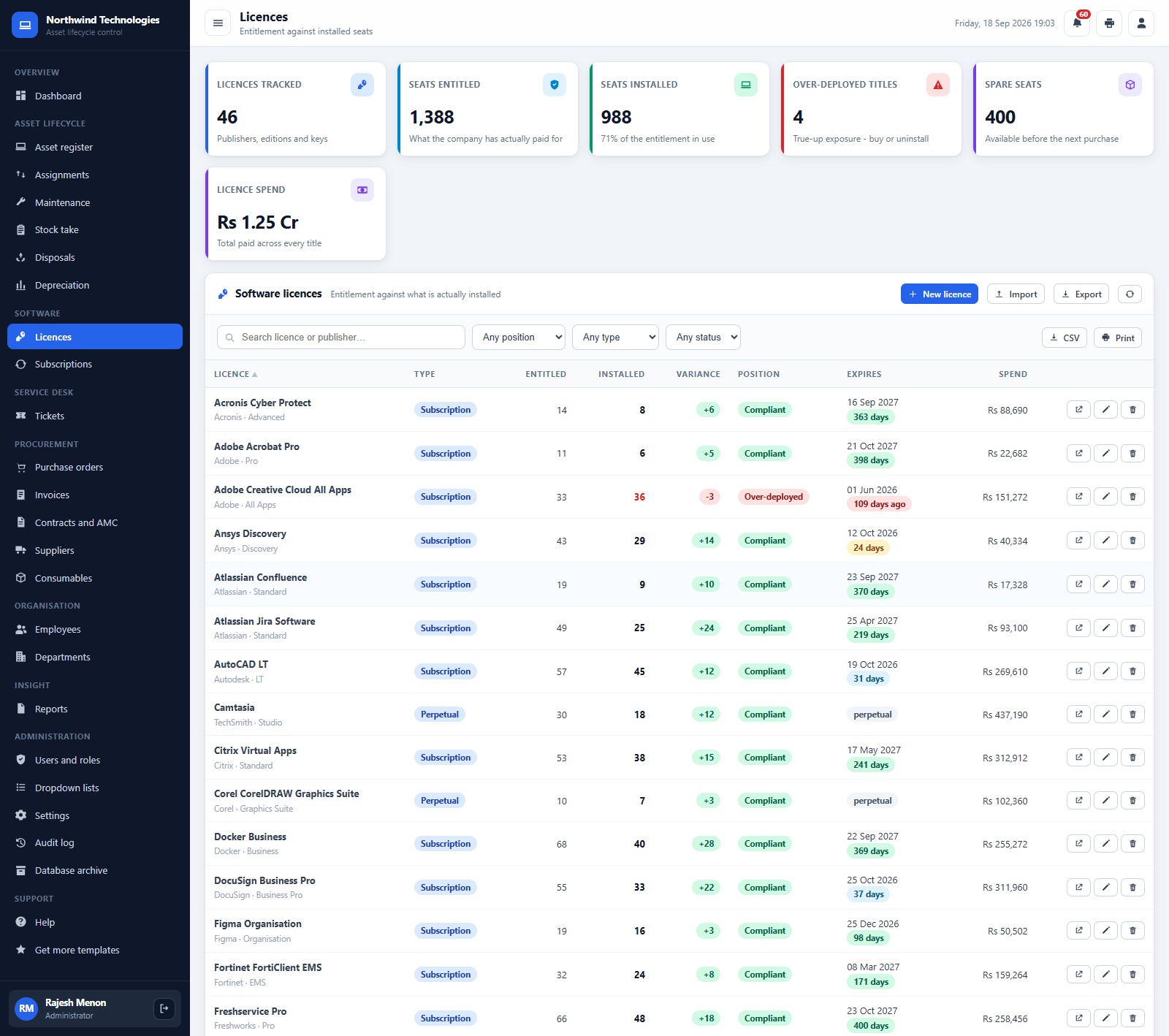
- Licence entitlement against installed seats. Each software title shows seats entitled, seats installed, the variance and a Compliant or Over-deployed position. The demo holds 1,388 entitled seats against 988 installs, with 4 over-deployed titles.
- Renewals you do not miss. Warranties ending in 90 days, contracts ending in 45 days and subscriptions renewing in 30 days are counted on their screens and on the dashboard; a daily trigger can rebuild the alerts every morning.
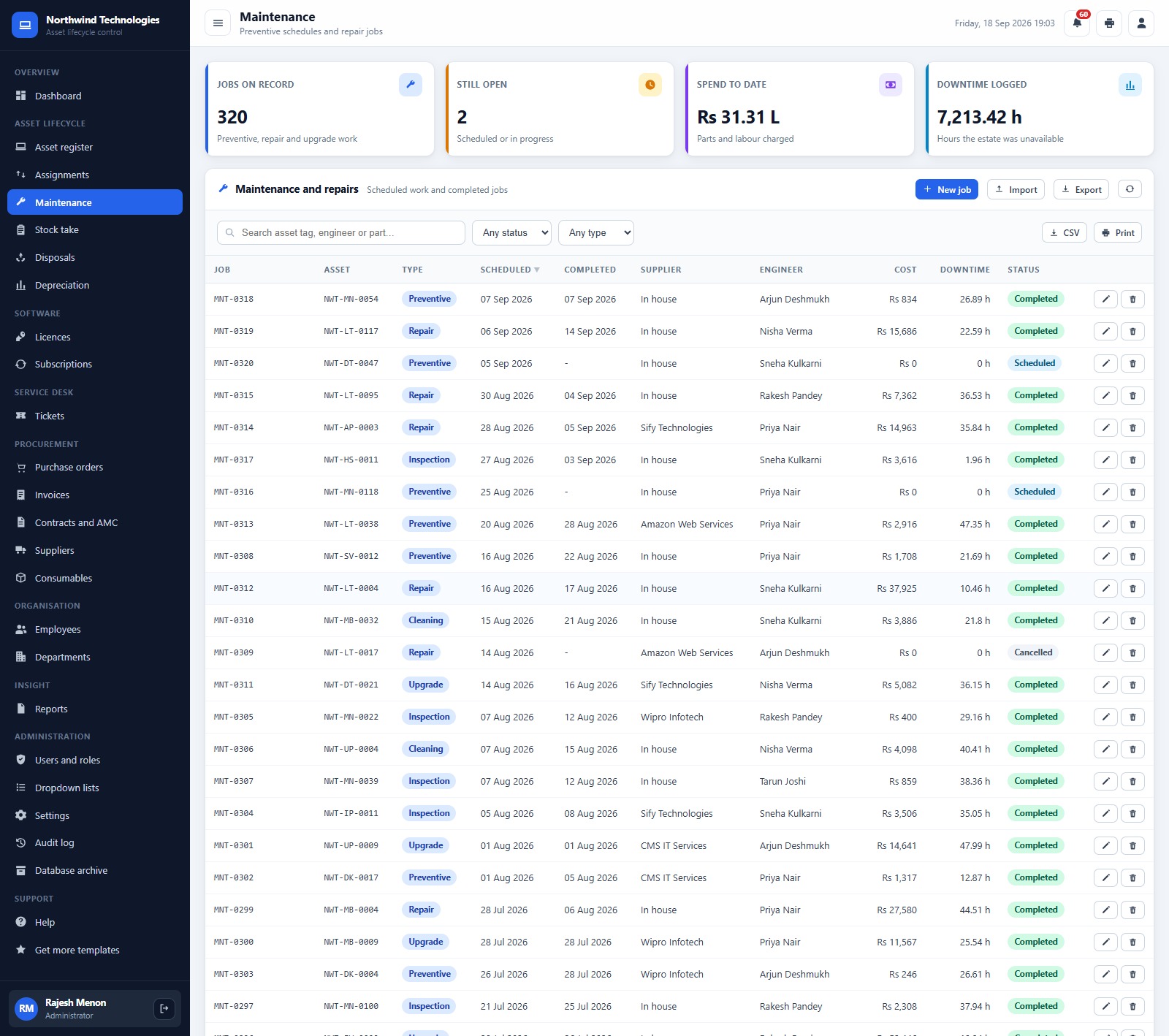
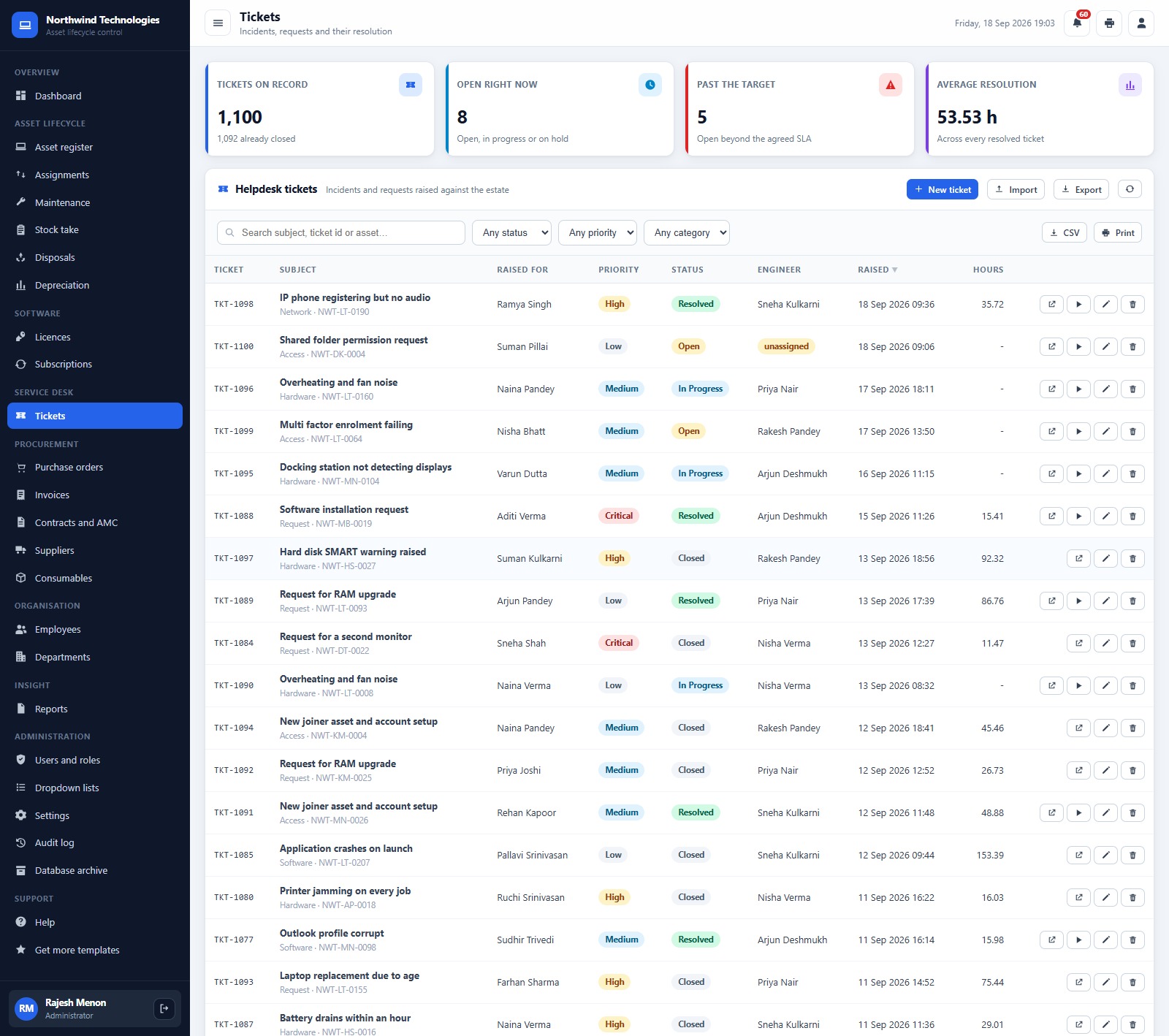
- Helpdesk and maintenance. Tickets carry priority, SLA target, engineer and resolution hours; maintenance jobs record type, supplier, engineer, cost and downtime.
- Procurement and finance. Purchase orders with order lines and receipt, supplier invoices with balances and ageing, straight-line and written-down-value depreciation, and disposals that show gain or loss against book value.
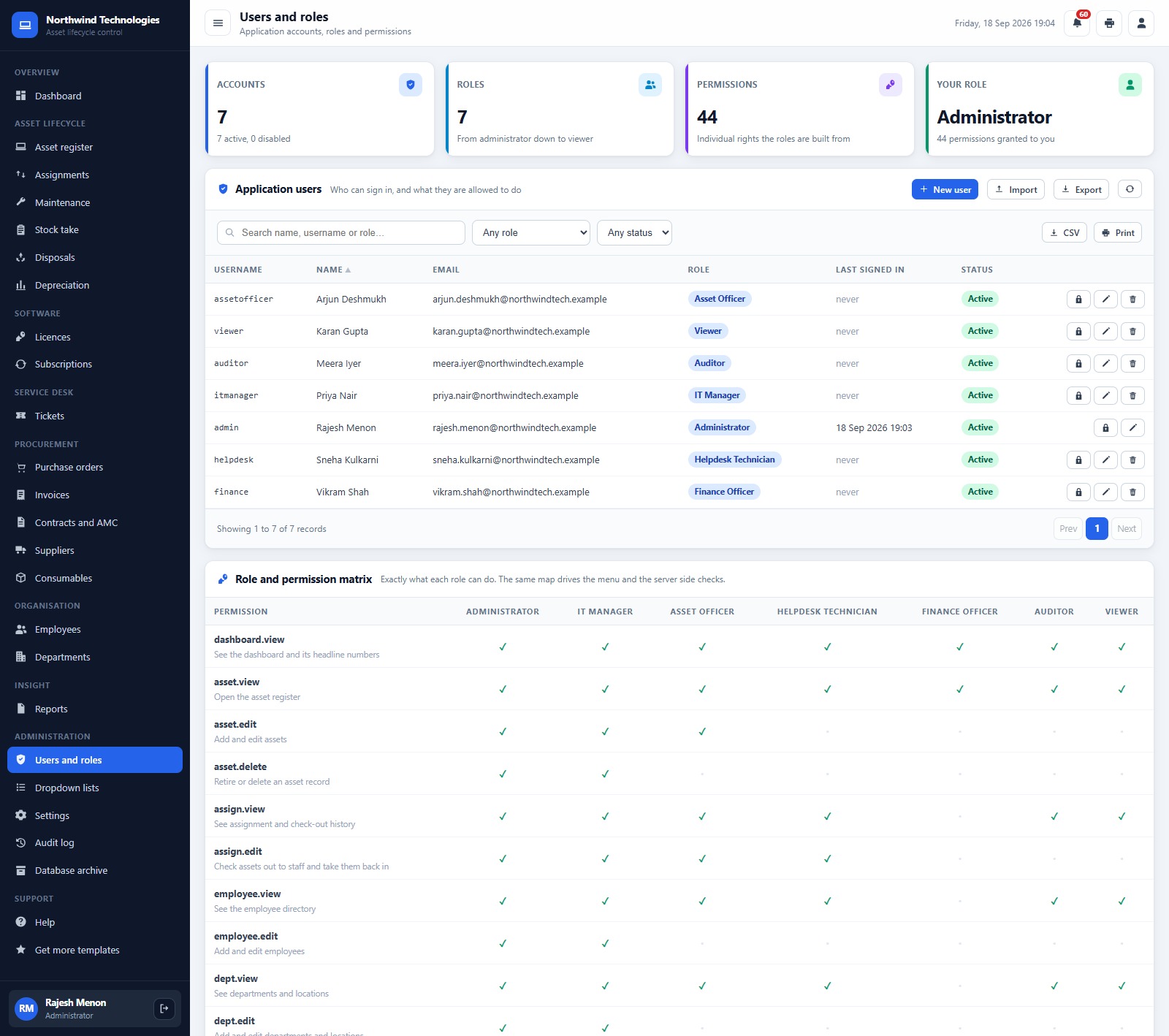
- Server-side role checks. Seven roles are built from 44 permissions, and the same permission map drives the menu and the server, so hiding a button is never the only protection. Passwords are stored as salted SHA-256 hashes.
Web App Screens Explanation
The sidebar groups 25 screens under Overview, Asset Lifecycle, Software, Service Desk, Procurement, Organisation, Insight, Administration and Support. Here is what the main ones show.
Dashboard
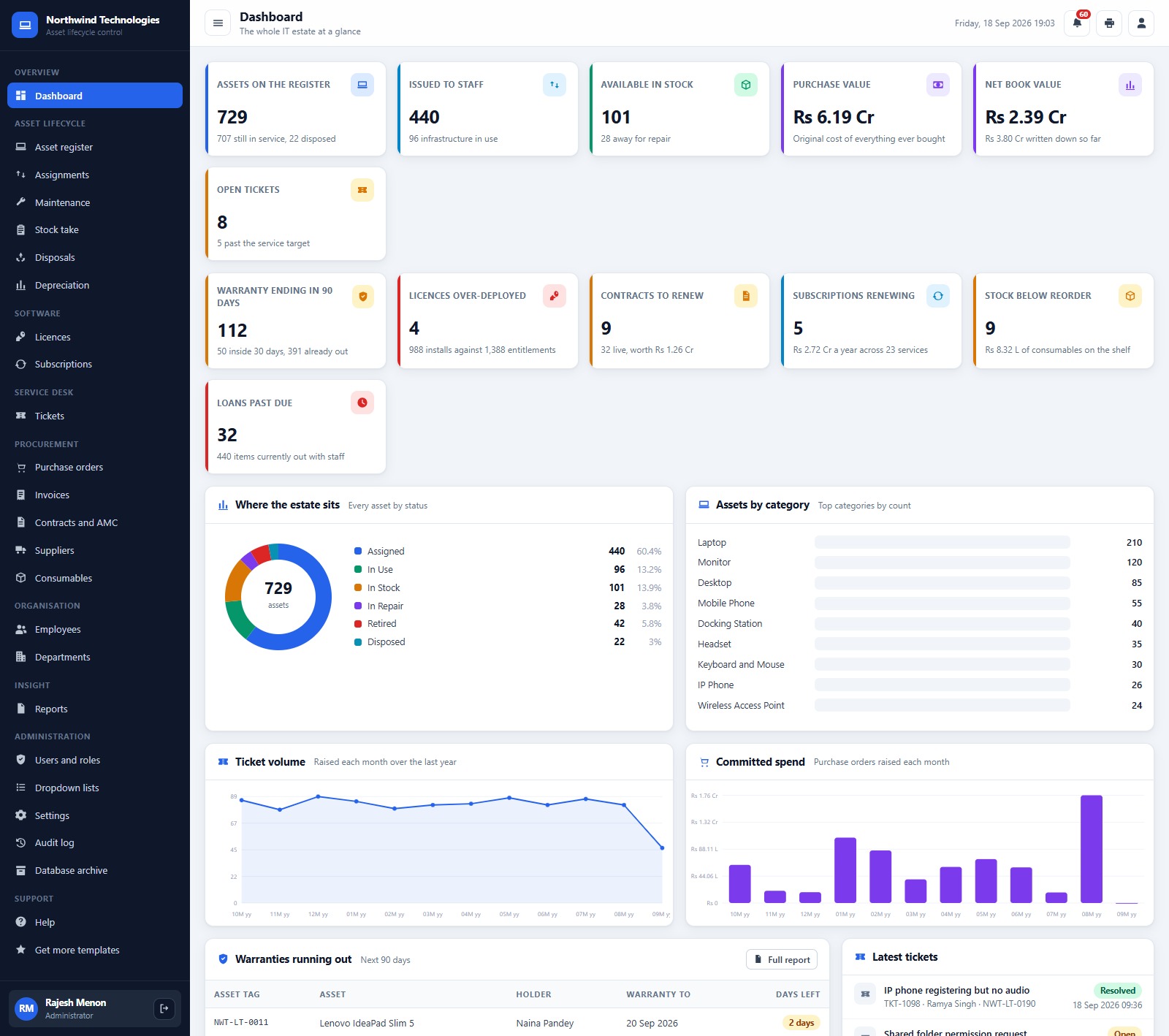
Cards for Assets on the Register, Issued to Staff, Available in Stock, Purchase Value, Net Book Value, Open Tickets, Warranty Ending in 90 Days, Licences Over-deployed, Contracts to Renew, Subscriptions Renewing, Stock Below Reorder and Loans Past Due. Below them sit Assets by Status, Assets by Category, Ticket Volume by Month, Committed Spend by Month, a warranties-running-out list and the latest tickets.
Asset Register
Total Assets, Issued, In Stock, In Repair, Purchase Value and Book Value, then the searchable register with status, category, location and condition filters and New asset, Import, Export, CSV and Print buttons.
Assignments
Movements on Record, Currently Out, Past Their Due Date and Returned, above the custody history. Every open loan has a Take back in button.
Maintenance
Jobs on Record, Still Open, Spend to Date and Downtime Logged, with preventive, repair, inspection, cleaning and upgrade jobs listed by supplier and engineer.
Licences
Licences Tracked, Seats Entitled, Seats Installed, Over-deployed Titles, Spare Seats and Licence Spend, then each title with type, variance, position, expiry and spend.
Tickets
Tickets on Record, Open Right Now, Past the Target and Average Resolution, with requester, priority, status, engineer and hours on every ticket.
Reports
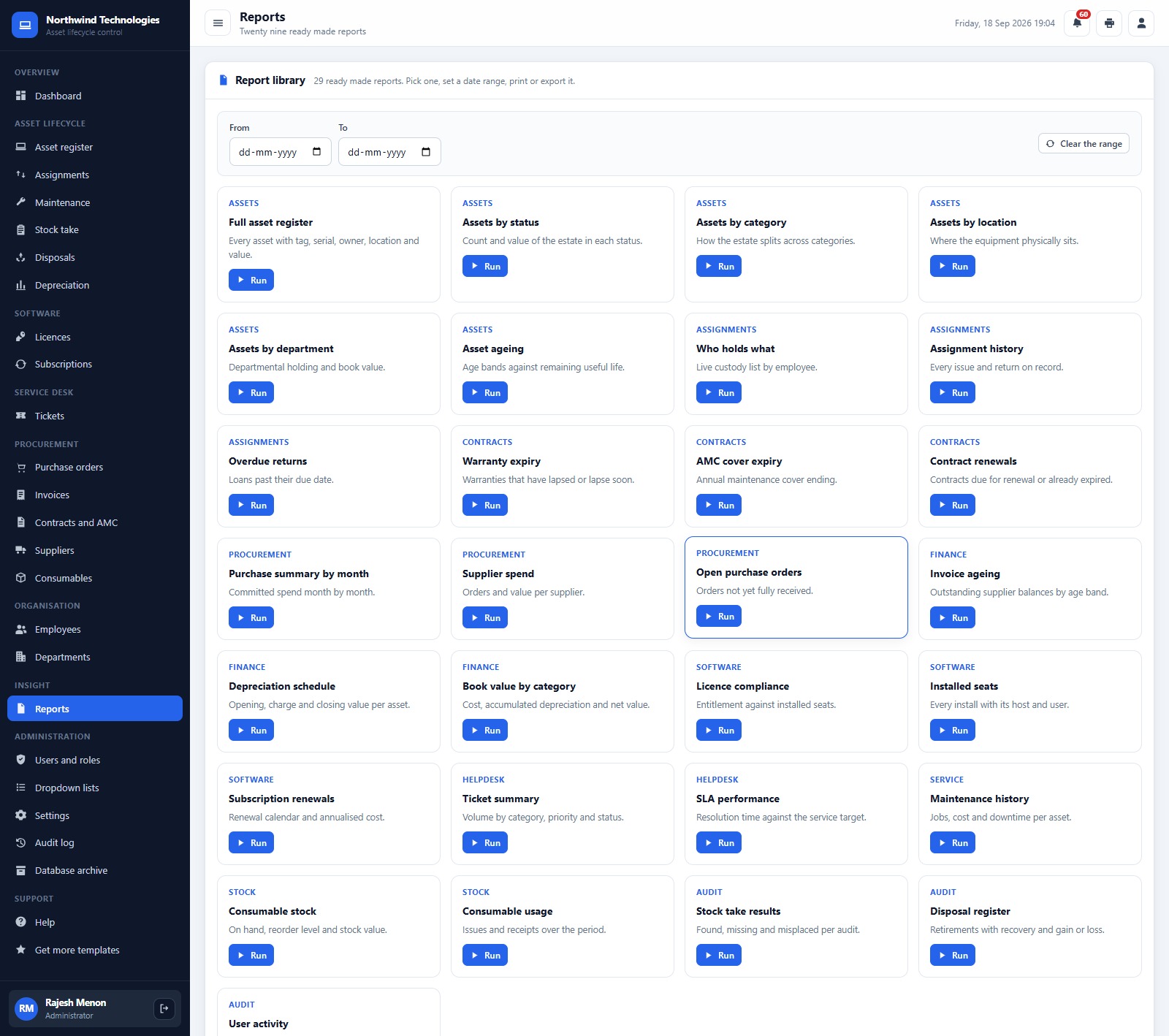
29 reports across assets, assignments, contracts, procurement, finance, software, helpdesk, service, stock and audit. Pick one, set a date range, then print or export it.
Users and Roles
Accounts, roles and the full permission matrix for Administrator, IT Manager, Asset Officer, Helpdesk Technician, Finance Officer, Auditor and Viewer.
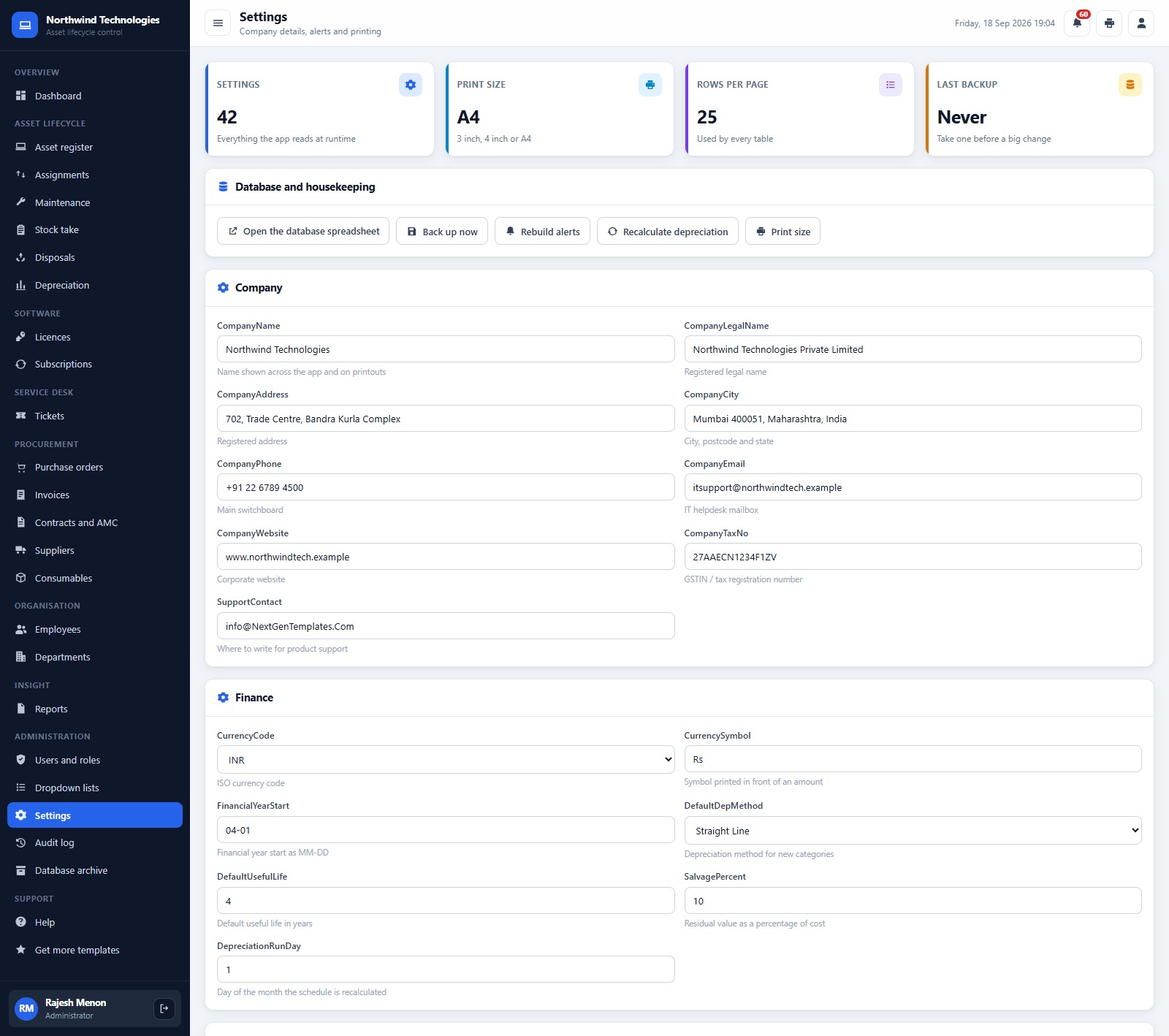
Settings and the other screens
Settings holds company details, currency, financial year start, depreciation defaults, alert windows, print size and rows per page, plus buttons to open the database, back up, rebuild alerts and recalculate depreciation. The other screens are Stock take, Disposals, Depreciation, Subscriptions, Purchase orders, Invoices, Contracts and AMC, Suppliers, Consumables, Employees, Departments, Dropdown lists, Audit log, Database archive, Help and Get more templates.
Feature Comparison: This Web App vs. Excel Asset Register vs. Paid ITAM Software
| Feature | This web app | Excel Asset Register | Paid ITAM SaaS (Freshservice / ManageEngine / hosted Snipe-IT) |
|---|---|---|---|
| Cost | ✅ One-time payment | Low, but you build it | Recurring subscription |
| Platform | ✅ Browser web app on your Google account | Desktop workbook | Vendor cloud |
| Setup time | Under an hour with the manual | Days to design | Days to weeks |
| Multi-user sign in with roles | ✅ 7 roles, 44 permissions | ❌ Shared file | ✅ |
| Check-out / check-in history | ✅ Built in | Manual log | ✅ |
| Licence seats and position | ✅ Entitled vs installed | Manual formulas | ✅ |
| Automatic network discovery or agents | ❌ Not included | ❌ | ✅ Usually included |
| Where your data lives | ✅ Your own Google Drive | Your PC or OneDrive | Vendor servers |
| Year-1 cost at 5 users | ✅ No per-user fee | Staff time | Scales with agents or assets |
For small IT teams that want a real register, custody trail and licence position without a per-agent subscription, this web app sits in the sweet spot.
Who Should Use This Template
Perfect for:
- IT managers and one-person IT teams at 20-500 person companies on Gmail or Google Workspace
- Schools, clinics, agencies and offices that issue laptops and phones to staff
- Managed service providers who want a separate asset and ticket register per client
Not a fit if:
- You need automatic network discovery, installed-software scanning or an MDM or endpoint agent
- You need SCCM, Intune, Jamf or ServiceNow integration, or a licence-audit guarantee for a vendor true-up
Real-World Use Cases
Anita runs IT for a 90-person design agency. She issues every laptop from the Assignments screen and opens a leaver’s record in Employees to see what they hold. The overdue badge tells her which loans to chase each Monday, and the Warranty Expiry report shows which laptops to refresh next quarter.
Marcus is the finance officer at a private school. With the Finance role he reviews invoice ageing, checks the depreciation schedule at year end and runs Book Value by Category for the auditors, without being able to edit the asset register.
Sara runs a two-person MSP. She deploys one copy per client, logs tickets against the client’s asset tags and uses the Licences screen to spot over-deployed titles before a vendor renewal.
Advantages of the IT Asset Management System Web App
- One-time cost. No per-agent or per-asset subscription, however many staff sign in.
- Data ownership. Everything lives in a spreadsheet and Drive folders in your own account, with a Back up now button.
- Fast on large histories. The Database archive moves transactional rows older than a cut-off (24 months by default) into an Archive tab, and any row can be restored with one click.
- Easy data entry. Paste an Excel or CSV block into Import, or download a blank template with the right headings.
- Prints where you need it. 3 inch and 4 inch sizes suit a thermal label or receipt printer; A4 suits the office printer.
Opportunities for Improvement
We want you to buy with open eyes, so here is what we saw in the shipped build’s screenshots:
- Month labels. The dashboard’s Ticket Volume and Committed Spend axes print placeholder labels such as “10M yy” instead of month names, and seeded stock-take names read “09M 2026”. The numbers are right; the label format is not.
- Assets by Category bars. The dashboard panel lists the right counts (Laptop 210, Monitor 120 and so on), but the bars beside them render empty.
- Currency abbreviations. The demo company is Indian, so figures show as Rs with lakh (L) and crore (Cr) short forms. You can change the currency code and symbol in Settings, but the L/Cr abbreviations on summary cards are fixed in this build and need a small code edit for other regions.
- Two “issued” counts. The dashboard’s Issued to Staff card shows 440 while the register’s Issued card shows 536, because the register also counts 96 infrastructure devices marked In Use. Both are correct; the labels could be clearer.
- No discovery. It is a register you maintain by hand or by import. It does not scan the network or read installed software.
Best Practices
- Take a backup from Settings before any bulk import.
- Press Rebuild alerts after loading your own data so warranty, contract, licence and stock notices match reality.
- Install the daily trigger once so alerts refresh every morning, and run Recalculate depreciation at the start of each financial period.
- Give each person the narrowest role that works: most staff only need Viewer or Helpdesk Technician.
- Remember that code changes only go live after you publish a new deployment version. Google’s guide to Apps Script web apps covers this, and the Apps Script quotas page lists the daily email limits that apply to notices.
Explore Relevant Templates
If your team mainly runs a service desk, read our walkthrough of the Helpdesk and Ticketing Management System Web App. Security providers should look at the Cybersecurity Service Management System Web App. For reporting rather than a multi-user system, see the IT Asset Management Dashboard in Google Sheets and the IT Help Desk Dashboard in Google Sheets.
💎 Want the full IT kit? The IT Manager & CISO Toolkit bundles 10 Excel, Google Sheets and Power BI templates for IT leaders.
Frequently Asked Questions
Can I try it before buying?
Yes. There is a live demo near the top of this post with logins for all 7 roles. The accounts are public by design and open a shared copy with fictional data that resets, so you can add, edit and delete records freely while testing.
Does it need a paid Google account?
No. It runs on a free Gmail account or on Google Workspace. Setup creates its own database spreadsheet and Drive folders in the deploying account. A consumer Gmail account can send about 100 emails a day through MailApp, a Workspace account about 1,500.
How long does setup take?
Most people finish in under an hour: paste Code.cs.txt and Index.txt into a new Apps Script project, deploy it as a web app and press Run setup now. Setup is staged and resumable if it hits Google’s execution time limit.
Does it discover devices on my network?
No. This system is not an MDM or discovery tool and has no device agent or SCCM, Intune, Jamf or ServiceNow integration. You add assets by form or import them from Excel or CSV.
How does this compare to Freshservice or ManageEngine?
Those are subscription platforms with discovery agents and vendor hosting. This web app is a one-time purchase that runs in your Google account and covers the register, custody, licences, contracts, tickets and depreciation without per-agent fees.
Can I change the currency?
Yes, in Settings, through CurrencyCode and CurrencySymbol. The demo uses Indian rupees, and summary cards abbreviate large values as L (lakh) and Cr (crore); changing those abbreviations needs a small edit in Index.txt.
About the Author
Built by PK — Microsoft Certified Professional with 15+ years of Excel, Google Sheets, Apps Script and Power BI experience. Founder of NextGenTemplates, reaching 300K+ subscribers across YouTube channels. Every template is hand-built and tested before release.
Conclusion
The IT Asset Management System Web App gives a small IT team one place for devices, custody, licences, contracts, tickets and depreciation, running in its own Google account. Launch the live demo above, sign in as two or three roles, and if it fits the way you work, deploy your own private copy.
👉 Click here to Purchase the IT Asset Management System Web App
✅ Instant download · One-time payment · No subscription
🎥 More tutorials: Youtube.com/@NeoTechNavigators
Last updated: September 2026