A bathroom remodeling business can finish projects and still struggle to explain why margin, timelines, conversion, or callbacks changed. A monthly scorecard creates a common management language. The Bathroom Remodeling KPI Scorecard in Google Sheets includes 10 KPIs, 12 months of actual-target-previous-year inputs, MTD and YTD views, and traffic-light signals in one editable cloud template.Bathroom Remodeling KPI Scorecard in Google Sheets

The file is intended for descriptive performance reviews. It does not replace estimating, accounting, job scheduling, customer surveys, warranty management, or professional judgment.Bathroom Remodeling KPI Scorecard in Google Sheets
Get the Bathroom Remodeling KPI Scorecard in Google Sheets
Key Features of Bathroom Remodeling KPI Scorecard in Google Sheets
The main scorecard presents Estimate Win Rate, Average Project Value, Lead Response Time, On-Time Completion Rate, Schedule Overrun, Rework Rate, Gross Margin, Material Cost Variance, Customer Satisfaction Score, and Warranty Callback Rate.
- Month selector for changing the displayed period
- Actual, target, change, percentage variance, and status for each KPI
- MTD and YTD comparisons against target and previous year
- Selectable KPI trend view with formula and definition context
- Editable KPI dictionary and monthly data tables
- Google Drive sharing and collaboration controlsBathroom Remodeling KPI Scorecard in Google Sheets
Scorecard Sheets Explained
Main scorecard
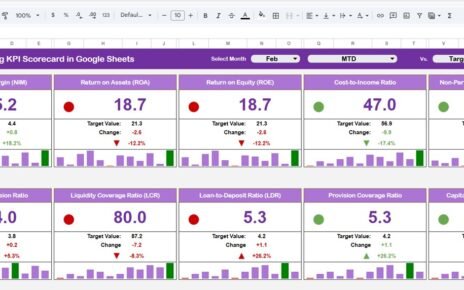
The December sample view displays all 10 KPI cards with compact monthly bars and red, yellow, or green status markers. The layout helps managers scan commercial, execution, financial, and customer-experience measures together.
KPI Trend
Select a KPI to compare its monthly actual and previous-year bars against the target line. The top panel identifies the group, unit, direction, formula, and definition.Bathroom Remodeling KPI Scorecard in Google Sheets
KPI definitions
This sheet documents how each measure is intended to be interpreted. Review these definitions before entering company data because contractual and accounting policies may differ.Bathroom Remodeling KPI Scorecard in Google Sheets
Detailed KPI tables
Monthly tables store MTD actual, target, and previous-year values plus YTD calculations. The scorecard reads from these records rather than from individual jobs.
Google Sheets vs. Excel vs. Paid Contractor Software – Feature Comparison
| Capability | This scorecard | Excel workbook | Paid contractor SaaS |
|---|---|---|---|
| Commercial model | One-time template | One-time or custom build | Recurring plan |
| Collaboration | Native Google sharing | File/Microsoft 365 sharing | Account-based access |
| KPI customization | Editable | Editable | Vendor dependent |
| Monthly scorecard | Included | Requires an equivalent model | Often included |
| Estimating and scheduling | Not included | Not included by default | Often included |
| Integrations | Manual inputs | Manual or custom | Plan dependent |
Who Should Use This Template
This Google Sheets renovation KPI template is useful for bathroom-remodeling owners, operations managers, estimators, project managers, and finance reviewers with reliable monthly source figures. It works best for teams that want a lightweight, transparent scorecard rather than a full operational platform.
It is not suitable as the sole record for contracts, customer complaints, warranties, invoices, project plans, or safety documentation.
Real-World Use Cases
Monthly owner review
An owner can start with estimate conversion and average project value, then connect those results to gross margin and material-cost variance.Bathroom Remodeling KPI Scorecard in Google Sheets
Project delivery meeting
A project manager can review completion, overrun, and rework measures to decide which exceptions need job-level investigation.
Customer experience review
A service lead can compare satisfaction and warranty callbacks while retaining the underlying survey or warranty evidence in the approved source system.Bathroom Remodeling KPI Scorecard in Google Sheets
Advantages of the Bathroom Remodeling KPI Scorecard
The layout is easy to inspect, formulas and definitions are visible, and Google Sheets supports browser-based access. The bathroom contractor performance dashboard view keeps 10 measures together while the trend page provides more context for one KPI. Because users own the copied file, they can adapt labels, targets, and definitions to their management process.Bathroom Remodeling KPI Scorecard in Google Sheets
Opportunities for Improvement
The template depends on manual monthly inputs. It has no direct connection to estimating, accounting, scheduling, CRM, warranty, or survey systems. Teams can extend it with governed imports or Apps Script, but every automation should preserve data validation, source traceability, and access controls.
Best Practices
- Agree on each KPI definition and owner before data entry.
- Keep actual, target, and prior-year periods consistent.Bathroom Remodeling KPI Scorecard in Google Sheets
- Reconcile financial measures to approved records.
- Investigate red and yellow status at job level rather than treating color as a conclusion.
- Protect formula ranges and limit editing access.
- Keep an archived month-end copy for auditability.Bathroom Remodeling KPI Scorecard in Google Sheets
Google provides guidance for sharing files from Google Drive. Apply permissions that fit the sensitivity of your commercial and customer information.
Assign one accountable owner to each source metric and set a predictable closing date for monthly entries. Record any change in definition, target, or source system so users do not compare unlike periods. If a corrected value is entered after a meeting, note the reason and refresh the scorecard again. These small controls make month-to-month discussion more reliable and reduce disagreements about where a number came from.Bathroom Remodeling KPI Scorecard in Google Sheets
Use the trend view as a starting point for questions, not as proof of cause. A change in gross margin may relate to pricing, labor, material mix, or timing. A change in callbacks may reflect work completed in an earlier month. Review the underlying jobs before assigning an action.
Explore Relevant Templates
See the Home Renovation Contractor KPI Scorecard, Flooring Installation KPI Scorecard, Painting Contractor KPI Scorecard, and Home Renovation Budget Tracker.Bathroom Remodeling KPI Scorecard in Google Sheets
If you would like to learn how reporting scorecards are built, the Excel Pivot Tables & Dashboards course on NextGenTemplates Academy walks you through it with practice files.
Get the Bathroom Remodeling KPI Scorecard in Google Sheets
Frequently Asked Questions
How do I receive the Google Sheet?
The purchased PDF contains a verified link that lets you create your own editable copy.
Are the 10 KPIs fixed?
No. You can edit measures, groups, units, formulas, definitions, and UTB/LTB direction, then test the report.
Does it import project data automatically?
No. The included model expects monthly values entered or transferred from validated sources.
Can several users collaborate?
Yes. Google Sheets supports simultaneous work subject to your sharing permissions.
Does the color status prove performance is good or bad?
No. It compares entered values with configured targets and direction. Management context is still required.
Is this an estimating or scheduling tool?
No. It is a KPI scorecard and remodeling project KPI tracker, not a job workflow system.
About the Author
Built by PK – Microsoft Certified Professional with 15+ years of Excel, Google Sheets, and Power BI experience. Founder of NextGenTemplates, reaching 300K+ subscribers across YouTube channels. Every template is hand-built and tested before release.
Conclusion
The Bathroom Remodeling KPI Scorecard in Google Sheets offers a clear starting point for monthly contractor-performance discussions. Its scorecard, trend, definitions, and detailed tables turn validated monthly inputs into consistent comparisons.