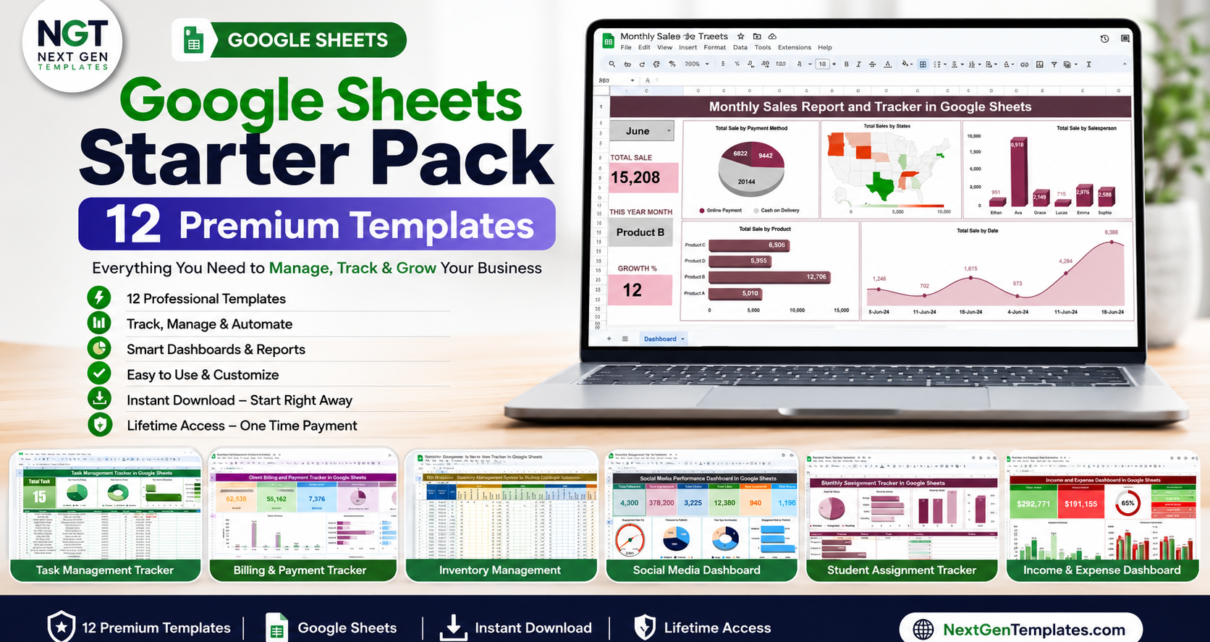
If you have ever spent an evening building a tracker or dashboard from scratch in Google Sheets, you already know the real cost is not the spreadsheet — it is your time. The Google Sheets Starter Pack solves that in one download: 12 ready-to-use Google Sheets templates covering finance, project management, HR, sales, marketing and operations, all for $39.99 instead of $90.88 if bought individually. That is a 56% saving on a complete cross-functional toolkit.
Every template is 100% Google Sheets — cloud-based, mobile-friendly and built for real-time collaboration. There is nothing to install and no subscription. You simply make a copy into your own Google Drive, enter your data, and the pre-built formulas, KPIs and charts do the rest. Browse the full Google Sheets dashboards and Google Sheets trackers on NextGenTemplates.
Individual total $90.88 → bundle price $39.99 (you save $50.89, or 56%)
Get the Google Sheets Starter Pack
Why a Starter Pack Makes Sense
Most people do not need one giant all-in-one system — they need a handful of solid, focused tools that each do one job well. A task tracker for projects. A budget dashboard for money. An attendance sheet for the team. Buying those one by one adds up fast, and you end up with inconsistent layouts from different sources. This pack gives you a coherent set of 12 templates built to the same quality standard. It is the fastest way to go from a blank Google Sheet to a working system across every part of your work and personal life.
What’s Included in the Google Sheets Starter Pack
1. Task Management Tracker
A cloud-based Task Management Tracker with color-coded progress, priorities, deadlines and real-time team collaboration. See how it works in the Task Management Tracker in Google Sheets walkthrough.

2. Monthly Sales Tracker and Report
Log sales and see totals by payment method, state, salesperson and date with the Monthly Sales Tracker and Report and its built-in report charts.

3. Social Media Performance Dashboard
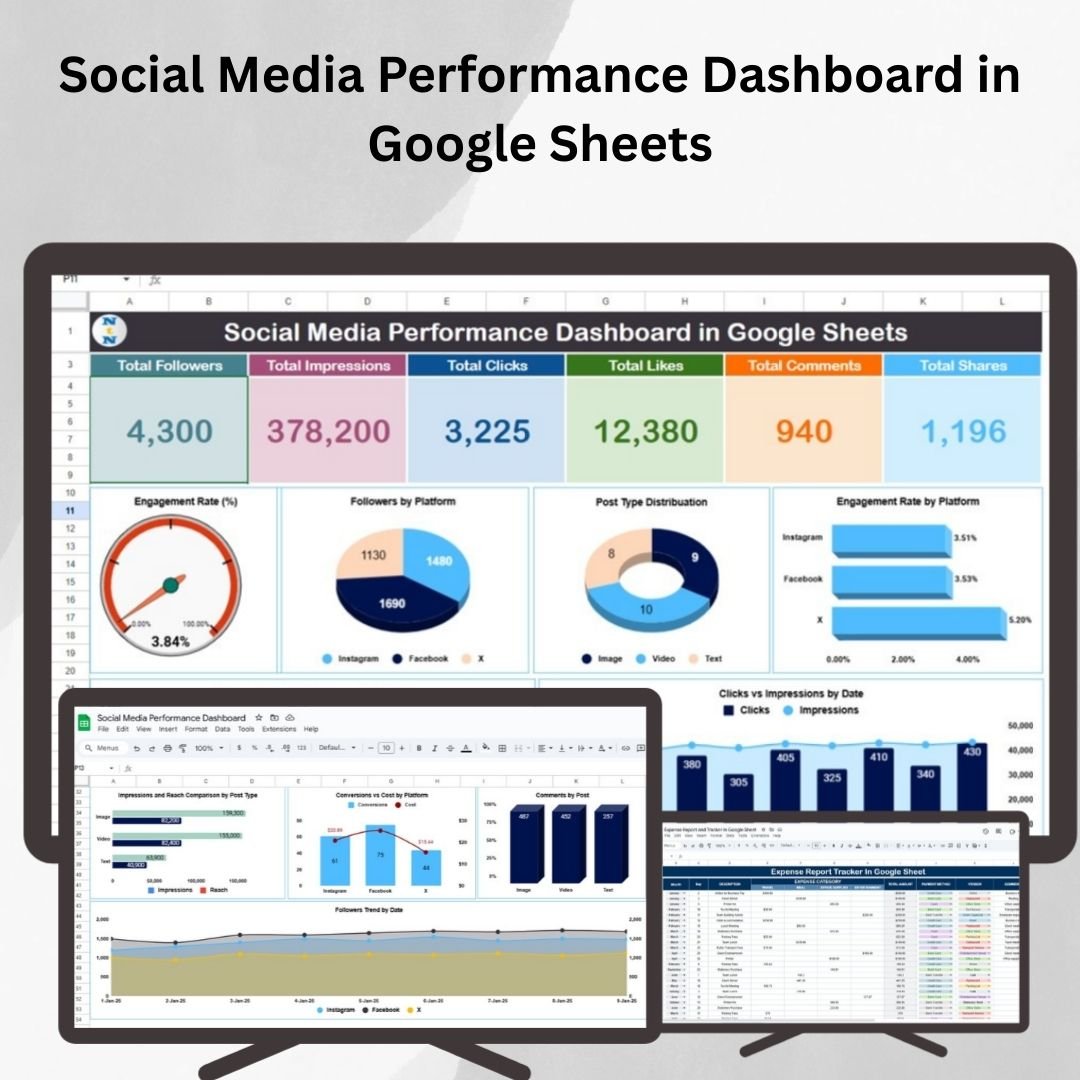
Track followers, impressions, clicks, likes, comments, shares and engagement rate by platform with the Social Media Performance Dashboard. Our Social Media Performance Dashboard guide explains each chart.
4. Multi-Location Inventory Management
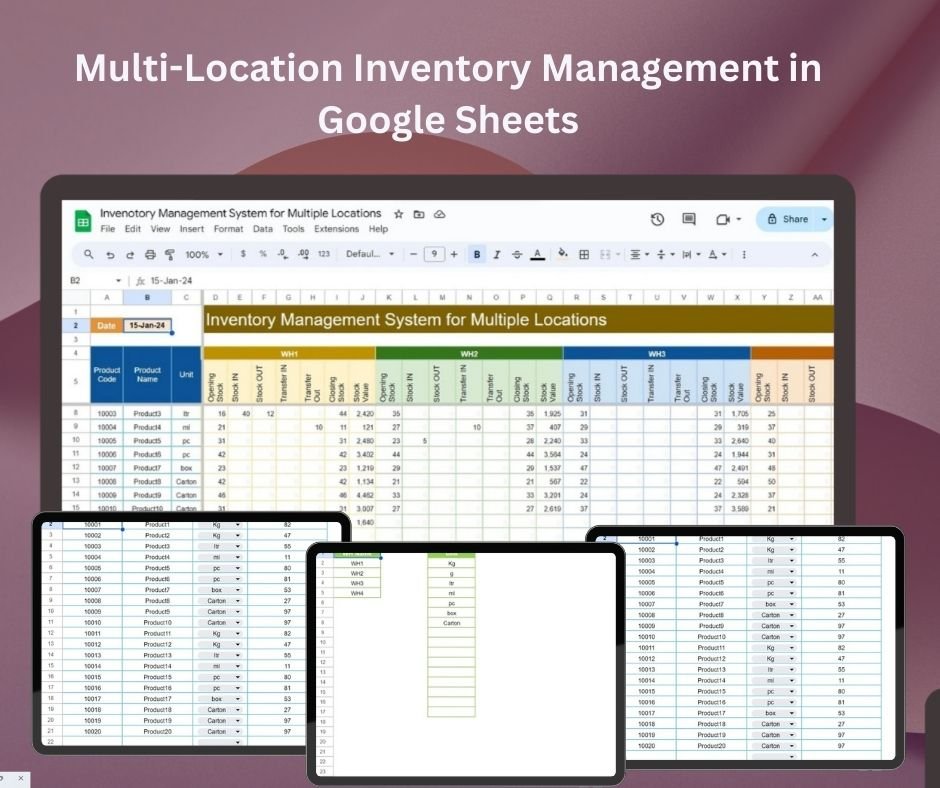
Track opening stock, stock in, stock out and transfers across several warehouses with the Multi-Location Inventory Management template.
5. Student Assignment Tracker
Track assignments, due dates, submission status and grades, with counts by status, course and grade, in the Student Assignment Tracker — ideal for teachers, tutors and students.

6. Client Billing and Payment Tracker
Track invoices, due dates and payment status with color-coded Paid / Pending / Overdue indicators in the Client Billing and Payment Tracker. Read the Client Billing and Payment Tracker tutorial for a field-by-field tour.

7. Pro Gantt Chart Project Planner
Plan projects with a colour-coded timeline, task owners, start and end dates, durations and completion % in the Pro Gantt Chart Project Planner.

8. Equipment Maintenance Log Tracker
Log preventive and corrective maintenance with cost-by-equipment and technician workload charts in the Equipment Maintenance Log Tracker. The Equipment Maintenance Log Tracker post shows it in use.

9. Attendance Sheet Template
Mark daily attendance and get automatic Present, Absent and Leave totals with colour-coded status in the Attendance Sheet Template.

10. Income and Expense Dashboard
Track income and expenses with Total Income, Total Expense, Expense % and top-category cards plus category charts in the Income and Expense Dashboard.

11. Birthday and Anniversary Tracker
Never miss an important date with the search-enabled Birthday and Anniversary Tracker, which counts occasions due this year and in the next 90, 30 and 7 days and shows the days remaining for each.

12. Employee Productivity Dashboard
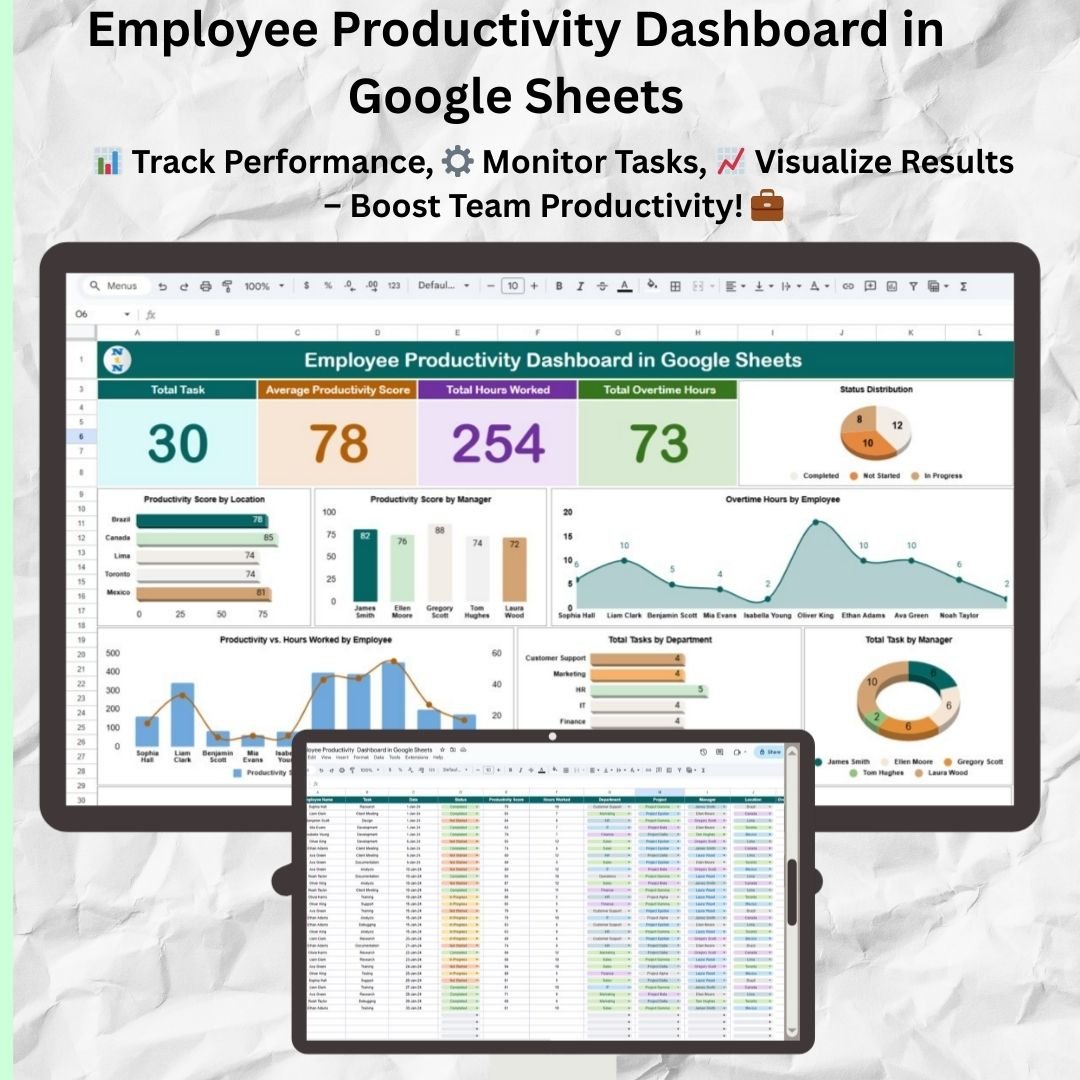
Track total tasks, average productivity score, hours worked and overtime hours across your team with the Employee Productivity Dashboard. Details are in our Employee Productivity Dashboard in Google Sheets guide.
Smart Comparison — Individual vs Bundle
| Template | Individual Price |
|---|---|
| Task Management Tracker | $6.99 |
| Monthly Sales Tracker and Report | $6.99 |
| Social Media Performance Dashboard | $9.99 |
| Multi-Location Inventory Management | $6.99 |
| Student Assignment Tracker | $6.99 |
| Client Billing and Payment Tracker | $6.99 |
| Pro Gantt Chart Project Planner | $4.99 |
| Equipment Maintenance Log Tracker | $6.99 |
| Attendance Sheet Template | $6.99 |
| Income and Expense Dashboard | $9.99 |
| Birthday and Anniversary Tracker | $6.99 |
| Employee Productivity Dashboard | $9.99 |
| Individual Total | |
| Bundle Price (Save 56%) | $39.99 |
Advantages of Buying the Bundle
Beyond the obvious 56% saving, the pack gives you breadth in one purchase — finance, projects, HR, sales and operations covered without hunting for separate tools. And since these are Google Sheets files, you can duplicate, customize and extend any of them without licensing limits, building your own connected system over time.
Best Practices for Deploying the Pack
Start by copying only the two or three templates you need this week rather than all 12 at once — it keeps your Drive tidy and adoption high. Set sharing permissions deliberately: Editors for people entering data, Viewers for managers reading dashboards. For trackers like attendance or maintenance, agree on a same-day logging habit so the dashboards stay accurate. Finally, duplicate a fresh copy at the start of each year to preserve clean historical data for trend analysis.
Who Should (and Should Not) Buy This Pack
A good fit if you are:
- A freelancer or small business owner who needs several everyday trackers (tasks, billing, income and expenses) without building them.
- A team lead or office manager who wants attendance, productivity and maintenance logs from one purchase.
- A teacher or tutor who will use the Student Assignment Tracker and Attendance Sheet together.
Probably not for you if:
- You only need one or two of the 12 templates. Buying those individually costs less.
- You need a single connected system where data flows between modules. These are 12 separate files.
- Your company works only in Microsoft Excel and does not use Google accounts.
Explore More Templates
Looking for more? Browse all Google Sheets dashboards, Google Sheets trackers, and the full template bundles collection on NextGenTemplates. If you need a bigger set focused on business operations, compare this pack with the Google Sheets Business Pack (Pro), which bundles 14 templates.
Want to get more out of templates like these? The NextGenTemplates Academy learning paths build up your spreadsheet skills step by step, with practice files to follow along.
Frequently Asked Questions
What exactly do I get when I buy the bundle?
You get a single download containing all 12 Google Sheets templates listed above. Each one includes a Google Sheets copy link so you can make your own private copy into Google Drive.
Do I need any Google Sheets experience?
No. Every template is ready to use out of the box, with pre-built formulas, charts and dashboards. If you can type into a cell and share a sheet, you can use these.
Can I use these on Excel?
These templates are built specifically for Google Sheets and use Google-native chart and collaboration features. Many also have standalone Excel versions on NextGenTemplates if you prefer Excel.
How many people can use each template?
Google Sheets lets up to 100 people work in a file at the same time, and you can share it with as many people as you like. There is no per-user fee from our side.
Is this a subscription?
No. It is a one-time purchase. The copies in your Google Drive are yours to keep and customize forever.
Why is the bundle so much cheaper than buying individually?
Bundling lets us pass on a 56% saving versus the $90.88 individual total. It is designed as an affordable entry point into the full NextGenTemplates Google Sheets catalog.
Wrapping Up
If you keep rebuilding the same trackers and dashboards from scratch, the Google Sheets Starter Pack gives you 12 finished, consistent templates for finance, projects, HR, sales, marketing and operations in one purchase. Pick the two or three you need this week, make your copies, and add the rest as your work grows.
Get the Google Sheets Starter Pack ($39.99)
📅 Last updated: October 2026