Buying a home is one of the biggest financial decisions you will ever make. However, many people struggle to understand how much house they can truly afford. Without proper calculations, you may either overspend or miss better opportunities.Home Affordability Calculator in Google Sheets
So, how can you confidently determine your home budget, monthly payments, and financial safety—all in one place?Home Affordability Calculator in Google Sheets
Home Affordability Calculator in Google SheetsHome Affordability Calculator in Google Sheets
Get the Home Affordability Calculator in Google Sheets
What is a Home Affordability Calculator in Google Sheets?
A Home Affordability Calculator in Google Sheets is a smart financial tool that helps you calculate how much home you can afford based on your income, expenses, and loan details.
Instead of guessing your budget, this calculator allows you to:
- 🏡 Estimate maximum home price
- 💰 Calculate loan amount and EMI
- 📊 Analyze monthly payments
- 📉 Evaluate debt-to-income (DTI) ratios
- 📅 Understand long-term affordability
Therefore, you can make confident and informed home-buying decisions.
Why Do You Need a Home Affordability Calculator?
Many homebuyers make decisions based on emotions rather than numbers. However, this often leads to financial stress later.
With this calculator:
- You understand your real affordability
- You avoid over-borrowing
- You plan your finances better
- You reduce financial risk
Key Features of Home Affordability Calculator
This Google Sheets calculator comes with multiple powerful features that simplify your home-buying journey.
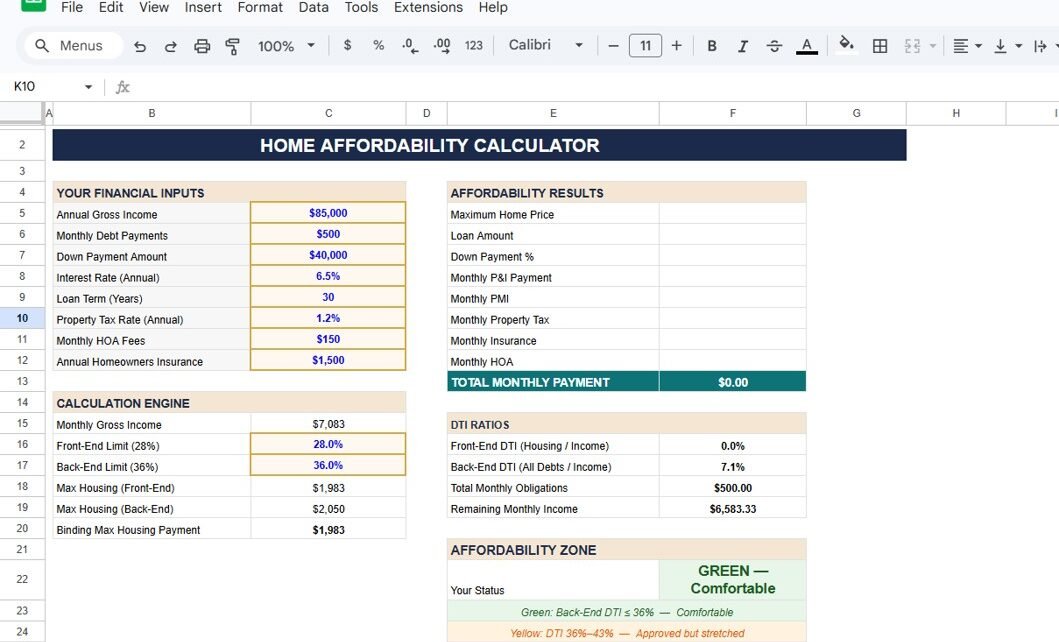
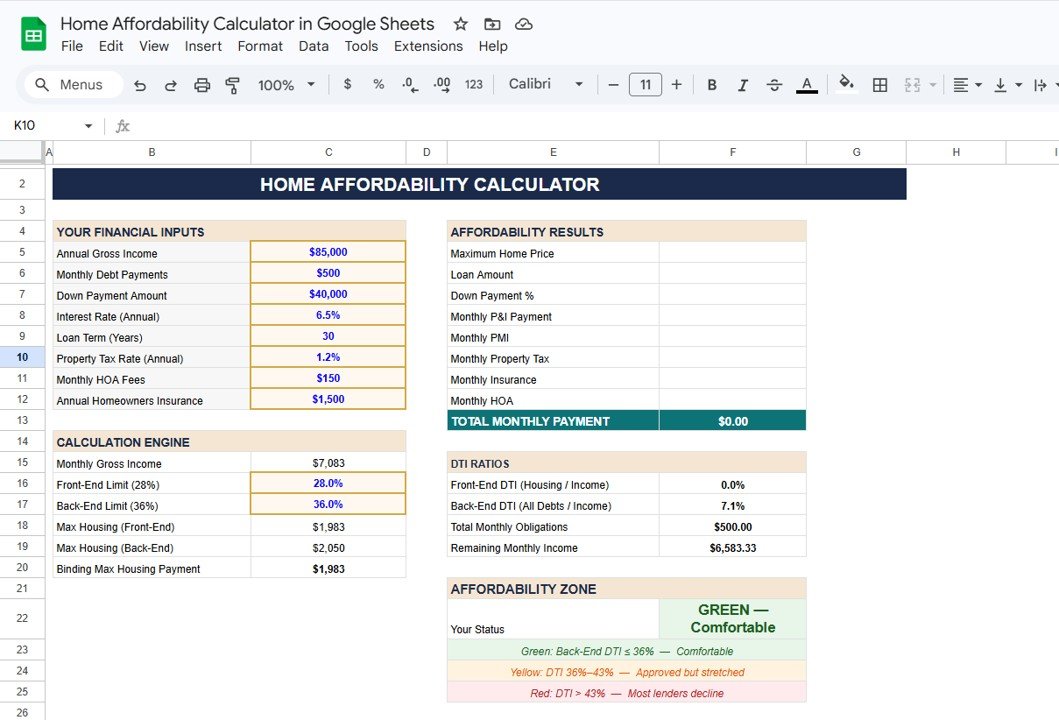
1. Financial Inputs Section – Enter Your Details Easily
This section allows you to input your financial data.
Input Fields Include:
- 💼 Annual Gross Income
- 💳 Monthly Debt Payments
- 💰 Down Payment Amount
- 📉 Interest Rate
- 📅 Loan Term (Years)
- 🏠 Property Tax Rate
- 🏢 Monthly HOA Fees
- 🛡️ Homeowners Insurance
2. Affordability Results – Get Instant Insights
Once you enter your data, the calculator automatically shows:
- Maximum Home Price
- Loan Amount
- Down Payment %
- Monthly P&I Payment
- Monthly PMI
- Property Tax & Insurance
- Total Monthly Payment
3. DTI Ratio Analysis – Measure Financial Health
Debt-to-Income (DTI) ratio plays a crucial role in loan approval.
Metrics Included:
- Front-End DTI (Housing / Income)
- Back-End DTI (Total Debt / Income)
- Total Monthly Obligations
- Remaining Monthly Income
4. Affordability Zone Indicator
The calculator provides a color-coded affordability status:
- 🟢 Green: Comfortable
- 🟡 Yellow: Moderate Risk
- 🔴 Red: High Risk
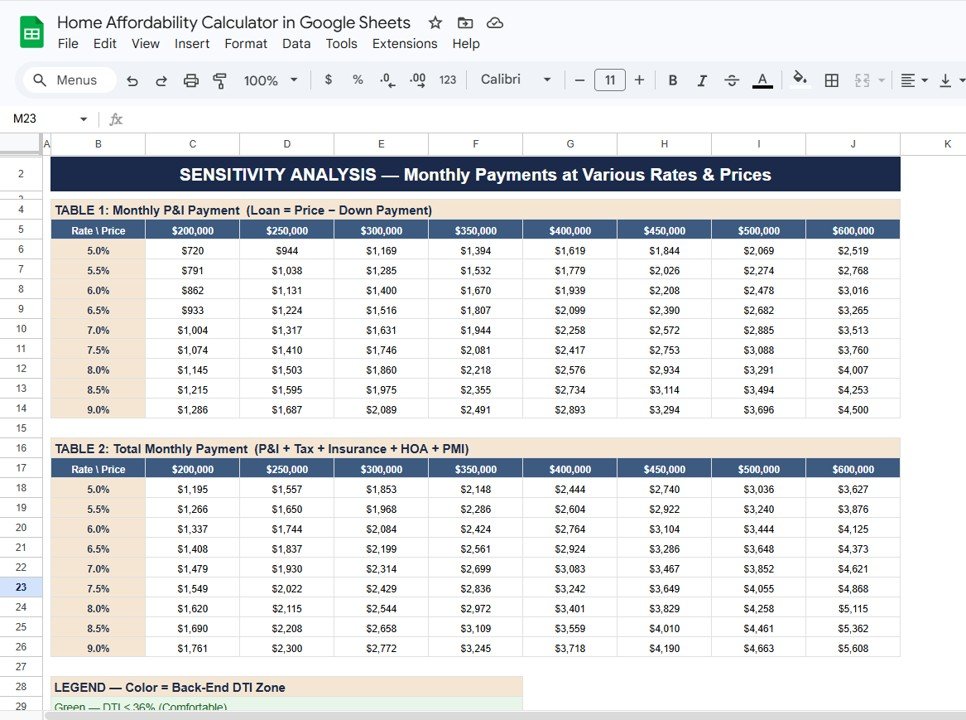
5. Sensitivity Analysis – Explore Different Scenarios
This feature allows you to analyze how interest rates and home prices impact your monthly payments.
Includes:
- Monthly P&I Payment Table
- Total Monthly Payment Table
6. Amortization Schedule – Long-Term Loan Breakdown
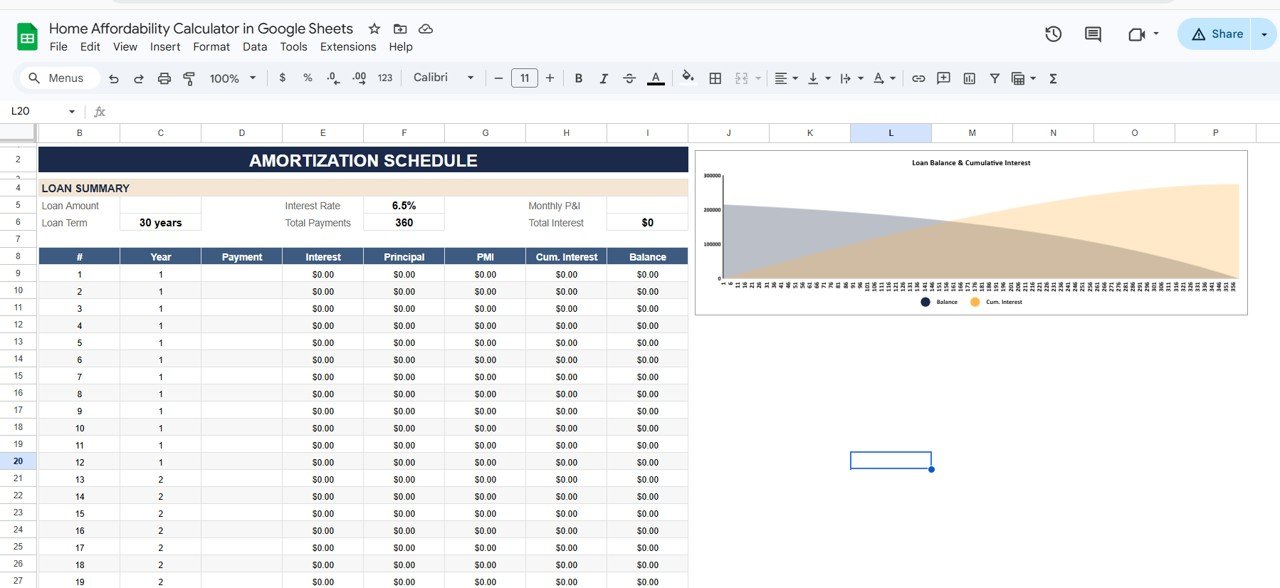
This section shows detailed loan repayment over time.
Includes:
- Monthly payment breakdown
- Interest vs principal
- Remaining loan balance
- Cumulative interest
7. Step-by-Step User Guide
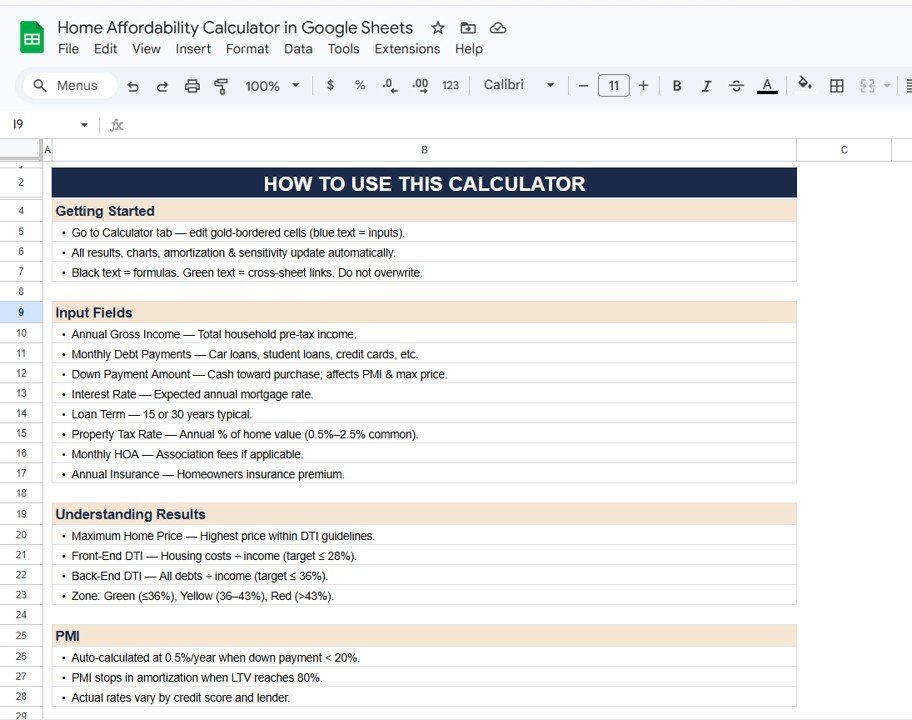
The calculator also includes a detailed “How to Use” section:
- Input instructions
- Data guidelines
- Formula explanations
How Does This Calculator Help You?
This tool does more than basic calculations—it helps you make better financial decisions.
Because:
- You understand your affordability clearly
- You plan your budget effectively
- You reduce financial risks
- You make confident decisions
As a result, you achieve financial stability.
Advantages of Home Affordability Calculator
Using this calculator offers multiple benefits:
🎯 Accurate Financial Planning
- You calculate realistic budgets
- You avoid financial surprises
💰 Better Loan Decisions
- You understand EMI clearly
- You choose the right loan
📊 Clear Data Visualization
- You see all numbers in one place
- You simplify complex calculations
📉 Risk Reduction
- You avoid over-borrowing
- You stay within safe limits
📈 Improved Confidence
- You make informed decisions
- You reduce stress
How to Use the Home Affordability Calculator?
Using this calculator is simple and user-friendly.
Step-by-Step Guide:
- 📥 Enter your financial details
- 💰 Add loan and property details
- 📊 Review affordability results
- 📈 Analyze DTI ratios
- 🎯 Adjust inputs for better planning
Best Practices for the Home Affordability Calculator
To get the best results, follow these best practices:
📌 Use Accurate Data
- Enter correct income and expenses
- Avoid rough estimates
📊 Test Multiple Scenarios
- Try different interest rates
- Adjust down payment
🎯 Monitor DTI Ratios
- Keep DTI within safe limits
- Avoid financial strain
📈 Plan for Future Costs
- Consider maintenance and inflation
- Include hidden costs
🔄 Update Regularly
- Adjust inputs as finances change
- Stay updated with market rates
Curious how calculators like this are built? The Excel AI Mastery: 100 Formulas course on NextGenTemplates Academy explains the formulas behind them, with practice files.
Get the Home Affordability Calculator in Google Sheets
Conclusion
The Home Affordability Calculator in Google Sheets is a powerful and practical tool for anyone planning to buy a home.
Moreover, it simplifies complex financial calculations into clear insights. As a result, you can plan your budget, evaluate risks, and make confident decisions.
So, if you want to buy your dream home without financial stress, this calculator is a must-have tool.