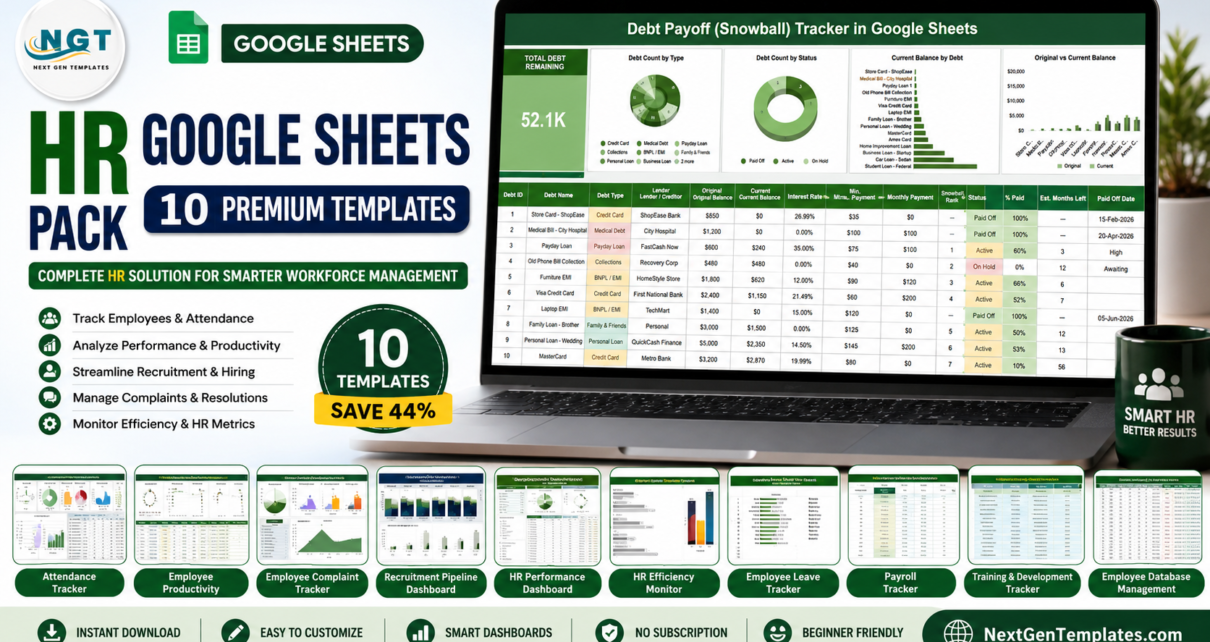
The HR Google Sheets Pack brings together 10 ready-to-use Google Sheets templates that cover the everyday work of an HR team: attendance, productivity, recruitment, performance, employee records, complaints and billable-hours timesheets. Bought one by one, the ten templates add up to $81.90; the pack costs $45.99, a saving of $35.91 (44%). Every template runs in Google Sheets, so your team can work in the same file from any browser, with nothing to install and no subscription.
If your HR records are spread across separate files (attendance in one, recruitment in another, new-hire details in someone’s inbox), this pack gives you one set of dashboards and trackers in the same tool. Below you will find what each template does, a price breakdown, setup steps and answers to common questions.
Key Features of the HR Google Sheets Pack
- 10 HR templates covering attendance, productivity, recruitment, performance, onboarding records, complaints and timesheets.
- Google Sheets native: no add-ons or Excel required; everything opens in the browser.
- Lower cost than buying separately: $45.99 for the pack versus $81.90 individually.
- Team collaboration: several HR staff and managers can view and update the same sheet.
- Dashboards and status indicators: charts, totals and colour-coded statuses update as you enter data.
- Customisable: fields, drop-down lists and labels can be adjusted to your own workflow.
What’s Inside the HR Google Sheets Pack
1. Attendance Sheet Template in Google Sheets
A monthly attendance register with a Month Start Date, automated Present, Absent and Leave counts, and colour-coded daily status for every employee. See our Attendance Sheet Template guide for a full walkthrough.

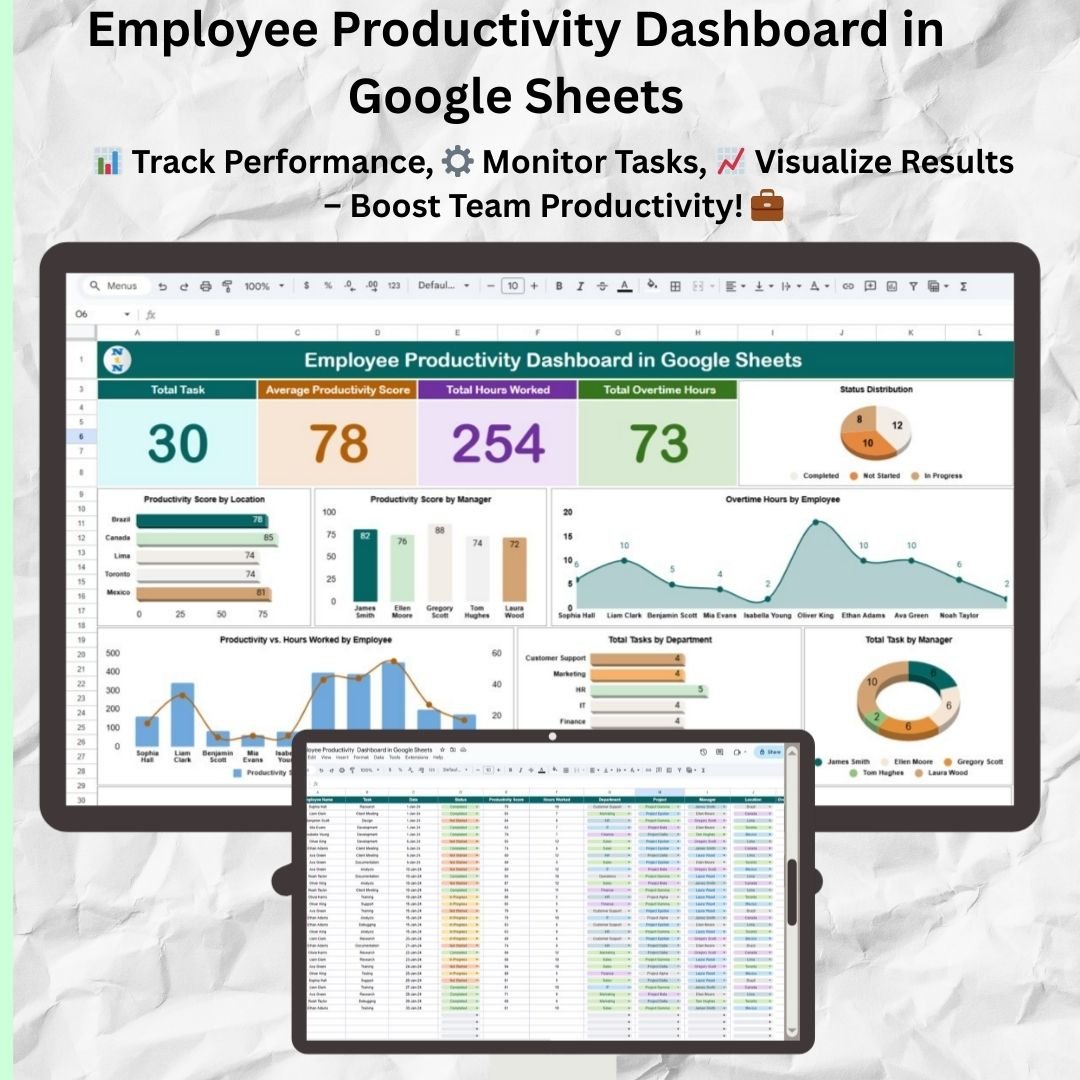
2. Employee Productivity Dashboard in Google Sheets
Shows Total Task, Average Productivity Score, Total Hours Worked and Total Overtime Hours, with charts by location, manager, employee and department, so you can see who is on track and where support is needed. Read the Employee Productivity Dashboard guide.
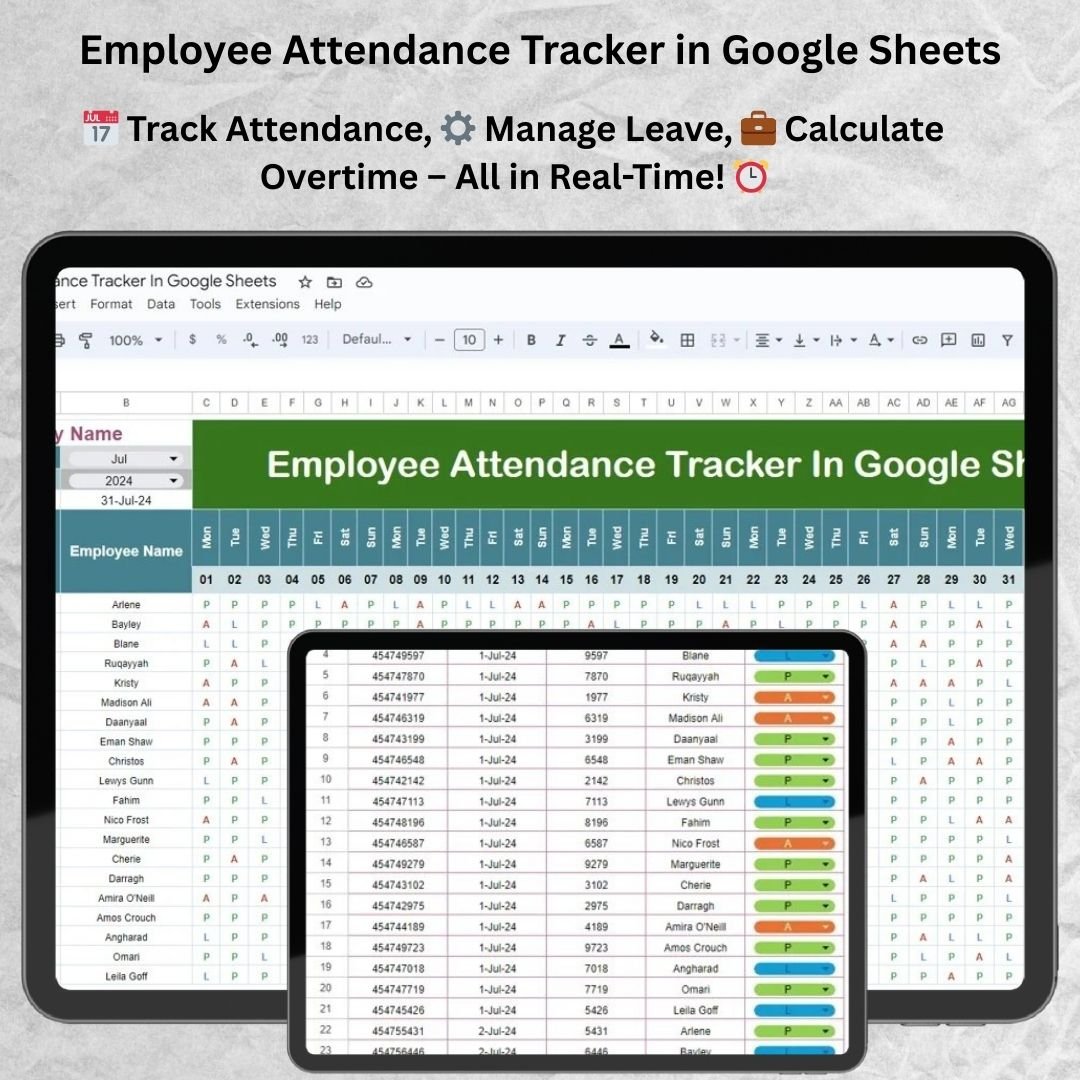
3. Employee Attendance Tracker in Google Sheets
A day-by-day grid that marks each employee P, A or L for the selected month and year, fed by a daily attendance log, which makes monthly attendance and leave reporting quicker.
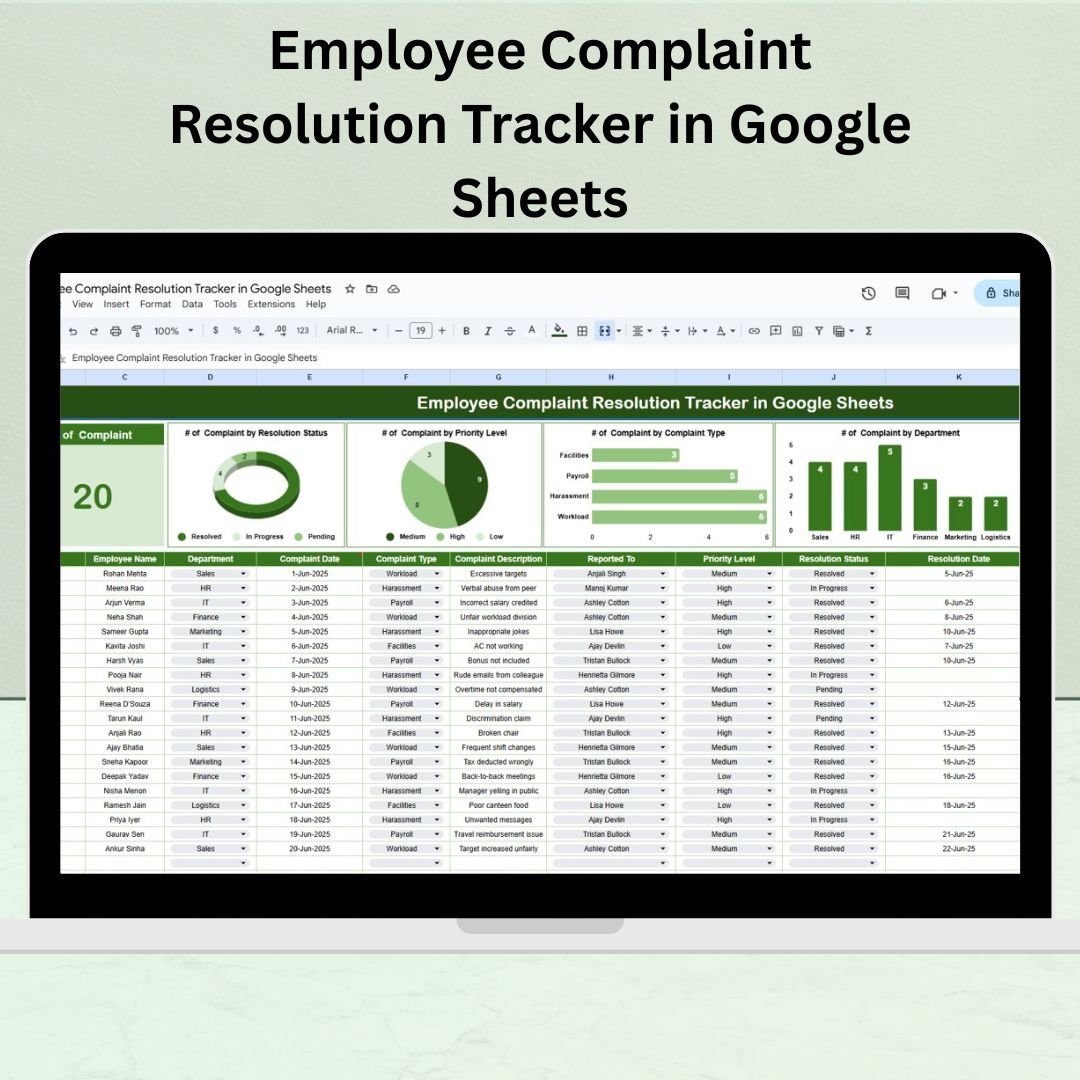
4. Employee Complaint Resolution Tracker in Google Sheets
Log each workplace complaint with its department, complaint type, priority level, the person it was reported to, resolution status and resolution date. Charts count complaints by resolution status, priority level, complaint type and department.
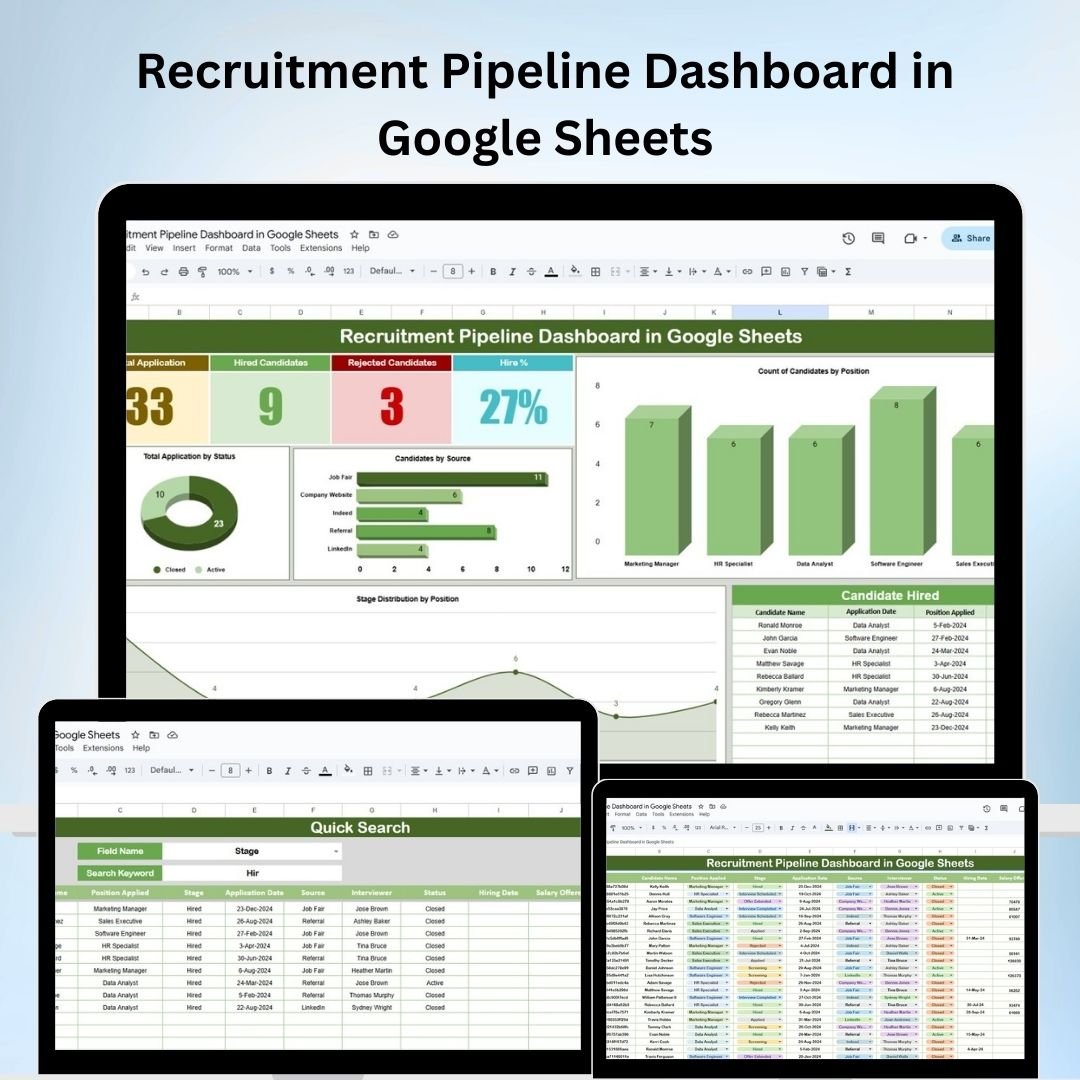
5. Recruitment Pipeline Dashboard in Google Sheets
Shows total applications, hired and rejected candidates and Hire %, with charts by position, source, status and stage, a Candidate Hired list and a Quick Search sheet, so you can see where the funnel slows down. Read the Recruitment Pipeline Dashboard guide.
6. Weekly Attendance Sheet in Google Sheets
A weekly view with Present%, Absent% and Leave% for the week you pick, per-employee counts and percentages, and a setting for working days in the week. Useful for shift teams and quick weekly reviews.

7. HR Performance Dashboard in Google Sheets
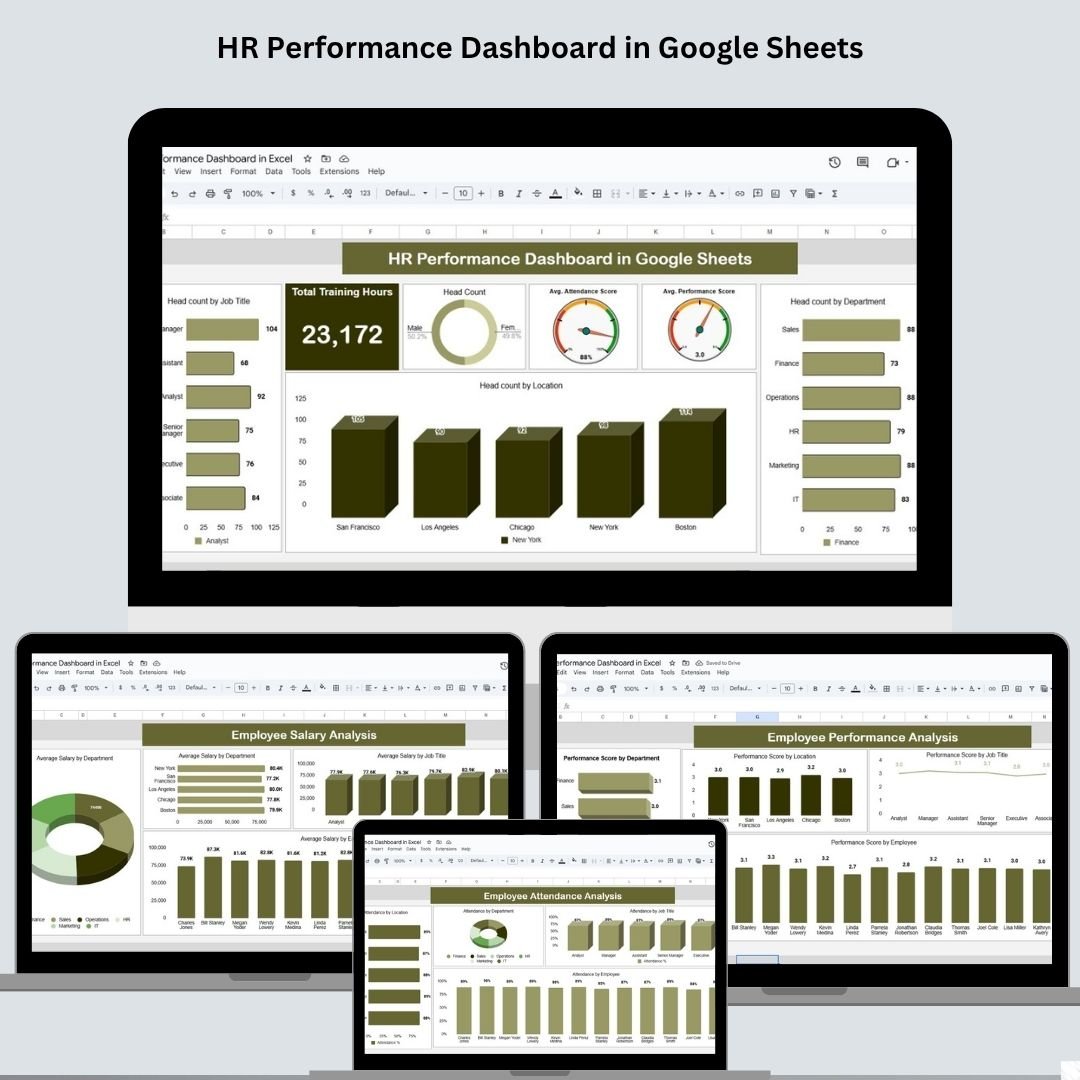
Brings head count, training hours, salary, performance and attendance analysis into one multi-page dashboard for leadership reviews. Read the HR Performance Dashboard guide.
8. HR Efficiency Monitor Dashboard in Google Sheets
Monitors Total Training Hours and Total Recruitment Cost, with gauges for Attendance%, Performance Score (%) and Employee Satisfaction Score, plus charts by department, job role and employment type.

9. Employee Timesheet for Billable Hours in Google Sheets
Records each entry’s date, employee, project, task, start time, end time and break duration, then totals billable hours with charts by project, employee, task and date. A separate Employee Timesheet view shows one person’s hours for a chosen date range, which suits agencies and consultants preparing invoices.

10. Employee Onboarding Tracker in Google Sheets
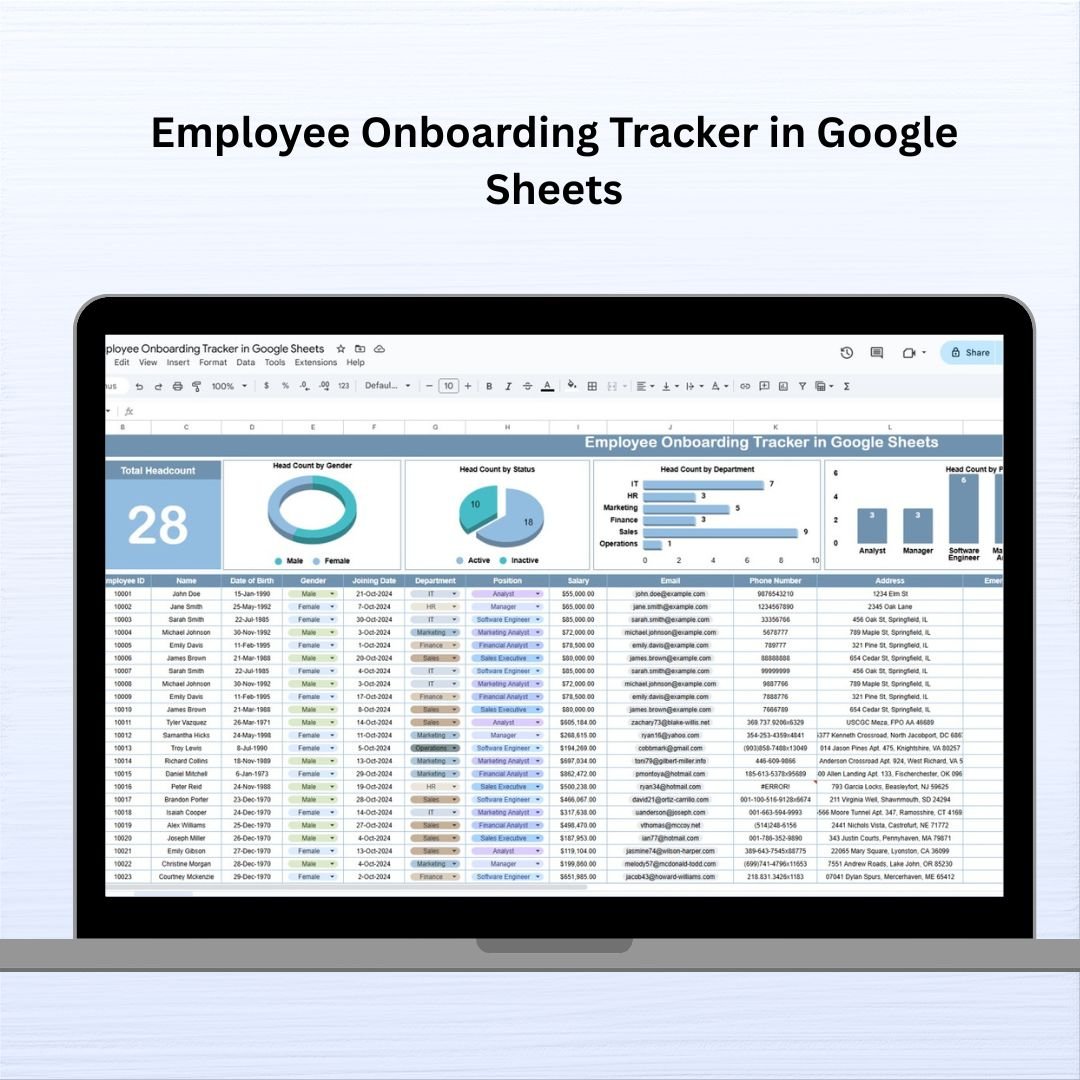
A register of new hires with joining date, department, position, salary and contact details, topped by Total Headcount and head-count charts by gender, status, department and position. See the Employee Onboarding Tracker guide.
Price Breakdown: Individual vs Bundle
| # | Template | Platform | Individual price |
|---|---|---|---|
| 1 | Attendance Sheet Template | Google Sheets | $6.99 |
| 2 | Employee Productivity Dashboard | Google Sheets | $9.99 |
| 3 | Employee Attendance Tracker | Google Sheets | $6.99 |
| 4 | Employee Complaint Resolution Tracker | Google Sheets | $6.99 |
| 5 | Recruitment Pipeline Dashboard | Google Sheets | $9.99 |
| 6 | Weekly Attendance Sheet | Google Sheets | $6.99 |
| 7 | HR Performance Dashboard | Google Sheets | $9.99 |
| 8 | HR Efficiency Monitor Dashboard | Google Sheets | $9.99 |
| 9 | Employee Timesheet for Billable Hours | Google Sheets | $6.99 |
| 10 | Employee Onboarding Tracker | Google Sheets | $6.99 |
| Individual total | $81.90 | ||
| HR Google Sheets Pack | $45.99 (save $35.91, 44%) | ||
Prices are shown in US dollars; the store shows prices in your selected currency at checkout.
Advantages of the Bundle vs Buying Individually
Apart from the lower price, the pack gives you a complete set of HR tools in one platform rather than one-off files bought over time. Because all ten run in Google Sheets, your team only needs to know one tool, and sharing works the same way for every file. When a new need comes up, such as logging a complaint, recording a new hire or billing hours, the right sheet is already in your Drive. It is a one-time purchase with no recurring fee.
How to Set Up the HR Google Sheets Pack
- Download and open: each template comes with a PDF containing a “Make a Copy” Google Sheets link.
- Copy to your Drive: click the link to save your own editable copy.
- Enter your data: add employees, dates and details; formulas and charts update.
- Customise: adjust drop-downs, fields and labels to match your HR processes.
- Share: invite your HR team with edit access and managers with view access.
Who Is This Pack For?
- HR teams and HR managers running attendance, performance and recruitment from one toolkit.
- Small business owners who manage staff without dedicated HR software.
- Startups putting basic HR records in place from day one.
- Team leaders tracking productivity, hours and new hires.
- Consultants and agencies logging billable hours.
Not a fit if you need payroll processing, statutory compliance filing or an employee self-service portal; those need a dedicated HRIS or payroll system.
Related HR Guides
For KPI-style reporting, see the HR KPI Dashboard in Google Sheets. You can also browse the HR & Payroll Google Sheets collection and other template bundles on NextGenTemplates.
If you want to build or extend HR dashboards yourself, the Excel Pivot Tables and Dashboards course on NextGenTemplates Academy teaches the reporting skills step by step.
Frequently Asked Questions
What do I receive when I buy the HR Google Sheets Pack?
All 10 templates listed above. Each comes as a PDF with a “Make a Copy” link that creates your own editable Google Sheets version in your Drive.
Do I need Microsoft Excel or other software?
No. The templates run in Google Sheets; you need a Google account and a browser.
Can my whole team use the templates at the same time?
Yes. Google Sheets lets several people view and edit the same file at once.
Is this a subscription?
No. It is a one-time purchase of $45.99 with no monthly or annual fee.
How much do I save compared with buying separately?
The ten templates total $81.90 individually. The pack is $45.99, so you save $35.91, or 44%.
Can I customise the templates?
Yes. Fields, drop-down lists and labels can be edited to match your departments and terminology.
Wrapping Up
The HR Google Sheets Pack gives a small HR team ten practical Google Sheets tools for attendance, productivity, recruitment, performance, complaints, timesheets and new-hire records, for less than the cost of buying them one by one. Start with the attendance and onboarding templates, then add the dashboards as your data grows.
📅 Last updated: October 2026