The Incident Tracker and Report Web App Template is a role-based incident management system for safety, HSE, operations, admin, and compliance teams that need one controlled place for incident intake, assignment, SLA follow-up, reporting, users, dropdown lists, and business settings. It includes 10 main views, 8 KPI cards, 2 dashboard charts, 12 tracker fields, admin/user role separation, and reporting by period, severity, status, and assignee.
Many teams start incident tracking in email threads or spreadsheets. That usually works for a few records, then breaks when ownership, due dates, updates, severity, SLA health, and user access all need to be managed together. This web app template gives teams a structured starting point without committing to a monthly incident management SaaS subscription.
For teams deploying or customizing a Google Apps Script style web app, the official Google Apps Script web app guide is a useful reference for understanding deployment concepts.
Get the Incident Tracker and Report Web App
Key Features of Incident Tracker and Report Web App Template
- Secure sign in page – users enter a username and password before opening the incident workspace.
- Role-based dashboard access – admin users get the full workspace, while non-admin users see a focused dashboard for assigned incidents.
- 8 high-level KPI cards – Total Incidents, Open, Resolved, Overdue, High Severity, Unassigned, Avg Closure, and SLA Health.
- Incident dashboard charts – Incident Count by Status and Incident Count by Severity show current workload and risk profile.
- Trends and activity view – includes 30-Day Incident Volume by Date, Department count, Recently Updated incidents, and Action Required incidents.
- Operational incident tracker – admins can create incidents, users can update assigned incidents, and the table supports filtering, search, export, and actions.
- Reports page – period, status, severity, assignee, average closure, overdue, and incident-level detail views.
- User and list management – admins manage users, roles, departments, locations, category, severity, status, and injury type dropdowns.
- Settings page – users change passwords, while admins update business name, default SLA hours, tagline, logo, email, phone, and address.
Dashboard Pages Explanation
1. Login Page
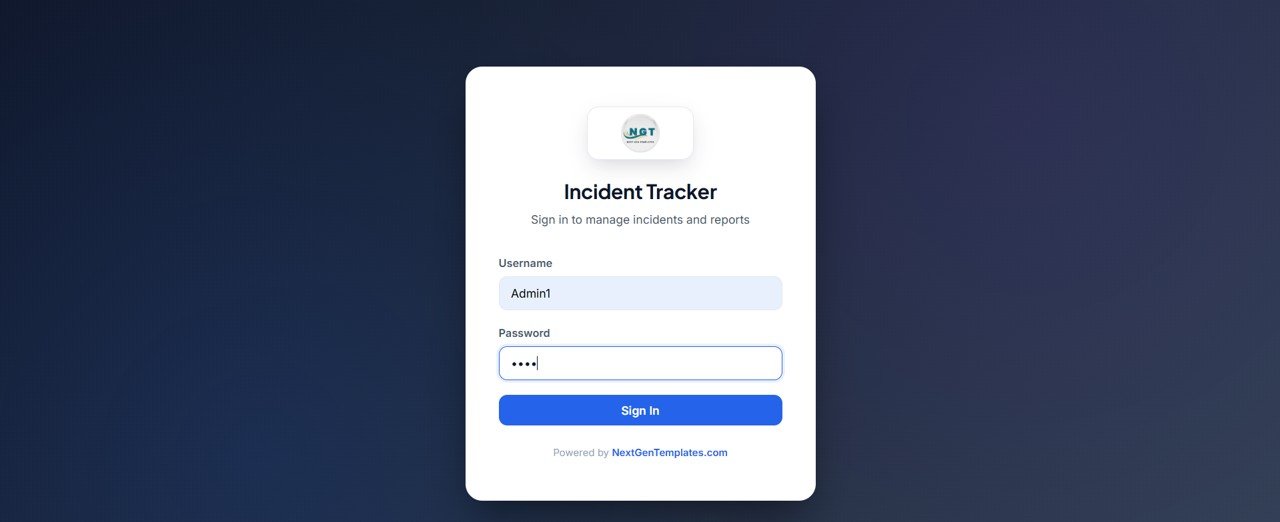
This is the secure sign in page of the Advanced Incident Tracker and Report. Each user enters their username and password, and the system loads either the admin or the user workspace based on the role.
🚀 Try the Live Demo Before You Buy
We have deployed this web app in our own Google account so you can test every page, every role — with real sample data — before purchasing. No signup, no email required.
🔑 Test Login Credentials
Sign in as Admin1 for full access, including the Administration pages, or as User1 for the main app — incidents, dashboard, calendar, reports, and profile.
💡 What you get after purchase: The full source code (Code.gs + Index.html) plus a step-by-step deployment guide so you can deploy your own private instance in your own Google account in minutes.
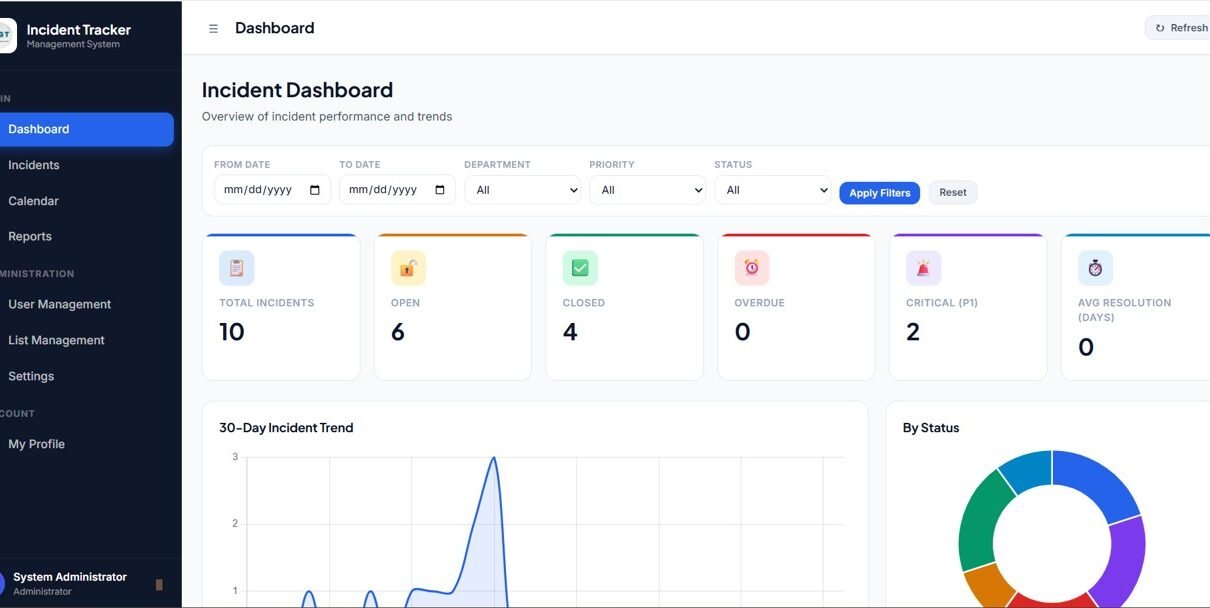
2. Admin Dashboard Overview
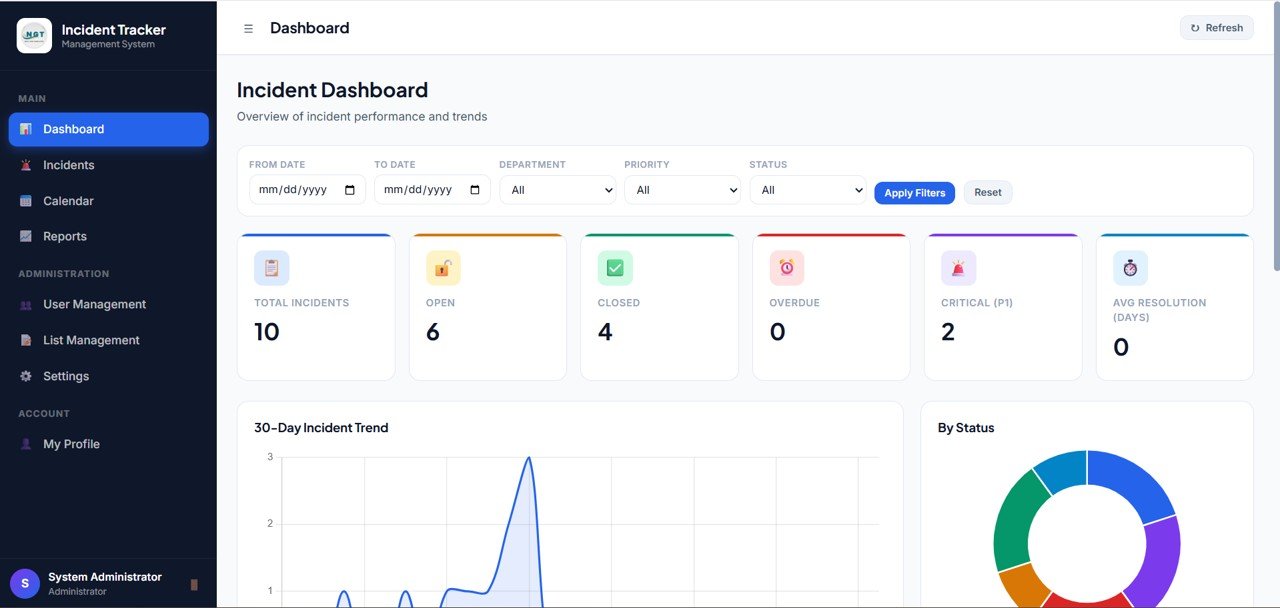
The Admin Dashboard Overview gives leaders a fast view of incident health. The top cards show Total Incidents, Open, Resolved, Overdue, High Severity, Unassigned, Avg Closure, and SLA Health.
Incident Count by Status: This chart shows how many incidents are open, resolved, overdue, or sitting in another workflow status. It helps admins see whether incidents are moving through the process or getting stuck.
Incident Count by Severity: This chart groups incidents by severity level. It helps safety and operations leaders prioritize high-risk incidents before lower-priority records.
3. Trends and Activity
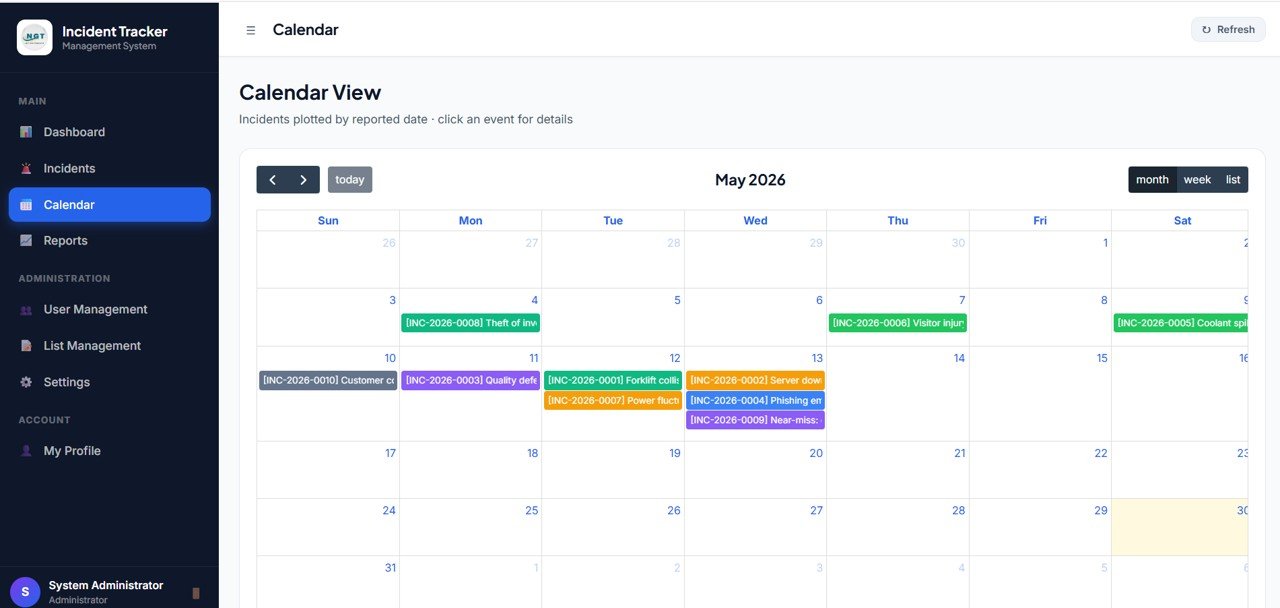
The Trends and Activity page focuses on incident movement over time. It includes 30-Day Incident Volume by Date, Incident Count by Department, Recently Updated Incidents by Incident No, and Action Required Incidents by Incident No.
This page is especially useful for weekly review meetings. Managers can see whether incidents are increasing, which departments are creating the most follow-up work, and which incident numbers need action soon.
4. Incident Tracker
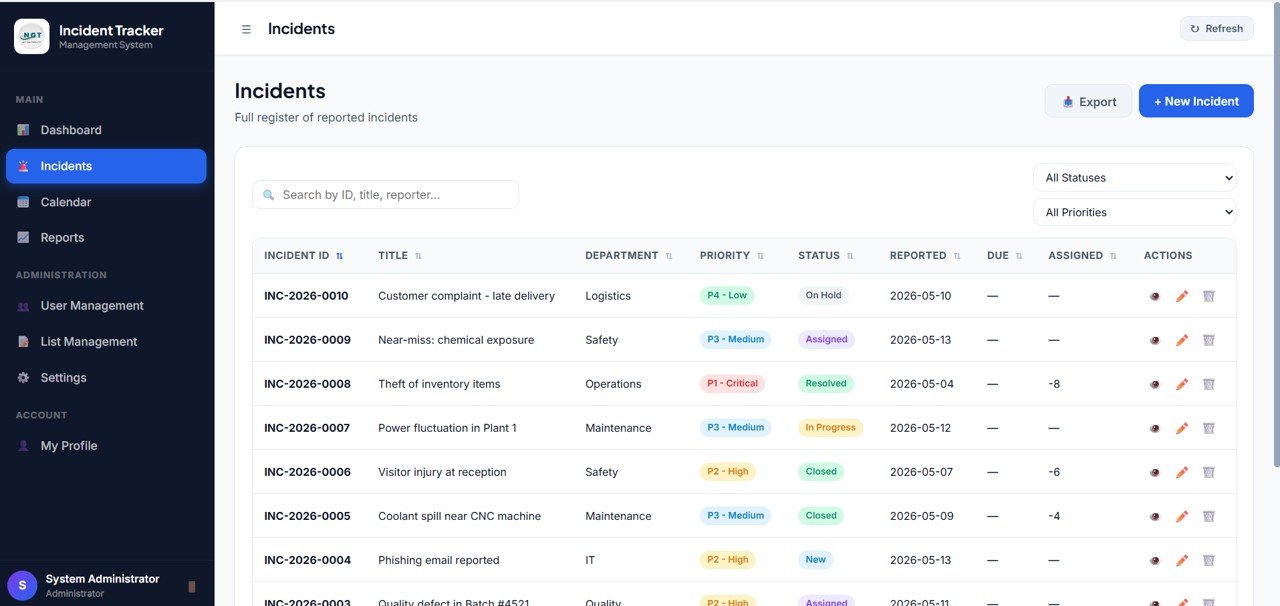
The Incident Tracker is the daily working table. Admins can create new incidents, users can update only their assigned incidents, and the table can be filtered, searched, and exported. Each row shows Incident No, Date, Reported By, Title, Severity, Status, Assigned To, Due Date, SLA, Updated By, Updated At, and Actions.
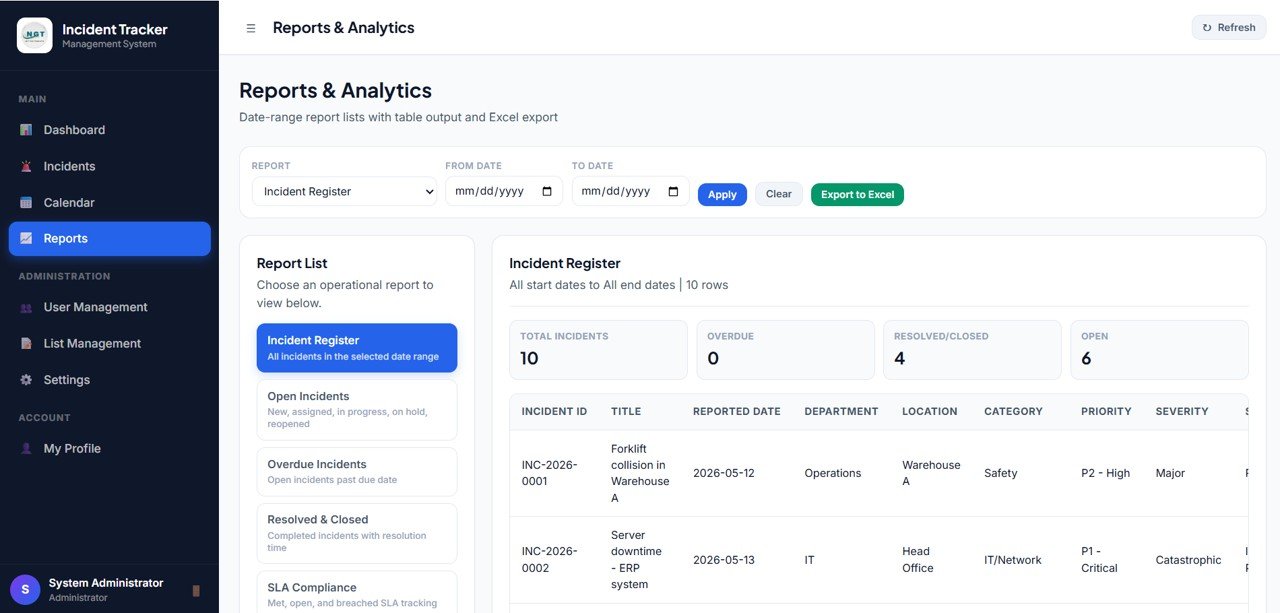
5. Reports
The Reports page summarizes incident performance from several angles: Total Incidents by Period, Open Incidents by Period, Resolved Incidents by Period, Overdue Incidents by Period, Incident Count by Status, Incident Count by Severity, Open and Overdue and Avg Closure by Assignee, and Incident Detail by Incident No.
6. Get More Templates
The Get More Templates page showcases related NextGenTemplates products for HSE, safety, operations, and reporting leaders, so users can discover other dashboards and trackers in one click.
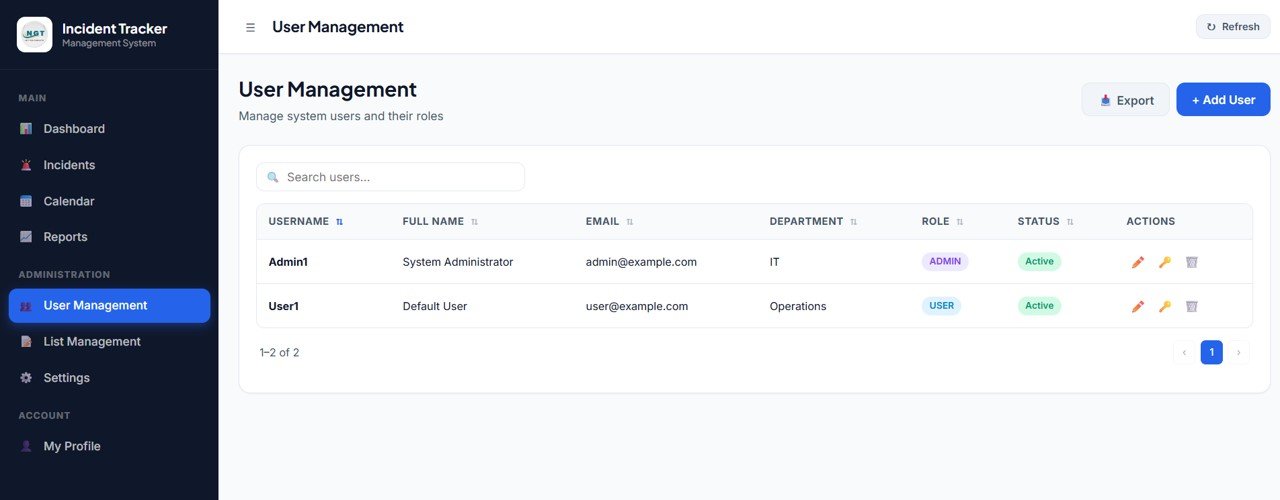
7. User Management
User Management is where admins create admin and user accounts, assign departments, and control access. Each row shows Username, Full Name, Role, Active, Department, Location, Email, Updated By, Updated At, and Actions.
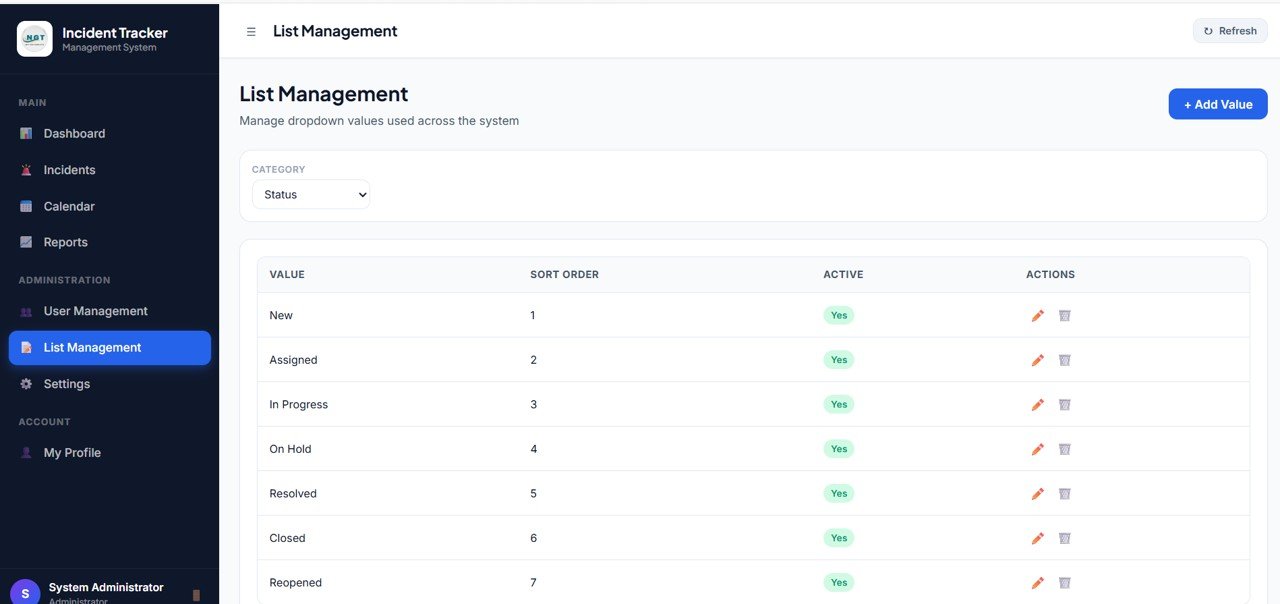
8. List Management
List Management controls the dropdown values used across incident entry, assignment, and reporting. Admins can maintain Department, Category, Severity, Status, and Injury Type values. Each row shows List Type, Value, Active, Sort, Updated By, Updated At, and Actions.
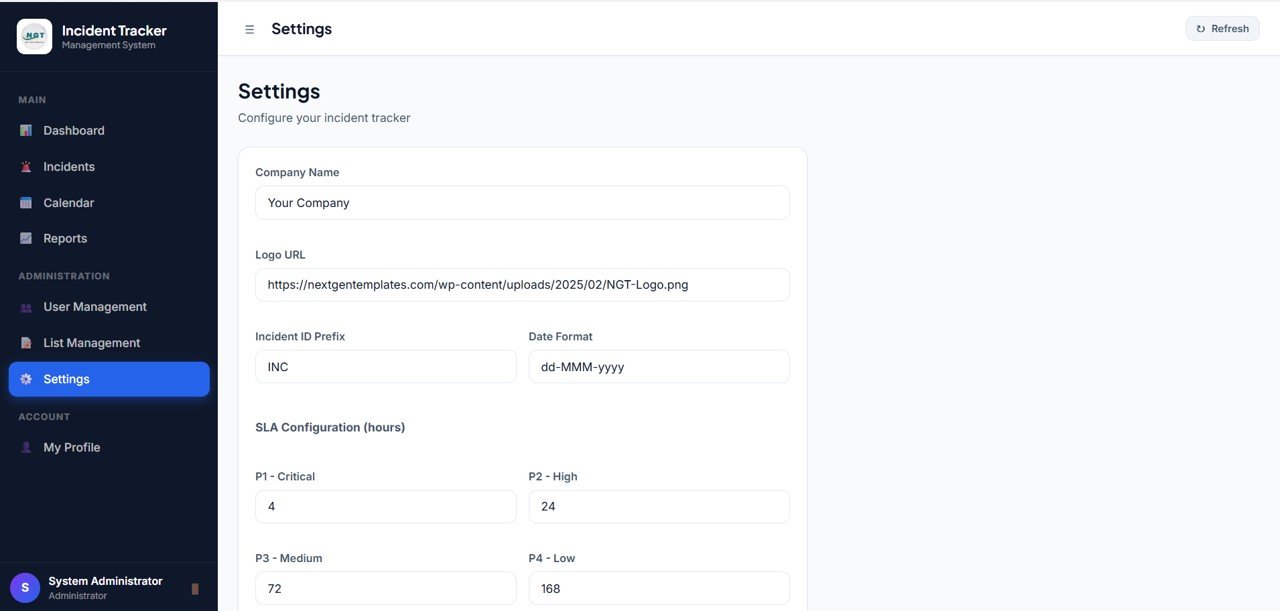
9. Settings
The Settings page supports both user account changes and system-level configuration. Each user can change their password under My Account, and the admin can update Business Name, Default SLA Hours, Business Tagline, Logo URL, Company Email, Company Phone, and Company Address.
10. User Role Dashboard View
The User Role Dashboard View shows the limited dashboard that a non-admin user sees after sign in. The administration menu is hidden, but the user still gets the same KPI cards and charts for incidents assigned to them.
Incident Tracker and Report Web App Template vs. Spreadsheet Tracker vs. Paid Incident Management SaaS – Feature Comparison
| Feature | Incident Tracker and Report Web App Template | Spreadsheet Tracker | Paid Incident Management SaaS |
|---|---|---|---|
| Cost | $24.99 one-time sale price | Low cost, but higher manual effort | Monthly or annual subscription |
| Platform | Deployable web app template | Excel or Google Sheets file | Vendor-hosted cloud platform |
| Setup time | Deploy, configure users/lists, and start tracking | Quick start, weak governance | Vendor setup and team onboarding |
| Real-time team collaboration | Available after deployment | Only if cloud-shared carefully | Usually included |
| Mobile access | Browser-based after deployment | Limited spreadsheet experience | Usually included |
| Customizable fields | Editable source and dropdown values | Editable but fragile | Depends on plan and permissions |
| Share with link | Depends on deployment settings | Possible in cloud sheets | Usually account-based |
| SLA tracking | Due Date, SLA, Overdue, and SLA Health views | Manual formulas needed | Included in many paid tools |
| Year-1 cost at 5 users | $24.99 template cost | Template cost plus setup time | Often hundreds or thousands per year |
Who Should Use This Template
This template is useful for safety coordinators, HSE managers, operations heads, facility supervisors, admin teams, compliance teams, quality teams, security teams, and small businesses that need a structured incident workflow without starting from a blank app.
It is also helpful for teams that need clear user separation. Admins can maintain users, lists, settings, reports, and dashboards, while non-admin users can work inside a limited incident view focused on assigned records.
This is not the best fit if you need a fully hosted enterprise EHS platform with mobile field inspections, hardware integrations, legal case management, certified compliance filing, or deep automated workflows from day one.
Real-World Use Cases
Safety Manager Daily Review
Priya manages safety follow-ups across three facilities. She opens the admin dashboard every morning, checks Open, Overdue, High Severity, and Unassigned incidents, then follows up with the assigned owners before incidents breach SLA.
Operations Weekly Meeting
Daniel leads operations for a service business. He uses the Reports page during weekly reviews to compare incidents by period, severity, status, and assignee. This helps him see whether a department needs training, staffing support, or process cleanup.
Supervisor Assigned Work View
Maria supervises a facilities team. She signs in as a non-admin user and sees only the dashboard and records relevant to her assigned incidents. The admin menus stay hidden, which keeps the workflow simpler for her team.
Advantages of Incident Tracker and Report Web App Template
- Lower recurring cost – the template is a one-time purchase instead of a monthly user-based subscription.
- Role-based control – admin and user views reduce unnecessary access to settings and administration pages.
- SLA visibility – overdue, due date, SLA health, and action-required views help managers focus on time-sensitive incidents.
- Cleaner dropdown governance – departments, categories, severity, status, and injury type values can be maintained from List Management.
- Useful reporting layer – period, status, severity, assignee, and incident-level detail views support weekly and monthly reviews.
Opportunities for Improvement
The template is a strong starting point, but each organization may want to extend it. Common improvements include email alerts, attachment uploads, PDF incident reports, mobile field forms, automated escalation rules, supervisor approval workflows, audit-log exports, and integrations with Google Drive, Gmail, Microsoft Teams, Slack, or a ticketing system.
Teams with strict compliance requirements should also review data retention, user permissions, access logs, backup process, and incident classification rules before going live.
Best Practices
- Define severity, status, department, category, and injury type values before the first rollout.
- Create admin and user accounts separately, and keep admin access limited.
- Review overdue, high severity, and unassigned incidents daily.
- Use the Reports page for weekly leadership review instead of relying only on the tracker table.
- Keep the Settings page current with SLA hours, business details, logo URL, and contact details.
- Use consistent incident titles so search and export remain useful over time.
Explore Relevant Templates
- Complaint Management System: Web App Version
- Visitor Entry Management System Web App Template
- Web-based Advanced Inventory Management System
- Advanced Task Management System Web App Template
- Browse Mini Web Apps on NextGenTemplates
Get the Incident Tracker and Report Web App
Thinking of building a tracker or management system yourself? The NextGenTemplates Academy learning paths cover the spreadsheet skills behind systems like this, with practice files to work through.
Frequently Asked Questions
What is the Incident Tracker and Report Web App Template?
It is a downloadable web app template for managing incident intake, assignment, SLA tracking, status updates, severity, reports, users, dropdown lists, and system settings.
Does the template include admin and user roles?
Yes. Admin users can access the full workspace, including user management, list management, reports, and settings. Non-admin users see a limited dashboard focused on assigned incidents.
What KPI cards are included?
The dashboard includes Total Incidents, Open, Resolved, Overdue, High Severity, Unassigned, Avg Closure, and SLA Health.
Can I customize severity, status, category, department, and injury type?
Yes. Those dropdown values can be maintained from the List Management page.
Can users search and export the tracker?
Yes. The Incident Tracker table is designed for filtering, searching, exporting, and record-level actions.
Is this a hosted SaaS product?
No. It is a downloadable web app template that you can customize and deploy. Hosted SaaS may be better if you need vendor-managed hosting, mobile apps, automated integrations, or certified compliance workflows.
About the Author
Built by PK – Microsoft Certified Professional with 15+ years of Excel, Google Sheets, and Power BI experience. Founder of NextGenTemplates, reaching 300K+ subscribers across YouTube channels. Every template is hand-built and tested before release.
Conclusion
The Incident Tracker and Report Web App Template gives teams a structured way to manage incident records, assignments, severity, SLA health, reports, users, list values, and settings from one role-based workspace. It is a practical fit for safety, HSE, operations, facilities, admin, and compliance teams that want more control than a spreadsheet but do not want to start with an expensive SaaS subscription.
Instant digital template. One-time payment. No monthly template subscription.
Last updated: May 30, 2026