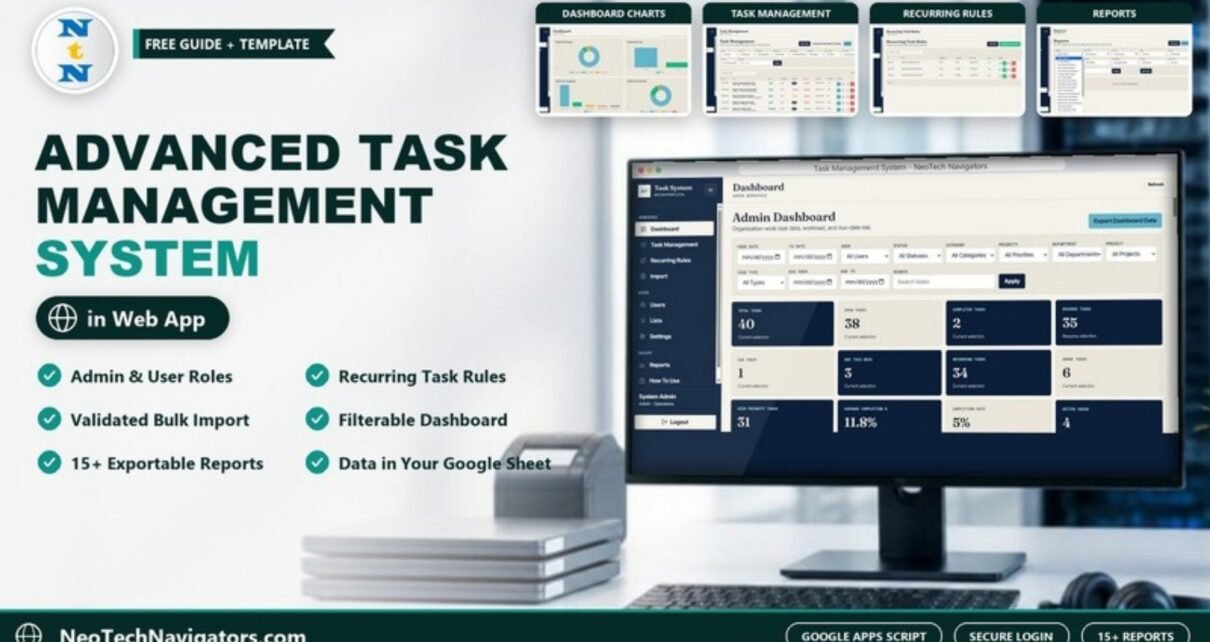
The Advanced Task Management System Web App Template is a Google Apps Script web app that uses a Google Sheets database to assign work, generate recurring tasks, track progress, monitor workload and export reports. Users sign in with their own username and password, and what they can do depends on whether they are an Admin or a User.
It suits small teams, operations and admin departments, agencies and service businesses that have outgrown a shared to-do sheet but do not want a monthly per-user subscription. You get the full source code (Code.gs and Index.html) and a deployment guide, so the app runs in your own Google account and your data stays in your own Google Sheet.
This guide walks through every screen using the template’s sample data: the dashboard cards and charts, task management, recurring rules, bulk import, users, lists, settings, reports and the built-in how-to page.
🎥 Watch the Video Tutorial
Get the Task Management System Web App
Try the Live Demo First
A demo copy is deployed so you can click through every page before buying. Open the Advanced Task Management System live demo and sign in with one of these sample accounts:
| Role | Username | Password | What you can see |
|---|---|---|---|
| Admin | Admin1 | abcd | All tasks, users, lists, settings, recurring rules, imports and reports |
| User | User1 | abcd | Assigned tasks, due dates, priorities and status updates |
These are shared demo accounts with sample data only. In your own copy you create your own users and passwords.
What Problem the Task Management Web App Solves
Teams that run on chat messages and a shared spreadsheet tend to hit the same issues: nobody is sure who owns a task, overdue work is noticed late, repeating jobs are forgotten, anyone can edit anything, and importing a batch of tasks means copy-paste errors. This app addresses each of those with a specific feature: assignment and status per task, overdue and due-today views, recurring rules that generate tasks, role-based sign in, and an import that validates rows before saving them.
Screens Inside the App
1. Sign In
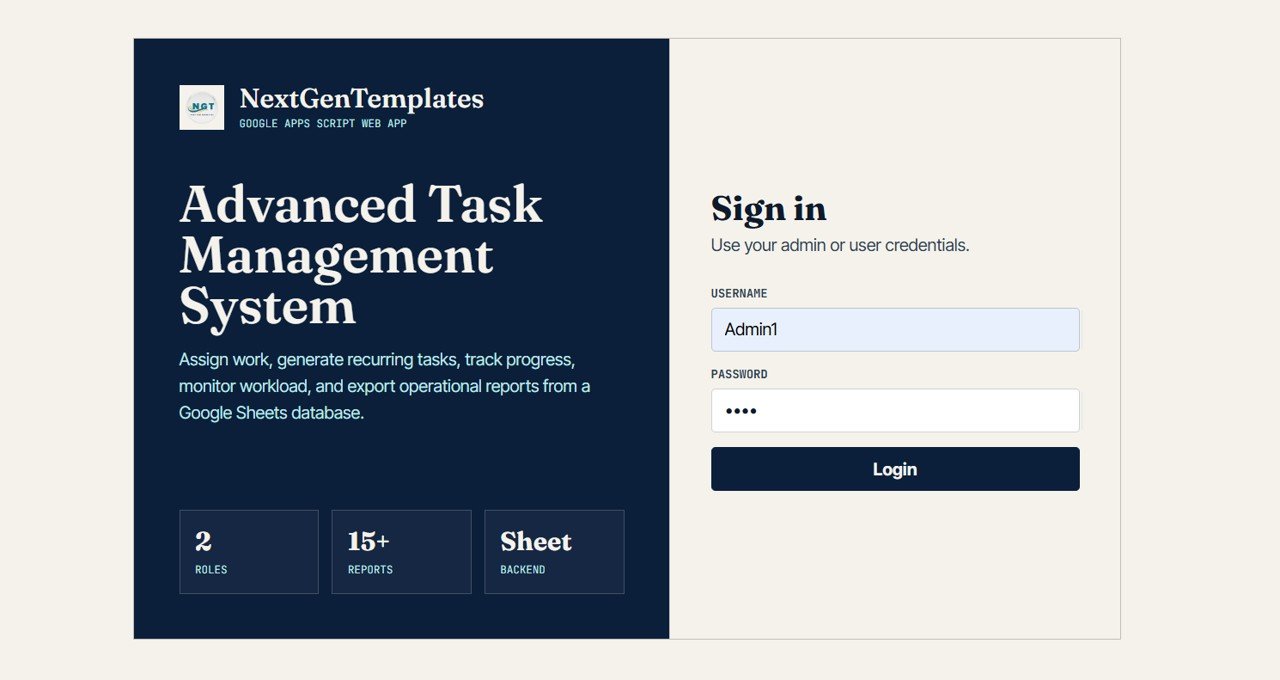
The sign-in page asks for a Username and Password (“Use your admin or user credentials”). The left panel summarises the app: 2 Roles, 15+ Reports and a Sheet Backend.
2. Admin Dashboard: Filters and Cards
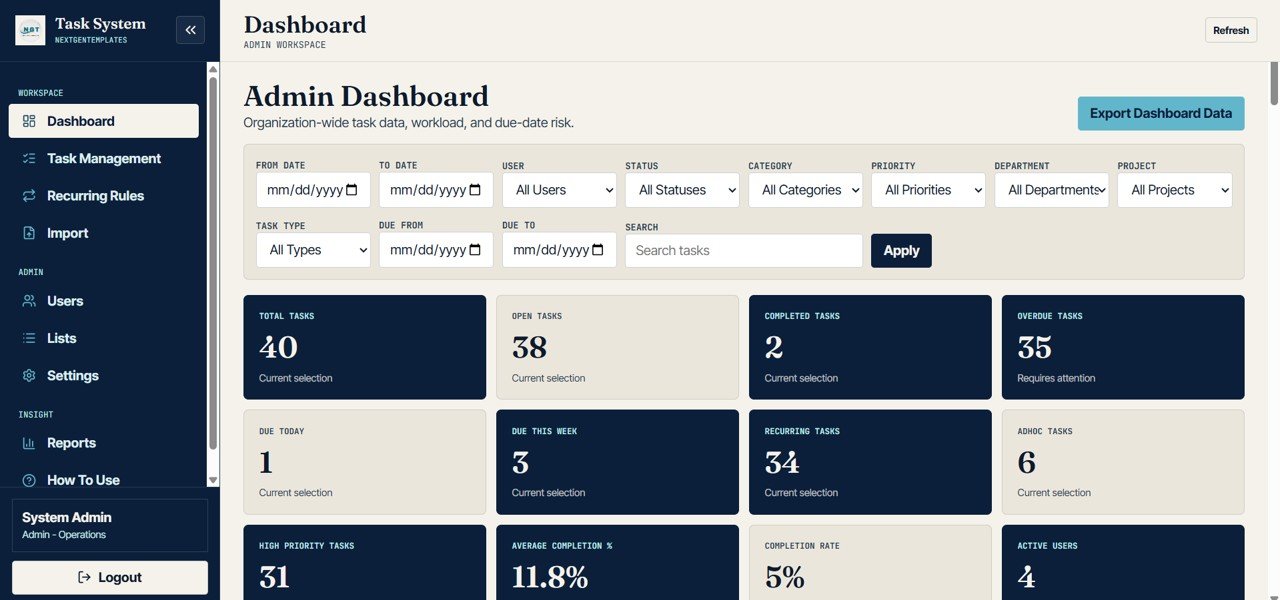
The dashboard opens with a filter bar: From Date, To Date, User, Status, Category, Priority, Department, Project, Task Type, Due From, Due To and a Search box, plus an Export Dashboard Data button. Below it are twelve summary cards.
| Card | What it shows | Sample value |
|---|---|---|
| Total Tasks | All tasks in the current selection | 40 |
| Open Tasks | Tasks not yet completed | 38 |
| Completed Tasks | Tasks marked completed | 2 |
| Overdue Tasks | Open tasks past their due date | 35 |
| Due Today | Tasks due on the current date | 1 |
| Due This Week | Tasks due in the current week | 3 |
| Recurring Tasks | Tasks generated from recurring rules | 34 |
| Adhoc Tasks | One-off tasks created manually | 6 |
| High Priority Tasks | Tasks with High priority | 31 |
| Average Completion % | Average progress across tasks | 11.8% |
| Completion Rate | Completed tasks ÷ total tasks | 2 ÷ 40 = 5% |
| Active Users | Users with an active account | 4 |
3. Dashboard Charts
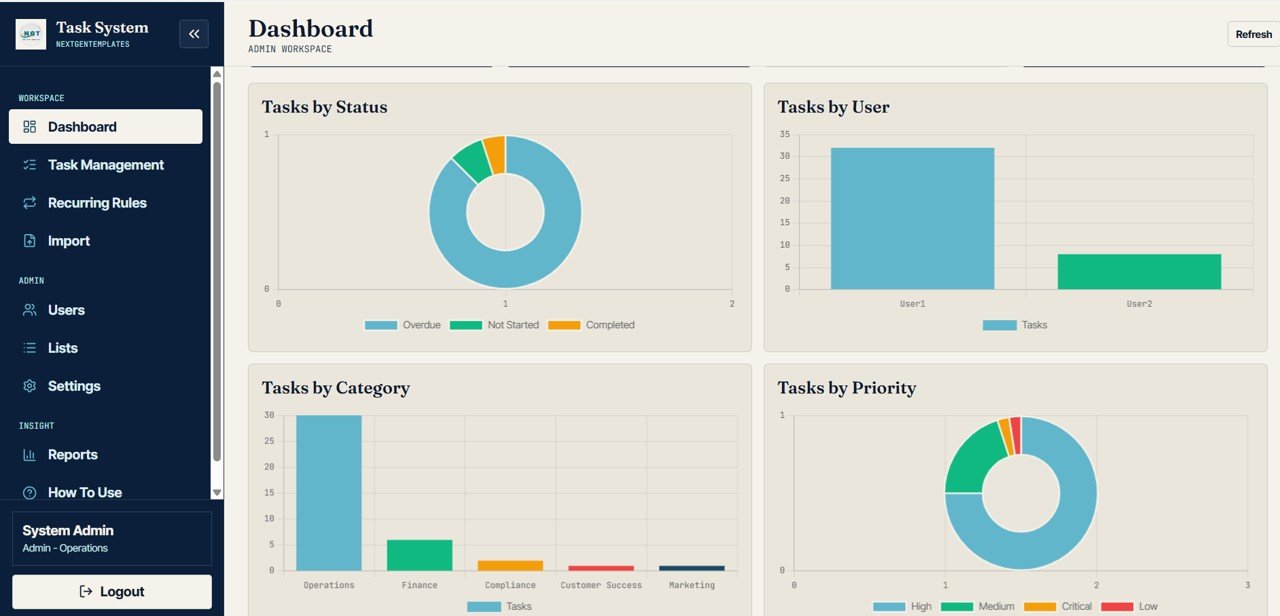
Scrolling down shows four charts: Tasks by Status (Overdue, Not Started, Completed), Tasks by User, Tasks by Category (Operations, Finance, Compliance, Customer Success, Marketing in the sample) and Tasks by Priority (High, Medium, Critical, Low). They respond to the same filters as the cards.
4. Overdue and Due Today Tables
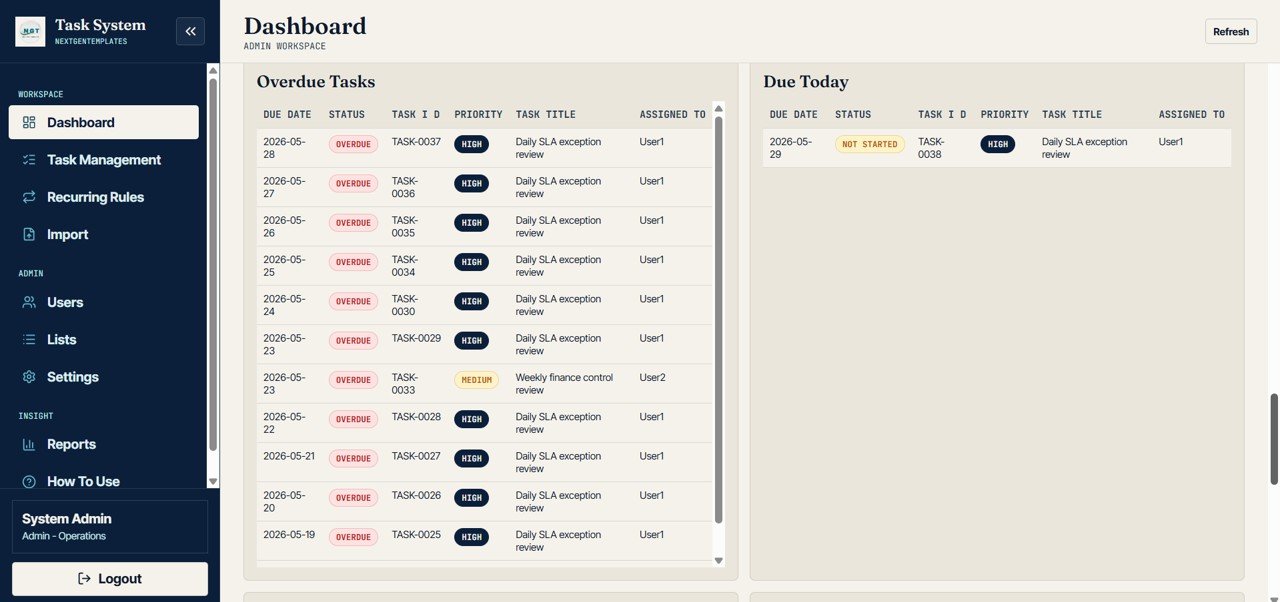
Further down, the Overdue Tasks and Due Today tables list each task’s Due Date, Status, Task ID, Priority, Task Title and Assigned To. In the sample, TASK-0038 “Daily SLA exception review” is due today for User1 with High priority. The dashboard also includes upcoming, completed, workload and high-priority tables, as described on the How To Use page.
5. Task Management
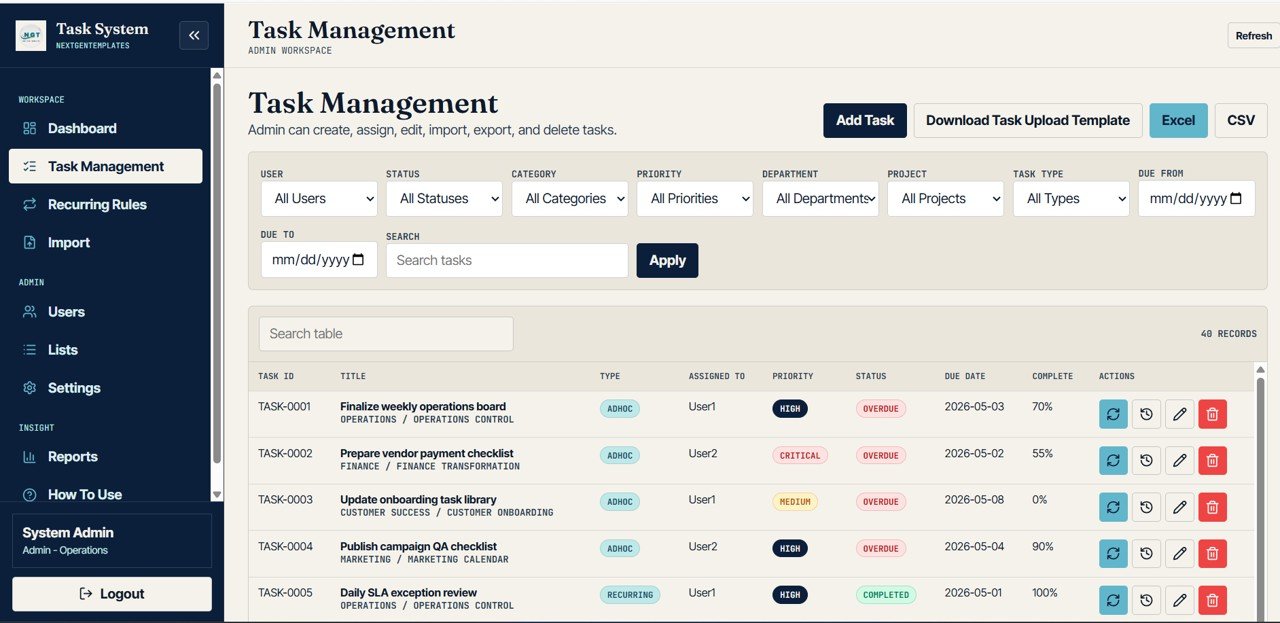
This is the main working screen: “Admin can create, assign, edit, import, export, and delete tasks.” Buttons at the top are Add Task, Download Task Upload Template, Excel and CSV. The task table shows Task ID, Title (with two labels underneath, such as Operations / Operations Control), Type (Adhoc or Recurring), Assigned To, Priority, Status, Due Date, Complete % and action buttons for each row, including edit and delete. The sample holds 40 records.
6. Recurring Task Rules
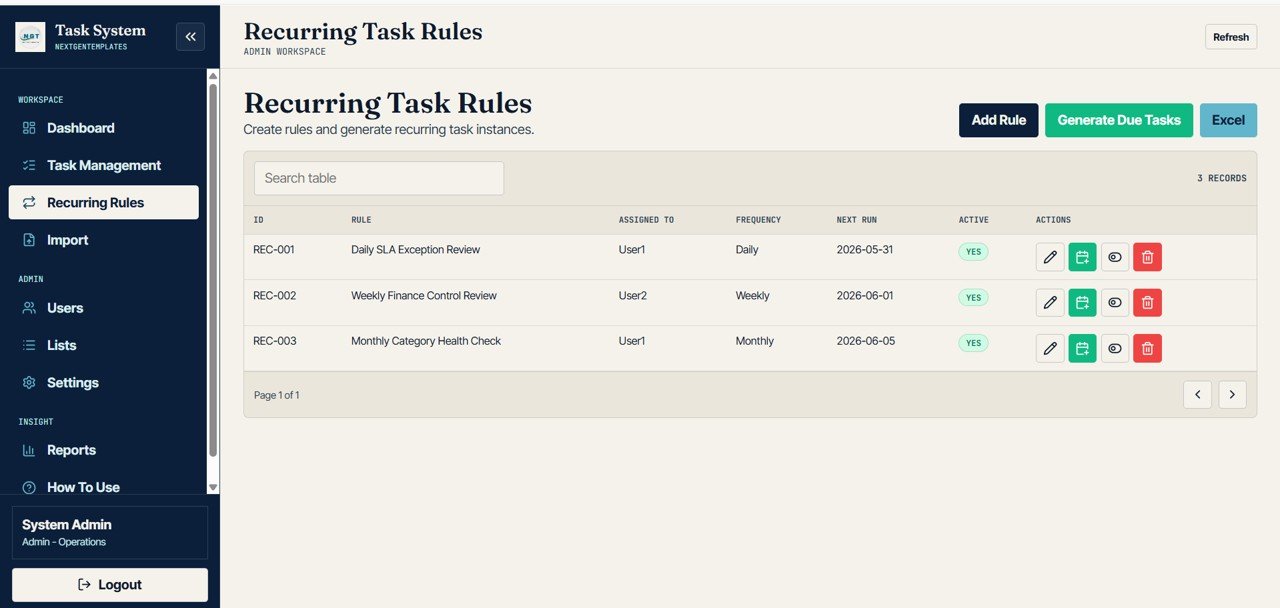
Here you “create rules and generate recurring task instances”. Each rule has an ID, Rule name, Assigned To, Frequency, Next Run date and Active flag. The sample has three rules: REC-001 Daily SLA Exception Review (User1, Daily), REC-002 Weekly Finance Control Review (User2, Weekly) and REC-003 Monthly Category Health Check (User1, Monthly). The Generate Due Tasks button creates normal task records from the active rules.
7. Bulk Task Import
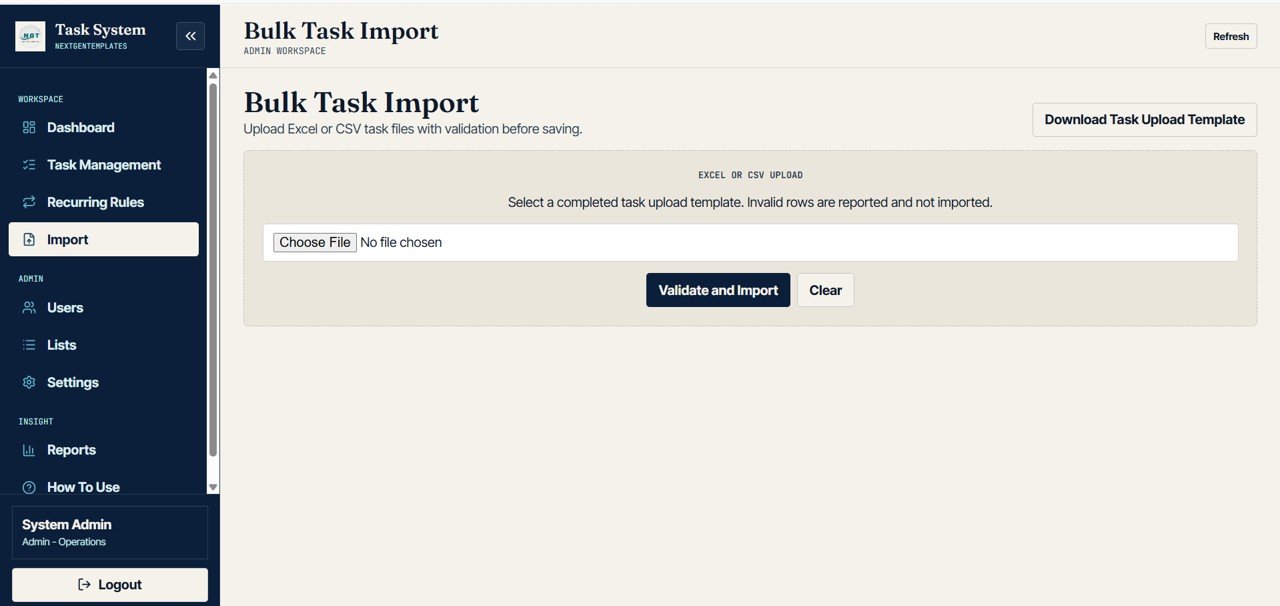
Upload an Excel or CSV file built from the task upload template. Click Validate and Import; invalid rows are reported and not imported, so only clean rows are saved. The How To Use page then tells admins to review total, created, skipped and error rows, fix the validation errors and re-upload only valid rows.
8. User Management
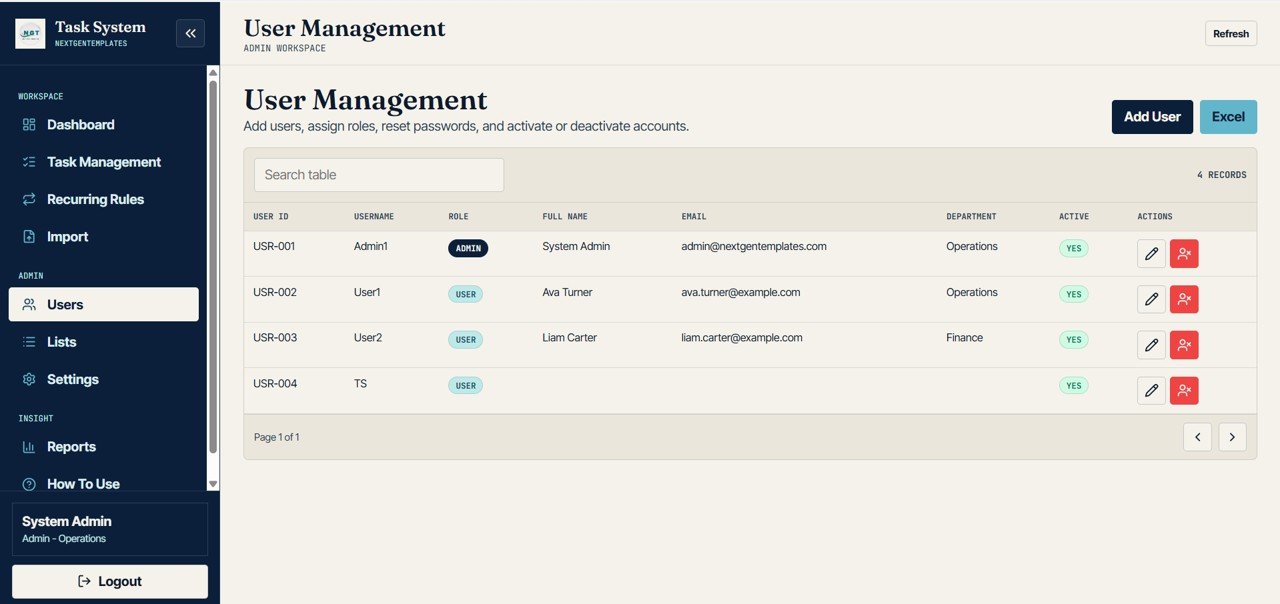
Admins “add users, assign roles, reset passwords, and activate or deactivate accounts”. The table lists User ID, Username, Role (Admin or User), Full Name, Email, Department and Active status.
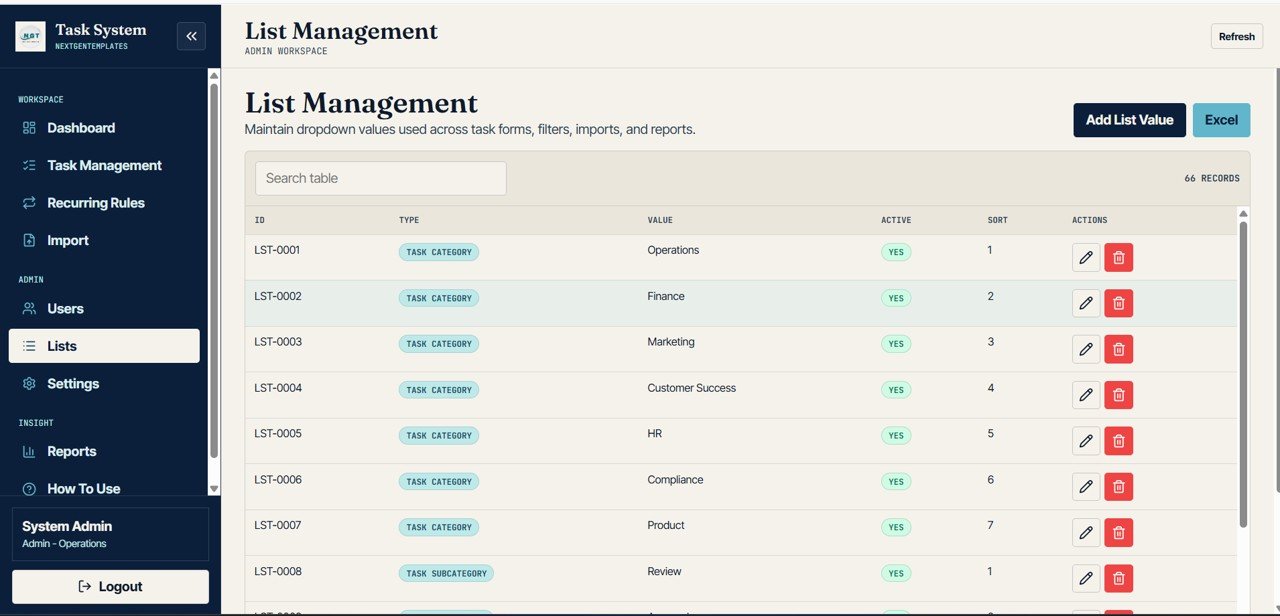
9. List Management
All dropdown values used in task forms, filters, imports and reports are kept here, each with an ID, Type, Value, Active flag and Sort order. The sample has 66 list values, starting with task categories such as Operations, Finance, Marketing, Customer Success, HR, Compliance and Product, followed by subcategories. The How To Use page lists the other list types: projects, departments, priorities, statuses, clients, tags and reasons.
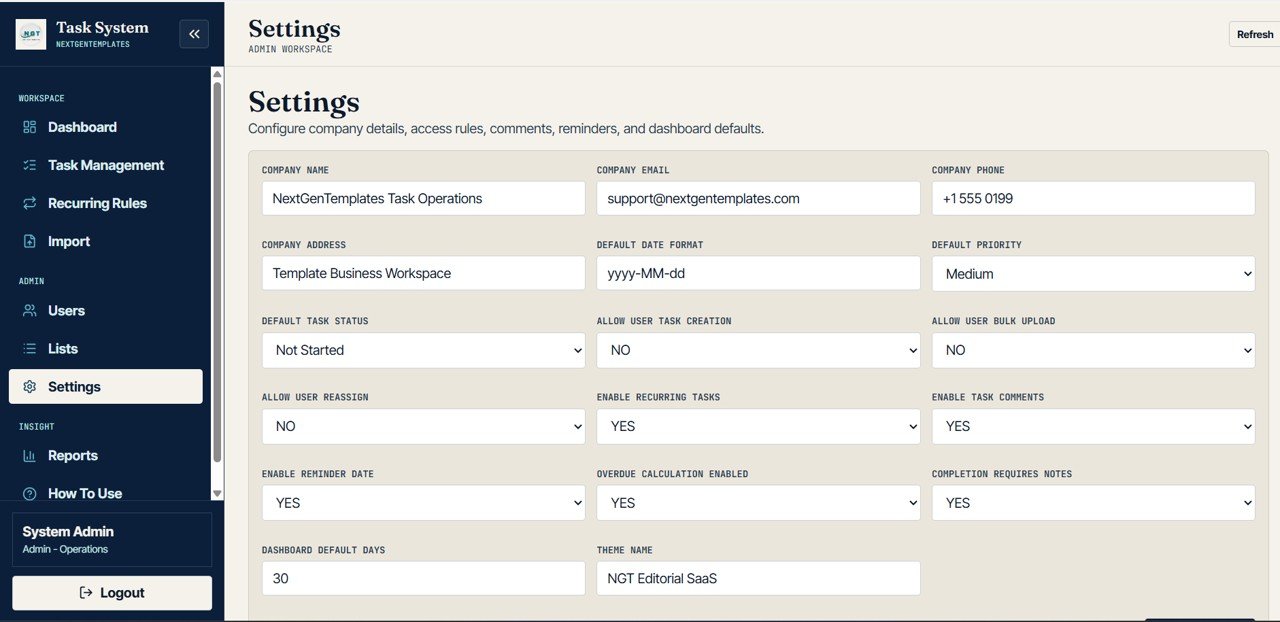
10. Settings
Settings hold company details (name, email, phone, address) and the rules that shape how the app behaves: Default Date Format, Default Priority, Default Task Status, Allow User Task Creation, Allow User Bulk Upload, Allow User Reassign, Enable Recurring Tasks, Enable Task Comments, Enable Reminder Date, Overdue Calculation Enabled, Completion Requires Notes, Dashboard Default Days and Theme Name.
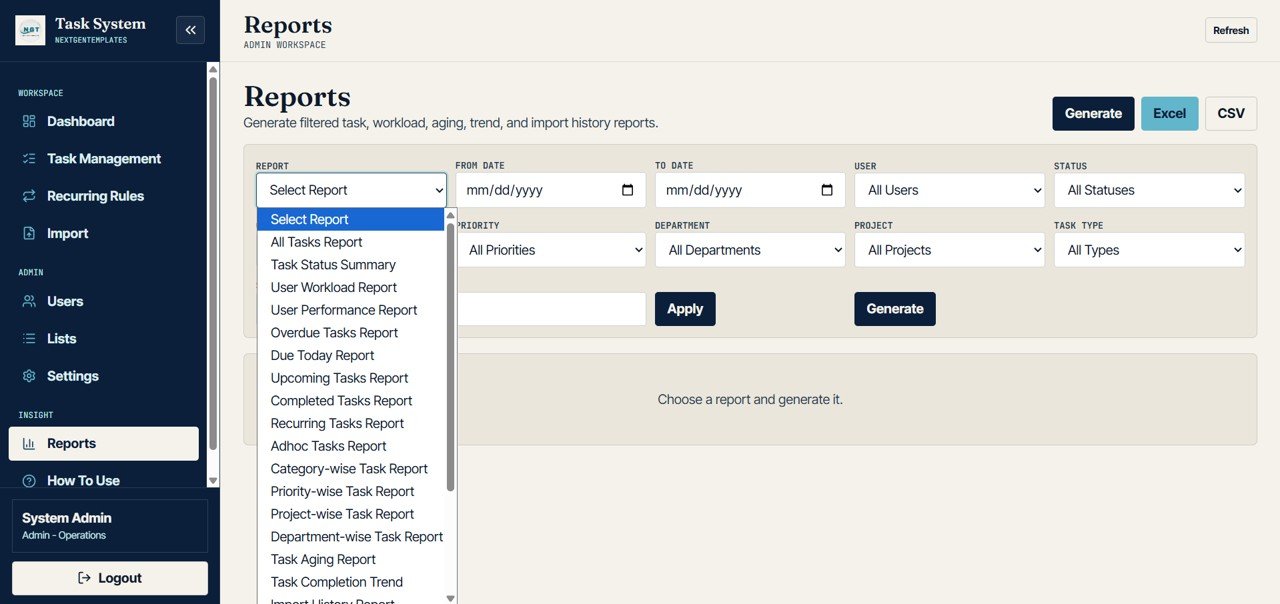
11. Reports
Choose a report, set the filters (date range, user, status, priority, department, project, task type) and click Generate, then export to Excel or CSV. The report list includes All Tasks Report, Task Status Summary, User Workload Report, User Performance Report, Overdue Tasks Report, Due Today Report, Upcoming Tasks Report, Completed Tasks Report, Recurring Tasks Report, Adhoc Tasks Report, Category-wise, Priority-wise, Project-wise and Department-wise Task Reports, Task Aging Report, Task Completion Trend and Import History Report.
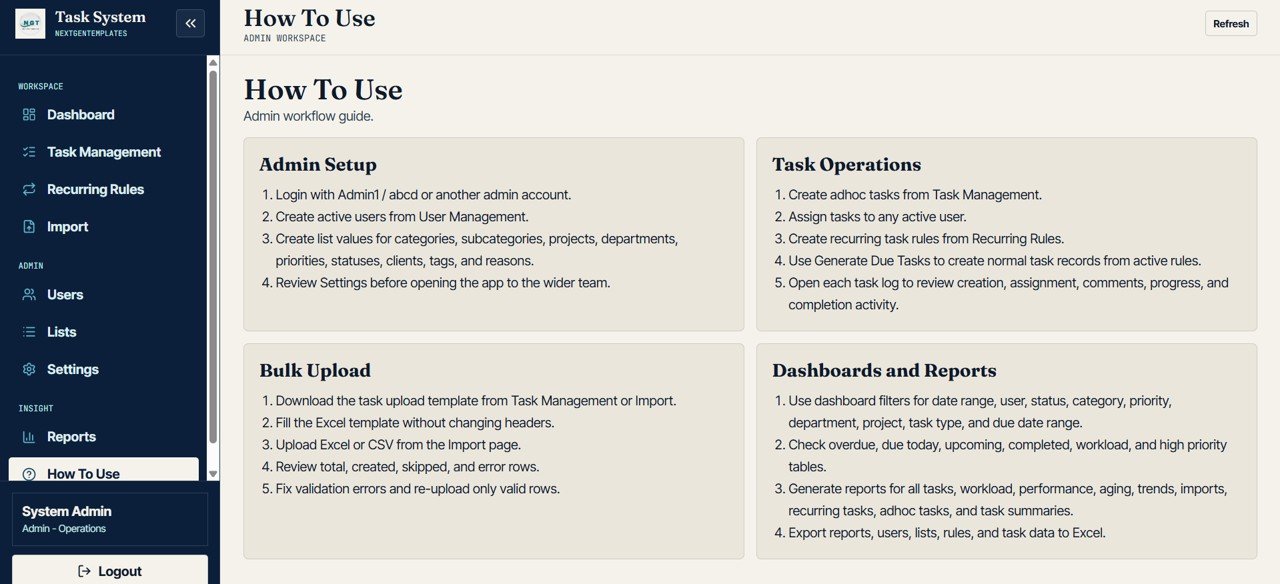
12. How To Use
An in-app admin guide in four blocks: Admin Setup, Task Operations, Bulk Upload and Dashboards and Reports. It is handy when you hand the system to a new admin.
How to Set It Up for Your Team
- Deploy the app in your own Google account using Code.gs, Index.html and the step-by-step deployment guide.
- Sign in as the admin and review Settings: default priority and status, whether users may create tasks, bulk upload or reassign, and whether completion requires notes.
- In Lists, replace the sample categories, projects, departments and priorities with your own.
- In Users, add each team member with the correct role and department.
- Create one-off tasks in Task Management, or download the upload template and import a batch through Import.
- Set up repeating work in Recurring Rules and use Generate Due Tasks to create the next instances.
- Review the Dashboard daily and run reports weekly from Reports.
Real-World Use Cases
- Operations control: an operations lead sets up daily and weekly recurring checks (like the sample “Daily SLA Exception Review”) and uses the Overdue Tasks table in the morning stand-up.
- Finance close checklist: a finance team imports its month-end task list from Excel, assigns owners by department and tracks Complete % until every item is done.
- Agency or service team: a manager filters the dashboard by project and user to balance workload, then exports the User Workload Report for the weekly review.
Task Management System Web App Template vs Spreadsheet Tracker vs SaaS
| Point | This web app template | Shared spreadsheet tracker | Task management SaaS |
|---|---|---|---|
| Sign in and roles | Username and password, Admin and User roles | Google sharing permissions only | Accounts and roles per plan |
| Recurring tasks | Rules with Generate Due Tasks | Manual or formula workarounds | Usually included |
| Bulk import | Excel or CSV with row validation | Copy and paste | Varies by product |
| Where data lives | Your own Google Sheet | Your own Google Sheet | The vendor’s servers |
| Integrations, mobile apps | Not included; browser only | Sheets app | Usually included |
| Cost model | One-time purchase | Free or low cost | Monthly per-user subscription |
Best Practices
- Set up Lists before adding tasks so categories, projects and departments stay consistent.
- Give the Admin role to one or two people who own the setup; give everyone else the User role.
- Test a bulk import with five or ten rows before uploading a full list.
- Use recurring rules only for work that truly repeats on a fixed schedule.
- Review overdue tasks daily and close or reschedule them, so the Overdue card stays meaningful.
- Change the sample passwords and demo users before you share the app with your team.
Limitations: Who Should Not Use It
- It runs on Google Apps Script and Google Sheets, so it is suited to small and mid-sized teams rather than very large task volumes.
- There are two roles (Admin and User); if you need many custom permission levels, you will have to extend the code.
- No native mobile app, time tracking, billing, chat or third-party integrations are included.
- You are responsible for deployment and changes; there is no vendor-hosted service or uptime guarantee.
Related Task and Web App Guides
If a spreadsheet is enough for now, the Task Management Tracker in Google Sheets and the free Google Sheets to-do list template with checkboxes are simpler starting points. For reporting on task data, see the Project Task Management Dashboard in Google Sheets and the Office Task Management Performance Dashboard. Teams handling requests rather than internal tasks may prefer the Helpdesk and Ticketing Management System Web App.
Building a tracker or management system of your own? The NextGenTemplates Academy learning paths take you through the spreadsheet skills behind systems like this, with practice files along the way.
Frequently Asked Questions
What platform does the Advanced Task Management System run on?
It is a Google Apps Script web app with a Google Sheets database. You deploy it in your own Google account using the supplied Code.gs, Index.html and deployment guide.
What roles are included?
Two: Admin and User. Admins manage tasks, users, lists, settings, recurring rules, imports and reports. Users work on their assigned tasks; settings control whether users can create tasks, bulk upload or reassign.
How do recurring tasks work?
You create a rule with a name, assignee and frequency (for example Daily, Weekly or Monthly). The rule shows its next run date, and Generate Due Tasks creates normal task records from active rules.
Can I import tasks from Excel?
Yes. Download the task upload template, fill it without changing the headers, and upload it as Excel or CSV on the Import page. Invalid rows are reported and skipped.
Can I export reports?
Yes. Reports, users, lists, rules and task data can be exported to Excel, and reports and tasks also to CSV.
Can I try it before buying?
Yes. Use the live demo link above with the Admin1 or User1 sample account to explore every page with sample data.
Wrapping Up
The Advanced Task Management System Web App Template gives a small team a proper task system with sign in, roles, recurring rules, validated imports, a filterable dashboard and more than fifteen reports, while keeping the data in a Google Sheet you own. Try the demo as both Admin and User, then deploy your own copy and start by setting up your lists and users.
Get the Task Management System Web App
📅 Last updated: October 2026