Forty weeks is a long time to keep in your head. There is the week number itself, the milestone that goes with it, the scan that is booked for a Tuesday three weeks out, what the scale said on Sunday morning, what the tape measure said, and which of a dozen symptoms was the one that defined the week. Most people end up spreading that across a phone app, a paper folder from the clinic, a photo of a scan and a note in a messaging thread with their partner.
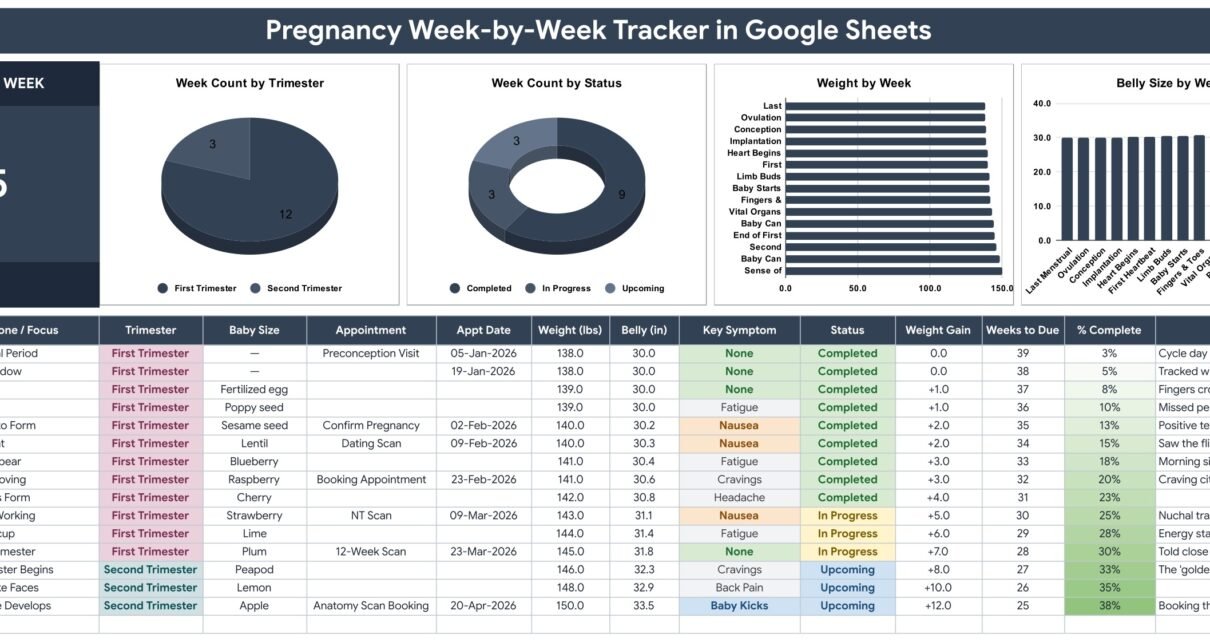
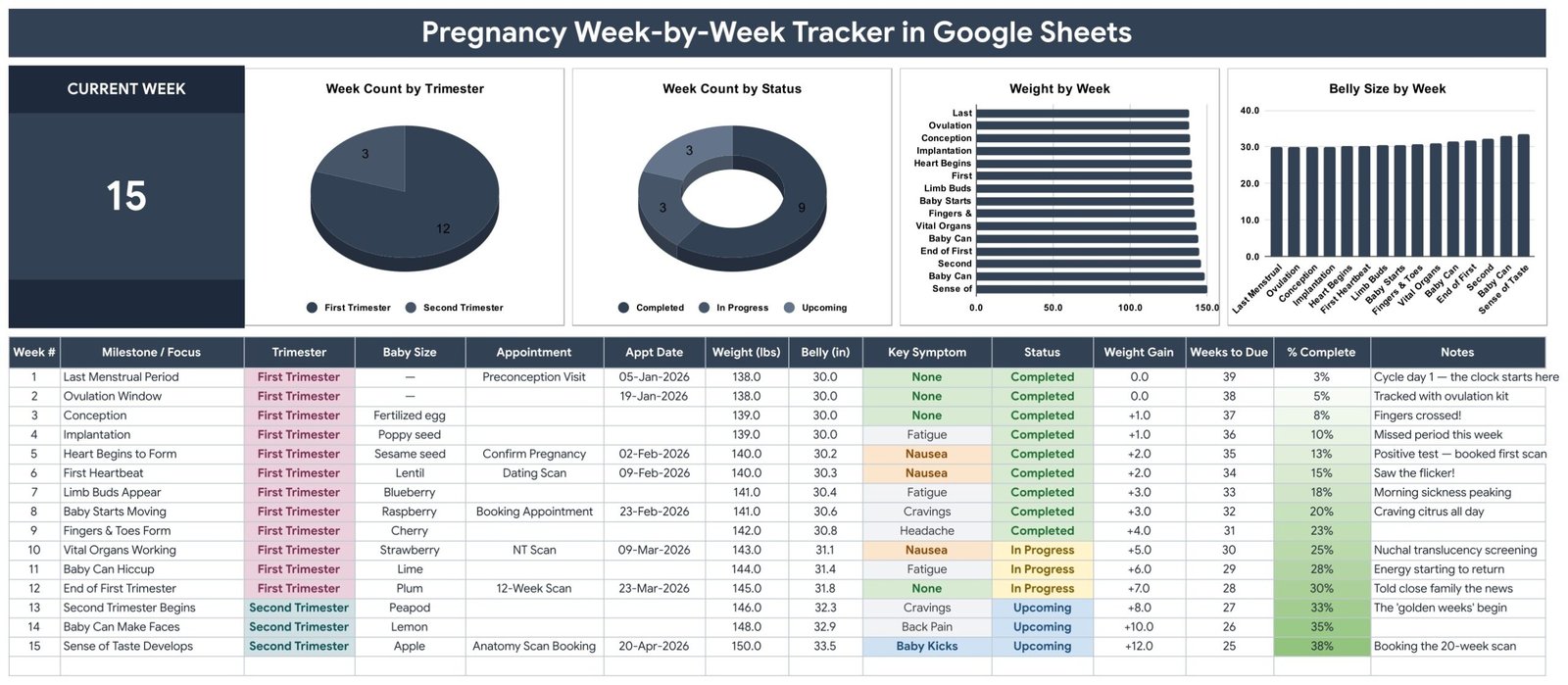
The Pregnancy Week-by-Week Tracker in Google Sheets puts all of it on one page. It is a single week-by-week log with 14 columns, four of them calculated for you, one large Current Week card and four charts that read the log directly. Nothing is hidden, nothing is predicted, and nothing leaves your own Google Drive.
Before anything else: what this template is, and what it is not
This matters more here than on almost any other template we build, so it goes first rather than in a footnote.
It is a personal organiser. It is a Google Sheet that stores exactly what you type into your own copy of it, arranges it by week, and draws four charts from it. That is the whole of it.
It is not a medical record, not maternity notes, and not a substitute for the ones your clinic keeps. It has no clinician field, no diagnosis, no medication or dose, no blood pressure, no blood or urine results and no hospital number. Nothing in it has been validated against any clinical standard, because it is a spreadsheet.
It gives no medical advice and raises no alerts. There is no due-date calculator: the Weeks to Due column simply subtracts the week number you typed from a 40-week term, and % Complete is that same week number over 40. There is no target weight range, no growth curve to compare yourself against, and no threshold that turns anything red. It will never tell you that something is or is not normal.Pregnancy Week-by-Week Tracker in Google Sheets
The Instructions tab inside the file says the same thing in its own words: “This is an organizer, not medical advice. Always follow the guidance of your own doctor or midwife for anything health-related.” Please do exactly that. Use this to remember and to organise; use your care team to interpret.Pregnancy Week-by-Week Tracker in Google Sheets
Key Features of the Pregnancy Week-by-Week Tracker in Google Sheets
- One page, no tab-hopping. The Current Week card, all four charts and the full 14-column log live on a single sheet called Pregnancy Tracker. You are never chasing a number across tabs.
- A Current Week card you can audit. It is driven by
=IFERROR(MAX(A16:A1000),0)– the highest week number in the log. Add a row for week 16 and the card reads 16. That is the entire mechanism.Pregnancy Week-by-Week Tracker in Google Sheets - Four automatic columns. Week #, Weight Gain, Weeks to Due and % Complete are formulas. You type the other ten and these four keep themselves current.
- Weight Gain measured from your own baseline. Each row is compared against your first logged week, not against a population average. In the sample data that runs 138.0 lbs at week 1 to 150.0 lbs at week 15, so the column reads +12.0.Pregnancy Week-by-Week Tracker in Google Sheets
- Appointments that stay with the week. Appointment and Appt Date sit in the same row as the milestone, so a dating scan or a 12-week scan is never stranded in a separate calendar.
- A Baby Size column. The familiar size-of-a-fruit note – poppy seed, lentil, plum, peapod, lemon, apple – typed alongside the week it belongs to, in whatever wording you like.Pregnancy Week-by-Week Tracker in Google Sheets
- Four charts and no helper tables. Week Count by Trimester, Week Count by Status, Weight by Week and Belly Size by Week all read the data columns directly for rows 16 to 1000 using Google’s built-in Aggregate option. There is no hidden aggregation sheet to maintain.Pregnancy Week-by-Week Tracker in Google Sheets
- Dropdowns that grow with you. Trimester, Key Symptom and Status read rows 2 to 500 of the List tab. Add a value there and it is in the dropdown immediately.
- Twelve seeded symptoms. None, Nausea, Fatigue, Back Pain, Heartburn, Cravings, Swelling, Braxton Hicks, Baby Kicks, Mood Swings, Headache and Insomnia. All editable, none locked.
- Nothing that identifies you. No name, no date of birth, no clinician, no diagnosis, no insurance or claim field anywhere in the file.
- 985 rows of capacity. The formulas and charts cover rows 16 to 1000. A 40-week pregnancy uses 40 of them.
Template Structure – the four tabs explained
1. Pregnancy Tracker
The working sheet. A title banner, the Current Week card on the left, four charts across the top, and the log table with its header row at row 13 and data from row 16 down. The 14 columns are, in order: Week #, Milestone / Focus, Trimester, Baby Size, Appointment, Appt Date, Weight (lbs), Belly (in), Key Symptom, Status, Weight Gain, Weeks to Due, % Complete and Notes. Ten are yours to fill; Week #, Weight Gain, Weeks to Due and % Complete are the calculated four.
2. List
Three source columns feeding the three dropdowns, with 19 seeded values between them: Trimester (First, Second, Third), Status (Upcoming, In Progress, Completed, Missed) and Key Symptom (twelve values). Each dropdown reads rows 2 to 500 of its column, so extending a list is a matter of typing under the last entry. A note on the tab itself says so, in case you come back to it in month seven and have forgotten.
3. Instructions
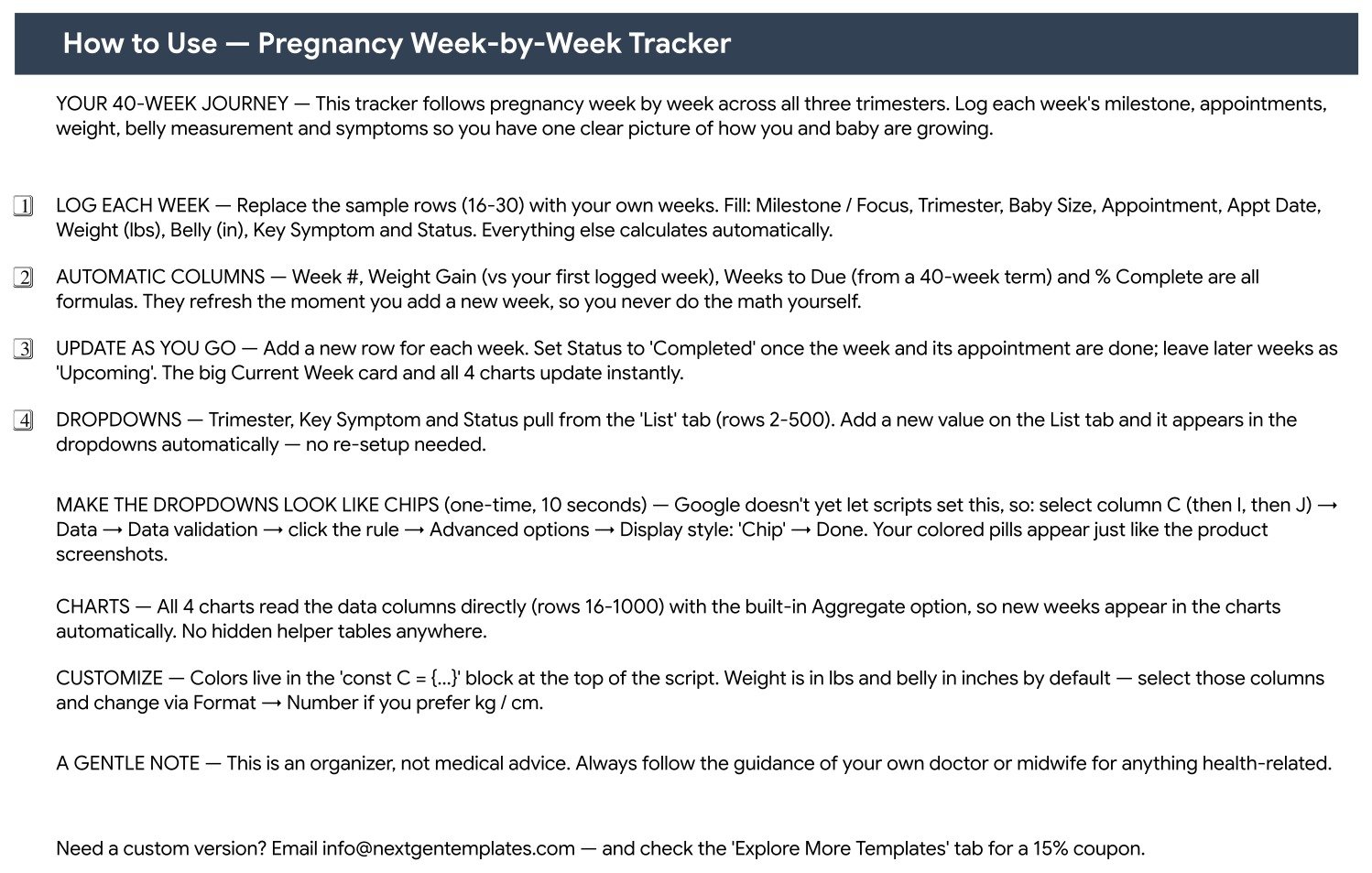
A plain-English page covering the 40-week shape of the log, which columns calculate themselves, how to keep Status current, how the dropdowns expand, how to switch the number format, and the ten-second chip-styling step. It closes with the gentle note about this being an organiser rather than medical advice.
4. Explore More Templates
A shelf of other NextGenTemplates products with a 15 percent coupon code. It is the one tab you can delete without breaking anything.
What the four charts actually show
All four are built on the log itself, so they are always as current as your last row.
- Week Count by Trimester – a pie of how many logged weeks fall in each trimester. In the sample data that is 12 first-trimester weeks against 3 second-trimester weeks.
- Week Count by Status – a doughnut of Completed, In Progress and Upcoming. The sample splits 9 / 3 / 3, which adds to the 15 rows on screen. The numbers reconcile, which is the point: you can check the logic before you trust it with your own weeks.
- Weight by Week – a horizontal bar of the weight you logged, labelled by that week’s milestone.
- Belly Size by Week – a column chart of the belly measurement across the same weeks, so the two measurements sit side by side instead of in two different apps.
The 15 demonstration rows run from Last Menstrual Period to Sense of Taste Develops, with appointment dates spread across January to April 2026. They are entirely fictional – they exist so the formulas and charts have something to draw before you clear them.
Pregnancy Week-by-Week Tracker vs. a DIY Spreadsheet vs. a Pregnancy App – Feature Comparison
| This template (Google Sheets) | A DIY spreadsheet you build | A pregnancy phone app | |
|---|---|---|---|
| Cost | One payment of $6.99 on sale | Your own build time | Free with ads, or a subscription |
| Setup time | Minutes – make a copy and start logging | Hours of formula and chart work | Minutes, after creating an account |
| Where your entries live | Your own Google Drive | Your own device or Drive | The vendor’s servers |
| Account required | A free Google account | None | Yes, usually with an email address |
| Appointments beside the week | Yes – Appointment and Appt Date columns | Only if you build it | Usually a separate calendar screen |
| Weight and belly charted together | Yes – Weight by Week and Belly Size by Week | Only if you build it | Varies, often behind a paywall |
| Symptom list you control | Yes – 12 seeded, add as many as you like | Yes | Usually a fixed list |
| Formulas you can read and change | Yes, all four are plain cell formulas | Yes | No |
| Units | lbs and inches by default, switchable | Whatever you choose | Usually switchable |
| Predictions and alerts | None, deliberately | None unless you write them | Common, and rarely explained |
| Ads, upsells or data sharing | None – it is a spreadsheet | None | Common |
| Printable for an appointment | Yes, one clean table | Yes | Screenshots, mostly |
| Cost across one pregnancy | $6.99, once | $0 plus your time | Recurring, or paid in attention |
Who Should Use This Template
Anyone who wants the week-by-week story in one private place. If you already keep notes – on paper, in a notes app, in a group chat – this gives them a shape and does the arithmetic.
People who would rather own the file than open an account. The copy lands in your own Drive. Nobody else has it unless you share it.
People who print things for appointments. One legible table beats scrolling an app in a waiting room, and your notes are in your own words.
Partners, doulas and family who are keeping notes too. A shared Drive file with a couple of extra columns for questions to ask next time works better than two people half-remembering.
Spreadsheet people. If you would inspect the formulas before trusting a number, all four of them are ordinary cell formulas sitting in plain sight.
It is not for anyone who needs clinical record-keeping, a due-date calculation, gestational-age estimation from a scan, symptom triage, or any kind of alerting. Those belong with your care team, not in a spreadsheet.
Real-World Use Cases
The Sunday routine. Aisha adds one row every Sunday morning: the week’s milestone, the number on the scale, the tape measure, and one symptom from the dropdown. The Current Week card tells her where she is without counting, and Weeks to Due counts down on its own. Ten weeks in, the Weight by Week chart is the first honest picture she has had of the trend, because it is her own baseline rather than a chart from a leaflet.
The one who books the scans. Marco owns the Appointment and Appt Date columns. The dating scan, the booking appointment, the NT scan and the 12-week scan each sit on the week they belong to, and the Status column shows at a glance which are done. Nothing lives in a calendar that only one of them checks.
The appointment printout. Ruth prints the log before each midwife appointment. Weight, belly measurement, symptoms and her own notes are all in one table, so the ten minutes she gets are spent on questions rather than on remembering.
The shared file. Nadia and her sister keep the sheet in a private Drive folder and have added two columns of their own – one for questions to ask, one for what the answer was. Because the four automatic columns are ordinary formulas rather than a rigid app schema, adding columns breaks nothing.
The second time around. With 985 rows of capacity, a second pregnancy can go in the same file below the first, or in a second copy. Either way the file is yours and it does not expire.
Advantages of the Pregnancy Week-by-Week Tracker in Google Sheets
- Everything on one screen. Card, charts and log together, so context is never a tab away.
- Transparent arithmetic. Four formulas, all readable, all changeable. Nothing is inferred behind your back.
- Your baseline, not a population’s. Weight Gain is measured from your own first logged week.
- Private by default. The file sits in your Drive. There is no account to create, no terms to accept and no analytics.
- Extensible without breaking. Add columns, add dropdown values, rename things. The formulas are per-row and tolerant.
- Works on a phone. The Google Sheets mobile app opens it, which is usually where a symptom gets logged.
- One payment. No subscription, no renewal, no feature that disappears when a trial ends.
Opportunities for Improvement
Being straight about the edges is more useful than a feature list that oversells.
- The chip styling is a manual step. Google does not let a script set a data-validation display style, so the coloured pills in the screenshots need a ten-second pass: select column C, then I, then J, and set Display style to Chip under Data, Data validation, Advanced options. The Instructions tab spells it out.
- Weeks to Due assumes a flat 40-week term. If your care team has given you a different term or revised your dates, treat that column as a rough countdown and trust their number.
- Units are labelled, not converted. The columns say lbs and inches. Switching to kg and cm means relabelling the headers and changing the number format – the formulas keep working, but nothing converts for you.
- The Current Week card is a maximum, not a date calculation. If you log week 20 early by mistake, the card will read 20 until you fix the row.
- No reminders. A spreadsheet will not notify you that a scan is on Tuesday. Put the date in your calendar as well.
- No imports. Nothing connects to a scale, a wearable or a clinic portal. Every value is typed or picked.
Best Practices
- Clear the sample first. Rows 16 to 30 hold the 15 demonstration weeks. Delete their contents before you start so you never confuse the two.
- Log on the same day each week. The Weight by Week and Belly Size by Week charts are only comparable if the readings are taken under roughly the same conditions.
- Keep Status honest. Completed for a week that is done, In Progress for the one you are in, Upcoming for the rest. The Week Count by Status chart is only as useful as that discipline.
- Extend the symptom list early. Add your own wording to the List tab in the first month, while you are still thinking about setup.
- Write in the Notes column. It is the column you will be gladdest of later, and it is the one no app writes for you.
- Keep the file private. Share it deliberately, with named people, rather than with a link that anyone can open.
- Print before appointments. One page, one table, and the questions you actually wanted to ask.
- Back the copy up. Google Drive keeps version history, but a second copy at the end of each trimester costs nothing.
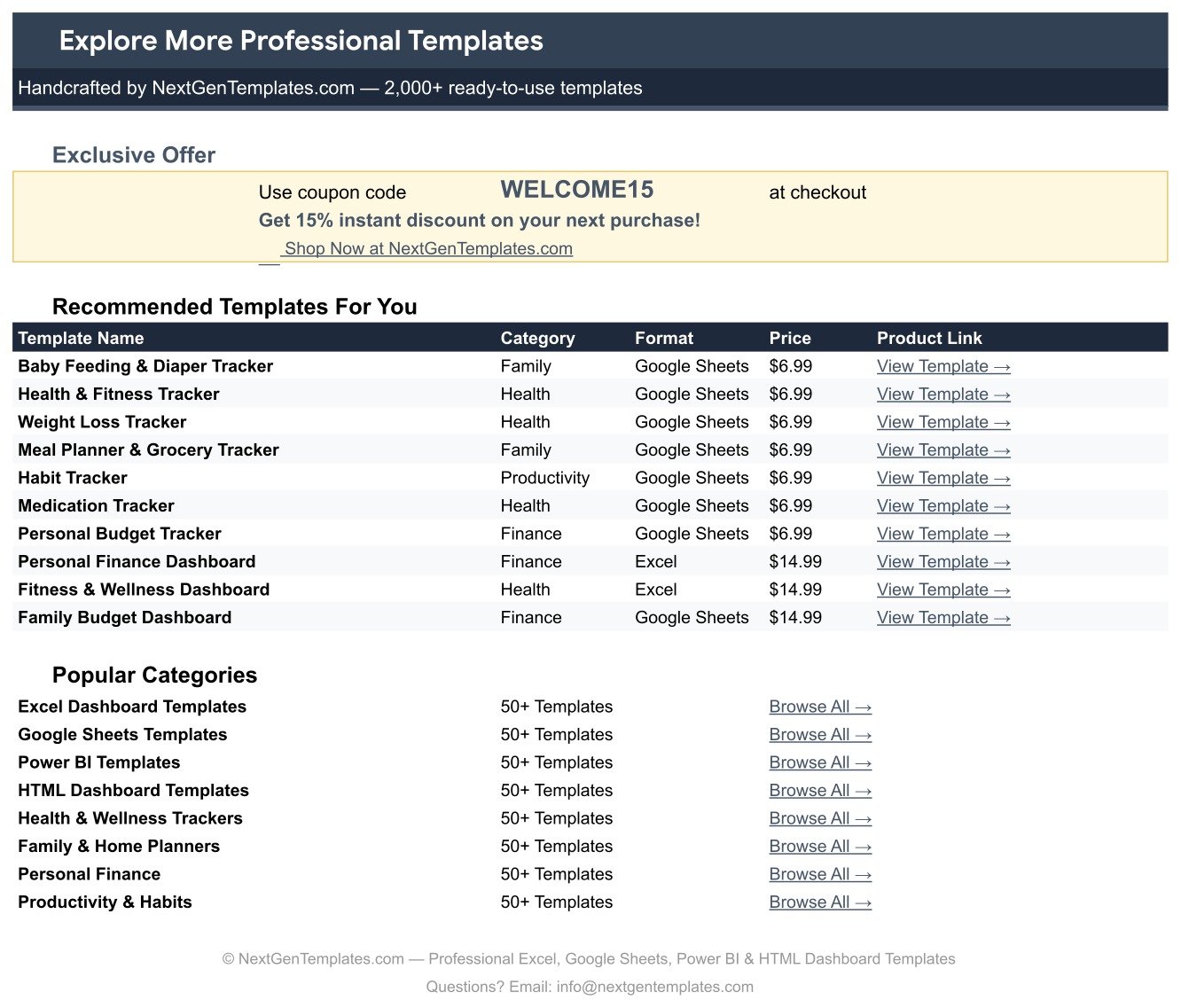
Explore Relevant Templates
If this one fits, these sit either side of it in the same Google Sheets tracker family – same one-page shape, same editable dropdowns, same one-off price.
- Fertility & Ovulation Tracker in Google Sheets – the log for the months before this one starts, with a BBT curve and a fertile-window flag.
- Period & Cycle Tracker in Google Sheets – a straightforward cycle log built on the same skeleton.
- Baby Budget & Expense Tracker in Google Sheets – the natural next file, for the cot, the pram and everything else that arrives at once.
- Doctor Appointments & Medical History Tracker in Google Sheets – for visits and notes that outlast the 40 weeks.
Related Templates
- Body Measurements Tracker in Google Sheets – measurements before and long after.
- Supplement & Vitamin Tracker in Google Sheets – a companion log for what you take each day.
- Blood Pressure Log Tracker in Google Sheets – if your care team has asked you to record readings at home.
- Sleep Tracker in Google Sheets – for the nights that come with all of it.
- Mood & Mental Health Tracker in Google Sheets – a gentle daily check-in alongside the weekly one.
- Or browse the whole Google Sheets tracker shelf.
If you enjoy building your own trackers, the NextGenTemplates Academy learning paths teach the spreadsheet skills behind them, with practice files to work through.
Frequently Asked Questions
Is this a medical record, or medical advice?
Neither. It is a personal organiser – a spreadsheet that stores what you type into your own copy. It is not maternity notes, it is not validated against any clinical standard, and nothing in it replaces the guidance of your doctor or midwife.
Does it calculate my due date?
No. There is no due-date calculator in the file. Weeks to Due subtracts the week number you typed from a 40-week term, and % Complete is that same number over 40. If your care team has given you a revised date, use theirs.
Will it tell me whether my weight gain is normal?
No. It charts what you log. Weight Gain is the arithmetic difference from your first logged week – no target range, no threshold, no alert. Questions about weight or growth belong with your care team.
How many weeks can I log?
The formulas and charts cover rows 16 to 1000, which is 985 rows. A 40-week pregnancy uses 40 of them, so there is room for more than one pregnancy in a single file.
Can I add my own symptoms or change the statuses?
Yes. Each dropdown reads rows 2 to 500 of its column on the List tab, so anything you add there appears in the dropdown at once. Twelve symptoms and four statuses ship seeded, and none of them are locked.Pregnancy Week-by-Week Tracker in Google Sheets
Can I track in kilograms and centimetres?
Yes. The columns are labelled lbs and inches; relabel them and change the number format through Format, Number. Weight Gain keeps working because it is a subtraction, not a unit conversion.Pregnancy Week-by-Week Tracker in Google Sheets
Why don’t my dropdowns look like the coloured pills in the screenshots?
Google does not let a script switch that on. Select column C, then I, then J, open Data, Data validation, click the rule, Advanced options, and set Display style to Chip. About ten seconds, once.Pregnancy Week-by-Week Tracker in Google Sheets
Is the sample data real?
No. The 15 rows, the milestones, the early-2026 appointment dates and the weight and belly figures are fictional demonstration data, there so the charts have something to draw before you clear them.
Do I need Excel, or a paid Google account?
Neither. A free Google account is enough. The download is a PDF containing a “Make a copy” link; one click puts your own copy in your Drive. This is a Google Sheets template, not an Excel workbook and not a Power BI report – if you want the same idea in another tool, the wider NextGenTemplates catalogue has Excel and Power BI shelves of its own.Pregnancy Week-by-Week Tracker in Google Sheets
About the Author
Built by PK – Microsoft Certified Professional with 15+ years of Excel, Google Sheets, and Power BI experience. Founder of NextGenTemplates, reaching 300K+ subscribers across YouTube channels. Every template is hand-built and tested before release.Pregnancy Week-by-Week Tracker in Google Sheets
Conclusion
The Pregnancy Week-by-Week Tracker in Google Sheets does one thing properly: it holds the 40-week story in one page, in your own file, with the arithmetic done and nothing invented. Fourteen columns, four of them automatic, four charts, three editable dropdown lists and 985 rows of room. No account, no subscription, no predictions and no alerts – just a clear record of what you logged, ready to print for the next appointment.Pregnancy Week-by-Week Tracker in Google Sheets
Get the Pregnancy Week-by-Week Tracker in Google Sheets for $6.99 (regular $12.99). Instant download, one payment, no subscription. The download is a PDF with a “Make a copy” link – one click and the template is in your own Drive, editable forever.
Health note: this template is a personal organiser. It is not a medical device, not a medical record, not a diagnostic tool and not medical advice. Please consult your doctor, midwife or another qualified healthcare professional about your pregnancy and any health decision.Pregnancy Week-by-Week Tracker in Google Sheets