The Product Release Testing Calendar in Google Sheets is a ready-to-use release QA planner with 5 working pages, 4 overview cards, and 17 named schedule and event analysis views. For a one-time $4.99 purchase, QA teams can track annual testing plans, monthly release windows, daily testing activity, and event records in one shared Google Sheets file.
It is useful for teams that run recurring releases, regression cycles, UAT sessions, staging checks, and production validation windows. Since it is built in Google Sheets, teams can share one live file and manage Viewer, Commenter, or Editor access using Google Drive permissions explained in Google Docs Editors Help.
Get the Product Release Testing Calendar in Google Sheets
Product Release Testing Calendar in Google Sheets
Key Features of Product Release Testing Calendar in Google Sheets
This template gives release teams a practical calendar structure across yearly, monthly, daily, and event-level planning. QA leads can review workload, product managers can check validation dates, testers can open the Daily View before standups, and release coordinators can maintain the Events sheet as the source table.
The charts and slicers make the file easier to filter during release meetings without rebuilding formulas. Teams can adapt event names, locations, dates, descriptions, and schedules to match sprint releases, product launches, patch releases, mobile app submissions, integration testing, or customer acceptance testing.
Dashboard Pages Explanation
Overview Page
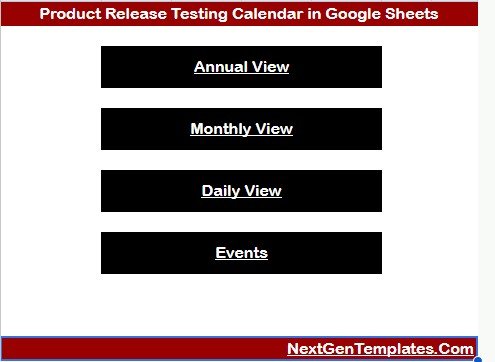
The Overview page shows cards for Annual View, Monthly View, Daily View, and Events. It also includes charts and slicers for quick filtering by release year, date range, event type, or schedule group.
Release Testing Calendar by View: This chart shows how testing activity is distributed across the calendar views. It quickly reveals whether planning is concentrated in annual, monthly, daily, or event-level tracking.
Release Testing Schedule by Year: This chart summarizes testing schedules by year. It helps release managers spot busier years and long-term workload patterns.
Testing Event Records by Date: This chart shows how testing records are spread across dates. It helps QA leads find crowded test dates, coverage gaps, and days that need more capacity.
Product Release Testing Calendar in Google Sheets
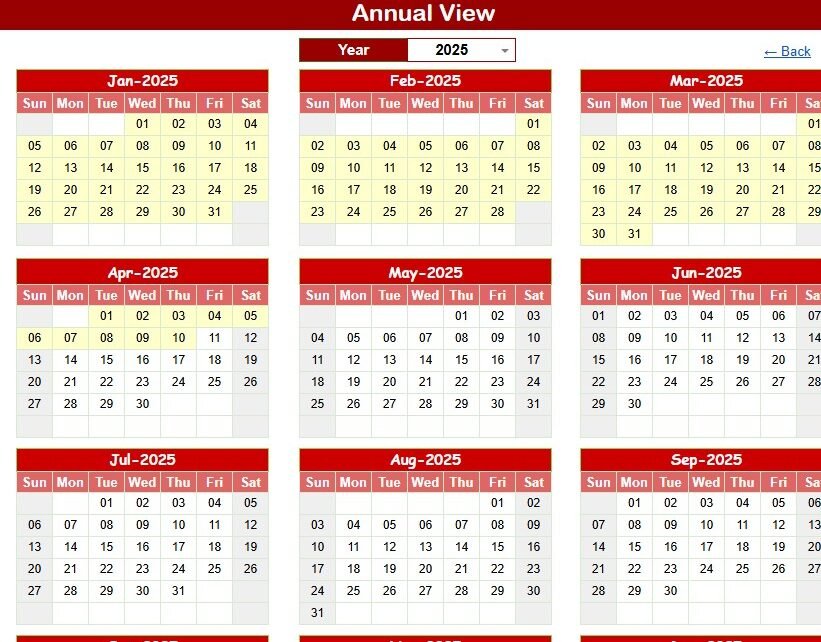
Annual View
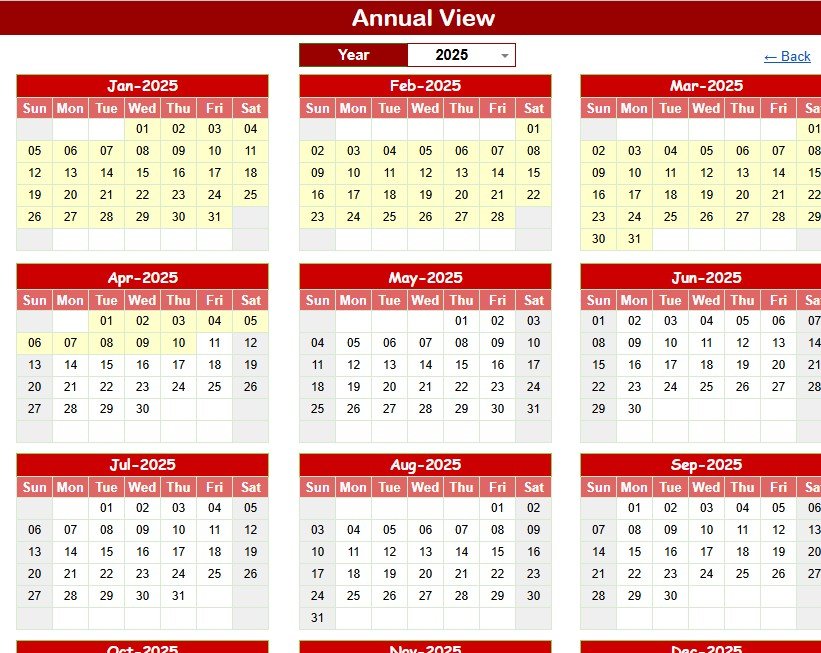
The Annual View is for year-level release testing planning before sprint deadlines and launch commitments crowd the calendar.
Release Testing Schedule by Month: This analysis shows which months contain the most testing activity. It helps managers avoid overloading one month with regression, UAT, and deployment validation events.
Calendar Dates by Weekday: This analysis groups dates by weekday. It shows whether testing work is landing too often on weekends, Fridays, or other low-coverage days.
Yearly Testing Planning by Year: This view supports long-range planning across release years. It helps leadership compare schedules and plan resources before busy periods arrive.
Annual View
Monthly View
The Monthly View is useful during sprint cycles, release candidate checks, beta windows, and the month before launch.
Monthly Testing Schedule by Date: This analysis shows which dates include testing work. It helps teams see busy testing days and avoid stacking too many activities on one date.
Testing Activities by Month: This view summarizes testing activities by month. It helps managers decide whether a month needs more support or a schedule adjustment.
Release Test Workload by Day: This analysis highlights workload by day. QA leads can use it to balance tester assignments and reduce release-day surprises.
Testing Event Type by Calendar Date: This chart connects event types with calendar dates. It separates regression, smoke testing, UAT, staging checks, and release validation activity.
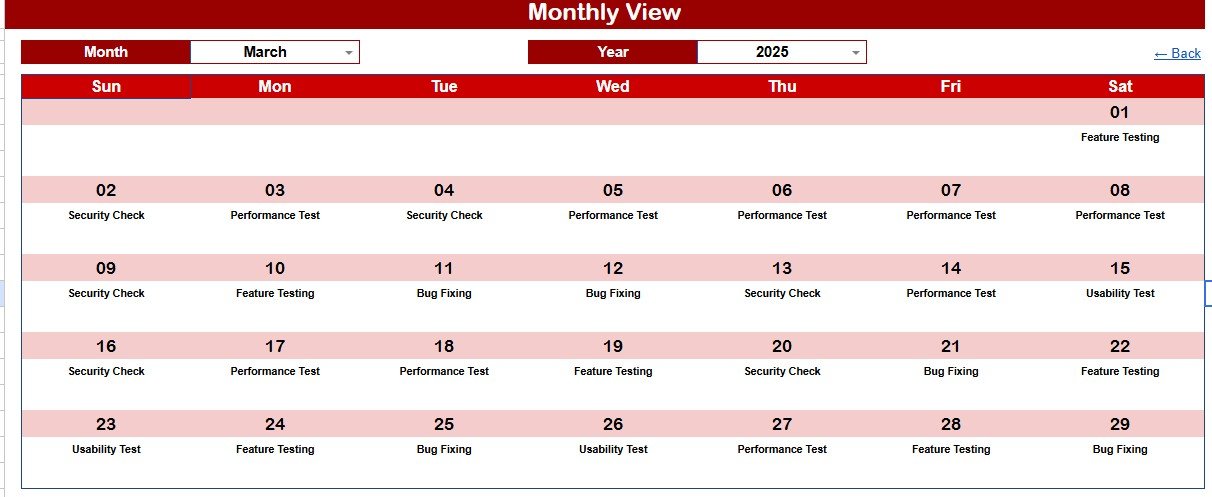
Monthly View
Daily View
The Daily View is built for release week, go-live checks, patch validation, and compressed UAT windows.
Daily Testing Events by Date Range: This analysis lists testing events inside the selected date range. It helps QA leads prepare standup notes and confirm what is due today or this week.
Event Details by Time: This view organizes event details by time. It helps teams plan the order of testing activities on busy release days.
Testing Location by Event Name: This analysis connects each event name with its testing location. It separates QA, staging, production, lab, remote, and customer acceptance work.
Release Activity Description by Event: This view pairs release events with descriptions. It helps testers understand the purpose of each scheduled activity.
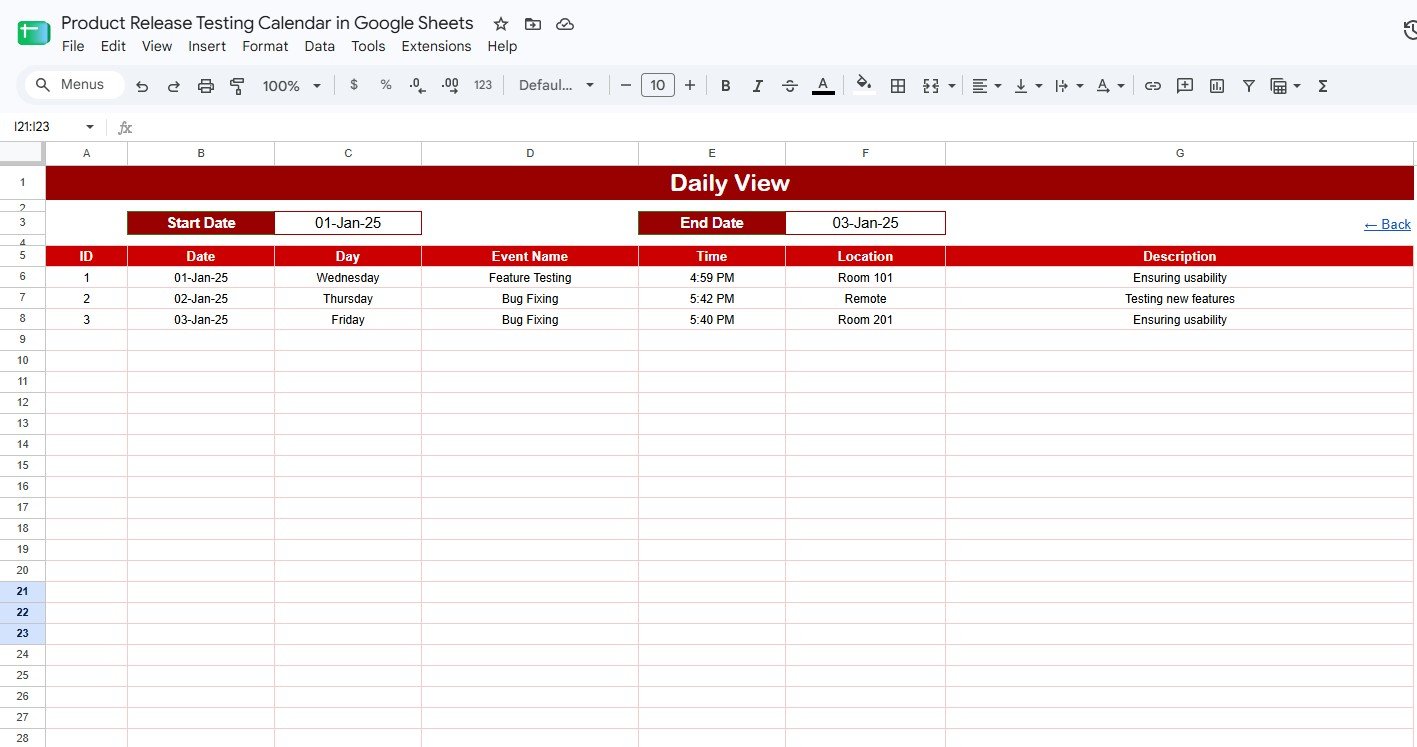
Daily View
Events
The Events page is the database for testing records, event names, schedules, locations, and release activity descriptions.
Testing Event Records by Date: This analysis shows all event records by date. It helps identify missing testing windows and days with too many scheduled events.
Event Name by Day: This view connects each event name with its scheduled day. It gives teams a fast way to see what testing is planned each day.
Testing Location by Schedule: This analysis maps testing location to schedule data. It helps teams working across environments, offices, client sites, or remote groups.Product Release Testing Calendar in Google Sheets
Event Description by Release Activity: This view connects event descriptions with release activities. It helps team members understand what each item means and why it matters.
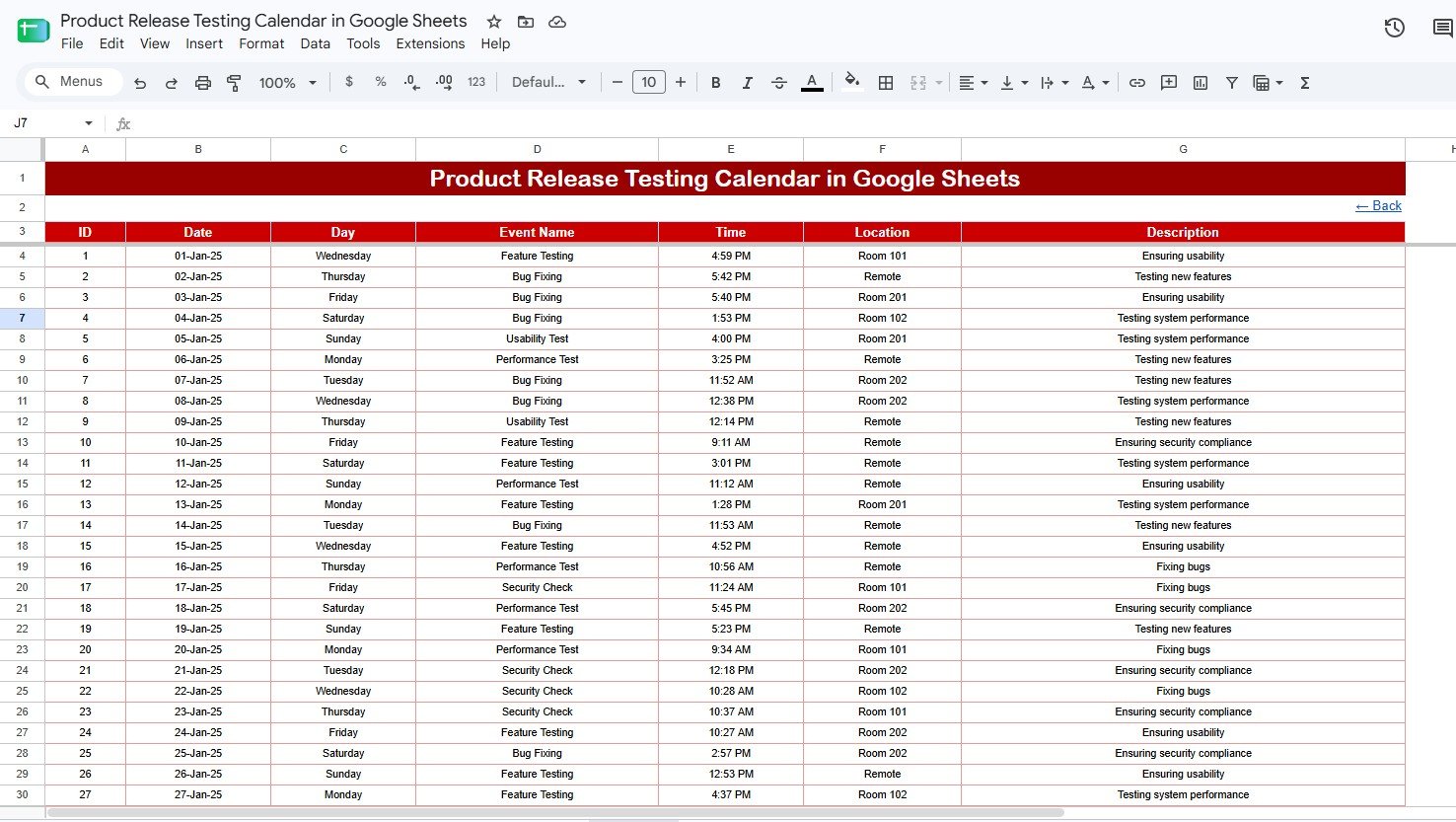
Events
Product Release Testing Calendar in Google Sheets vs. Excel Calendar vs. Paid QA SaaS – Feature Comparison
| Feature | Product Release Testing Calendar in Google Sheets | Excel calendar alternative | Paid QA SaaS alternative |
|---|---|---|---|
| Cost | $4.99 one-time | $4.99 to $8.99 one-time | Recurring subscription, often per user |
| Platform | Google Sheets in browser | Microsoft Excel desktop or web | Proprietary SaaS platform |
| Setup time | Under 10 minutes after download | Under 10 minutes after download | Days to weeks for configuration |
| Real-time team collaboration | Native Google Drive sharing | Requires OneDrive or SharePoint setup | Usually included with paid seats |
| Mobile access | Google Sheets mobile app | Excel mobile app | Vendor mobile or web app |
| Customizable fields | Fully editable spreadsheet fields | Fully editable spreadsheet fields | Limited by plan and admin settings |
| Share with link | Yes, through Google Drive | Possible through OneDrive | Usually requires user accounts |
| Year-1 cost at 5 users | $4.99 total | $4.99 to $8.99 total | Often hundreds or thousands per year |
| Release calendar views | Overview, Annual, Monthly, Daily, Events | Depends on workbook design | Usually schedule modules or custom reports |
| Best use case | Shared schedule visibility | Offline or desktop planning | Full test case, defect, and workflow management |
Who Should Use This Template
This template is best for QA teams, product managers, release managers, scrum masters, software testers, product operations teams, startup founders, and client implementation teams that need a shared release testing schedule. It works well when the team already uses Google Workspace and wants a lightweight planning file above detailed issue tracking tools.Product Release Testing Calendar in Google Sheets
Real-World Use Cases
SaaS Regression Release
A QA lead plans regression testing for a twice-monthly SaaS release. The Annual View shows upcoming release-heavy months, the Monthly View organizes the current sprint, and the Daily View guides the team during release week.
Mobile App Submission Testing
A product manager schedules beta testing, store submission checks, device testing, and release candidate validation. The Events sheet stores the event name, test location, activity description, and date so engineering and QA stay aligned.
Client UAT Coordination
An implementation manager coordinates user acceptance testing with a client team. The shared Google Sheets calendar gives internal testers and client stakeholders one live reference for UAT sessions, issue review meetings, and signoff checkpoints.Product Release Testing Calendar in Google Sheets
Advantages of Product Release Testing Calendar in Google Sheets
The main advantages are schedule clarity, collaboration, and cost control. The template separates yearly planning, monthly review, daily execution, and event records; runs in Google Sheets for live sharing; and gives small teams a practical release testing calendar for a one-time $4.99 purchase.
Opportunities for Improvement
This template focuses on calendar visibility, not full QA execution management. Teams that need automated test results, defect workflows, approval gates, audit trails, or requirements traceability should connect this schedule with Jira, TestRail, Azure DevOps, or another QA platform. Teams can also add event types, owners, priorities, release names, environments, or status fields in the Events sheet.
Best Practices
Use consistent event names such as Regression Testing, Smoke Testing, UAT, Staging Validation, Production Check, and Post-Release Review. Update the Events sheet first, then review the Overview, Annual View, Monthly View, and Daily View. Share editor access only with schedule owners and use viewer or commenter access for stakeholders.Product Release Testing Calendar in Google Sheets
Explore Relevant Templates
Quality Assurance Testing Calendar in Google Sheets – A related QA-focused calendar for annual, monthly, daily, and event-level testing schedules.
Product Launch Calendar in Google Sheets – Useful when release testing is part of a broader go-to-market launch plan.
IT System Maintenance Calendar in Google Sheets – Helpful for scheduling system maintenance windows and operational testing activity.
Project Deadline Calendar in Google Sheets – A simple calendar for tracking project milestones and due dates.
Browse more Google Sheets Calendar templates from NextGenTemplates.
Want to build skills like this step by step? The NextGenTemplates Academy learning paths walk you through calendars, trackers and other spreadsheet systems with practice files.
Get the Product Release Testing Calendar in Google Sheets
Frequently Asked Questions
What pages are included in the Product Release Testing Calendar in Google Sheets?Product Release Testing Calendar in Google Sheets
It includes Overview, Annual View, Monthly View, Daily View, and Events pages for year-level review through daily execution.
What does the Overview page show?
It shows Annual View, Monthly View, Daily View, and Events cards, plus charts for view, year, and event date analysis.
Can I use this for agile sprint releases?
Yes. Use the Monthly View and Daily View for sprint-level testing while the Events sheet stores all records.
Can I customize the event fields?
Yes. You can add owner, environment, release version, test status, priority, or notes fields.Product Release Testing Calendar in Google Sheets
Does this template replace Jira or TestRail?
No. Use Jira, TestRail, Azure DevOps, or another QA platform for detailed test cases, bugs, workflows, and automation results.
Do I need a paid Google Workspace account?
No. It can be used with a standard Google account, subject to your Google Drive permissions.
Is there a subscription fee?
No. It is a one-time purchase from NextGenTemplates with no per-user fee.
About the Author
Built by PK – Microsoft Certified Professional with 15+ years of Excel, Google Sheets, and Power BI experience. Founder of NextGenTemplates, reaching 300K+ subscribers across YouTube channels. Every template is hand-built and tested before release.Product Release Testing Calendar in Google Sheets
Conclusion
The Product Release Testing Calendar in Google Sheets gives QA, product, release, and engineering teams a simple way to plan release testing across annual, monthly, daily, and event-level views. If your team needs a lightweight release testing schedule without a new SaaS subscription, this template gives you calendar visibility, Google Sheets collaboration, and a clear event structure at a one-time price.
Instant download after the file is attached. One-time payment. No subscription. Lifetime internal use.Product Release Testing Calendar in Google Sheets
Last updated: August 2026