The Real Estate Open House Calendar in Google Sheets gives agents and small brokerages a 5-sheet scheduling system for open houses, property viewings, property tours, auctions, and investor meetings. The file includes 4 navigation buttons, a 12-month Annual View, a selected-month calendar, a date-range Daily View, and one Events table with ID, Date, Day, Event Name, Time, Location, and Description. At $4.99 one time, a 5-user team can coordinate property events without adding another per-seat CRM subscription.Real Estate Open House Calendar in Google Sheets
Open house coordination gets messy when one assistant uses a spreadsheet, one agent keeps a phone calendar, and another updates a paper planner. This template puts the schedule in one shared Google Sheet, so everyone can review the same dates, addresses, event names, and notes before a showing weekend begins.
Get the Real Estate Open House Calendar in Google Sheets
Key Features of Real Estate Open House Calendar in Google Sheets
- 5 worksheet tabs: Home, Annual View, Monthly View, Daily View, and Events.
- Built for property scheduling: Track open houses, property viewings, property tours, property auctions, and investor meetings.
- Annual calendar: Review all 12 months for long-range listing and event planning.
- Monthly calendar: Choose the month and year, then see event names placed on calendar dates.
- Date-range event list: Use Start Date and End Date to pull every event in a specific window.
- Central Events database: Keep the source data in one table, so views stay aligned.
- Google Sheets collaboration: Share the file through Google Drive with viewer, commenter, or editor access.
Template Sheets Explanation
1. Home Sheet Tab
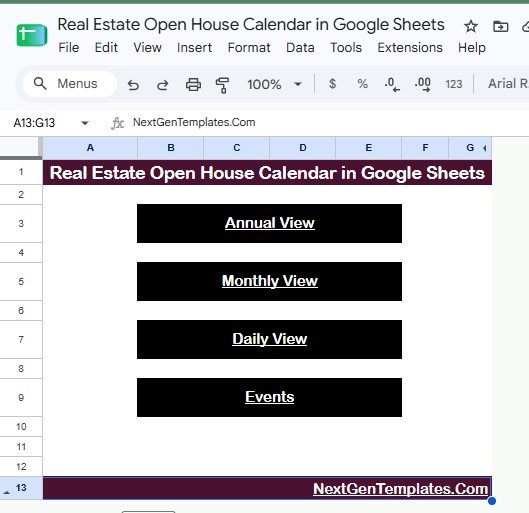
The Home sheet is the navigation page. It contains four large buttons for Annual View, Monthly View, Daily View, and Events. A listing coordinator can open the file during a planning call and jump straight to the view needed without hunting through tabs.
Real Estate Open House Calendar in Google Sheets – Home sheet
2. Annual View Sheet Tab
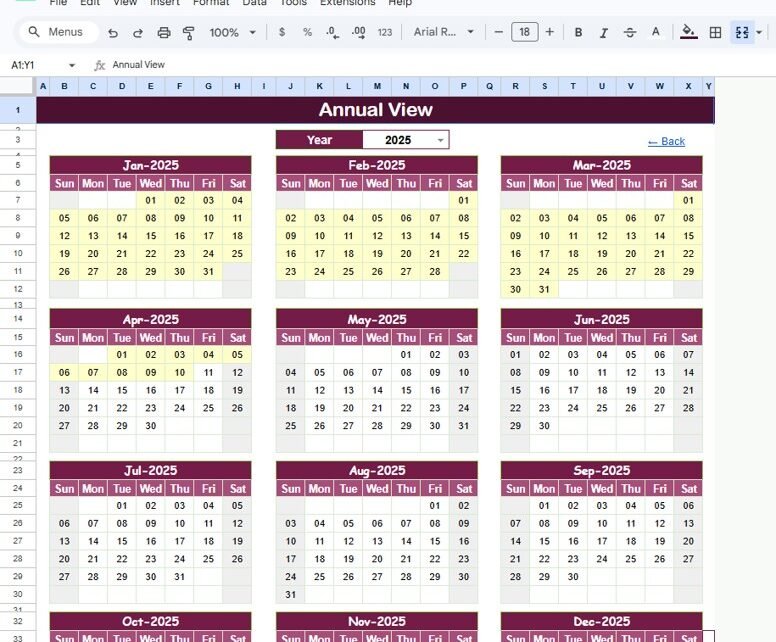
The Annual View shows all 12 months in one screen for the selected year. This is helpful when a broker wants to see busy seasons, weekend coverage, auction windows, and recurring investor meetings before assigning staff or advertising new open house dates.
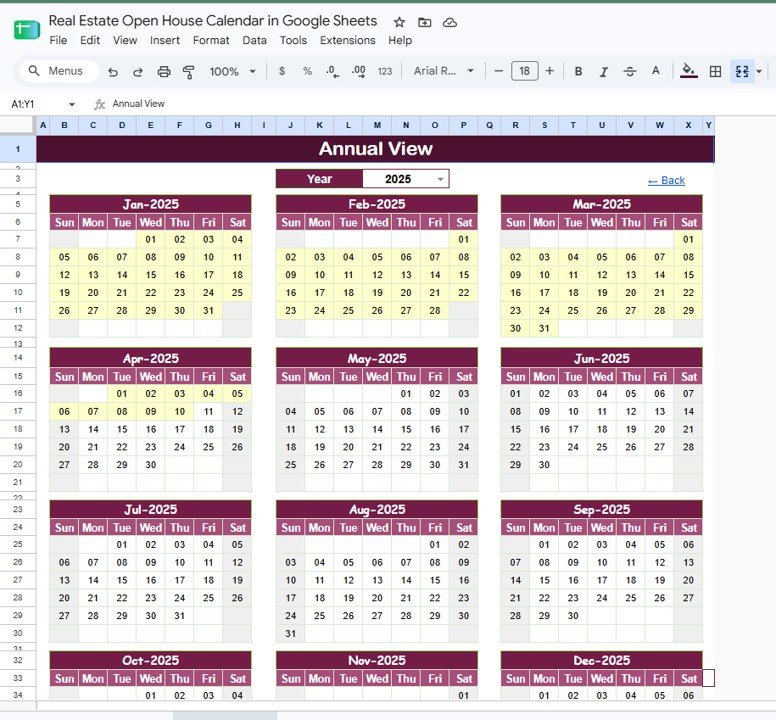
Annual View Sheet tab
3. Monthly View Sheet Tab
The Monthly View focuses on a selected month and year. Event names appear directly inside the calendar cells, so the team can see which dates contain an Open House, Property Viewing, Property Auction, Property Tour, or Investor Meeting. It is the best view for weekly planning and same-month follow-up.
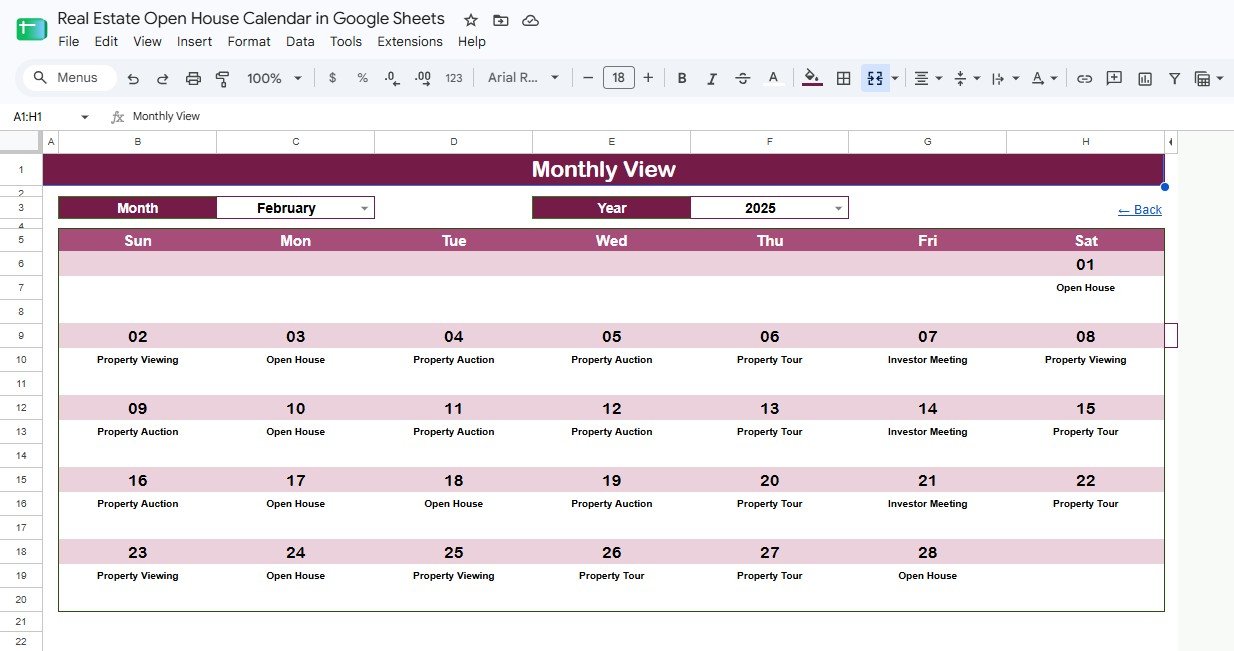
Monthly View Sheet tab
4. Daily View Sheet Tab
The Daily View is built for action. Enter a Start Date and End Date to return the events in that period with ID, Date, Day, Event Name, Time, Location, and Description. Agents can use this sheet before a weekend route, and assistants can use it to prepare printed schedules or call lists.
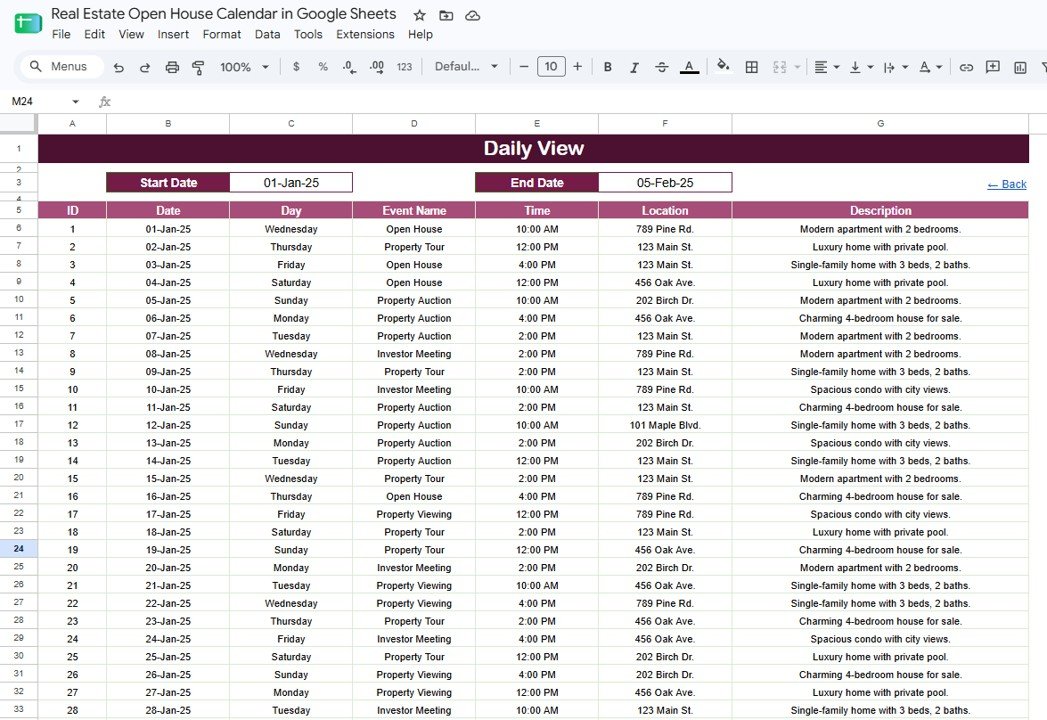
Daily View Sheet tab
5. Events Sheet Tab
The Events sheet is the database behind the calendar. Add every event here first, including date, time, location, and description. Once the record is added, the other views can show that event in the right planning context. Because it is a normal Google Sheets table, users can edit sample rows, rename event labels, and add notes that match their brokerage workflow.
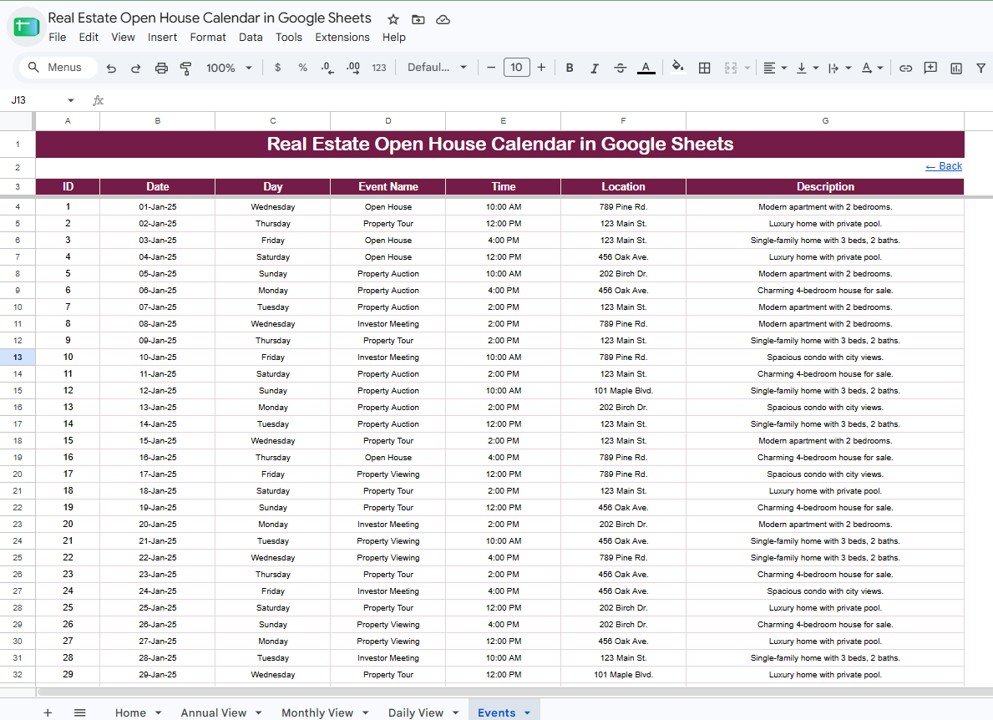
Events Sheet tab
Real Estate Open House Calendar in Google Sheets vs. Excel Calendar vs. Paid CRM/SaaS – Feature Comparison
| Feature | This Google Sheets template | Excel calendar | Paid real estate CRM/SaaS |
|---|---|---|---|
| Cost | $4.99 one-time | Usually one-time | Usually monthly subscription |
| Platform | Google Sheets in browser or mobile app | Excel desktop or cloud | Vendor web app |
| Setup time | Under 10 minutes after download | Under 15 minutes | Longer onboarding and configuration |
| Real-time team collaboration | Built into Google Sheets sharing | Needs OneDrive or SharePoint setup | Usually included by user seat |
| Mobile access | Google Sheets app or browser | Limited by Excel mobile workflow | Usually included |
| Customizable fields | Fully editable sheet structure | Fully editable workbook | Limited by plan and permissions |
| Share with link | Yes, through Google Drive | Only through cloud storage | Usually invite based |
| Year-1 cost at 5 users | $4.99 for the template | Varies by workbook | Often hundreds or thousands yearly |
| Open house focus | Built around property events | Generic calendar | Broader lead and client management |
Who Should Use This Template
This template is a good fit for solo realtors, small real estate teams, listing coordinators, brokerage assistants, property managers, auction coordinators, and investment teams that need a shared schedule for property events.
It is also useful when a team already works in Google Workspace. Google explains how Drive sharing permissions work in its official documentation: Share files from Google Drive. That same sharing model makes it easy to give one person edit access while giving others view-only access.
This template is not designed to replace a full real estate CRM. It does not include MLS sync, lead scoring, drip email, SMS reminders, or automated client follow-up. If those features are required, use this calendar as a schedule layer beside a CRM rather than as the system of record.
Real-World Use Cases
Maria, listing coordinator: Maria supports 6 agents and uses the Monthly View every Wednesday to confirm weekend open house coverage. New events go into the Events sheet, and the Daily View becomes the weekend route list.
Daniel, solo realtor: Daniel manages open houses across several neighborhoods. He filters the Daily View from Saturday to Sunday, checks time and address fields, and keeps one clean schedule on his phone.
Priya, investor relations associate: Priya tracks investor meetings and property auctions in the same calendar. The Annual View helps her spot heavier months before the team commits to new site visits.
Advantages of Real Estate Open House Calendar in Google Sheets
The biggest advantage is visibility. Every open house, property viewing, property tour, auction, and investor meeting can live in one shared file instead of being scattered across personal calendars and messages.
The second advantage is cost control. A small team can buy the template once and use Google Sheets sharing instead of paying another per-user scheduling or CRM tool only to solve a calendar problem.
The third advantage is flexibility. Agents can rename event types, add location notes, add listing IDs, or add columns such as Agent, Client Name, Lead Source, or Status. The structure is simple enough to customize without rebuilding the whole template.
Opportunities for Improvement
The template does not automatically sync with Google Calendar, MLS feeds, or paid CRM systems. It also does not send automatic text reminders to buyers or sellers. For teams with a high lead volume or strict follow-up process, a CRM may still be necessary.
Large brokerages may also need role-based permissions by region, office, or agent. Google Sheets can protect ranges and control sharing, but it is not the same as a full CRM permission model.
Best Practices
- Use the Events sheet as the source: Enter events there first so the other views stay consistent.
- Keep address formatting consistent: Use the same pattern for street, city, and unit details to make scanning easier.
- Add ownership: If several agents use the file, add an Agent or Owner column in the Events sheet.
- Review weekly: Open the Monthly View at the start of each week to catch crowded dates early.
- Protect formula ranges: Keep formulas safe while allowing event rows to be edited.
- Archive each year: Duplicate the file annually or archive old event rows to keep the schedule fast and readable.
Explore Relevant Templates
- Real Estate Open House Calendar in Google Sheets – the template featured in this article.
- Real Estate Development Dashboard in Google Sheets – analyze projects, sales, buyers, and portfolio performance.
- Tenant and Property Management Dashboard in Google Sheets – track occupancy, rent, tenant activity, and property operations.
- Office Supplies Restock Calendar in Google Sheets – a similar 5-sheet calendar structure for administration teams.
- Warranty Expiration Calendar in Google Sheets – another Google Sheets calendar for date-based tracking.
If you would like to learn the spreadsheet skills behind a calendar like this, the NextGenTemplates Academy learning paths offer structured lessons with practice files.
Get the Real Estate Open House Calendar in Google Sheets
Frequently Asked Questions
What is the Real Estate Open House Calendar in Google Sheets?
It is a ready-to-use Google Sheets calendar template for planning open houses, property viewings, property tours, auctions, and investor meetings.
How many worksheets are included?
The template includes 5 worksheets: Home, Annual View, Monthly View, Daily View, and Events.
Can multiple agents use the same calendar?
Yes. You can share the Google Sheets copy through Google Drive and assign viewer, commenter, or editor access to different team members.
Can I customize the event fields?
Yes. You can edit labels, add columns, change event types, and adjust sample records to match your real estate workflow.
Does it sync automatically with Google Calendar?
No. It is a Google Sheets planning file. You can manually copy important dates to Google Calendar, but automatic calendar sync is not included.
Does this replace a real estate CRM?
No. It is best for scheduling and visibility. Teams that need lead pipelines, automated reminders, MLS imports, or email campaigns should use a dedicated CRM.
Is there a monthly subscription?
No. The template is a one-time $4.99 purchase from NextGenTemplates.
About the Author
Built by PK – Microsoft Certified Professional with 15+ years of Excel, Google Sheets, and Power BI experience. Founder of NextGenTemplates, reaching 300K+ subscribers across YouTube channels. Every template is hand-built and tested before release.
Conclusion
The Real Estate Open House Calendar in Google Sheets gives real estate teams one shared place to plan property events across yearly, monthly, and date-range views. If your current open house schedule lives across messages, personal calendars, and separate files, this template creates a cleaner source of truth.
Last updated: August 19, 2026.


