The Therapy Center Management System Web App runs a complete therapy or rehabilitation centre from 24 working modules and a 37-sheet Google Sheets database. It ships with 4 user roles, 20 built-in reports, a 12-KPI dashboard with 6 charts, and a one-click installer that builds every sheet, Drive folder and a full demo centre in under 10 minutes.
🚀 Try the Live Demo Before You Buy
We have deployed this web app in our own Google account so you can test every page, every module and every report — with real sample data — before purchasing. No signup, no email required.
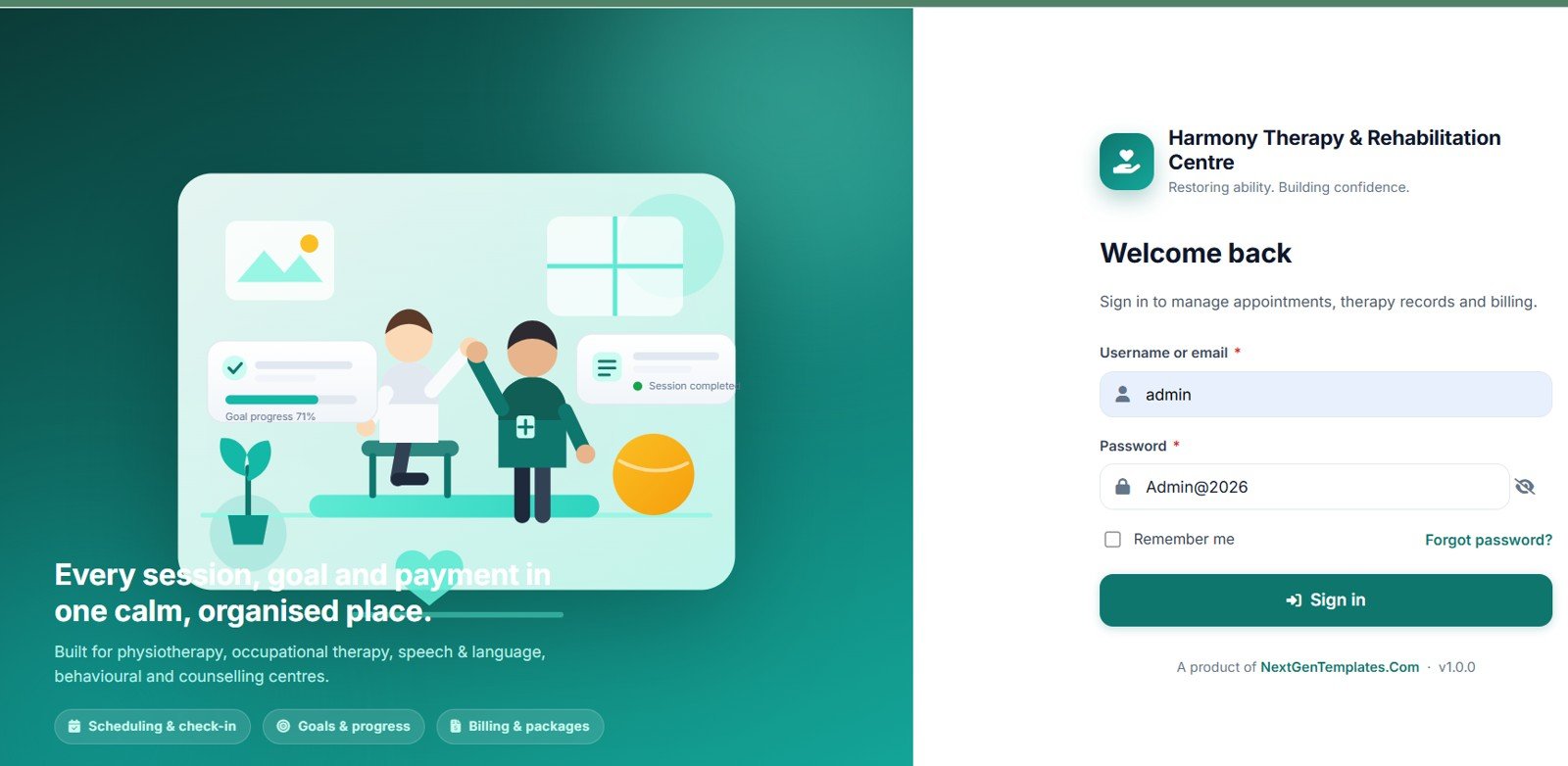
🔑 Test Login Credentials
Sign in as admin to explore the full system — patient records, therapist profiles, appointment scheduling, session notes, billing and invoices, plus the dashboard and reports. 💡 Tip: the demo database is shared, so please add test records only.
| Role | Username | Password |
|---|---|---|
| 👨💼 Admin | admin | Admin@2026 |
💡 What you get after purchase: The full source code (Code.gs + Index.html) plus a step-by-step deployment guide so you can deploy your own private instance in your own Google account in under 15 minutes.
Most small therapy centres end up running on three disconnected things: a paper diary or shared calendar for appointments, a folder of Word documents for clinical notes, and a spreadsheet for money. Nothing talks to anything else, packages get miscounted, and nobody knows which completed sessions were never invoiced. This template puts the whole journey — enquiry, assessment, treatment plan, package, booking, check-in, session note, invoice, review, discharge — into one browser app that lives inside your own Google account.
Get the Therapy Center Management System Web App
Key Features of the Therapy Center Management System Web App
- Four roles enforced on the server. Administrator, Manager / Front Desk, Therapist and Accountant. Hiding a menu is never the only defence — every request is authorised server-side, so a therapist genuinely cannot pull another therapist’s caseload.
- A scheduling engine that refuses to double-book. Therapist availability, room availability, centre opening hours, shift times, blocked leave dates and the daily session cap are all checked before an appointment saves.
- Recurring series with a conflict preview. Daily, weekly or fortnightly runs are generated as a list first, with clashing dates flagged in red and unticked automatically.
- SOAP session notes with real sign-off. Once signed, a note is read-only forever. Corrections are appended as dated, attributed amendments, so the clinical record is never rewritten.
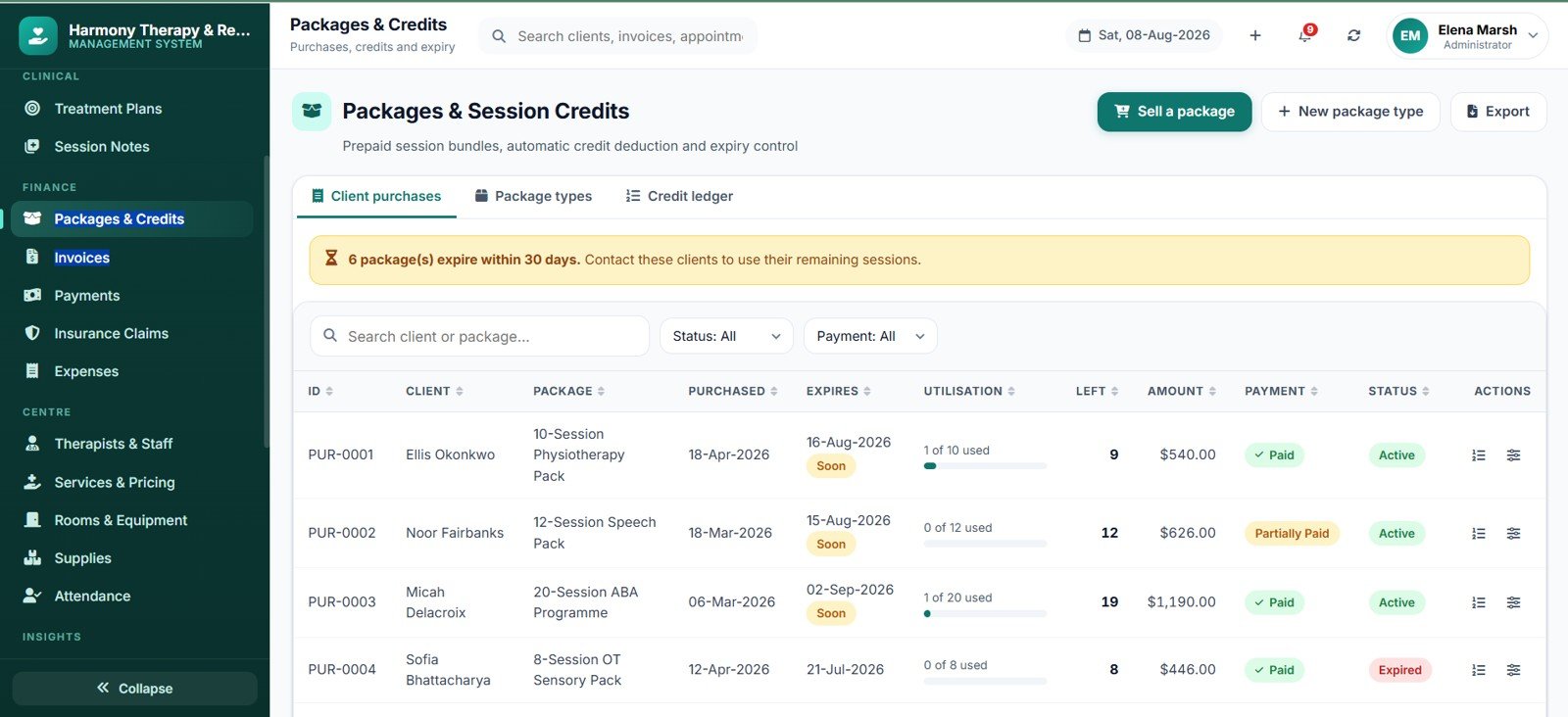
- Prepaid packages that count themselves. Completing a linked session deducts exactly one credit and writes a ledger line. Expired, frozen or exhausted packages are blocked automatically.
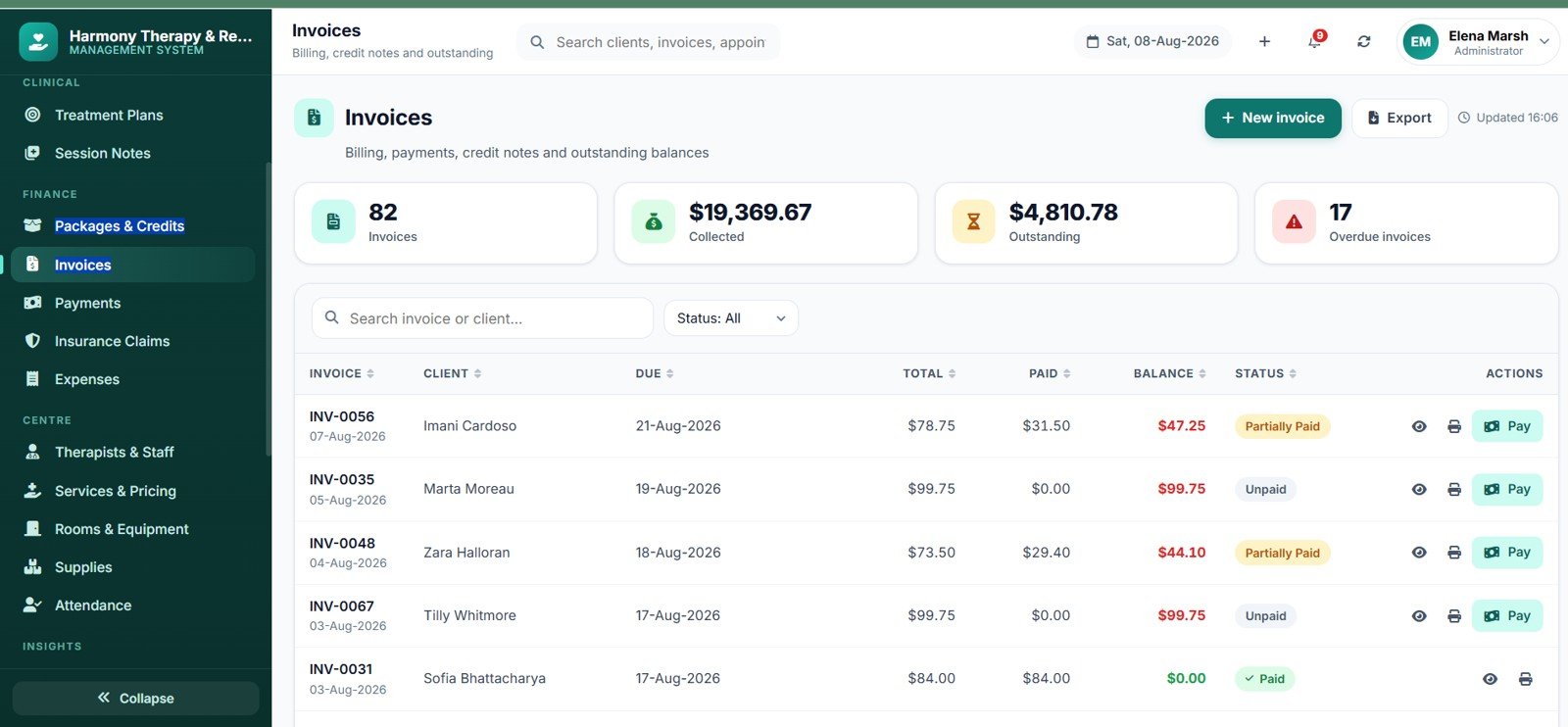
- Billing that always reconciles. Line items flow to subtotal, discount, tax, grand total, paid and balance. Overpayments become client credit and apply to the next invoice.
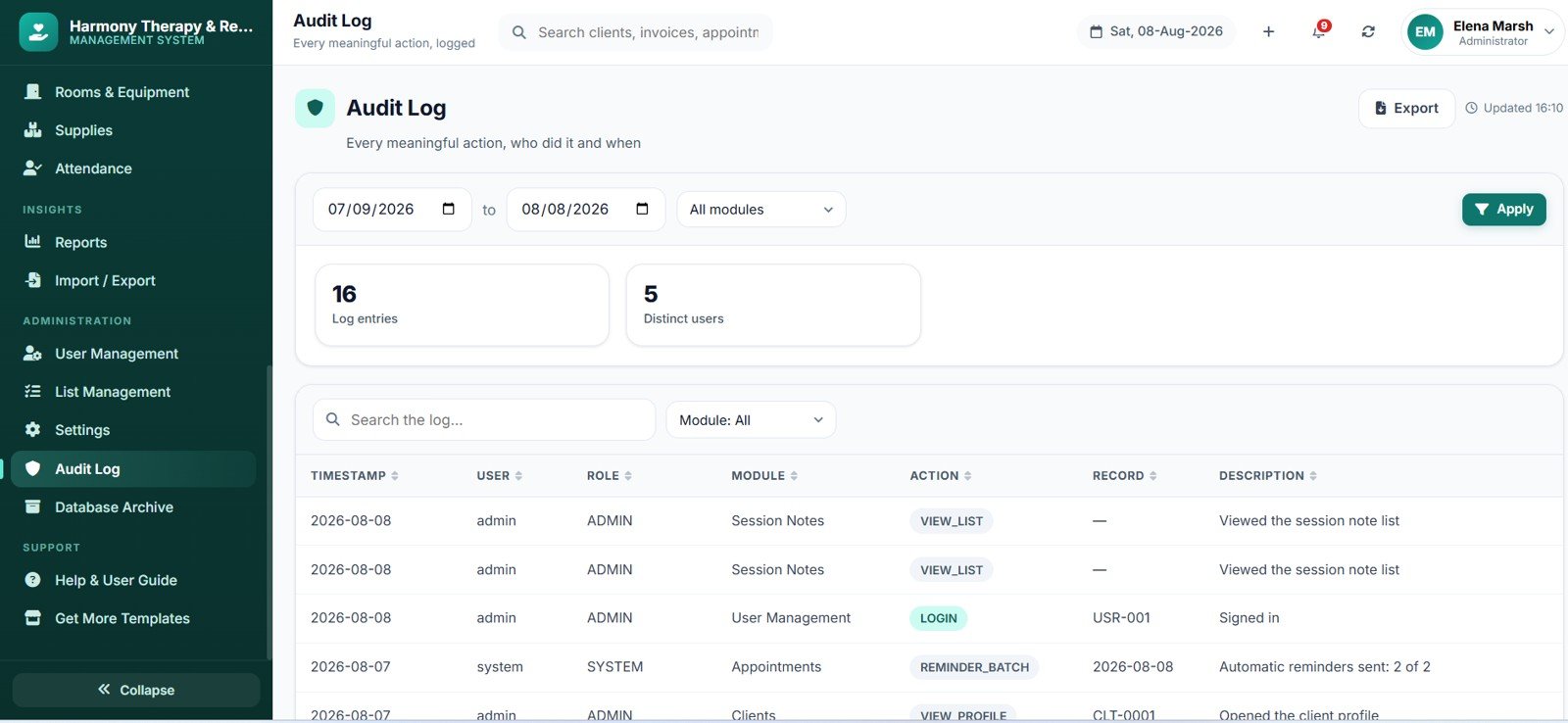
- A full audit trail. Sign-ins, record changes, session-note views, scheduling overrides, refunds, exports and archive operations are all logged with old and new values.
Video Overview
This walkthrough shows the complete deployment of the Therapy Center Management System Web App, from a blank Google Sheet to a live URL you can share with your team. It covers creating the Apps Script project, pasting the two supplied code files, naming the HTML file exactly “Index” (the single step most people get wrong), running the one-click installer that builds all 37 database sheets and the Drive folder structure, authorising the script, and publishing the web app deployment. It also shows where the seeded login details live, how to change the administrator password on first sign-in, and how to publish a new version after editing the code. Total setup time in the video is under 10 minutes.
Module Pages Explained
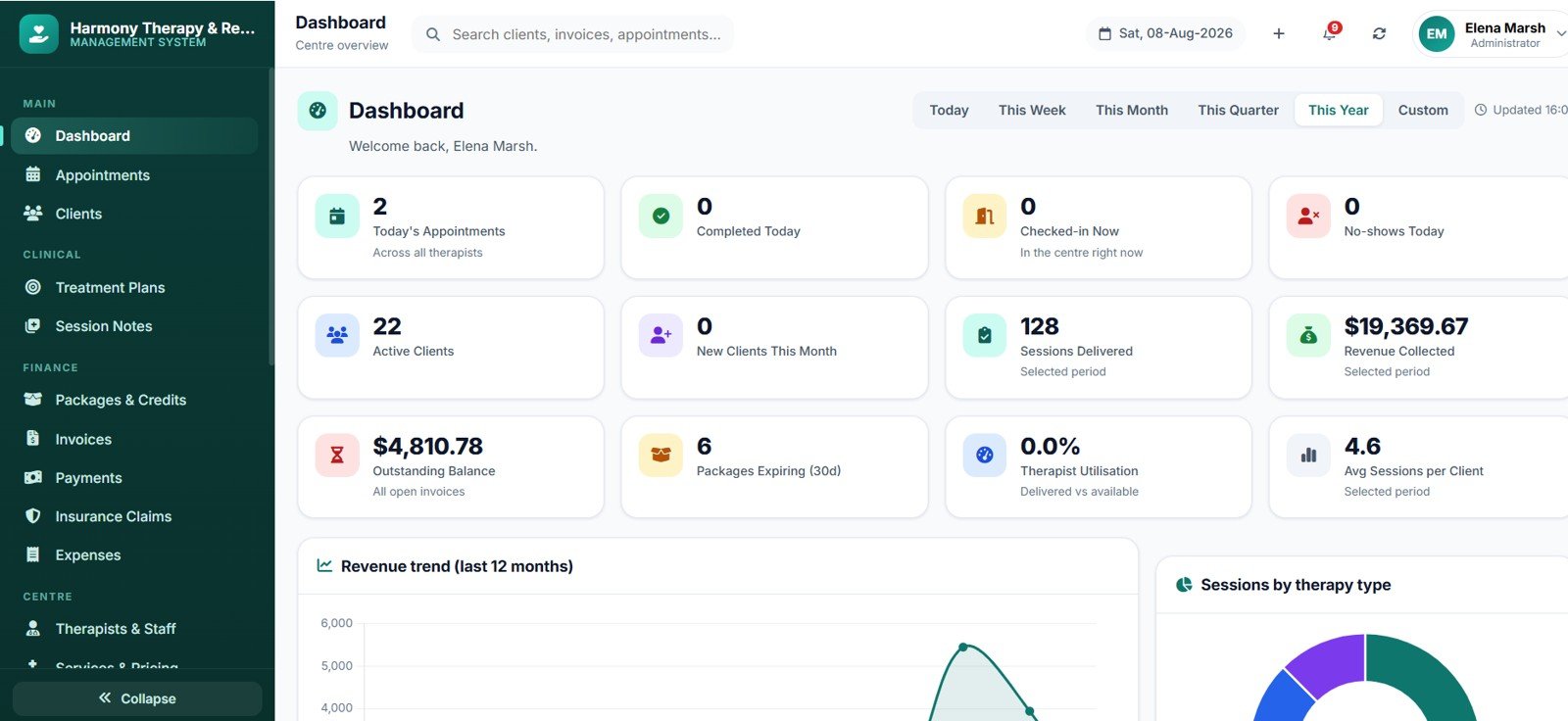
Dashboard
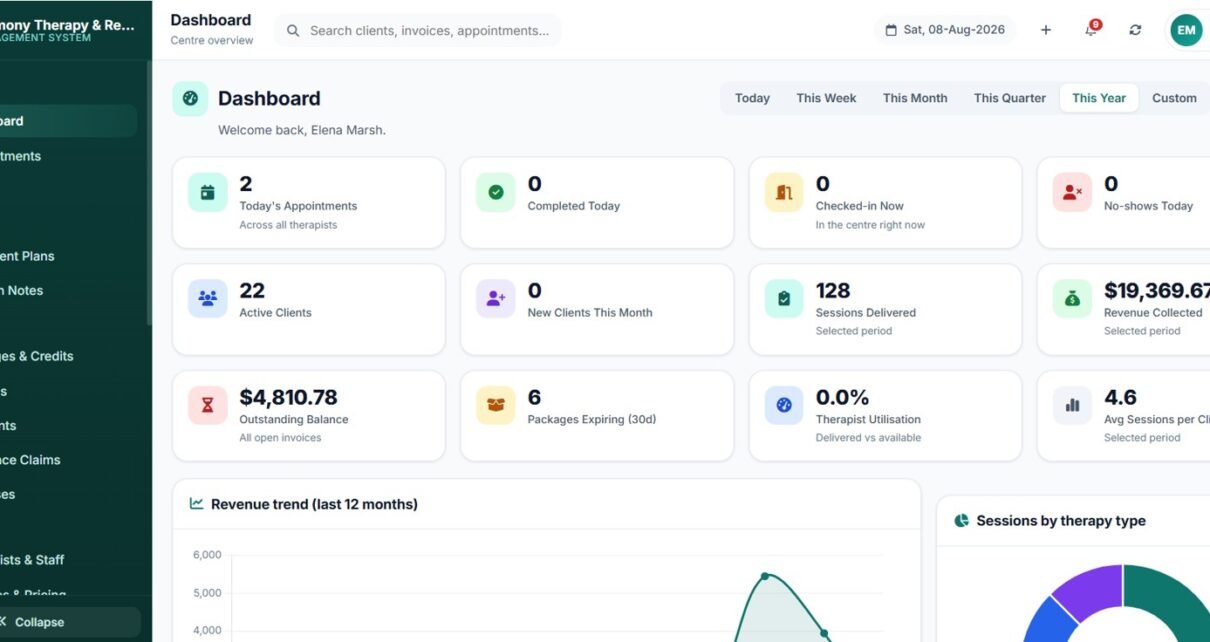
Tracks 12 KPIs including today’s appointments, completed sessions, checked-in now, no-shows, active clients, sessions delivered, revenue collected, outstanding balance, packages expiring within 30 days and therapist utilisation. Charts cover Revenue by Month, Sessions by Therapy Type, Appointments by Status, Utilisation by Therapist, New Clients by Month and Clients by Referral Source. A therapist signing in sees their own practice panel instead of centre revenue.
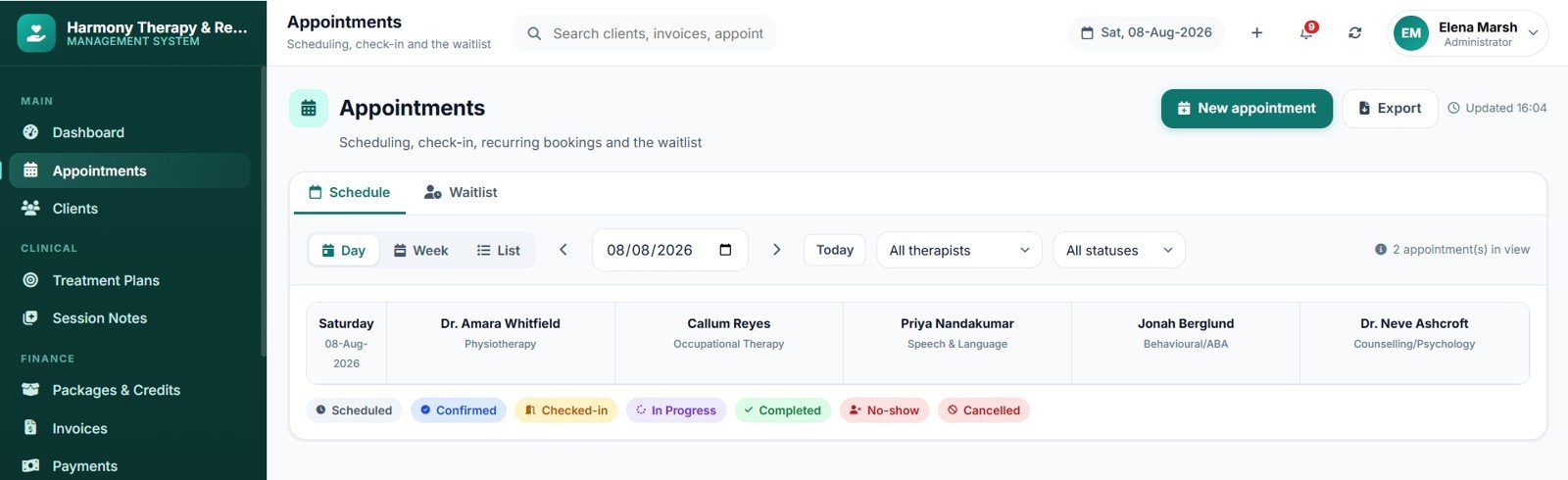
Appointments — Day and Week Views
The day view is a timetable grid with one column per therapist and colour-coded status chips. The week view spans seven days at a glance. Both are filtered by therapist and status, and a list view adds search, sorting and CSV export across a 90-day window.
Booking Form with Live Availability
Choosing a service fills in duration and fee and filters the therapist list by specialisation. A free-slots line then shows genuine availability for that therapist on that date, and the system suggests the client’s active package so the credit is deducted rather than an invoice raised.
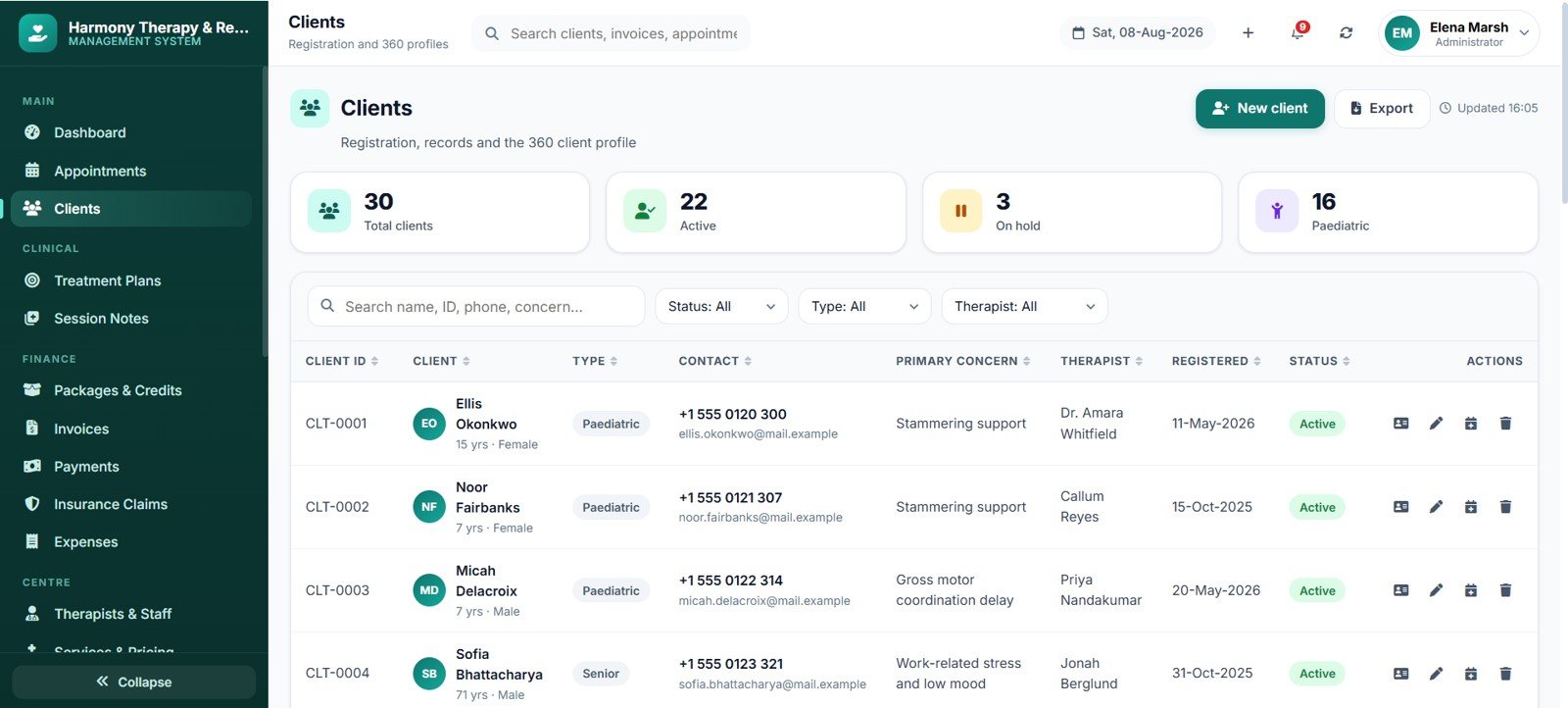
Clients and the 360 Profile
Registration enforces guardian details for paediatric clients and warns on duplicate phone numbers. Every client opens into an eight-tab profile: Overview, Treatment Plans and Goals, Appointments, Session Notes, Packages and Credits, Invoices and Payments, Documents, and a dated Activity Timeline.
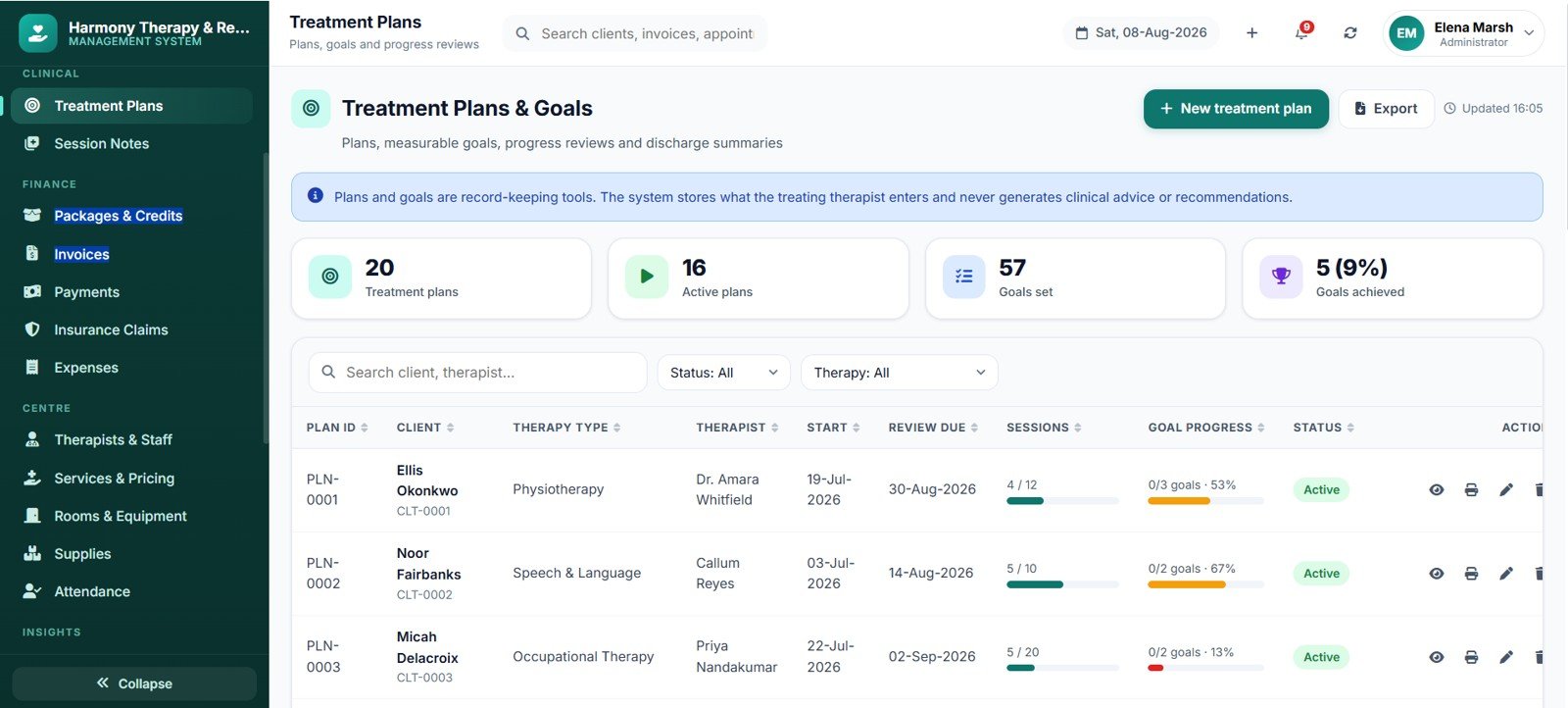
Treatment Plans and Measurable Goals
Each plan holds the therapy type, planned session count, frequency and review date. Goals record a baseline, target outcome, target date and progress percentage, and the plan card shows sessions delivered against sessions planned alongside average goal progress. Plans print to A4 with signature lines for therapist and guardian.
Session Notes
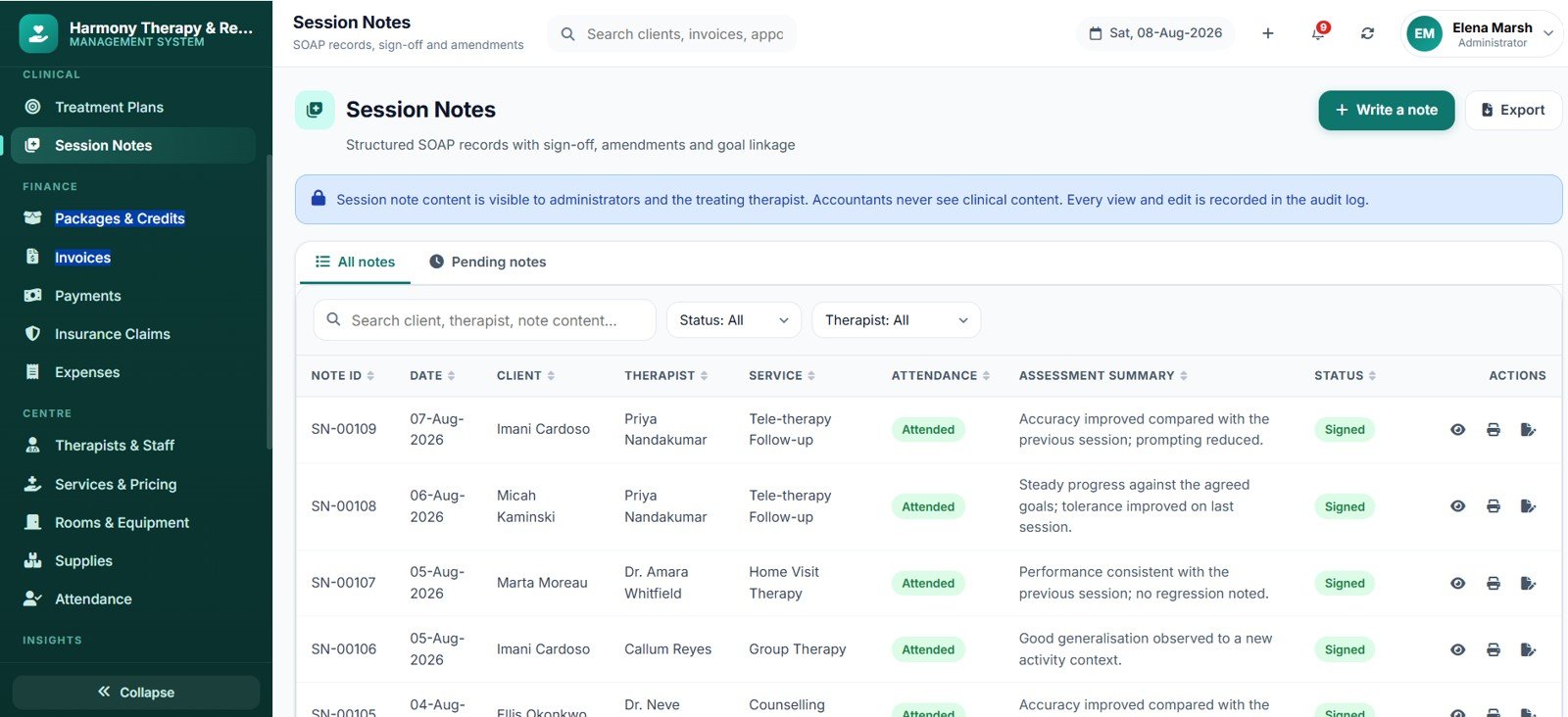
Notes follow Subjective, Objective, Assessment and Plan, link to the active goals with a 1–5 rating each, and record techniques and any home programme issued. A Pending Notes tab lists every completed session still waiting for a signed note.
Packages, Invoices and Payments
Sell prepaid bundles with a validity period and discount, then let the system count them down. On the billing side you can pull every unbilled completed session onto one invoice, take partial payments, hold overpayments as client credit, and issue credit notes instead of cancelling a paid invoice. Receipts print on 3-inch thermal or A4.
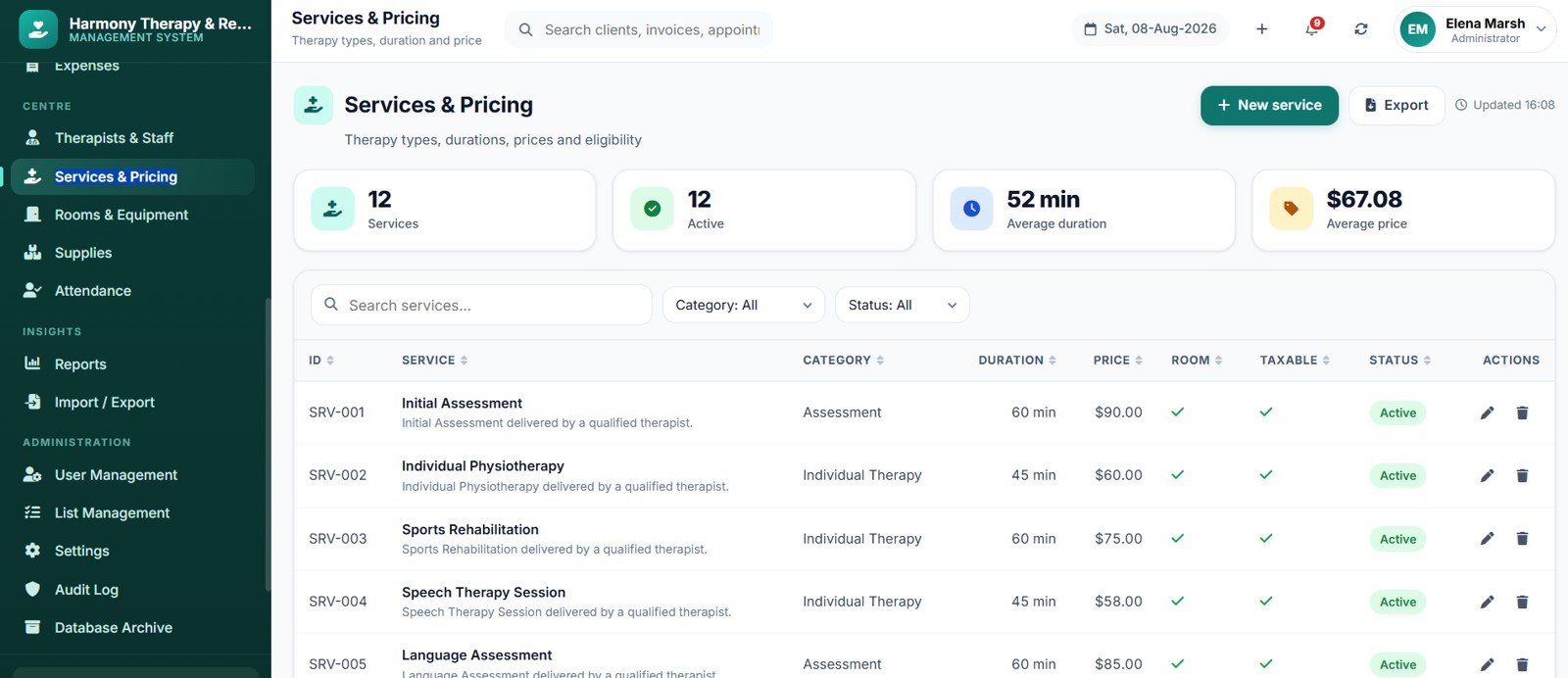
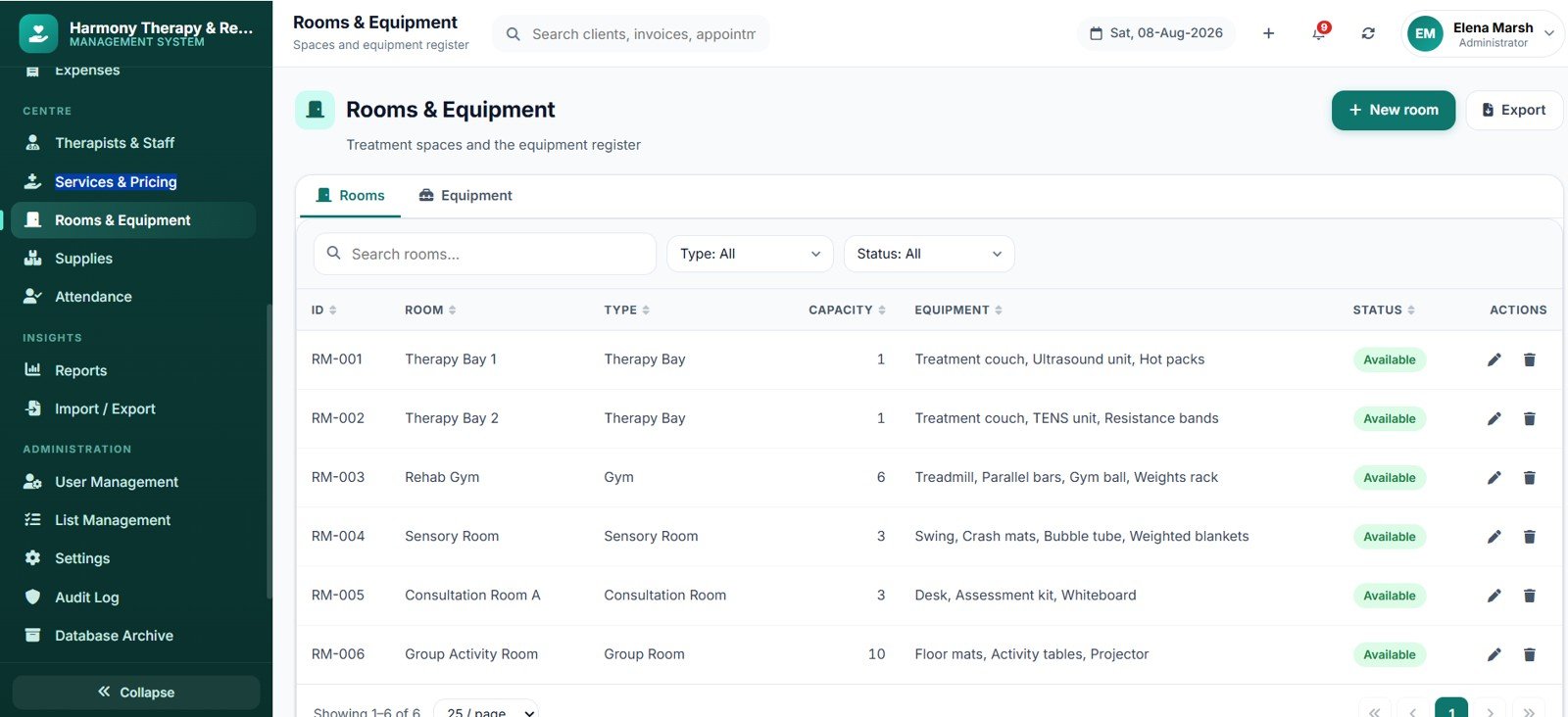
Reports
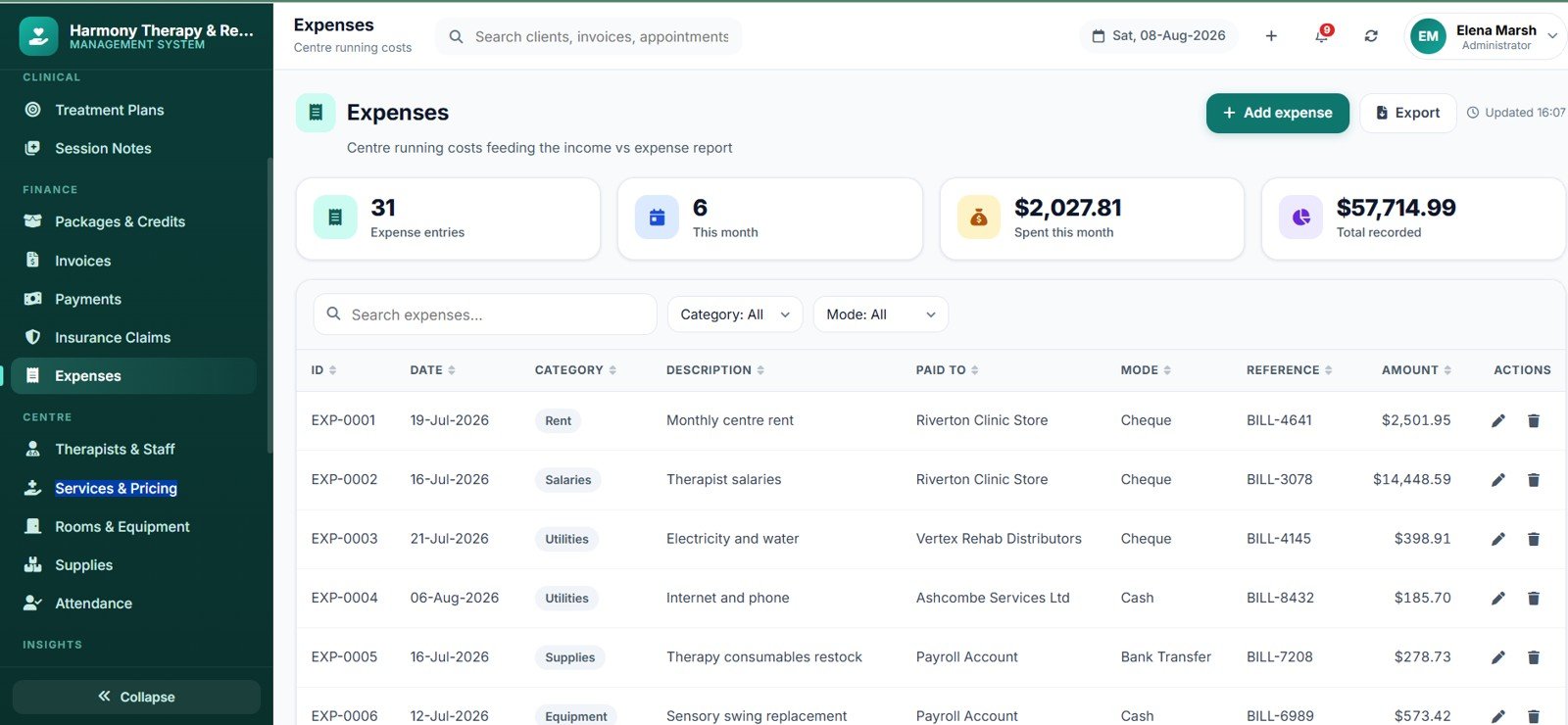
Twenty reports cover Appointment, Session Delivery, No-show and Cancellation, Therapist Productivity, Utilisation vs Availability, Client Attendance and Compliance, New Client Registration, Treatment Progress, Package Utilisation and Expiry, Revenue, Outstanding and Ageing, Collection, Refund and Credit Note, Insurance Claim Status, Income vs Expense, Tax Summary, Client Statement, Discharge Summary, Audit Log and a one-page Daily Centre Summary.
Settings and Database Archive
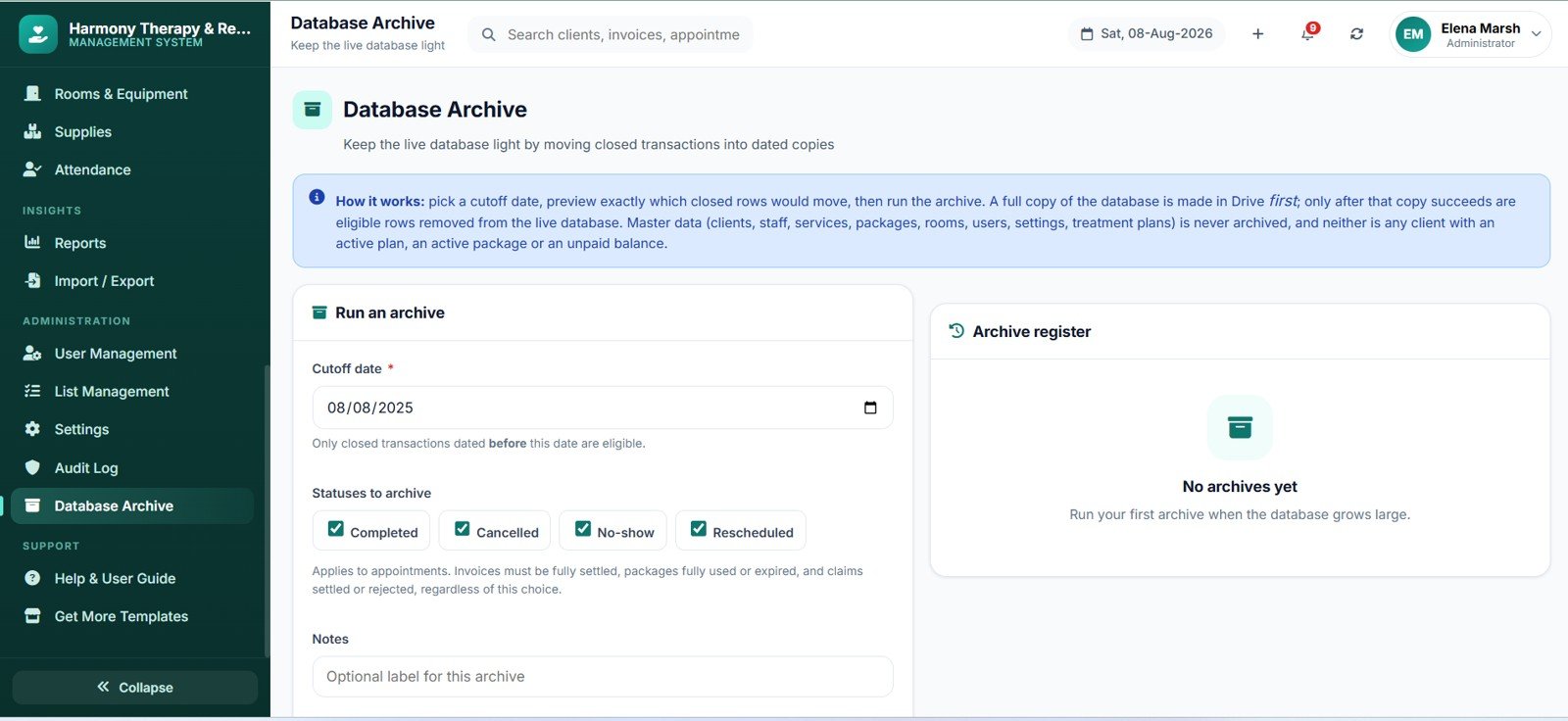
Nine settings tabs control the centre profile, currency and date formats, tax and invoice numbering, working hours and cancellation rules, print paper sizes, email templates, clinical rules and security. The archive tool copies the database to Drive first, then removes only closed transactions — master data and anything still open always stays put.
Therapy Center Management System Web App vs. Excel Clinic Tool vs. Cliniko / SimplePractice — Feature Comparison
| Feature | Therapy Center Management System Web App | Excel / VBA Clinic Tool | Cliniko / SimplePractice |
|---|---|---|---|
| Cost | $39.99 one-time | $30–80 one-time | $45–99 per user / month |
| Platform | Browser — any device | Desktop Excel only | Vendor cloud |
| Setup time | Under 10 minutes | 5 minutes | 1–3 days onboarding |
| Real-time multi-user access | Yes — 4 roles | Single-user file | Yes |
| Mobile access | Responsive web app | Very limited | Native app |
| Data stays in your own account | Yes — your Google Drive | Yes — local file | No — vendor servers |
| Full source code included | Yes — edit anything | Macro editing only | Locked |
| Per-therapist fees | None — unlimited users | None | Charged per user |
| Year-1 cost at 5 therapists | $39.99 | ~$60 | $2,700–5,940 |
For a centre that wants scheduling, clinical notes and billing in one place without paying per therapist every month, the Therapy Center Management System Web App sits in the sweet spot.
Who Should Use This Template
Perfect for:
- Physiotherapy, occupational therapy and speech & language practices with 1–20 therapists.
- Child development, ABA and special education centres running package-based programmes.
- Counselling and psychotherapy practices needing session notes and billing together.
- Multi-discipline rehabilitation centres tracking rooms, equipment and utilisation.
Not a fit if:
- You need formal statutory certification, SSO or signed compliance agreements — this template makes no certification claims.
- You want client-facing self-service online booking out of the box.
- You need native iOS or Android apps rather than a responsive browser app.
- You need built-in card processing — payments are recorded here, not collected.
Real-World Use Cases
Nadia runs a four-therapist physiotherapy clinic. Her front desk kept double-booking the gym against the therapy bay. Now the system blocks it outright, her 10-session physio packs count themselves down, and she prints a Daily Centre Summary at close each evening instead of paying per-therapist SaaS fees.
Marcus runs a speech and language practice with two assistants. He books fortnightly recurring blocks for each child, writes SOAP notes against the specific articulation goals in each treatment plan, and emails guardians a progress summary at the end of every term.
Priya manages a multi-discipline child development centre. Her physiotherapy, occupational therapy and ABA staff each see only their own caseload, while she reviews Therapist Utilisation vs Availability monthly to decide where to add hours.
Advantages of the Therapy Center Management System Web App
- Real cost saving. At five therapists, practice management SaaS runs $2,700–$5,940 in year one. This is $39.99 once, with unlimited users.
- Your data stays yours. Everything lives in the Google Sheet and Drive folders inside your own account, built on Google Apps Script and Google Sheets.
- Nothing to host. No server, no domain, no maintenance window.
- Time saved at the front desk. Credit counting, expiry warnings, unbilled-session tracking and reminder emails all happen without anyone chasing them.
- Editable source. Two files, thoroughly commented — change a label, add a field, or extend a report yourself.
Opportunities for Improvement
Being straight about the limits: there is no client-facing self-service booking portal, so appointments are made by your staff. Payments are recorded rather than collected — there is no built-in card gateway. Reminders go out by email using the daily Gmail quota of the account that owns the deployment, so very high-volume centres should watch that limit or move to SMS via custom work. Charts load from a public CDN, so a network that blocks it will show figures and tables without the graphics. And because Google Sheets has practical size limits, busy centres should run the built-in Database Archive once transactions build up over a couple of years.
Best Practices
- Change all six seeded passwords before your first real client is entered.
- Link every therapist’s user account to their staff record — without it they will not be restricted to their own caseload.
- Fill in the weekly availability grid and shift times per therapist; the scheduler is only as good as the availability you give it.
- Block leave and public holidays in advance so nobody is accidentally booked.
- Write session notes on the day — the Pending Notes list keeps the backlog visible to the whole team.
- Deactivate rather than delete clients, services and therapists so history stays readable.
- Check the Outstanding / Ageing report weekly and send payment reminders straight from it.
- Take a backup before any bulk import and before running an archive.
Explore Relevant Templates
Running a different kind of practice? The Ayurvedic or Homeopathy Clinic Management System Web App uses the same architecture for consultation-led clinics, while the Blood Bank Management System Web App and the Ambulance Fleet and Dispatch Management System Web App cover other healthcare operations. Add the HR Employee Management System Web App for staffing, or analyse care data with the Patient Care Homes Dashboard in Excel. You can also browse every multi-user Web App system we build.
Save more: nine healthcare templates are bundled together in the Healthcare Administrator Toolkit.
Curious about the spreadsheet skills behind a system like this? The NextGenTemplates Academy learning paths cover them step by step, with practice files.
Frequently Asked Questions
What does the Therapy Center Management System Web App include?
The Therapy Center Management System Web App includes 24 modules, a 37-sheet Google Sheets database, 4 user roles, 20 reports, a 12-KPI dashboard, a one-click installer, seeded demo data and a 41-page user manual. You receive the complete source code in two files.
How long does setup take?
Under 10 minutes. You paste two code files into a new Apps Script project, run the installer once, and deploy as a web app. The Therapy Center Management System Web App builds all 37 sheets, the Drive folders and the demo data automatically.
How does this compare to Cliniko or SimplePractice?
Cliniko and SimplePractice charge roughly $45–99 per user per month and host your data. The Therapy Center Management System Web App is a one-time $39.99 purchase with unlimited users and editable source code, running in your own Google account — but it makes no statutory compliance claims.
Does it prevent double-booking a therapist or a room?
Yes. Every booking is checked against therapist availability, room availability, opening hours, shift times, leave dates and daily session limits. The Therapy Center Management System Web App names the exact clash, and only an administrator can override with a logged reason.
Can therapists see each other’s clients and notes?
No. In the Therapy Center Management System Web App a therapist only sees their own caseload, appointments, plans and notes. Front desk staff cannot read session notes unless you enable it in Settings, and accountants never see clinical content.
Where is the client data stored?
Entirely inside your own Google account — in the Google Sheet linked to your deployment and the Drive folders created at setup. The Therapy Center Management System Web App sends nothing to any third-party server.
About the Author
Built by PK — Microsoft Certified Professional with 15+ years of Excel, Google Sheets and Power BI experience. Founder of NextGenTemplates, reaching 300K+ subscribers across YouTube channels. Every template is hand-built and tested before release.
Conclusion
If your centre is still stitching together a diary, a documents folder and a billing spreadsheet, the Therapy Center Management System Web App replaces all three with one browser app that installs itself in under 10 minutes and costs less than a single month of practice management SaaS. Scheduling, clinical records, packages, billing and 20 reports — in your own Google account, with the source code included.
Get the Therapy Center Management System Web App
Instant download · One-time payment · No subscription · Unlimited users
Last updated: August 2026