Pathology Lab Management System Web App is a ready-made Google Sheets and Google Apps Script system for diagnostic centers, small pathology labs, clinic labs, and sample collection teams that need one place to manage patient records, lab orders, sample tracking, result entry, report delivery, billing, payments, reagent inventory, quality control, staff, users, and audit logs.
Instead of maintaining separate spreadsheets for patients, tests, bills, reports, and stock, this web app connects the daily lab workflow inside a browser-based workspace. The template is available from NextGenTemplates as a one-time purchase ($39.99 at the time of writing). You can deploy it in your own Google account and adapt the data, labels, users, and settings to fit your lab process.
🎥 Watch the Video Tutorial
Get the Pathology Lab Management System
🚀 Try the Live Demo Before You Buy
We have deployed this web app in our own Google account so you can test every page, every role — with real sample data — before purchasing. No signup, no email required.
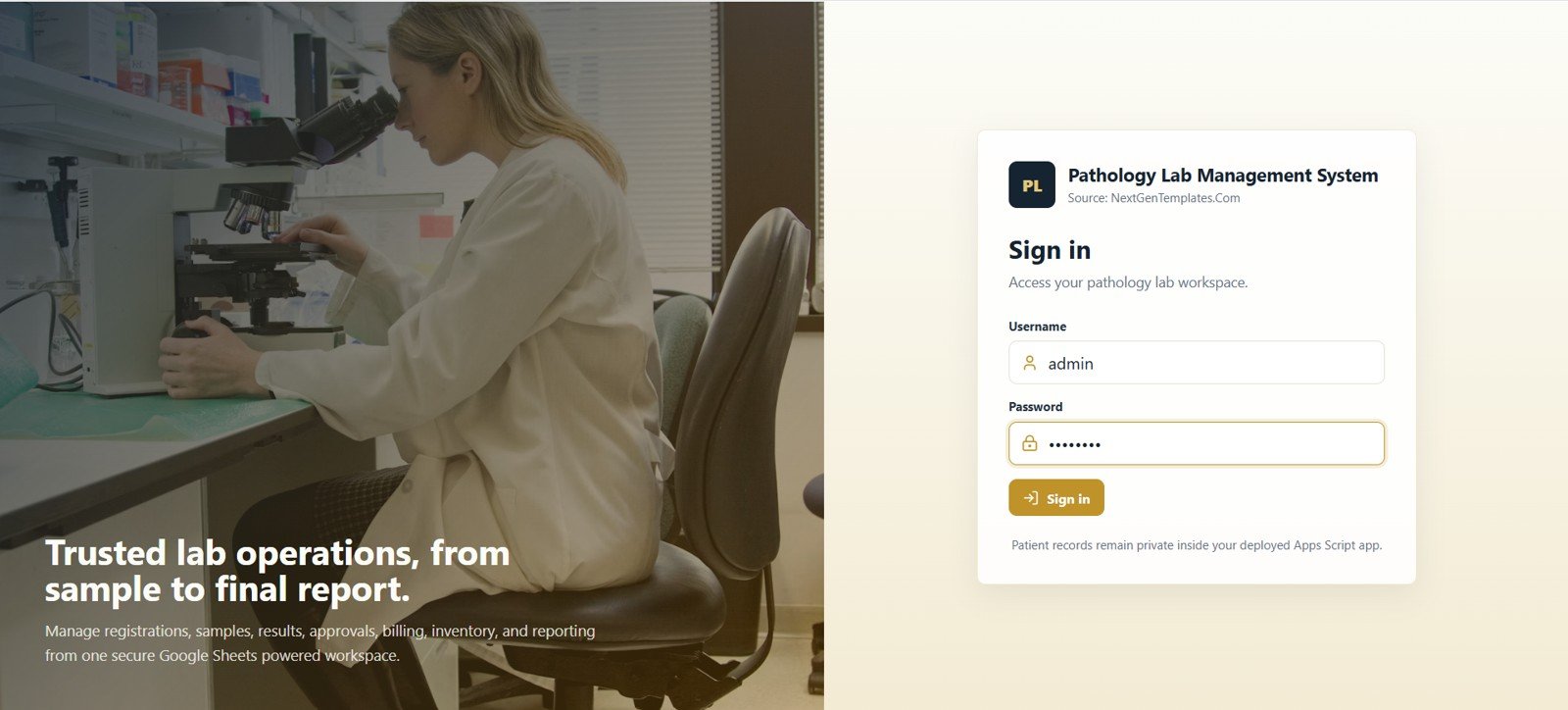
🔑 Test Login Credentials
Sign in as admin for full control of the system, or explore the role-based workflow: reception registers patients and books test orders, technician enters sample results, and pathologist reviews and approves the final reports.
💡 What you get after purchase: The full source code (Code.gs + Index.html) plus a step-by-step deployment guide so you can deploy your own private instance in your own Google account in under 15 minutes.
Why Labs Need a Connected Web App
A pathology lab has many moving parts: front desk registration, doctor referrals, sample collection, lab processing, result approval, report delivery, billing, collections, stock control, quality checks, equipment records, and user access. When those items are tracked in disconnected files, teams lose time reconciling data and checking what happened last.
This template gives lab teams a structured path from patient registration to final report. It is not an enterprise LIS replacement and it does not include analyzer integrations or regulated clinical decision support. It is a practical management system template for labs that want a private, editable, browser-based tool built on Google Sheets and Apps Script. For developers and power users, Google documents the Apps Script platform at developers.google.com/apps-script.
Key Features of Pathology Lab Management System Web App
- Secure login: sign in to a private deployed Apps Script web app.
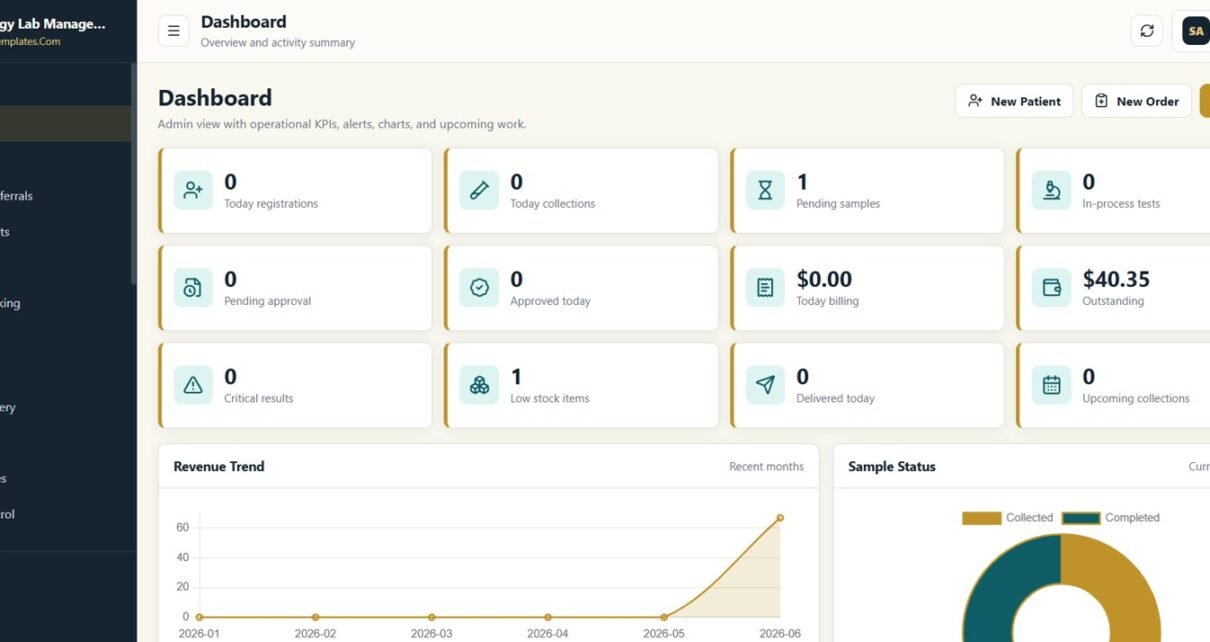
- Dashboard with 12 KPI cards: monitor today registrations, collections, pending samples, in-process tests, approvals, billing, outstanding amount, critical results, low stock, deliveries, and upcoming work.
- Patient and referral records: maintain patient details, doctors, clinics, contact information, and referral commission data.
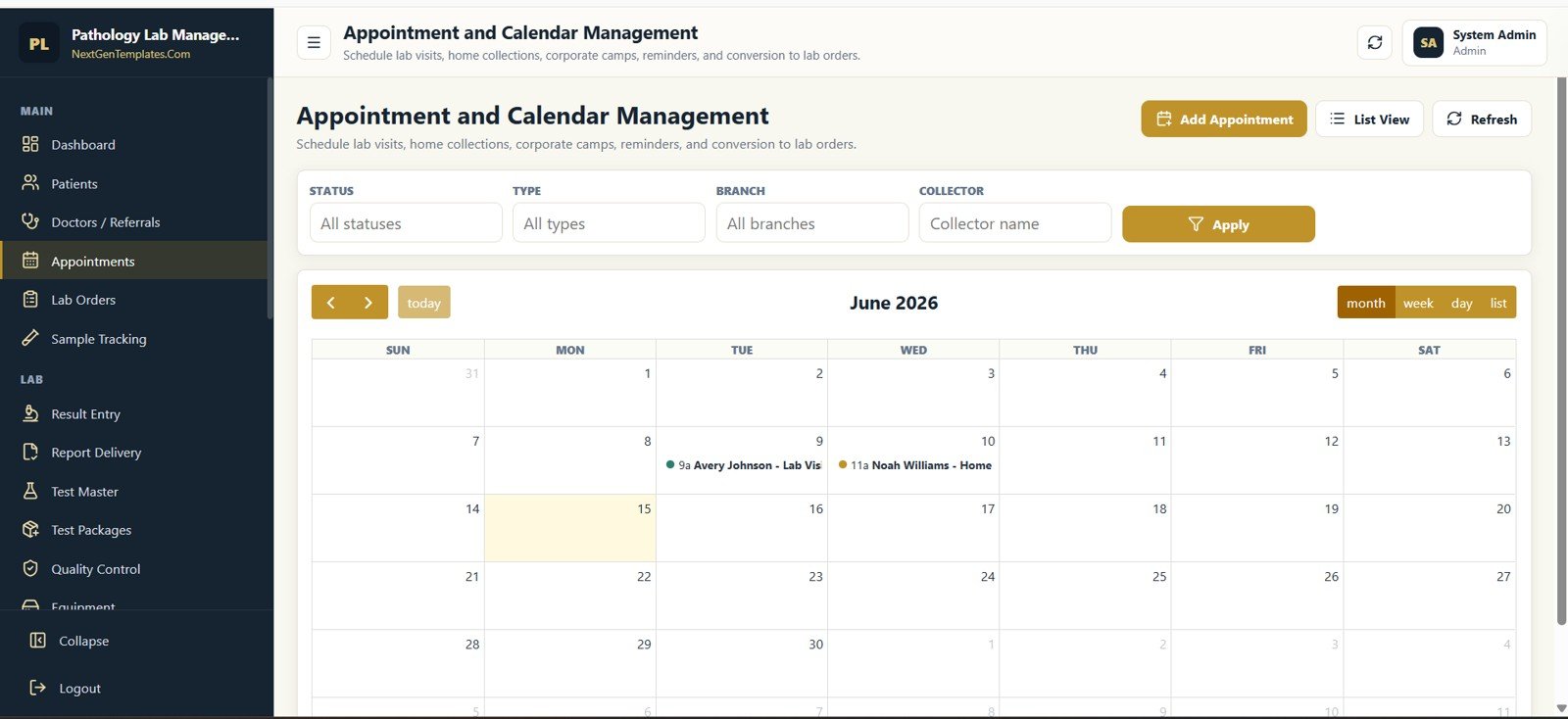
- Appointment calendar: schedule lab visits, home collections, corporate camps, reminders, and conversion to lab orders.
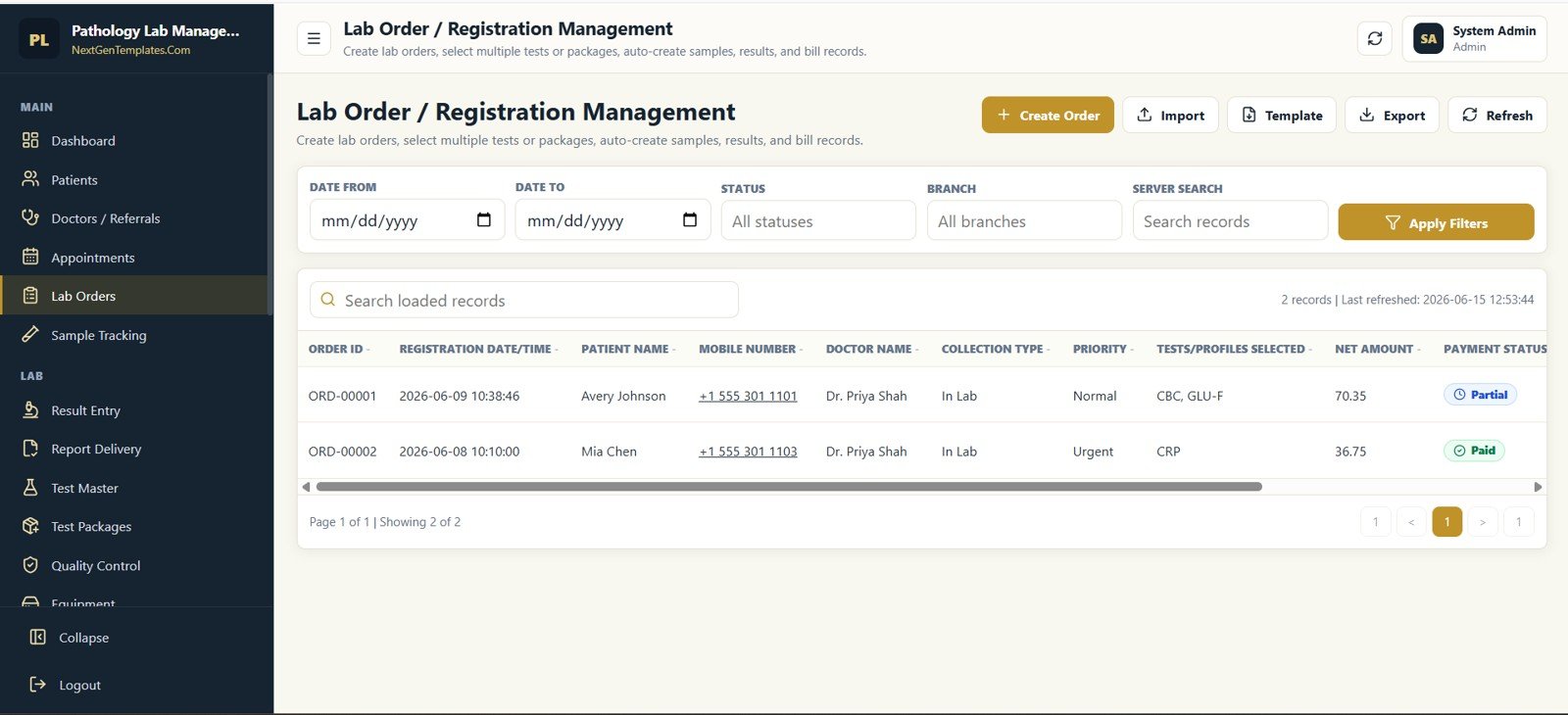
- Lab order workflow: create orders, select tests or packages, generate samples, create result records, and connect billing.
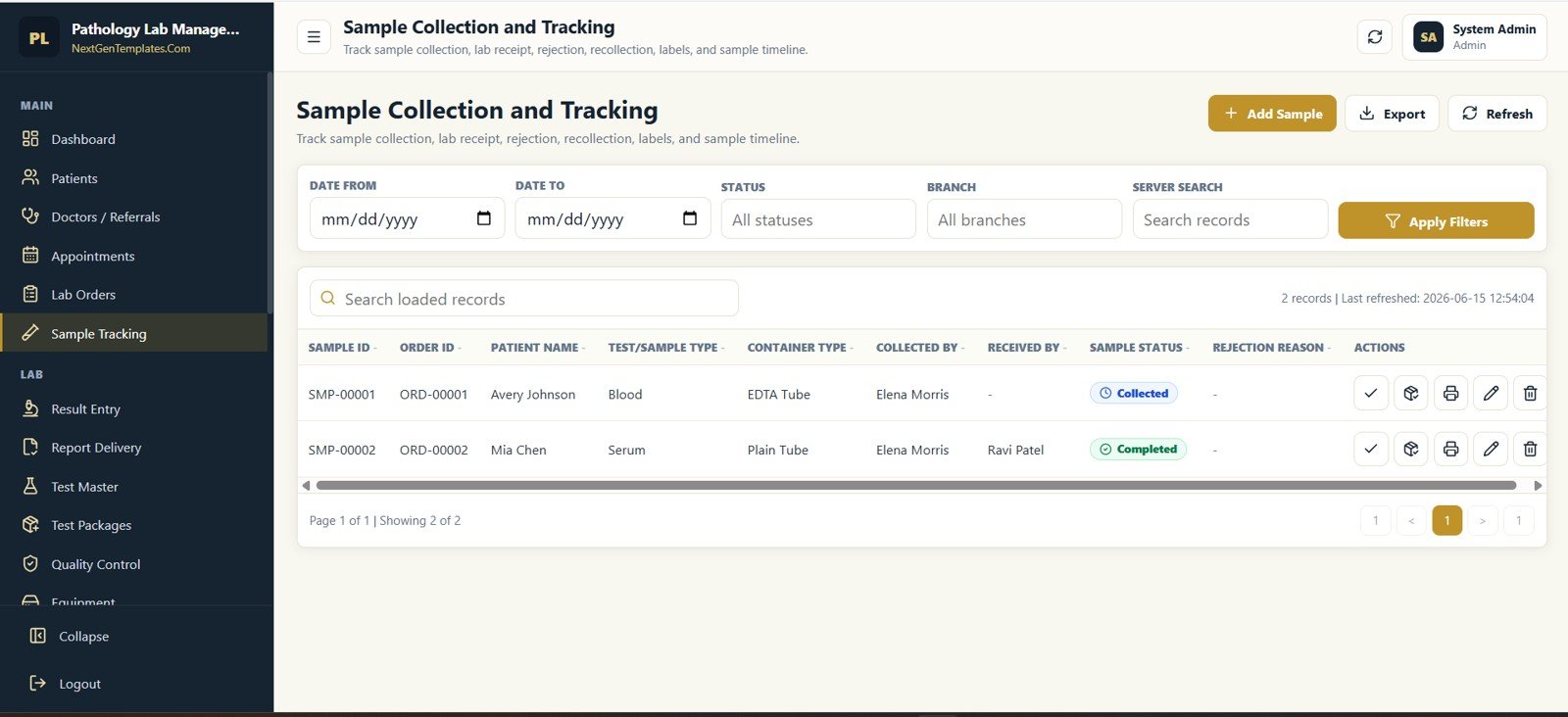
- Sample collection tracking: record sample status, collection, receipt, rejection, recollection, labels, and timelines.
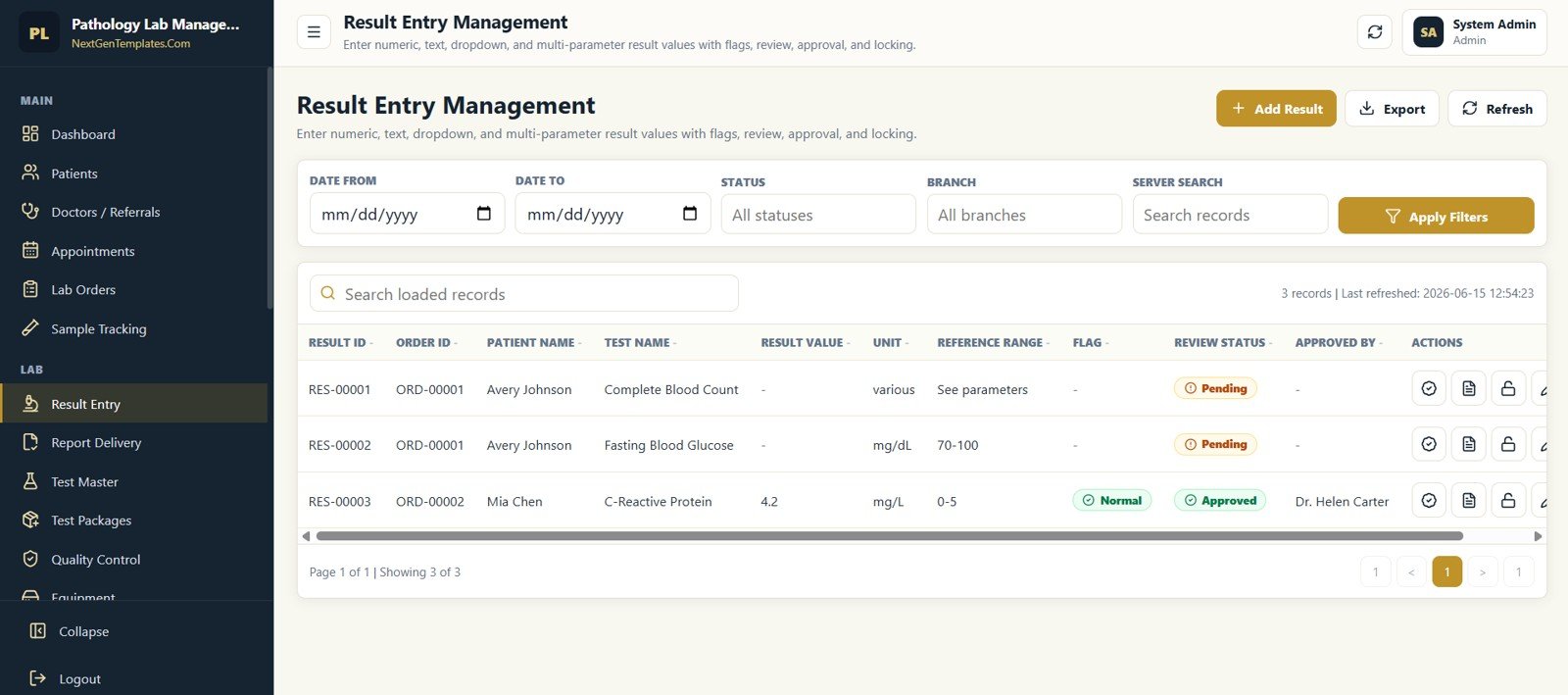
- Result entry and approval: handle numeric, text, dropdown, and multi-parameter results with flags, review, approval, and locking.
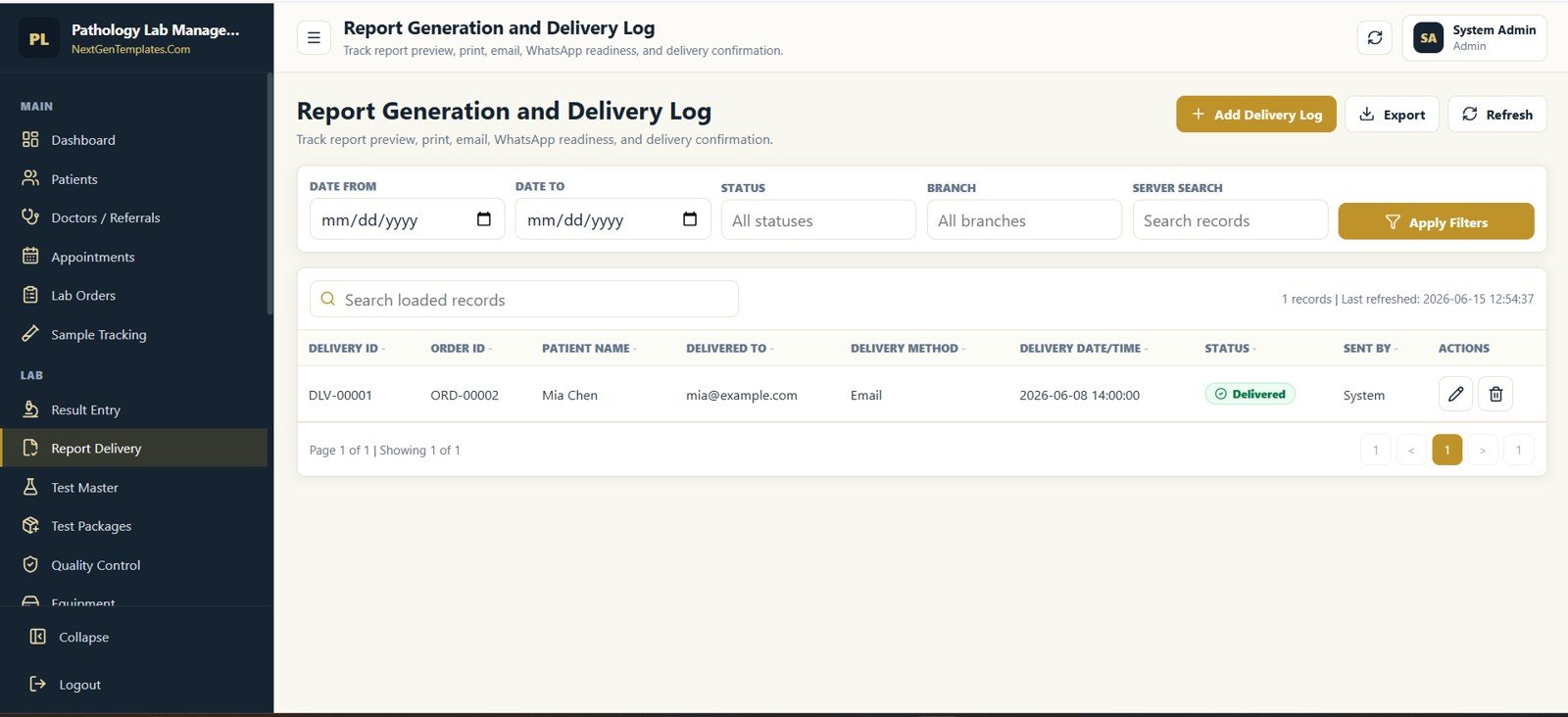
- Report delivery log: track preview, print, email, WhatsApp readiness, and delivery confirmation.
- Finance and stock: manage invoices, payments, outstanding balances, reagent inventory, equipment, and stock transactions.
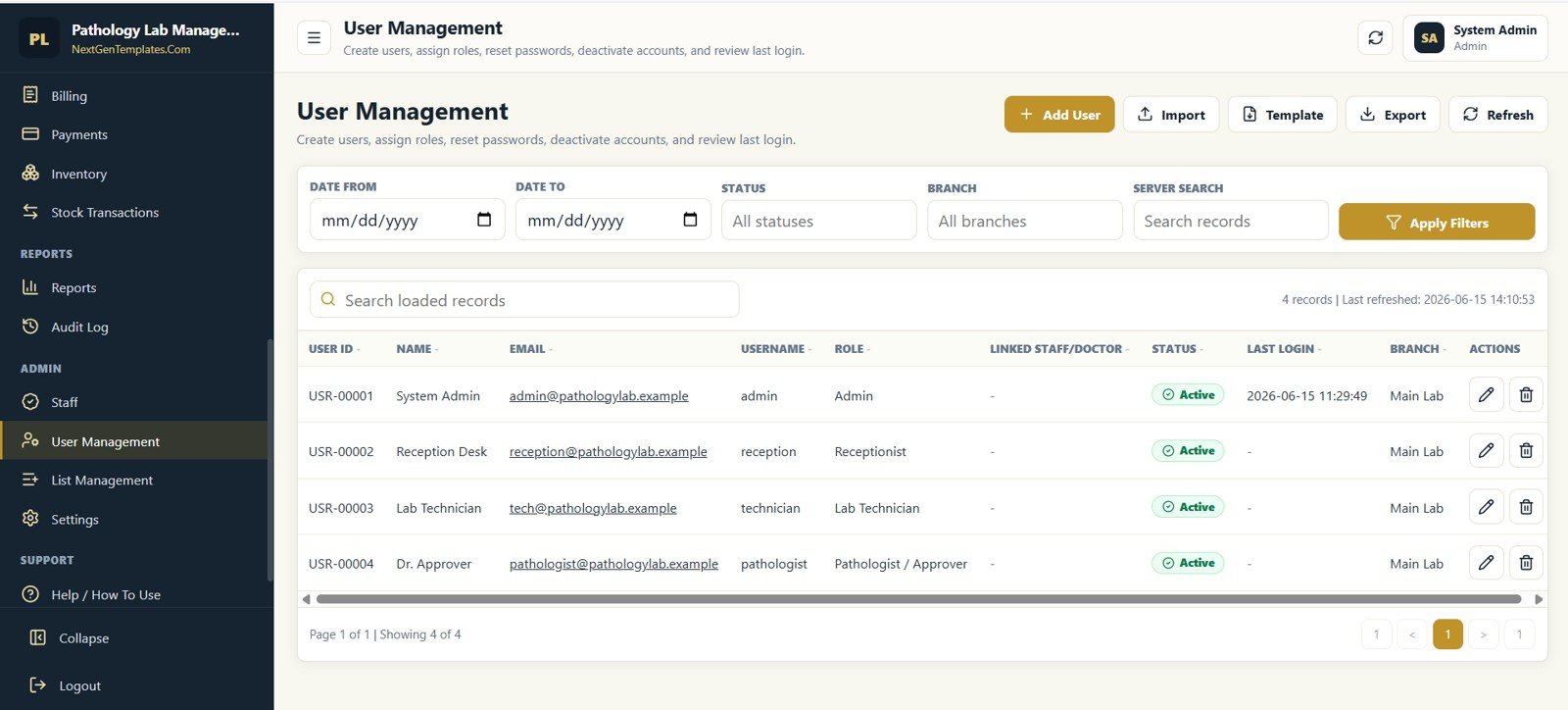
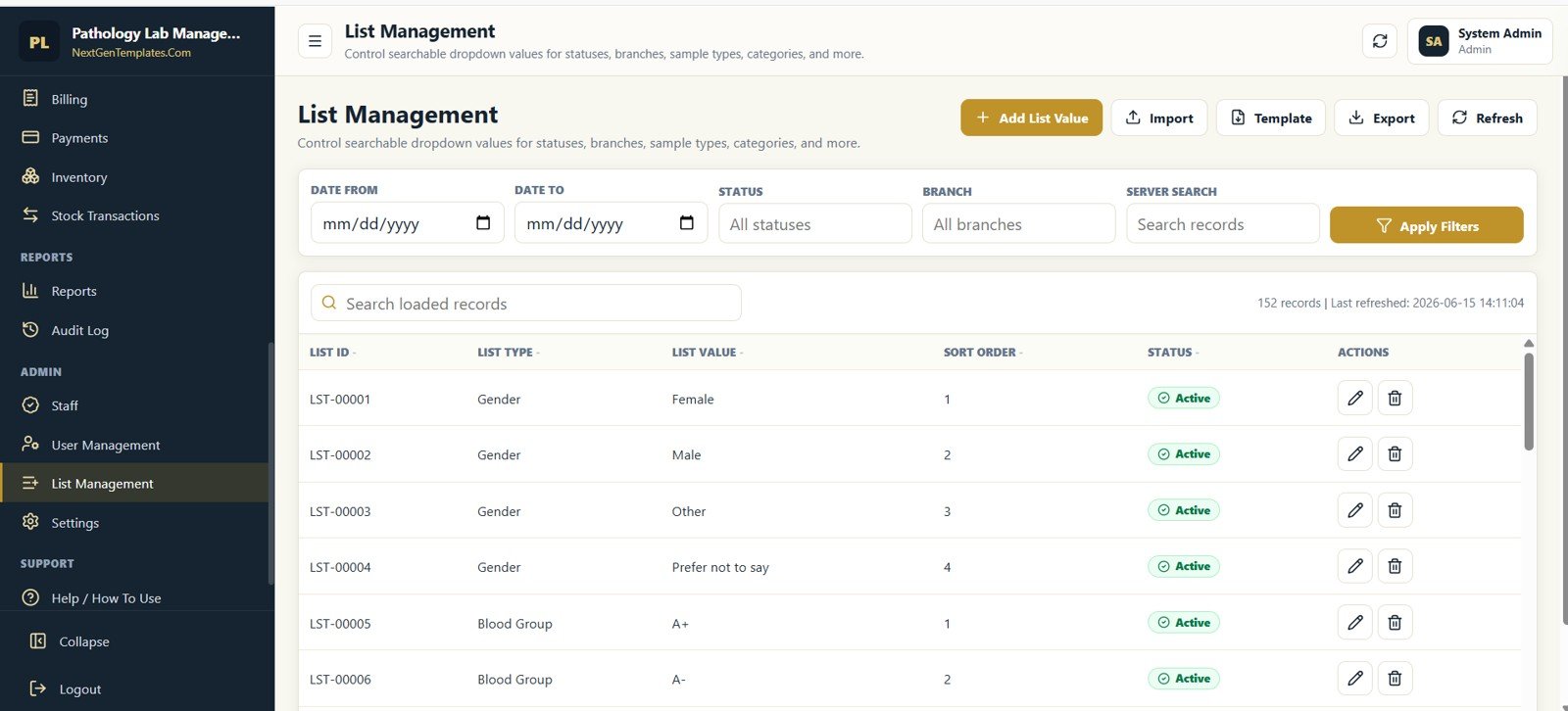
- Admin controls: configure staff, users, dropdown lists, lab profile, taxes, prefixes, report footer, and audit history.
Dashboard and Activity Screens
The dashboard gives administrators a fast view of live lab activity. KPI cards show current workload, while charts and lists help identify revenue movement, sample status, common tests, recent activity, and upcoming scheduled collections.
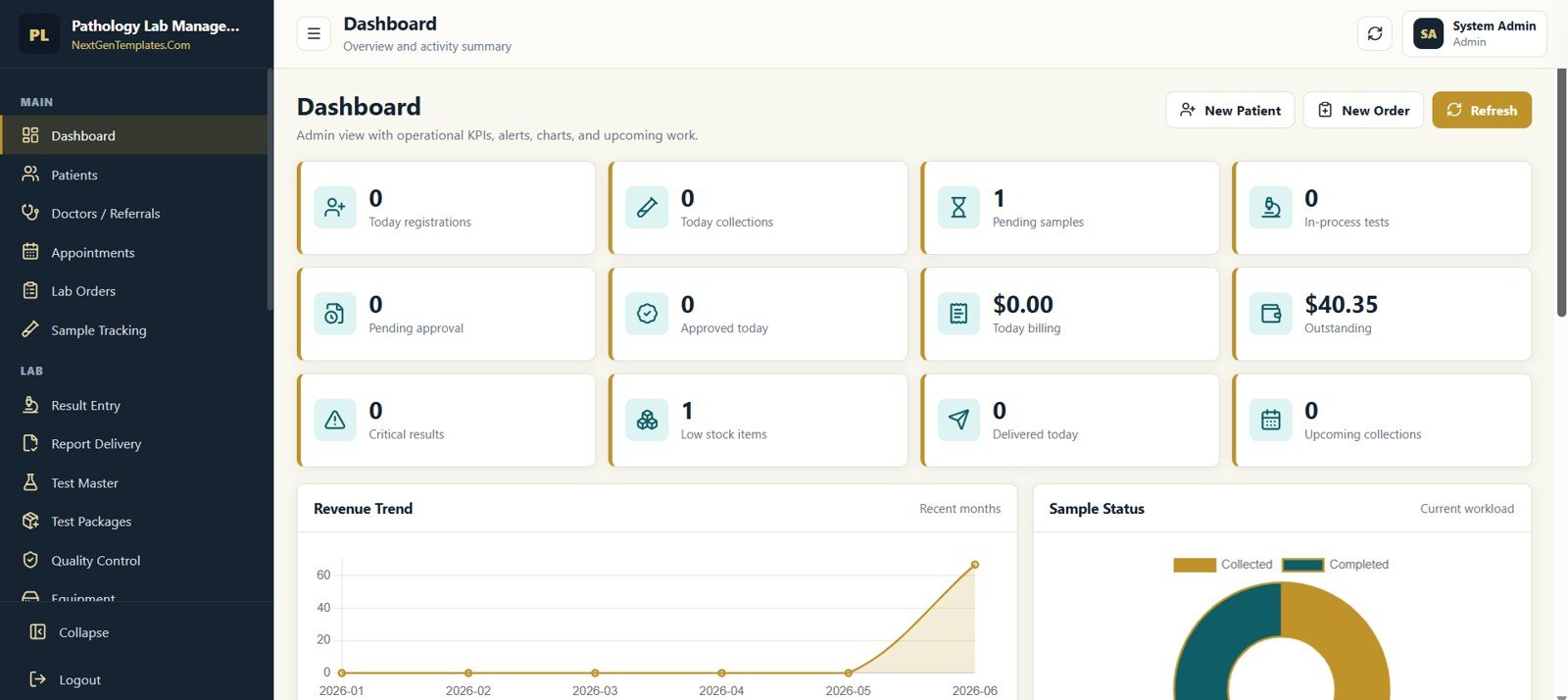
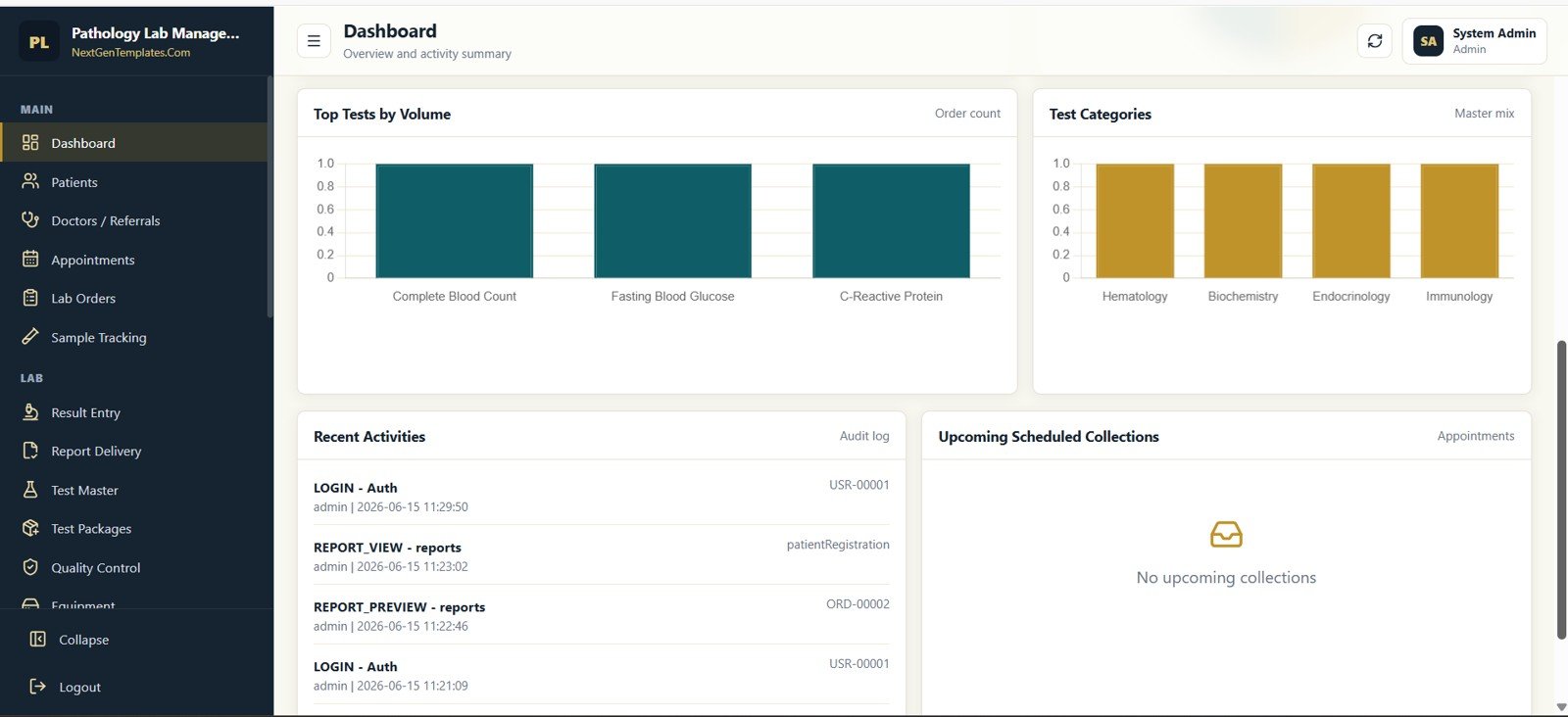
The 12 dashboard KPI cards
Each card reads live from the underlying sheets. The table groups them by the part of the lab they describe.
| Area | KPI cards | What they help you spot |
|---|---|---|
| Front desk | Today registrations, Upcoming collections | How busy reception is today and what home or scheduled collections are coming |
| Samples | Today collections, Pending samples, In-process tests | Samples waiting to be collected or received, and tests still on the bench |
| Results | Pending approval, Approved today, Critical results, Delivered today | Reports waiting for the pathologist, flagged results that need attention, and reports already sent |
| Finance | Today billing, Outstanding | The day’s billed amount and unpaid balances to follow up |
| Stock | Low stock items | Reagents or consumables at or below their reorder level |
Below the cards, the dashboard shows a Revenue Trend line, a Sample Status chart, Top Tests by Volume, Test Categories, Recent Activities from the audit log and Upcoming Scheduled Collections.
Patient, Doctor, Appointment, and Order Management
The front desk workflow begins with patient registration, doctor or referral setup, appointments, and lab orders. Each screen includes structured tables, filters, search, export actions, and record-level controls so users can review and update the right record quickly.
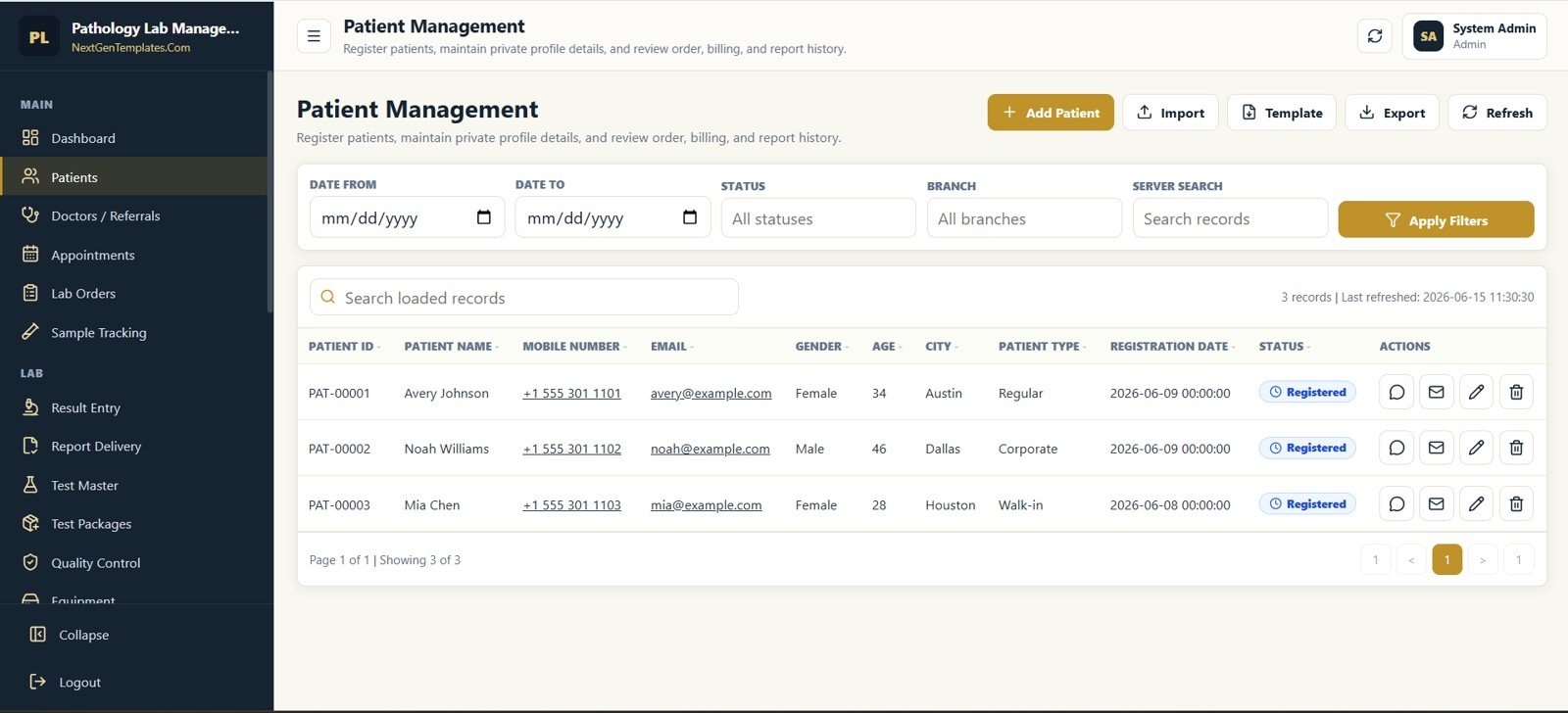
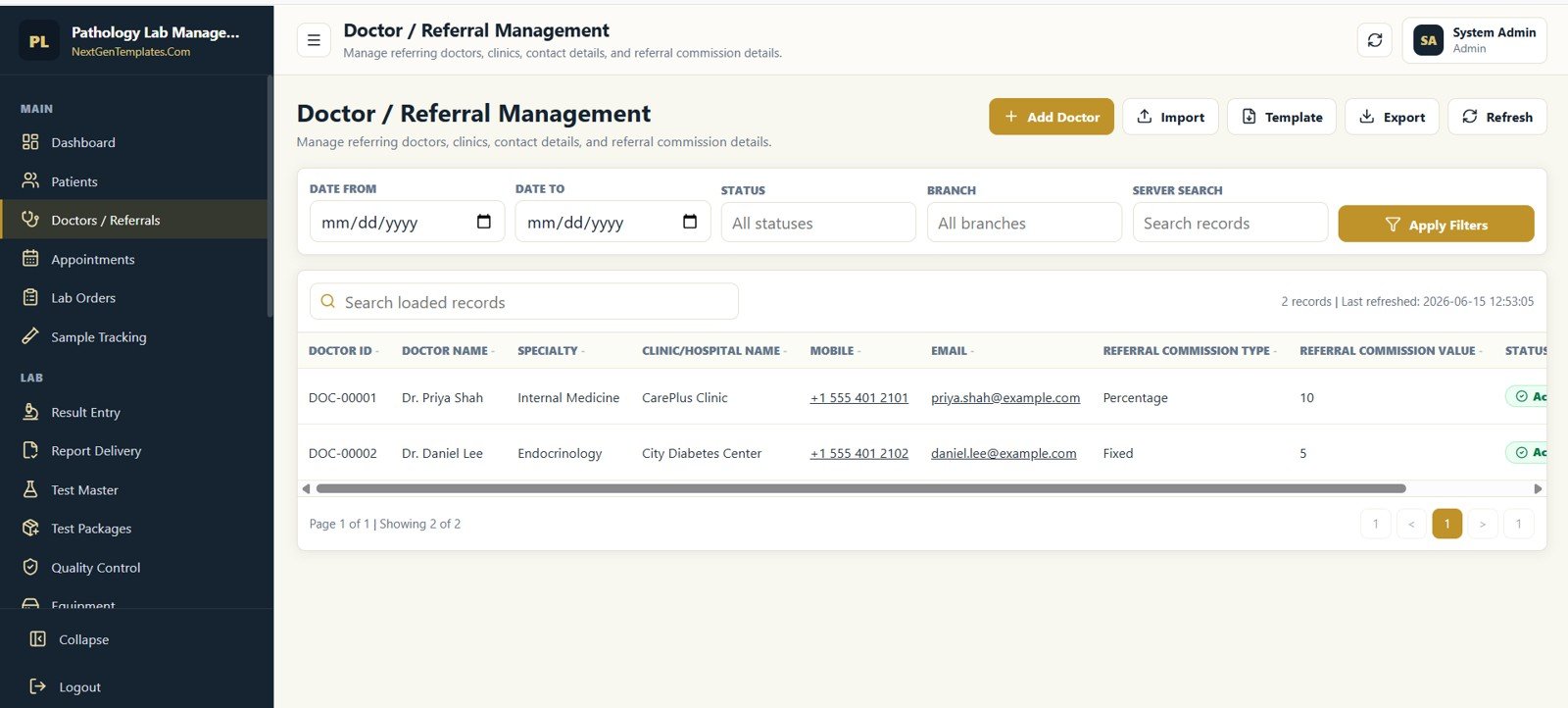
Sample Tracking, Results, and Report Delivery
After the order is created, the sample and reporting workflow becomes the center of lab operations. Staff can track sample IDs, order IDs, sample type, container type, collector, receiver, rejection reason, result status, approval, and delivery history.
Master Data, Quality Control, and Equipment
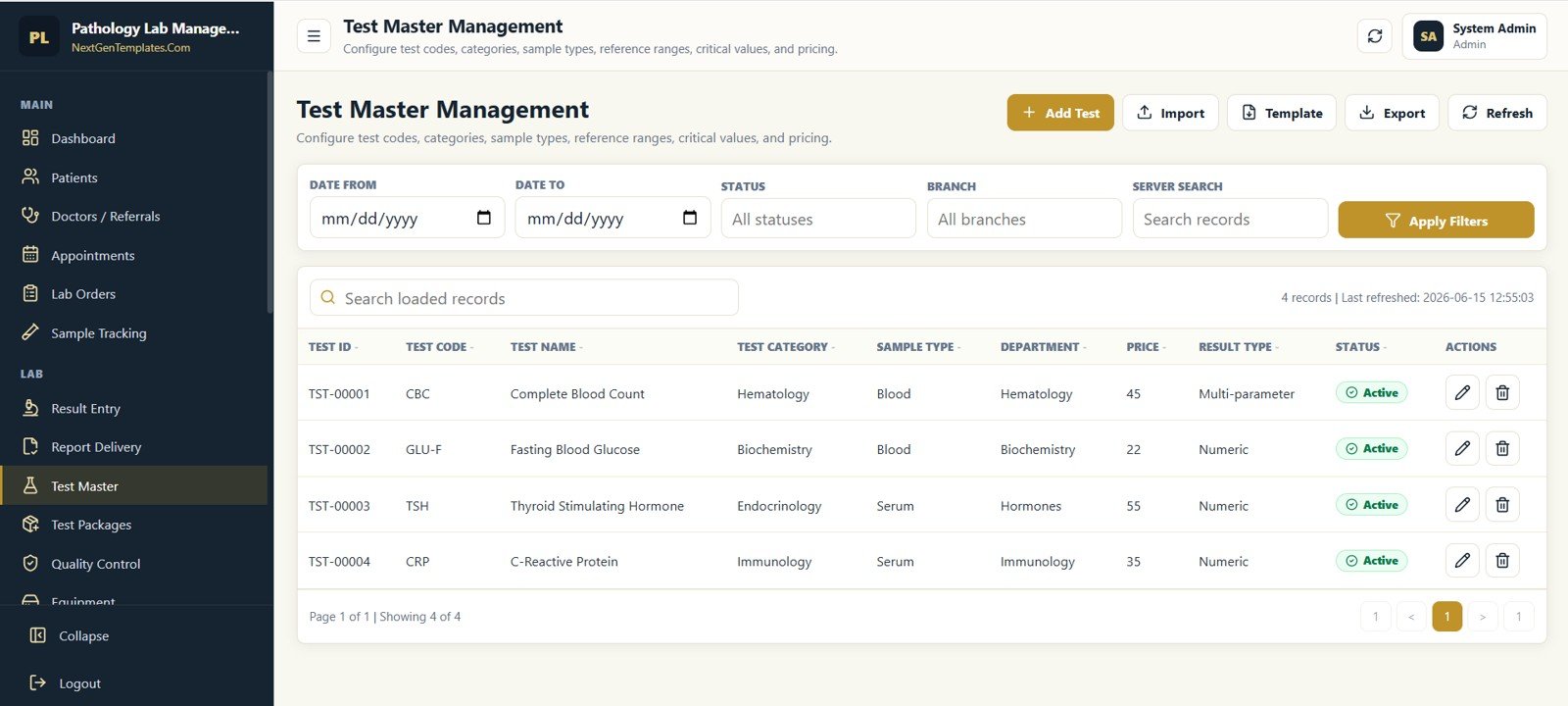
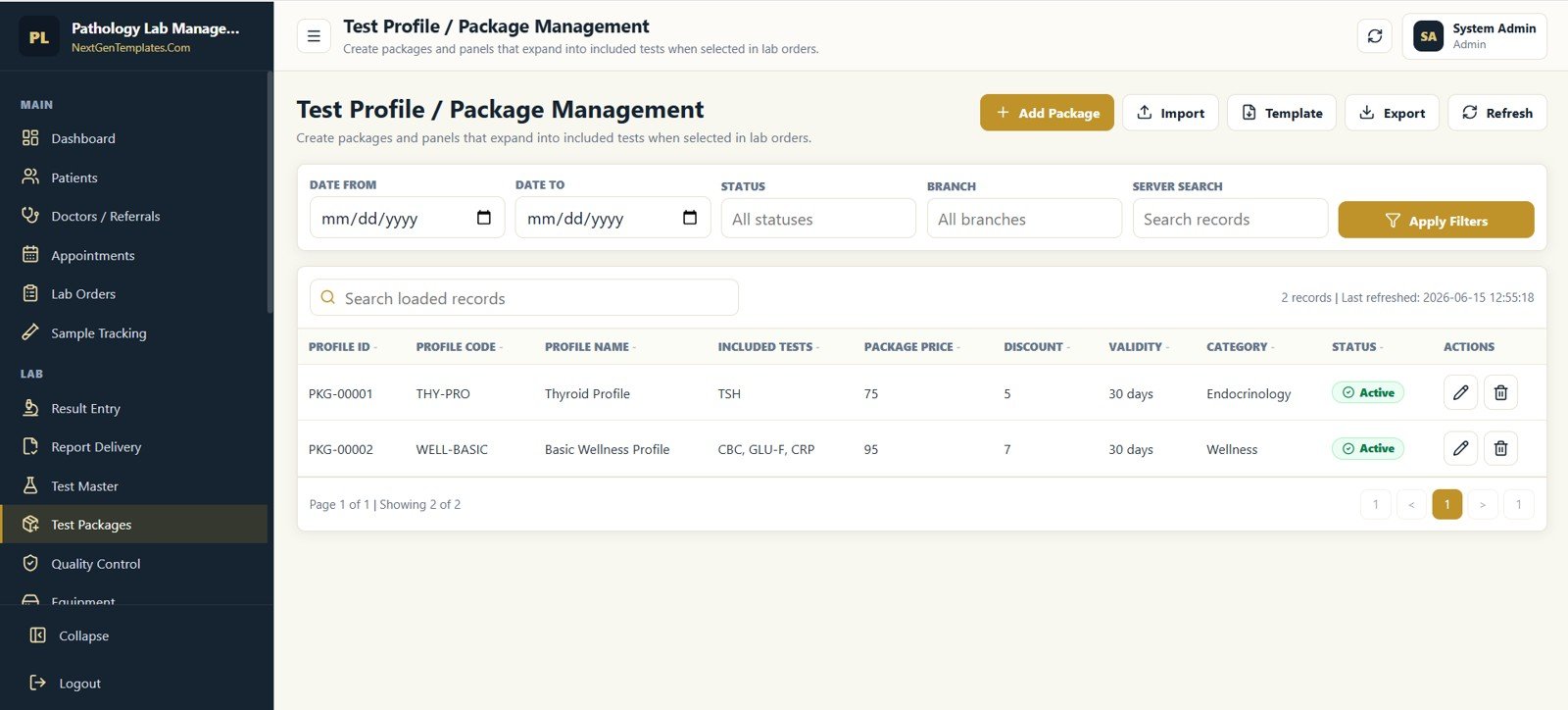
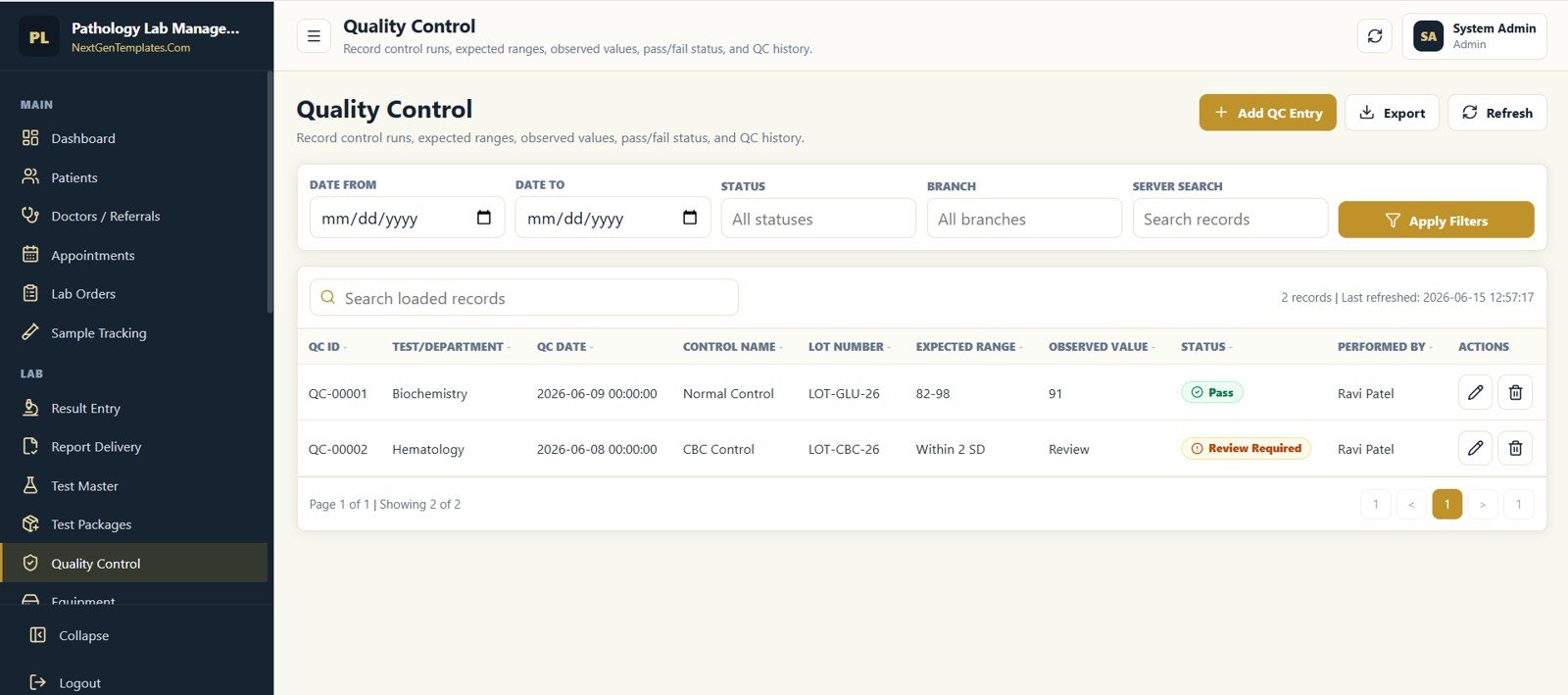
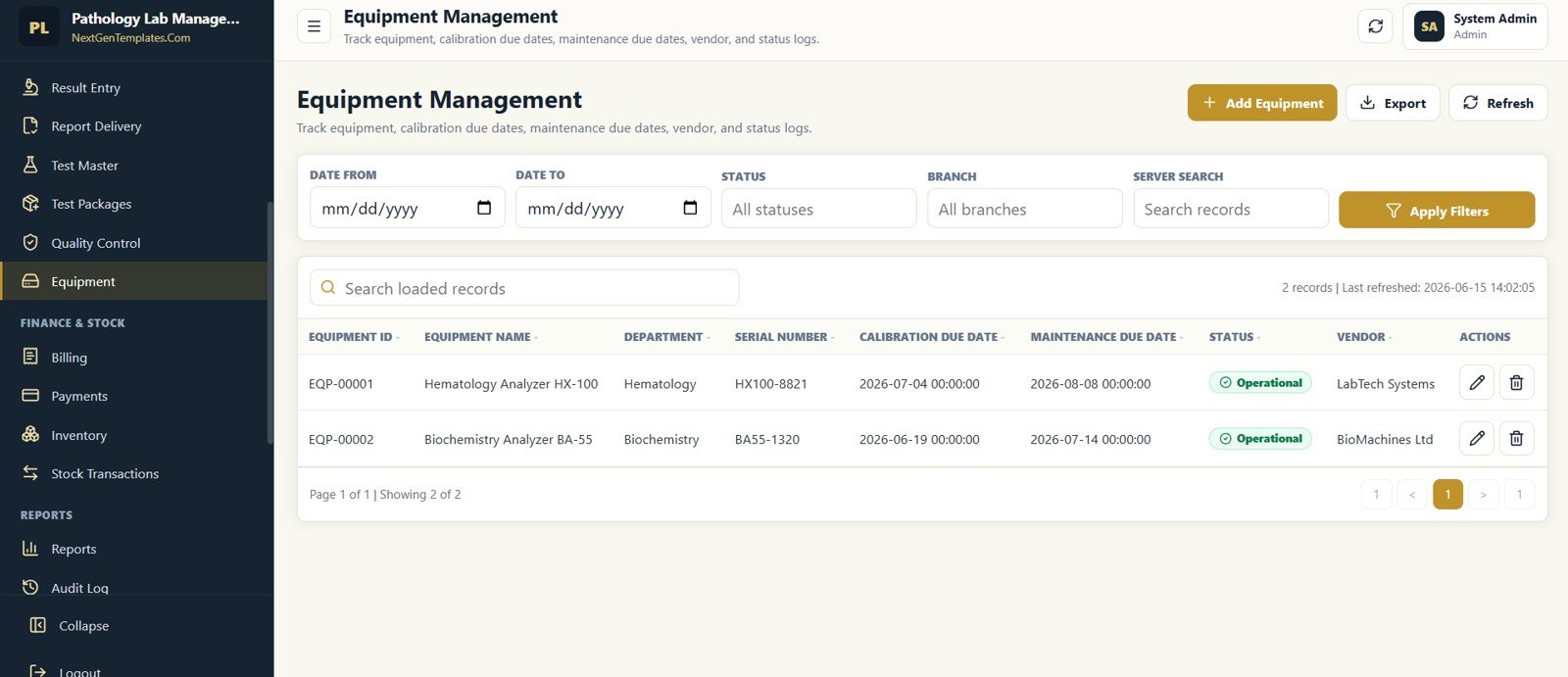
Good lab data depends on strong master records. The app includes test master management, test packages, quality control entries, and equipment tracking so the lab can configure test codes, categories, sample types, reference ranges, pricing, control runs, calibration due dates, and maintenance due dates.
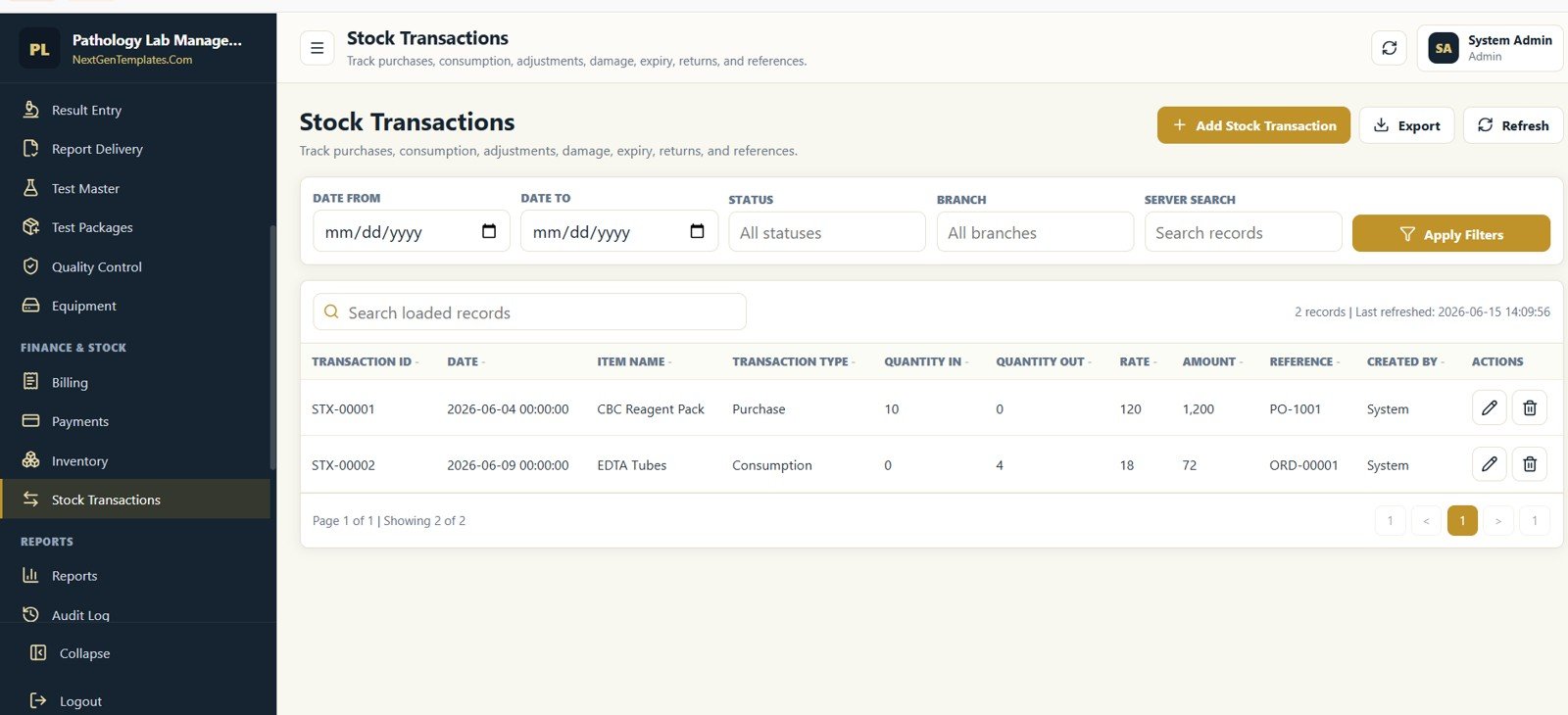
Billing, Payments, Inventory, and Stock Transactions
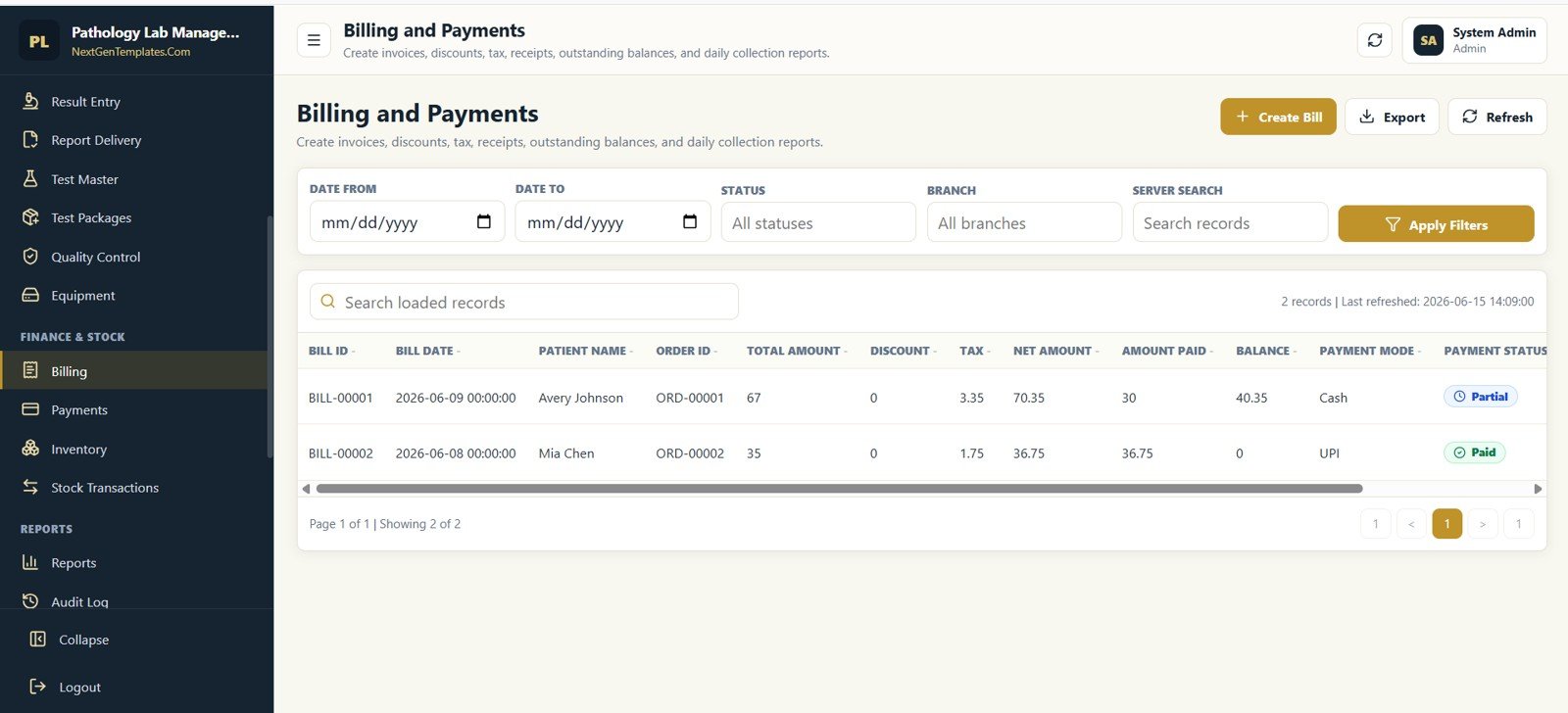
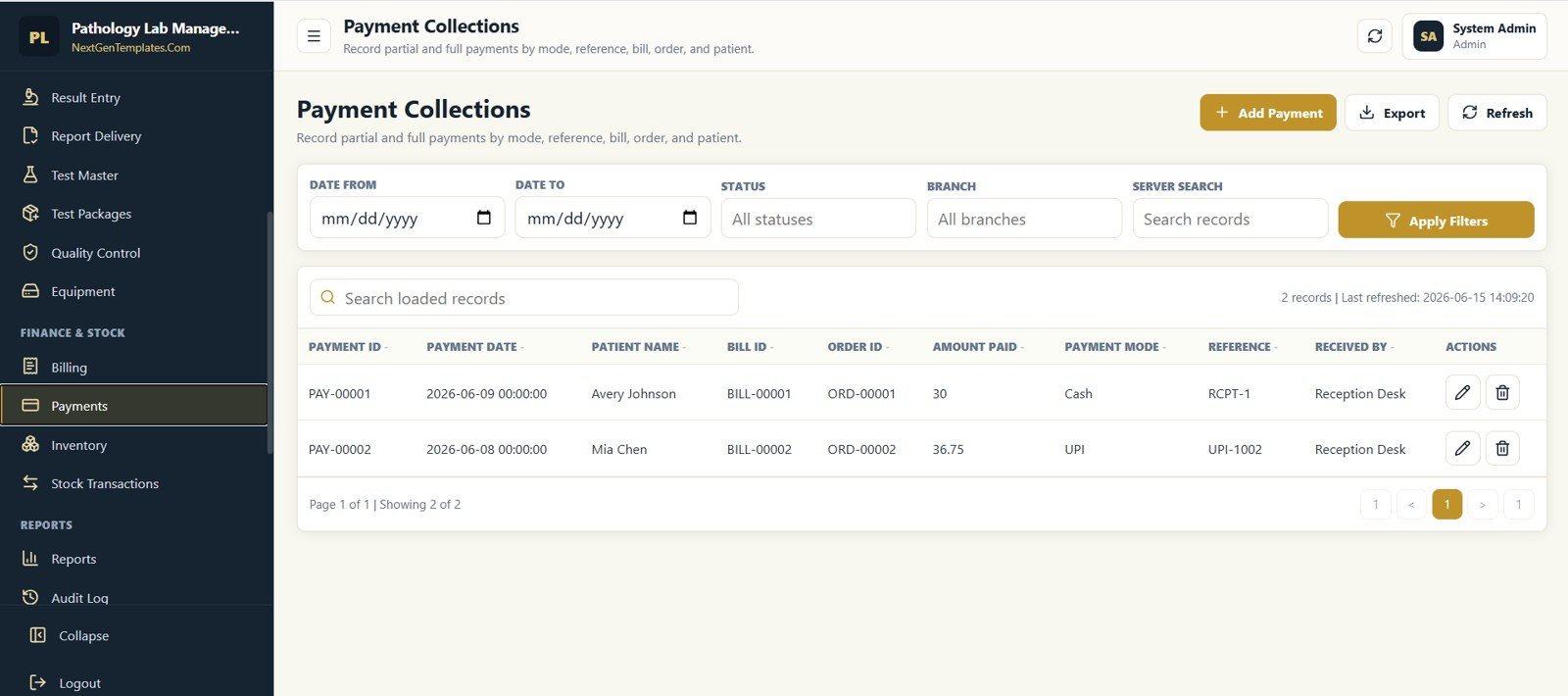
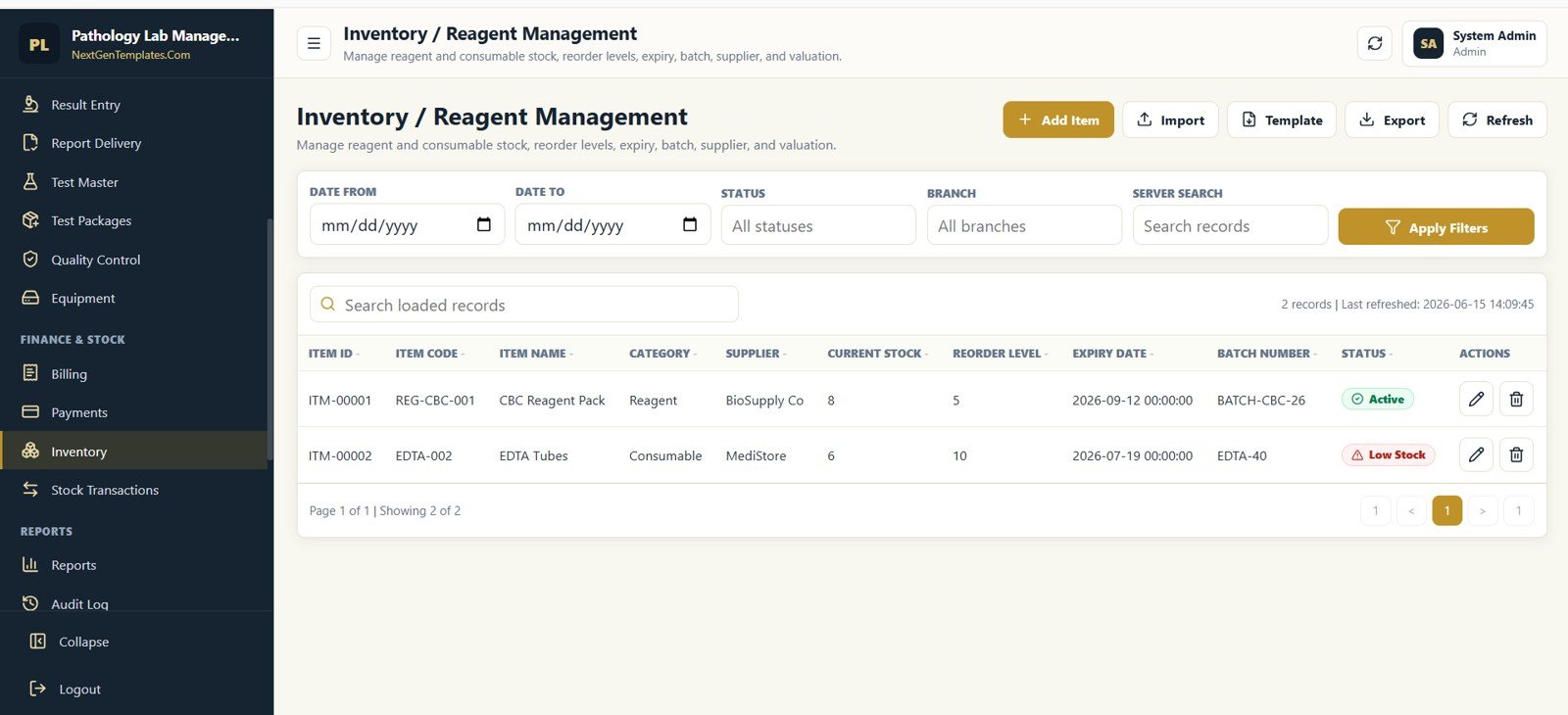
The finance and stock screens help connect lab operations with daily collections and reagent control. Users can create bills, record payments, review outstanding balances, maintain stock levels, identify low stock items, and record purchases or consumption.
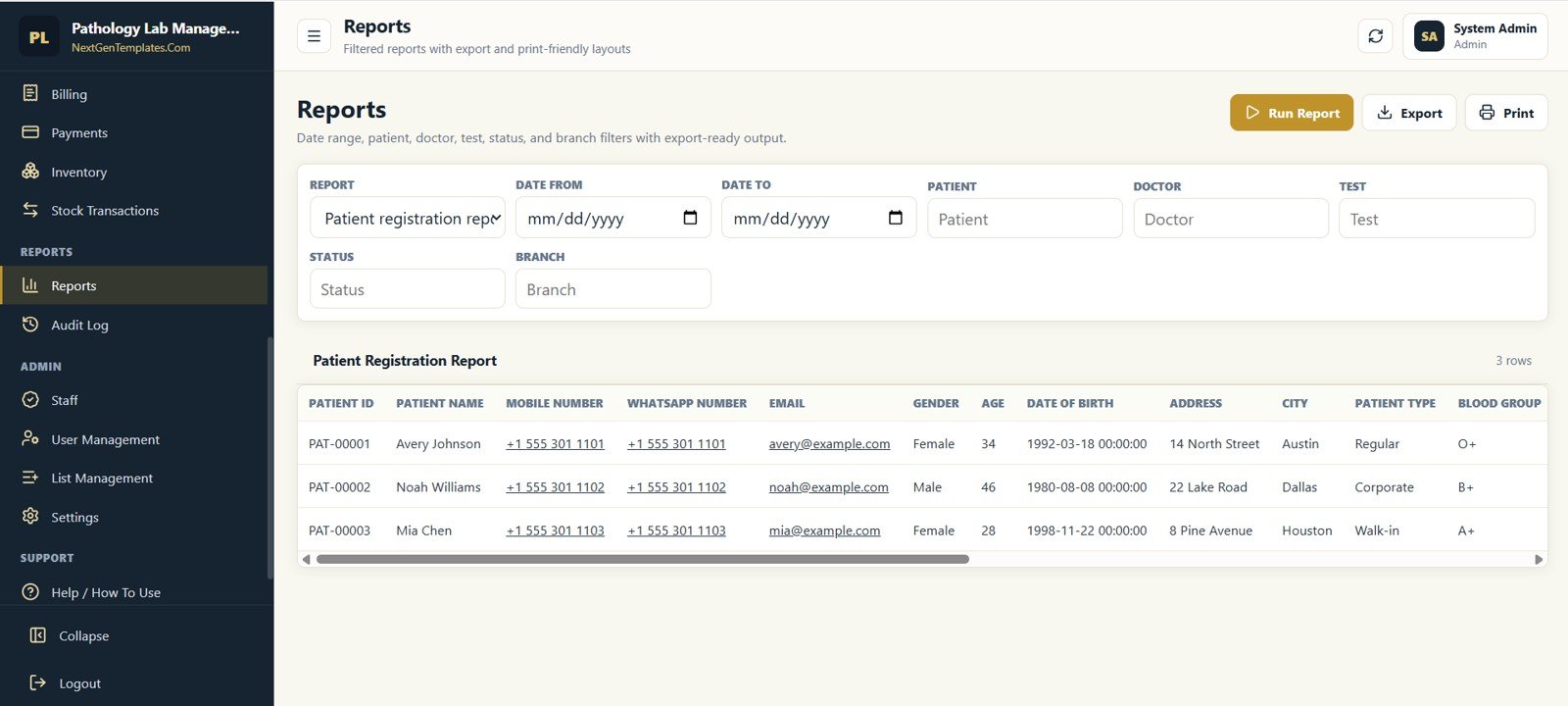
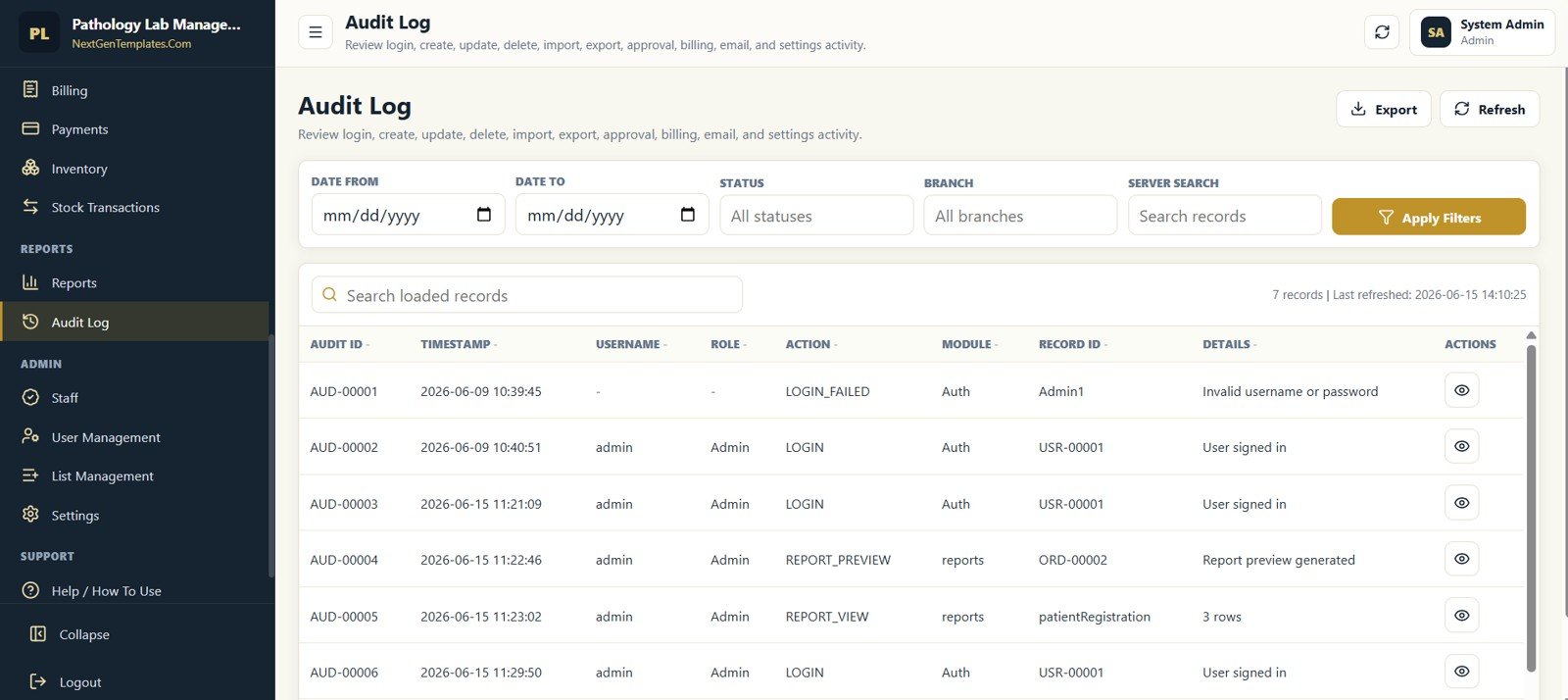
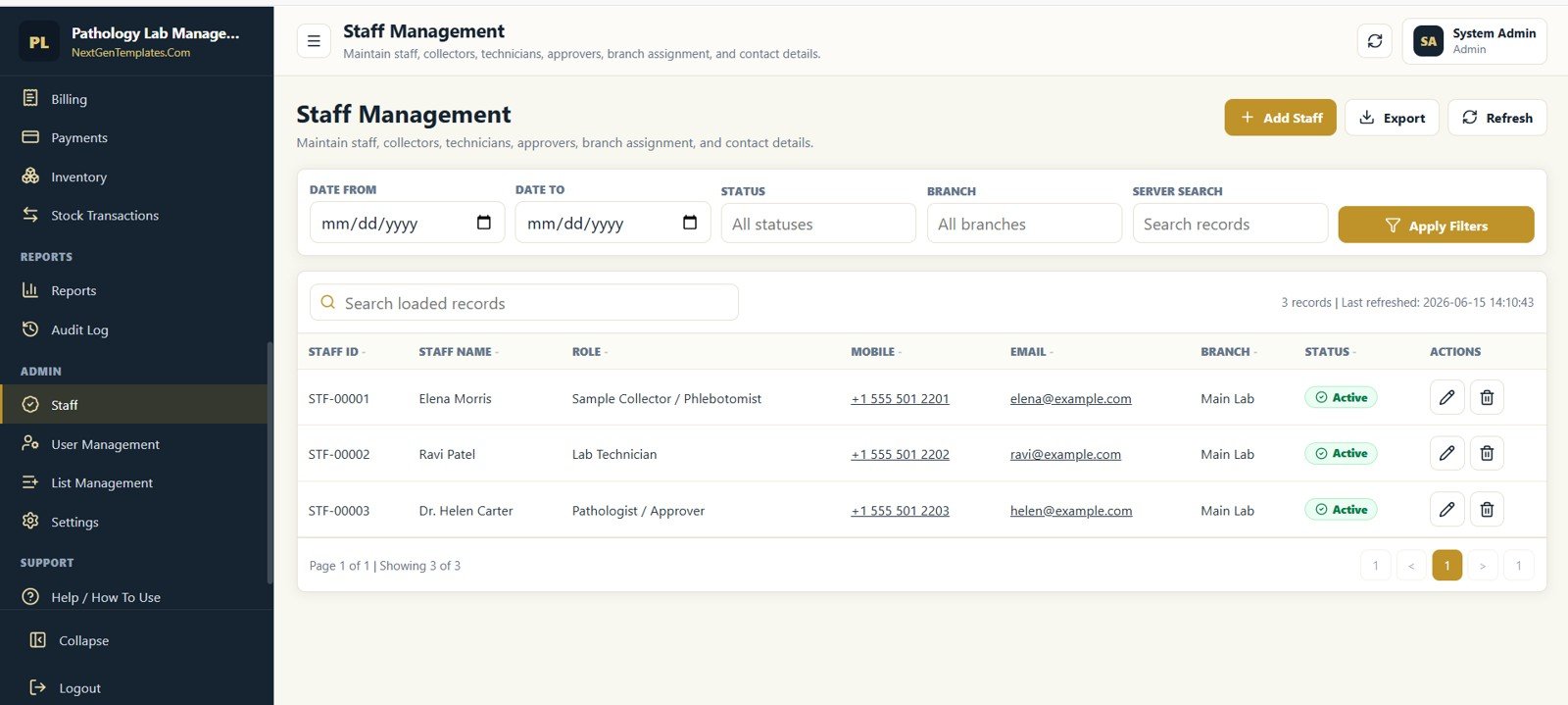
Reports, Audit, Staff, Users, Lists, and Settings
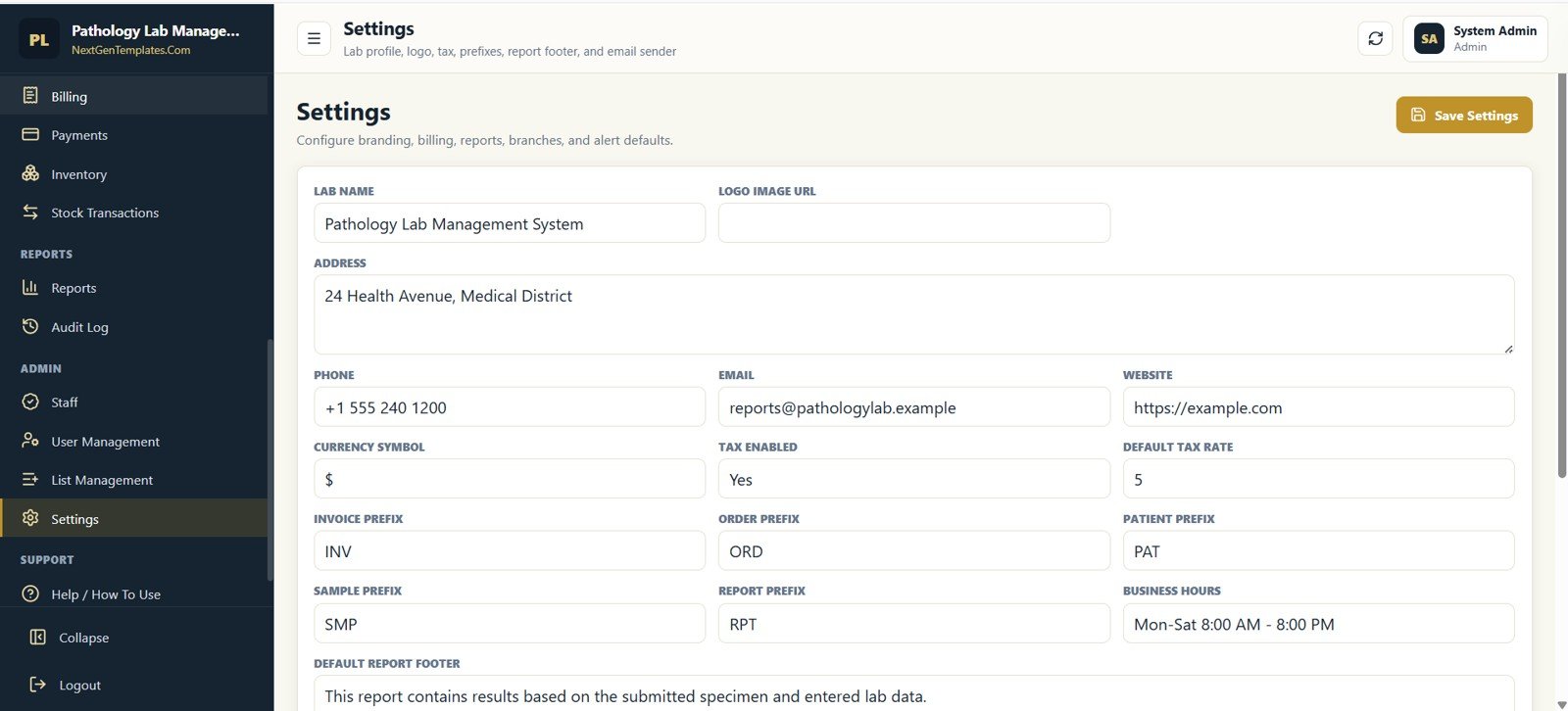
Admin teams can run filtered reports, review audit logs, manage staff, create users, maintain searchable dropdown values, and configure the lab profile. These screens are helpful when the lab wants consistency across names, roles, statuses, branches, sample types, categories, prefixes, tax settings, and report footer text.
Pathology Lab Management System Web App vs Excel Workbook vs Paid LIS SaaS
| Feature | This web app | Excel or VBA workbook | Paid LIS SaaS |
|---|---|---|---|
| Cost model | $39.99 one-time sale price | One-time, usually local file based | Recurring subscription or implementation cost |
| Platform | Google Sheets plus Apps Script browser app | Desktop workbook | Vendor cloud platform |
| Multi-user access | Browser-based after deployment | Limited unless carefully shared | Usually included |
| Mobile access | Available through browser | Limited | Usually included |
| Customization | Editable sheets, Apps Script files, lists, and settings | Editable workbook and macros | Depends on vendor plan |
| Workflow coverage | Patients, orders, samples, results, billing, inventory, QC, users, audit | Often narrower unless custom-built | Broad, but vendor controlled |
| Data ownership | Your Google account and sheet | Your local or shared file | Vendor-hosted environment |
Who Should Use This Template
- Small pathology labs that want a cleaner patient-to-report workflow.
- Diagnostic centers that need appointment, sample, billing, and report tracking in one place.
- Clinic labs that want a private Google Sheets powered web app without monthly software fees.
- Consultants who build lab operations tools for healthcare clients.
- Training teams that need a practical sample system for Google Apps Script healthcare workflows.
Not the right fit if:
- You need analyzer or instrument interfaces, HL7/FHIR integration, or a validated, accredited LIS.
- Your organisation cannot store patient data in Google Workspace under its privacy rules.
- You run a large multi-branch network that needs vendor support contracts and uptime guarantees.
Best Practices Before You Go Live
- Change the default admin password and create separate users for reception, technician, pathologist, and admin roles.
- Review test masters, packages, sample types, reference ranges, and result units before entering real records.
- Update lab branding, report footer, tax rate, prefixes, and business hours from Settings.
- Back up the Google Sheet before major imports or structural changes.
- Validate reports with sample data before using the system for operational decisions.
- Check your local privacy, healthcare, and data-retention requirements before storing real patient information.
If you are newer to building spreadsheet systems like this, the NextGenTemplates Academy learning paths cover trackers, templates, and management systems with downloadable practice files.
Frequently Asked Questions
Is this a Google Sheets template or a web app?
It is a Google Sheets and Apps Script web app. The sheet works as the data layer, and Apps Script provides the browser-based interface.
Does the template include all the screens shown here?
Yes. The 24 screenshots in this post come from the app itself and cover login, dashboard, patient management, referrals, appointments, lab orders, samples, results, reports, billing, inventory, audit, staff, users, list management, and settings.
Can I customize the fields and dropdown lists?
Yes. The app includes list management and settings screens, and the underlying Google Sheets and Apps Script files are editable for deeper customization.
Can multiple users use the web app?
Yes. The app includes user management and role-based operational screens. Final access depends on your Apps Script deployment and Google account permissions.
Does this replace enterprise LIS software?
No. It is a workflow and management template. Enterprise integrations, analyzer connections, regulatory validation, and advanced clinical systems may require custom development or specialized LIS software.
Is there a monthly subscription?
No. The template is sold as a one-time downloadable product on NextGenTemplates.
Explore Relevant Templates
If you run a clinic or pharmacy alongside the lab, these related web app guides on NeoTech Navigators use the same Google Sheets and Apps Script approach:
- Hospital Management System Web App for patients, wards and billing across departments.
- Dental Clinic Management System for appointments, treatments and invoices.
- Physiotherapy Clinic Management System Web App for session-based clinics.
- Pharmacy Inventory and Billing Management System Web App for medicine stock and sales.
On NextGenTemplates you may also like the Hospital Management System V1.0, Dialysis Centers Dashboard in Excel, Dialysis Centers Dashboard in Power BI, Healthcare Analytics Dashboard in HTML, and other Google Sheets web app templates.
About the Author
This template is built by PK, a Microsoft Certified Professional with 15+ years of experience creating Excel, Google Sheets, Google Apps Script, and Power BI solutions. Through NextGenTemplates and the NeoTechNavigators channel, PK publishes practical business templates for teams that want useful systems without expensive custom development.
Wrapping Up
The Pathology Lab Management System Web App is designed for labs that want a practical, editable, browser-based operating system for daily work. With patient records, doctors, appointments, lab orders, samples, results, report delivery, billing, payments, reagent stock, QC, equipment, staff, users, lists, settings, and audit logs in one template, it gives small and mid-sized labs a strong starting point.
Start with the live demo, sign in with each role to see the workflow from registration to approved report, then deploy your own private copy. If you have not deployed an Apps Script web app before, this short walkthrough shows the steps:
Get the Pathology Lab Management System
📅 Last updated: October 2026