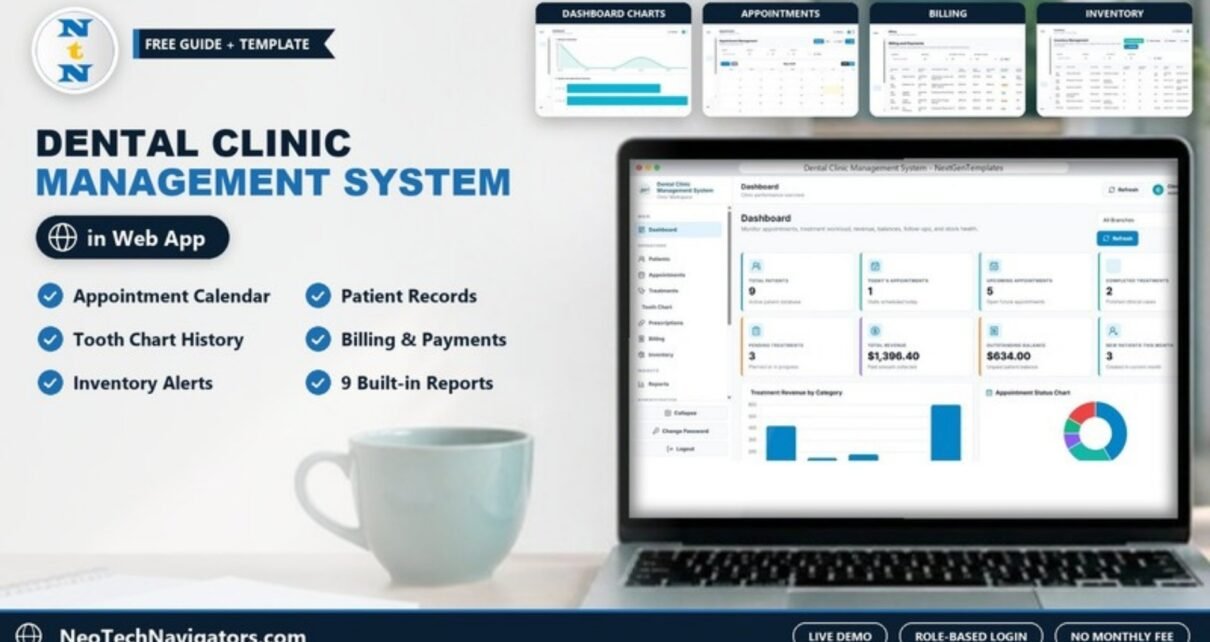
The Dental Clinic Management System is a role-based web app that brings a dental practice’s daily work into one place: patients, appointments, treatments, tooth history, prescriptions, billing, inventory, staff, branches and reports. Instead of juggling separate spreadsheets, notebooks and chat messages, the front desk, dentists and managers all work from the same connected screens.
It is built for clinic owners, dentists, reception teams and practice managers who want a structured operating tool without a monthly software subscription. It runs as a Google Apps Script web app in your own Google account with Google Sheets as the database, you can try every page in a live demo first, and the purchase includes the full source code with a deployment guide.
🎥 Watch the Video Tutorial
Get the Dental Clinic Management System
Try the Live Demo First
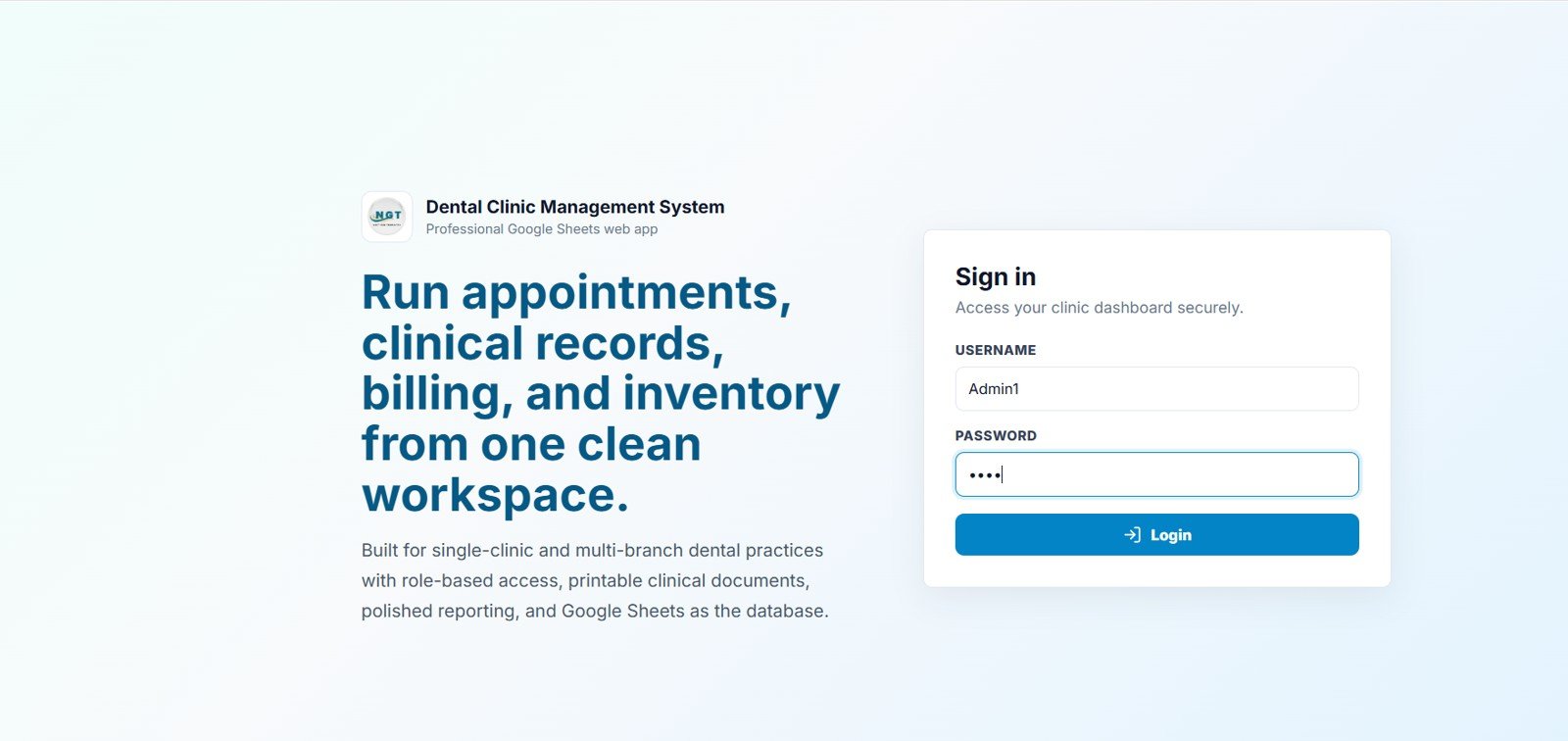
A demo copy is deployed in the NextGenTemplates Google account with sample data, so you can open every page and both roles before deciding. No signup is needed. Open the live demo and sign in with one of the demo accounts below.
| Role | Username | Password | What you can see |
|---|---|---|---|
| Admin | Admin1 | abcd | All modules plus administration settings |
| User (Receptionist) | User1 | abcd | Patient, appointment, treatment, billing, inventory and report workflows |
After purchase you receive the source code (Code.gs and Index.html) and a step-by-step guide to deploy your own private copy in your Google account.
Why a Dental Clinic Needs a Management System
A dental clinic has many moving parts: appointment scheduling at the front desk, patient records, dentist assignments, treatment notes, invoices and part payments, consumables with expiry dates, and staff permissions. When these live in notebooks, messages and separate files, nobody can answer simple questions quickly, such as how many patients are due today, which invoices are still unpaid, or which supplies are about to run out.
A dental clinic management system puts those workflows on connected screens, so a record entered once at reception is visible to the dentist, the billing desk and the manager. It suits small and mid-sized practices that want better control before committing to a large enterprise dental platform.
Key Features at a Glance
| Area | What it covers |
|---|---|
| Access | Role-based login; the sample staff roles are Admin, Dentist, Receptionist and Assistant |
| Dashboard | Eight KPI cards: Total Patients, Today’s Appointments, Upcoming Appointments, Completed Treatments, Pending Treatments, Total Revenue, Outstanding Balance and New Patients This Month |
| Appointments | Calendar with month, week, day and list views, a Table view, plus search, branch, status and dentist filters |
| Clinical | Treatment records, tooth chart history and printable prescriptions with multiple medicines |
| Finance | Invoices with total amount, paid amount, balance due, payment status (Paid, Partial, Unpaid) and payment mode |
| Inventory | Supplies, suppliers, current and minimum stock, expiry dates, stock purchase and stock usage entries |
| Reporting | Nine operational and financial reports, from the Daily Appointment Report to the Monthly Profit Summary |
| Admin | Staff / Users, Branches, List Management, Price List and Settings |
Module-by-Module Walkthrough
1. Dashboard
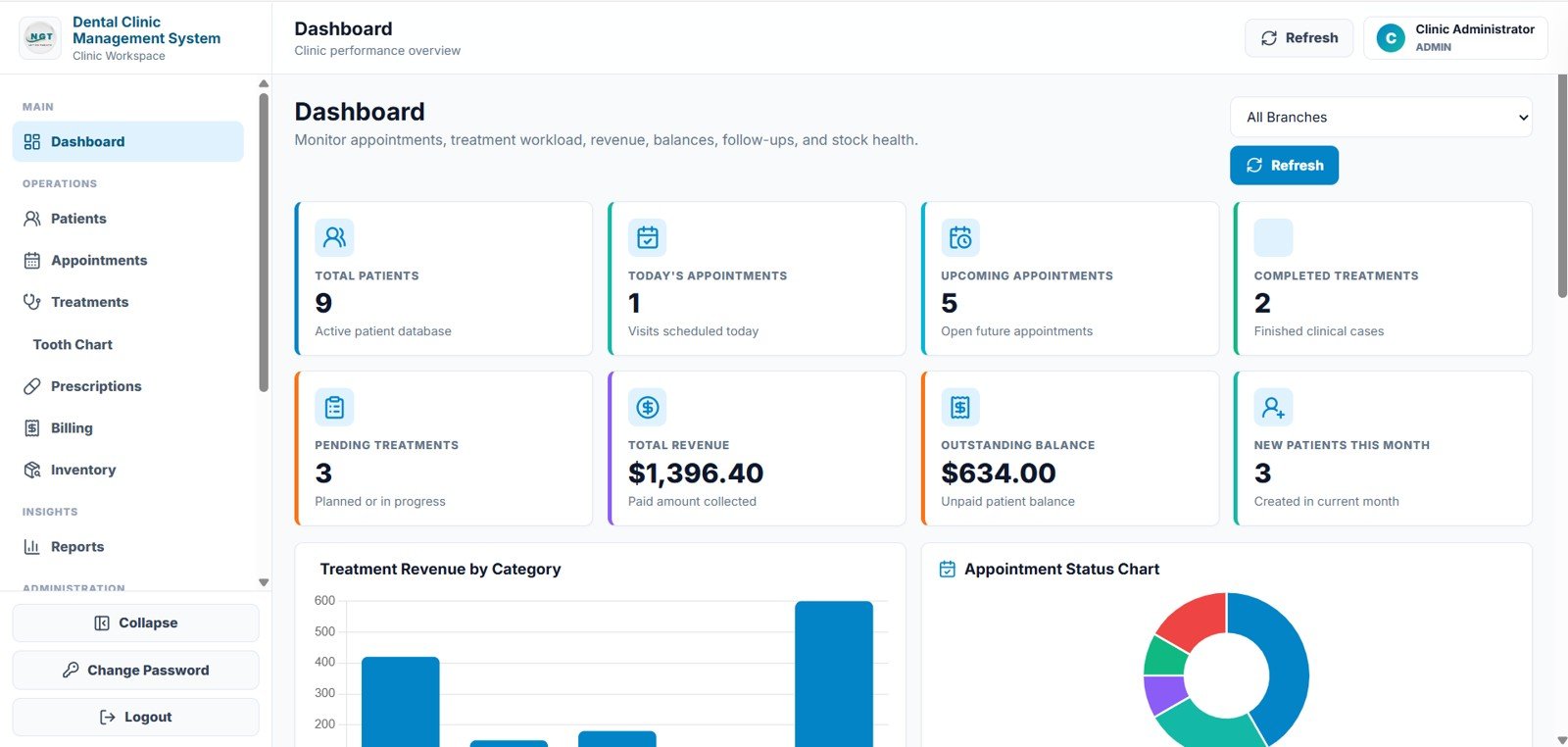
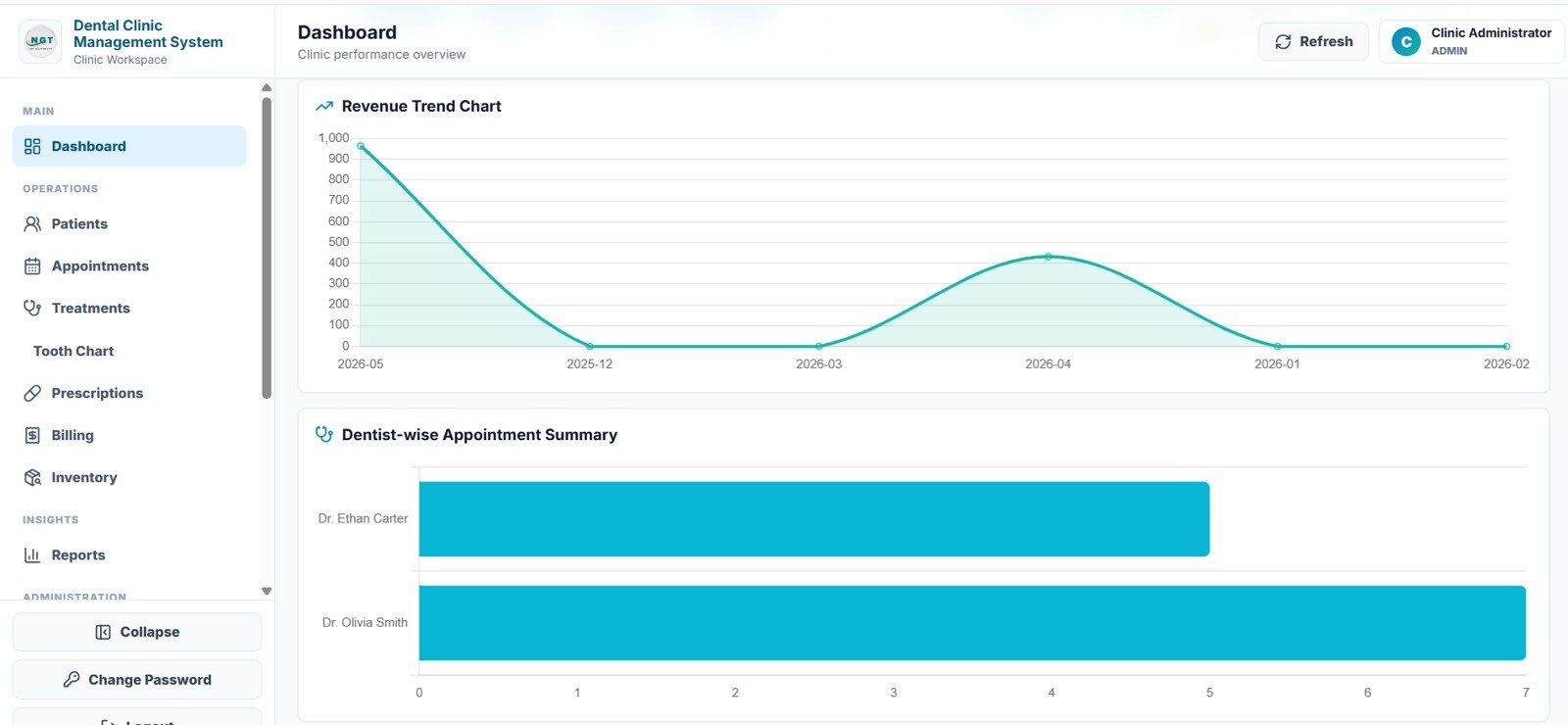
The dashboard gives owners a quick clinic snapshot with eight KPI cards, four charts and an All Branches filter. In the demo data, Total Revenue ($1,396.40) is the sum of the Paid Amount column on the Billing page, and Outstanding Balance ($634.00) is the sum of Balance Due. The charts are Treatment Revenue by Category, the Appointment Status Chart (a doughnut split by appointment status), the Revenue Trend Chart by month, and the Dentist-wise Appointment Summary, which compares appointment counts across dentists.
2. Patients
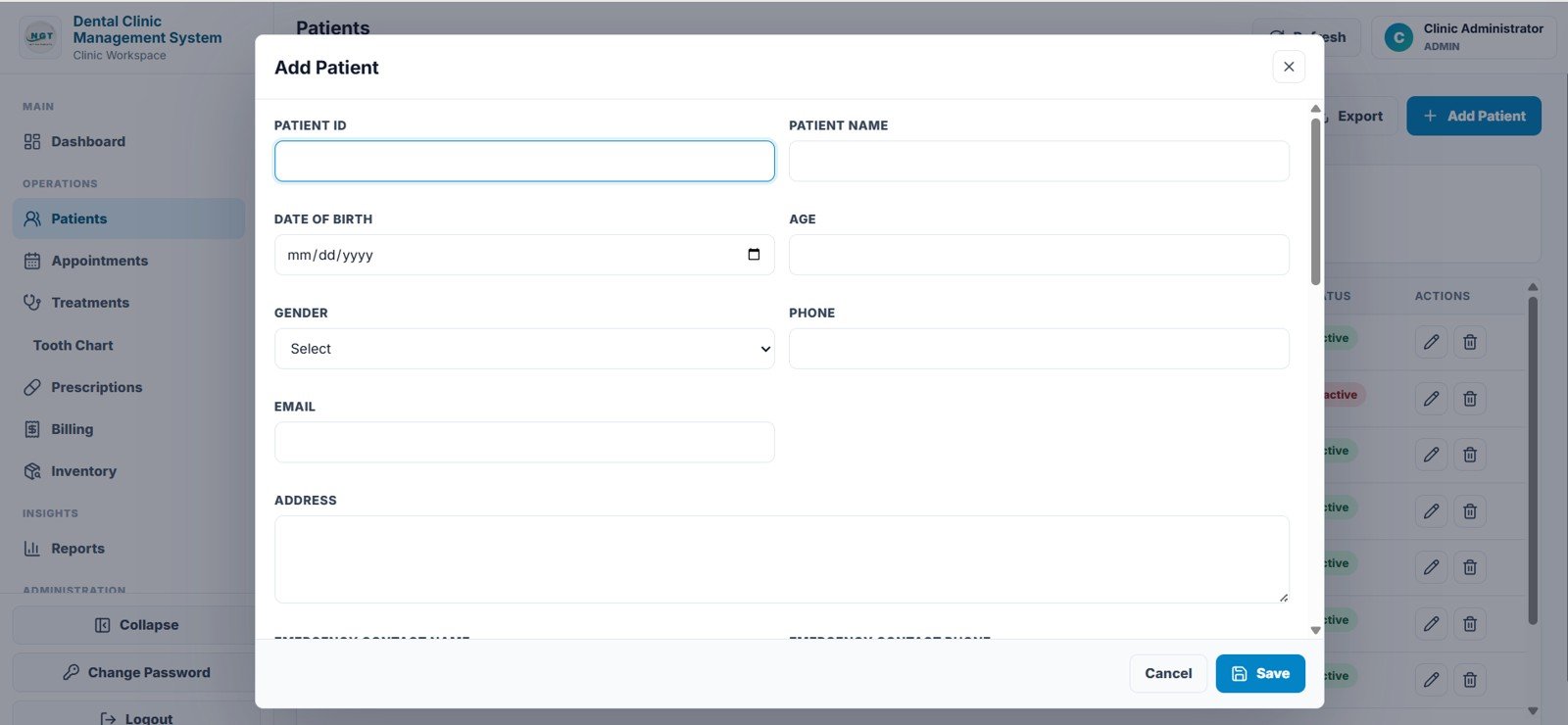
The patient master stores Patient ID, Patient Name, Date of Birth, Age, Gender, Phone, Email, Address, Emergency Contact Name and Emergency Contact Phone. Patients are added through the Add Patient form, the list can be exported, and records can be marked Active or Inactive without losing history.
3. Appointments
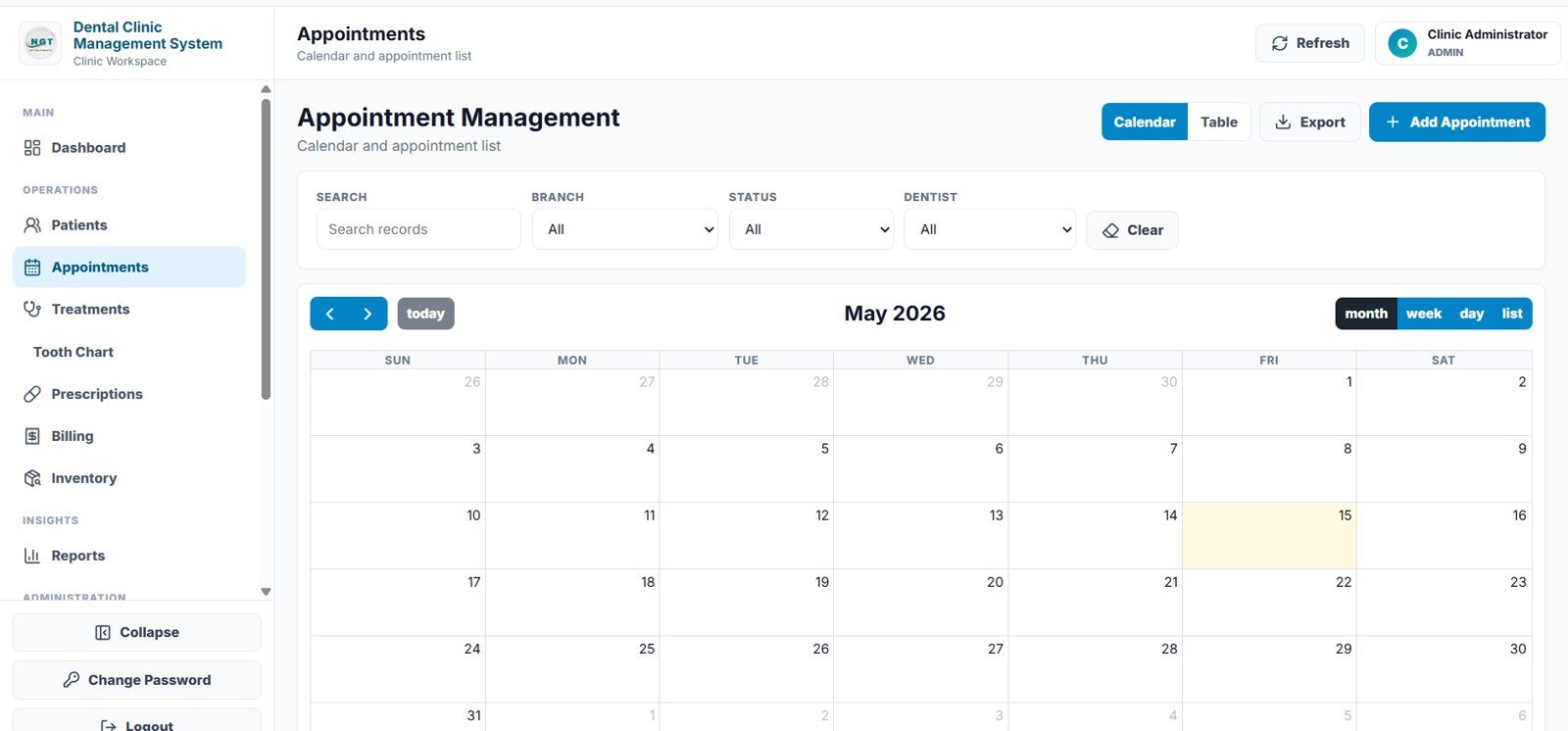
The Appointment Management page switches between a Calendar and a Table view. The calendar has month, week, day and list modes, and filters for search, branch, status and dentist make it easy for reception to find a booking or add a new one with Add Appointment. Appointment statuses run from Scheduled to Confirmed, Checked-In, Completed, Cancelled or No-Show.
4. Treatments
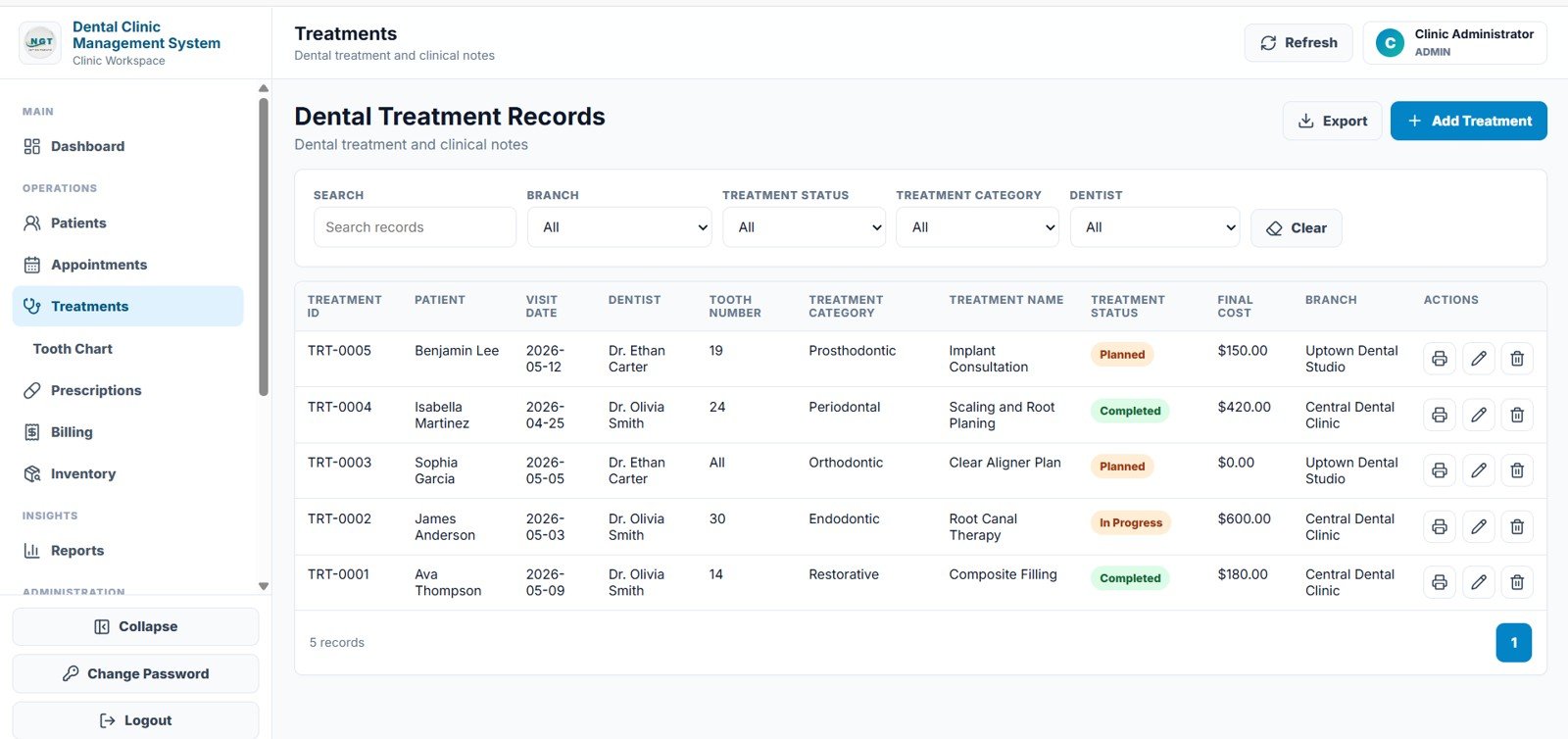
Each Dental Treatment Record holds Treatment ID, Patient, Visit Date, Dentist, Tooth Number, Treatment Category, Treatment Name, Treatment Status (Planned, In Progress, Completed), Final Cost and Branch, together with clinical notes. You can filter by branch, treatment status, treatment category and dentist, and print a record.
5. Tooth Chart
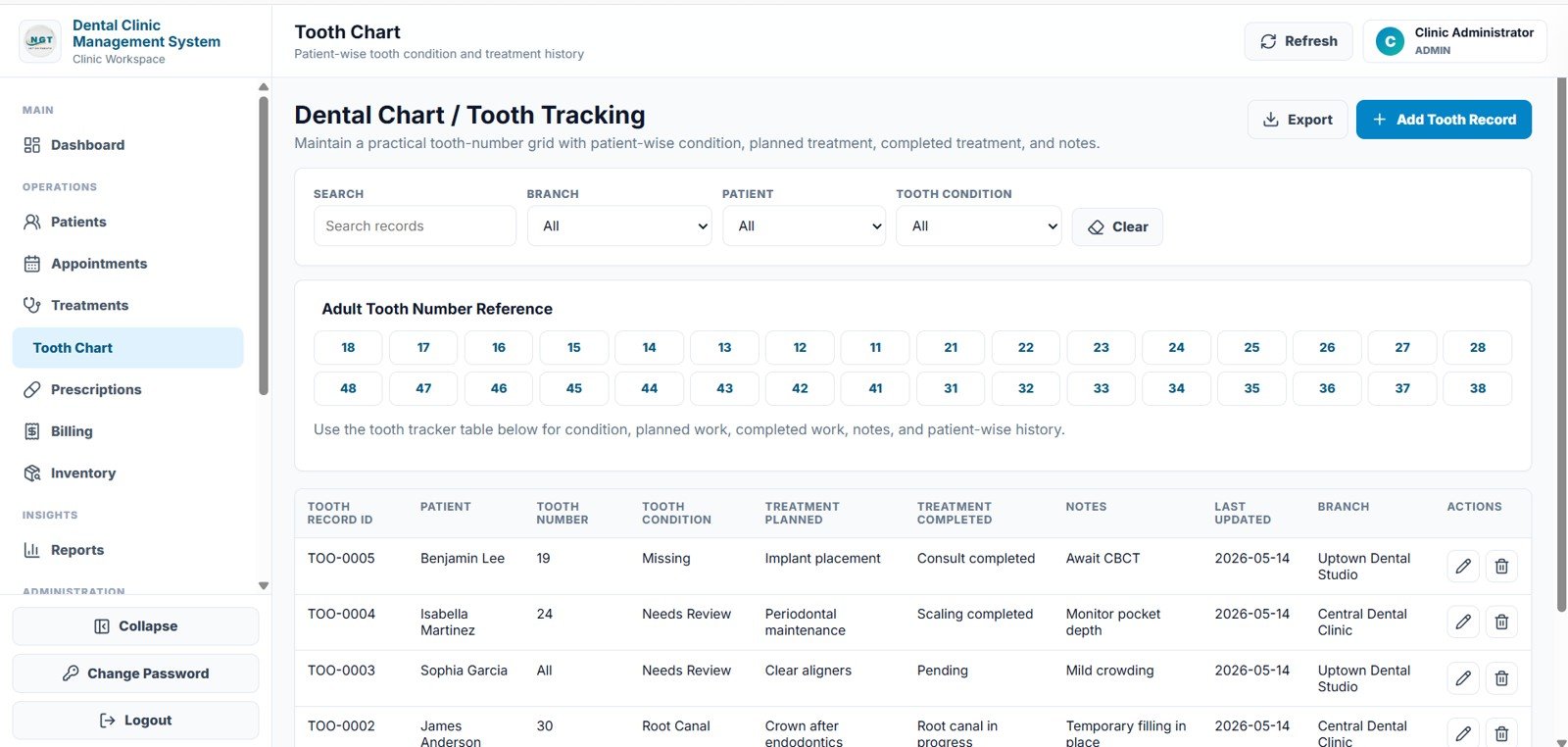
An Adult Tooth Number Reference grid plus patient-wise tooth history: Tooth Record ID, Patient, Tooth Number, Tooth Condition, Treatment Planned, Treatment Completed, Notes, Last Updated and Branch. Dentists can review a patient’s full history before starting work.
6. Prescriptions
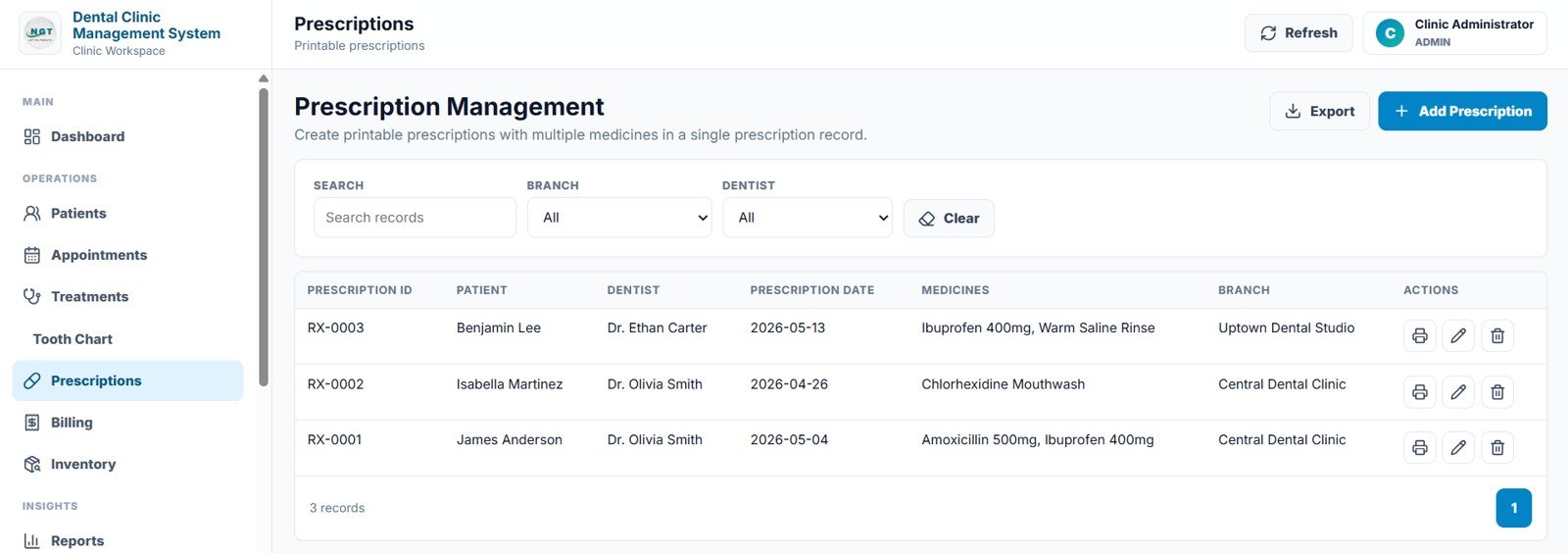
Create printable prescriptions with several medicines in one record. Fields include Prescription ID, Patient, Dentist, Prescription Date, Medicines and Branch.
7. Billing
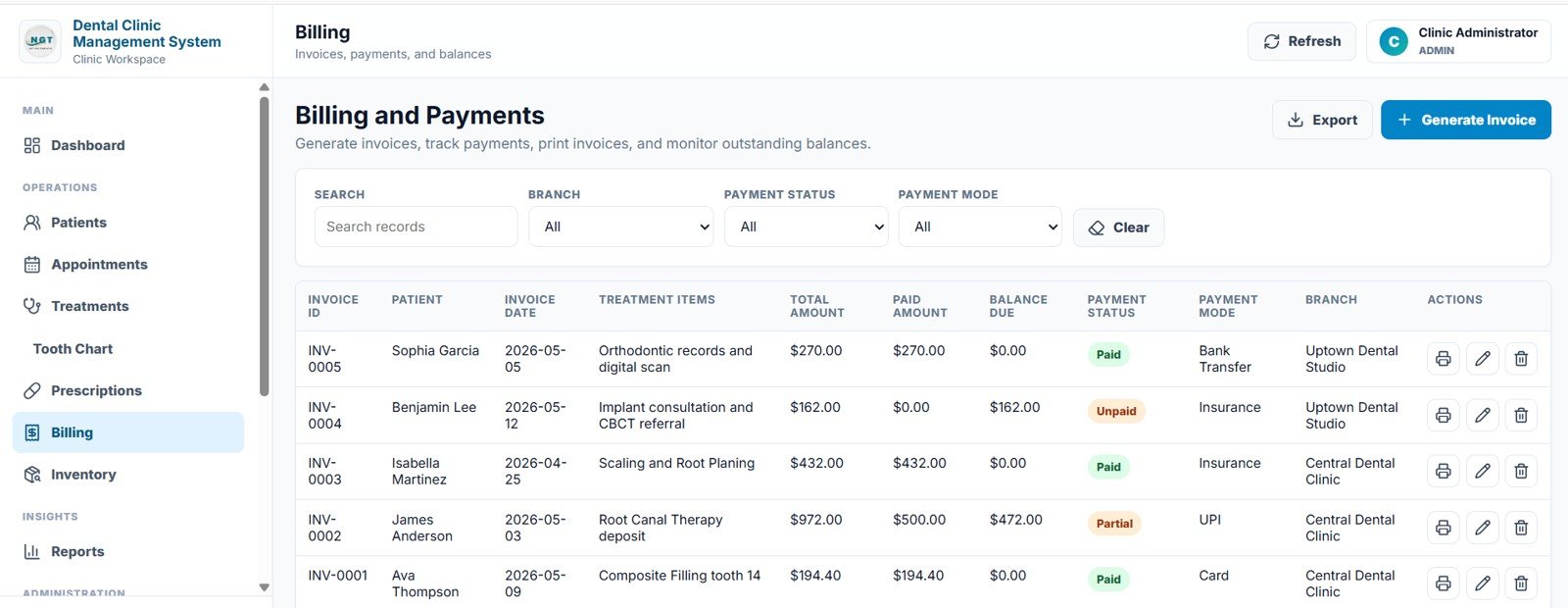
Generate and print invoices and track payments. Each invoice shows Invoice ID, Patient, Invoice Date, Treatment Items, Total Amount, Paid Amount, Balance Due, Payment Status (Paid, Partial or Unpaid), Payment Mode (for example Card, UPI, Bank Transfer or Insurance) and Branch, which makes outstanding balances easy to chase.
8. Inventory
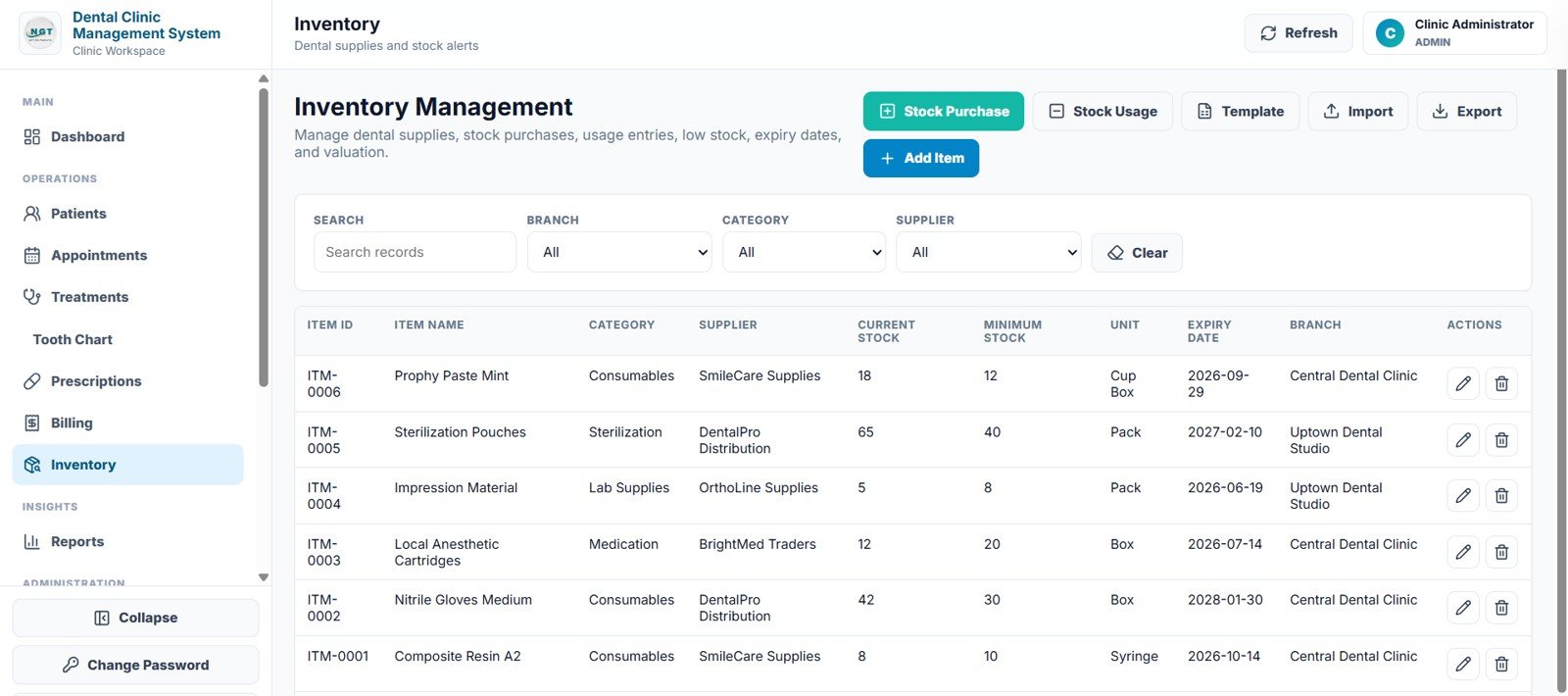
Manage dental supplies with Stock Purchase and Stock Usage entries, an import template, low-stock and expiry tracking. Fields include Item ID, Item Name, Category, Supplier, Current Stock, Minimum Stock, Unit, Expiry Date and Branch, with filters for branch, category and supplier.
9. Reports
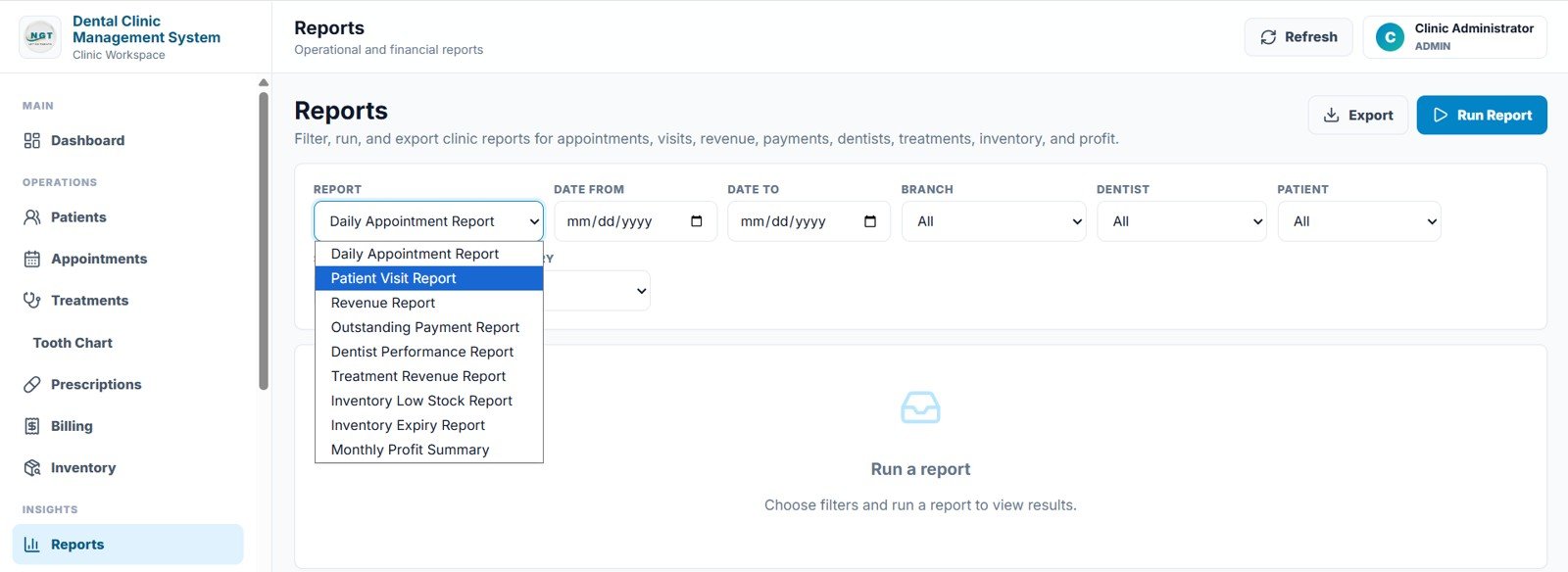
A central reports page where you pick a report, set Date From, Date To, Branch, Dentist and Patient filters, and click Run Report. The nine reports are the Daily Appointment Report, Patient Visit Report, Revenue Report, Outstanding Payment Report, Dentist Performance Report, Treatment Revenue Report, Inventory Low Stock Report, Inventory Expiry Report and Monthly Profit Summary.
10. Staff / Users
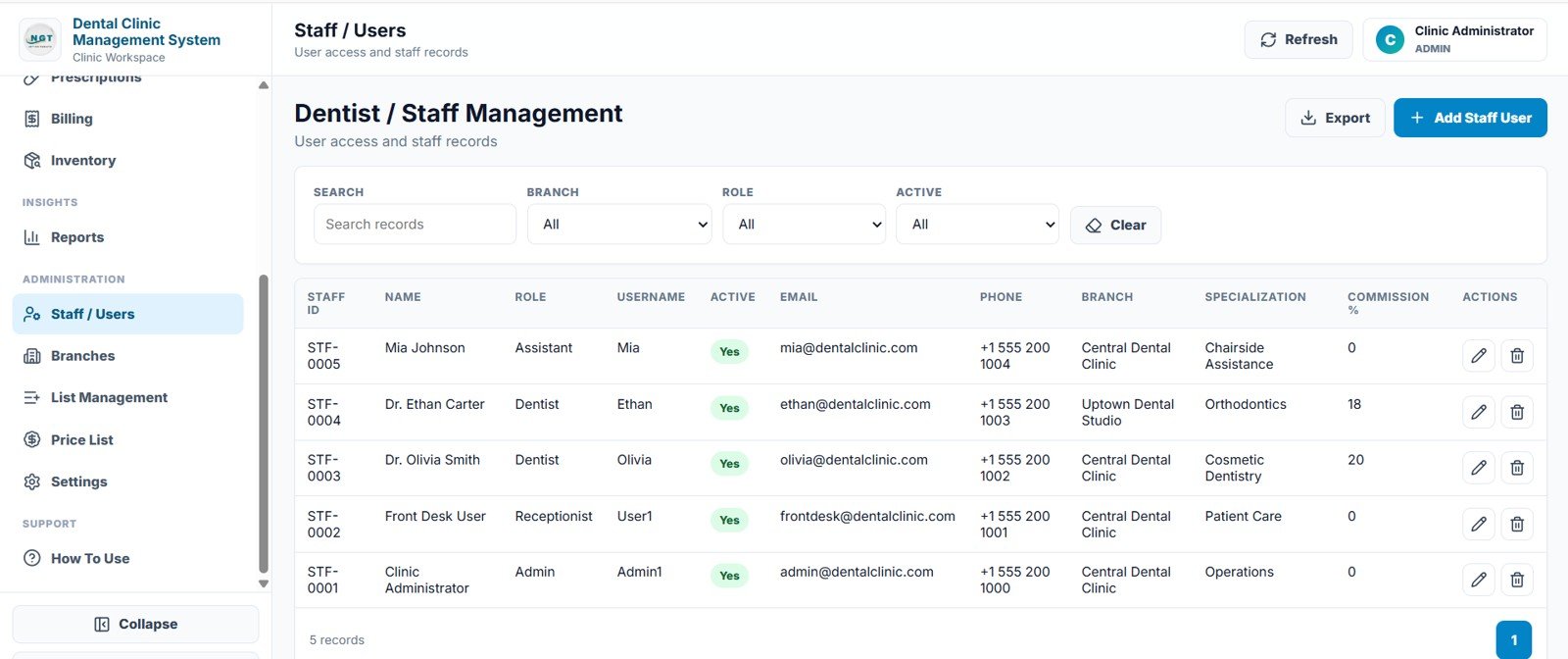
Controls who can log in and what they see, and keeps the staff master: Staff ID, Name, Role, Username, Active, Email, Phone, Branch, Specialization and Commission %.
11. Branches
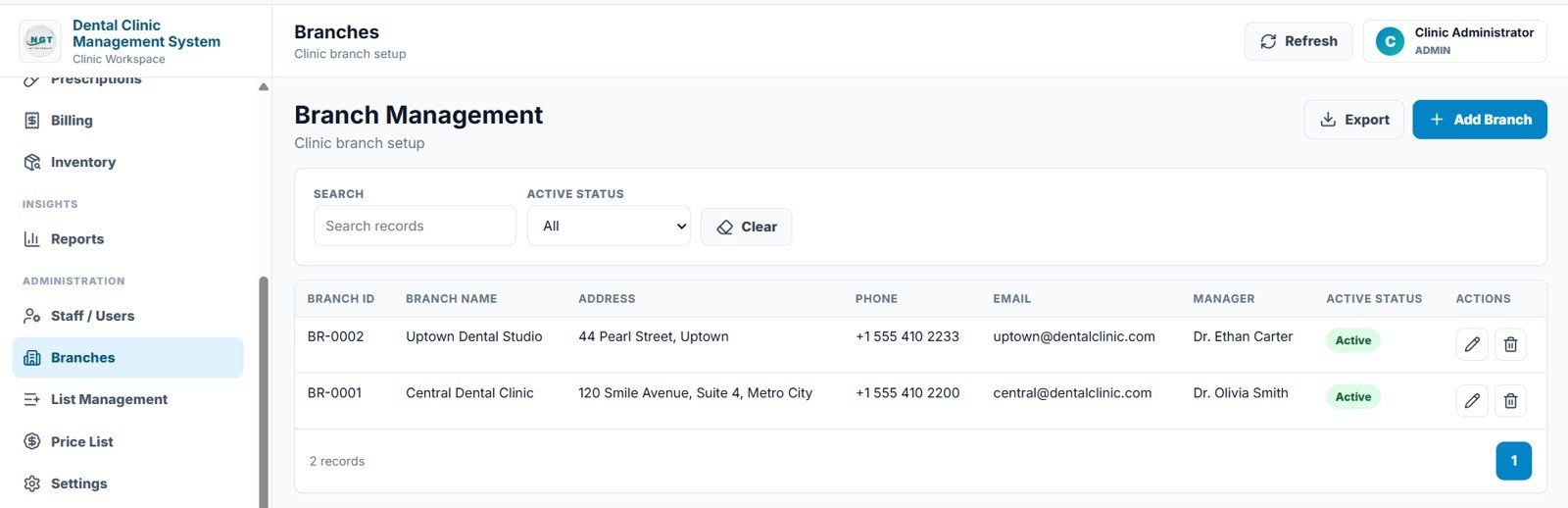
Maintain each clinic location with Branch ID, Branch Name, Address, Phone, Email, Manager and Active Status. Branch fields flow into appointments, treatments, billing and inventory, so multi-location practices can filter by site.
12. List Management
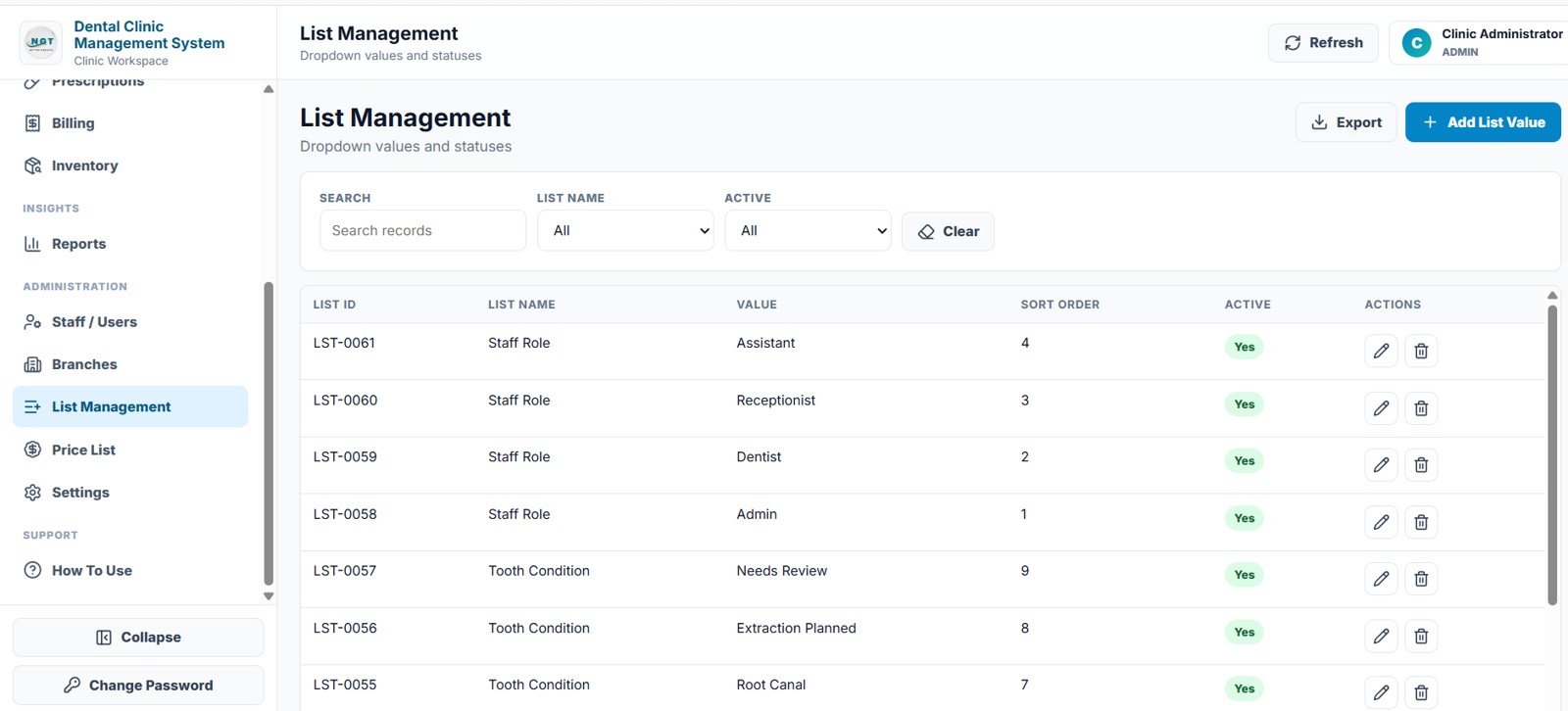
Controls the dropdown values and statuses used across the app (List ID, List Name, Value, Sort Order, Active), such as staff roles and tooth conditions, keeping data entry consistent.
13. Price List
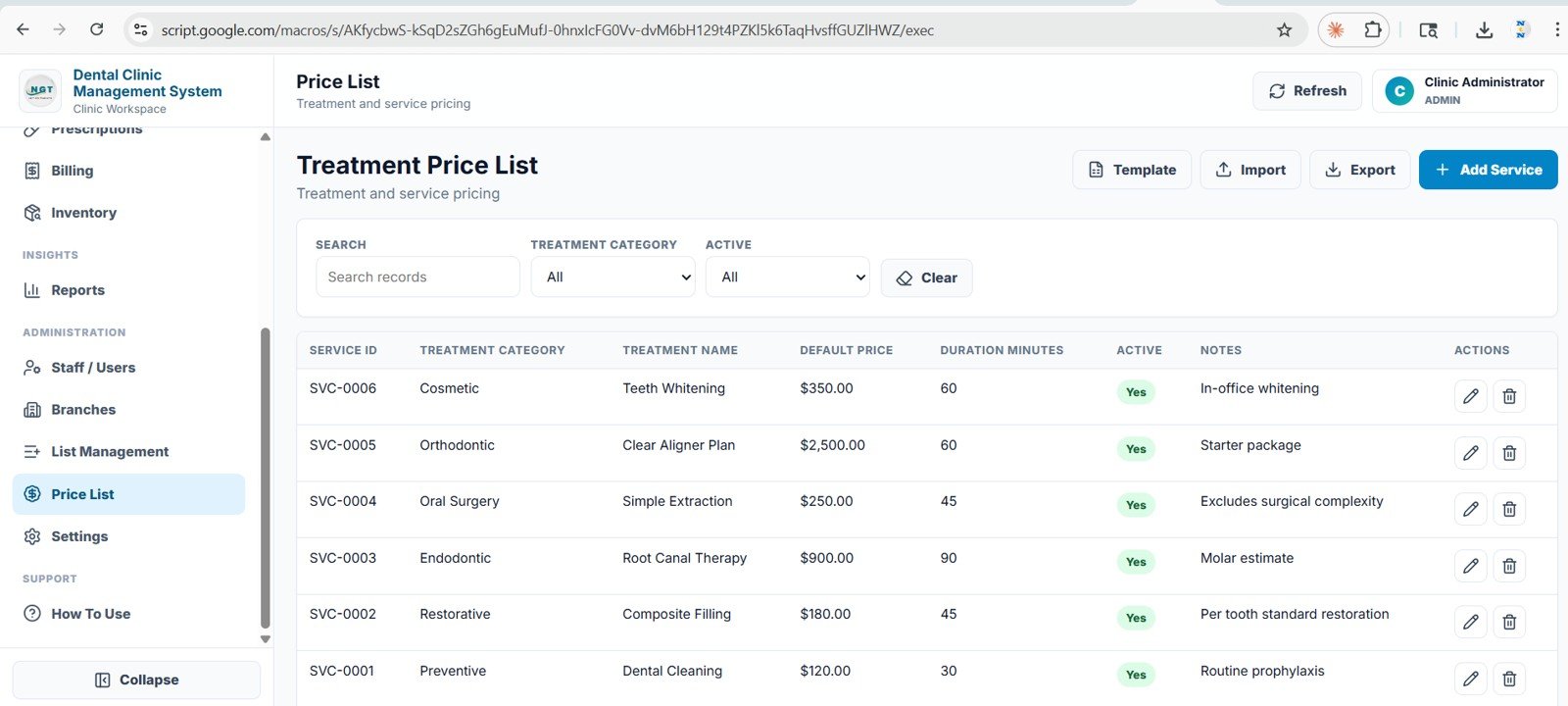
Set treatment and service pricing with Service ID, Treatment Category, Treatment Name, Default Price, Duration Minutes, Active and Notes. Prices can also be imported from a template.
14. Settings
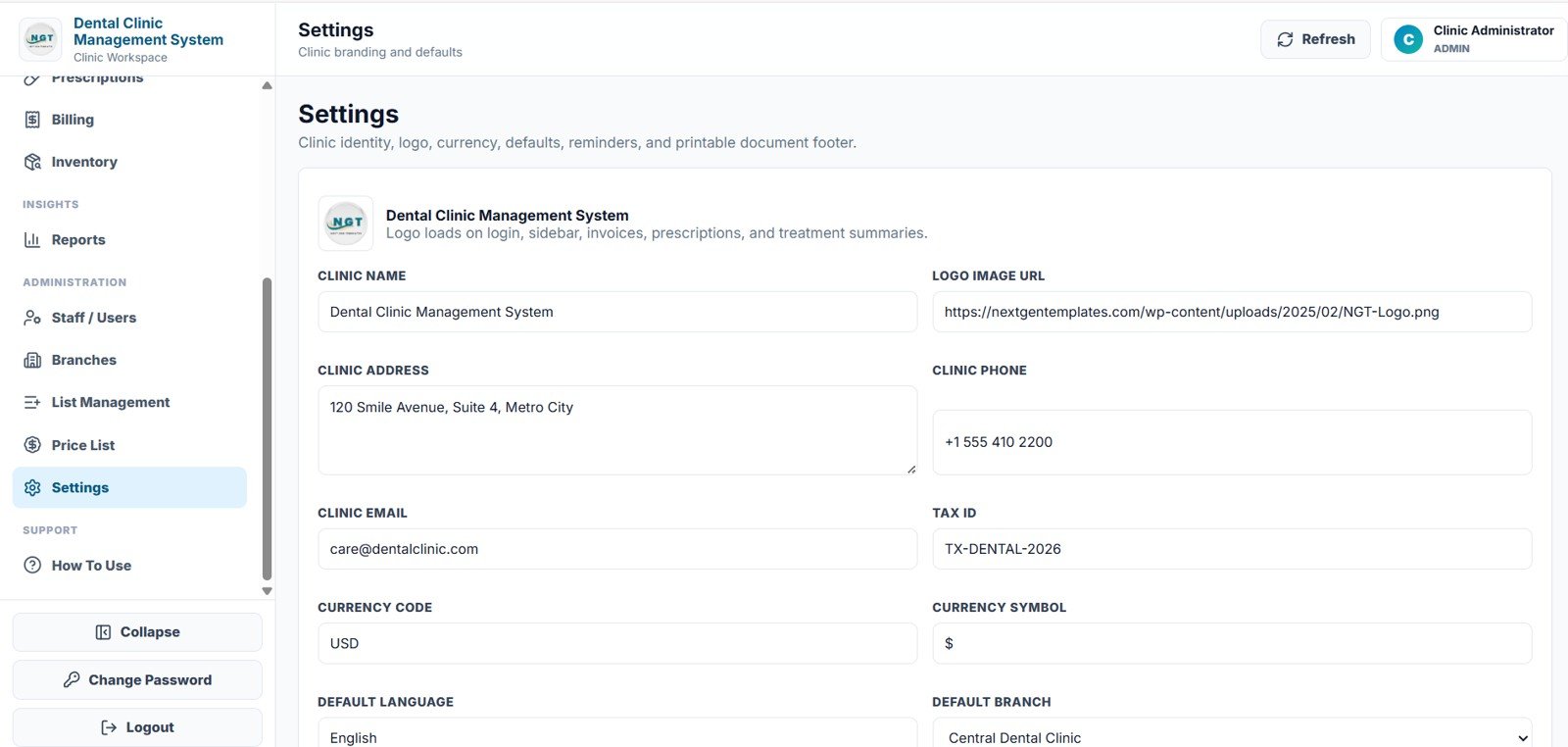
Store the clinic name, logo image URL, address, phone, email, tax ID, currency code and symbol, default language and default branch, plus reminder defaults and the footer text used on printed documents.
15. How To Use
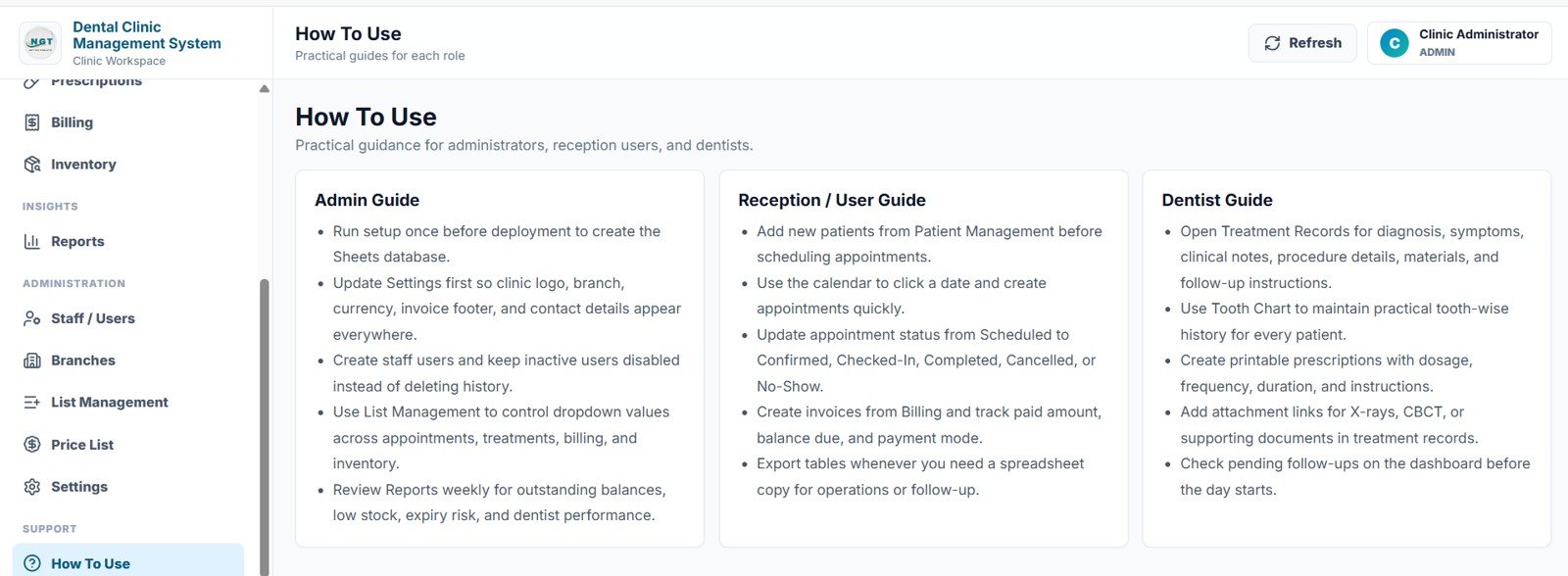
A built-in guide with an Admin Guide, a Reception / User Guide and a Dentist Guide, which makes hand-over to a new team member much easier.
How to Set It Up for Your Clinic
- Test the live demo with both the Admin1 and User1 accounts to confirm the workflow fits your clinic.
- After purchase, follow the deployment guide to create your own private copy in your Google account.
- Open Settings first and enter clinic name, logo, address, tax ID, currency and default branch.
- Add your Branches and Staff / Users before entering live records, and give each person the right role.
- Review List Management and Price List so dropdowns and treatment prices match your practice.
- Add patient records, then start booking appointments.
- Review the Reports weekly for appointment load, revenue, outstanding balances and inventory alerts.
Management System vs Spreadsheet Tracker vs Dental SaaS
| Feature | Dental Clinic Management System | Basic spreadsheet tracker | Paid dental SaaS |
|---|---|---|---|
| Cost | One-time purchase, no monthly fee | Free or cheap, but heavy manual work | Monthly subscription, often per user |
| Workflow coverage | Patients, appointments, treatments, tooth chart, prescriptions, billing, inventory and reports | Usually one or two workflows | Broad, depending on the plan |
| Role-based access | Built-in login with staff and user records | Manual sharing and sheet protection | Included |
| Data location | Your own Google account | Your own files | Vendor’s servers |
| Best for | Small and mid-sized clinics wanting structure without subscriptions | Very small, simple tracking | Larger groups needing insurance, imaging and lab integrations |
Real-World Use Cases
- Single-chair or small clinic: replaces a paper appointment book and a billing spreadsheet with one workspace, so the dentist sees today’s patients and the receptionist sees who still owes money.
- Multi-branch practice: branch fields, dentist filters and staff records let the owner compare locations and dentist workload from the same reports.
- Clinic consultant: sets up settings, dropdowns and price lists for each client, then trains the team using the built-in How To Use page.
Limitations: When This Is Not the Right Fit
This is an operational management system, not a certified dental EHR or insurance claims platform. Clinics that need HIPAA-audited hosting, direct insurance claim submission, payment gateway processing, imaging or lab integration, or country-specific regulatory reporting should treat it as a workflow layer and confirm those requirements separately. Google’s Apps Script web app documentation explains how this type of app is deployed and who can access it.
Related Clinic Templates and Guides
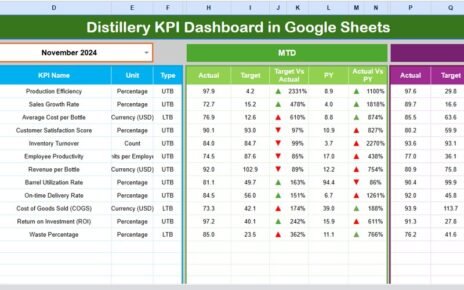
If you mainly need analytics rather than daily operations, the Dental Practice KPI Dashboard in Google Sheets and the Dental Practice Dashboard in Google Sheets are lighter options. Running a different kind of practice? See the Physiotherapy Clinic Management System web app, the Hospital Management System web app or the Pathology Lab Management System. For scheduling only, the Medical Appointment Calendar in Google Sheets is a simple start.
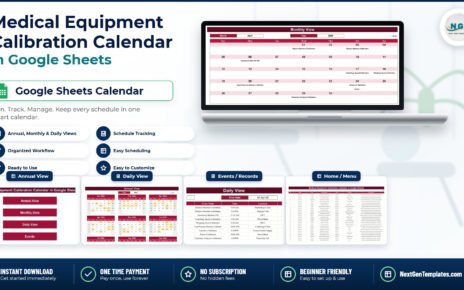
Related template: Dental Clinic Appointment Calendar in Google Sheets.
Planning to adapt a system like this to your own clinic? The NextGenTemplates Academy learning paths build the spreadsheet skills behind management systems, with practice files you can follow.
Frequently Asked Questions
Is the Dental Clinic Management System a one-time purchase?
Yes. You pay once and deploy your own copy; there is no monthly subscription for the template. Check the product page for the current price.
Can I test it before buying?
Yes. The live demo has sample data and two accounts, Admin1 and User1 (password abcd), so you can try every page and both roles.
Where is my clinic data stored?
In your own Google account, with Google Sheets as the database. You deploy the app from the supplied Code.gs and Index.html files, so the data is not held on a third-party vendor’s server.
Does it handle appointments and billing?
Yes. Appointments use a calendar with month, week, day and list views, and the Billing page tracks invoices, paid amount, balance due, payment status and payment mode.
Can it manage more than one clinic location?
Yes. Branches are a built-in module, and branch fields appear on appointments, treatments, billing, inventory and staff records.
Is it a replacement for certified dental EHR software?
No. It is an operational management template. If you need certified EHR features, insurance claims or HIPAA-audited hosting, check those requirements separately.
Wrapping Up
The Dental Clinic Management System gives a dental practice one connected place for patients, appointments, treatments, tooth charts, prescriptions, billing, inventory and reports, with role-based access and no monthly fee. Start with the live demo, then deploy your own copy and set up Settings, Branches and Staff / Users before your first live appointment.
Get the Dental Clinic Management System
📅 Last updated: October 2026