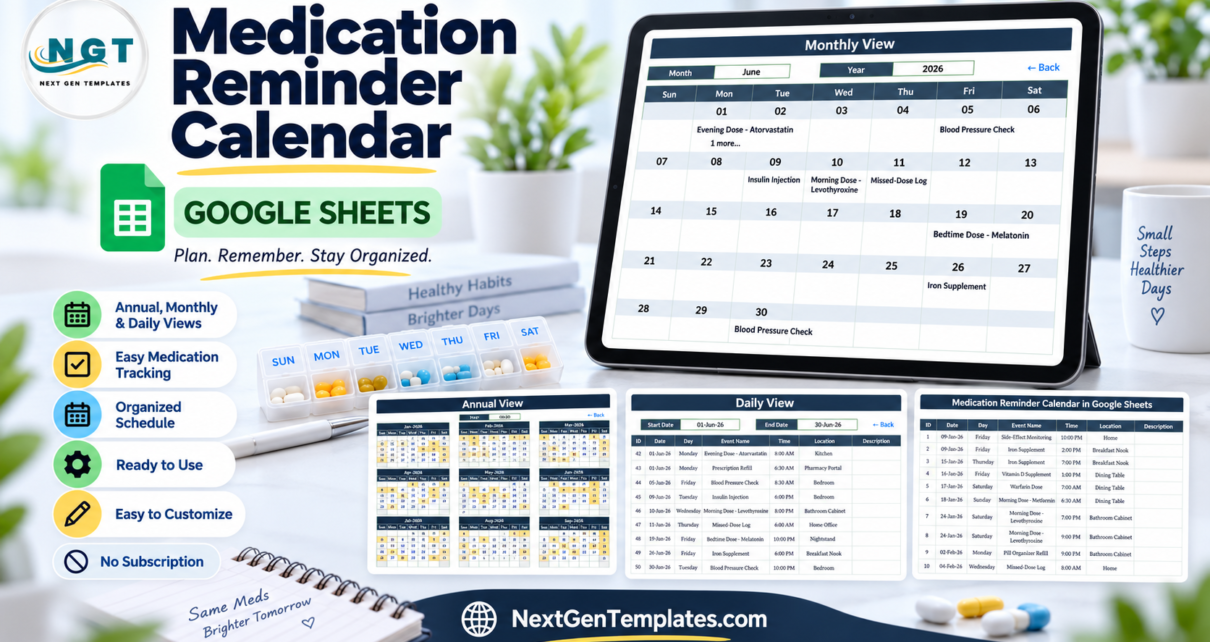
100 editable entries, 12 months, and 3 calendar views make the Medication Reminder Calendar in Google Sheets a clear way to organize medication-related dates without building a workbook from scratch. It is important to understand the boundary at the start: this template is a visual schedule and log. It does not send notifications, ring an alarm, calculate doses, check interactions, or provide medical advice. Use it to see planned dates and supporting notes, while relying on an appropriate alarm or clinical process for active prompting and treatment decisions.
Key Features of Medication Reminder Calendar in Google Sheets
The workbook focuses on visibility rather than automation. An Annual View highlights dates with entries across all twelve months. Monthly View places the first event name into a traditional calendar grid and shows an additional-count message when the date contains another record. Daily View accepts a start and end date, then returns the complete matching rows.
- 100 demonstration entries covering January through December 2026
- 20 demonstration event types and 16 location labels
- Annual, monthly, and date-range views
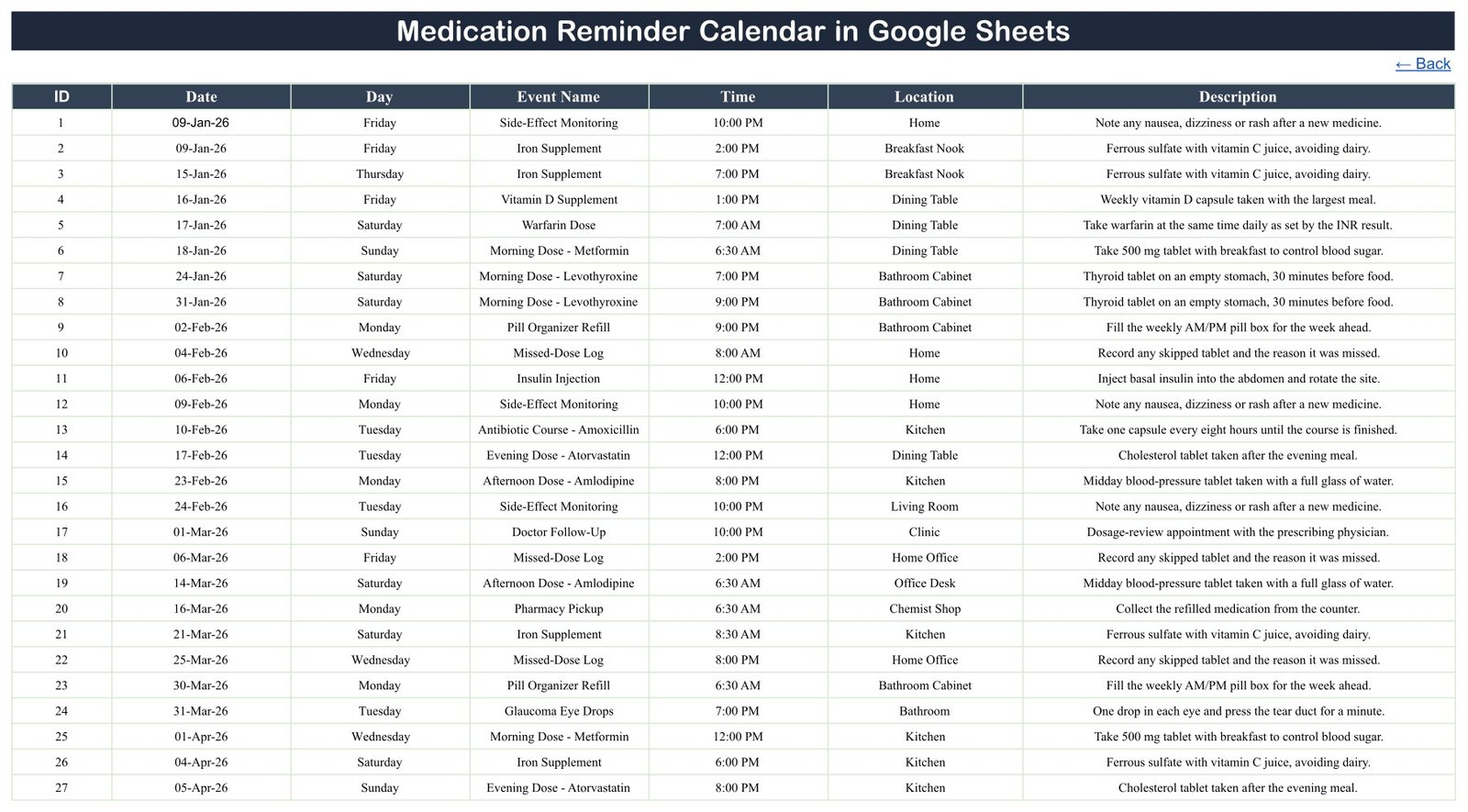
- Editable ID, Date, Day, Event Name, Time, Location, and Description columns
- Native Google Sheets formulas and dropdowns with no macro or add-on
- Link sharing for controlled collaboration
The sample rows include medication times, refill activities, checks, and appointments. They are examples only, not recommended medicines, schedules, doses, or instructions.
Calendar Pages Explained
Home
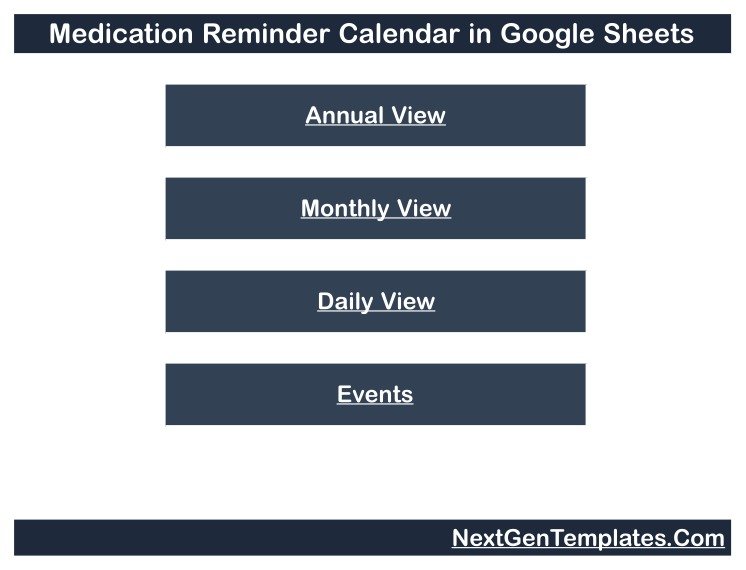
The opening page is a compact index with buttons for Annual View, Monthly View, Daily View, and Events. It is useful when a shared copy needs a simple route into each working area.
Annual View
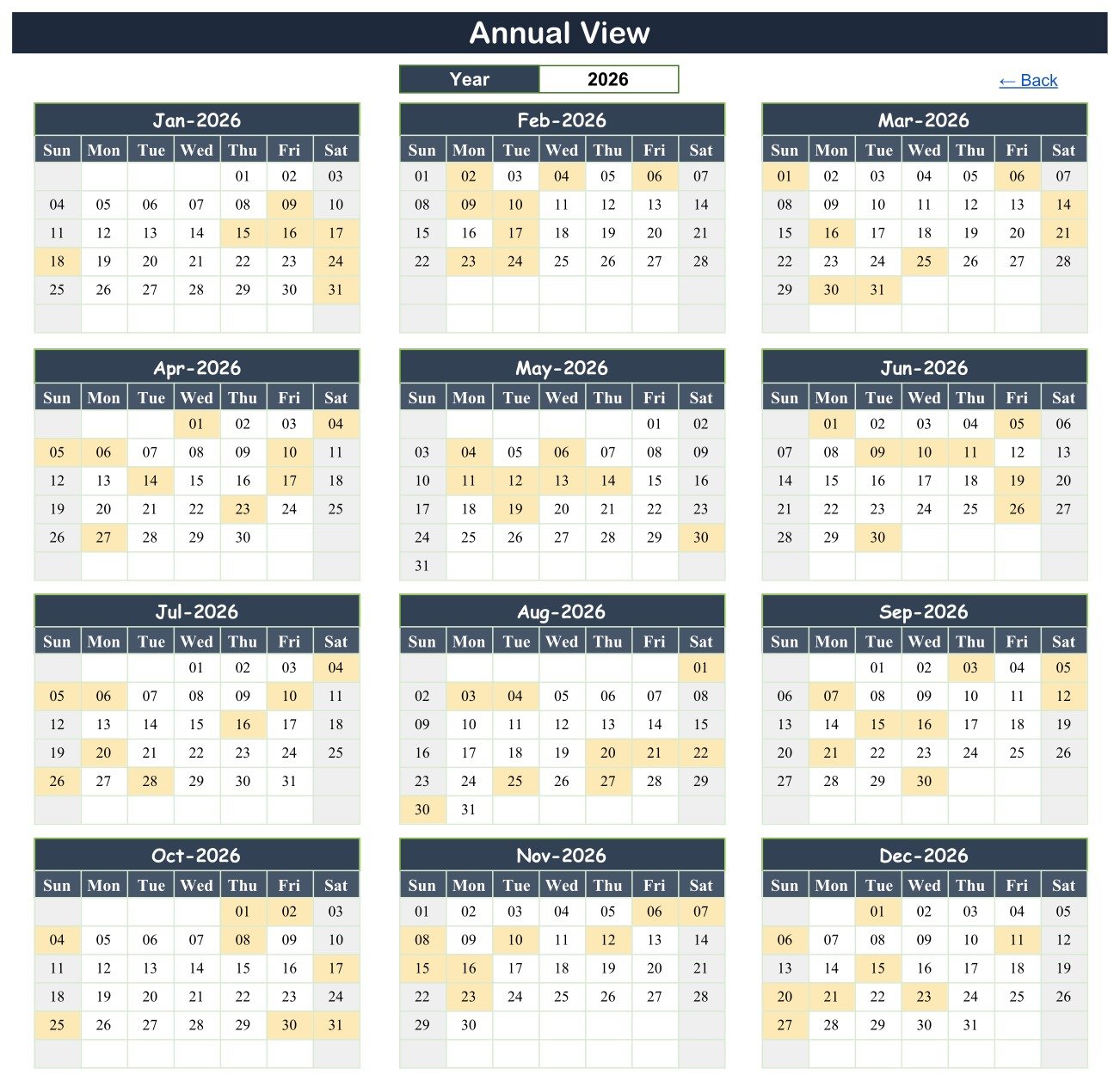
All twelve months appear on one page. Choose a year from the dropdown, and dates containing an event are highlighted. This page answers a simple question: which parts of the year contain planned items?
Monthly View
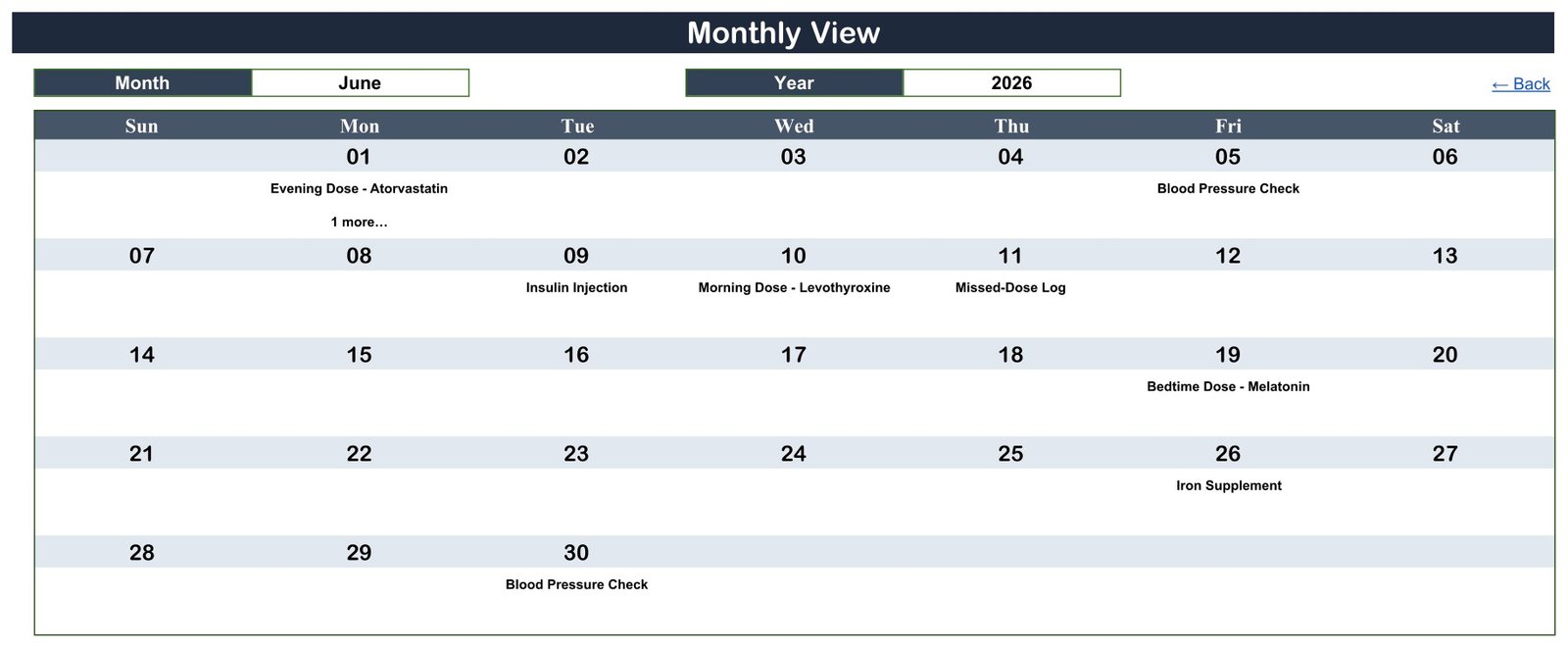
Select the month and year to see a familiar week grid. The tested June 2026 example contains nine records over eight dates. On 1 June, the view shows the first item and “1 more…” because the Events sheet has two rows on that date. This is a useful cue, but it is not a notification.
Daily View
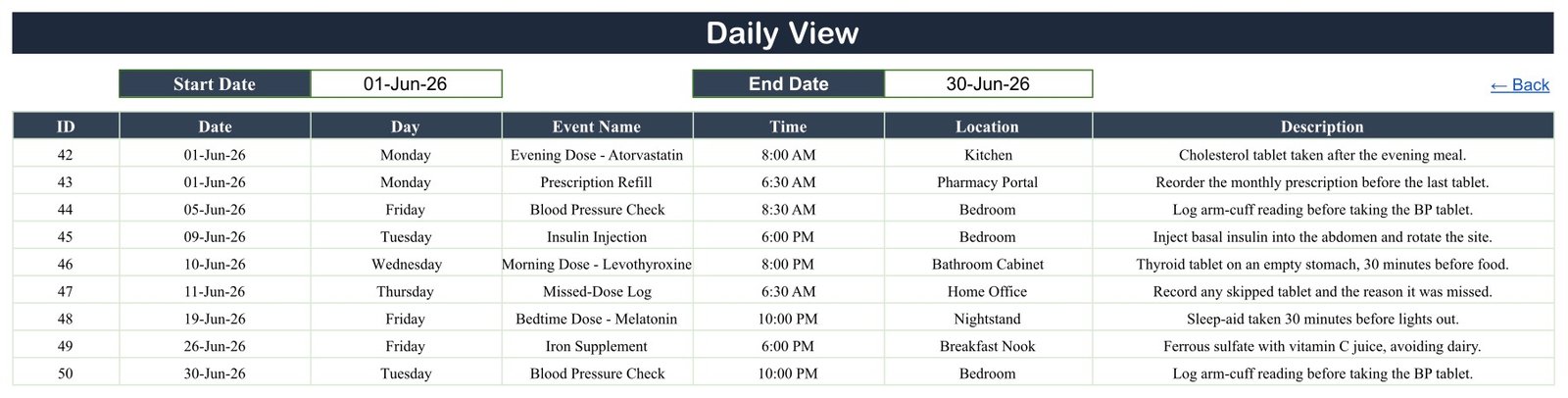
Enter a start and end date to list every matching record. Unlike Monthly View, this table exposes the time, location, and description as well as the event name.
Events and hidden List helper
Events is the editable source table. The reviewed copy contains exactly 100 rows, IDs 1-100, dated 9 January to 27 December 2026. All 100 supplied weekday labels match their dates. A hidden List sheet supports the month and rolling year selectors.
Medication Reminder Calendar in Google Sheets vs. Excel vs. Medication Reminder App – Feature Comparison
| Feature | This Google Sheets template | Excel calendar | Reminder app |
|---|---|---|---|
| Price model | $4.99 one time | Template plus licence if needed | Free tier or subscription |
| Access | Browser and Sheets app | Desktop/web | Mobile/web |
| Real-time sharing | Yes, through Google sharing | Best through OneDrive | Vendor-dependent |
| Editable columns | Yes | Yes | Usually limited |
| Annual and monthly pages | Included | Depends on workbook | Varies |
| Alerts | No | Usually no | Often included |
| Clinical checks | No | No | Varies; verify independently |
| Five-user year-one cost | $4.99 total | File plus licences | Plan-dependent |
Who Should Use This Template
This calendar can suit an individual organizing a known routine, a family member coordinating dates with consent, a caregiver who already has approved instructions, or a non-clinical administrator who wants a simple schedule view. It is especially useful when the priority is editable rows and a readable month layout rather than app notifications.
It is not suitable as an electronic health record, prescription system, medication administration record, adherence monitor, or emergency alert mechanism. It has no authentication layer beyond Google sharing, no audit trail designed for healthcare, and no claim of HIPAA or GDPR compliance.
Real-World Use Cases
Personal planning with a separate phone alarm
A user records refill dates, pickups, routine checks, and appointments in the sheet, then keeps time-critical alarms in a phone or approved reminder app.
Family coordination with minimal data
A caregiver uses neutral labels, avoids names and diagnoses, and shares the file only with named collaborators. The calendar provides a common date view without pretending to be a clinical record.
Weekly coordination review
A coordinator filters Daily View for the coming week, checks the source instructions elsewhere, and updates both Date and Day when a schedule changes.
Advantages of Medication Reminder Calendar in Google Sheets
The main advantage is transparency. Every source row is visible, every view can be inspected, and the user controls the labels. Google Sheets also makes it easy to share with selected people, review change history, and work from different devices. The one-time price avoids a per-user subscription.
The structure is intentionally light. There is no account setup inside a vendor-specific healthcare product, no proprietary database to export, and no automation that silently changes a schedule. For users who already know what should happen and simply want to organize dates, that can be enough.
Because the source table remains visible, a reviewer can trace every displayed calendar item back to its row before relying on the plan.
Opportunities for Improvement
The most important limitation is the absence of active reminders. A future edition could connect to Google Calendar or an approved notification workflow, but this file does not include that feature. Buyers who need alarms should choose and test a dedicated reminder tool.
The Day column is typed text. If the Date changes, the weekday does not recalculate automatically. Replacing it with a formula such as =TEXT(B4,"dddd") can remove that mismatch risk, provided the formula is filled down correctly.
Monthly View displays only the first event name on a date, plus a count cue for additional rows. Use Daily View to read every entry. There is also no double-booking check, dose validation, medicine-interaction logic, or adherence confirmation.
Best Practices
- Make your own private copy from the PDF link before entering any data.
- Delete the demonstration rows and enter only a schedule that has already been approved by the relevant clinician or pharmacist.
- Keep names, diagnoses, prescription numbers, and other identifiers out of the sheet unless your privacy assessment explicitly permits them.
- Share with named people rather than “anyone with the link.” Google explains the available roles in its Sheets sharing guidance.
- Update Date and Day together, then use Daily View to confirm the edited range.
- Use a separate alarm or clinical workflow for anything that must actively prompt a person.
Explore Relevant Templates
- Medication & Pill Tracker in Google Sheets explains a stock-and-refill-oriented template.
- Supplement & Vitamin Tracker in Google Sheets covers a separate logging use case.
- Home Nursing Visit Calendar in Google Sheets focuses on visit scheduling.
- Diet Plan Calendar in Google Sheets is a non-medication calendar alternative.
Frequently Asked Questions
Will it notify me when an entry is due?
No. It sends no alert, alarm, email, SMS, or push notification. The word “Reminder” describes the calendar’s planning purpose, not an automated messaging feature.
Can it tell me what medicine or dose to take?
No. It provides no prescription, dose, allergy, interaction, or safety check and is not medical advice.
What information does the table store?
ID, date, typed weekday, event name, time, location, and free-text description. There is no dedicated patient, person, contact, diagnosis, or prescriber field.
Can there be several records on one date?
Yes. Daily View lists all matching rows. Monthly View shows the first name and an additional-count cue.
Is the sheet HIPAA or GDPR compliant?
No such claim is made. Compliance depends on data, configuration, access controls, agreements, policies, and jurisdiction. Do not treat a general spreadsheet as an approved clinical system.
Can I customize it?
Yes. It is an editable Google Sheets copy, but test formulas and views after structural changes.
About the Author
Built by PK – Microsoft Certified Professional with 15+ years of Excel, Google Sheets, and Power BI experience. Founder of NextGenTemplates, reaching 300K+ subscribers across YouTube channels. Every template is hand-built and tested before release.
Conclusion
The Medication Reminder Calendar in Google Sheets is best understood as an editable visual organizer. It gives you annual, monthly, and date-range perspectives over one source table, with no subscription and no hidden automation. It does not replace an alarm, pharmacist, clinician, medication administration record, or health-information system.
View the Medication Reminder Calendar in Google Sheets and keep the privacy and active-reminder limitations in view while deciding whether it fits your workflow.
For more spreadsheet tutorials, visit PK: An Excel Expert on YouTube.
Last updated: September 5, 2026.