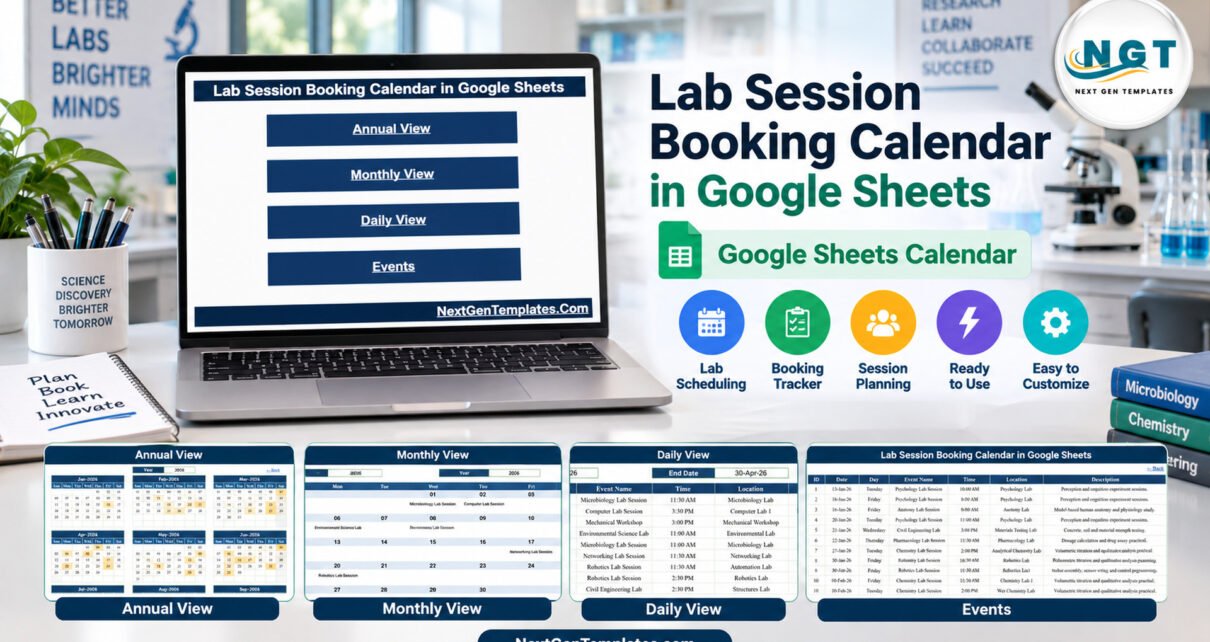
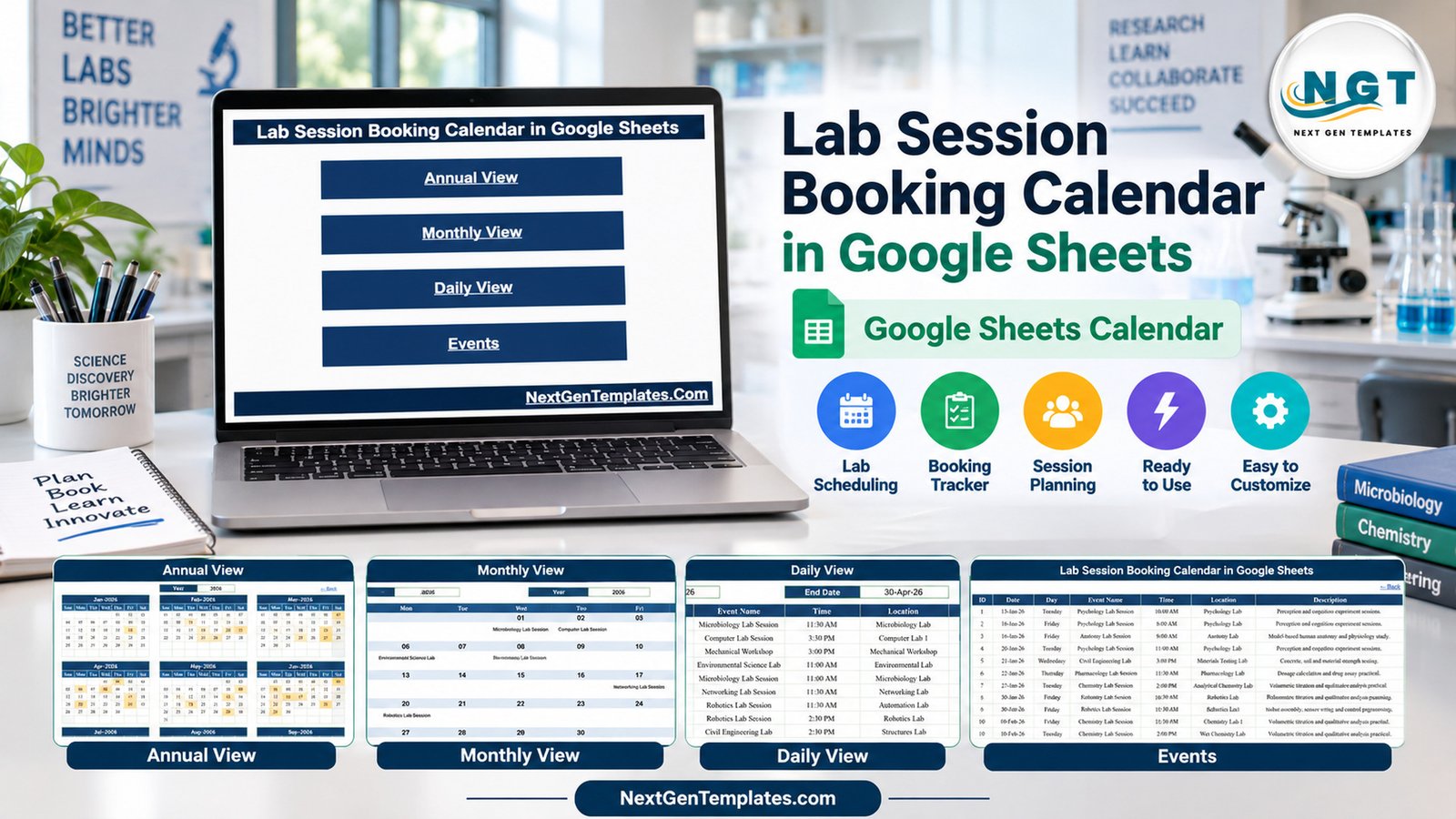
The Lab Session Booking Calendar in Google Sheets turns a list of practical lab sessions into four linked views: an Annual calendar, a Monthly grid, a date-range Daily list and an Events master table. The template ships with 100 sample sessions dated 13 January to 31 December 2026, spread across 16 session types and 25 lab locations, with 8 or 9 sessions in every month.
Most schools, colleges and training centres still publish lab slots as a static timetable or a long email thread. When a coordinator changes one session, every copy goes out of date. This calendar keeps one Events table as the single source, and the Annual, Monthly and Daily views all read from it, so the whole department sees the same lab timetable in a shared Google Sheet.
Key Features of the Lab Session Booking Calendar in Google Sheets
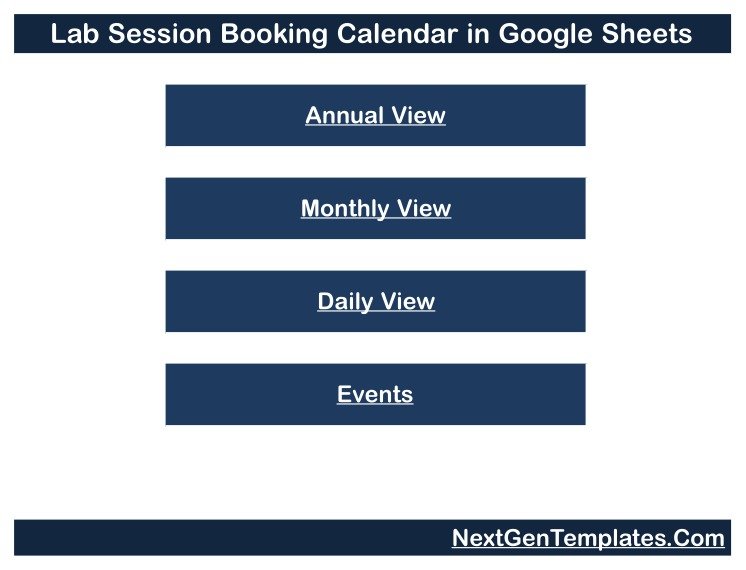
- Four linked views behind one Home page. Home carries buttons for Annual View, Monthly View, Daily View and Events, and every page has a Back link.
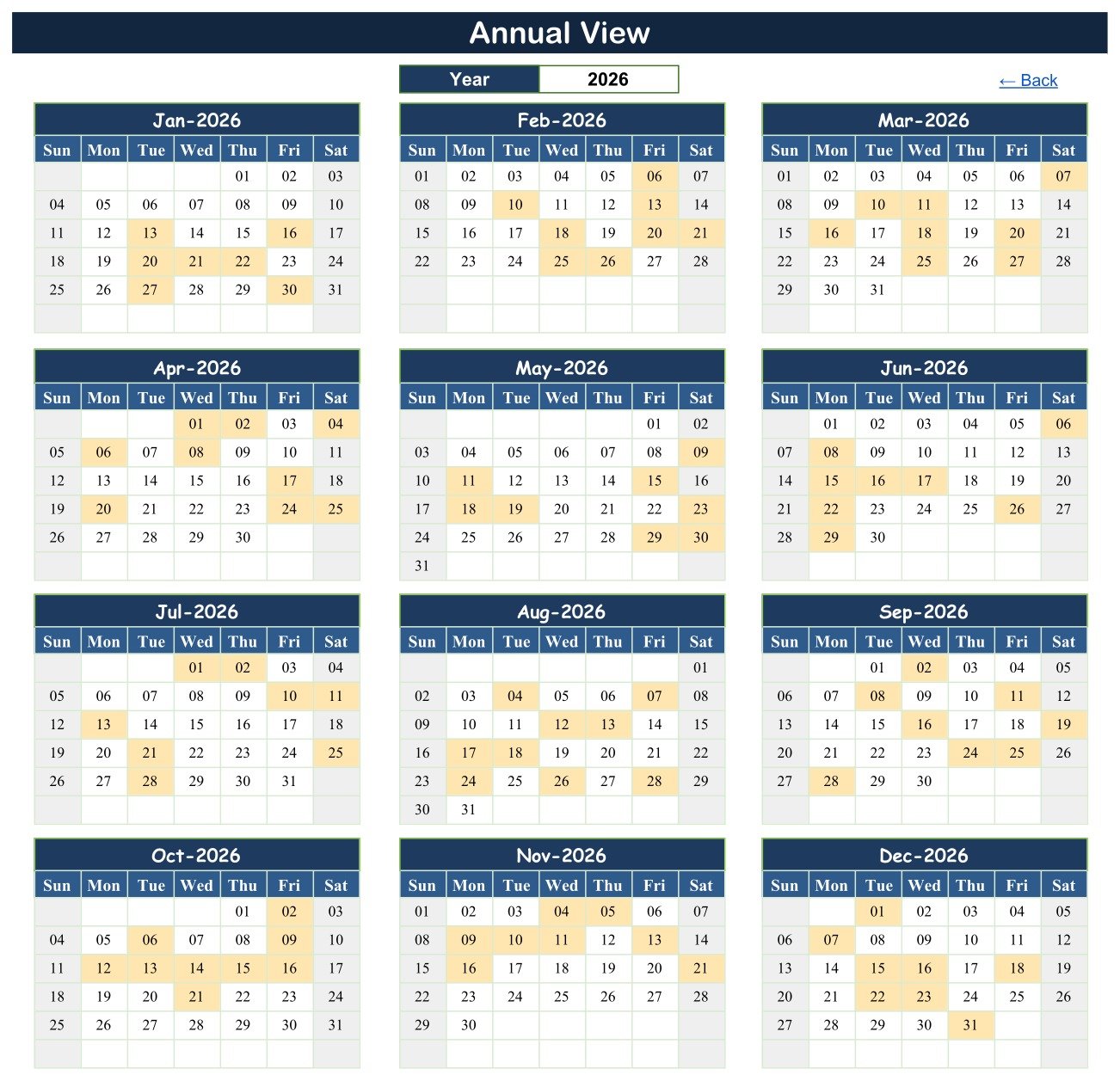
- Year-at-a-glance shading. The Annual View draws twelve month grids for the year chosen in a drop-down and highlights every date that has a session.
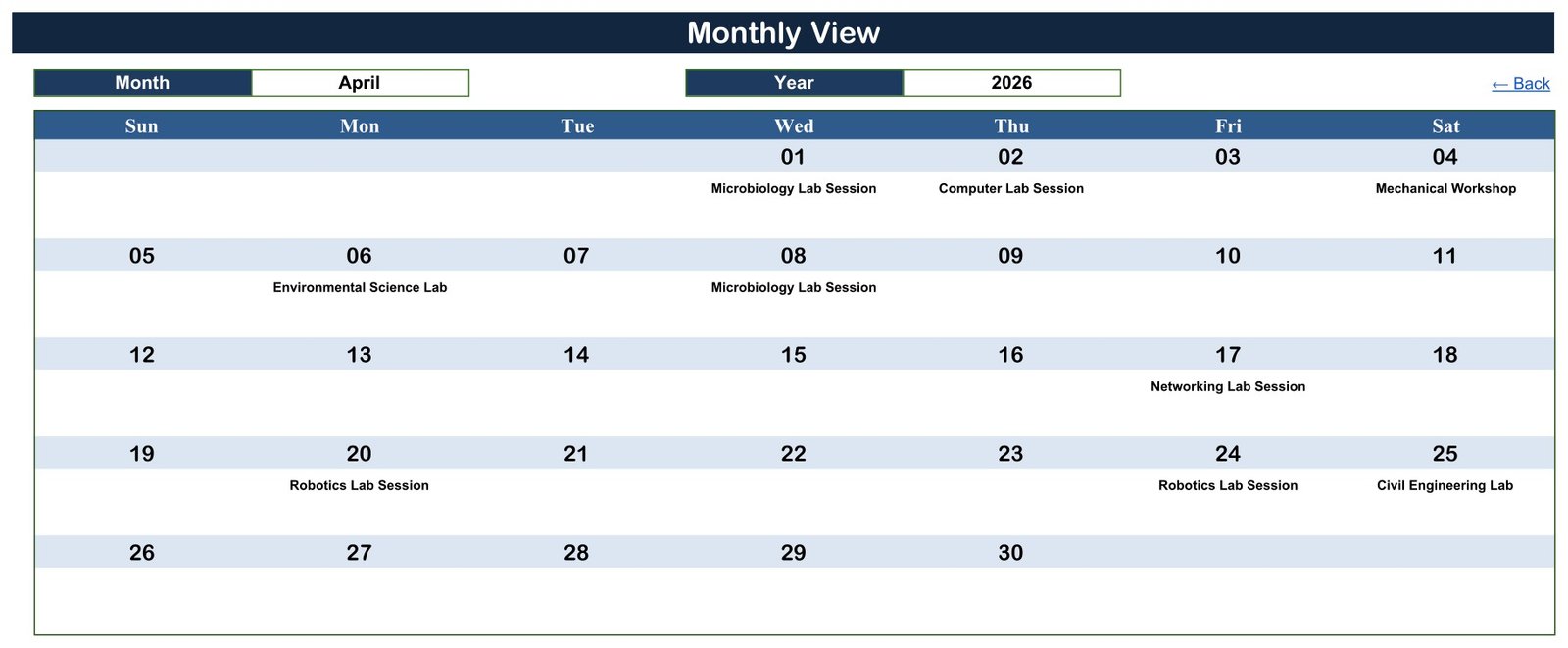
- Session names on a month grid. The Monthly View writes the session name under each date, and adds a “1 more…” style counter when a date holds more than one session.
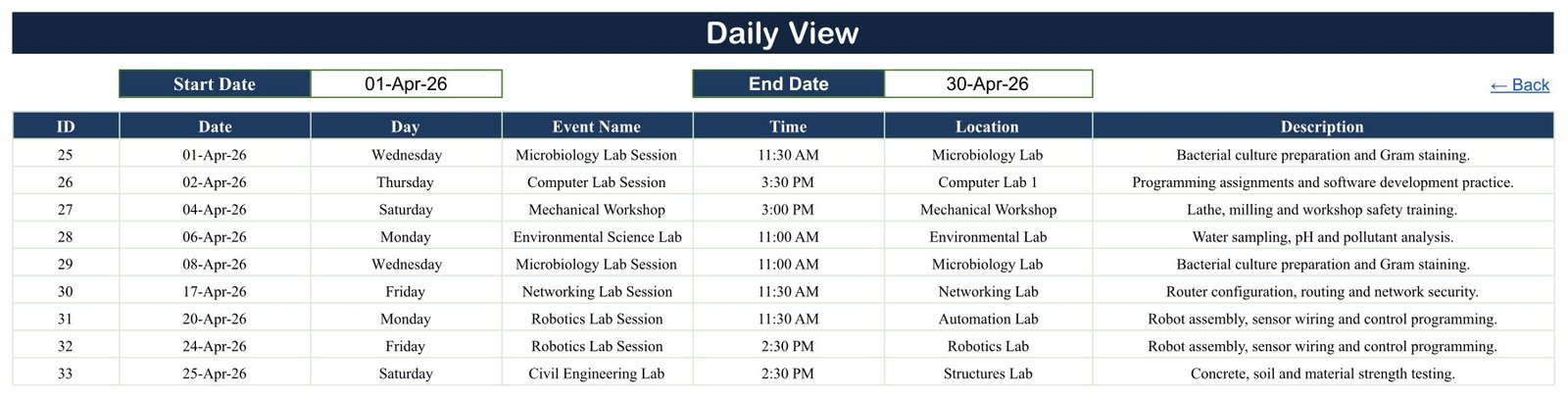
- Any date range as a list. The Daily View lists every session between a Start Date and an End Date, with ID, date, day, session name, start time, location and description.
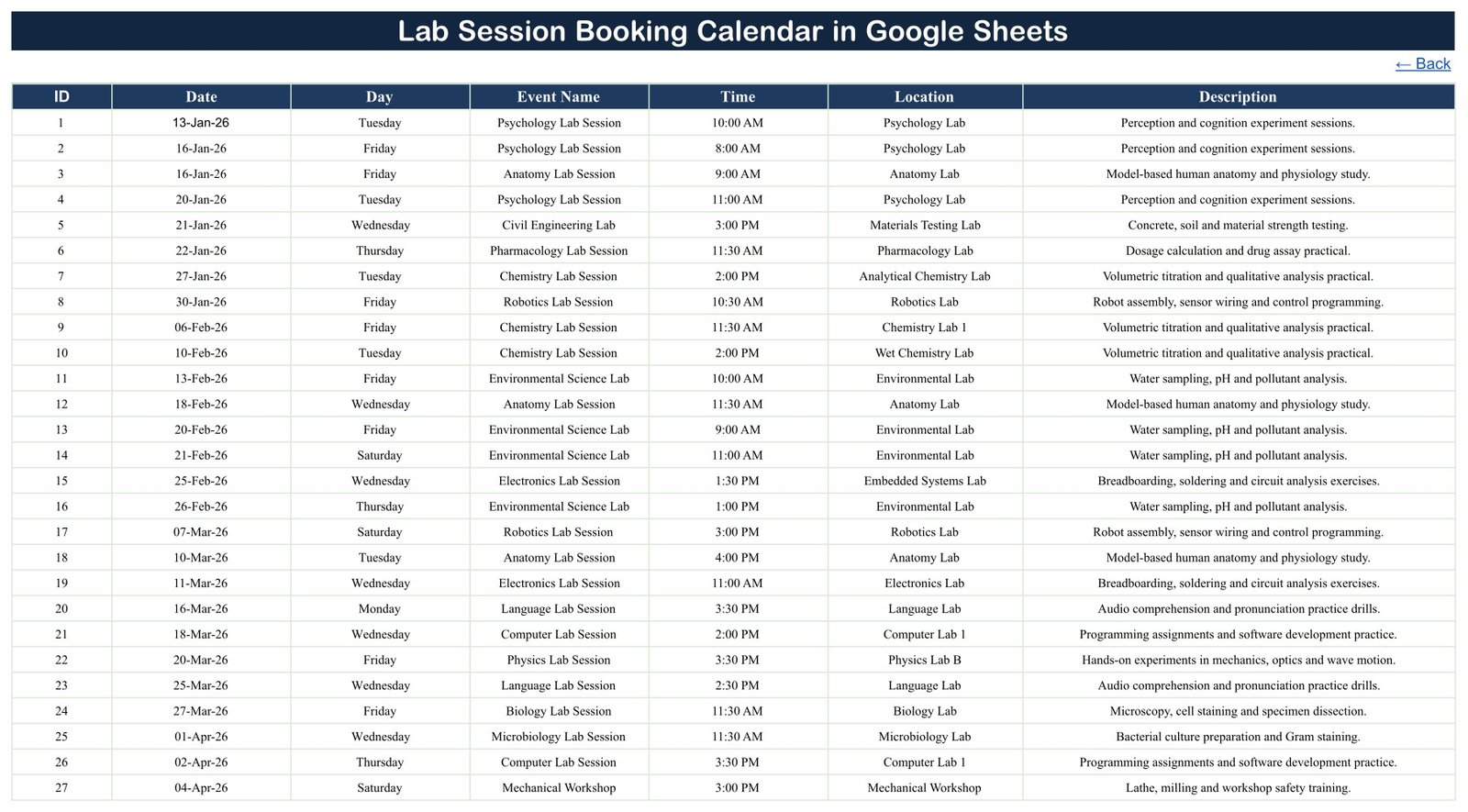
- One table to maintain. The Events sheet has seven columns – ID, Date, Day, Event Name, Time, Location and Description – and a date check on the Date column.
- Realistic sample data. The 100 demo sessions include Mechanical Workshop (12), Environmental Science Lab (9), Language Lab Session (9), Pharmacology Lab Session (8) and Robotics Lab Session (8).
Calendar Pages Explanation
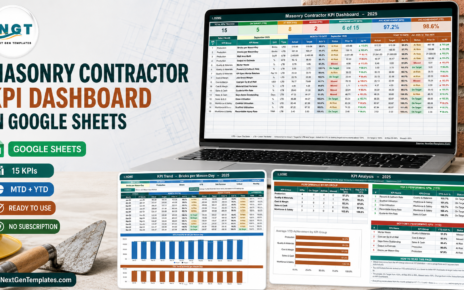
The spreadsheet has five visible tabs and a hidden List tab that supplies month names and a rolling list of years starting five years before the current year.
Home
The Home page is a simple menu with four navigation buttons. It keeps the calendar easy to use for colleagues who have never opened the file before.
Annual View
Pick a year and the page shows January to December as Sunday-to-Saturday grids. Dates with a lab session are shaded, which makes busy weeks, quiet months and holiday gaps visible straight away.
Monthly View
Choose a Month and a Year to see a large calendar grid. In the April 2026 sample you can read Microbiology Lab Session on 1 and 8 April, Environmental Science Lab on 6 April, Networking Lab Session on 17 April and Civil Engineering Lab on 25 April.
Daily View
Enter a Start Date and an End Date. The example range 01-Apr-26 to 30-Apr-26 returns nine sessions, IDs 25 to 33, including Robotics Lab Session at 11:30 AM in the Automation Lab and Civil Engineering Lab at 2:30 PM in the Structures Lab.
Events
This is where you work. Each row is one session. The sample holds 100 rows on 98 different dates, sorted by date, with start times from 8:00 AM to 4:00 PM and every Day value matching its date.
Lab Calendar vs. Excel Calendar vs. Lab Scheduling Software: Feature Comparison
| Feature | Lab Session Booking Calendar in Google Sheets | Excel calendar workbook | Paid lab scheduling software |
|---|---|---|---|
| Cost | $4.99 one-time | One-time, plus an Excel licence | Usually a recurring subscription |
| Platform | Any browser with a free Google account | Excel desktop | Vendor web app |
| Setup time | Minutes: copy the file and replace rows | Minutes | Account setup and configuration |
| Real-time collaboration | Yes, through Google Sheets sharing | Limited | Yes |
| Mobile access | Google Sheets app | Excel mobile app | Usually a mobile app |
| Customizable fields | Edit any column or label | Yes | Within vendor settings |
| Double-booking and capacity checks | No, checked by the coordinator | No | Usually built in |
| Booking requests, approvals, reminders | No | No | Usually built in |
| Year-1 cost at 5 users | $4.99 total | Licence per user | Subscription x 5 seats |
For departments that need a clear, shared lab timetable rather than a full booking platform, this calendar sits in the sweet spot. If you need clash detection or a request form, dedicated scheduling software is the better choice.
Who Should Use This Template
Perfect for:
- Lab coordinators and lab technicians who publish practical-session timetables
- Science, engineering, computing and language department heads who want a year view of lab use
- Teachers and trainers who plan workshop or lab slots across a term
Not a fit if:
- You need automatic double-booking prevention, capacity limits or equipment availability
- You are looking for a LIMS, a chemical inventory, an equipment maintenance log or a lab-safety record
- You need student sign-ups, approvals, reminders or a sync with Google Calendar
Real-World Use Cases
Priya coordinates the science block at a senior secondary school. Before term starts she enters every chemistry, physics and biology practical on the Events sheet. Teachers get a view-only link and check the Monthly View before promising a class a lab slot, which cuts down the corridor conversations about who has the lab on Thursday.
Daniel manages workshops at an engineering polytechnic. The Annual View shows him that the Mechanical Workshop and the Fabrication Bay are busiest in the same months, so he spreads the next batch of sessions out. Each Monday he sets the Daily View to the coming week and prints it for the notice board.
Meera runs the language and computer labs at a training centre. She keeps one copy of the calendar per term. When a manager asks what is running next week, she types two dates into the Daily View and has the answer in seconds.
Advantages of the Lab Scheduling Calendar
- Low cost. One payment of $4.99 replaces a per-seat subscription for teams that mainly need visibility.
- Nothing to install. It runs in Google Sheets in any modern browser.
- Easy sharing. Share a view-only link with staff and keep editing rights for the coordinator.
- One source of truth. Update a row in Events and every view follows, so printed timetables stop drifting apart.
- Easy to adapt. Rename columns, add your own lab names or change the colours without touching any code.
Opportunities for Improvement
An honest list of what the template does not do today, so you can plan around it:
- No clash detection. It does not warn about double bookings and does not check lab capacity or equipment availability.
- No booking workflow. There is no request form, approval step, reminder, recurring-session rule or Google Calendar sync.
- Start time only. There is no end time or duration column, so overlapping sessions are not visible from times alone.
- Typed Day column. The Day value is entered by hand, not calculated, so it must be updated when a date changes.
- First session per date on the month grid. The Monthly View shows one session name plus a counter; the Daily View lists the rest.
- Column width. Very long session names or descriptions can be cut off in the Daily View.
Best Practices
- Keep session names short and consistent, for example “Chemistry Lab Session”, so they fit the Monthly grid.Lab Session Booking Calendar in Google Sheets
- Use one location name per room, such as “Computer Lab 1”, so you can filter the Events sheet by lab.Lab Session Booking Calendar in Google Sheets
- Before adding a session, filter Events by date and location to confirm the lab is free.
- Update the Day column every time you change a date.
- Give most staff view-only access with Google Drive sharing and keep edit access with one or two coordinators.
- Keep lab-safety records, chemical stock and equipment maintenance in their proper systems; this calendar is for timetabling only.Lab Session Booking Calendar in Google Sheets
New to spreadsheets? Google’s guide on how to create, view or download a file covers the basics, and the FILTER function page explains the formula behind the Daily View.Lab Session Booking Calendar in Google Sheets
Explore Relevant Templates
Other education calendars on the same four-view layout, each with a detailed walkthrough on this blog:Lab Session Booking Calendar in Google Sheets
- Class Timetable Calendar in Google Sheets – plan lessons and class events.
- Exam Timetable Calendar in Google Sheets – schedule written and practical exams.
- Teacher Substitution Calendar in Google Sheets – arrange cover when a teacher is away.
- Library Book Due Calendar in Google Sheets – track library due dates and events.
You can also browse every Google Sheets calendar template in the store. An Excel edition of this lab calendar is in preparation.Lab Session Booking Calendar in Google Sheets
Frequently Asked Questions
What do I need to use the Lab Session Booking Calendar in Google Sheets?
You need a free Google account and a web browser. After purchase, open the PDF in your download, click the Make a copy link and the calendar is saved to your own Google Drive, ready to edit. No add-ons, scripts or installation are required.Lab Session Booking Calendar in Google Sheets
Does the calendar prevent double bookings?
No. The template does not detect clashes or check lab capacity and equipment. When a date holds more than one session the Monthly View shows a counter, and filtering the Events sheet by date and location lets you confirm a lab is free before you add a session.Lab Session Booking Calendar in Google Sheets
Can students or staff submit booking requests?
No. There is no booking form, approval step or notification. A coordinator enters sessions on the Events sheet and shares the file. Departments that need self-service requests should pair it with a separate form or use dedicated booking software.Lab Session Booking Calendar in Google Sheets
Is the sample data real?
No. The 100 sessions, 25 locations and descriptions are fictional examples for 2026, and there are no student names or personal details. Replace the demo rows with your own timetable before sharing the file with colleagues.Lab Session Booking Calendar in Google Sheets
How long does setup take?
Setup is mainly data entry. Copy the file, clear the sample rows and type or paste your sessions into the seven Events columns. There are no formulas to build, and the Annual, Monthly and Daily views update as soon as the rows are in.Lab Session Booking Calendar in Google Sheets
How does this compare with paid lab scheduling software?
Dedicated platforms add clash checks, request forms and reminders for a recurring fee. This calendar costs $4.99 once and gives a clean shared timetable, but you manage clashes yourself. It suits smaller departments whose main need is visibility.Lab Session Booking Calendar in Google Sheets
About the Author
Built by PK – Microsoft Certified Professional with 15+ years of Excel, Google Sheets and Power BI experience. Founder of NextGenTemplates, reaching 300K+ subscribers across YouTube channels. Every template is hand-built and tested before release.Lab Session Booking Calendar in Google Sheets
Conclusion
If your lab timetable lives in scattered emails and printouts, a single shared calendar is a quick improvement. The Lab Session Booking Calendar in Google Sheets gives you a year view, a month grid and a date-range list from one Events table, with honest limits: no clash detection, no booking form and no reminders.
Click here to Purchase the Lab Session Booking Calendar
✅ Instant download · One-time payment · No subscriptionLab Session Booking Calendar in Google Sheets
🎥 Watch more tutorials on Youtube.com/@NeoTechNavigators
Last updated: September 2026Lab Session Booking Calendar in Google Sheets