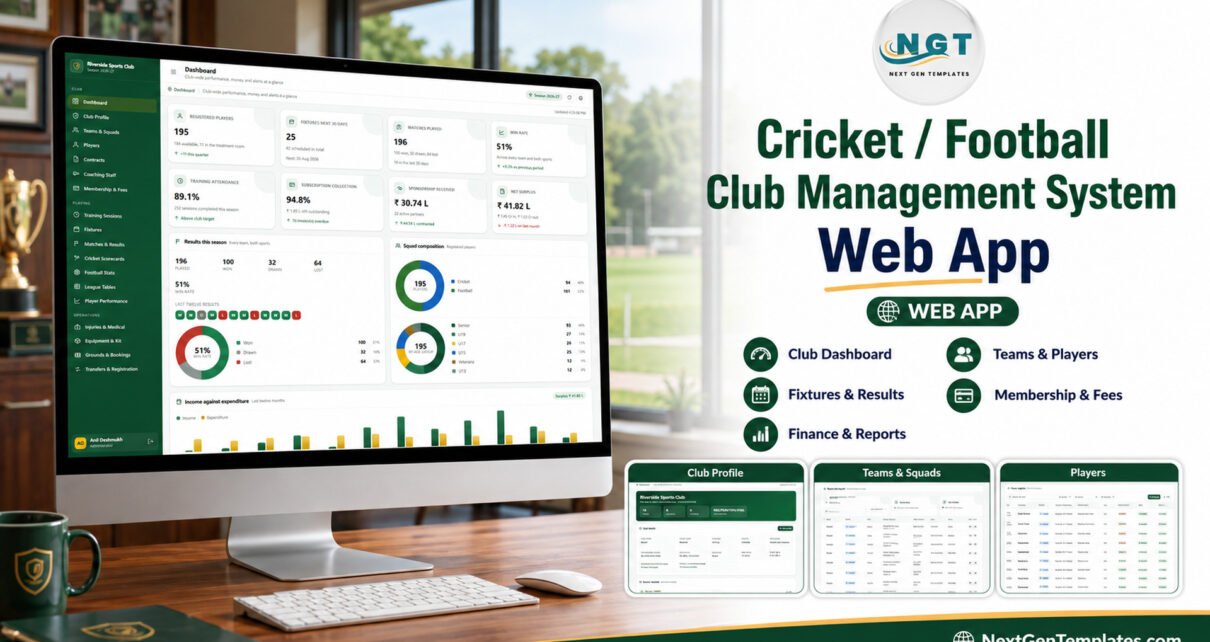
A dual-sport club generates far more than a fixture list. Teams, players, contracts, training, match statistics, fees, sponsorship, ticketing, injuries and equipment all need an accountable home. The Cricket / Football Club Management System Web App brings those workflows into one Google Apps Script interface backed by Google Sheets. Its seeded demonstration database includes 14 squads, 195 players, 238 fixtures, 196 completed matches and more than 12,500 rows, giving administrators a realistic system to inspect before entering their own data. This guide explains what the app does, where it fits, and how to deploy it responsibly.
Get the Cricket / Football Club Management System

🧪 Try the Live Demo
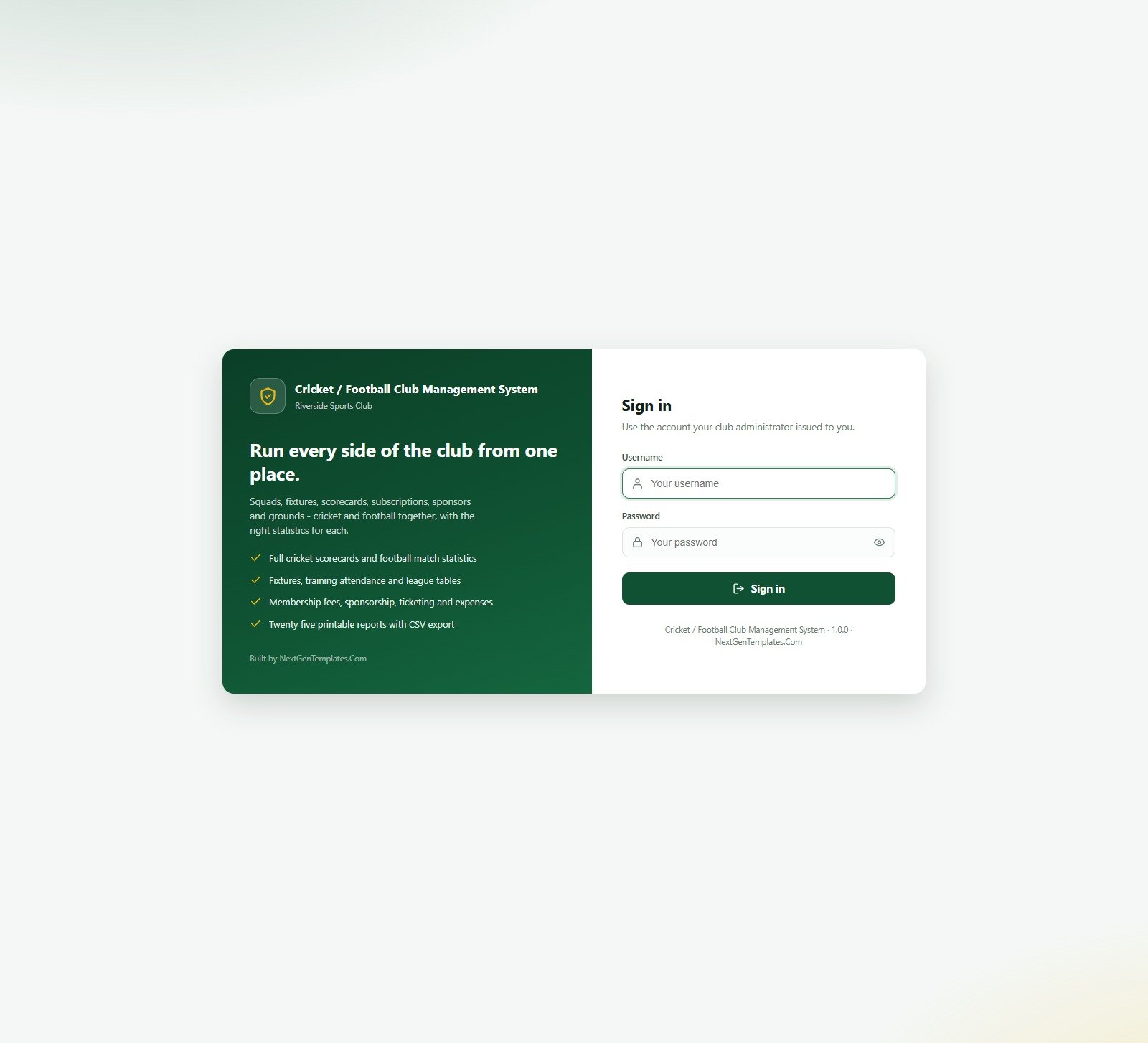
Open the seeded Riverside Sports Club demo and compare what each role can see. These are public evaluation accounts for a shared demo instance.
Demo credentials
| Role | Username | Password |
|---|---|---|
| Administrator | admin | Club@2024 |
| Club Manager | manager | Manager@2024 |
| Head Coach | headcoach | Coach@2024 |
| Team Coach – Cricket | coach | TeamCoach@2024 |
| Physio | physio | Physio@2024 |
| Finance Officer | finance | Finance@2024 |
| Registrar | registrar | Registrar@2024 |
| Front Desk | frontdesk | FrontDesk@2024 |
| Team Coach – Football | coach2 | TeamCoach@2024 |
| Head Coach – Football | analyst | Coach@2024 |
Change every default password after deploying your own copy. The shared demo resets and is not your production database.
Key Features of the Cricket / Football Club Management System Web App
The defining feature is genuine two-sport behaviour. Cricket match records use innings, runs, balls, wickets, strike rates, bowling figures and economy. Football records use minutes, goals, assists, shots, saves, cards, clean sheets and ratings. That distinction continues through fixtures, league tables and player-performance summaries.
Eight role profiles control both navigation and server-side data delivery. Administrators manage everything. Club Managers handle day-to-day operations without user or archive access. Head Coaches and Team Coaches focus on sport operations; the latter can be restricted to their own squads. Physios work with injuries and availability. Finance Officers manage membership, sponsorship, tickets and expenses. Registrars maintain players, contracts and transfers. Front Desk users handle reception workflows.
Application Modules Explained
Dashboard, profile, teams and players
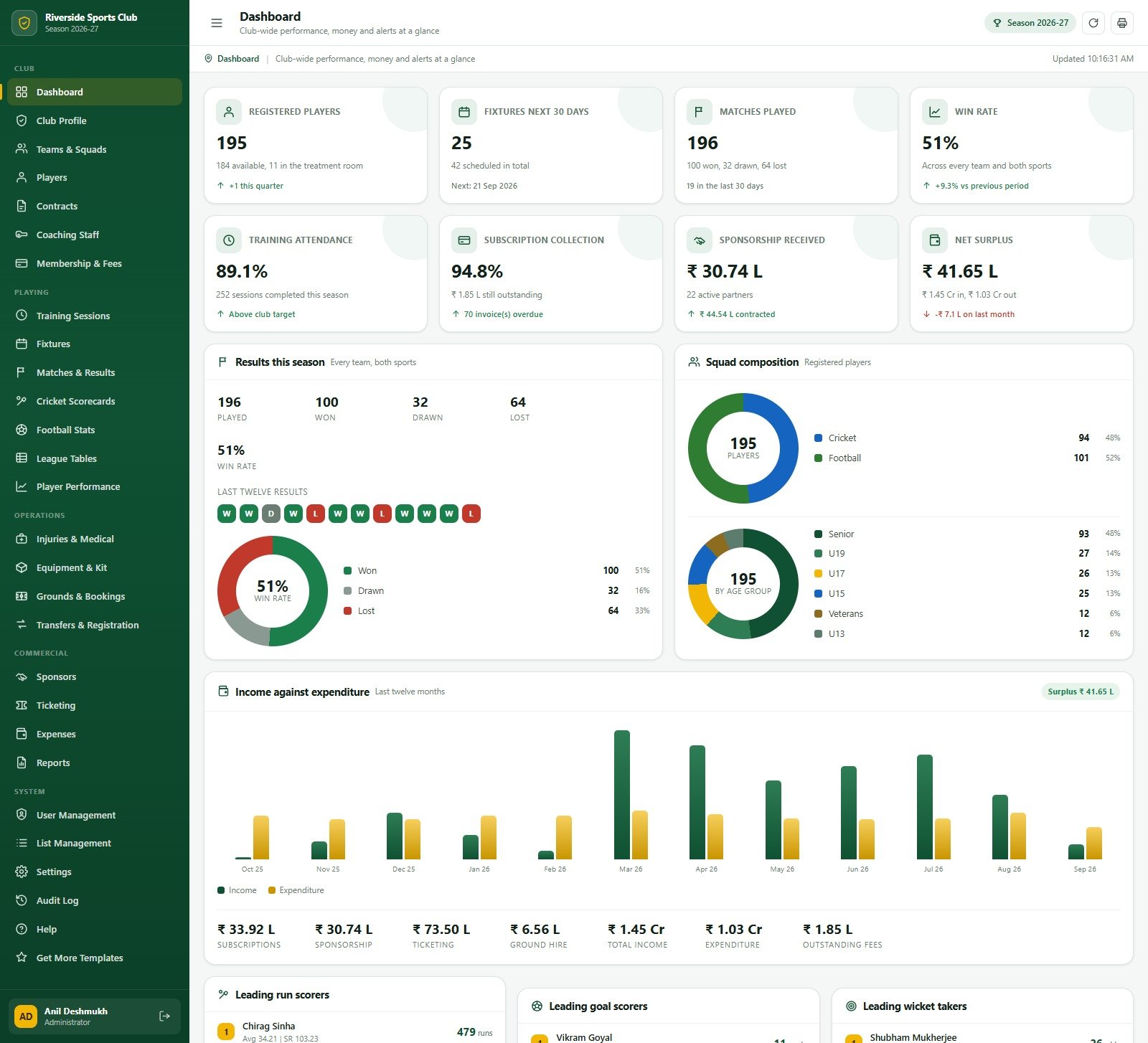
The dashboard combines registered players, upcoming fixtures, completed matches, win rate, attendance, subscription collection, sponsorship and net surplus. Club Profile stores identity, grounds and honours. Teams & Squads separates cricket and football by age group and division, while Players holds registration, position, fitness and availability information.
Training, fixtures and results
Training Sessions records the team, coach, ground, focus, intensity and attendance. Fixtures tracks competitions, venues, officials and match status. Matches & Results stores the final score, attendance, result and player of the match, then feeds the cricket and football statistics modules.
Scorecards and performance
Cricket Scorecards records batting and bowling innings. Football Stats records match-by-match contributions. League Tables supports sport-specific columns, and Player Performance rebuilds season aggregates after match cards are saved.
Operations and finance
Injuries & Medical tracks treatment and expected return dates for internal availability planning. Equipment & Kit provides stock, reorder and issue registers. Grounds & Bookings combines bookings, maintenance and the ground register. Transfers & Registration handles incoming, outgoing and renewal records. Membership & Fees, Sponsors, Ticketing and Expenses cover the principal commercial flows.
Reports and system controls
The report picker offers 25 printable reports with filters and CSV export. User Management displays roles and team scope, List Management controls dropdown values, Settings covers print, email and archive options, and Audit Log records key actions.
Web App vs Spreadsheet vs Paid Club SaaS – Feature Comparison
| Decision point | This web app | Spreadsheet-only setup | Paid club SaaS |
|---|---|---|---|
| Ownership | Runs in your Google account | Files in your account | Vendor-hosted |
| Pricing | One-time template | Build and maintenance time | Recurring subscription |
| Role separation | Eight purpose-built roles | Sheet permissions | Usually available by plan |
| Dual-sport statistics | Cricket and football forms | Custom build | Vendor dependent |
| Customisation | Source code and editable lists | Flexible but manual | Limited by configuration |
| Technical responsibility | Your deployment and support | Your workbook design | Vendor operations |
Who Should Use This Template
Community cricket clubs that also operate football squads, multi-sport academies, sports associations and club administrators are the strongest fit. It works well where one person currently reconciles separate player sheets, fee registers and match files, or where coaches and finance staff need separate views of the same club database.
The owner should be comfortable managing a Google account, Apps Script deployment and access permissions. A designated administrator should also own password changes, backups, user deactivation and periodic access reviews. This makes the template a better fit for a club that wants control of its data and can accept responsibility for its deployment than for a club seeking a fully managed vendor service.
The app is not for organisations needing official federation integration, live scoring feeds, a native mobile app or vendor-managed hosting. It also does not replace medical records software, safeguarding procedures, payroll, accounting or legal advice.
Real-World Use Cases
Season launch
An administrator updates the club profile, grounds, competitions, teams and users. The registrar then loads players and contracts while coaches build the training and fixture calendar.
Match week
Coaches schedule sessions and select squads. After matches, the correct scorecard opens for the sport, results feed league tables, and season performance can be rebuilt.Cricket / Football Club Management System Web App
Commercial review
Finance staff monitor subscription collection, sponsor payments, ticket revenue and expenses, while money-blind coaching roles receive no financial values from the server.Cricket / Football Club Management System Web App
Advantages of the Cricket / Football Club Management System Web App
- One interface covers sporting, operational and commercial work.
- Sport-specific forms prevent cricket and football statistics from being mixed.
- Role boundaries support separation of duties.
- Google Sheets keeps the underlying database accessible to the owner.
- Seed data makes evaluation and training easier.
- CSV exports and printable reports support committee workflows.Cricket / Football Club Management System Web App
Opportunities for Improvement
A future deployment could add club-specific branding, governing-body imports, payment-provider connections or custom notification rules. Those are customisation projects, not included integrations. Clubs should also review retention, privacy and access policies before entering real medical, minor-player or financial information.
Large organisations may also want single sign-on, a formal approval workflow, automated data retention, accounting exports or direct competition feeds. The included source makes extension possible, but none of those capabilities should be assumed from the standard download. Document every local change and test it against a copy of the database before replacing the deployed version.Cricket / Football Club Management System Web App
Best Practices
- Try the demo using several roles before deployment.
- Deploy from a controlled club Google account rather than a volunteer’s personal account.
- Change every seeded password immediately.
- Remove roles and sample records the club does not need.
- Take a backup before bulk imports or archive operations.
- Publish a new Apps Script deployment version after source changes; saving alone does not update the live URL.
- Use the official Google Apps Script web app guide when reviewing deployment permissions.Cricket / Football Club Management System Web App
Begin with one season and a small administrator group. Validate team scope, money visibility and medical access using test accounts before inviting the wider club. Keep the seeded data until the workflows are understood, then clear it with the documented reset process rather than deleting linked tabs at random. Because Apps Script and Google services apply quotas, clubs with unusually high traffic should monitor executions and email volume during rollout.Cricket / Football Club Management System Web App
Explore Relevant Templates
For a single-sport alternative, see the published Golf Club Management System Web App. If membership administration is the priority, compare the Club & Association Membership Management System Web App. For high-level sports reporting in a spreadsheet, explore the Sports and Recreation Dashboard in Google Sheets. These are genuine same-site internal resources, not fresh draft links.
If you are new to building systems like this, the NextGenTemplates Academy learning paths teach the underlying spreadsheet skills with practice files.
Get the Cricket / Football Club Management System
Frequently Asked Questions
Can I try it before buying?
Yes. The live demo above includes ten accounts spanning all eight permission profiles.
What comes in the download?
The ZIP contains the Apps Script backend as Code.cs.txt, the web interface as Index.txt, and a PDF user manual.
Does it run on a website host?
It is designed for Google Apps Script and Google Sheets. You deploy it as a web app in your Google account.
Can a coach see wages and fees?
Money-blind roles do not receive those values from the backend, rather than merely hiding them with CSS.
Does the system send email?
Email can be enabled in settings. Attempts are written to the Email Log, but the club remains responsible for Google quotas and message configuration.
Can I import my existing data?
Settings includes spreadsheet import support for defined modules. Validate columns and test with a backup first.
Is support for custom changes included?
The product includes the editable source and setup guidance. Bespoke modules, integrations or redesigns are separate customisation work.
About the Author
Built by PK – Microsoft Certified Professional with 15+ years of Excel, Google Sheets, and Power BI experience. Founder of NextGenTemplates, reaching 300K+ subscribers across YouTube channels. Every template is hand-built and tested before release.
Conclusion
The Cricket / Football Club Management System Web App is a practical starting point for clubs that have outgrown disconnected registers but do not want an immediate recurring SaaS commitment. Its value comes from the combination of sport-aware match records, role-specific access and broad club operations. Readers comparing cricket club management software, football club management software, a sports club management web app, or Google Apps Script club management should test the demo first, inspect the roles that matter to their team, then download the product from NextGenTemplates and deploy it in a controlled Google account.
For more template walkthroughs, visit the NeoTechNavigators YouTube channel.