Security teams often manage access permissions, ID card requests, gate entries, visitors, incidents, and reports across separate spreadsheets or paper registers. The Access Control and ID Card Management System Web App brings those workflows into one connected browser-based template with 29 dedicated pages, 8 dashboard KPI cards, 4 card request workflows, 7 alert categories, and a complete setup area for sites, zones, doors, readers, schedules, access groups, users, audit logs, and settings.Access Control
This template is designed for organizations that need a practical access control workflow layer without building an internal app from scratch. It is especially useful for offices, factories, warehouses, campuses, hospitals, schools, residential facilities, and security control rooms that need better visibility over cardholders, ID cards, visitors, gate passes, and access events.
You can review the product here: Access Control and ID Card Management System Web App.
Get the Access Control and ID Card Management System Web App
🚀 Try the Live Demo Before You Buy
We have deployed this web app in our own Google account so you can test every page, every module and all six user roles — with real sample data — before purchasing. No signup, no email required.
🔑 Test Login Credentials
Sign in as admin to unlock every module — cardholders, ID card issuance, access zones, devices, users and settings — or try any of the other roles to see exactly what each team member is allowed to view and do. 💡 Tip: start with admin, then re-login as guard or auditor to compare the role-based permissions.
💡 What you get after purchase: The full source code (Code.gs + Index.html) plus a step-by-step deployment guide so you can deploy your own private instance in your own Google account in under 15 minutes.
Key Features of the Access Control and ID Card Management System Web App
- Secure login screen for the security control room.
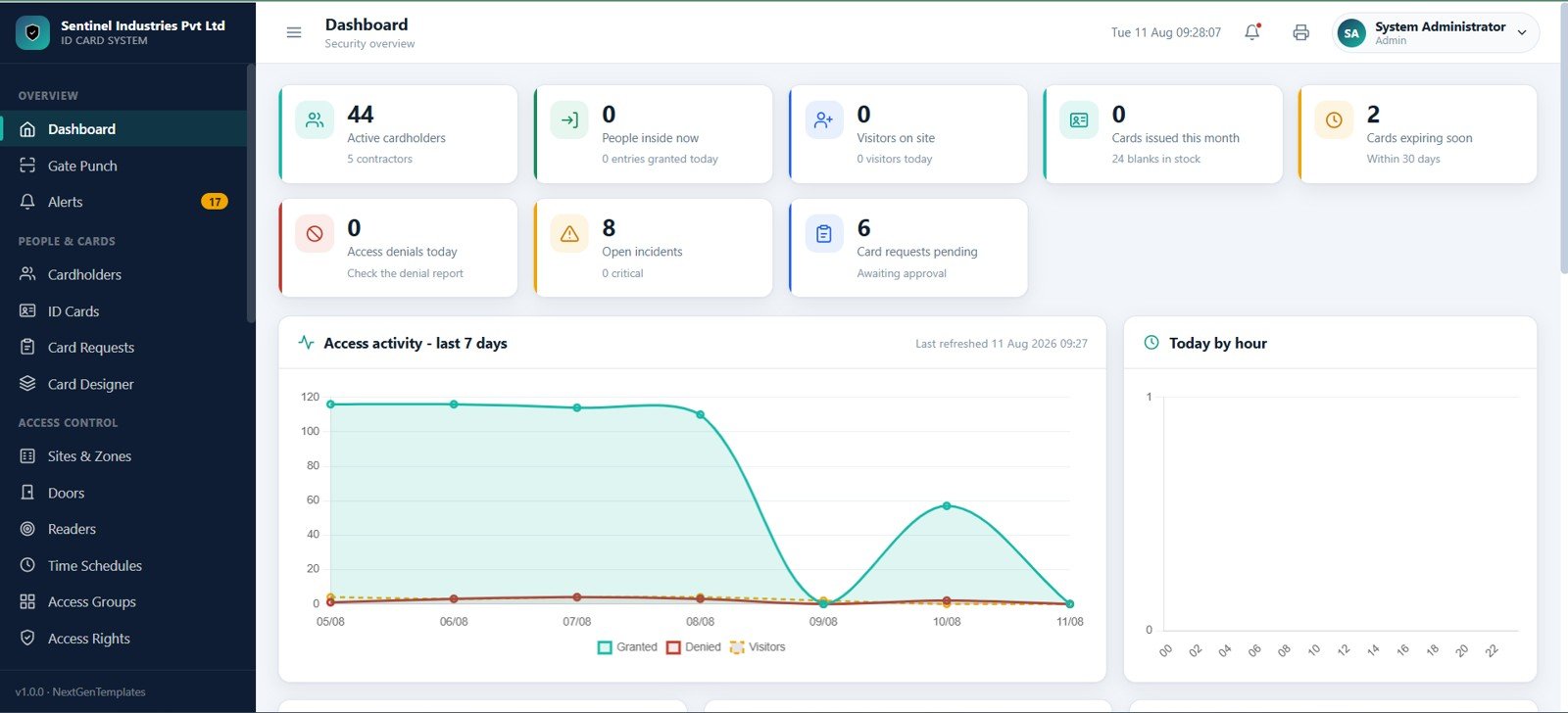
- Dashboard with active cardholders, people inside now, visitors on site, issued cards, expiring cards, access denials, incidents, and pending card requests.
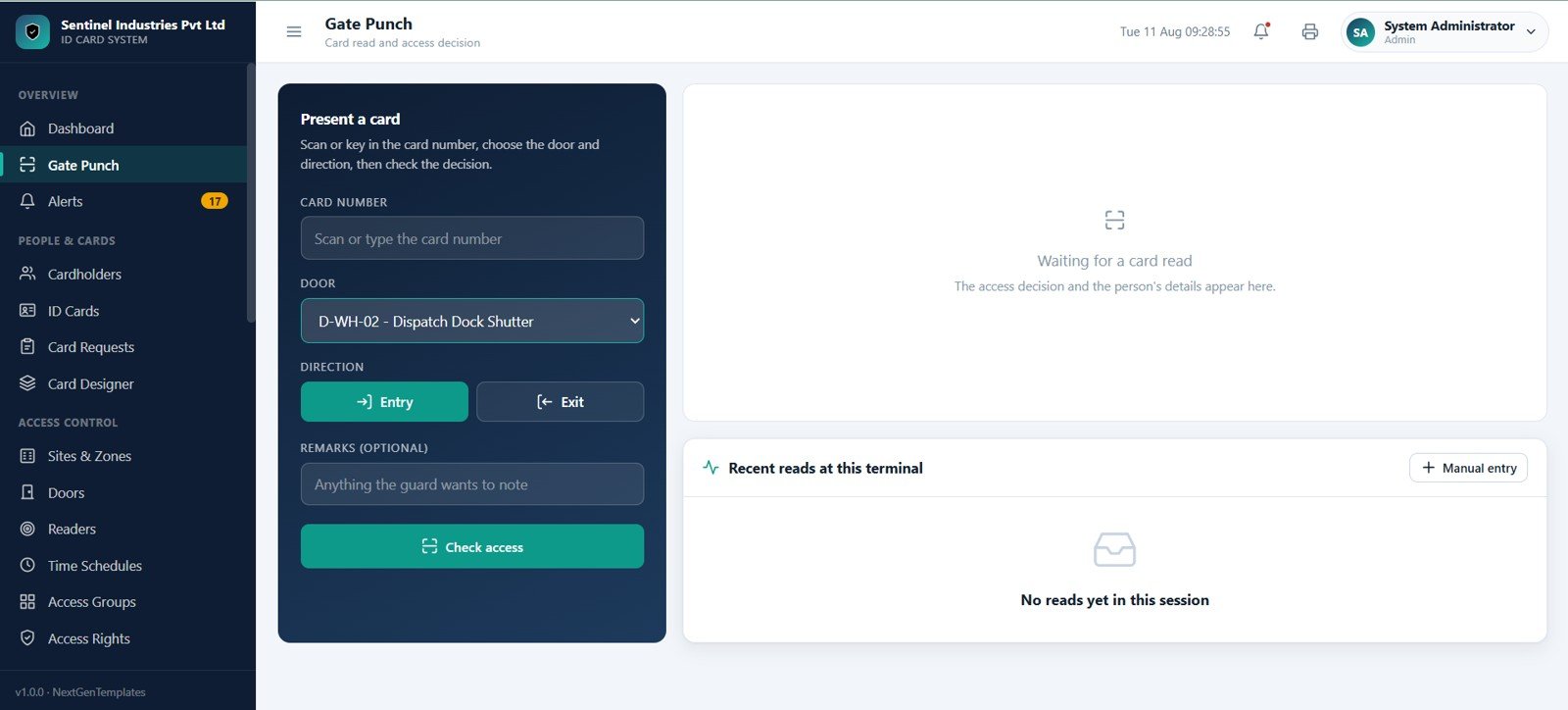
- Gate punch screen for card scan, door selection, entry or exit direction, access decision, remarks, and manual event entry.
- Cardholder master for employees, contractors, and pass holders.
- ID card stock, issue, renewal, expiry, lost, blocked, and damaged card tracking.
- Card request workflow for new cards, renewals, lost-card replacements, and damaged-card replacements.
- Card designer area for employee ID cards, contractor passes, visitor badges, and management cards.
- Site, zone, door, reader, time schedule, access group, and access rights setup.
- Access event log, attendance rebuild, visitors, vehicle passes, material gate passes, key and asset issue, incidents, watchlist, documents, reports, users, lists, imports, exports, audit logs, and settings.
The workflow fits well with Google Apps Script web apps, where teams can run a custom browser-based interface connected to Google Workspace data and internal processes.
Dashboard Pages Explanation
Login Page
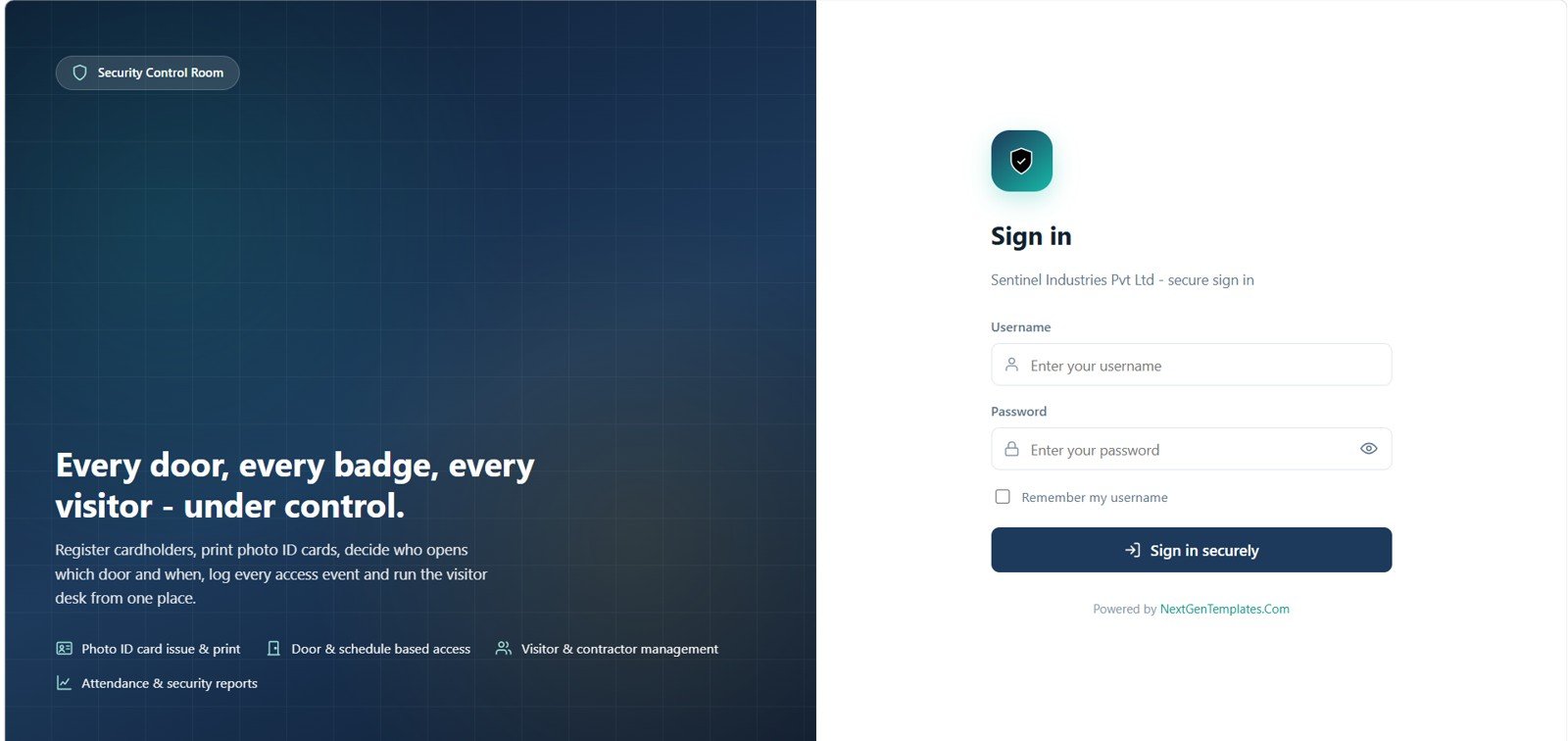
The web app opens with a secure sign-in screen for the Security Control Room. Users can enter a username and password, remember the username, and access the ID card system after authentication.
Dashboard
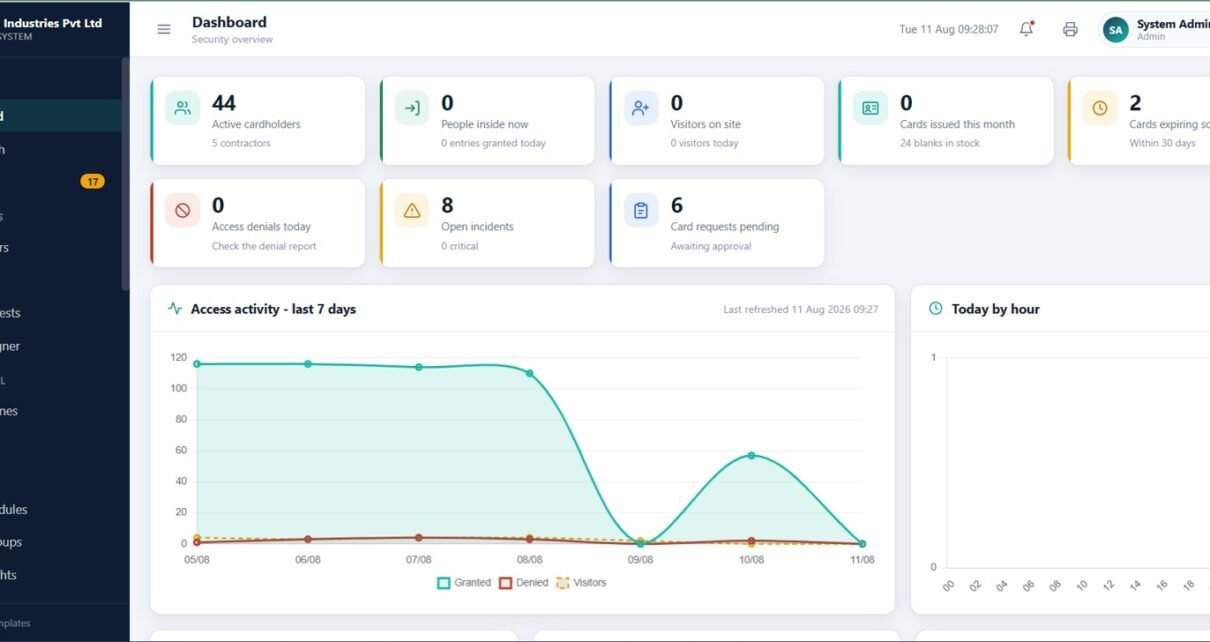
The dashboard summarizes the operational status of the security function. It includes cards for active cardholders, people inside now, visitors on site, cards issued this month, cards expiring soon, access denials today, open incidents, and pending card requests. It also includes charts for access activity over the last 7 days and activity by hour.
Gate Punch
The Gate Punch page gives guards a focused access check screen. It includes card scan or manual card number input, door selection, entry and exit buttons, remarks, access decision details, recent reads, and manual entry for access events.
Alerts
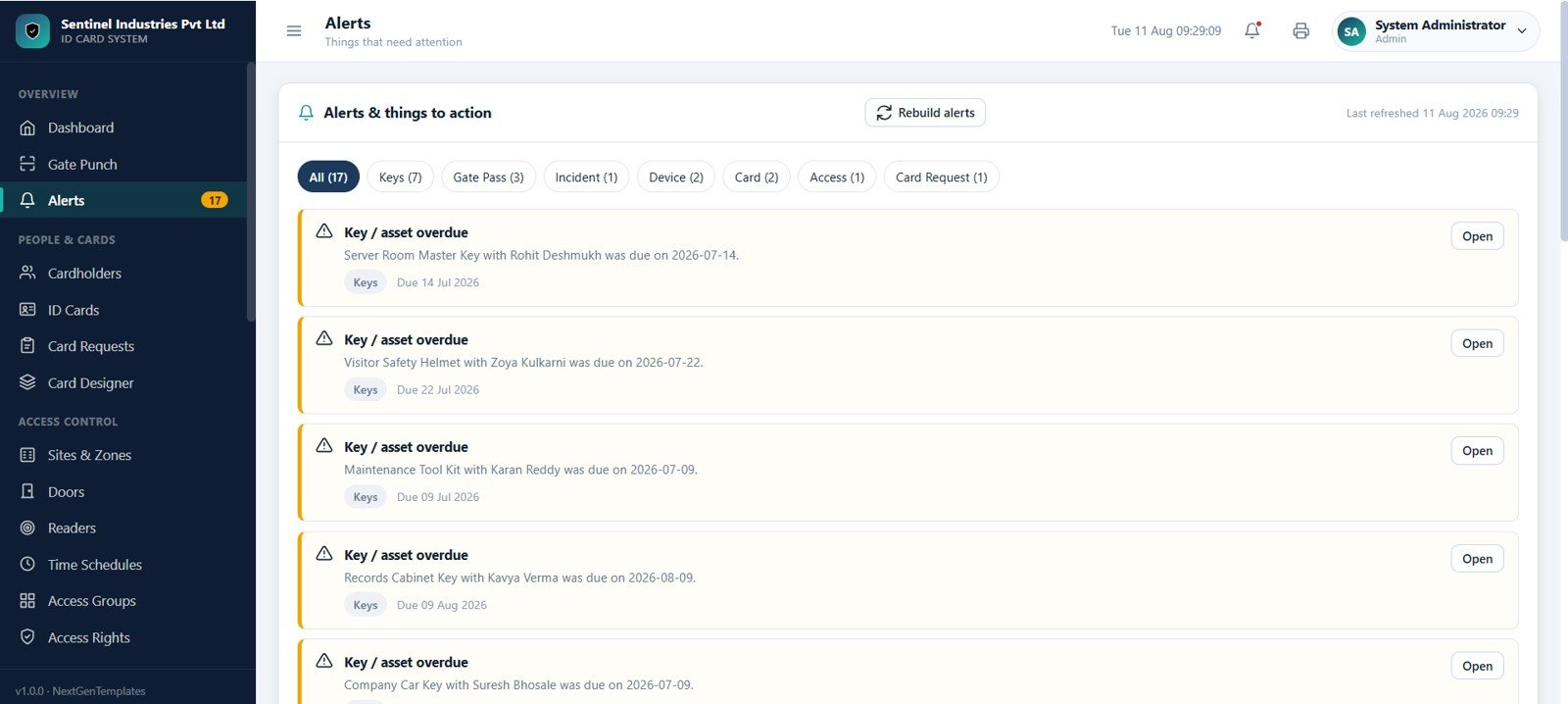
The Alerts page creates an action list for overdue and important security items. It supports categories for keys, gate passes, incidents, devices, cards, access, and card requests. Security users can open related records, rebuild alerts, and refresh the list.
Cardholders
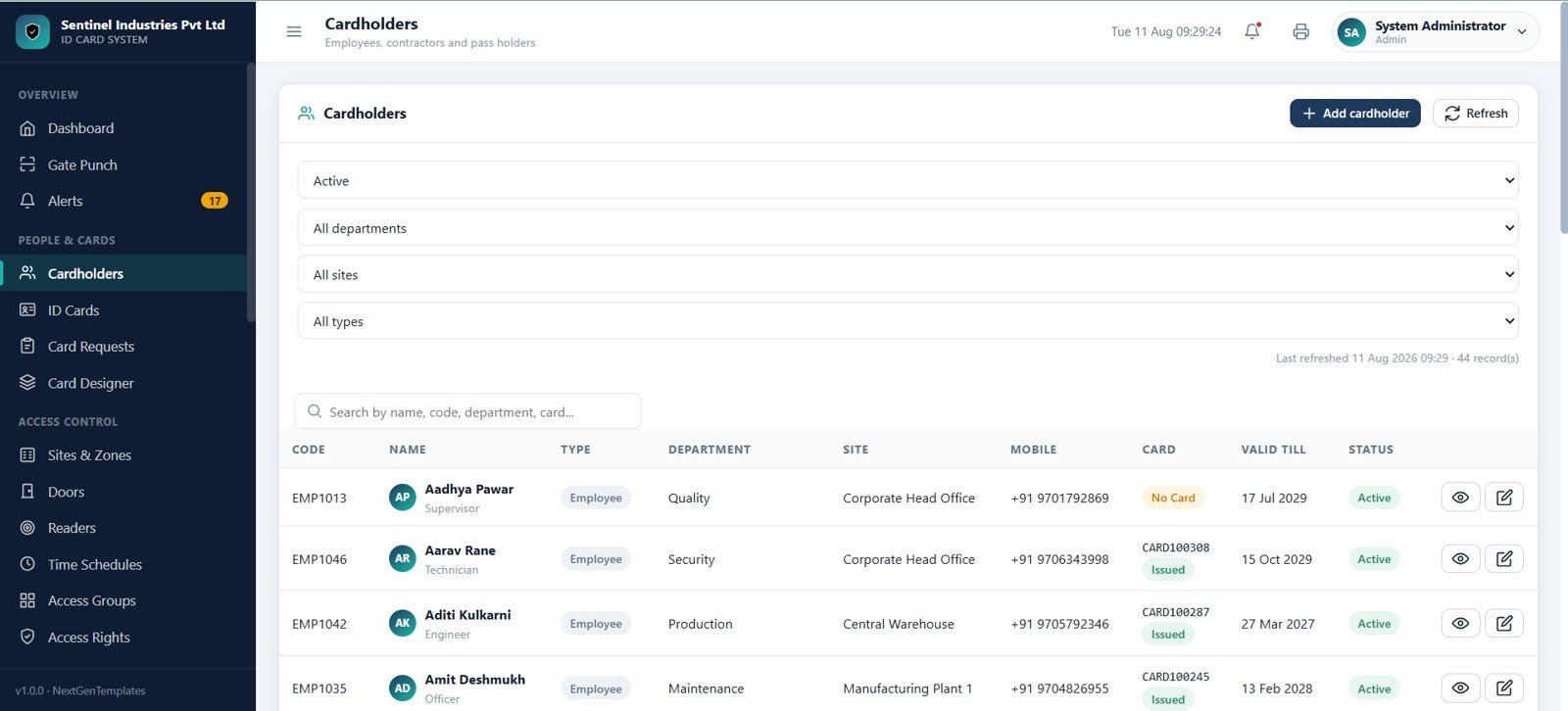
The Cardholders page maintains the complete list of employees, contractors, and pass holders. It includes filters by status, department, site, and type, plus searchable fields for name, code, department, and card number.
ID Cards
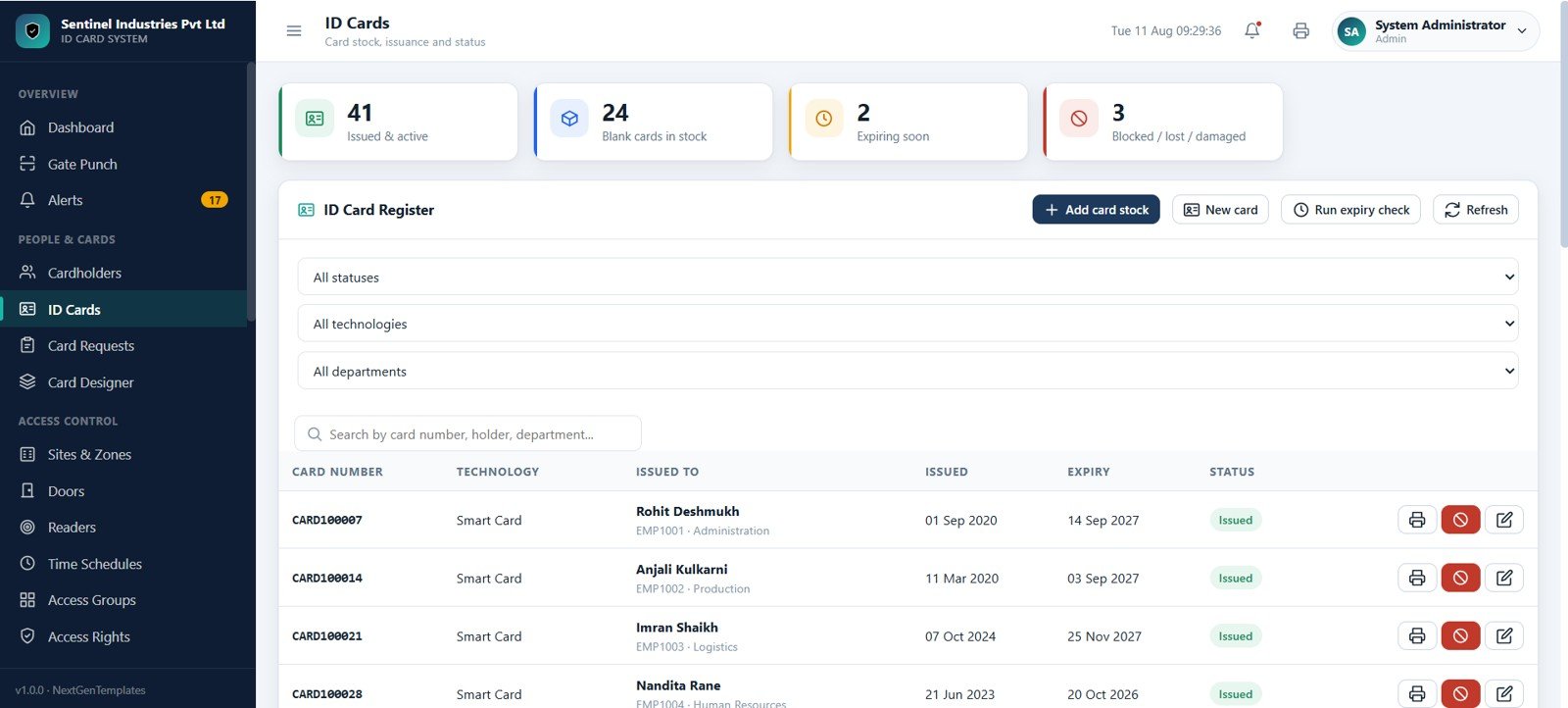
The ID Cards page tracks card stock and card issue history. It shows issued cards, active cards, blank cards in stock, expiring cards, blocked cards, lost cards, damaged cards, technology, issued-to details, dates, and card status.
Card Requests
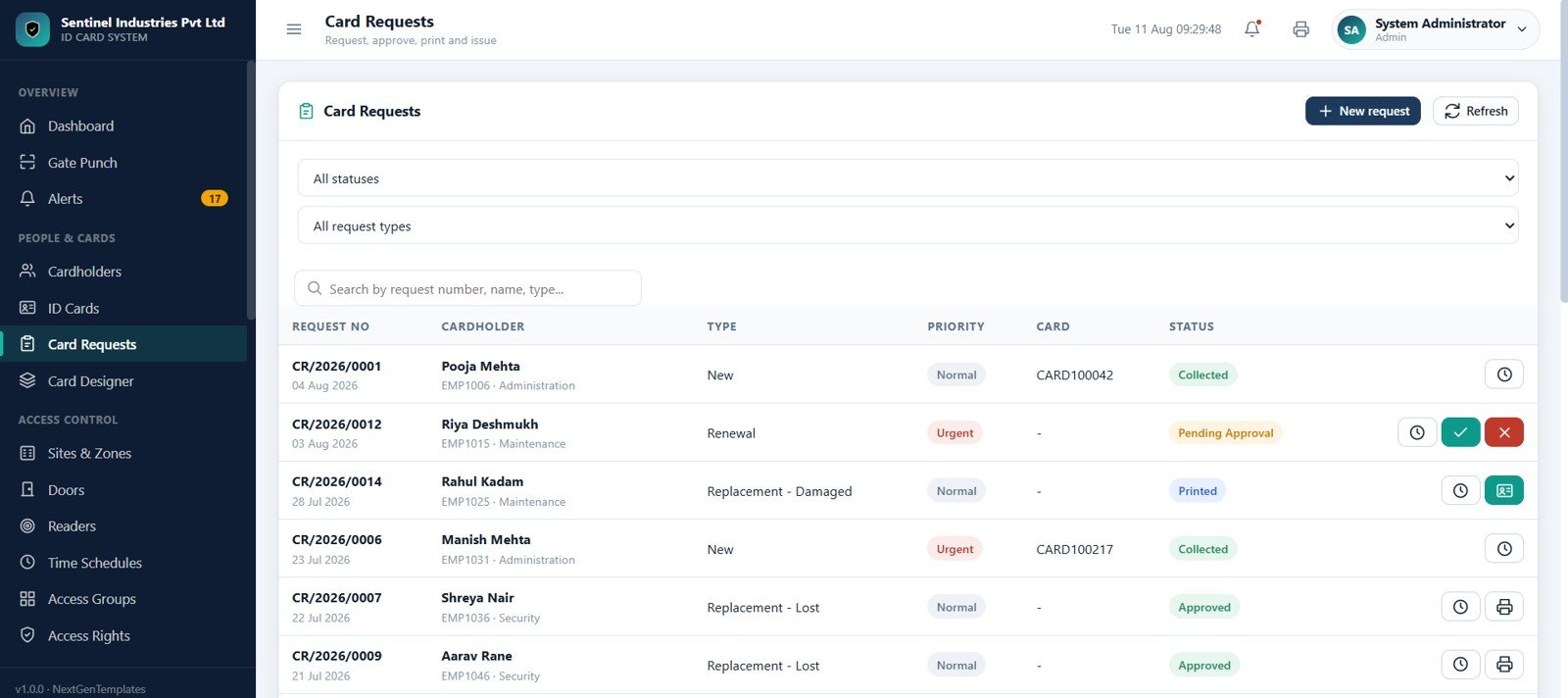
The Card Requests page manages new, renewal, replacement lost, and replacement damaged card requests. Users can approve, reject, print, issue, collect, and view requests from one workflow table.
Card Designer
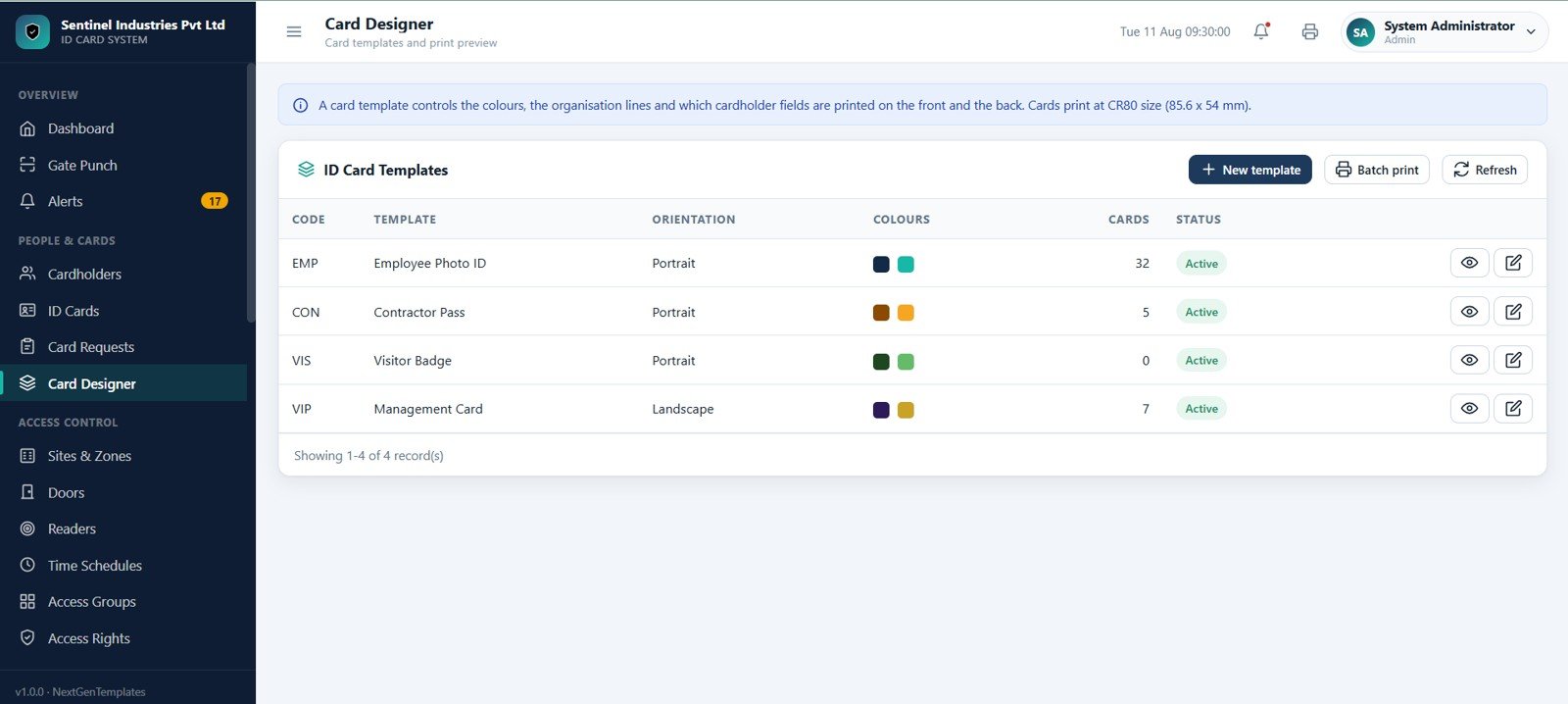
The Card Designer page helps manage ID card templates and print previews. It includes templates for employee photo IDs, contractor passes, visitor badges, and management cards with portrait and landscape orientation options.
Sites and Zones
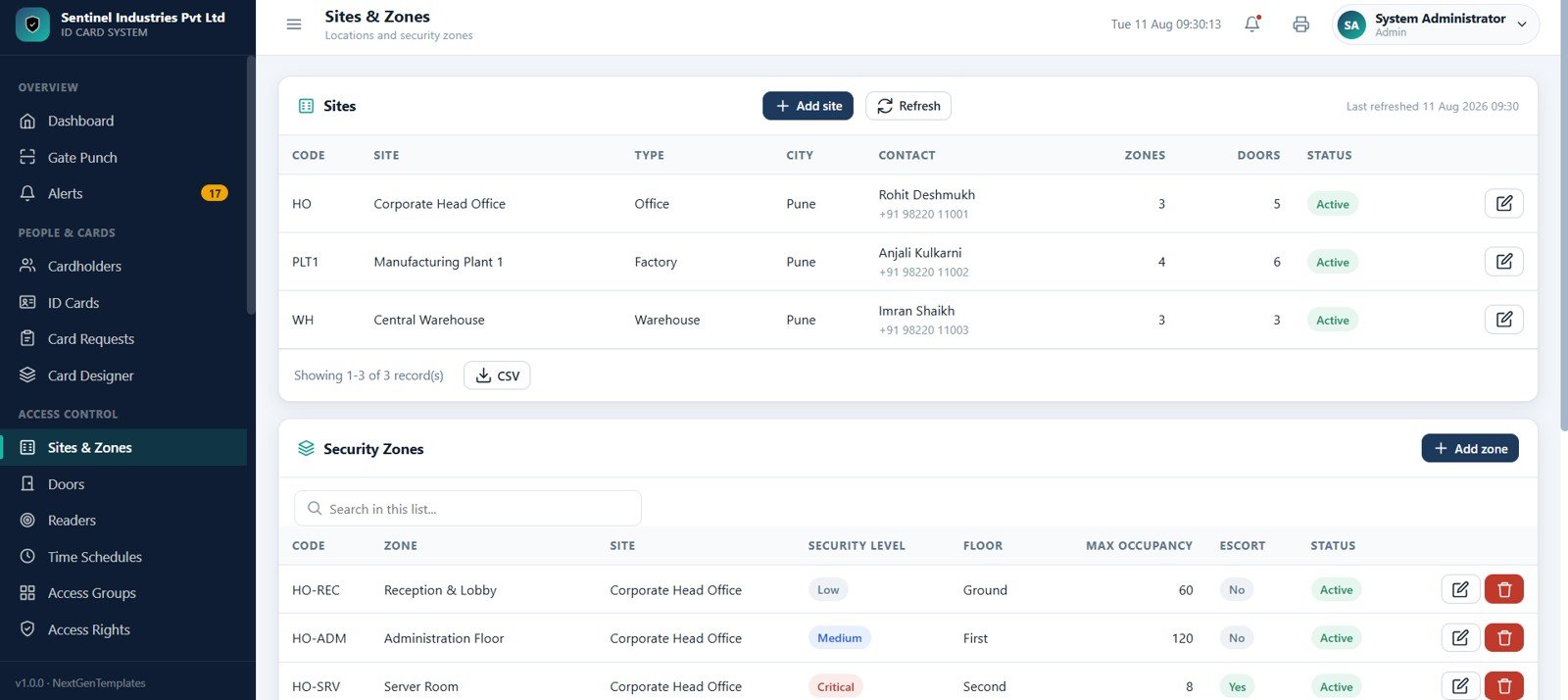
The Sites and Zones page manages site masters and security zone masters. It stores site codes, site names, types, cities, contacts, zone counts, door counts, security levels, floors, occupancy limits, escort settings, and status.
Doors
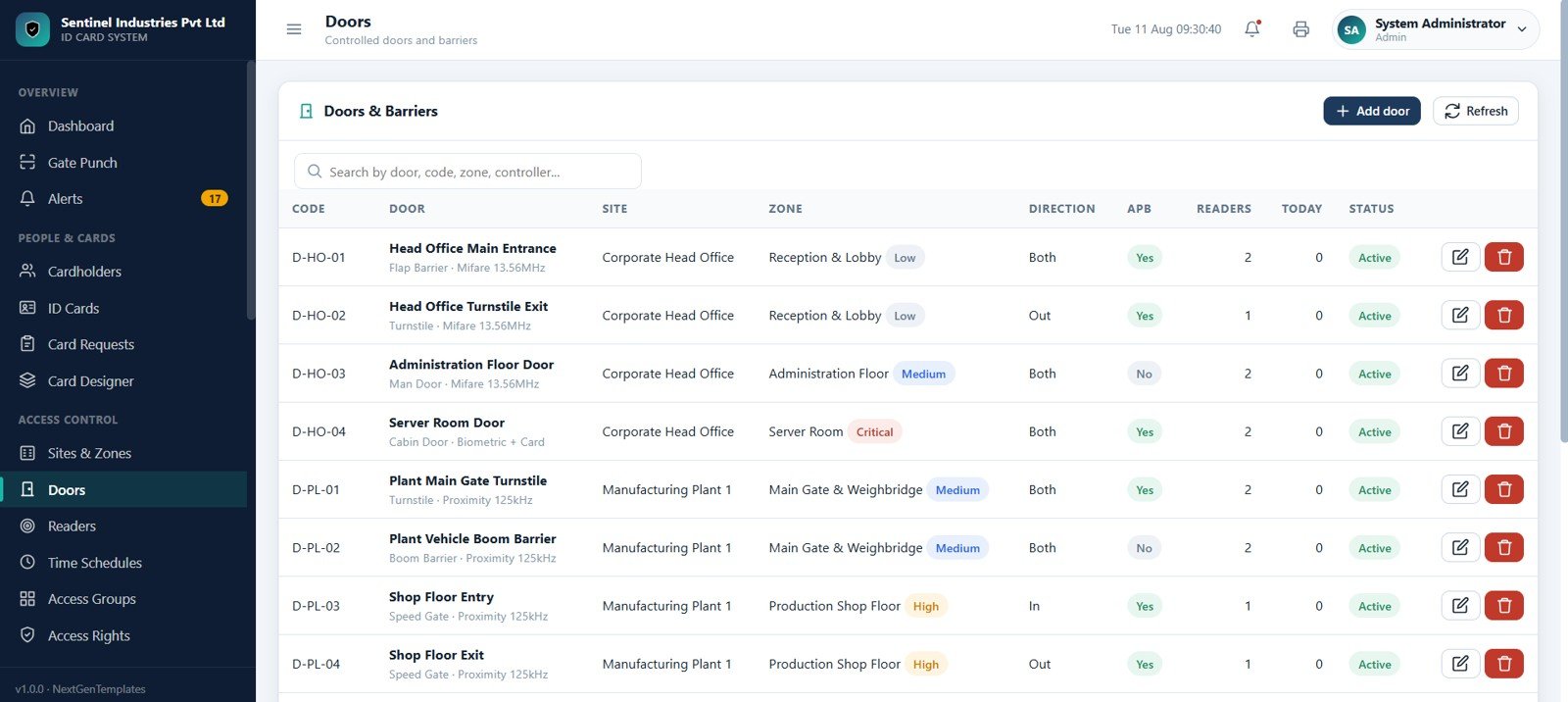
The Doors page works as a register for doors and barriers. Users can search by door, code, zone, or controller and track direction, anti-passback, readers, daily activity, status, and security levels such as low, medium, high, and critical.
Readers
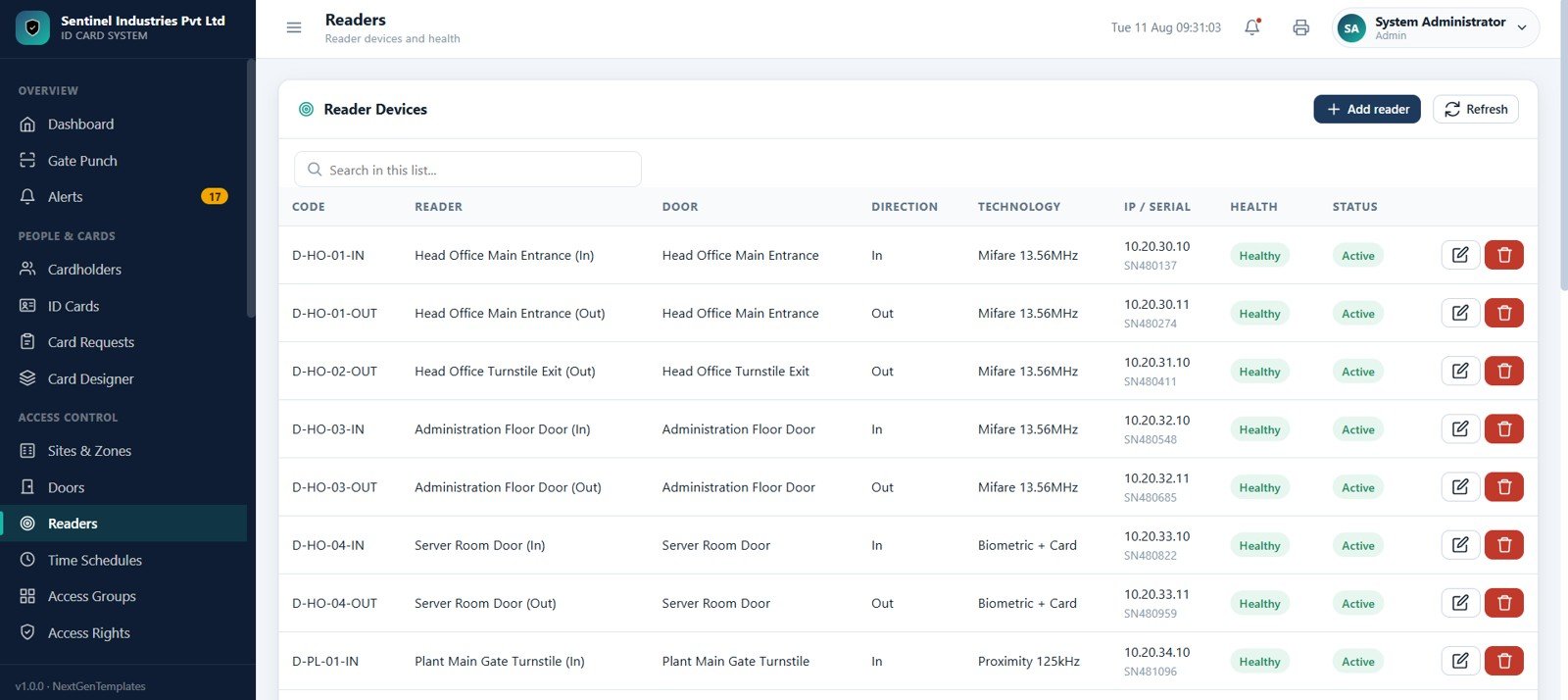
The Readers page stores reader devices and health details. It tracks reader code, reader name, door, direction, technology, IP or serial number, health, and status. Supported technologies include Mifare, proximity, biometric, and smart card.
Time Schedules
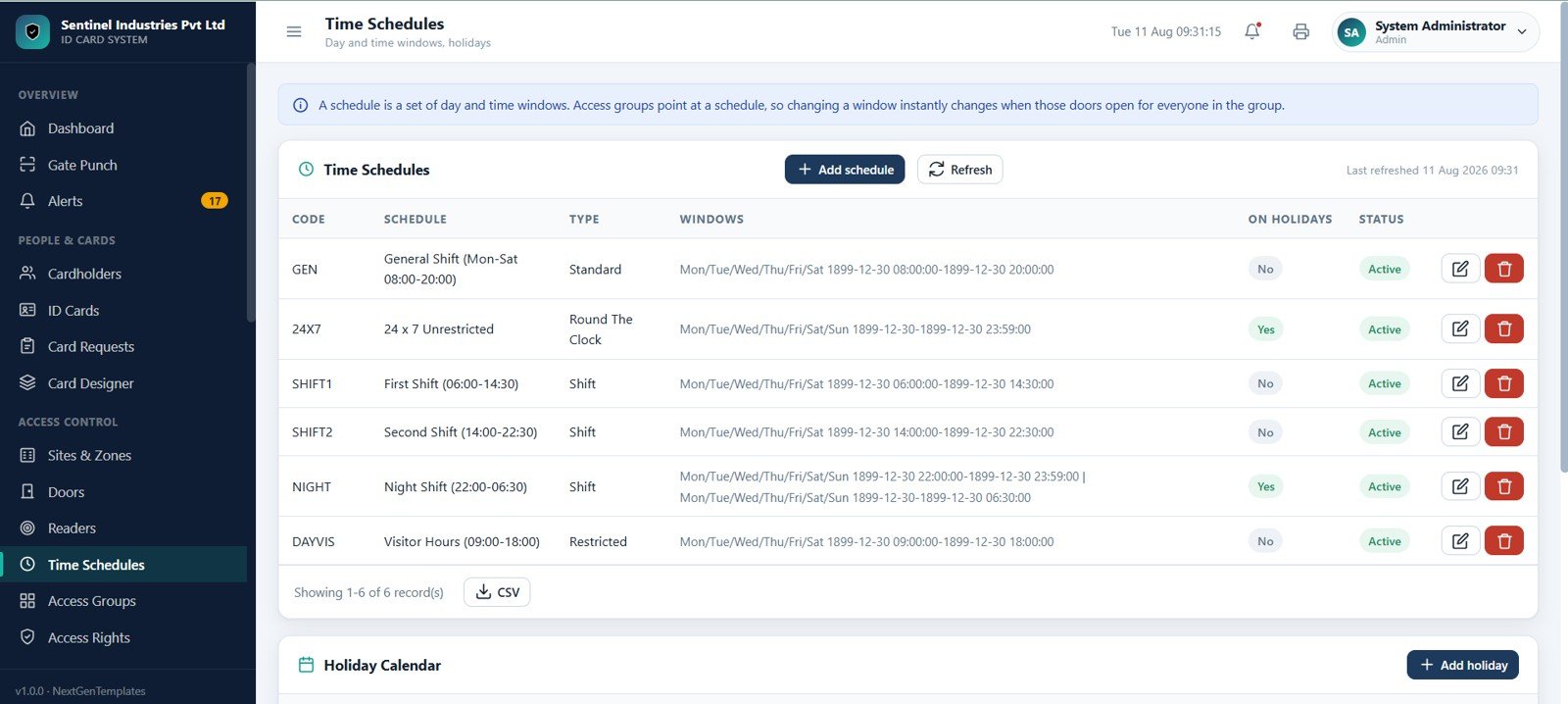
The Time Schedules page manages day and time window rules. It includes schedule codes, schedule names, types, windows, holiday flags, and statuses for general shift, 24 x 7 unrestricted, first shift, second shift, night shift, and visitor hours.
Access Groups
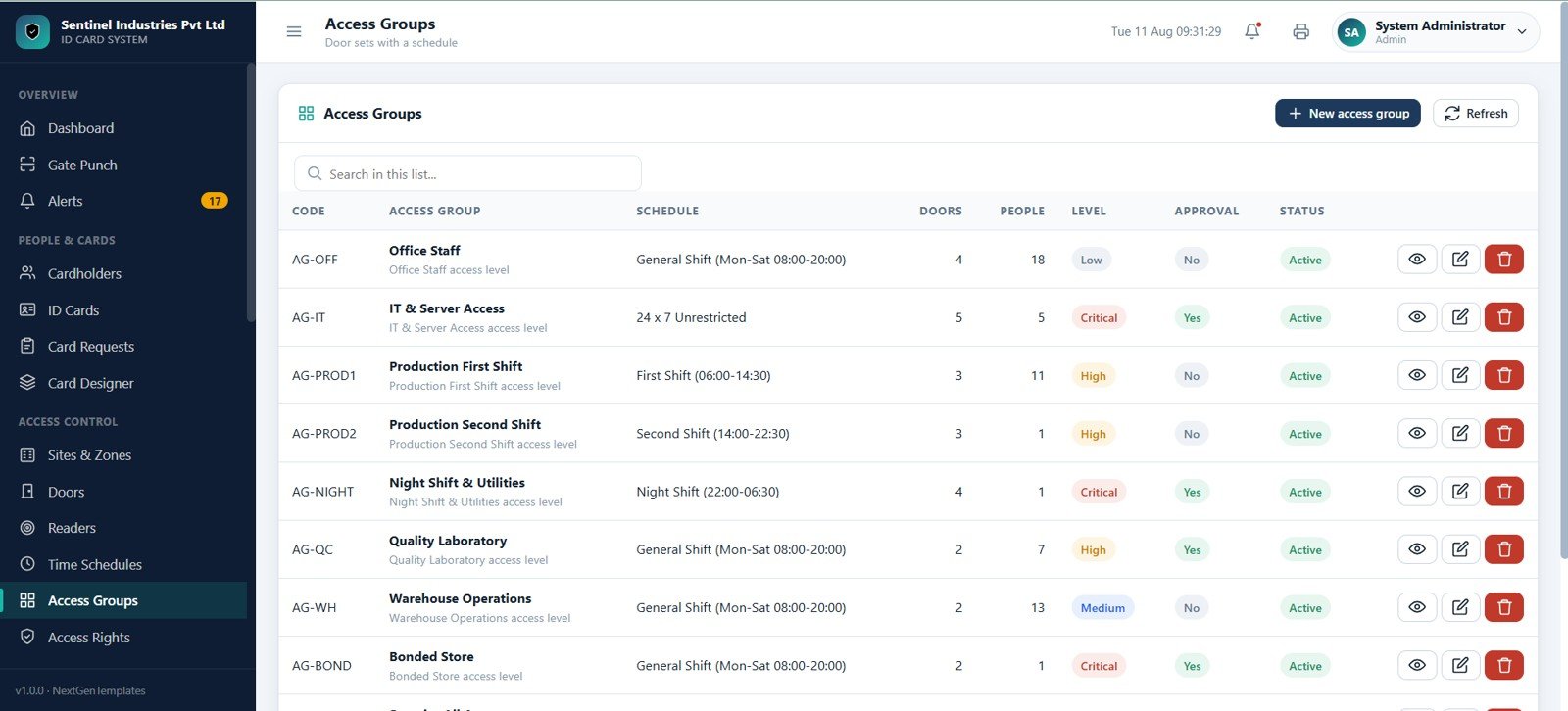
The Access Groups page combines doors with schedules. Security administrators can define office staff, IT and server access, production shift, and warehouse operation groups with approval rules, security levels, assigned doors, and people counts.
Access Rights
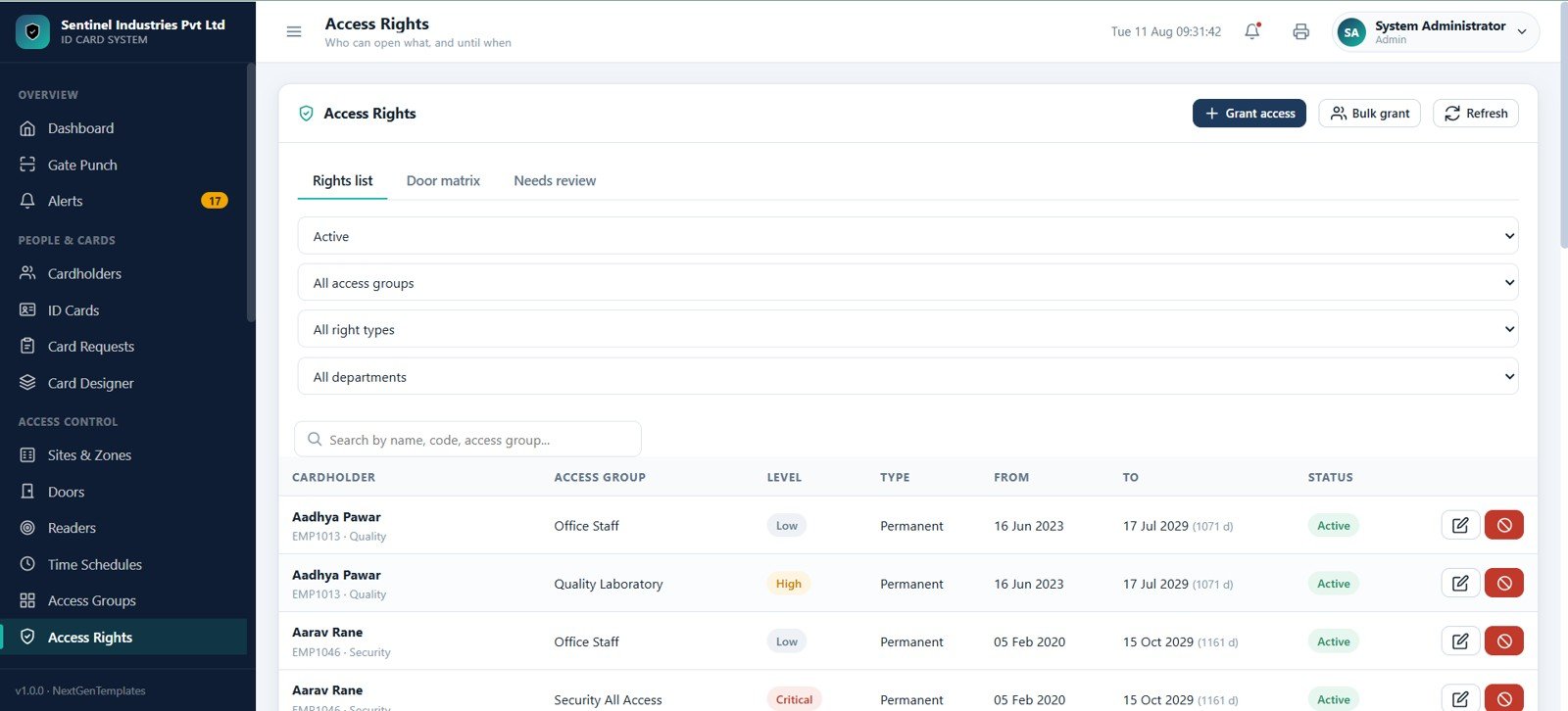
The Access Rights page shows who can open what and until when. It includes tabs for rights list, door matrix, and needs review, along with filters by status, access group, right type, and department.
Access Events
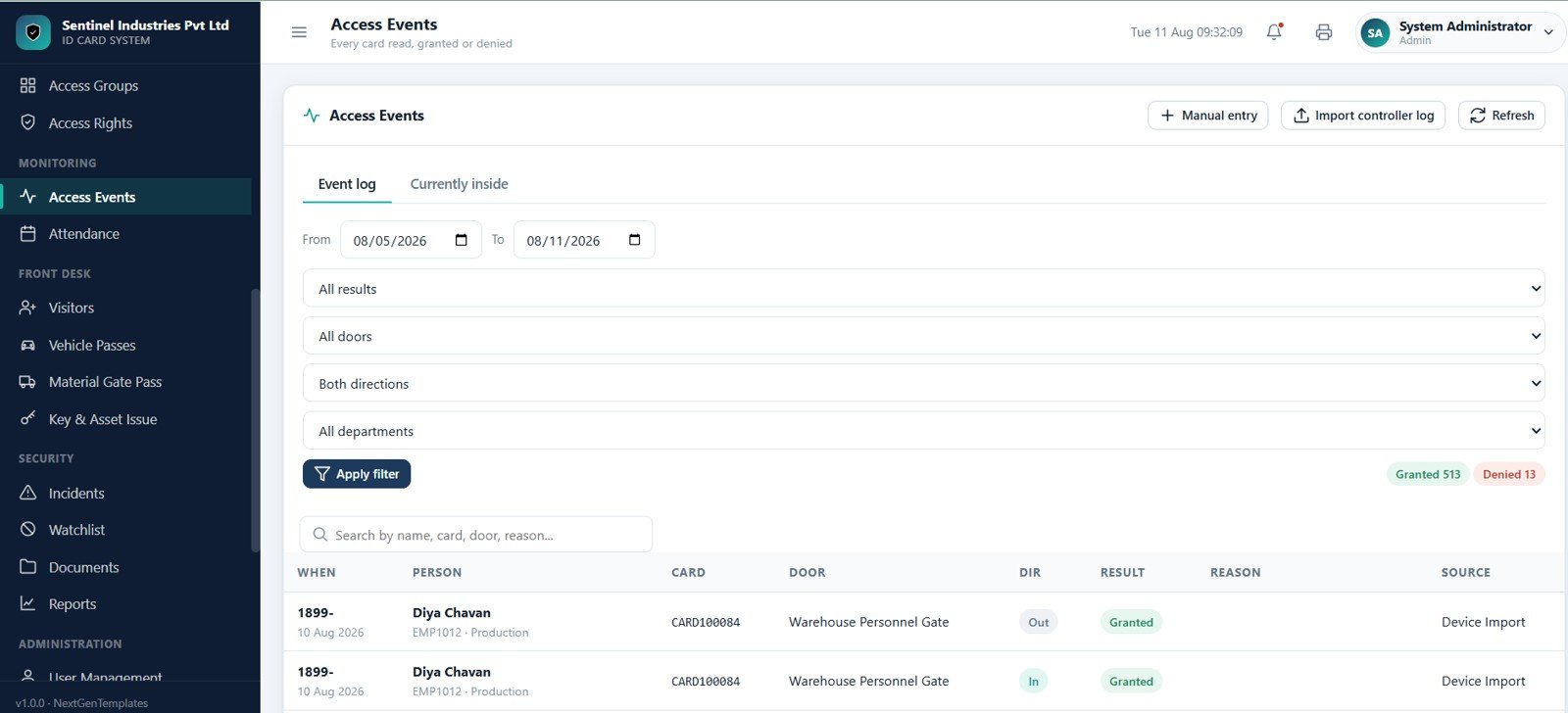
The Access Events page logs every card read, grant, denial, and manual entry. It includes event log and currently-inside tabs, filters for date, result, door, direction, and department, plus counters for granted and denied events.
Attendance
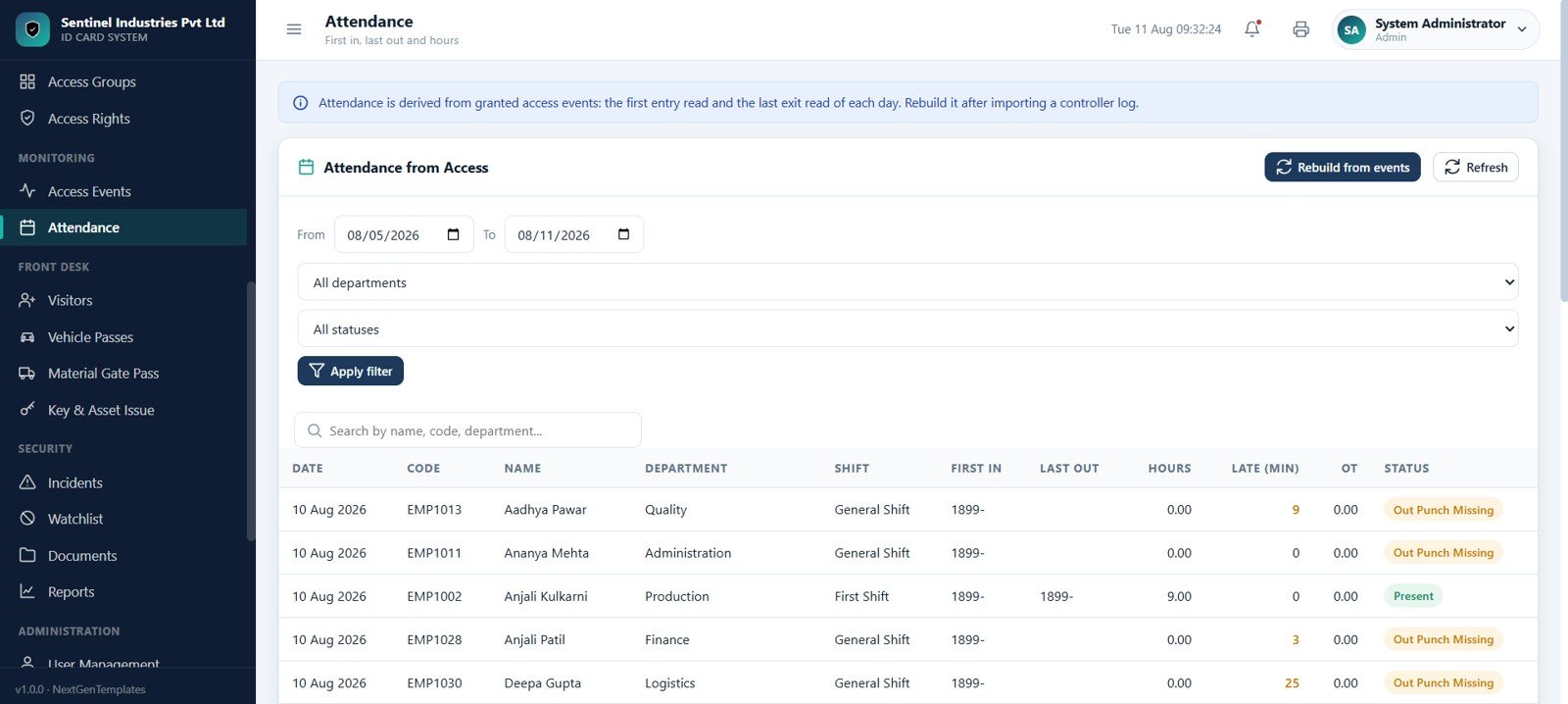
The Attendance page converts access events into attendance records. It supports date range, department, and status filters and shows first in, last out, hours, late minutes, overtime, and attendance status.
Visitors
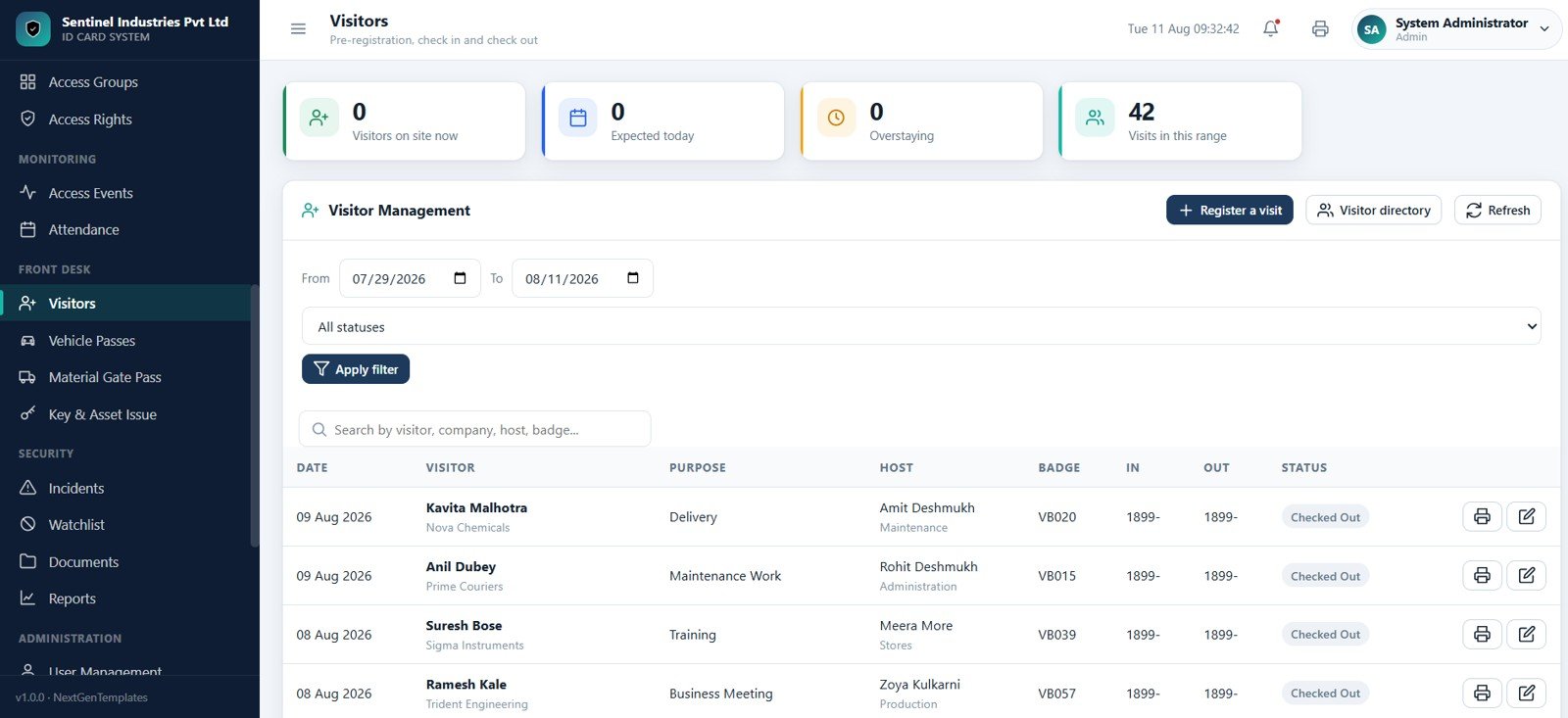
The Visitors page helps the reception or security desk register visits, track visitors currently on site, expected visitors, overstaying visitors, hosts, badges, in times, out times, and visit status.
Vehicle Passes
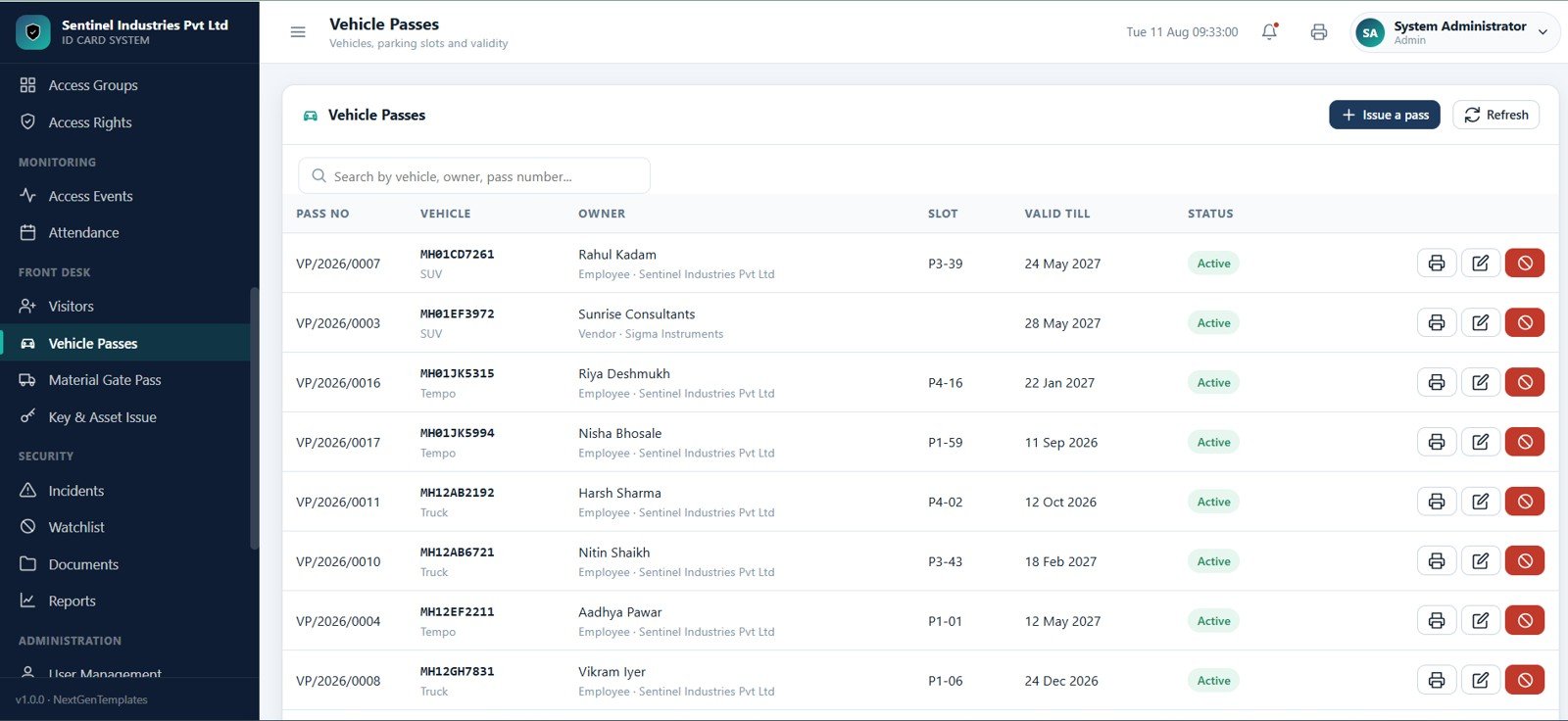
The Vehicle Passes page manages employee and visitor vehicle passes. It tracks pass number, vehicle, owner, slot, valid-till date, status, print actions, edits, and block actions.
Material Gate Pass
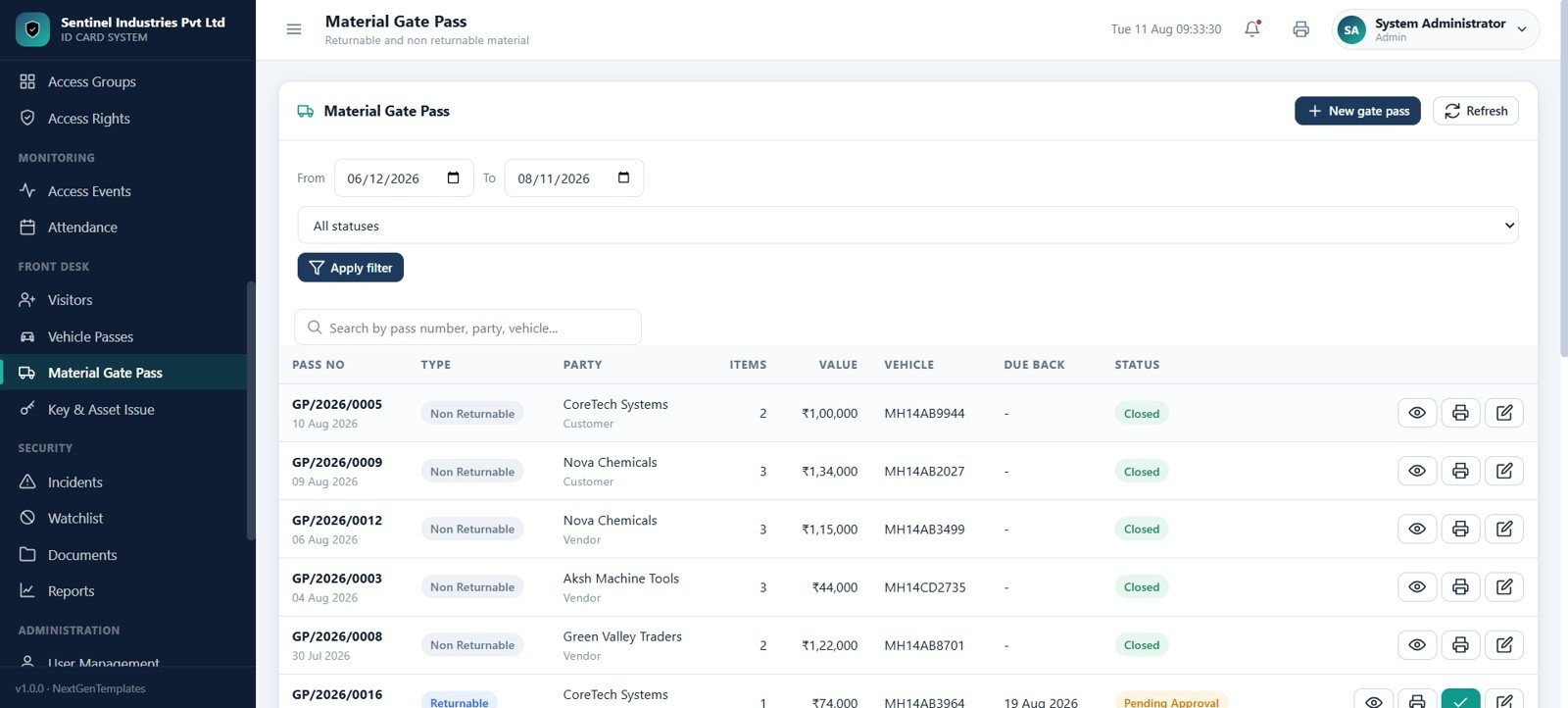
The Material Gate Pass page manages returnable and non-returnable movement of materials. It includes date range and status filters, pass numbers, party names, item counts, values, vehicle details, due-back dates, approvals, print actions, and view actions.
Key and Asset Issue
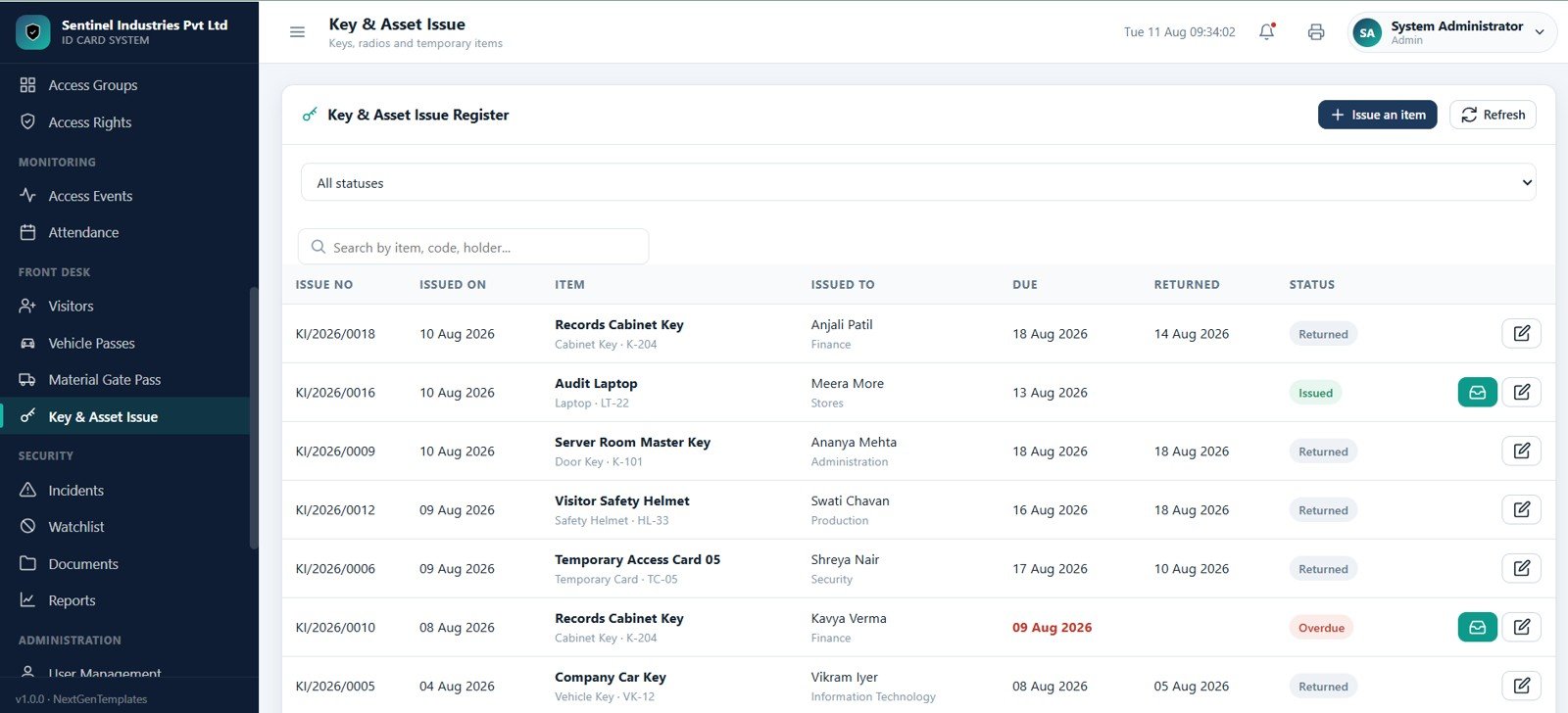
The Key and Asset Issue page tracks temporary keys and items such as cabinet keys, audit laptops, server room keys, and visitor safety helmets. Users can issue, return, refresh, edit, and review due dates.
Incidents
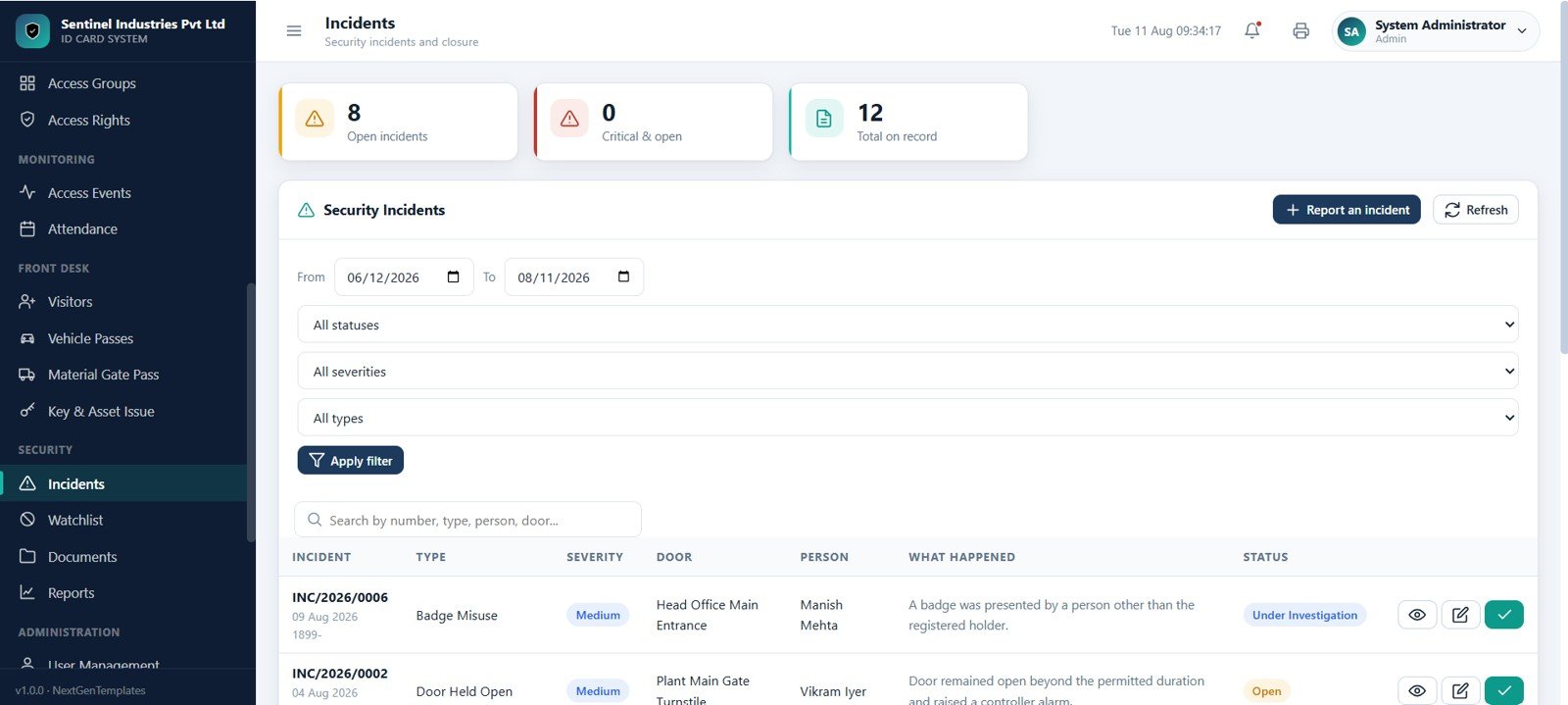
The Incidents page records security incidents with open, critical, and total counters. It includes date, status, severity, and type filters, plus incident number, door, person, description, and status fields.
Watchlist
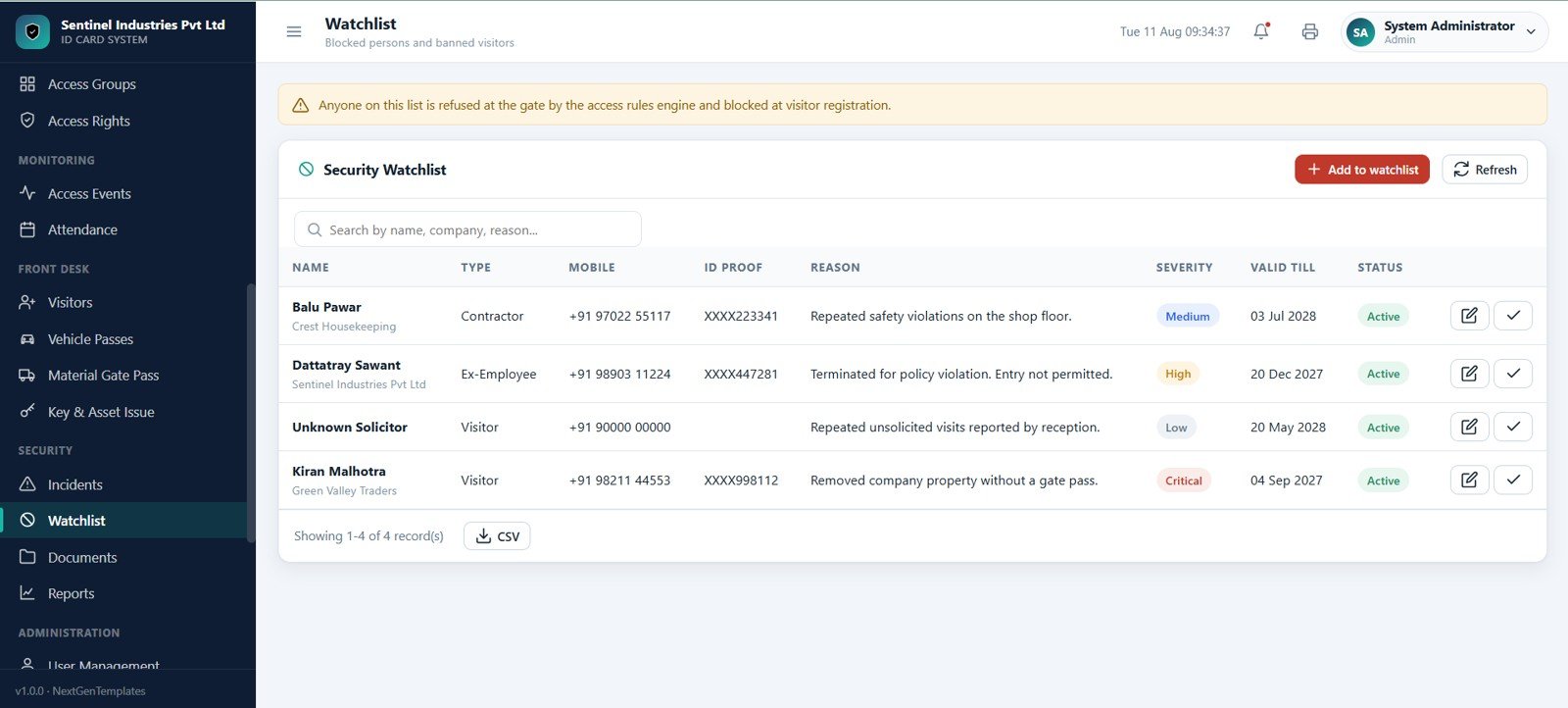
The Watchlist page tracks blocked persons and banned visitors. It includes name, type, mobile number, ID proof, reason, severity, valid-till date, and status with low, medium, high, and critical severity labels.
Documents
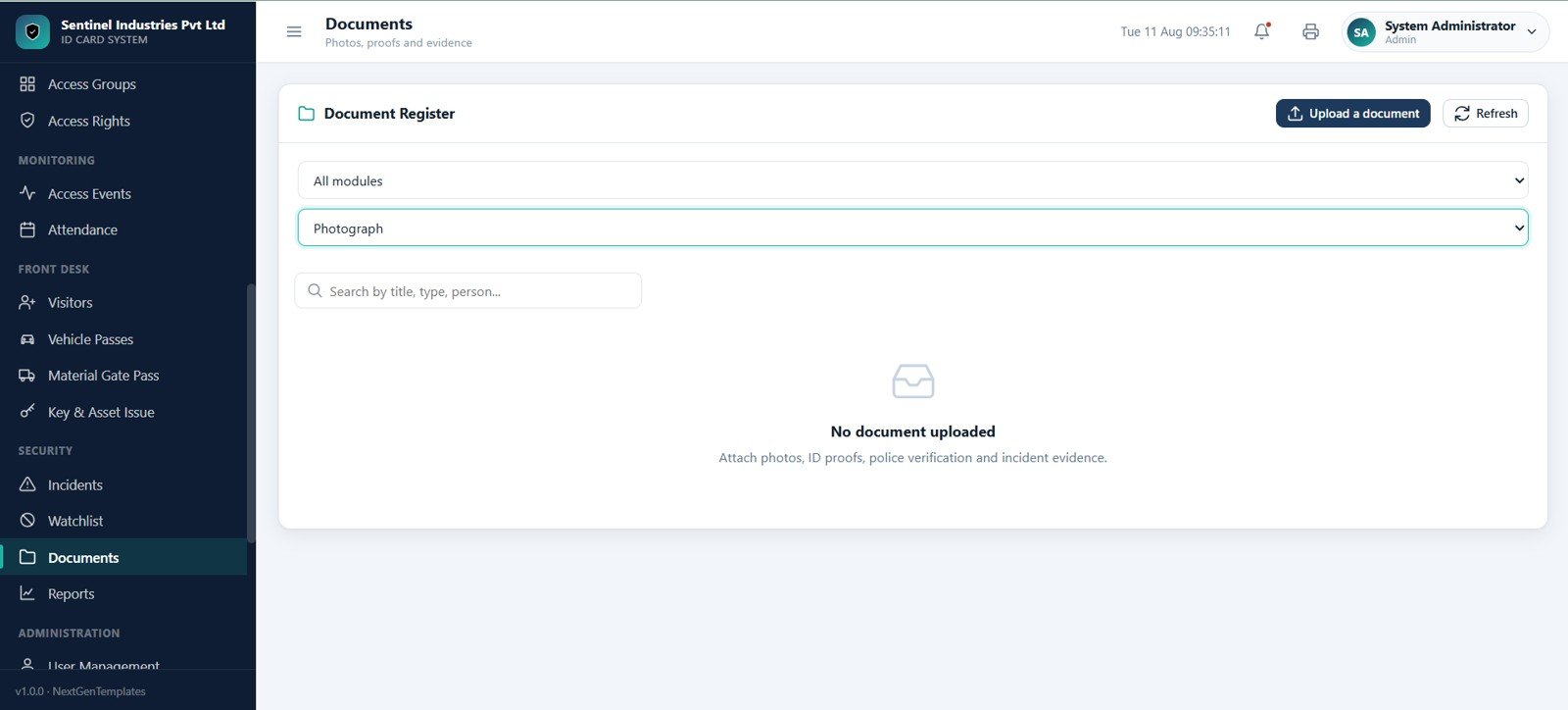
The Documents page stores supporting files for security operations, including photos, ID proofs, police verification records, and incident evidence. Users can filter by module and document type and search by title, type, or person.
Reports
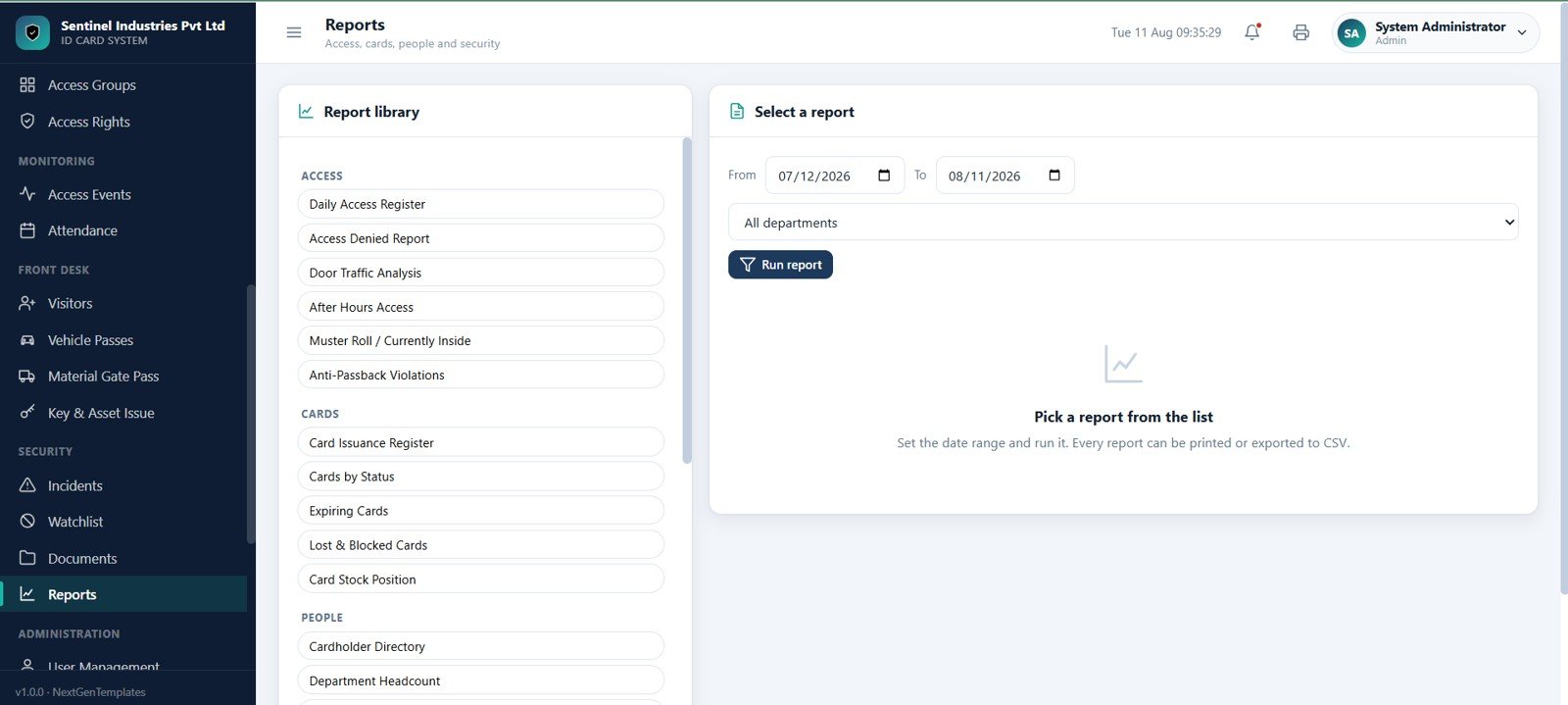
The Reports page offers a report library for access, cards, people, and security. Report options include daily access register, access denied report, door traffic analysis, after-hours access, card issuance register, cards by status, expiring cards, lost and blocked cards, card stock position, cardholder directory, and department headcount.
User Management
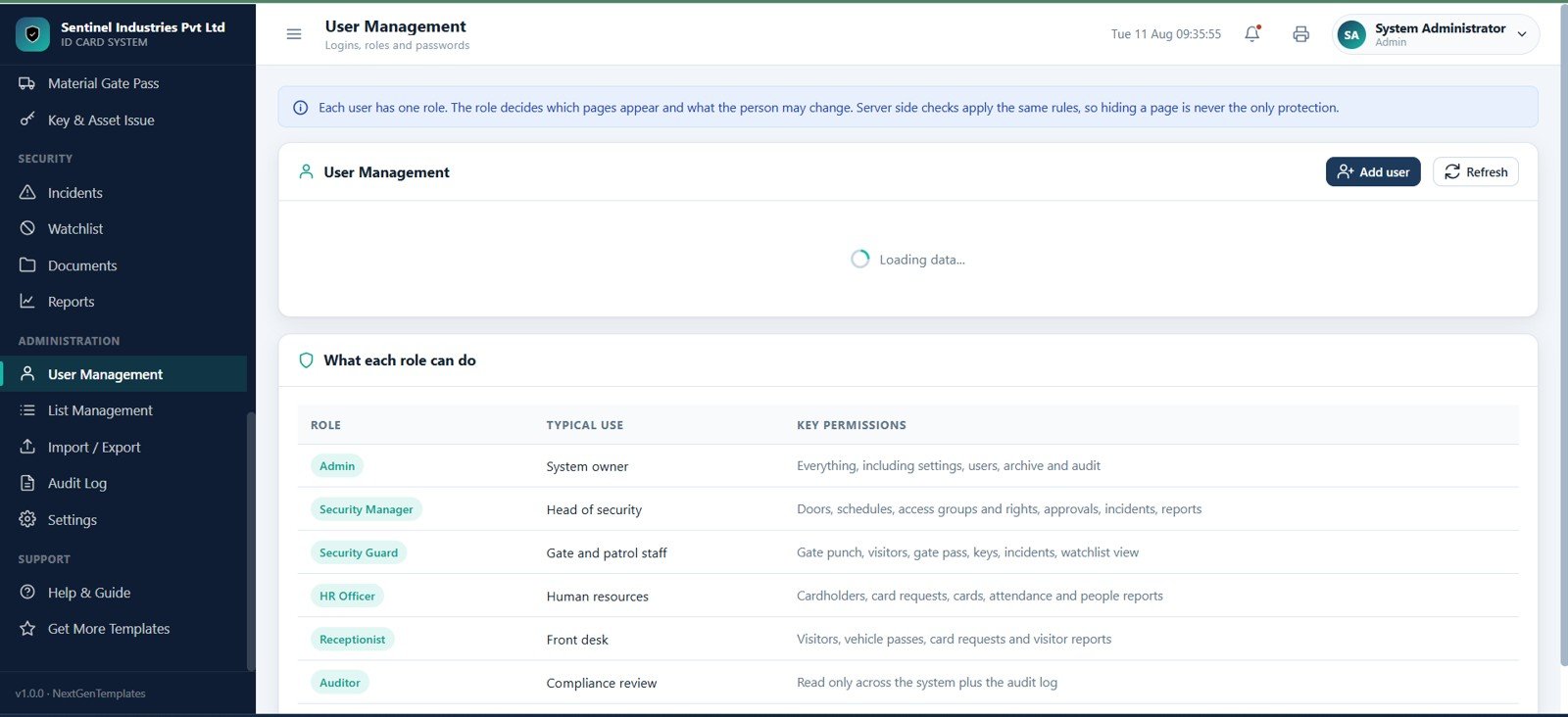
The User Management page controls app users, logins, roles, and passwords. Roles include Admin, Security Manager, Security Guard, HR Officer, Receptionist, and Auditor with role-based page visibility and permission control.
List Management
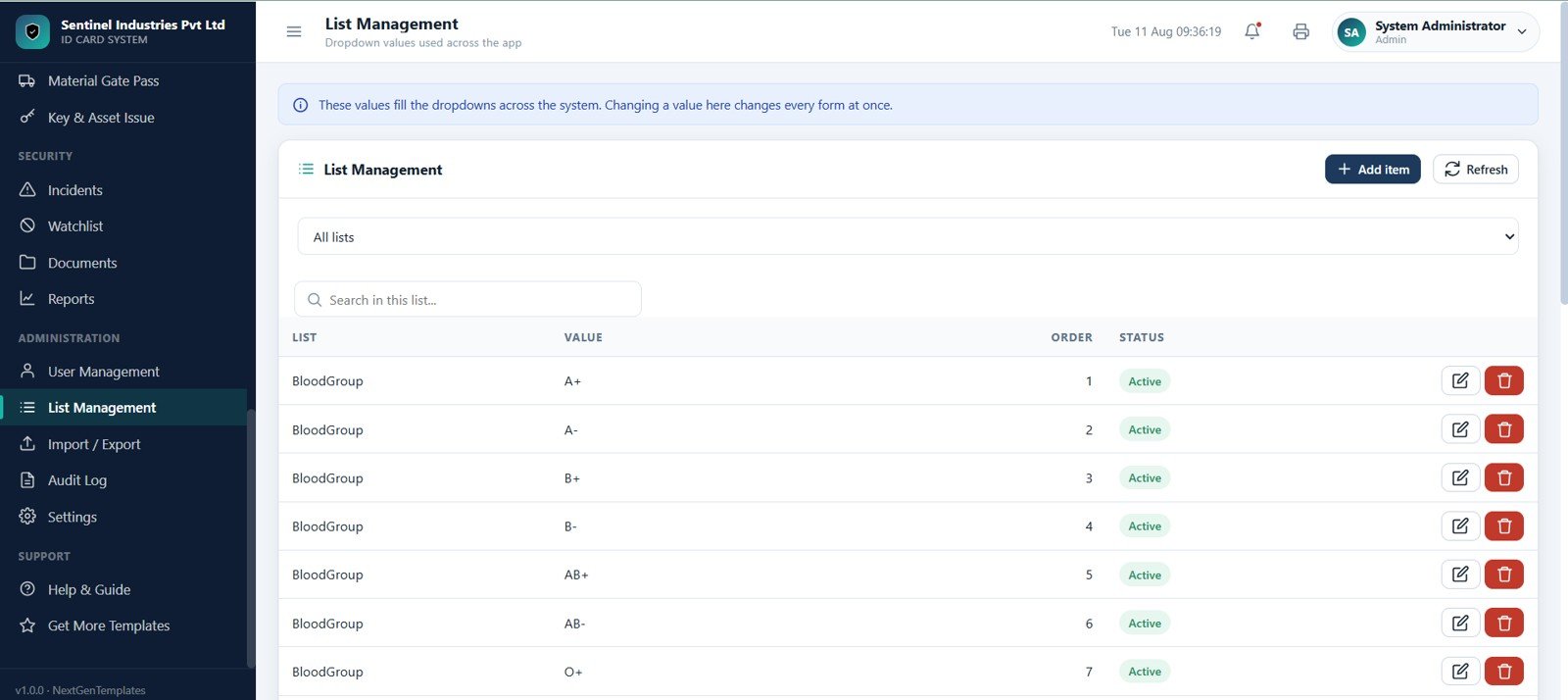
The List Management page manages dropdown values used across the app. It includes list selectors, search fields, ordering, active status, and editable values such as blood groups and other master-data options.
Import and Export
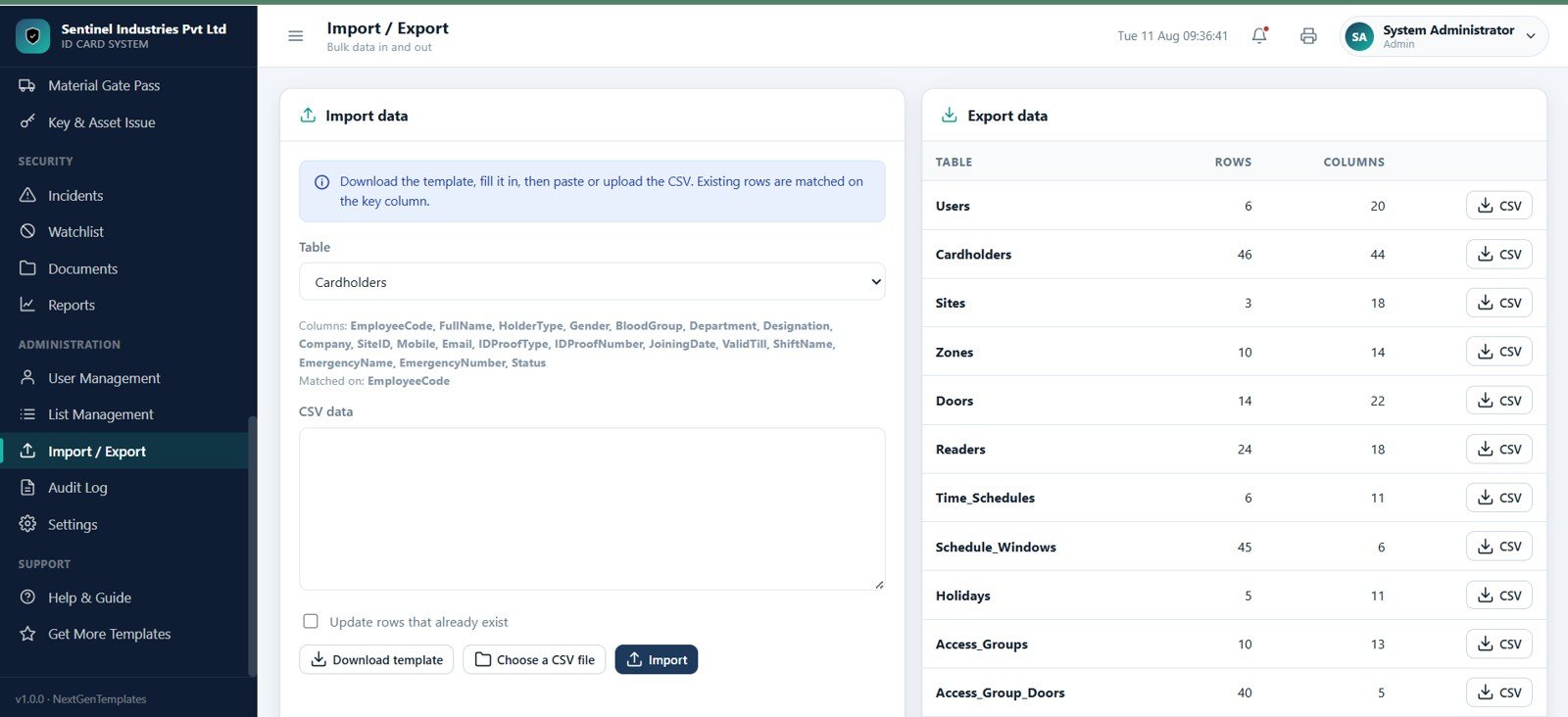
The Import and Export page supports bulk data movement. Users can download templates, choose CSV files, paste CSV data, update existing rows, and export data for users, cardholders, sites, zones, doors, readers, schedules, holidays, and access groups.
Audit Log
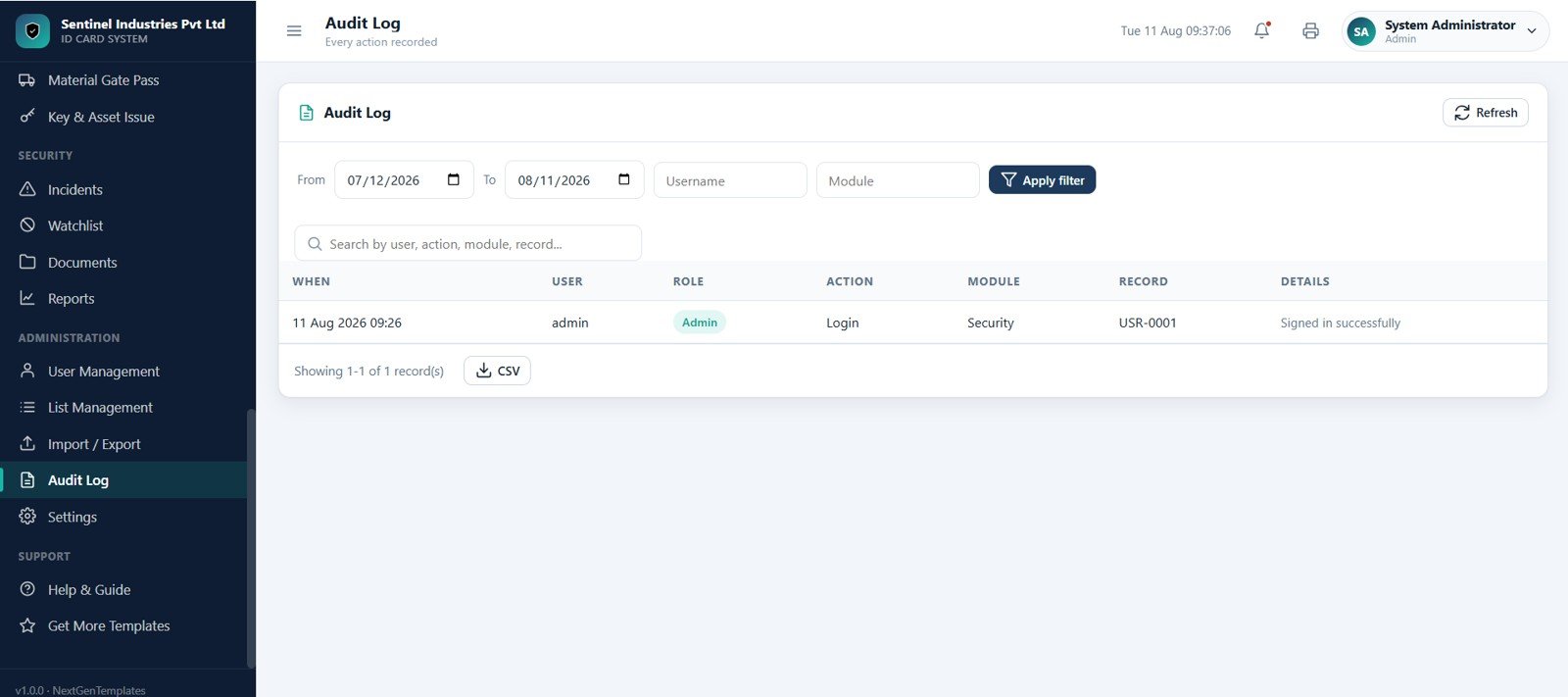
The Audit Log page records every important action in the app. It includes date range, username, module, and search filters, along with when, user, role, action, module, record, and details columns.
Settings
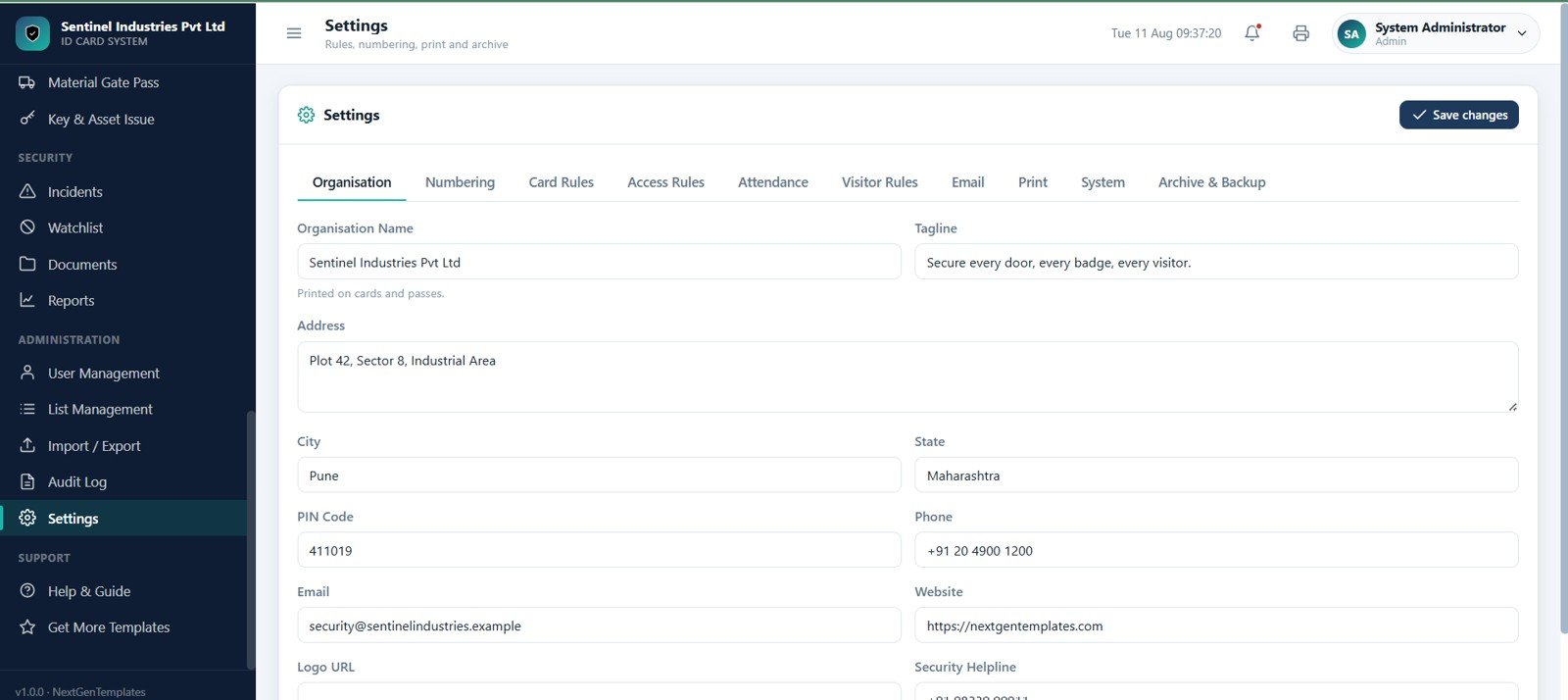
The Settings page configures the full system. It includes tabs for organisation, numbering, card rules, access rules, attendance, visitor rules, email, print, system, archive, and backup, plus organization profile fields and save options.
Access Control Web App vs Manual Register vs Paid SaaS
| Area | Manual Spreadsheet or Register | Generic Paid SaaS | This Web App Template |
|---|---|---|---|
| Setup speed | Fast, but usually fragmented | Depends on vendor configuration | Ready template structure with 29 pages |
| ID card workflow | Often handled outside the register | Available in some systems | Request, approve, print, issue, collect, and track cards |
| Security master data | Hard to maintain consistently | Usually strong, but subscription based | Sites, zones, doors, readers, schedules, groups, and rights |
| Visitor and pass tracking | Usually separate from employee access | May require a higher plan | Visitors, vehicle passes, material passes, and key issue included |
| Audit trail | Limited unless manually recorded | Usually available | Dedicated audit log and report library |
| Customization | Flexible but fragile | Limited by vendor settings | Can be adapted to internal workflows |
This template is a practical workflow and reporting layer. For physical doors, controllers, biometric terminals, or certified hardware integrations, teams should follow their hardware vendor and compliance requirements.
Who Should Use This Template
- Security teams that manage employee, contractor, visitor, and vehicle access.
- HR and admin teams that issue ID cards and need card expiry visibility.
- Factories and warehouses that need gate pass, material movement, and key issue registers.
- Campuses, offices, hospitals, schools, and residential facilities that need a centralized access workflow.
- Consultants and developers who want a strong starting point for a custom Google Apps Script access control system.
Real-World Use Cases
Factory gate security: Guards can record entries, exits, material gate passes, vehicle passes, and visitor movements from a structured interface instead of using separate registers.
Office ID card administration: HR and admin teams can maintain cardholders, card requests, issued cards, lost cards, damaged cards, expiry checks, and batch printing workflows.
Contractor access control: Security managers can assign contractors to sites, zones, doors, schedules, access groups, and valid-till dates.
Incident and evidence tracking: Security teams can log incidents, upload evidence, manage watchlists, and review audit activity from one system.
Advantages of the Access Control and ID Card Management System Web App
- Reduces scattered access records by combining cardholders, cards, doors, passes, events, attendance, and reports.
- Improves operational visibility with dashboard KPIs and access activity charts.
- Supports structured approvals for ID card requests and access rights.
- Creates a stronger control record for audits, incidents, denials, and role-based activity.
- Gives teams a configurable template that can be adapted before full deployment.
Opportunities for Improvement
- Add live integration with specific access controller hardware where required.
- Connect email or notification triggers for overdue items, approvals, denials, and expiring cards.Access Control
- Add QR code or barcode workflows for visitor passes and temporary badges.
- Expand report exports for department-wise access, overtime, after-hours entry, and contractor compliance.
- Add organization-specific print layouts for employee cards, contractor passes, and visitor badges.
Best Practices
- Keep cardholder codes, department names, site names, and zone names standardized before importing data.
- Review access rights regularly, especially for contractors, visitors, temporary staff, and high-security zones.
- Use expiry dates for cards and rights so old permissions do not remain active indefinitely.
- Restrict admin pages to trusted roles and review the audit log during routine checks.
- Test the workflow with sample cardholders, doors, readers, and schedules before live deployment.
Explore Relevant Templates
- Cafeteria and Canteen Management System Web App
- HR Employee Management System Web App
- Payroll and Salary Management System Web App
- Logistics Management System Web App
- Cloud Kitchen Management System Web App
To go deeper on the spreadsheet and data skills behind systems like this, see the NextGenTemplates Academy learning paths, which come with practice files.
Get the Access Control and ID Card Management System Web App
Frequently Asked Questions
What is the Access Control and ID Card Management System Web App?
It is a browser-based template for managing cardholders, ID cards, gate punch activity, access rights, access events, attendance, visitors, passes, incidents, reports, audit logs, and system settings.Access Control
Can this template manage ID card requests?
Yes. It includes a card request workflow for new cards, renewals, lost-card replacements, and damaged-card replacements with approve, reject, print, issue, collect, and view actions.
Does it include visitor management?
Yes. The template includes a visitor desk, visitor directory actions, visitor badge tracking, in and out times, expected visitors, visitors on site, and overstaying visitor visibility.
Can it track attendance from access events?
Yes. The attendance page rebuilds attendance from access events and shows first in, last out, hours, late minutes, overtime, and status.
Is this a replacement for physical access control hardware?
No. It is a workflow, register, reporting, and administrative template. Physical locks, readers, controllers, biometrics, and compliance-grade integrations should follow the selected hardware and security vendor requirements.
Where can I download the template?
You can download it from the product page: Access Control and ID Card Management System Web App.
About the Author
NeoTechNavigators shares practical templates, automation ideas, and web app workflows for teams that want to improve operations with Google Sheets, Google Apps Script, dashboards, and business systems.
Conclusion
The Access Control and ID Card Management System Web App gives security, HR, admin, and operations teams a structured way to manage people, cards, doors, visitors, passes, incidents, reports, and audit activity. With 29 purpose-built pages, it can serve as a strong foundation for a custom access control workflow in Google Apps Script.Access Control