Google Sheets

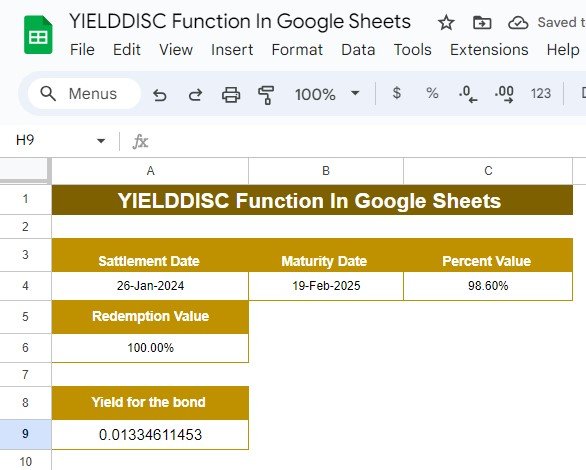
Mastering the YIELDDISC Function in Google Sheets: A Simple Example Explained

Have you ever wondered how to calculate the yield of a bond bought at a discount? Well, Google Sheets has a function that can make this process super simple: YIELDDISC Function in Google Sheets. Whether you’re a financial professional or just someone trying to better understand bond yields, this guide will walk you through how […]
Google Sheets

Mastering the YIELDMAT Function in Google Sheets: A Simple Example

Are you working with bonds and trying to figure out how to calculate the annual yield? You’re in the right place! In this post, we’re going to walk through how to use the YIELDMAT function in Google Sheets with an easy-to-follow example. Whether you’re just starting out or need a refresher, this guide will make […]

Google Sheets

How to Use the ROUND Function in Google Sheets (With Example)

Have you ever worked with numbers in Google Sheets and wished you could clean them up by rounding them off? It’s something we all encounter when dealing with long decimal numbers that don’t look very neat. The good news is, Google Sheets has a simple tool for this: the ROUND function! In this blog post, […]

Google Sheets

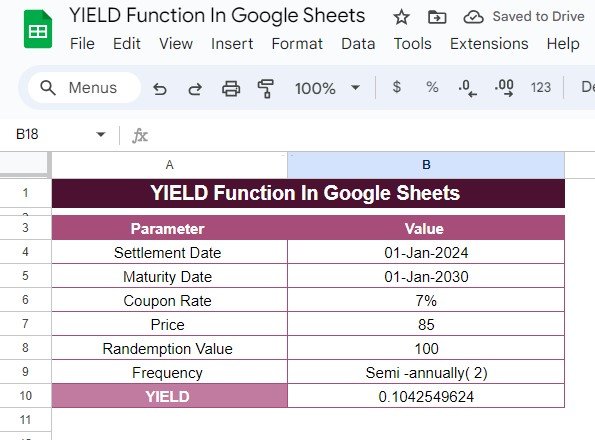
How to Use the YIELD Function in Google Sheets: Step-by-Step Example

Calculating bond yields can be a tricky task, but thankfully, Google Sheets has a built-in function that makes it a lot easier. In this guide, we’ll explain how to use the YIELD function in Google Sheets with a real-world example, breaking down each step to help you understand the process. If you’re ready to learn […]

Google Sheets

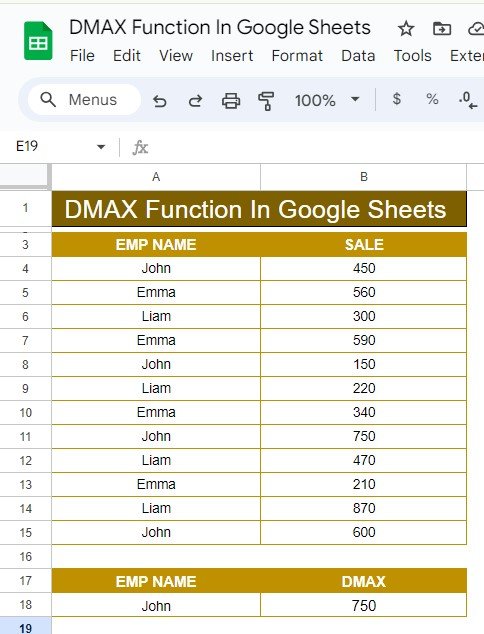
How to Use the DMAX Function in Google Sheets: A Step-by-Step Example

Google Sheets offers a variety of useful functions for data analysis, and one of the most powerful is the DMAX Function in Google Sheets. This function allows you to retrieve the maximum value from a dataset based on specific conditions. Whether you’re managing a large dataset or just need to analyze a small set of […]

Google Sheets

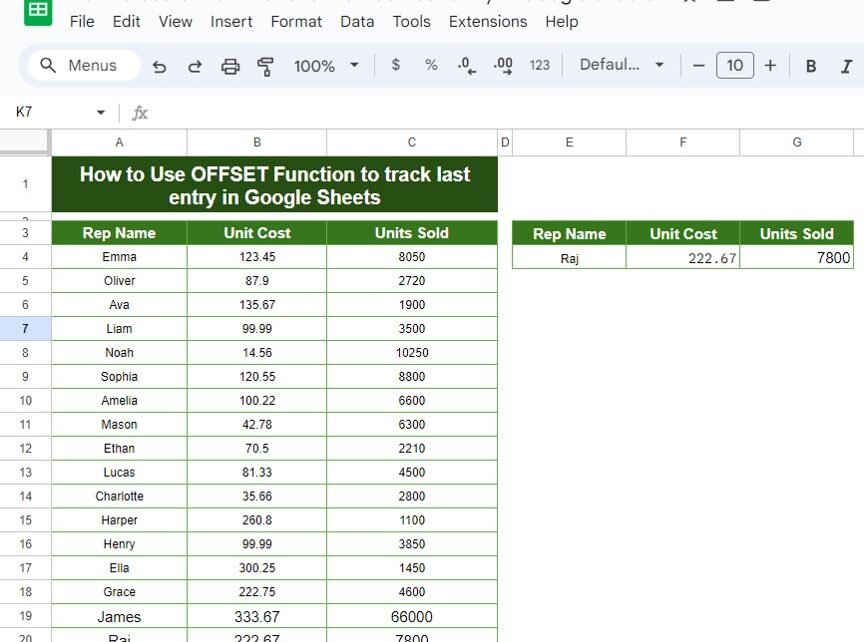
How to Use the OFFSET Function to Track the Last Entry in Google Sheets: A Step-by-Step Example

Google Sheets offers so many functions that make managing and analyzing your data much easier. One of the most useful functions, especially when working with data that keeps growing, is the OFFSET function. With this function, you can OFFSET Function to Track the Last Entry in Google Sheets in a dataset, which can be incredibly […]

Google Sheets

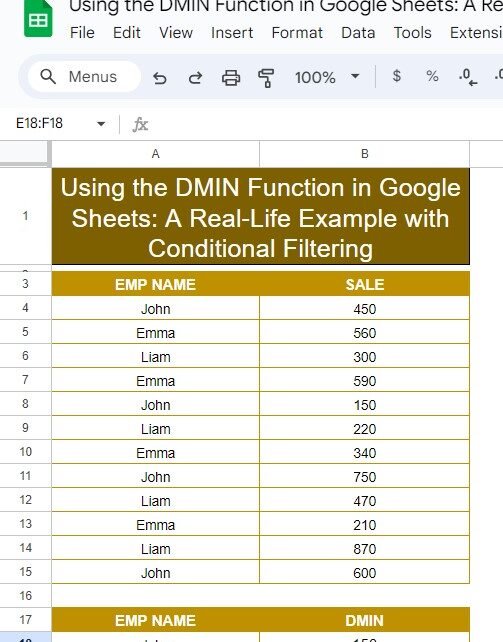
Using the DMIN Function in Google Sheets: A Real-Life Example with Conditional Filtering

Google Sheets offers a wide range of powerful functions that make data analysis simple and efficient. One of these is the DMIN Function in Google Sheets, which allows you to find the minimum value from a set of data that meets specific criteria. If you’re working with a large dataset and want to extract the […]

Google Sheets

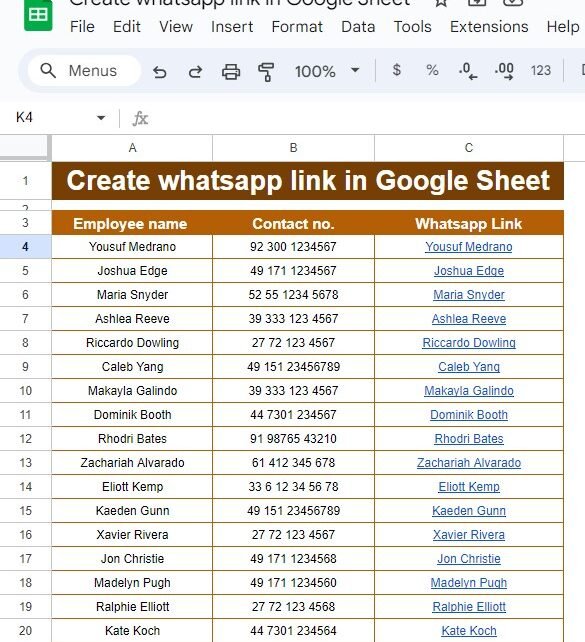
How to Easily Create WhatsApp Links in Google Sheets – A Step-by-Step Guide

Have you ever wanted to quickly send a WhatsApp message to someone, but had to go through the trouble of manually typing their number? Well, guess what? There’s a much easier way! In this guide, I’ll show you how to Create WhatsApp Links in Google Sheets, making communication with your contacts faster and more efficient. […]

Google Sheets

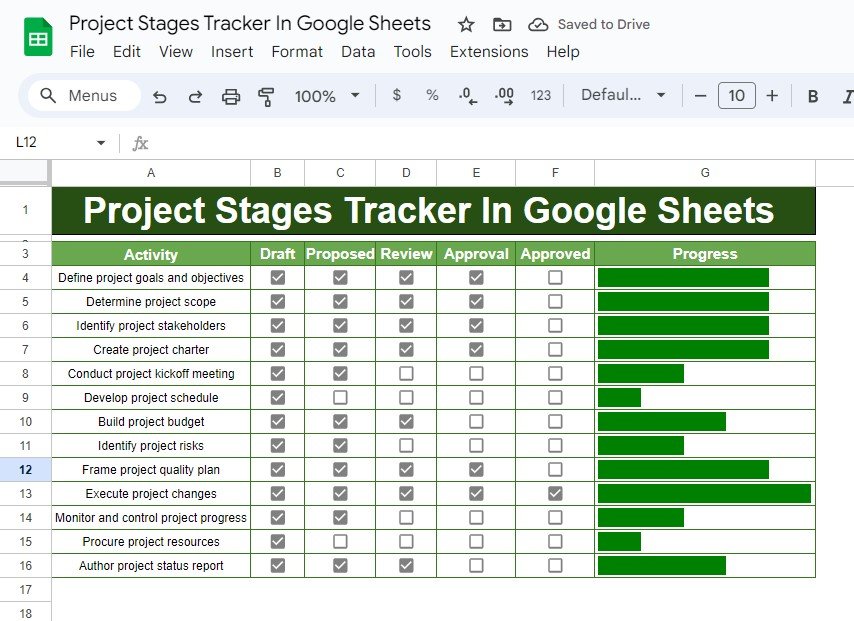
Project Stages Tracker in Google Sheets: Step-by-Step Example

Tracking project stages is an essential part of project management, helping you monitor the progress of various tasks. But what if you could simplify this process using Google Sheets? In this blog post, we will walk you through how to create a Project Stages Tracker in Google Sheets, using a simple and effective formula to […]

Google Sheets

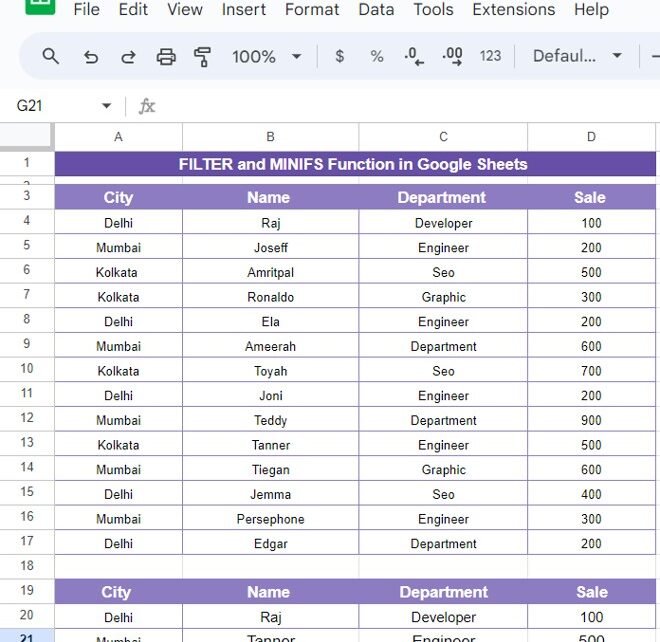
How to Use the FILTER and MINIFS Functions in Google Sheets: Easy Example

Do you want to filter your data based on specific criteria and find the minimum values in Google Sheets? You’re in the right place! In this post, we’ll explore how to use two powerful Google Sheets functions, FILTER and MINIFS Functions, together to streamline your data analysis. In our example, we’ll walk through the process […]